Test Cases in Coding and Approximate Solution Questions
Last updated: July 9, 2026
Test cases are predefined input and expected output scenarios used to evaluate whether a solution returns the correct results.
Each test case includes:
Input: Data provided to the program
Expected output: The correct result for that input
When a candidate runs the code, the platform executes all test cases, compares the output with the expected results, and marks each test case as passed or failed. The overall score depends on the number of test cases passed.
HackerRank recommends including 8–15 test cases per coding question to ensure comprehensive evaluation.
You can create test cases that:
Cover a range of scenarios, including standard and edge cases
Validate different levels of complexity
Avoid redundancy by testing distinct conditions or logic paths
Types of test cases
Test cases are categorized based on their purpose during evaluation.
Sample test cases
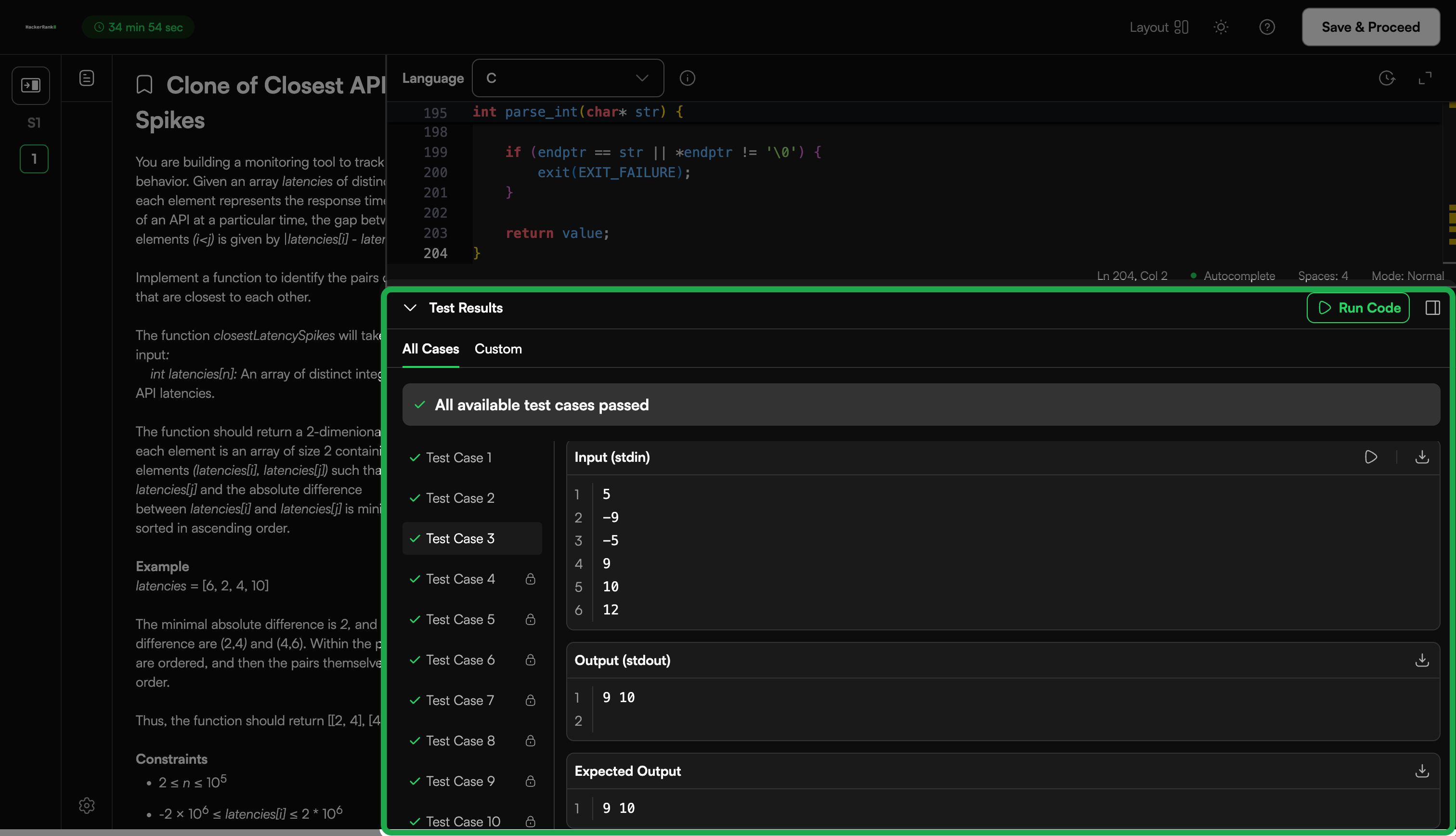
Sample test cases are visible to candidates. They help candidates understand the problem and validate their solutions.
Sample test cases allow candidates to:
View input and expected output
Compare their output with the expected result
Download test case data (if enabled)
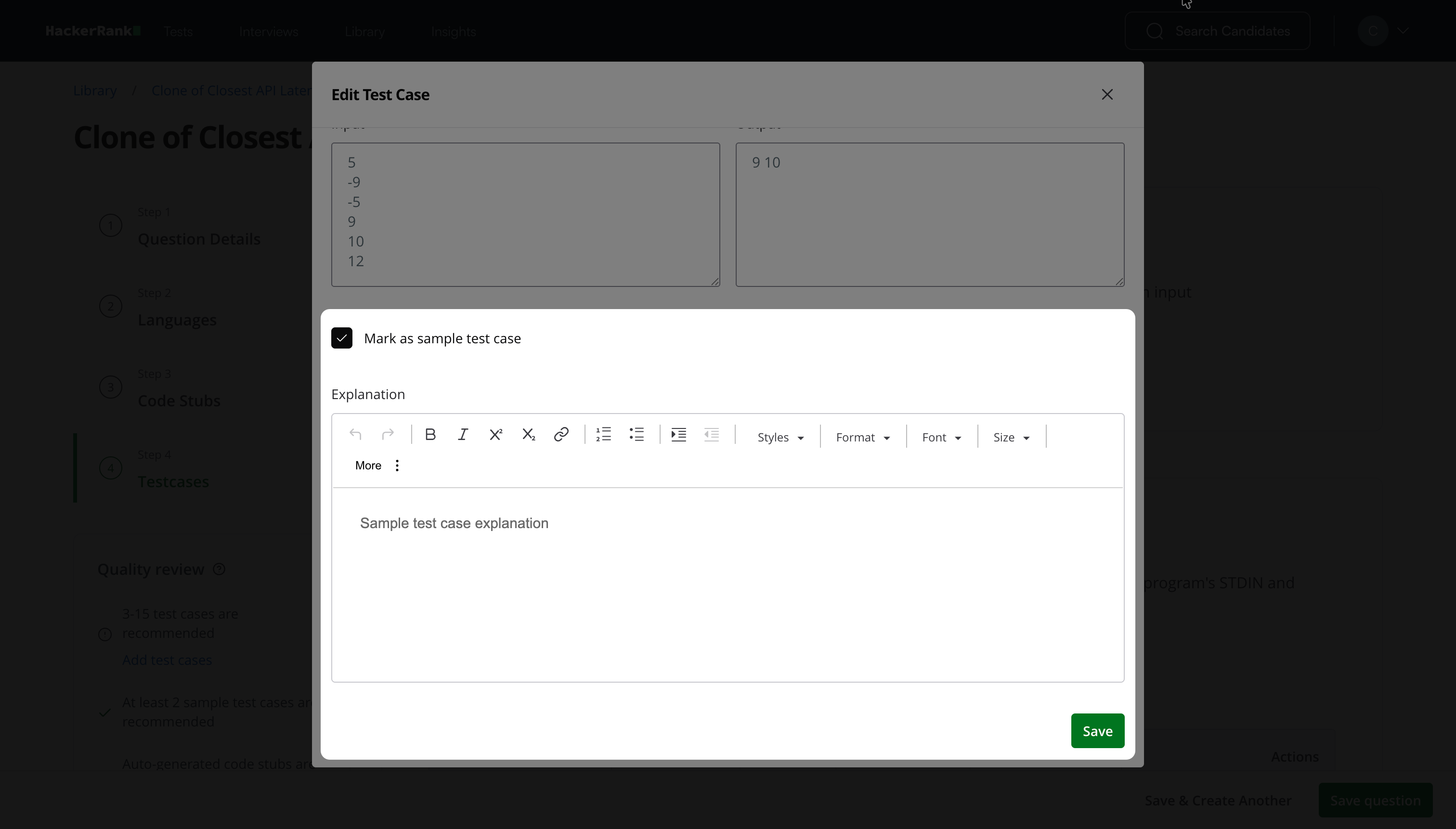
To mark a test case as a sample test case, select the Mark as sample test case checkbox when creating the test case.
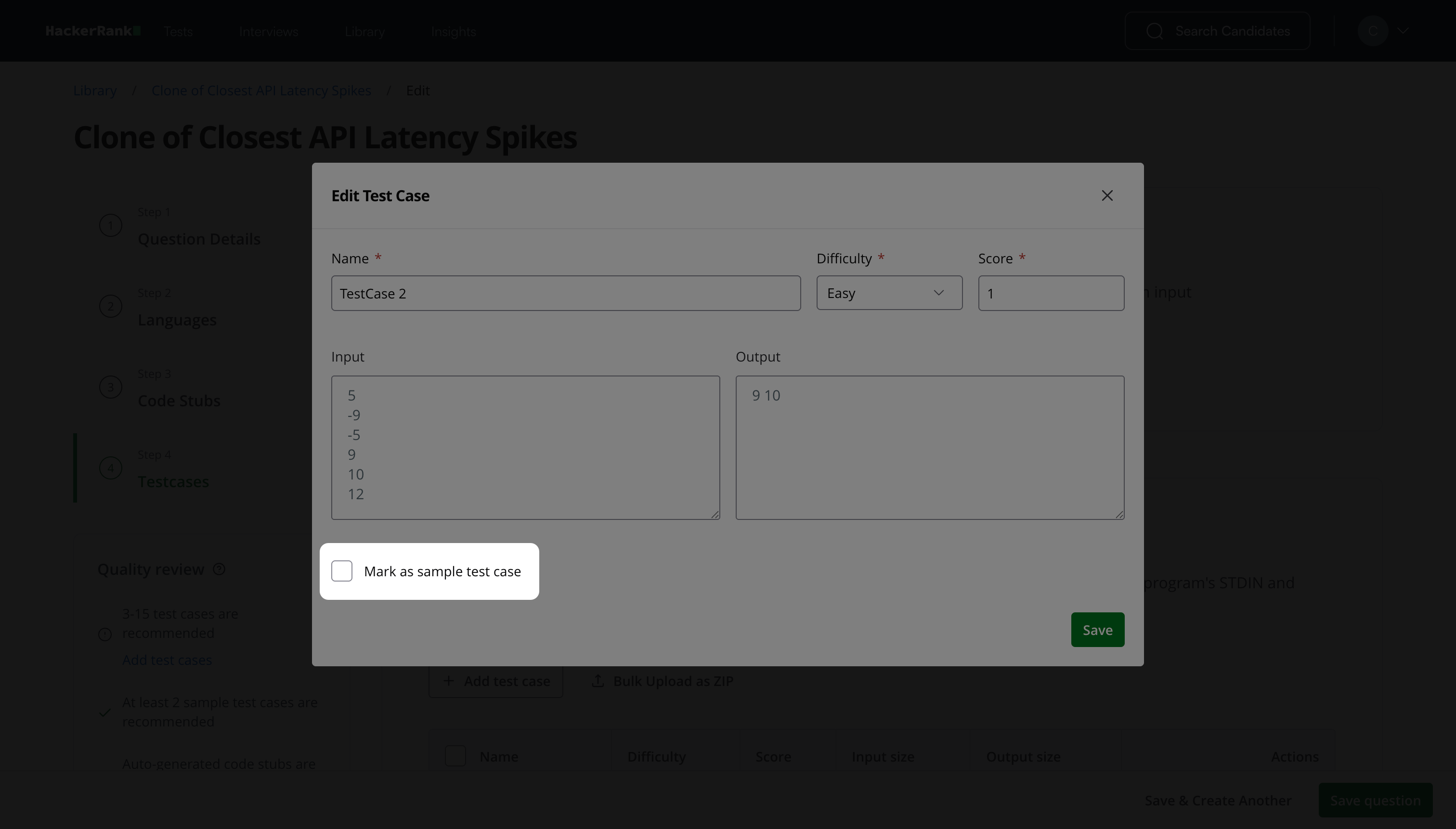
You can provide at least two or three sample test cases to help candidates understand the problem requirements. You can assign a zero score to these test cases if needed.
Example
Consider a problem that requires identifying the first non-repeated character in a string.
Input: swiss
Expected output: w
In this example, the character s appears multiple times, while w appears only once. Since w is the first non-repeated character, it is the correct output.
Hidden test cases
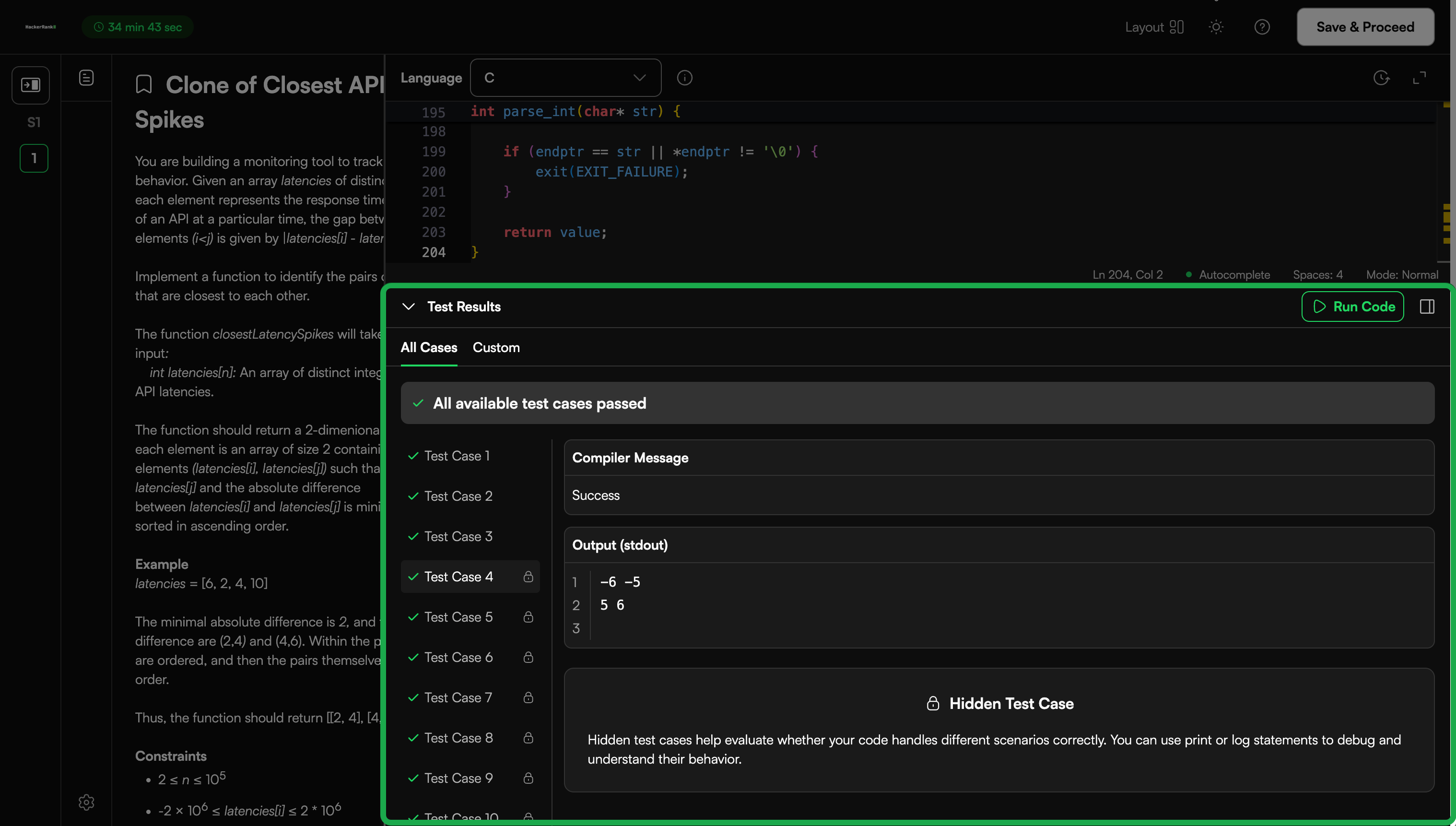
Hidden test cases are not visible to candidates. They evaluate how well a solution handles edge conditions and unseen scenarios.
Any test case not marked as a sample test case remains hidden and appears with a lock icon.
Hidden test cases:
Challenge candidates to write robust code that handles edge scenarios
Display only the candidate’s output and debug messages during execution
Example
For the same problem used in the sample test cases, hidden test cases can include:
Empty string: ""
Long string with all repeated characters.
Input format guidelines
Use a consistent structure for multi-value inputs to avoid end-of-file (EOF) errors.
Standard format
<number of lines> <value 1> <value 2> ... <value n> |
Example
4 100 500 40 200 |
Code stub input format
Use the code stub generator to define how input is read and passed to the function in the starter code. The platform uses this structure to generate consistent input parsing across languages.
You can define the input format clearly to ensure correct execution and avoid parsing errors.
Multiple parameters
You can provide each parameter on a new line. The platform assigns values to function parameters in the same order.
Example
Function: foobar(a, b, c, d, e)
2 3 4 5 6 |
Arrays
You can provide the array size first, followed by each element on a new line.
Example
3 100 200 300 |
Candidate experience
During execution:
Candidates can view input and expected output only for sample test cases.
Hidden test cases display only execution results.
Refer to 📄 Viewing a Candidate's Detailed Test Reportto understand how test cases appear in reports.
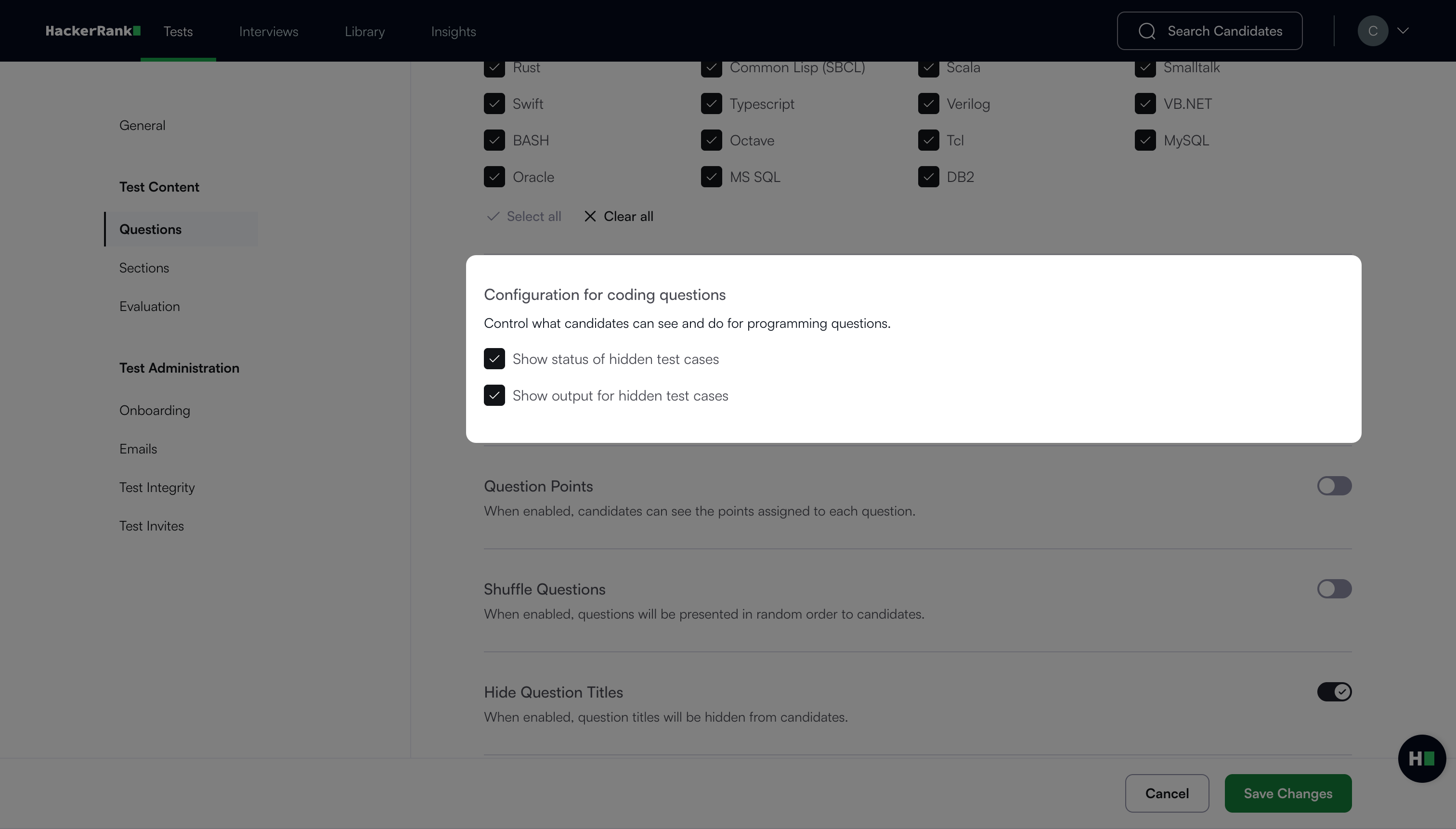
Tip: You can disable Show output for hidden test cases in the Questions tab under Configuration for coding questions to hide hidden test case output. You can enable it to show the output and help candidates debug their code.
Best practices
Use varied test case sizes and complexity levels.
Avoid duplicating test objectives across test cases.
Ensure each test case validates a unique condition or logic path.
Align all test cases with the defined input format and code stubs.