Interview Integrity Signals
Last updated: June 16, 2026
Interview Integrity Signals notify interviewers only when the system detects meaningful clusters of suspicious candidate activity, such as multiple copy-paste actions, frequent window resizing, and switching tabs. This grouped notification approach minimizes distractions and ensures that interviewers receive only critical alerts, helping them stay focused during the interview. To learn about the types of supported signals, see Types of Suspicious Signals.
The Interview Integrity Signals supports the following question types:
Coding
Projects
Front-end
Back-end
Full-stack
Mobile
Code Repository
Whiteboard
Enabling Interview Integrity Signals
To enable Interview Integrity Signals:
Log in to your HackerRank for Work account using your credentials.
Go to Settings.
Select Interview Settings from the left panel under the Company section.
Scroll to the Interview Integrity Signals section.
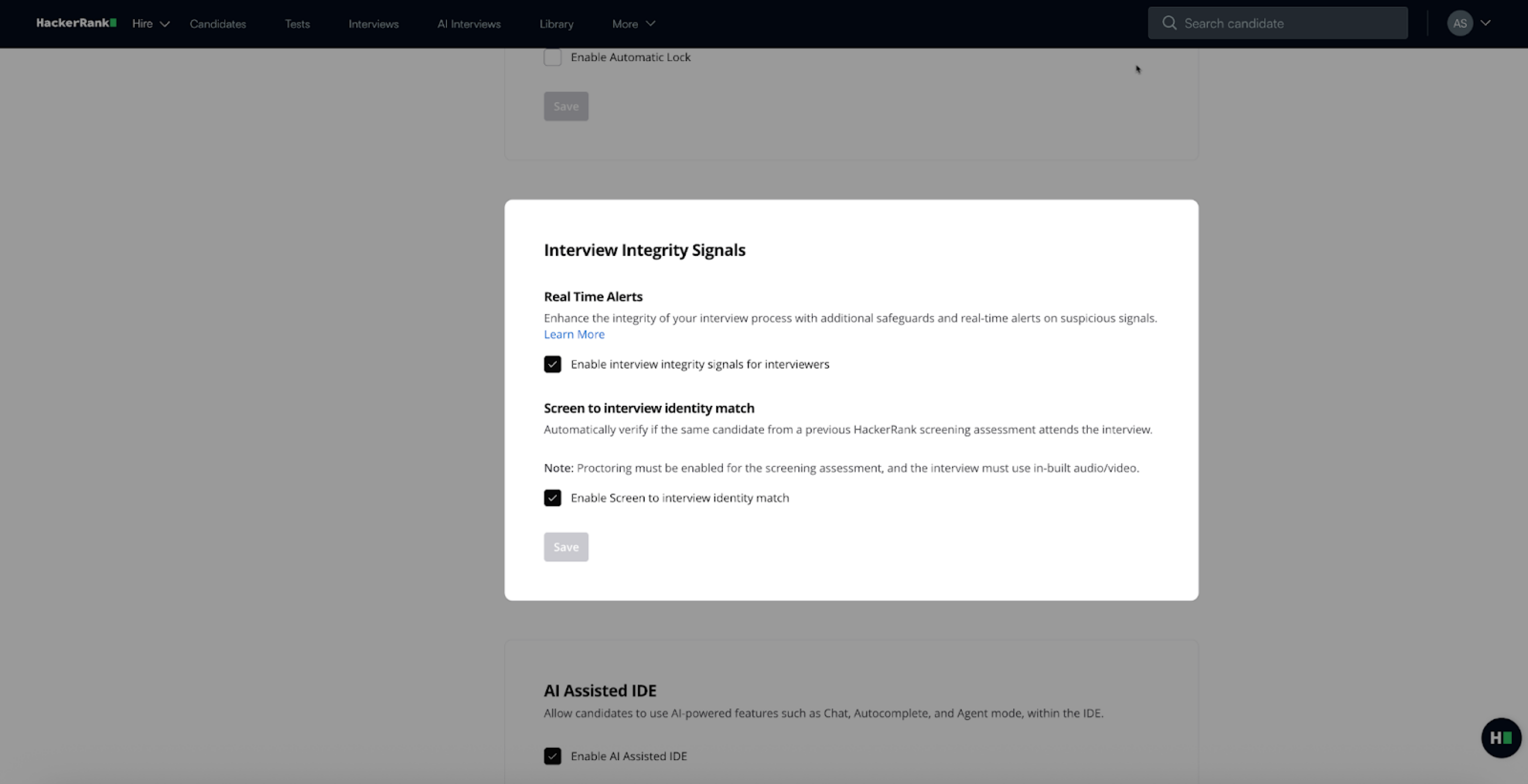
In the Interview Integrity Signals section:
Select Enable interview integrity signals for interviewers to turn on real-time alerts during interviews.
Select Enable Screen to interview identity match to compare the candidate’s identity from the screening stage with the interview session.
Note: The Screen to Interview Identity Match feature is part of the AI Add-on. Contact your account manager to learn more.
Click Save.
How it works
During an interview, the system detects suspicious behavior such as multiple copy-paste actions or frequent window resizing, and groups these events into a comprehensive alert. This avoids distracting the interviewer with multiple notifications.
For example, the system displays an alert: Multiple Suspicious Activities.
When the interviewer clicks the alert, they see a list of specific behaviors, such as:
Multiple copy-paste actions
Frequent window resizing
Repeated tab switching
Interviewers can ask the candidate to share their screen for further review. If the candidate uses unauthorized tools or browser tabs, the interviewer can address the issue directly, ensuring a secure and transparent interview environment.
Note: You can also keep the Suspicious Signals panel open to view integrity signals in real time as candidate activity occurs.
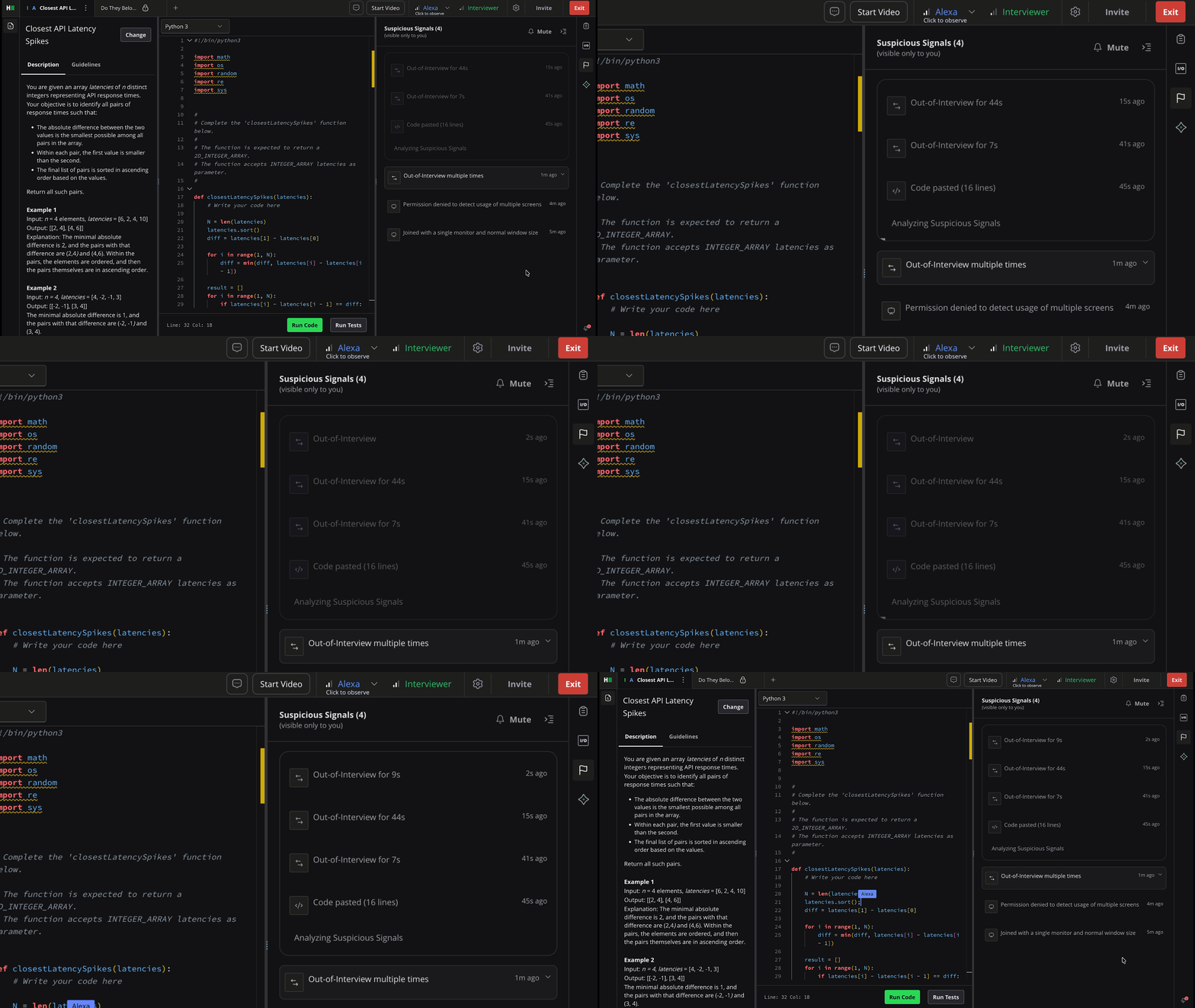
Types of suspicious signals
The system groups the following types of suspicious signals into alerts:
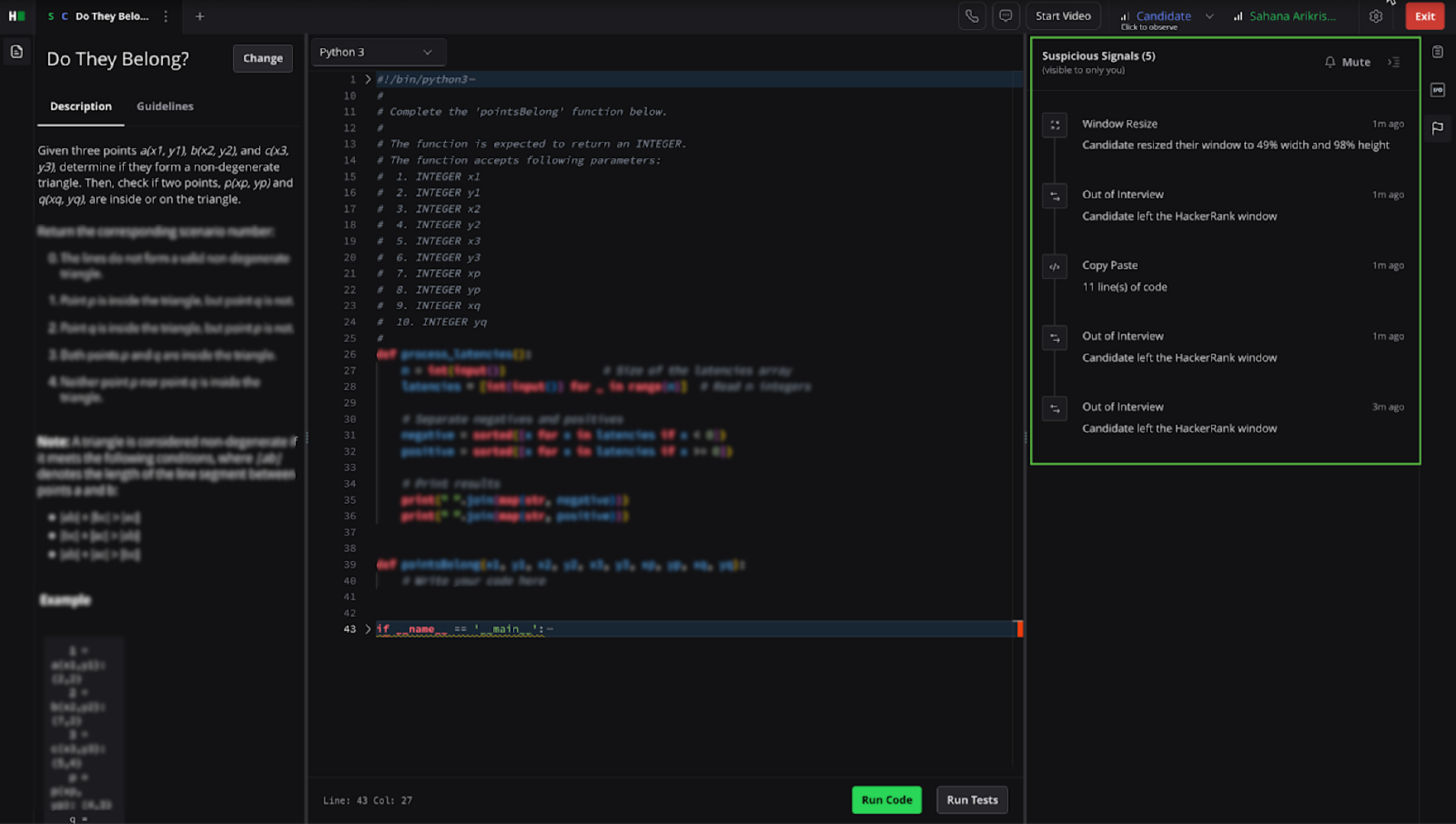
Out of Interview: Candidate switches away from the coding environment to another browser tab. This behavior may indicate the use of external resources or tools during the interview. You can expand Out-of-interview events in the timeline to view each occurrence, including timestamp and duration.
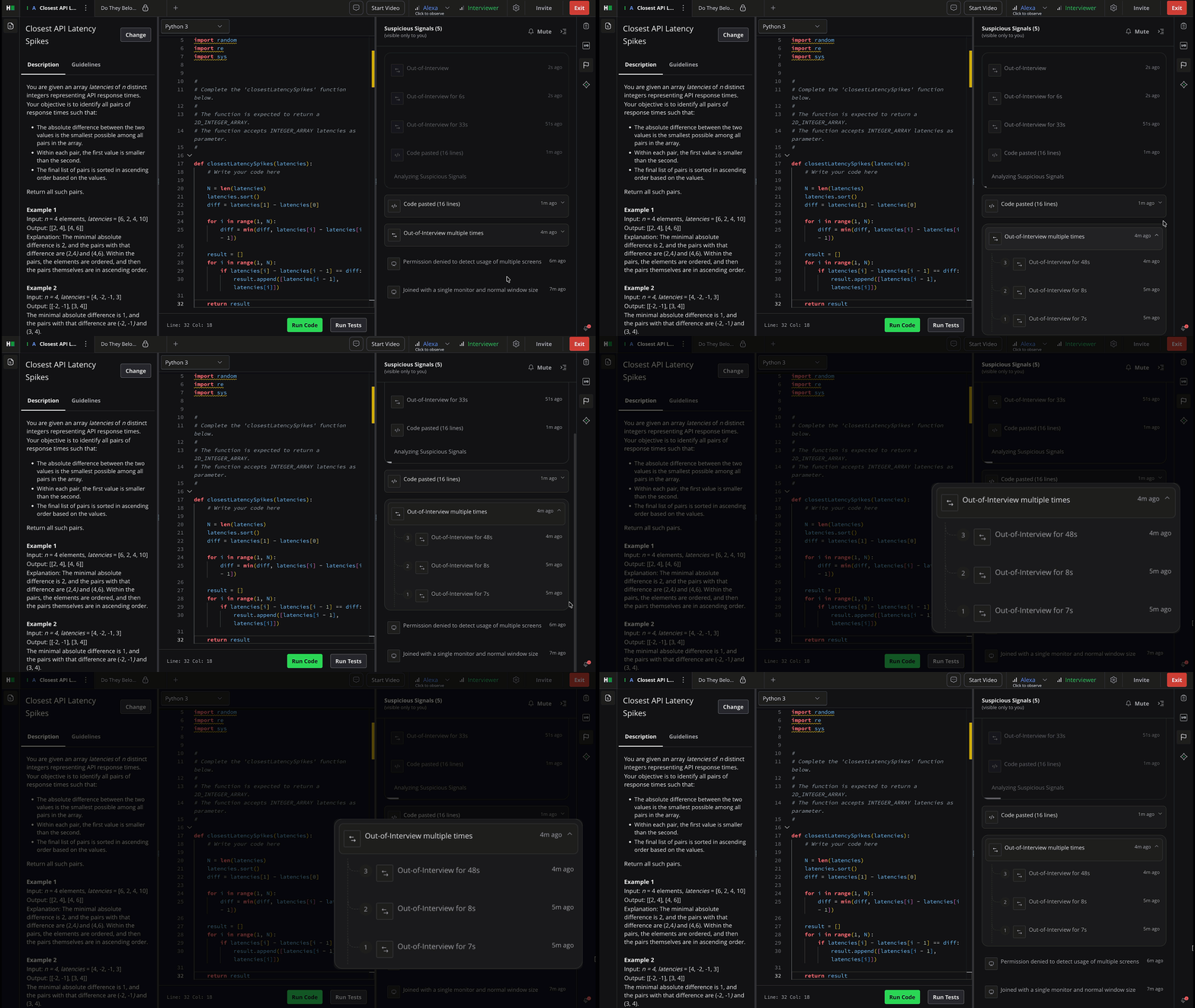
Note: Actions such as opening the browser console or interacting with permission pop-ups may also trigger this signal, as they operate outside the coding environment.
Copy Paste: The candidate copies and pastes content from an external source into the code editor. This helps identify potential cases where candidates use pre-written answers or external assistance.
Note: Copying and pasting code does not always indicate misconduct. Candidates may copy content from forums, AI tools, or personal editors, which may be acceptable in certain contexts.
Window Resize: Candidate resizes the browser window during the interview. This action may suggest attempts to access or conceal other applications or content.
Multi-Monitor Setup: The candidate uses an extended or dual-monitor setup during the interview. If the candidate grants display access, the platform can detect when additional displays are connected or disconnected and records these events in the timeline for review.
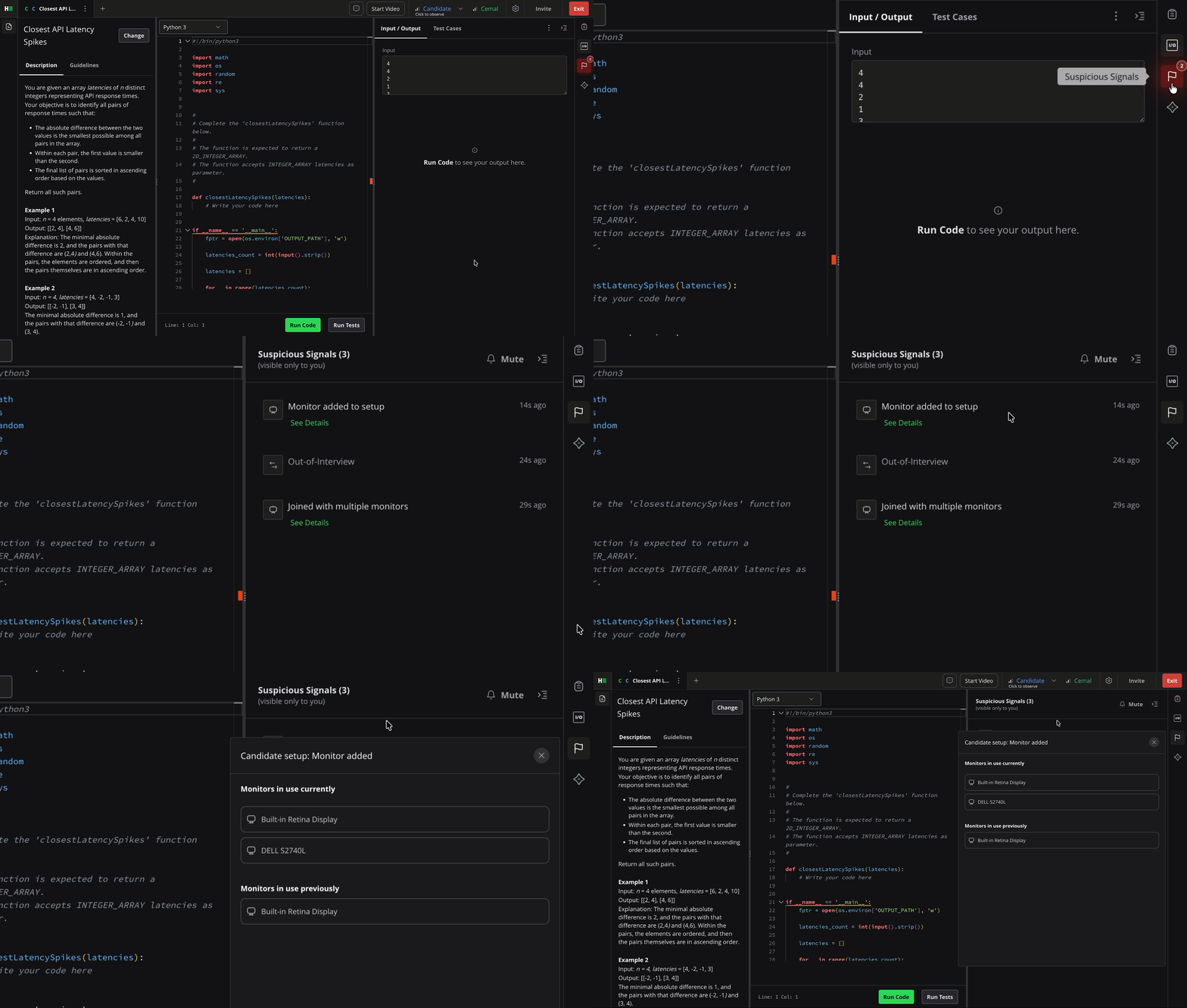
If the candidate does not grant display access, HackerRank notifies the interviewer.
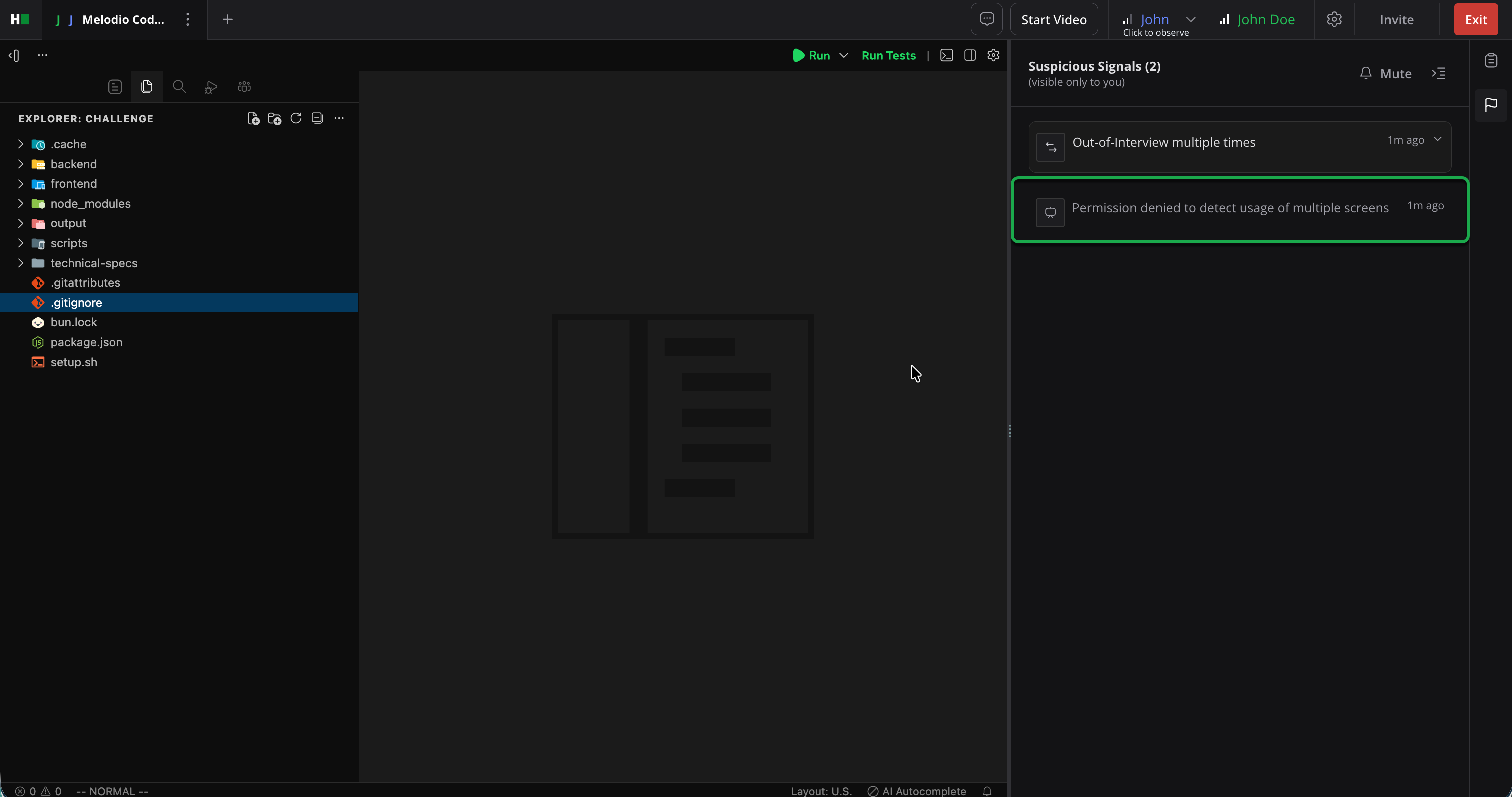
Note: This feature is supported only on the Chrome browser.
Viewing integrity signals in an interview report
To view integrity signals in an interview report:
Log in to your HackerRank for Work account using your credentials.
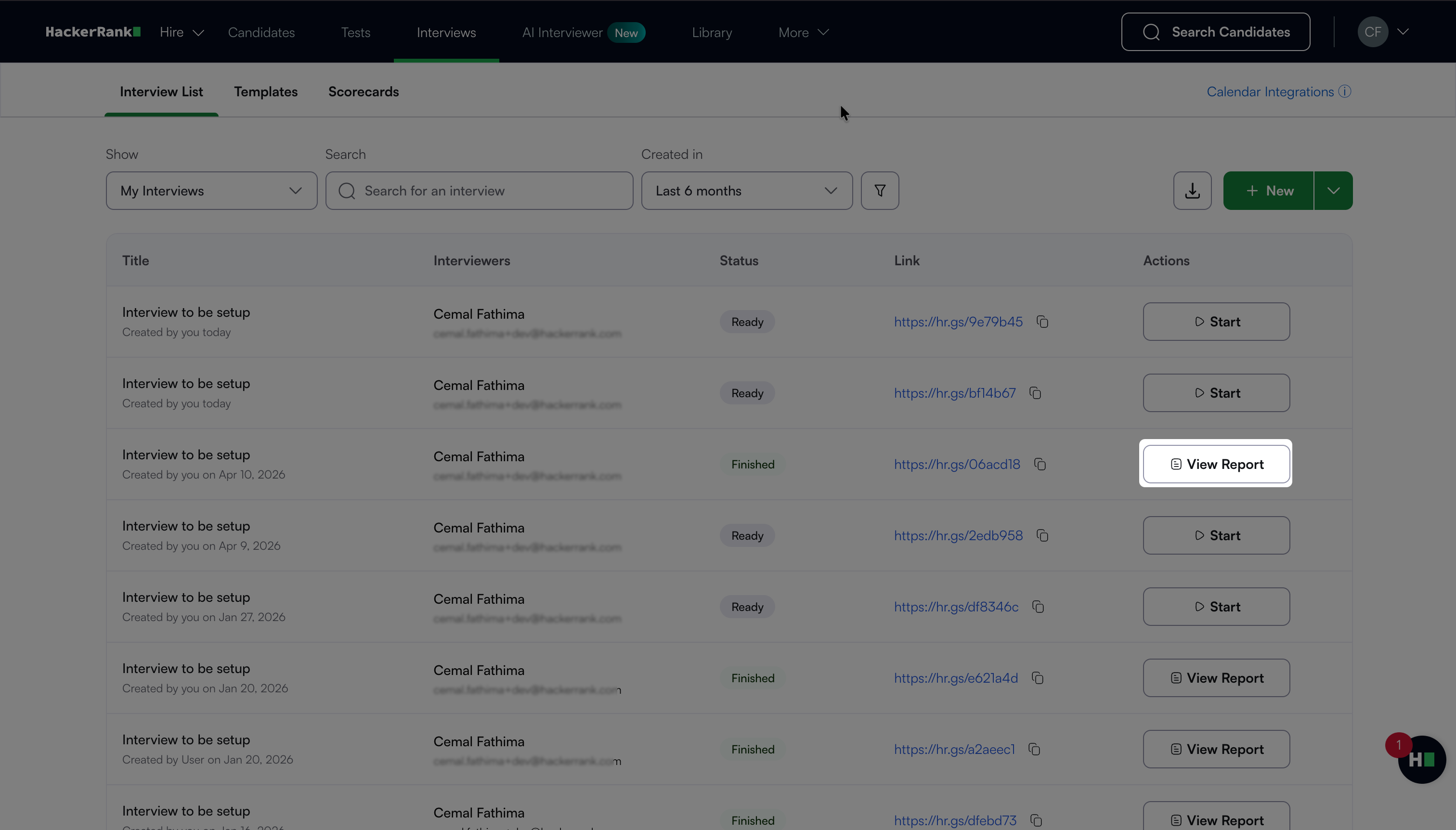
Go to Interviews > Interview List.
Click View Report next to the interview.
Select the relevant Question tab.
Click the Suspicious Signals icon on the right side of the report.
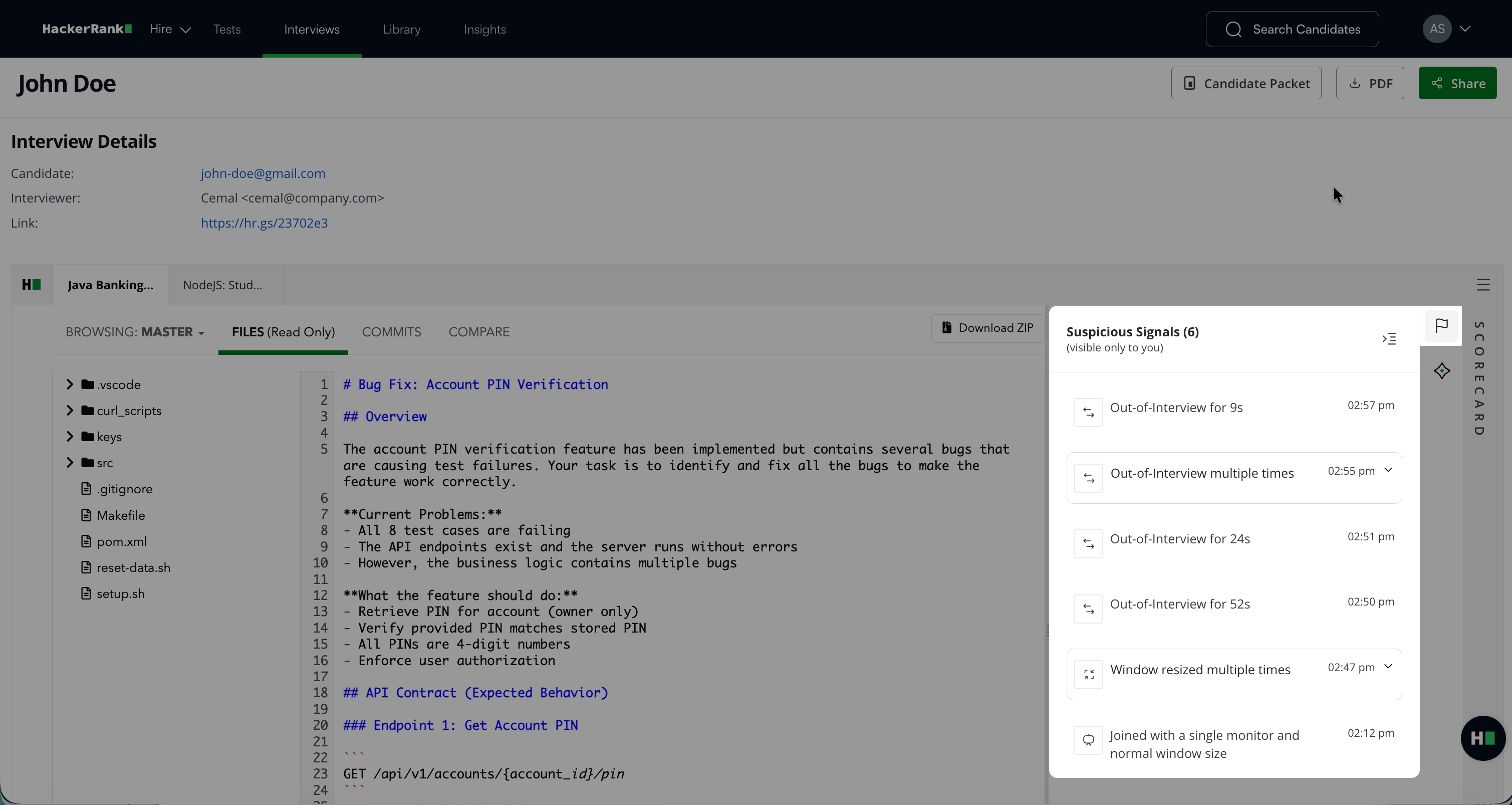
Review the detected interview integrity signals in the Suspicious Signals panel.
For more information about interview reports, see 📄 Interview Report.