View Candidates List for a Test
Last updated: October 7, 2026
The candidates list in the test interface provides a centralized view of all invited candidates and their test statuses. It helps you track candidate progress, review reports, and manage invitations in one place.
Viewing the candidates list
To view the list of invited candidates for a specific test:
Log in to your HackerRank for Work account using your credentials.
Go to the Tests tab.
Open the test from which you want to view or manage candidate invitations.
Go to the Candidates tab to view the list of all candidates who have been invited or have participated in the test.
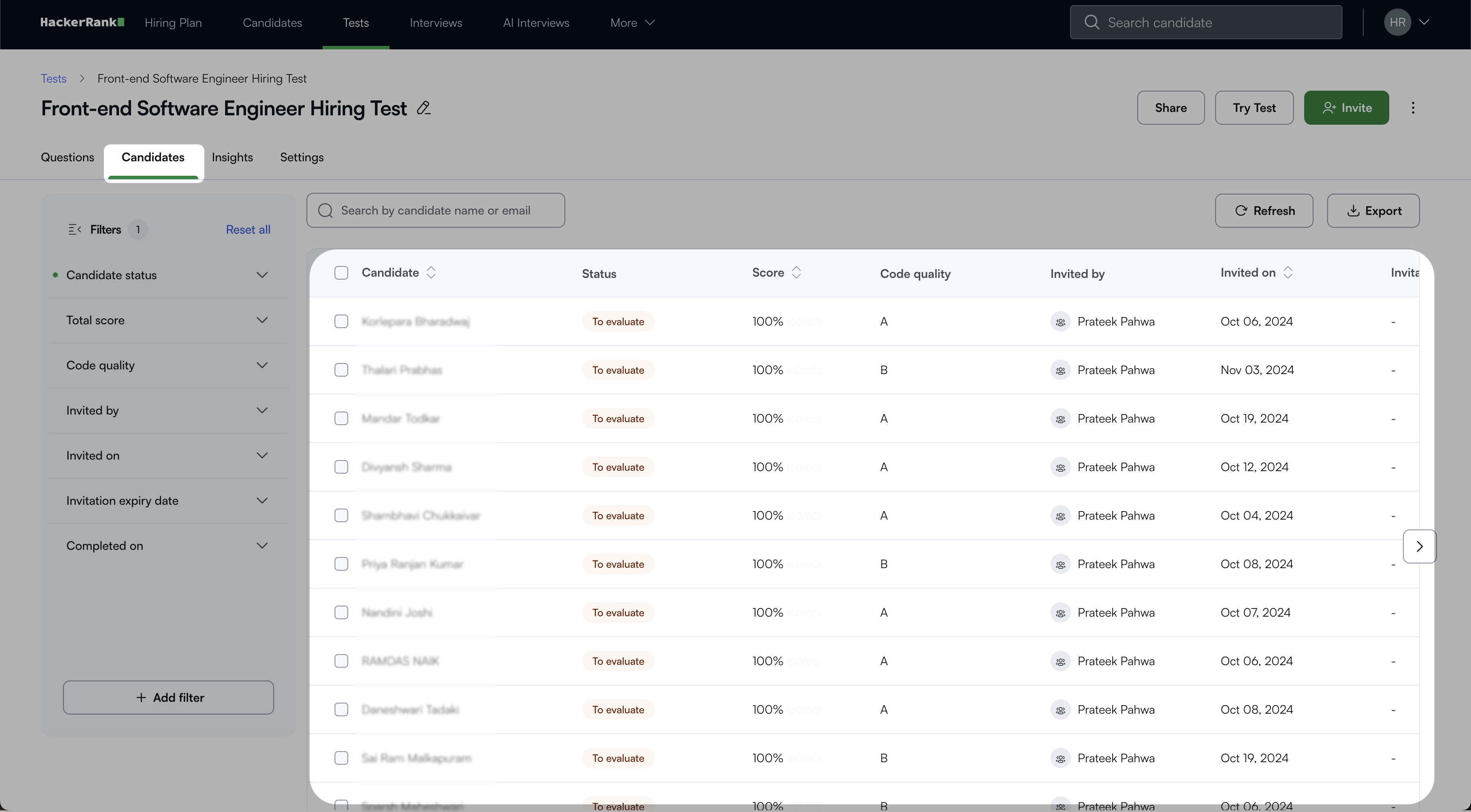
(Optional) Use the search bar to find candidates by their name or email address.
(Optional) Apply filters from the left pane using the default options.
The available default filters are:
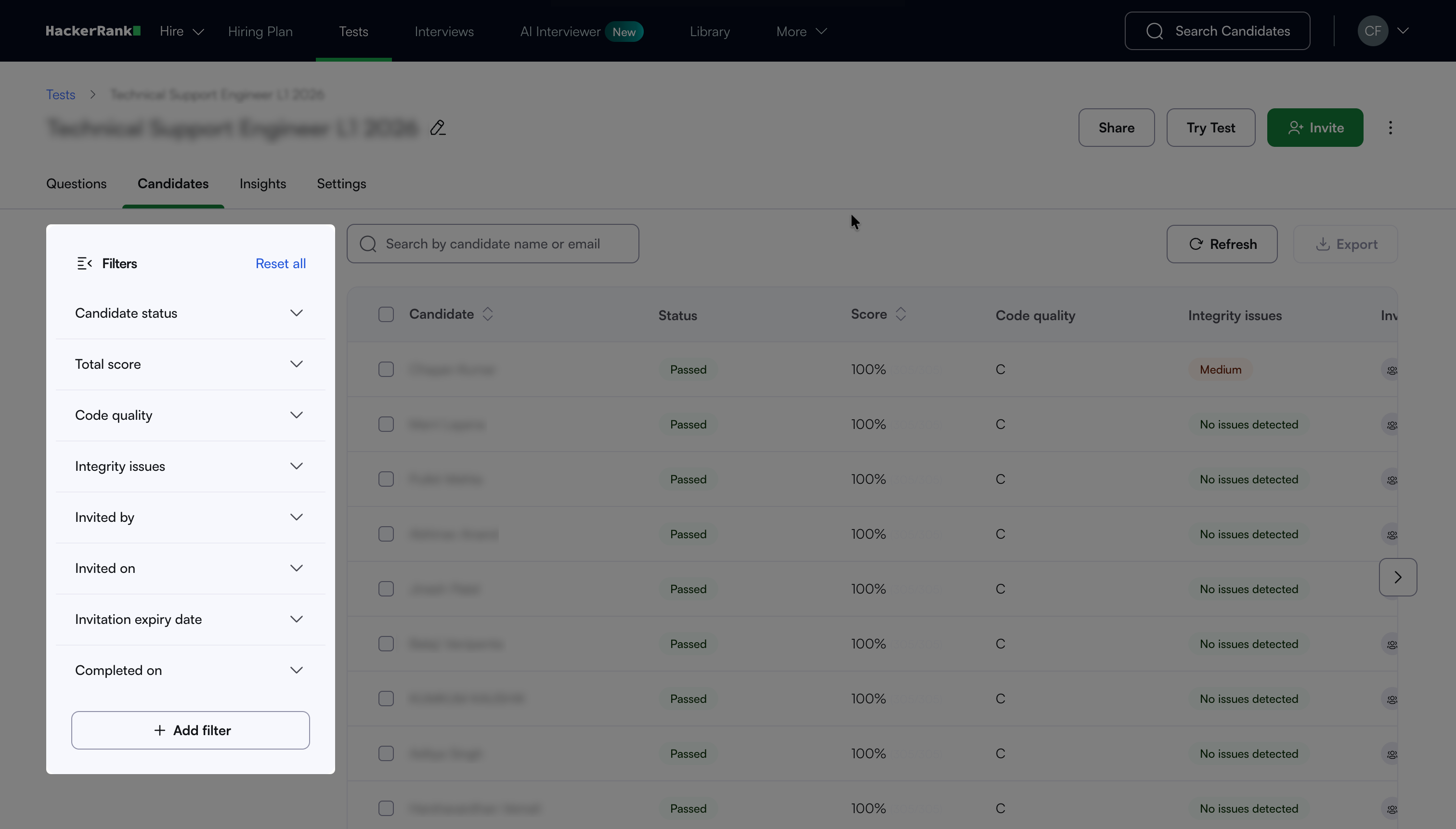
Candidate status: Candidates filtered by where they are in the test.
All Candidates: All candidates, regardless of status.
Invited: Candidates who were invited but have not started.
In Progress: Candidates who are currently taking the test.
Completed: Candidates who finished the test.
Total score: Candidates filtered by their total score. Drag the slider, or enter a minimum and maximum value to set the range.
Code quality: Candidates filtered by their code quality grade.
A, B, C: Code quality grades assigned to the candidate's code.
Not generated: Candidates for whom a code quality grade was not generated.
Integrity issues: Candidates filtered by the severity of integrity issues detected.
High: Candidates with a high likelihood of integrity issues.
Medium: Candidates with a medium likelihood of integrity issues.
No issues detected: Candidates with no integrity issues detected.
Invited by: Candidates filtered by how they were invited.
Me: Candidates you invited.
Public URL: Candidates who joined through a public test link.
Others: Candidates invited by other users.
Invited on: Candidates filtered by the date they were invited. Select a date in the Invite Date field.
Invitation expiry date: Candidates filtered by the date their invitation expires. Select a date in the Invite Expiry Date field.
Completed on: Candidates filtered by the date they completed the test. Select a date in the Completed on field.
Note: You can apply additional filters by clicking + Add filter. The additional filter options are:
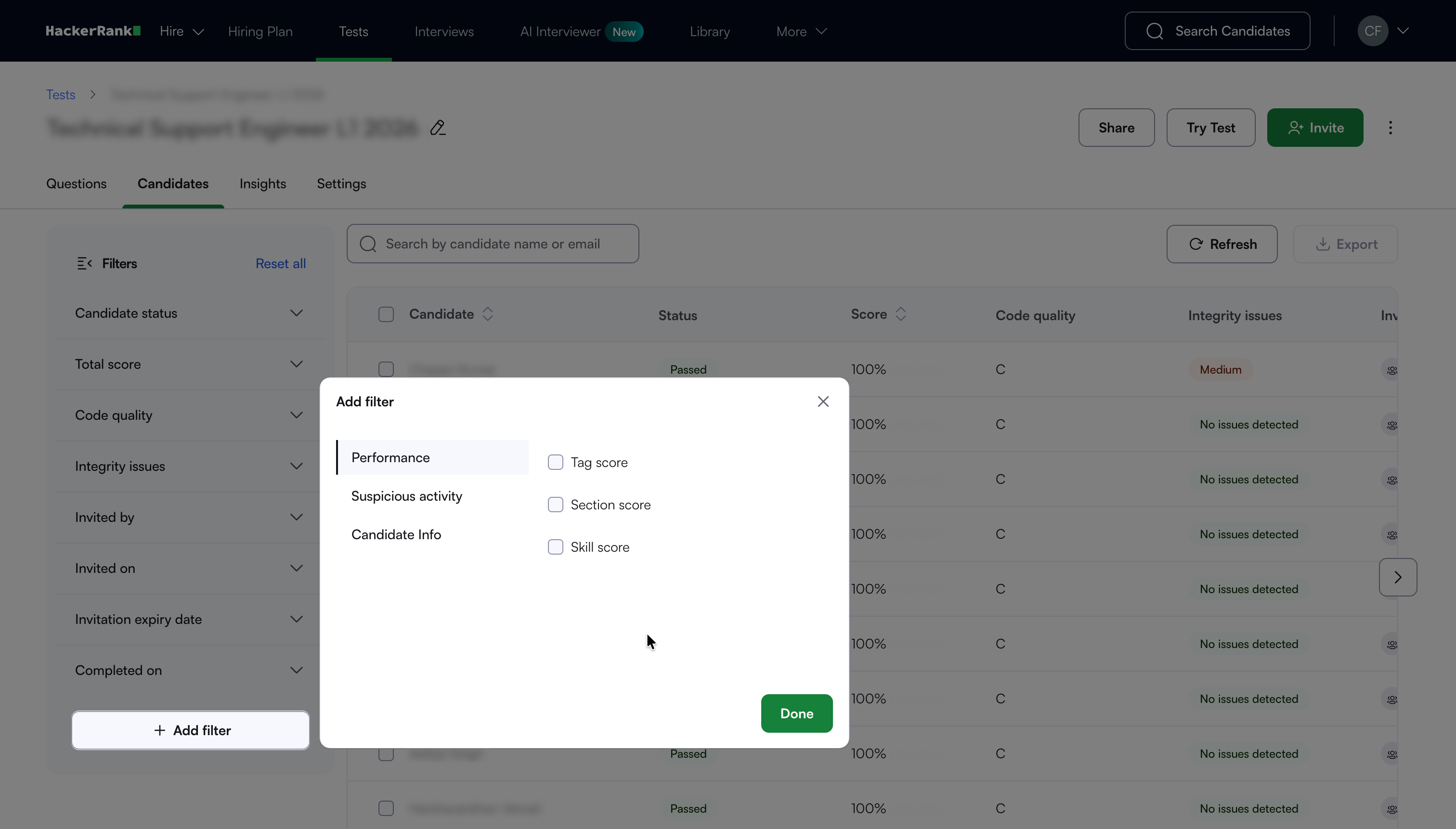
Performance: Filter candidates by how they scored.
Tag score: Score on a specific question tag.
Section score: Score in a specific test section.
Skill score: Score for a specific skill.
Suspicious activity: Filter candidates by behavior flagged during the test.
Code similarity: Candidates whose code closely matches another submission.
Copy paste: Candidates who pasted content during the test.
Tab switch: Candidates who switched browser tabs during the test.
Multiple faces detected: Candidates whose proctoring footage showed more than one face.
No face detected: Candidates whose proctoring footage showed no face.
Suspicious activity: Candidates flagged for other suspicious behavior.
Secure mode violation: Candidates who broke secure mode rules during the test.
Candidate Info: Filter candidates by their details and activity.
Candidate feedback: Candidates who left feedback on the test.
Completed on: Candidates filtered by the date they completed the test.