API Overview
Last updated: August 21, 2026
HackerRank offers APIs to automate common workflows, such as administering tests, managing users and teams, scheduling interviews, and retrieving candidate results. You can integrate HackerRank APIs with your HR systems or use them to build custom workflows and dashboards.
HackerRank also provides pre-built integrations with supported Applicant Tracking Systems (ATS). For more information, see 📄 Integrations Overview.
Generating my API Token
Each enterprise user with a HackerRank for Work account can generate a personal API token. You can use the token to authenticate API requests and automate tasks such as administering tests and retrieving results.
Note: Do not use your personal API token for ATS integrations. To obtain an API token for an ATS integration, such as Greenhouse, Lever, or Workday, see the relevant article in ATS Integrations.
To generate an API token:
Log in to HackerRank for Work using your credentials.
Select your profile icon in the upper-right corner.
Select Settings from the drop-down menu.
In the left panel, select API under the User section.
Click New Token.
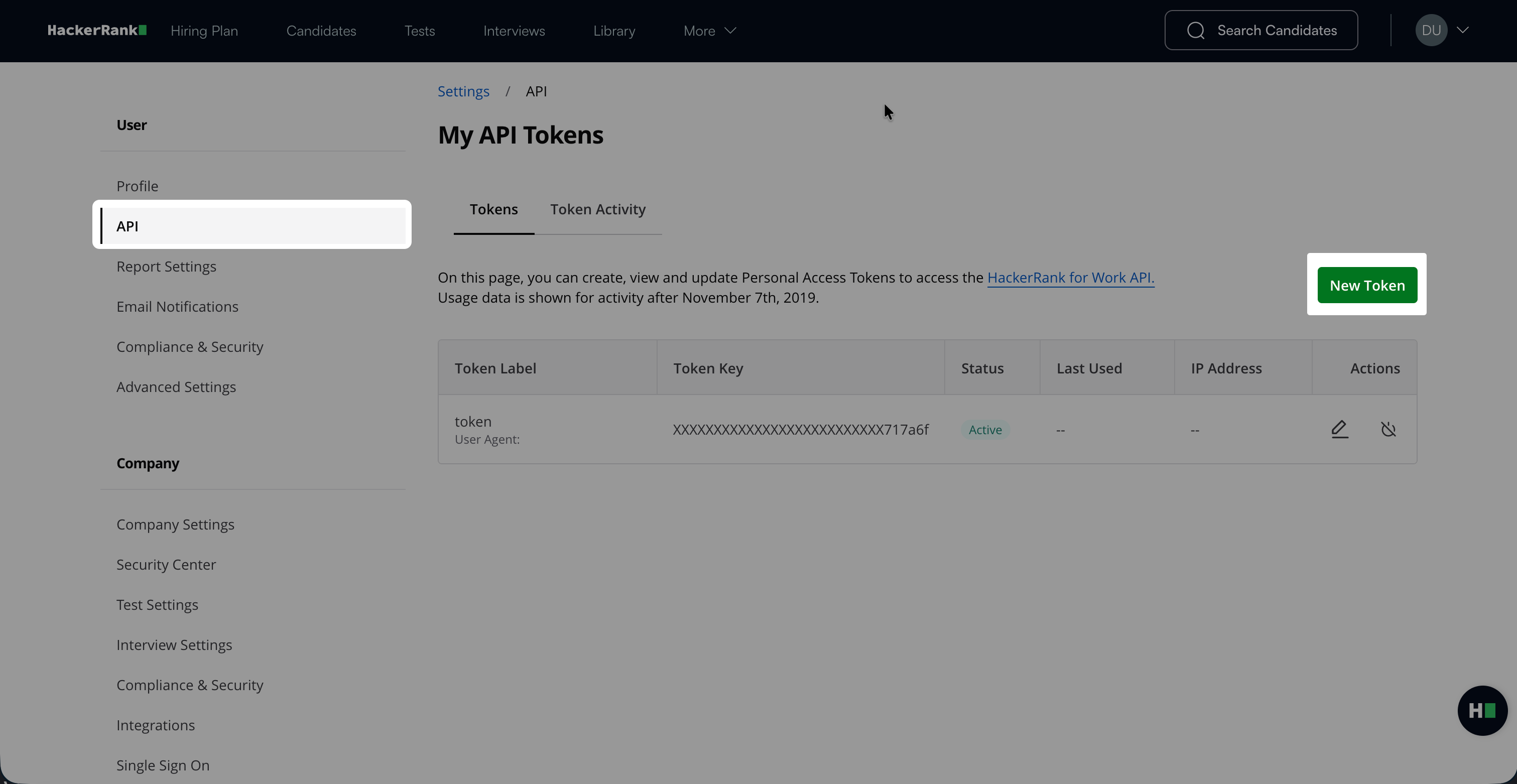
In the New Token dialog:
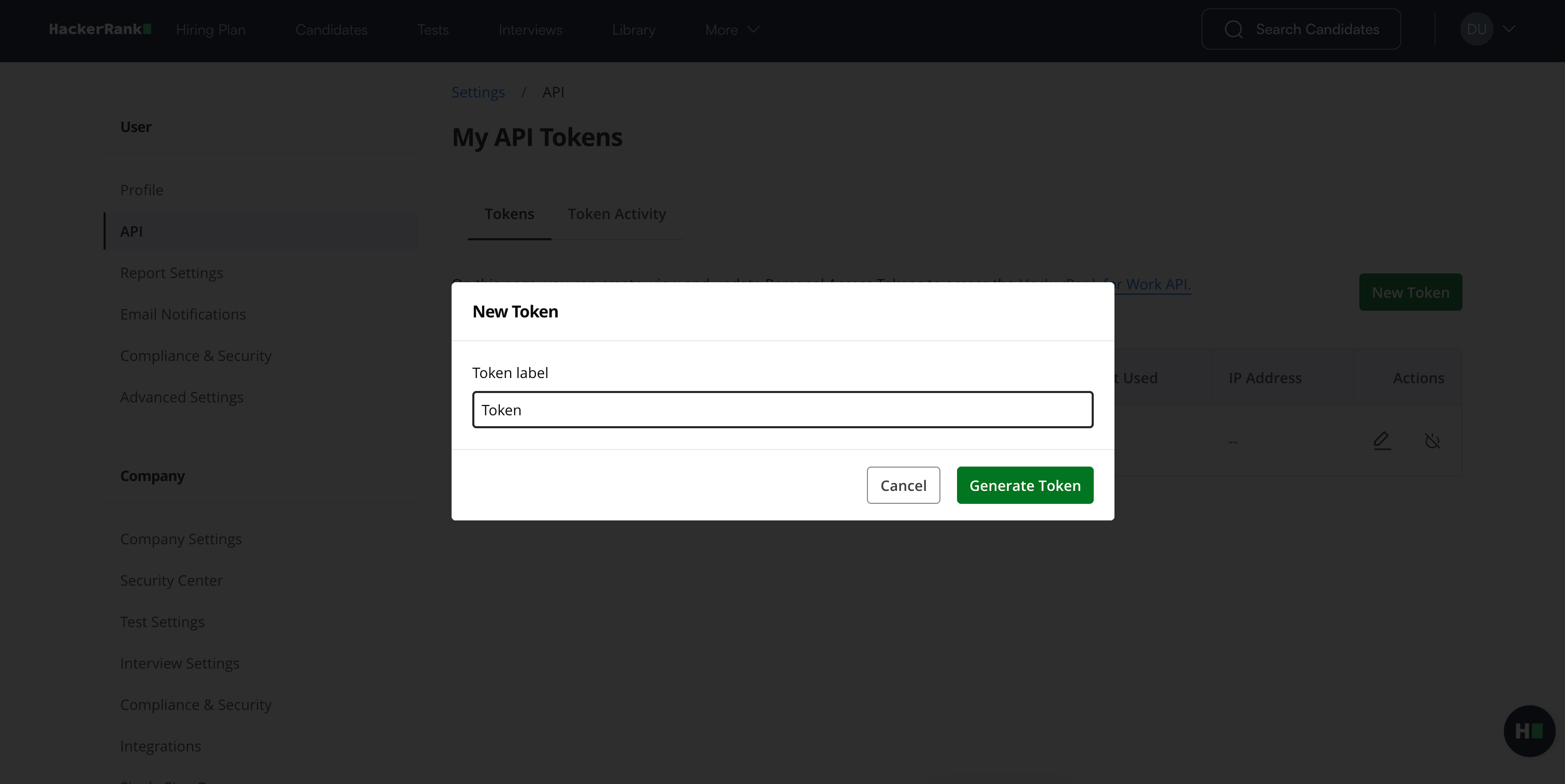
Enter a label for the token.
Click Generate Token.
Click Copy and close to copy your token.
Important Note: The token appears only once. You cannot view or retrieve it after you close the dialog. Store the token securely before you continue.
The new token appears in the token list with an Active status. You can edit the token label or deactivate the token when you no longer need it.
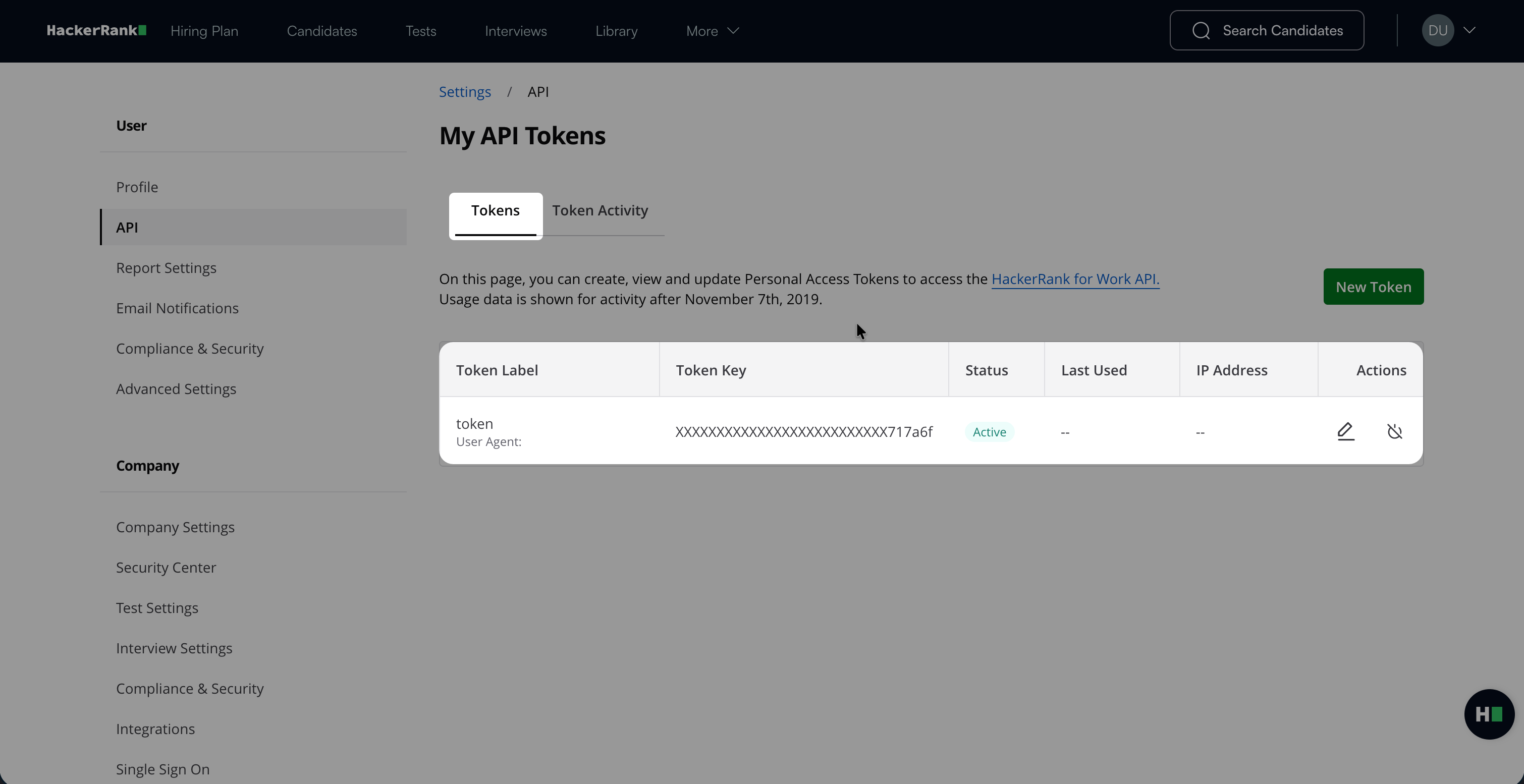
Tip: For information about API endpoints, authentication, request parameters, and other capabilities, see API Documentation.
Managing API tokens
You can deactivate, activate, or delete API tokens from the API page.
Deactivating an API token
You can deactivate an API token to temporarily stop it from authenticating API requests. You can reactivate the token at any time.
To deactivate an API token:
Log in to HackerRank for Work using your credentials.
Select your profile icon in the upper-right corner.
Select Settings from the drop-down menu.
In the left panel, select API under the User section.
Locate the token with an Active status.
In the Actions column, select the Deactivate token icon.
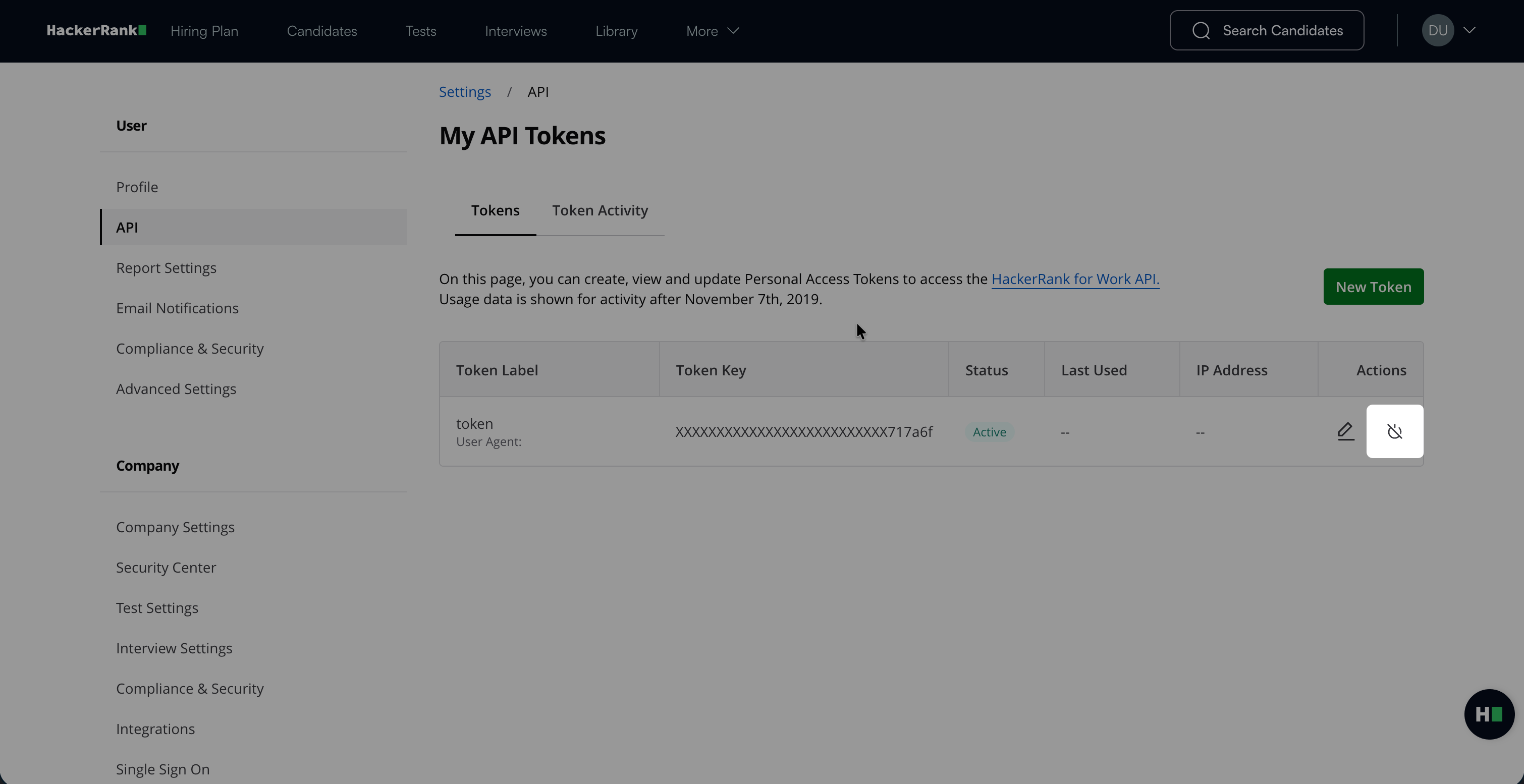
Review the confirmation message, and then click Deactivate token.
The token status changes to Inactive, and the token immediately stops authenticating API requests.
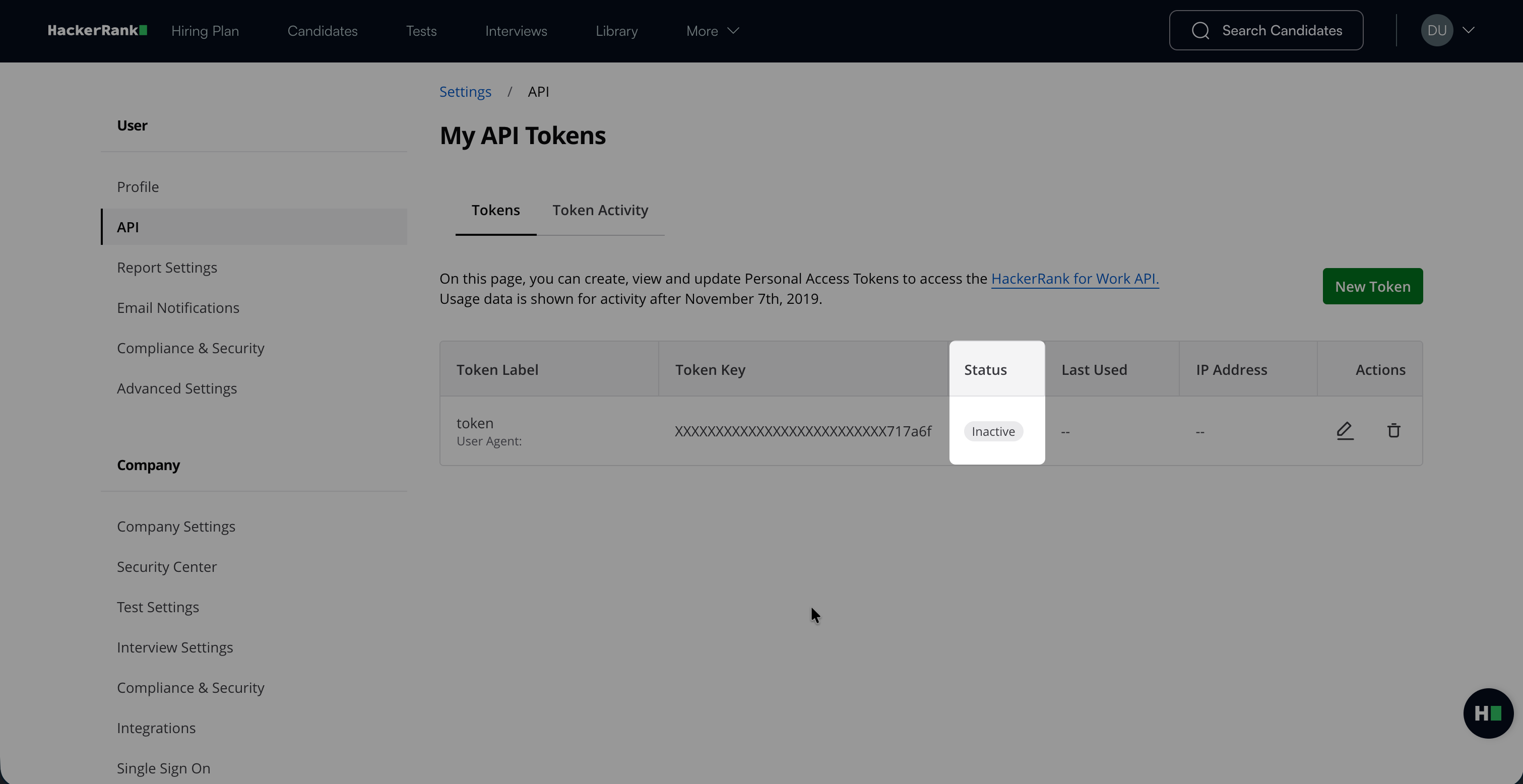
Important Note: Before you deactivate a token, update any applications or workflows that use it.
Activating a deactivated API token
To activate a previously deactivated API token:
Locate the token with an Inactive status.
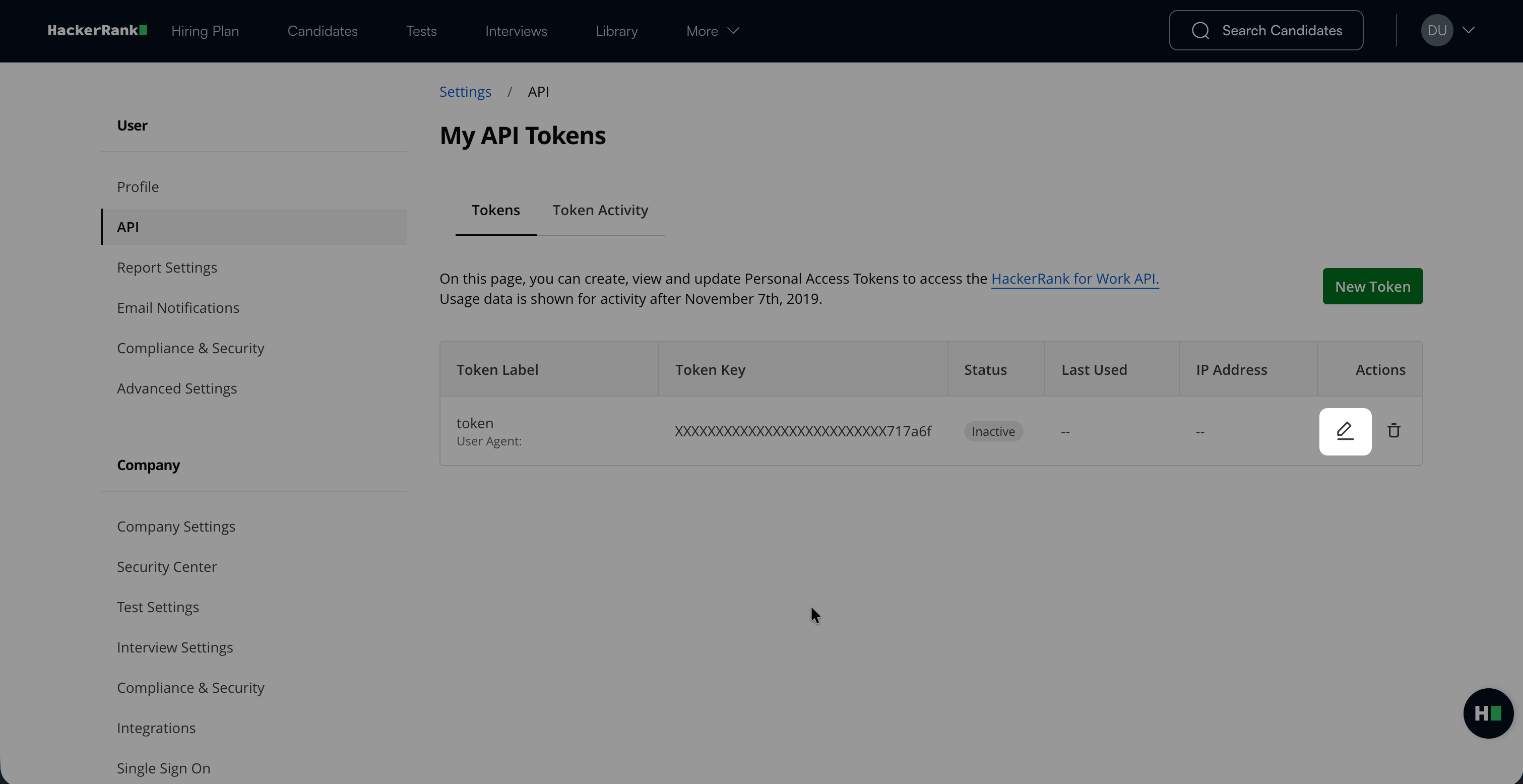
In the Actions column, select the Edit icon.
In the Edit Token dialog, select the Activate token checkbox.
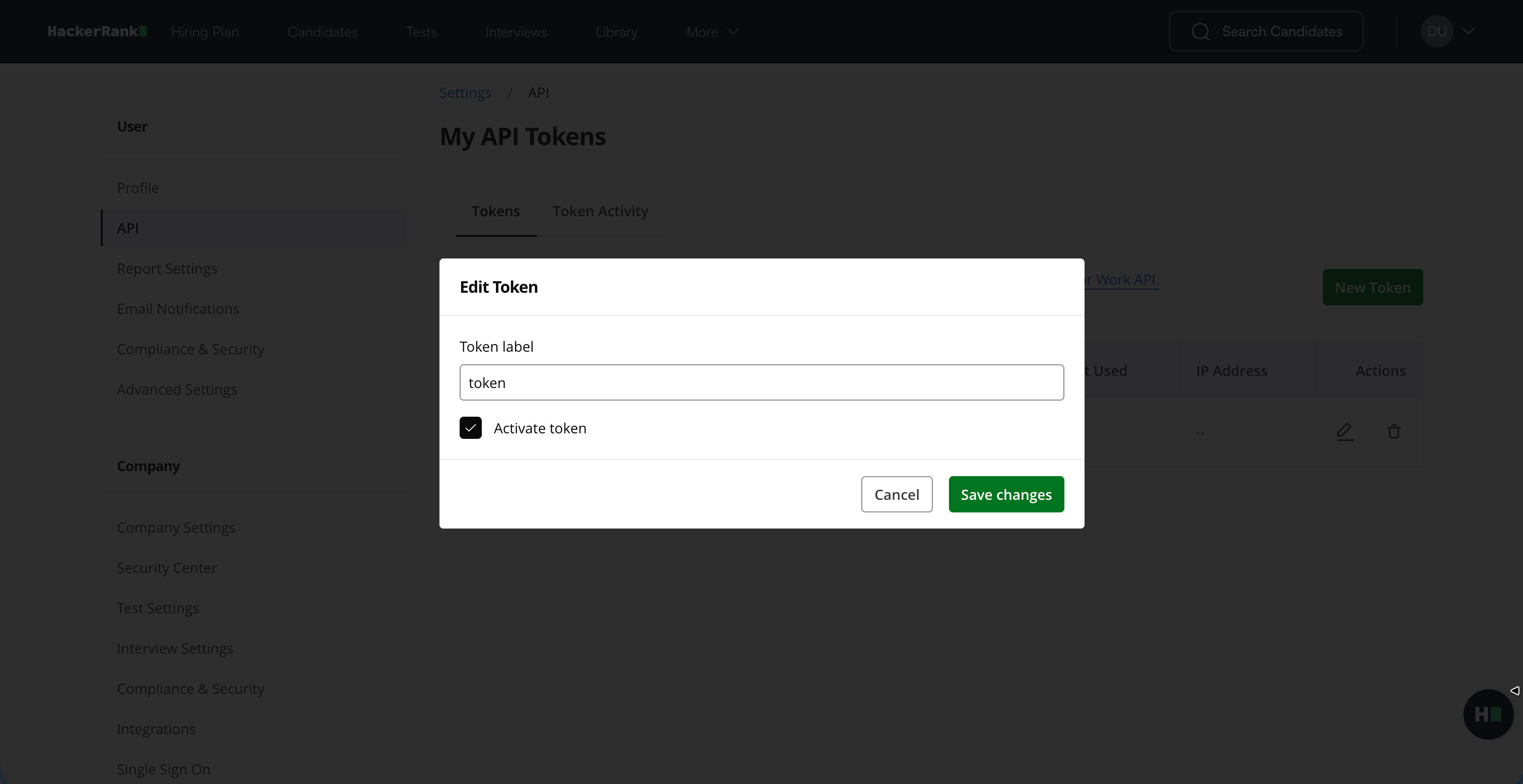
Click Save changes.
The token status changes to Active, and the token can authenticate API requests again.
Deleting an API token
You must deactivate an API token before you can delete it. For more information, see Deactivating an API token. You cannot recover or activate the token after you delete it.
To delete a deactivated API token:
Locate the token with an Inactive status.
In the Actions column, select the Delete icon.
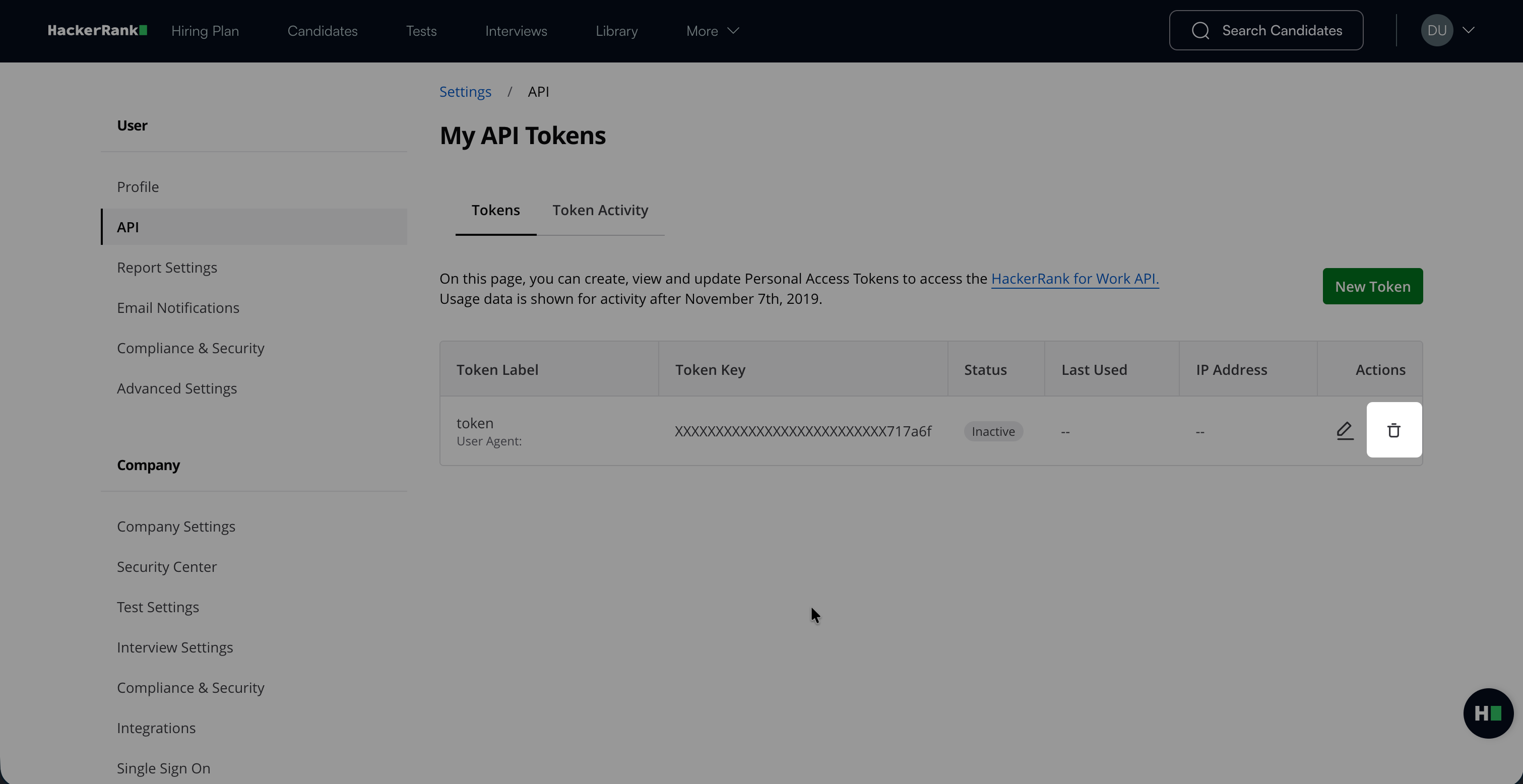
Review the confirmation message, and then click Confirm.
The token is permanently deleted.
Rate limits
HackerRank recommends sending up to 10 API requests per second. If you exceed this rate, the API returns a 429 (Too Many Requests) error. Monitor these errors and retry failed requests when necessary.
If you need to send more than 10 API requests per second, contact support@hackerrank.com.
Available APIs
The table below describes the available HackerRank APIs and their use cases:
API | Use cases |
|---|---|
Automates test-related tasks, such as inviting candidates to a test, retrieving candidate status and detailed reports, and viewing test and question details. | |
Creates interviews, retrieves interview details, and fetches interview reports. | |
Create users programmatically. Use this API to integrate HackerRank user management with other systems or applications. | |
Create and manage teams programmatically in HackerRank. | |
Retrieves a list of users who belong to a team. Use this API to manage team membership or integrate team membership data with other systems. | |
Retrieves candidate data for tests. Use the | |
Retrieve question data for workflows that require access to HackerRank questions. |