Assessing Candidates on Prompt Engineering Skills
Last updated: January 20, 2025
Prompt engineering is a valuable skill to assess in today's AI-driven world. These questions are a powerful tool for evaluating candidates' ability to craft effective prompts. Follow these steps to add these questions to a test:
Step 1: Accessing the Question
Navigate to the Library:
Go to the Library and use the filter options to search for Prompt Engineering.
Select a Question:
Select a prompt engineering question from the available list and click on the title to view the details, such as description, expected outputs, and evaluation criteria.
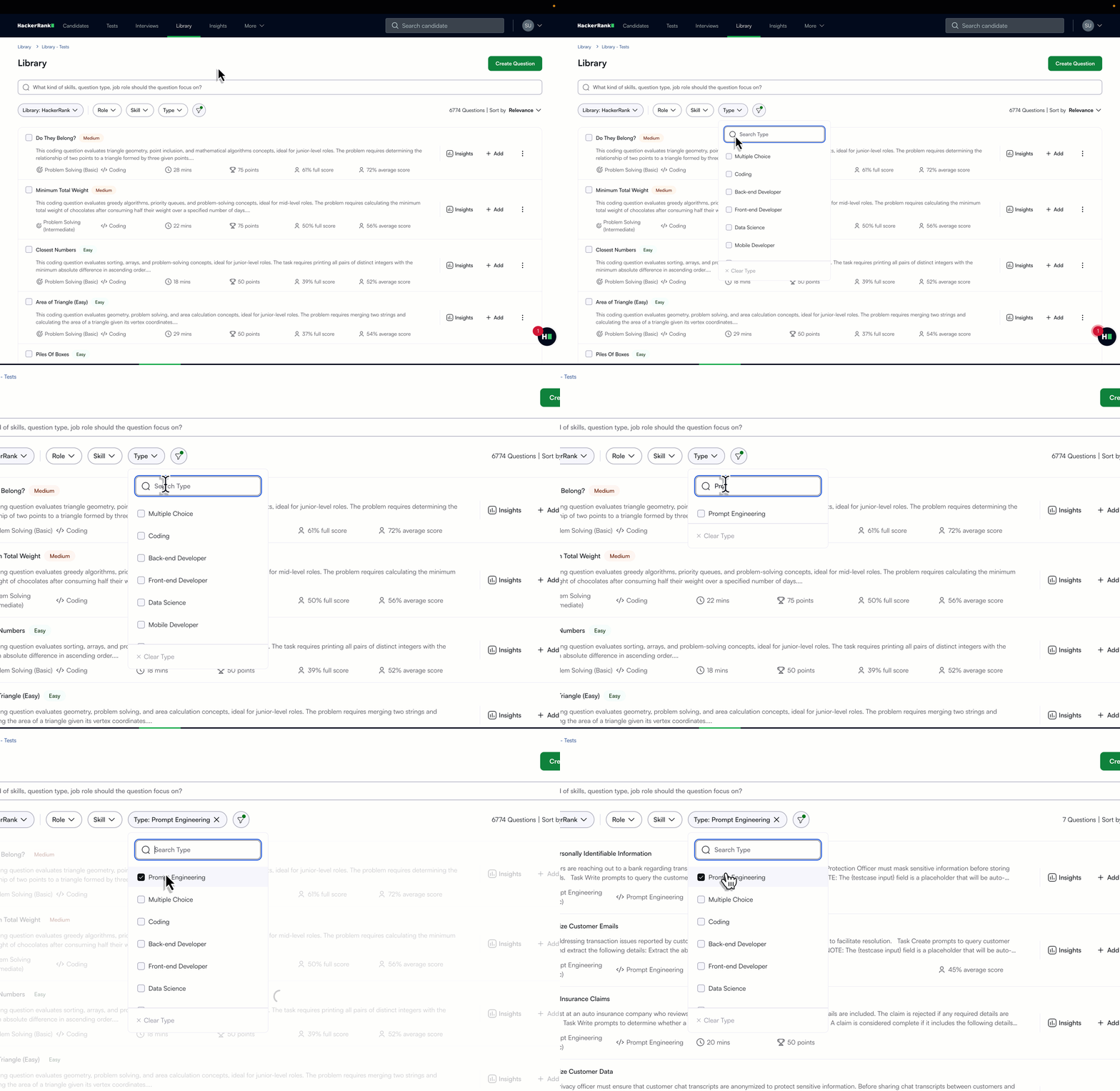
Step 2: Adding the Question to a Test
Create or Open a Test:
Navigate to the Tests section and create a new test or open an existing one.
Add the Question:
Click on Add Questions and search for the desired prompt engineering question.
Alternatively, click on the three dots icon and select Add to Test.
Tip: You can add or combine multiple questions with other types, such as coding or multiple-choice questions.
Step 3: Reviewing Candidate Results
Summary Report: Once the test is completed, view the Summary Report to see the candidate's overall score, including their performance on prompt engineering questions.
Detailed Report: For a deeper analysis, open the Detailed Report, where you can:
Play back the candidate's activity during the prompt engineering question.
Review the prompts they crafted and how they iterated on their solutions.
FAQs
Can I create my question?
To do so, you can contact our support team at support@hackerrank.com.
If you have any suggestions or feedback about using prompt engineering questions or the platform in general, feel free to contact our support team.