Download Test Reports
Last updated: October 14, 2025
HackerRank test reports provide a detailed view of a candidate’s performance and scores in a test. After candidates complete a test, you can view their detailed performance reports and download them in PDF or Excel formats.
You can use the downloaded reports to share with external evaluators or recruiters or to maintain internal performance records.
Note: You can download test reports only for candidates who have completed the test.
PDF test reports
You can download individual PDF reports for each candidate. Each PDF report replicates the detailed test report and includes the following information:
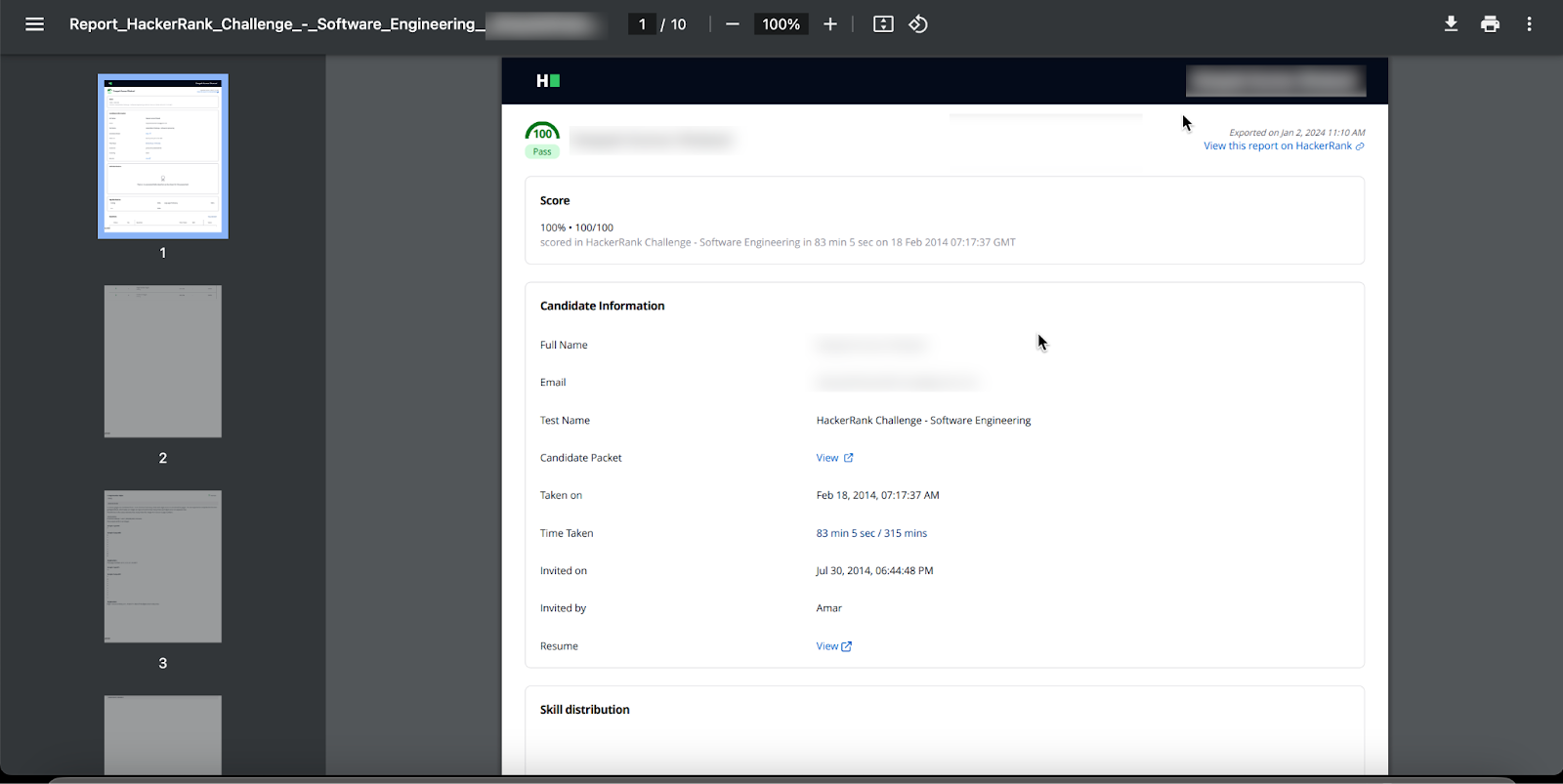
Score
Candidate information
Skill distribution
Tag distribution
Questions and candidate answers
For more information about detailed test report, see 📄 Viewing a Candidate's Detailed Test report.
If you use the new version of the summary report, the PDF also includes:
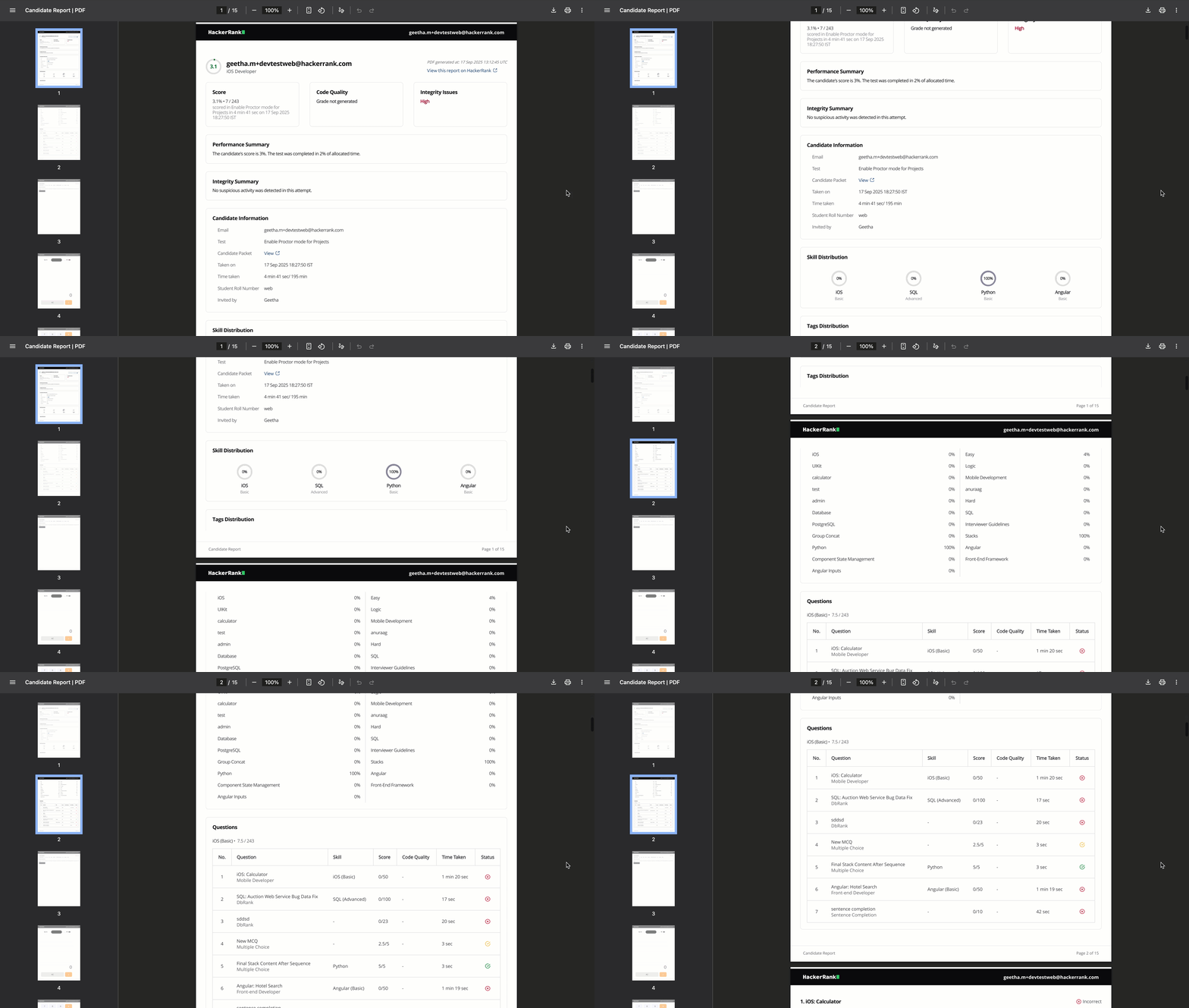
Code quality
Integrity issues
Performance summary
Integrity summary
Questions and answers with code quality details (If available)
Note: Although the PDF report includes the candidate's detailed answers to the questions, use the Detailed Report view in HackerRank for a thorough evaluation. The detailed report provides features such as code playback, compilation, rendering, and download.
Excel test reports
The Excel test report contains the performance report for all candidates in a single file. You can customize the report in Report Settings to choose which candidate performance data to include when downloading it in Excel format.
Downloading test reports
To download test reports in PDF or Excel format:
Log in to your HackerRank for Work account using your credentials.
Go to the Tests tab.
Open the test whose reports you want to download.
Go to the Candidates tab. The Status column indicates the test status of each candidate.
In the left pane, expand Candidate Status and select Completed.
The right pane displays all candidates who have completed the test and are marked asTo Evaluate,Passed, orFailed.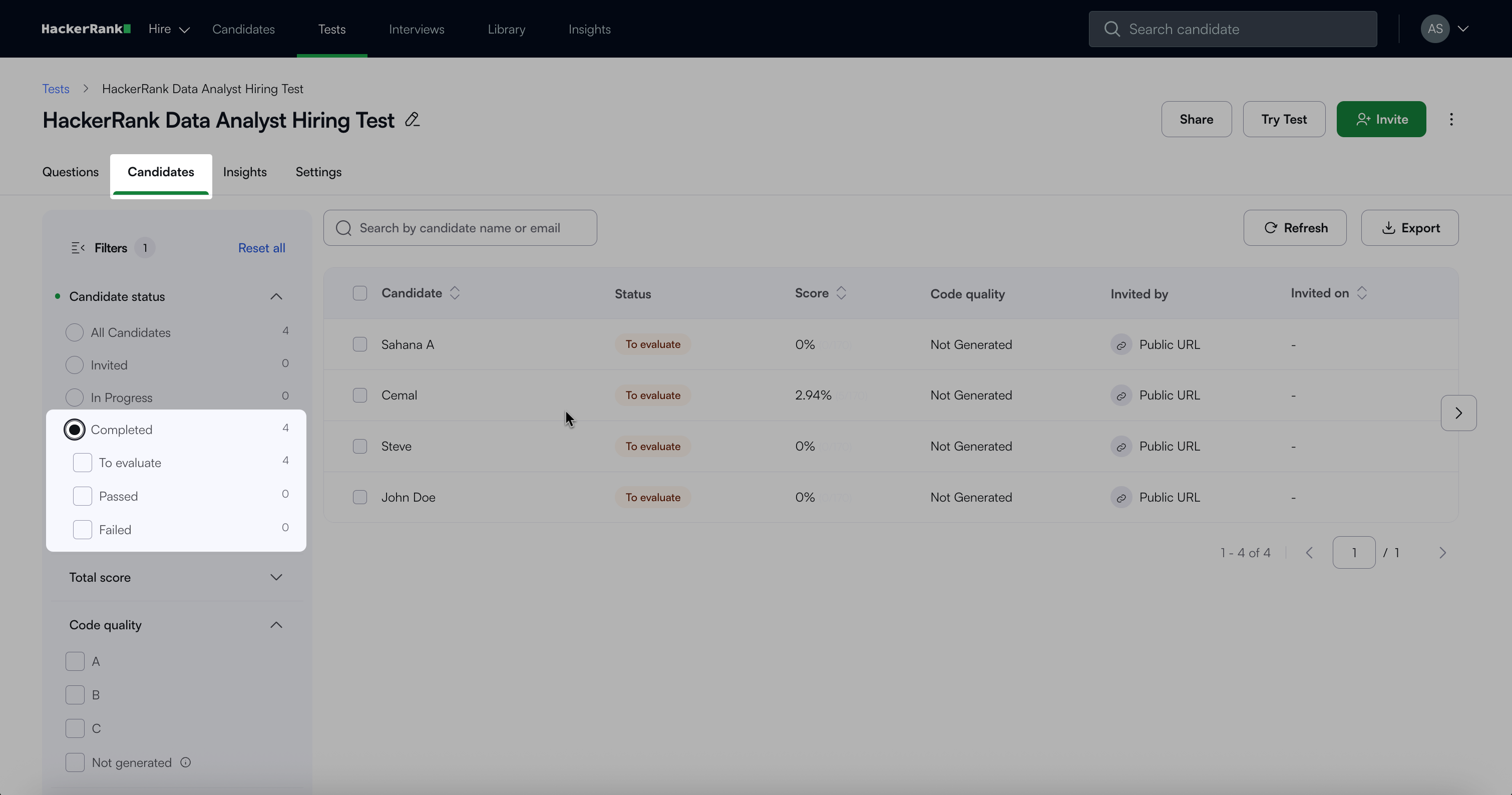
Click Export and choose one of the following formats:
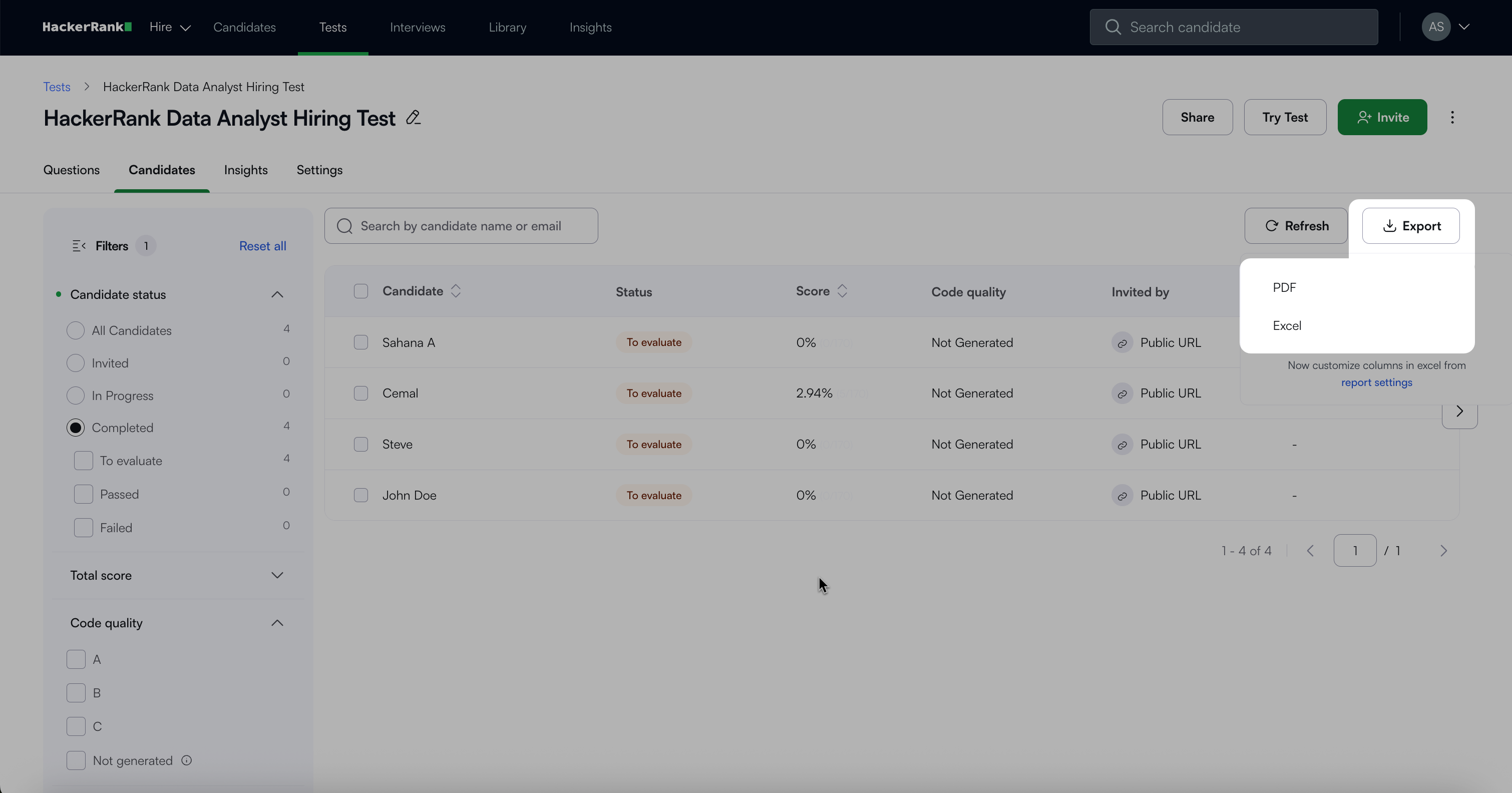
PDF: Downloads a folder containing individual reports for each candidate.
Excel: Downloads a single file with all candidate results.
Downloading test reports for selected candidates
To download test reports for selected candidates in PDF or Excel format:
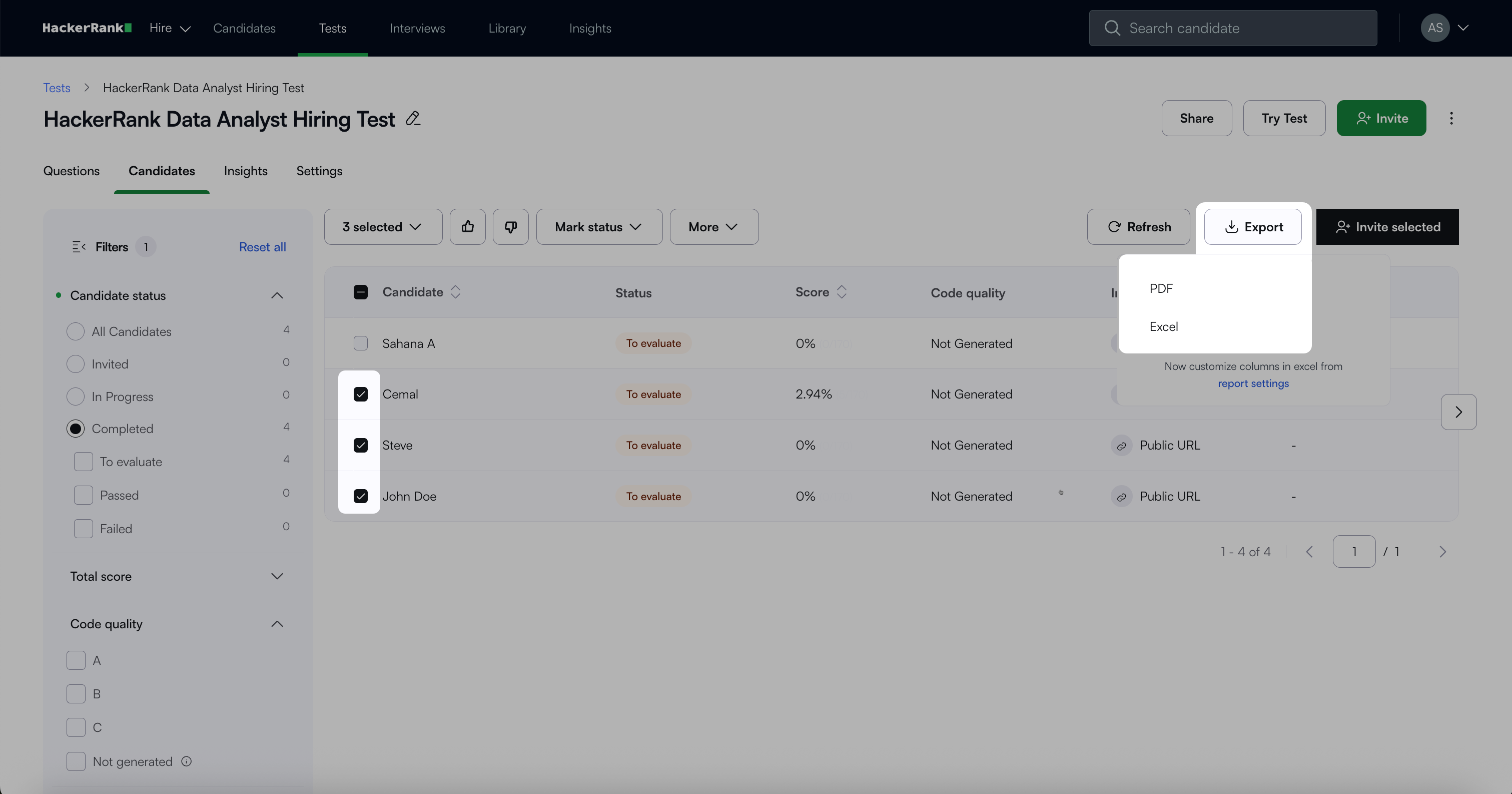
From the Candidates tab, select the specific candidates you want.
Click Export and choose one of the following formats:
PDF: Downloads separate reports for the selected candidates.
Excel: Downloads a single file containing the selected candidates’ results.
Note:
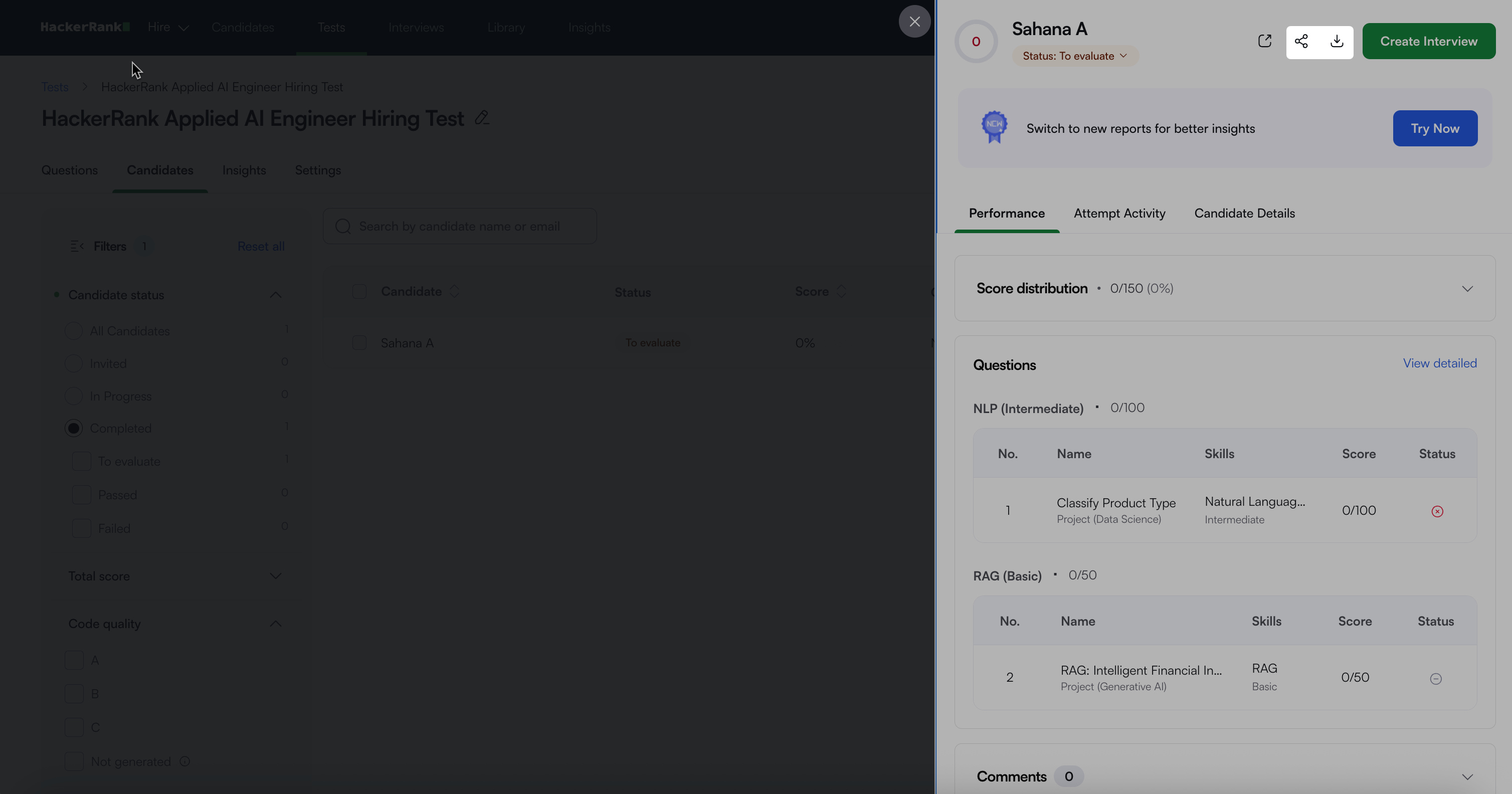
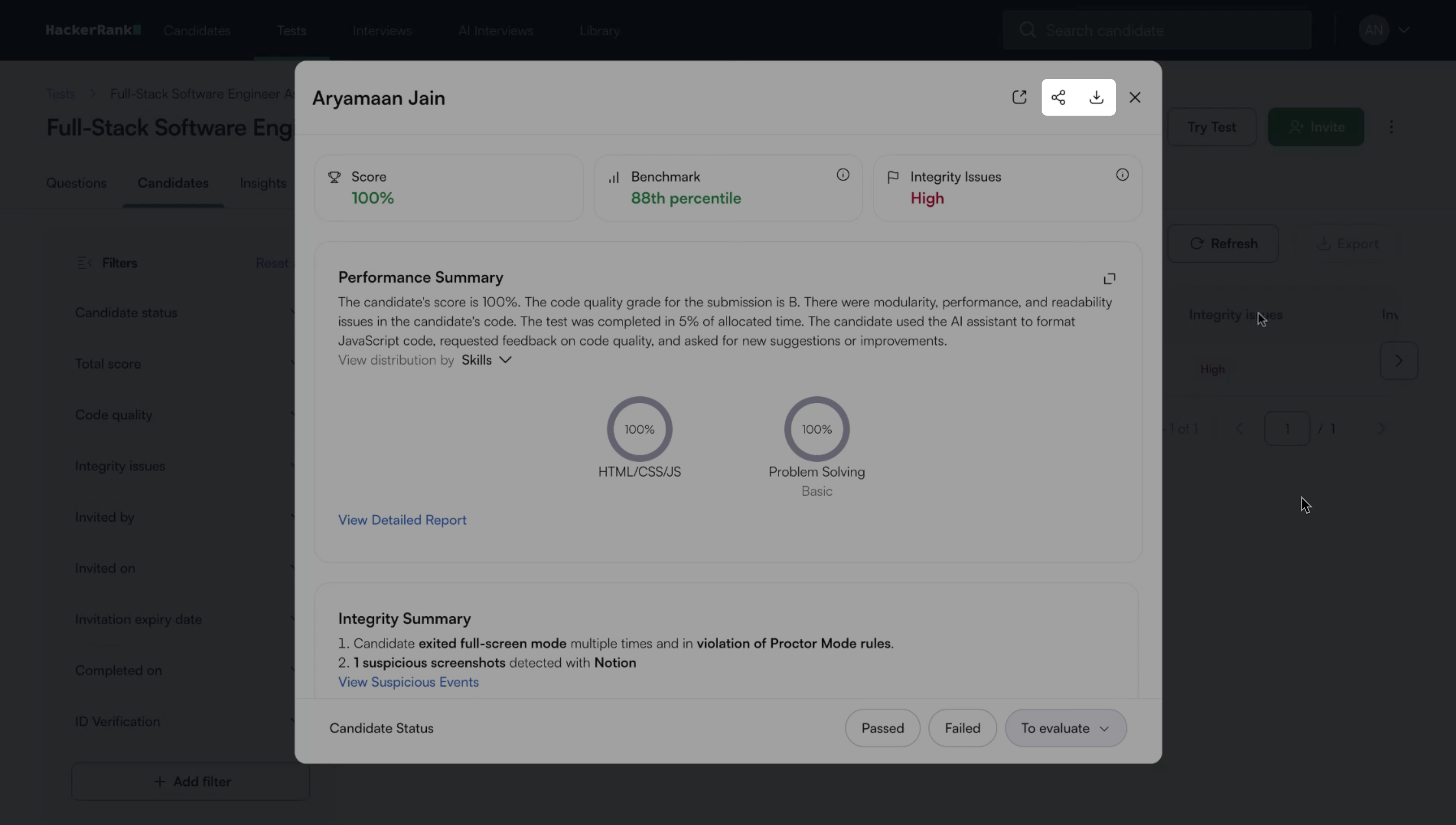
You can also download a candidate’s report as a PDF file or share a summary report link directly from the Summary Report page.
Click the Download icon to download the candidate’s report in PDF format.
Click the Share icon and copy the link to share the Summary Report. Users must have a HackerRank for Work account to view the report using the shared link.
New Summary Report
Existing Summary Report