Errors in Test Reports for Coding Questions
Last updated: January 20, 2025
This guide has been developed to help you understand various errors and warnings that may appear in coding questions in Summary and Detailed Post-Assessment Reports.
No answer was submitted for this question. Showing compiled/saved versions
You will see this message if candidates never run their code or tests.
The system will treat it as if the candidate didn’t attempt the question.
Note: If you still want to see the candidate's final code when submitting the test or when the time expires, you can manually run it to see how it performs.

No code was submitted. The last compiled version is displayed to the user
You will see this message if a candidate has run their code or run tests but never hits submit on the question.
Note: When the test submission or the test timer expires, the system will run the latest version of the candidate’s code and use that to score the question.

Terminated due to timeout
Each language has limitations for how long the candidate’s code can take to run test cases.
For example, in Python, the code must execute within 10 seconds. If the candidate’s code takes longer than permitted, the test case will fail and be marked with a “Terminated due to timeout” error.
Candidates will also see this when running the test cases during the assessment.
Note: Our Execution Environment Samples Candidate Support Page article lists all the languages and their respective limits.

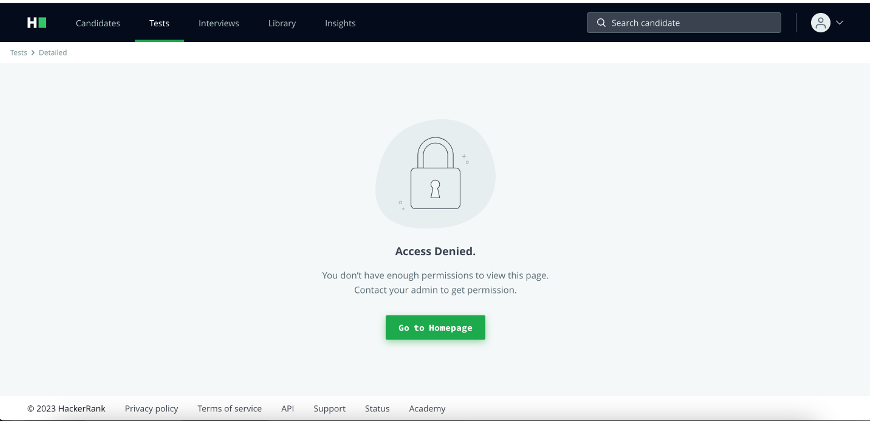
Access denied
This is seen when someone tries to access a candidate report to which they do not have access.
For example, Tom is on Team A and tries to share a candidate report with Sara, who is on Team B. Since they are on different teams, Sara will not have access to the report.
Want to know more about team management and permissions? Check out our support page articles covering Teams Management.
Playback not present
Keystroke tracking is a feature that was released as part of a report UI update.
If viewing a candidate report from before the update, you will see this message saying the question does not have playback.

Runtime Error
In some situations, you will see “Runtime Error” as the status of a test case in the candidate report.

At a high level, the Runtime Error means the candidate's code wasn't able to run properly because of an error in their code.
Below are two examples that could come up in the test cases, but there are many other situations this error may show up.
In the first example, this is a Python error where something in their code is being converted to an integer, but the value they passed in, in this case, the word '99.95', is giving an error. This is a common error with a few ways to fix it, and the candidate would see the “ValueError” in the test cases during their assessment, which lets them know the test case isn’t passing and it’s due to this error which they have to fix.

The second example says the function "get_command_results" expects two specific arguments, but the candidate's code hasn't passed them into the function, so the code cannot run. Like the above, the candidate would be aware of this during the test and should take the proper steps to fix the errors.
