Eightfold - HackerRank Integration Test User Guide
Last updated: May 27, 2026
This guide outlines how to use the Eightfold - HackerRank integration to send HackerRank test invitations and review test results directly in Eightfold.
Prerequisites
Before you begin, ensure you meet the following requirements:
You have active HackerRank and Eightfold accounts.
The HackerRank integration with Eightfold is complete. For more information, see 📄 Eightfold - HackerRank Integration Guide.
Inviting a candidate to a HackerRank test
You can move a candidate to a stage where you can send a HackerRank test as part of the hiring process.
To invite a candidate to a HackerRank test:
Log in to your Eightfold account using your credentials.
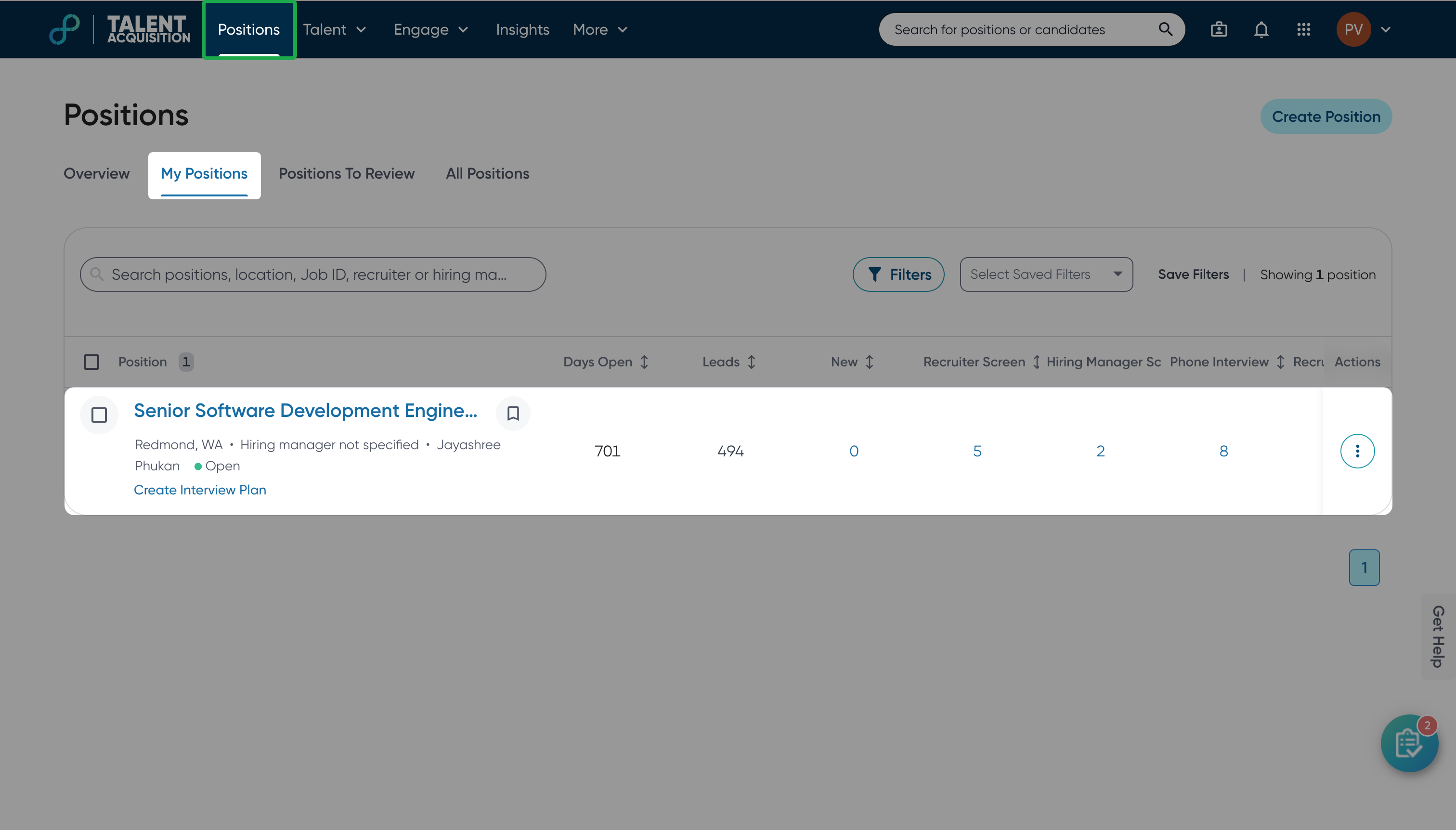
Go to the Positions tab.
Select the position for which you want to send a HackerRank assessment.
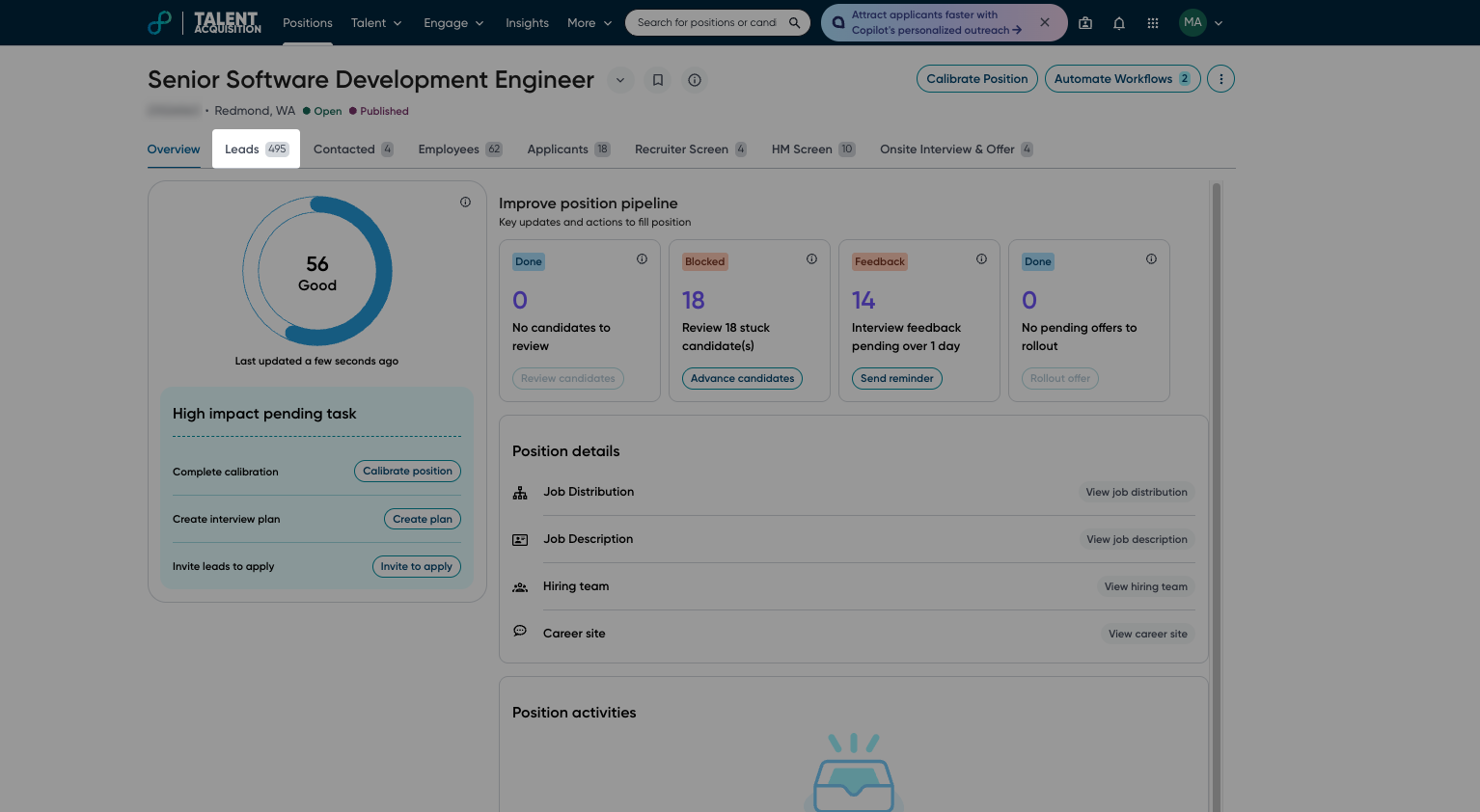
Go to the Leads tab.
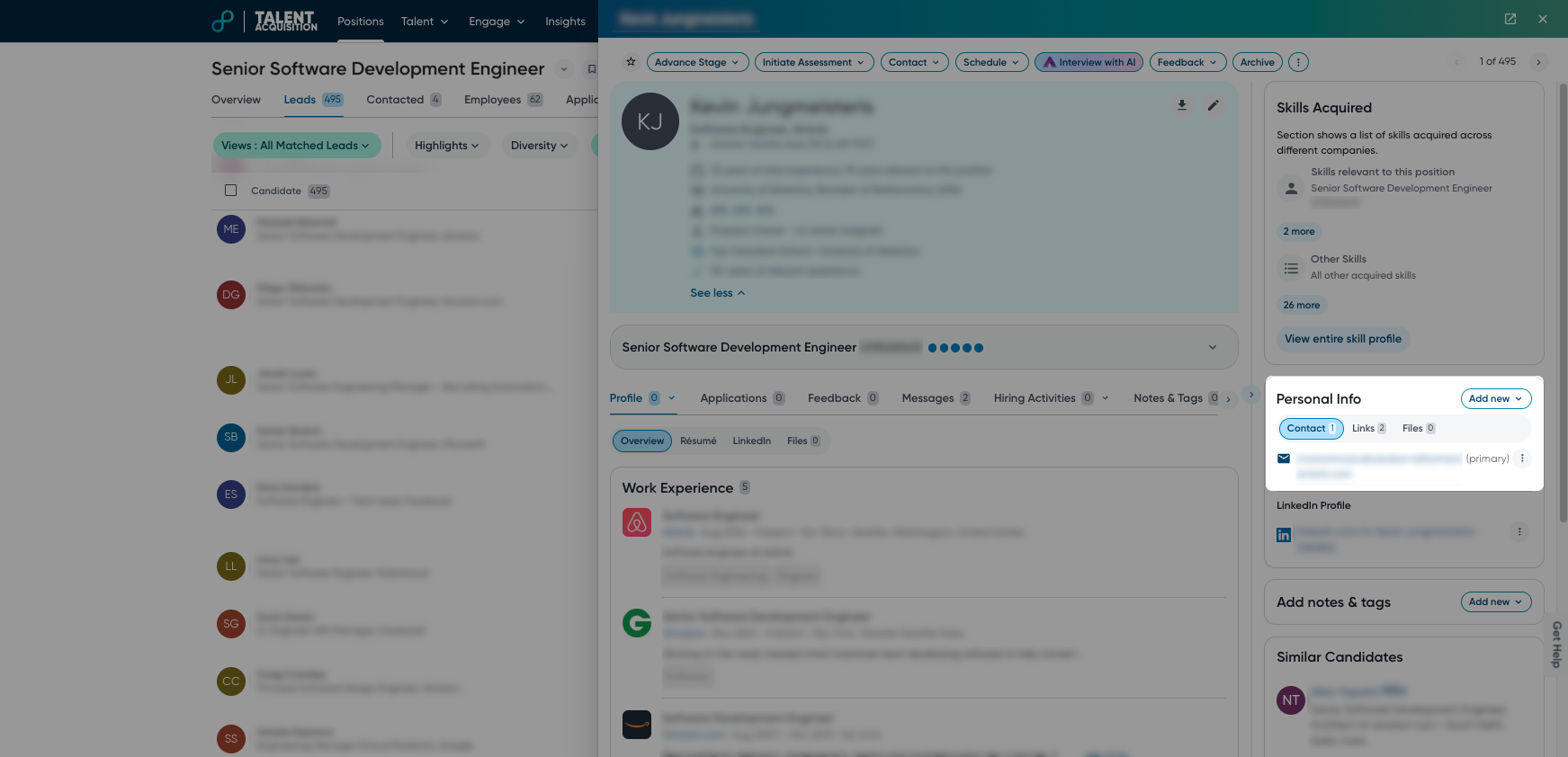
Select a candidate to open the candidate profile.
Add the candidate’s email in the Personal Info section if it is not already available:
Click Add new.
Select Email from the drop-down menu.
Enter the candidate’s email address in the Add Email field.
Click Save.
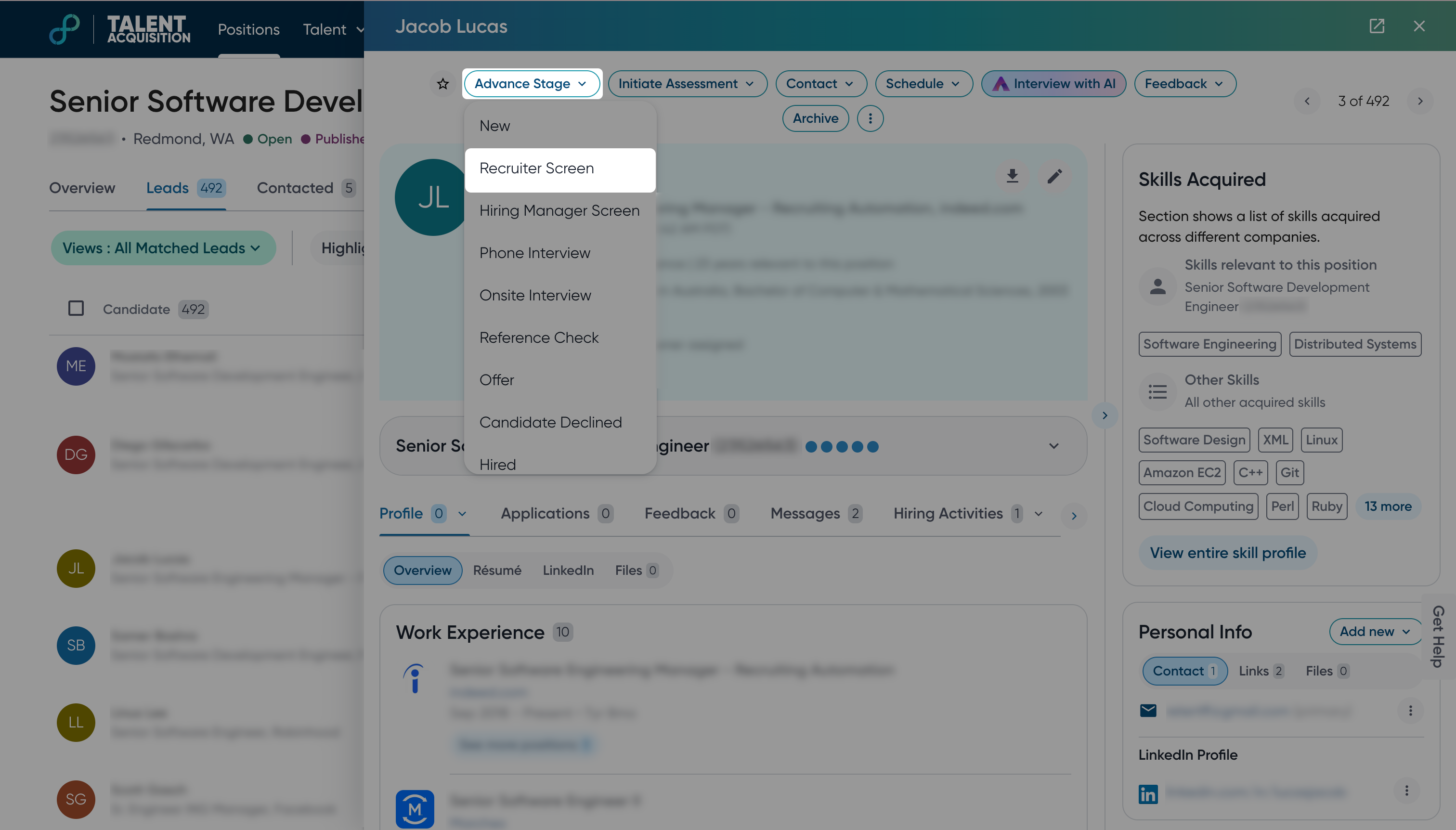
Click Advance Stage.
Select the stage configured with a HackerRank assessment (for example, Recruiter Screen).
In the Confirm ATS Action dialog:
Select a HacekerRank assessment from the drop-down.
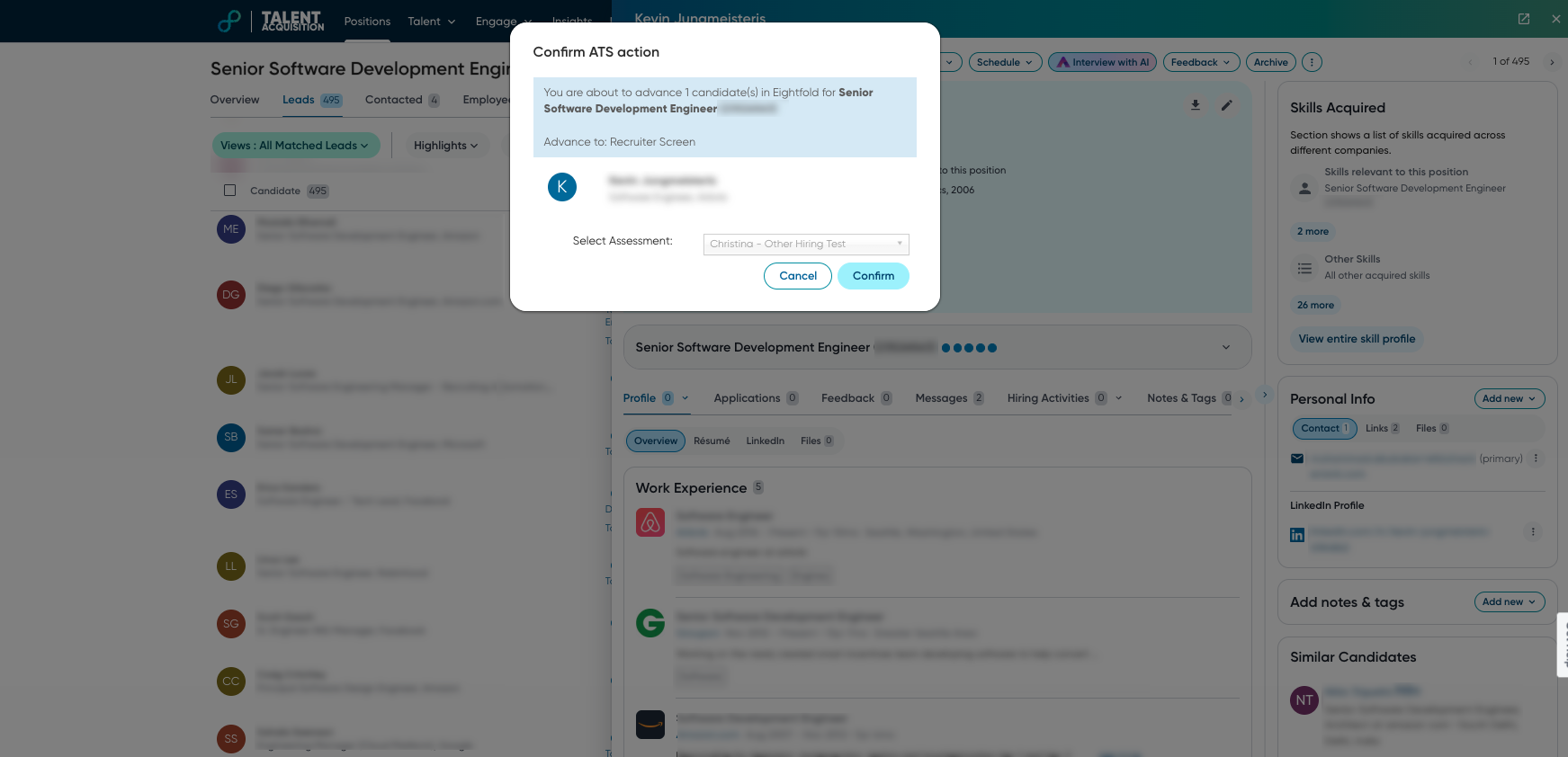
Click Confirm.
Eightfold sends the test invitation email to the candidate.
Viewing a candidate’s test results
When a candidate completes a HackerRank test, Eightfold displays the test results in the candidate's profile.
To view a candidate’s test results:
Open the candidate's profile in Eightfold.
Go to Hiring Activities > Assessments.
The test report includes the following information: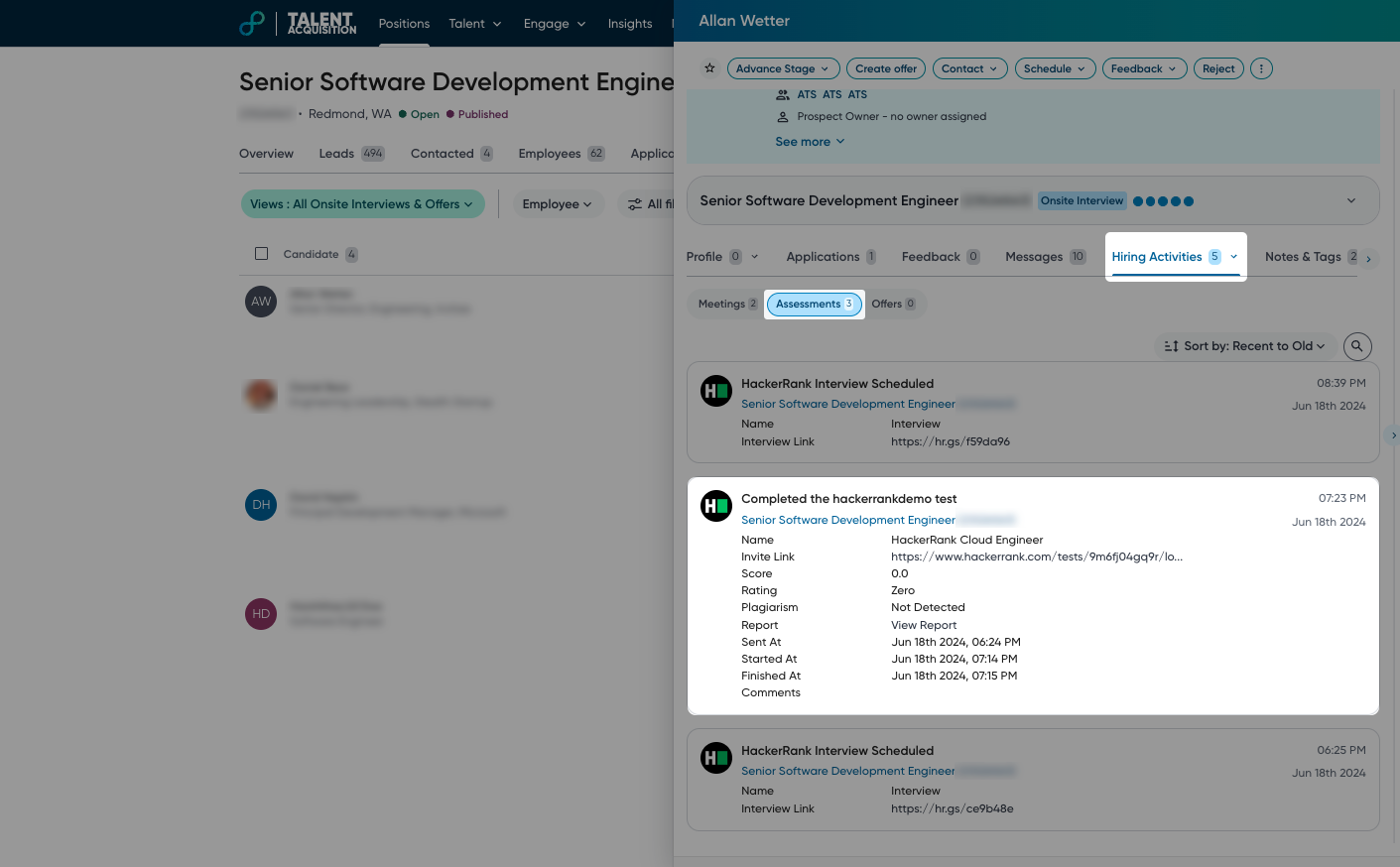
Name: The name of the candidate
Invite link: The test invite link
Score: Candidate’s final test score
Plagiarism: Indicates whether potential plagiarism is detected
Report: Click View Report to open the detailed report in HackerRank
Sent At: Date and time when the test was sent to the candidate.
Started At: Date and time when the candidate starts the test.
Finished At: Date and time when the candidate completes the test.
Comments: Includes candidate integrity signals:
Integrity Issues: Indicates whether potential integrity issues are detected.
Note: Integrity issues are classified as None, Medium and High based on severity.
Integrity Summary: Overview of suspicious activities detected during the test.