How to download Bash history, logs and session playback recording?
Last updated: December 12, 2024
DevOps Questions are automatically evaluated and assigned a score based on your Bash Check script. However, to further assess the commands executed by the candidate, you can download the Bash history and the session playback recording from the candidate's detailed Test report. You can also view the output log for your Bash Check Script which was executed for the automatic evaluation.
- Navigate to Tests.
- Select the Test in which you have a DevOps type Question and want to assess the Test results.

- Click the Candidates tab and select the candidate entry to evaluate. The candidate Test summary page is displayed.
- Click the Detailed tab to view the detailed test report.
- Navigate to the DevOps type Question. The Question is evaluated and assigned a score automatically.
You can specifically view the Task check log, Playback, and Download tabs for DevOps Questions in the test report. 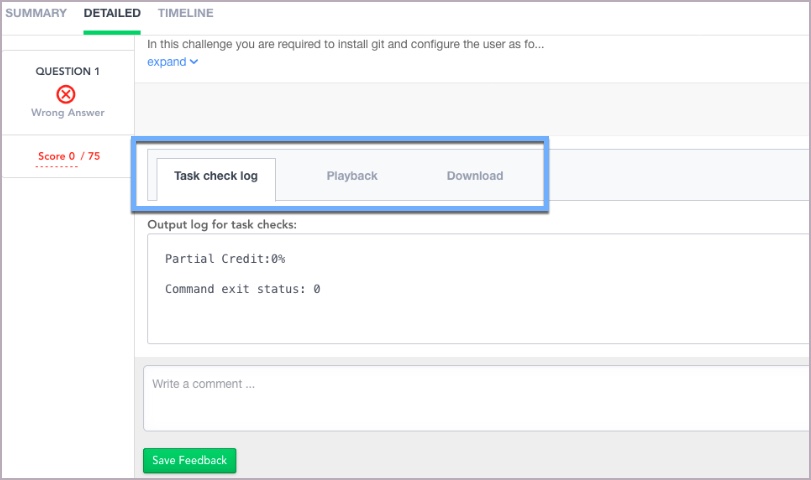
Tabs available under a DevOps Question report
- Downloading Bash History
Click on the Download tab and click 'Download as zip file' to download the Bash history, logs, and complete session recording files.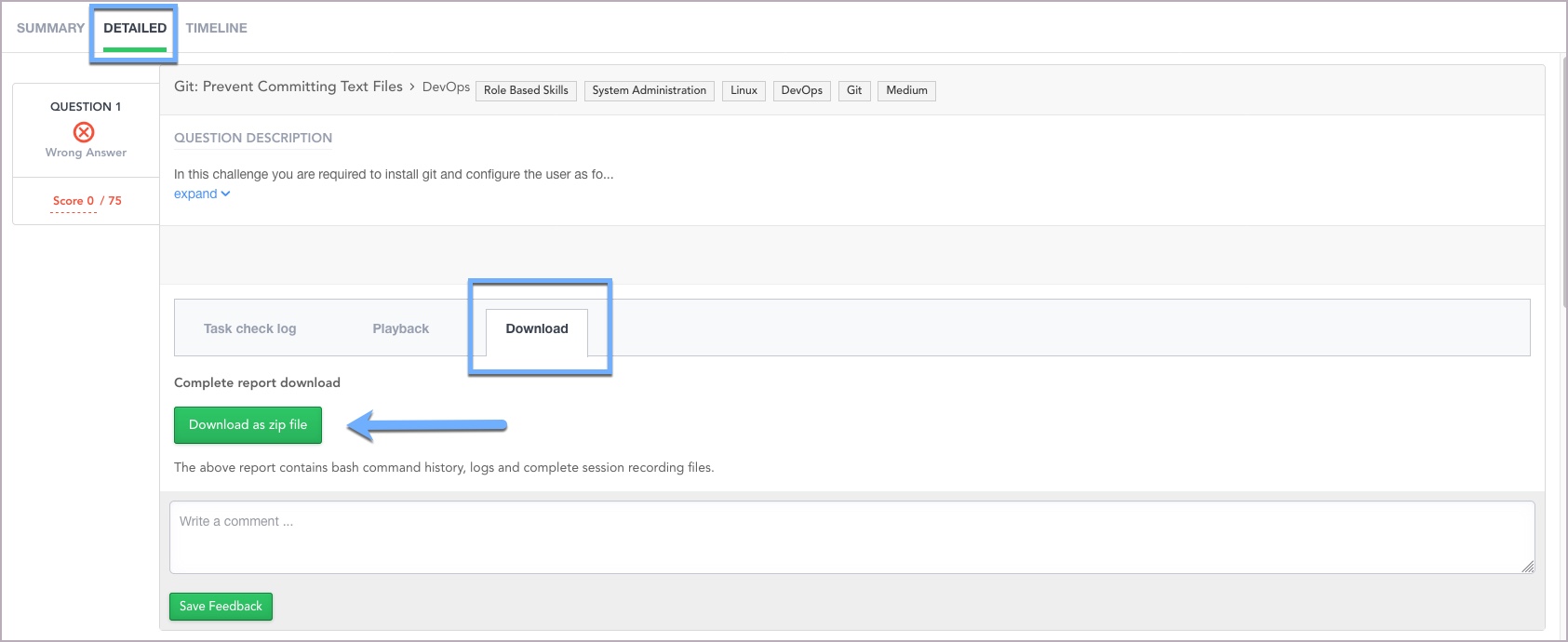
Downloading Bash History
In the downloaded path, the bash_history is available under the user_log folder.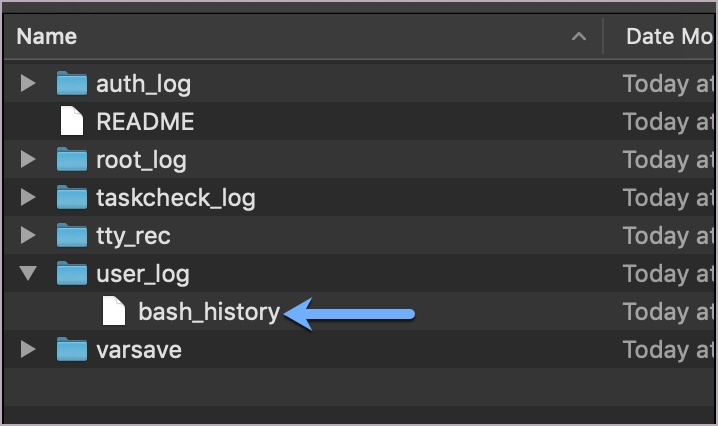
Bash history file
- Viewing Session Playback
Click on the Playback tab to view a recording of the candidate's attempt to solve the Question during the Test.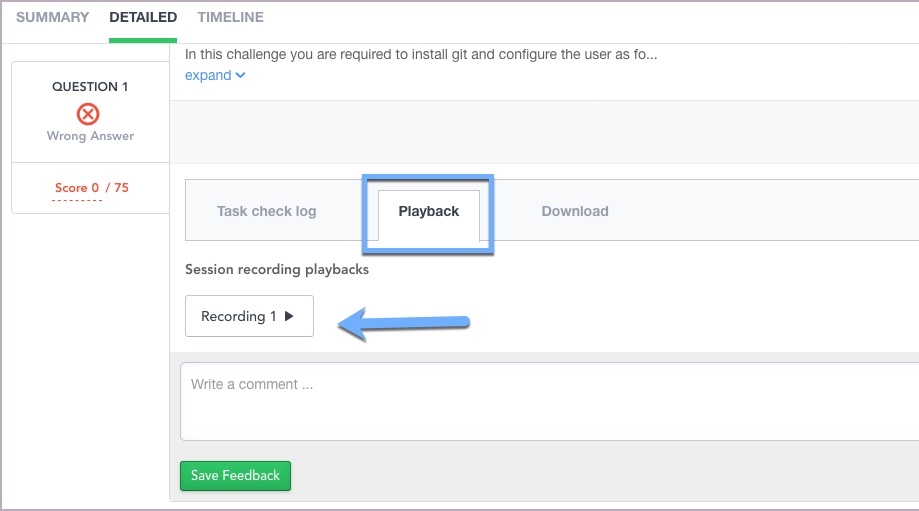
Code Playback Recording
Alternatively, in the downloaded path, the recording file is available in the tty_rec folder.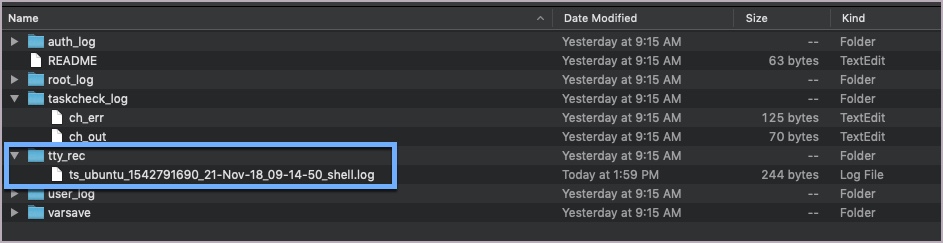
The playback recording file
- Viewing Bash Check Script Log
Click on the Task check log tab to view the output log for the Bash Check script used to automatically evaluate the DevOps Question.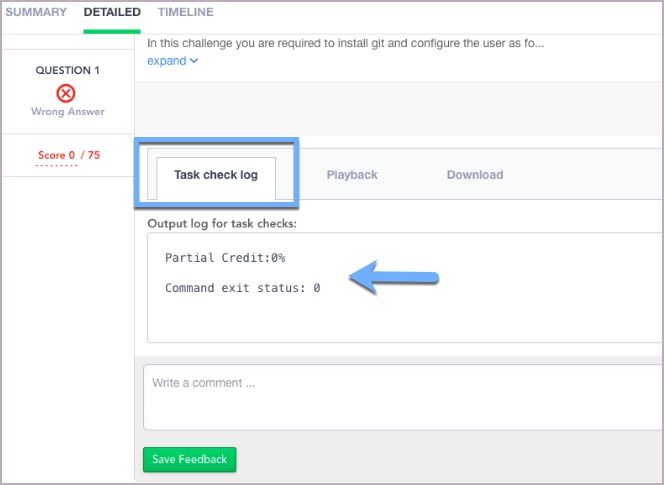
The output log for Bash check script
In the downloaded path, the log is available under the taskcheck_log folder.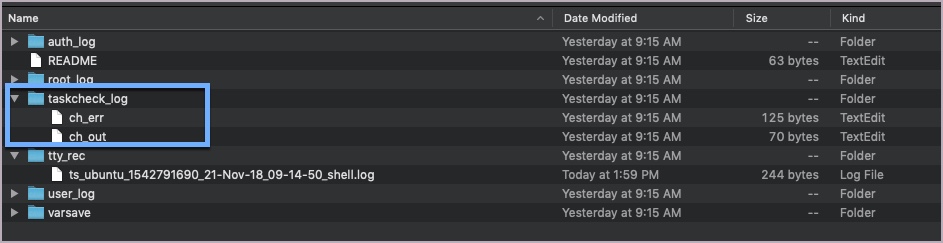
The output log files
Refer to the Scoring a DevOps Question topic for more information about the Bash Check script.