Delete an Interview
Last updated: August 31, 2026
This article applies to the legacy Interview experience. If your interview interface looks different, see 📄 Delete an Interviewfor the new Interview experience.
You can delete a scheduled HackerRank Interview at any time. When you delete an interview, HackerRank automatically sends email notifications to the candidate and all interviewers.
Prerequisites
You must have already created and scheduled an interview.
Deleting an Interview
To delete a scheduled interview:
Log in to your HackerRank for Work account using your credentials.
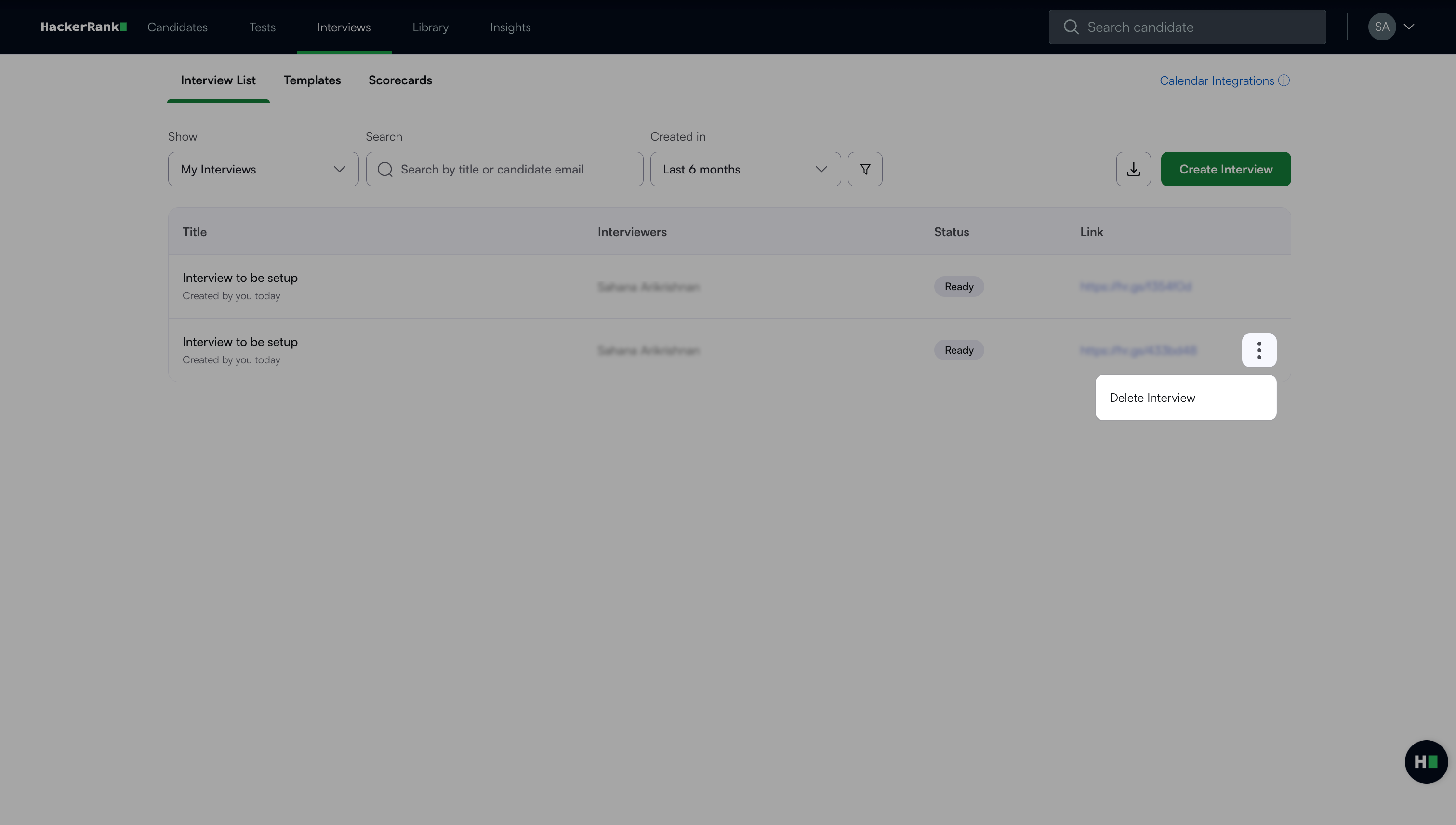
Go to the Interviews > Interview List. The page displays a list of all interviews you have created.
Click the more options menu (⋮) next to the interview you want to delete.
Click Delete Interview.
A confirmation message appears.
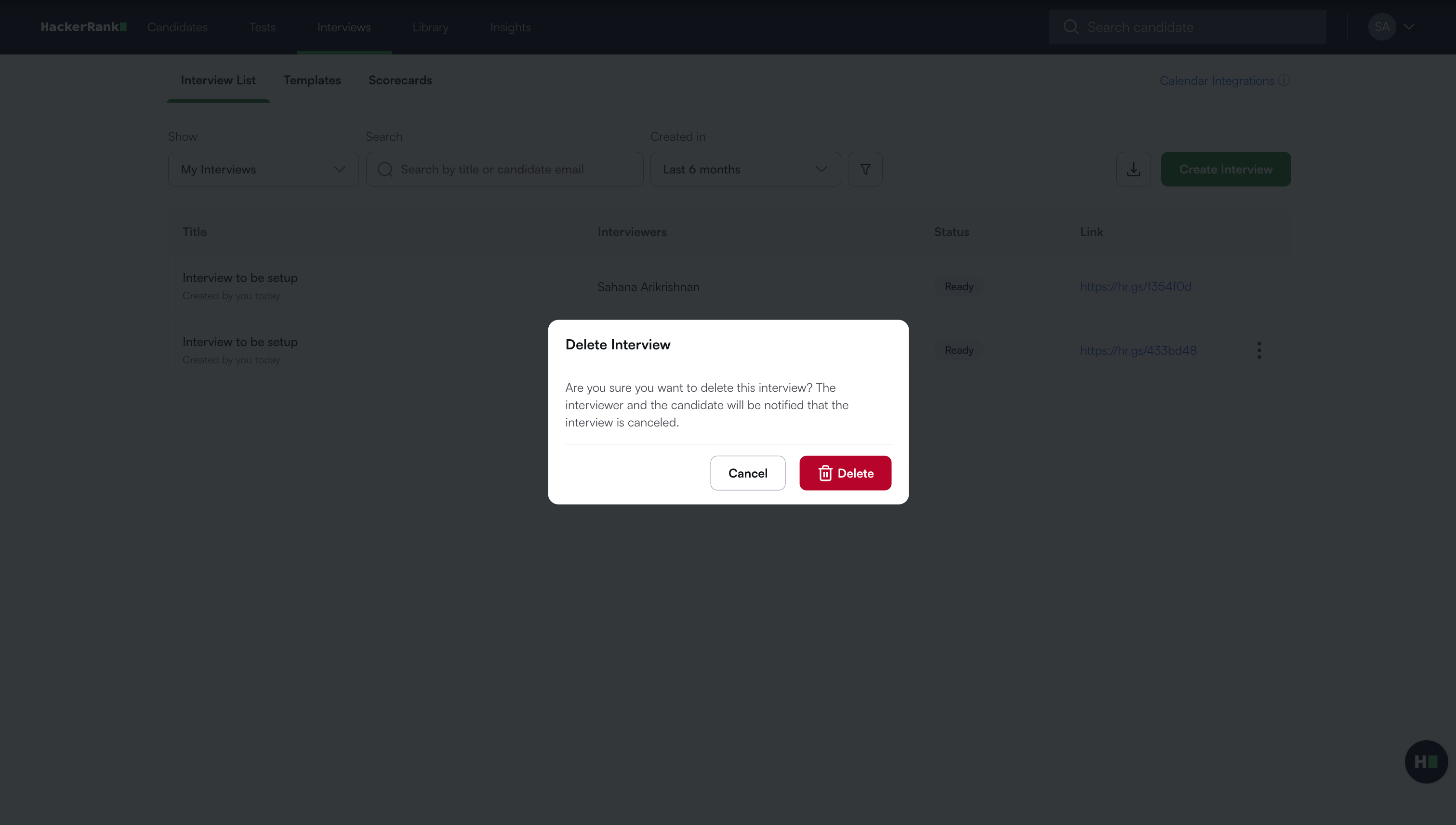
Click Delete to confirm.