Ashby - HackerRank Technical Interview Integration Guide
Last updated: June 5, 2025
This article explains how to configure and use the HackerRank - Ashby integration to send technical interviews via HackerRank's Interview product directly from Ashby. Once the setup is complete, recruiters and coordinators can attach live coding interview links when scheduling interviews and track interview activity within Ashby.
Prerequisites
Configuring the Integration
Step 1: Enable Integration in Ashby
Log in to Ashby Integrations Marketplace.
Locate the HackerRank tile and click Enable HackerRank.
Under Configuration:
Select or create an Ashby API key.
The key must have write access to the Candidates endpoints (specifically,
assessment.update).
Step 2: Generate HackerRank API Key
Log in to HackerRank for Work using Company Admin account..
Go to the Settings > Integrations.
Locate the Ashby integration tile and click Configure.
Click Generate API Token.
Copy the token immediately. You will not be able to retrieve it later.
Step 3: Add HackerRank API Key to Ashby
Return to the Ashby HackerRank integration panel.
Paste the HackerRank API token into the designated field.
Click Test API Key to validate.
Select HackerRank as the integration partner.
Click Create API Key to complete the setup.
Sending a HackerRank Interview Link
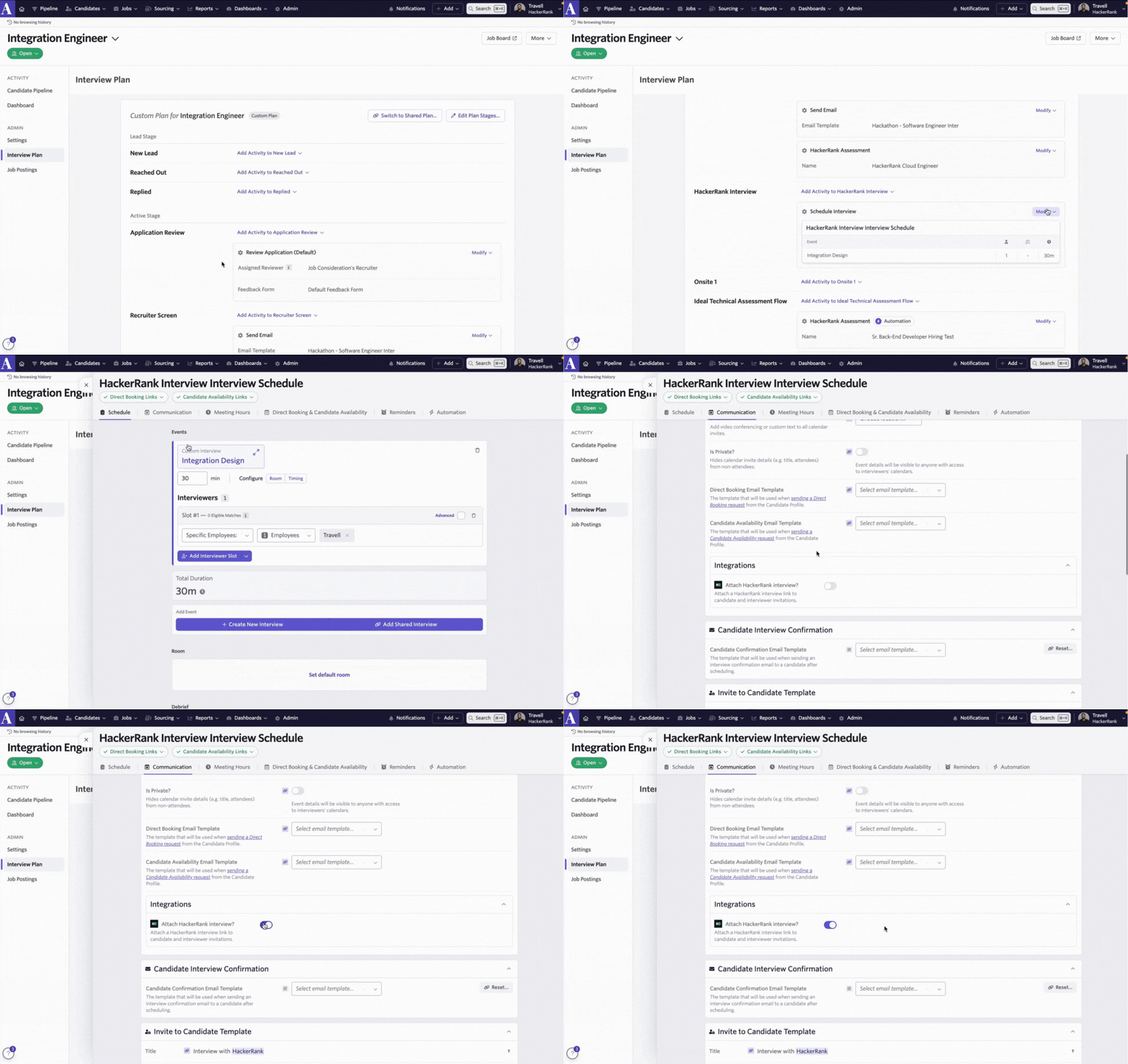
Ashby allows you to include a HackerRank Live Interview link when scheduling interviews.
To attach a live interview link:
Go to the Job > Interview Plan.
Click Schedule Interview for a candidate.
Under the Communications tab, toggle Attach a HackerRank Interview? to On.
The generated interview link will be:
Sent to both interviewer and candidate in their invite.
Logged on the candidate’s activity timeline.