Modify Evaluation Settings for Tests
Last updated: July 30, 2025
You can set scoring thresholds and apply uniform scoring logic for multiple-choice questions (MCQs) to ensure consistent evaluation across all candidates.
Prerequisites
You must have already created a test.
Modifying evaluation settings
To modify evaluation settings:
Log in to your HackerRank for Work account using your credentials.
Go to the Tests tab.
Open the test you want to update.
Go to Settings > Evaluation.
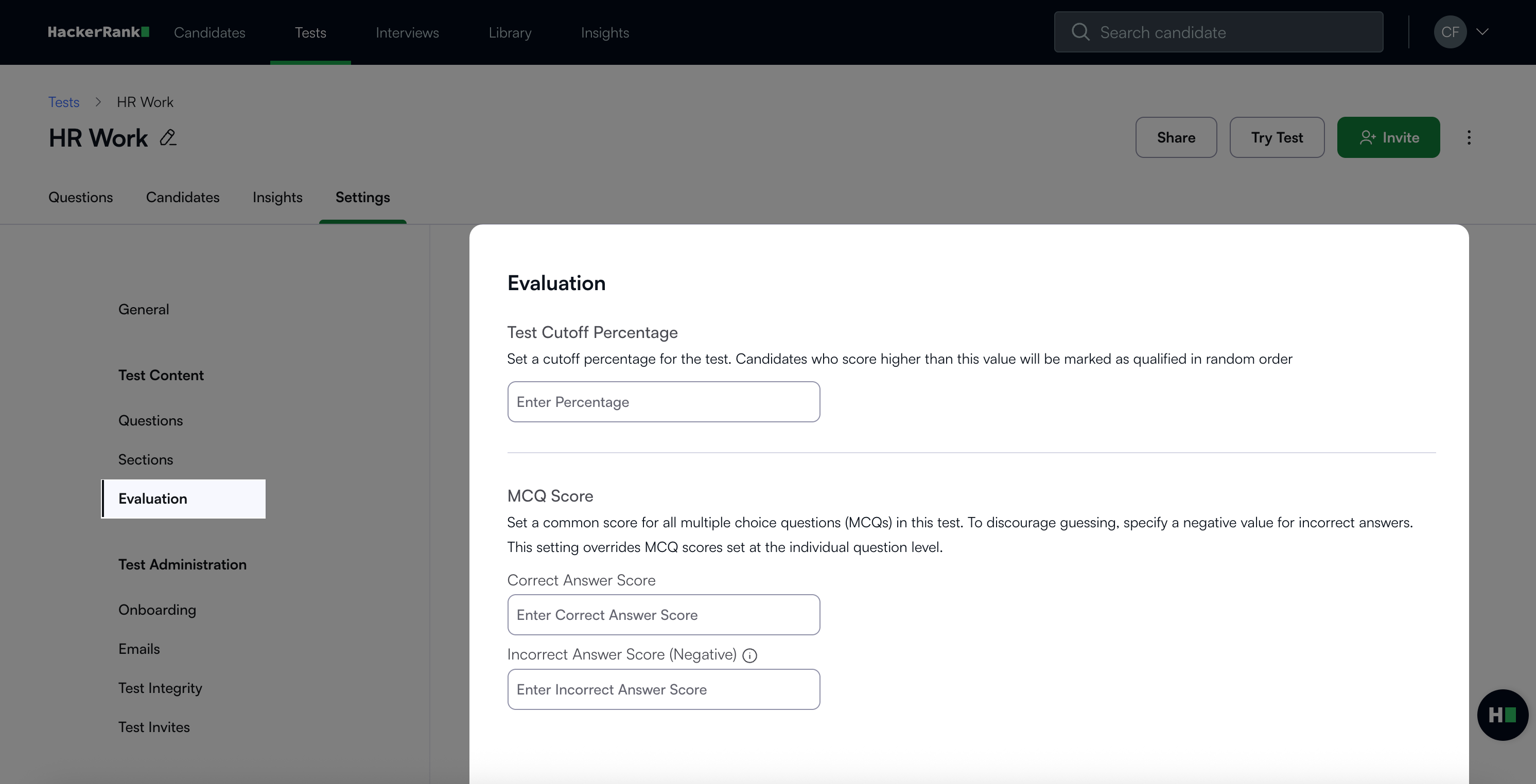
In the Evaluation section, you can update the following:Test Cutoff Percentage: Enter the minimum percentage score required to qualify. Candidates who score higher than this value will be marked as qualified in a random order. The system calculates the equivalent raw score automatically.
MCQ Score: Set a common score for all multiple-choice questions (MCQs) in the test. This value overrides the scores assigned at the individual question level.
Correct Answer Score: Enter the number of points awarded for each correct answer.
Incorrect Answer Score (Negative): Enter a negative value to penalize incorrect answers and discourage guessing.
Note: If you leave this field blank, the system applies no penalty for wrong answers.
Click Save Changes to apply your changes.