Zapier - HackerRank Integration Guide
Last updated: January 30, 2026
The Zapier-HackerRank integration lets you connect HackerRank with Zapier to automate workflows between HackerRank and other applications.
This integration enables non-technical users to create no-code automations that sync HackerRank events, such as assessments and interviews, with third-party tools such as Airtable.
Prerequisites
Before you begin, ensure you meet the following requirements:
You have admin access to your HackerRank and Zapier accounts.
Your organization has an active Enterprise plan with HackerRank.
Integrating Zapier with HackerRank
To integrate Zapier with HackerRank:
Step 1: Generate an integration API token in HackerRank
The integration API token allows Zapier to connect securely with your HackerRank account.
Log in to your HackerRank account using your credentials.
Go to Settings > Integrations > Zapier > Connect, or open the Zapier integration page directly.
In the Configuration tab, click Generate an API Token.
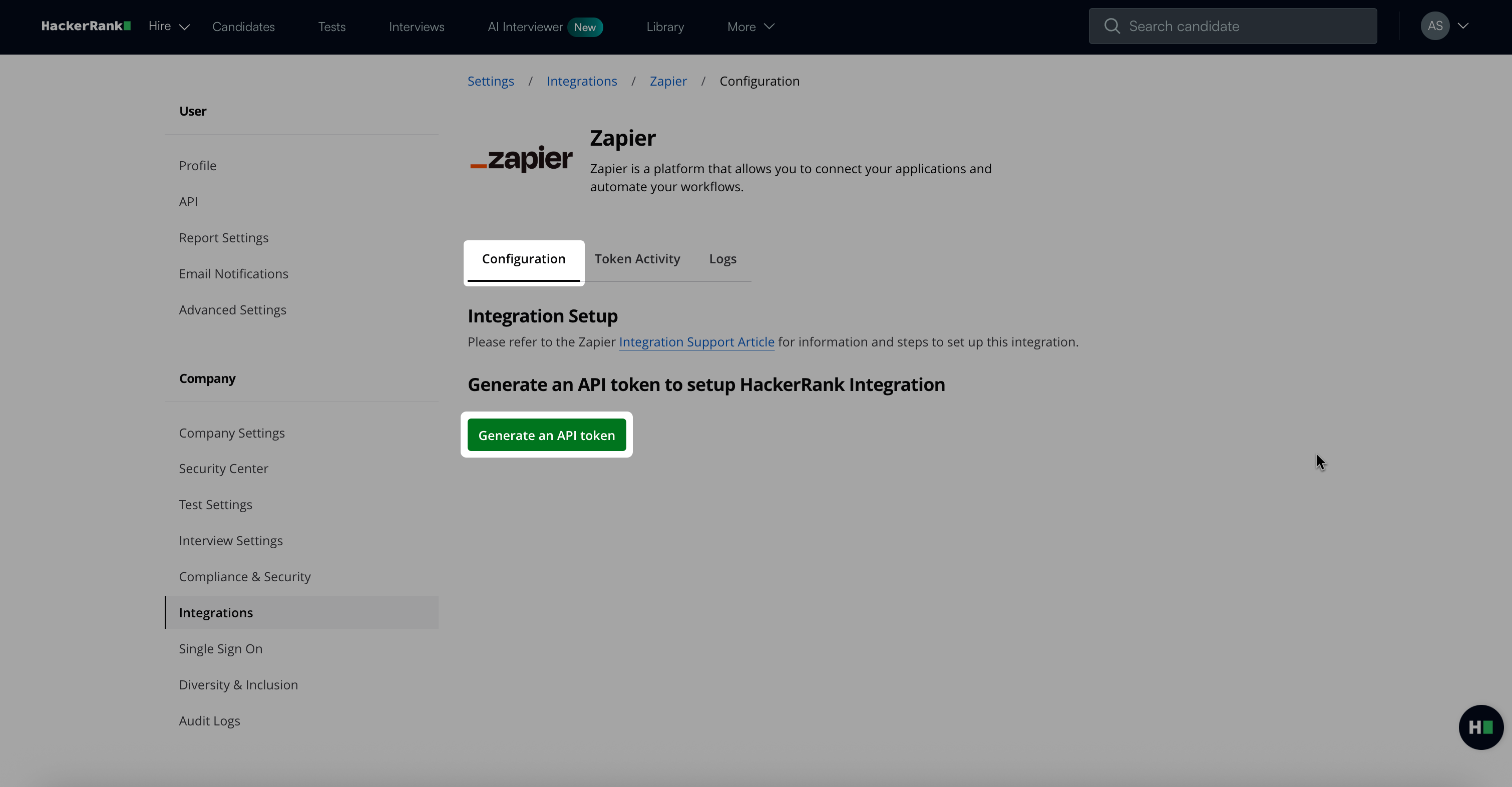
Click Copy and close to copy your token.
Note: You need this token to complete Step 2.
Step 2: Add the HackerRank API token in Zapier
This step authorizes Zapier to connect with your HackerRank account.
Log in to your Zapier account using your credentials.
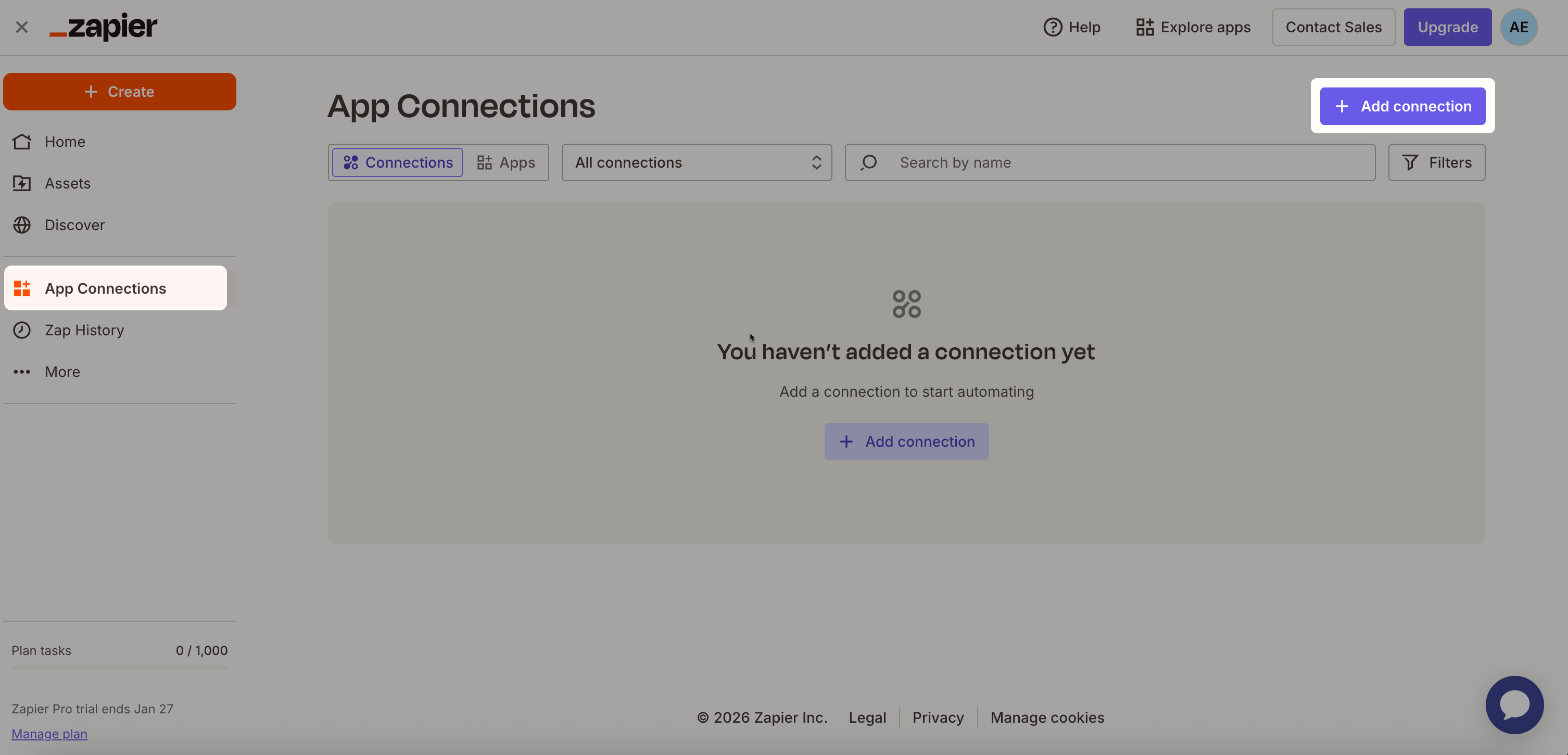
Select App Connections from the left pane.
Click + Add Connection.
In the Add new connection dialog, search for HackerRank, and then select it.
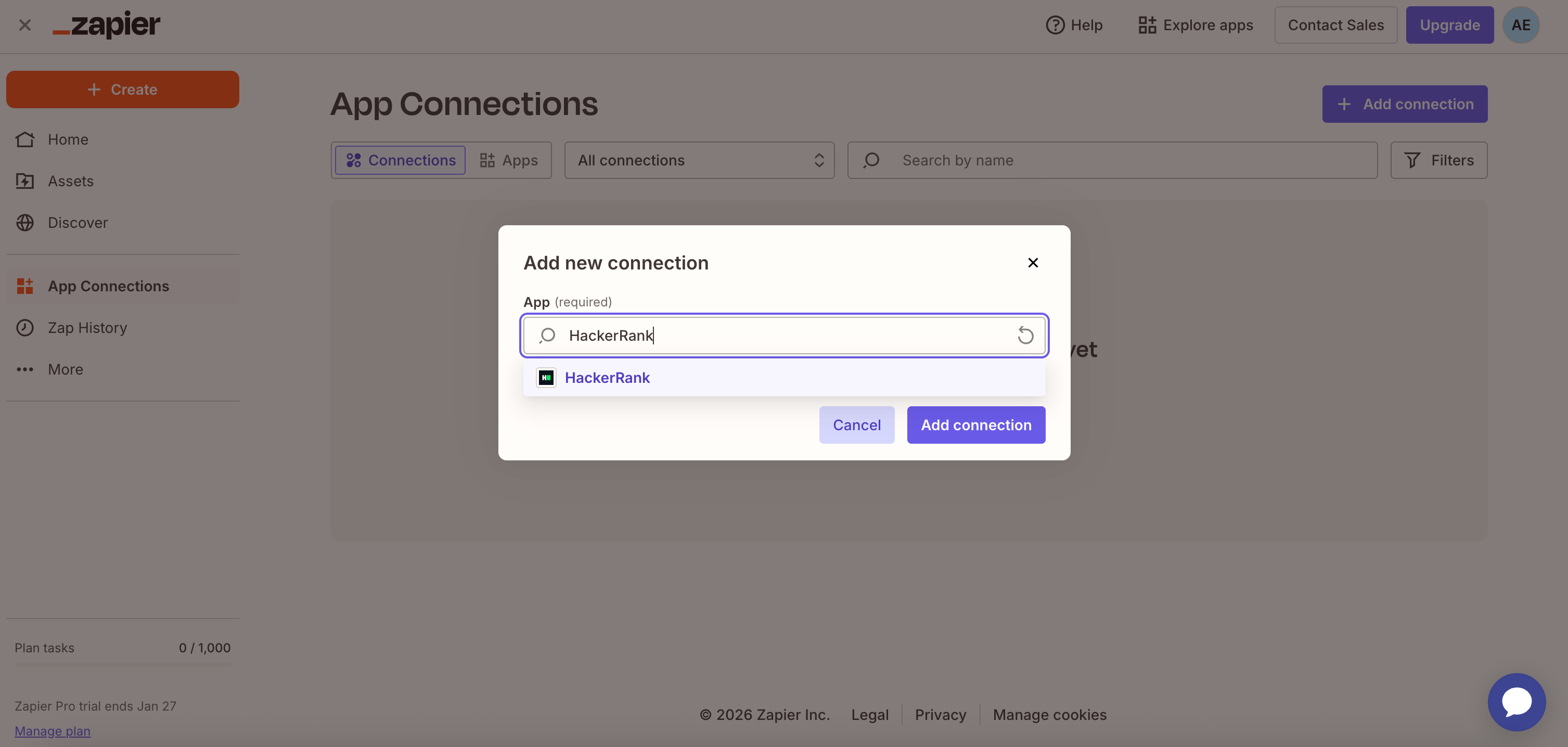
Click Add Connection.
In the Connect an Account window:
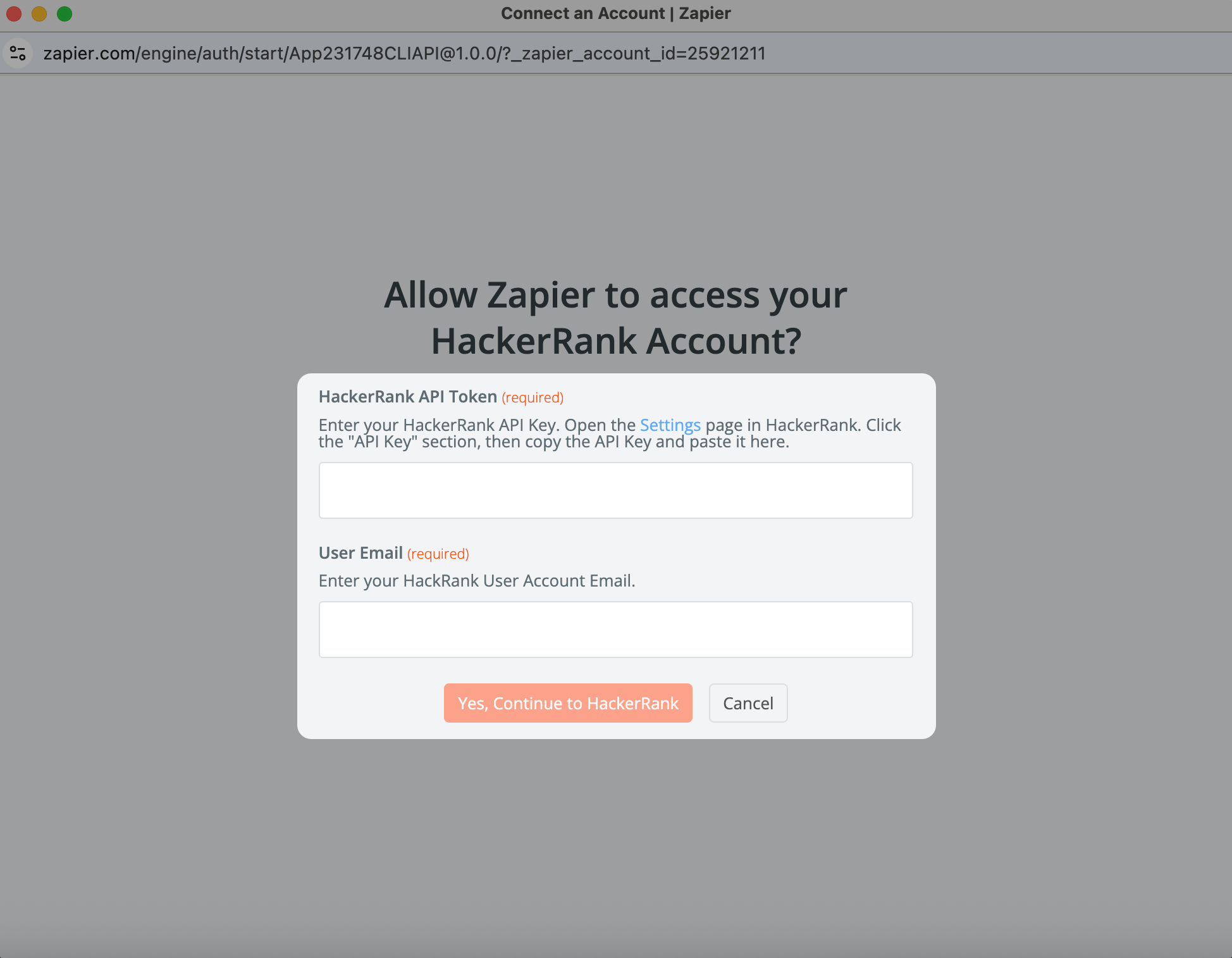
Paste the HackerRank API token from Step 1 into the HackerRank API Token field.
Enter the email address associated with your HackerRank account into the User Email field.
Click Yes. Continue to HackerRank.
Your Zapier account is now integrated with HackerRank.
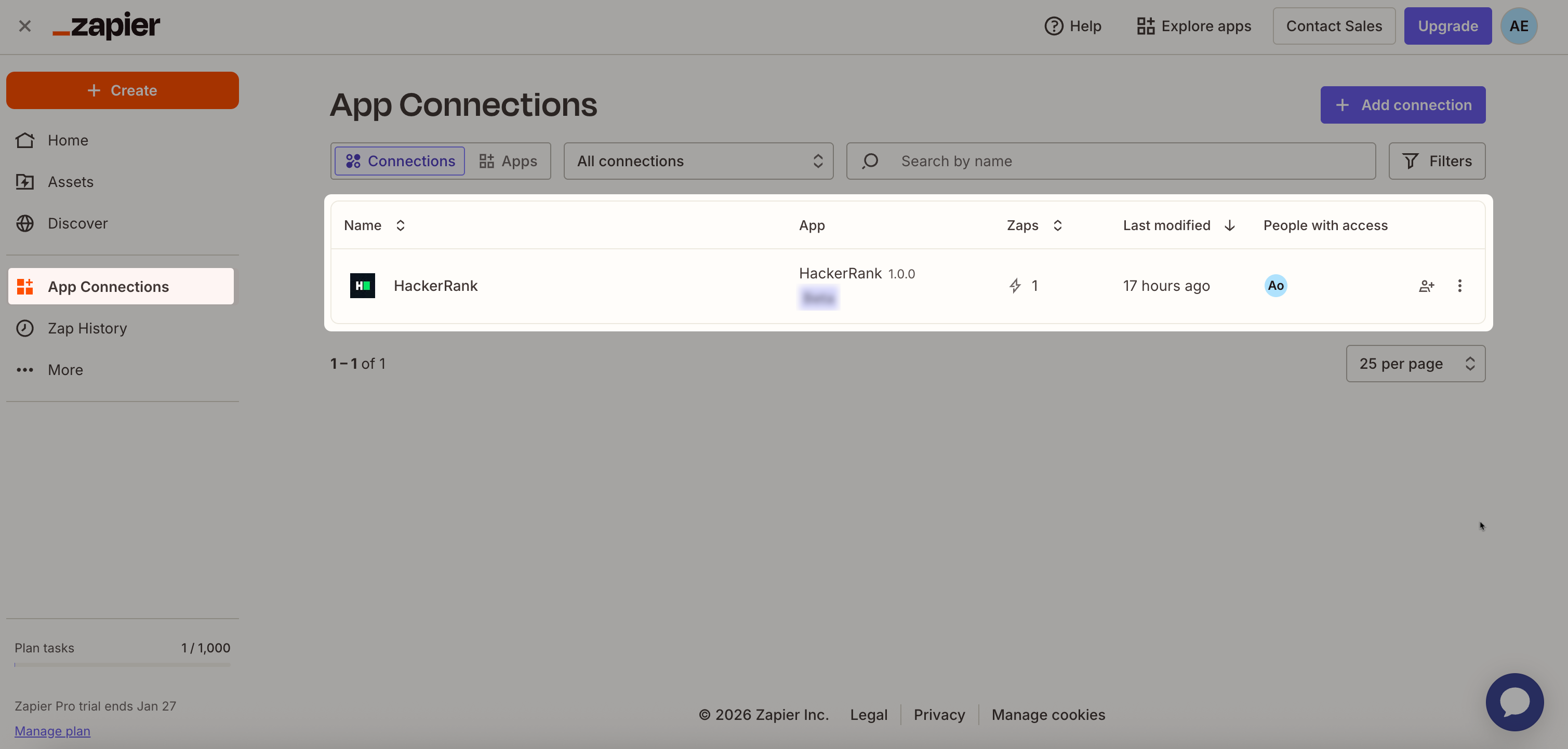
Note: After you integrate HackerRank with Zapier, refer to the following user guides to create workflows for HackerRank assessments and interviews: