End an Interview
Last updated: August 31, 2026
This article applies to the legacy Interview experience. If your interview interface looks different, see 📄 End an Interviewfor the new Interview experience.
You can end a HackerRank interview at any time. You can choose to end the interview only for yourself or for all participants. If you end it only for yourself, the interview continues as long as other interviewers are present.
Ending an Interview
To end an interview:
Click Exit in the top-right corner of the interview page.
Select one of the following options:
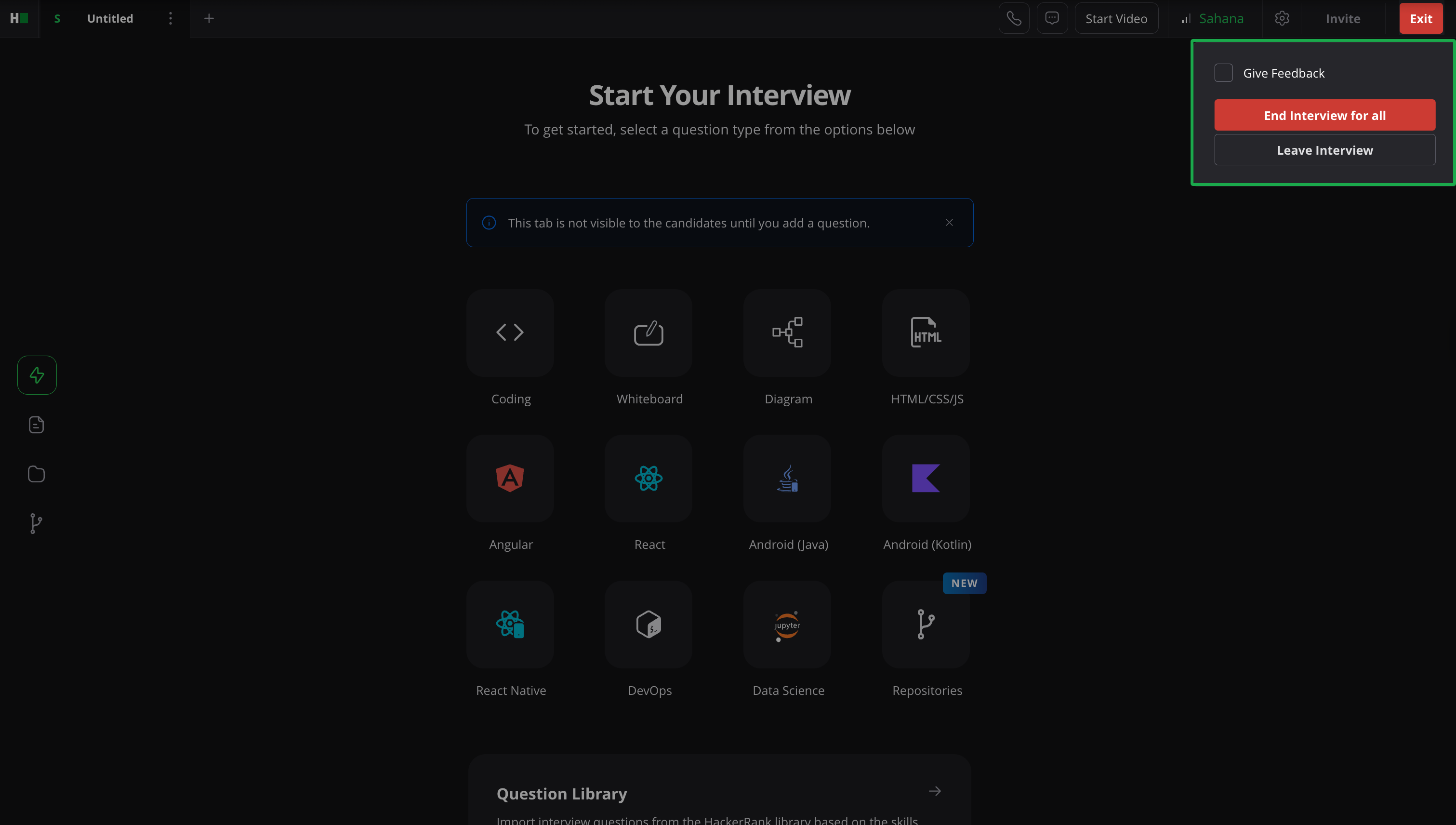
Leave Interview: Ends the session for you only.
If other interviewers are present, the interview continues.
If no other interviewers are present, the candidate moves to the lobby, and the interview ends automatically after an hour of inactivity.
End Interview for all: Ends the interview immediately for all participants.
After ending an interview, you can:
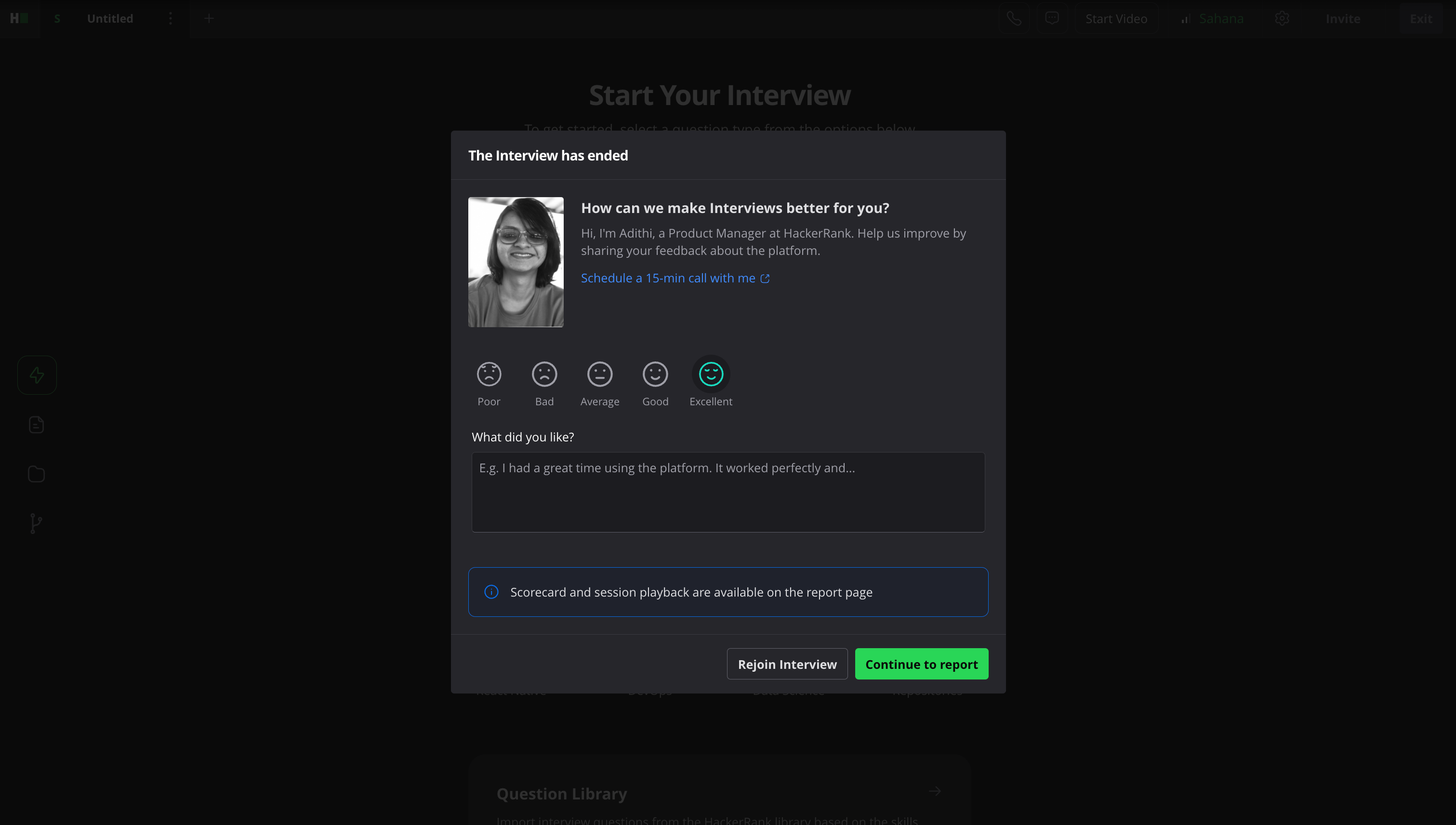
Provide feedback by selecting a rating and adding comments.
Click Rejoin Interview to return to the session.
Click Continue to report to view the interview report.