End an Interview
Last updated: August 27, 2026
This article applies to the new Interview experience. If your interview interface looks different, see 📄 End an Interview for the legacy Interview experience.
You can leave an interview without ending it for other participants, or you can end the interview for everyone.
Prerequisite
You must have joined an interview session. For instructions, see 📄 Join an Interview.
Leave the interview
To leave without ending the interview for other participants:
Click the exit icon in the upper-right corner.
Click Leave Interview.
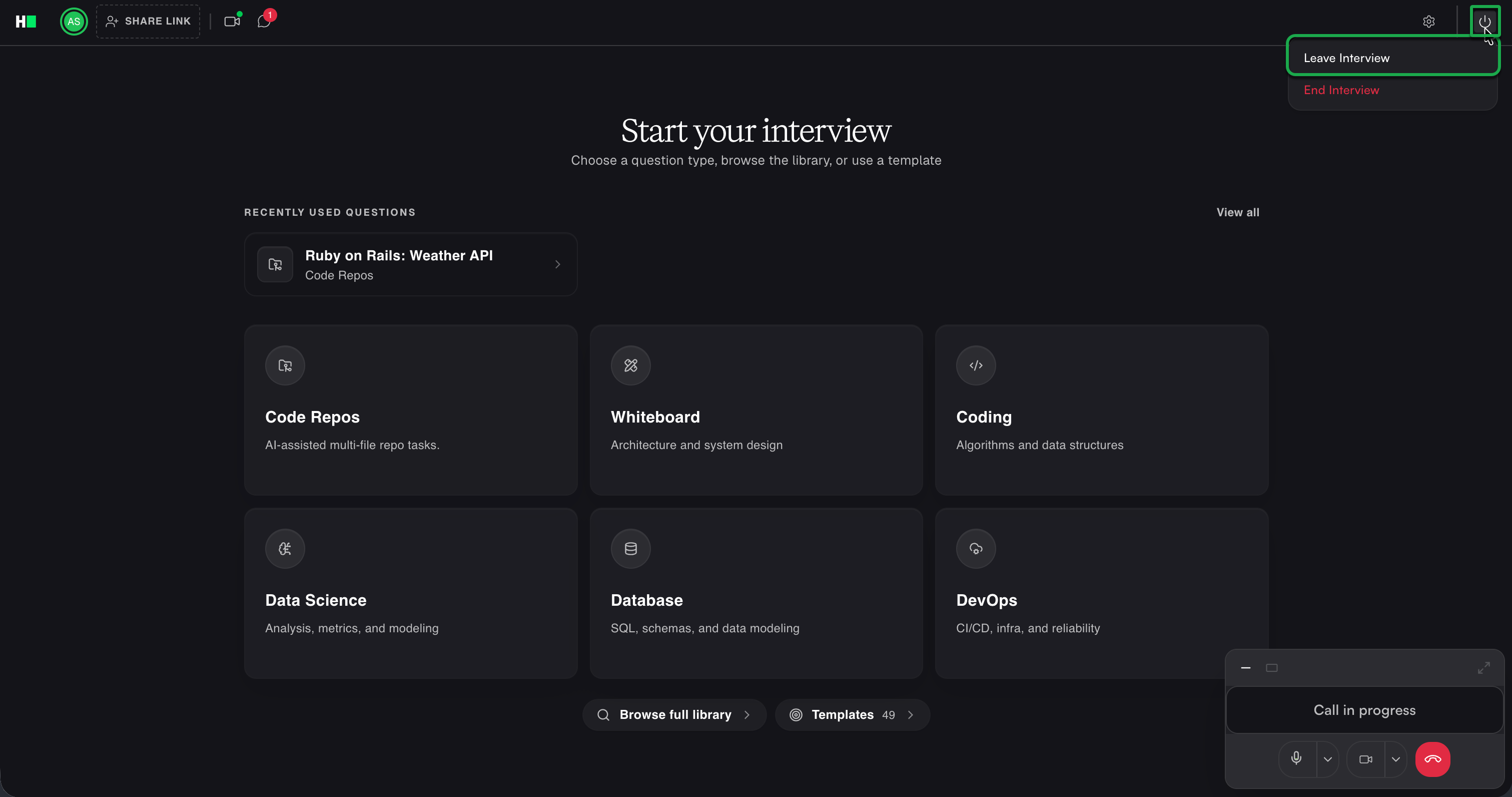
The following conditions apply:
If another interviewer remains, the interview continues.
If no other interviewer remains, the candidate returns to the virtual lobby. The interview ends automatically after one hour of inactivity.
End the interview for everyone
To end the interview for all participants:
Click the exit icon in the upper-right corner.
Click End Interview.
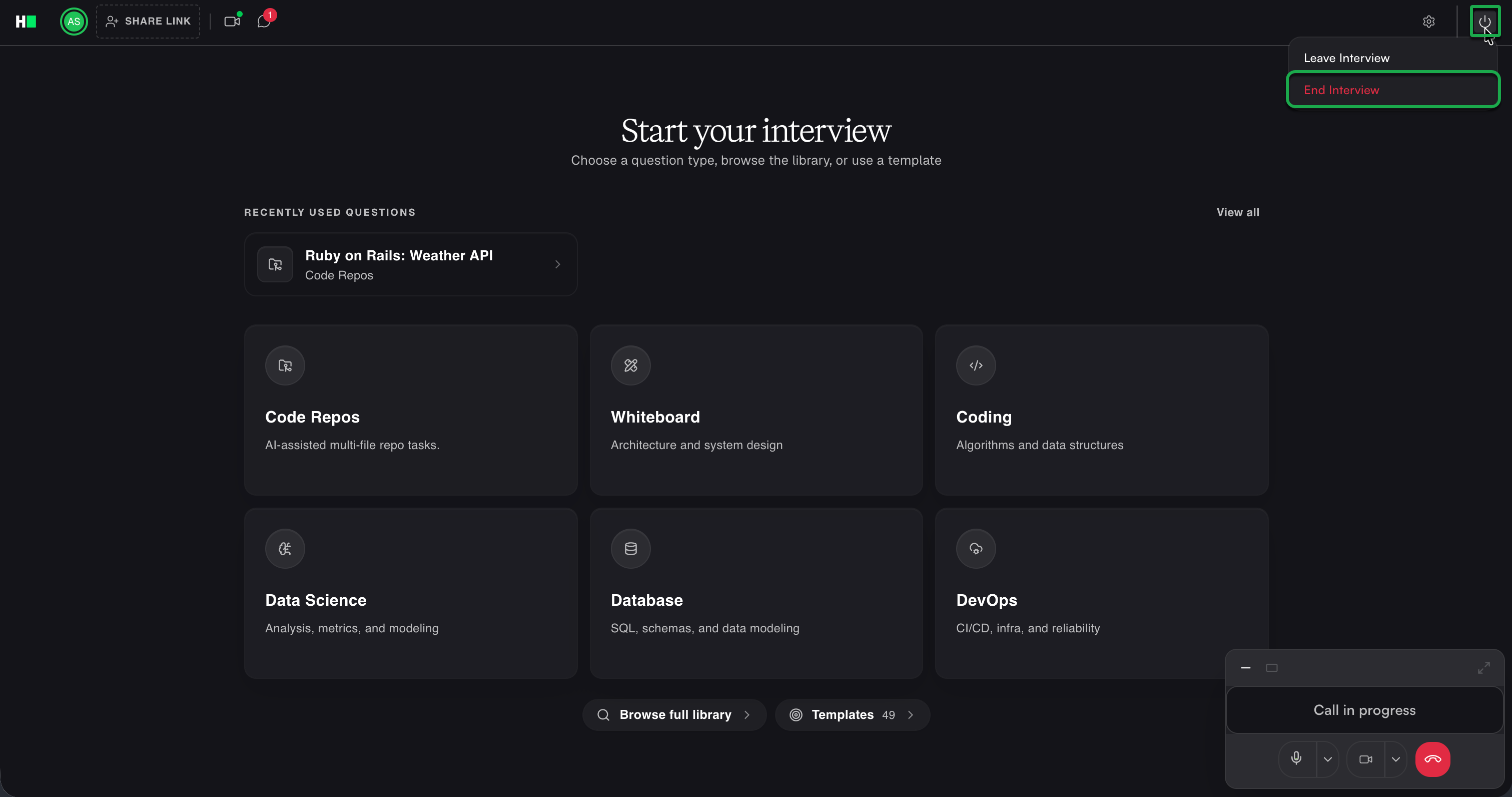
In the confirmation dialog, click End Interview again.
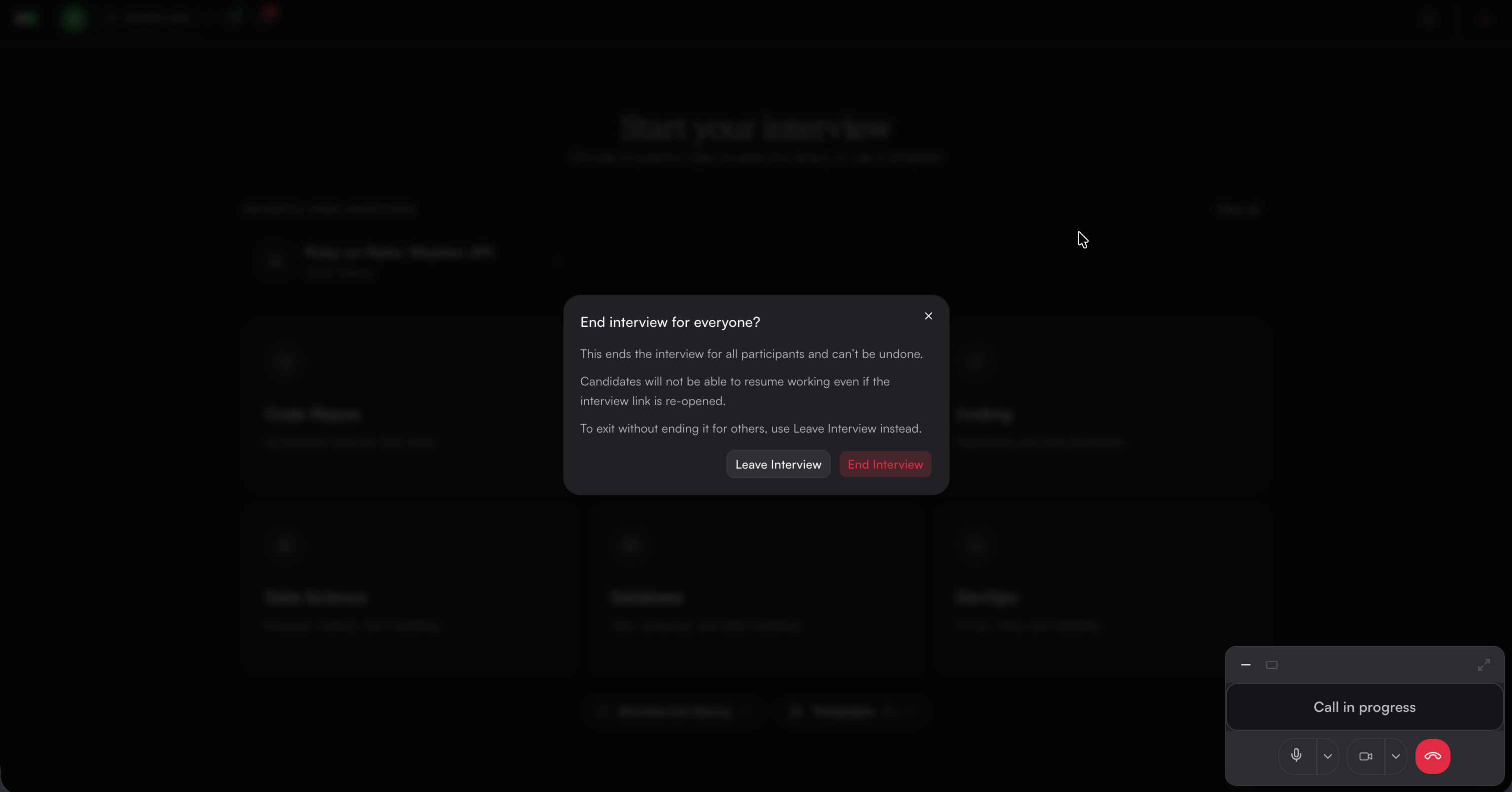
HackerRank ends the interview for all participants and opens the Interview Report.