Code Repository Questions
Last updated: June 26, 2026
Code Repository lets you create multiple questions from a single repository. Each question can assess a different objective, such as fixing a bug, building a feature, or working on a specific part of the application, while reusing the same base setup.
The AI agent helps throughout the setup flow by analyzing the uploaded repository, summarizing its structure, suggesting setup details, and assisting with question creation.
Key benefits
Code repository questions offer the following benefits:
Reuse a single repository: Create multiple questions from the same Code Repository without rebuilding the setup for each question.
Assess multiple skills: Use the same repository to evaluate different skill sets, such as front-end, back-end, or full-stack development.
Use AI-assisted setup and creation: Let the AI Assistant analyze the repository, summarize content, suggest setup commands, and generate tasks.
Code Repository artifacts
A Code Repository artifact is the shared base used across multiple questions.
The following elements remain the same across questions:
Base repository
Installation setup
Run commands
The following elements can change for each question:
Problem statement
Question objective
Test cases
File or repository changes
Interviewer guidelines
Creating a Code Repository question
To create a Code Repository question:
Log in to your HackerRank for Work account using your credentials.
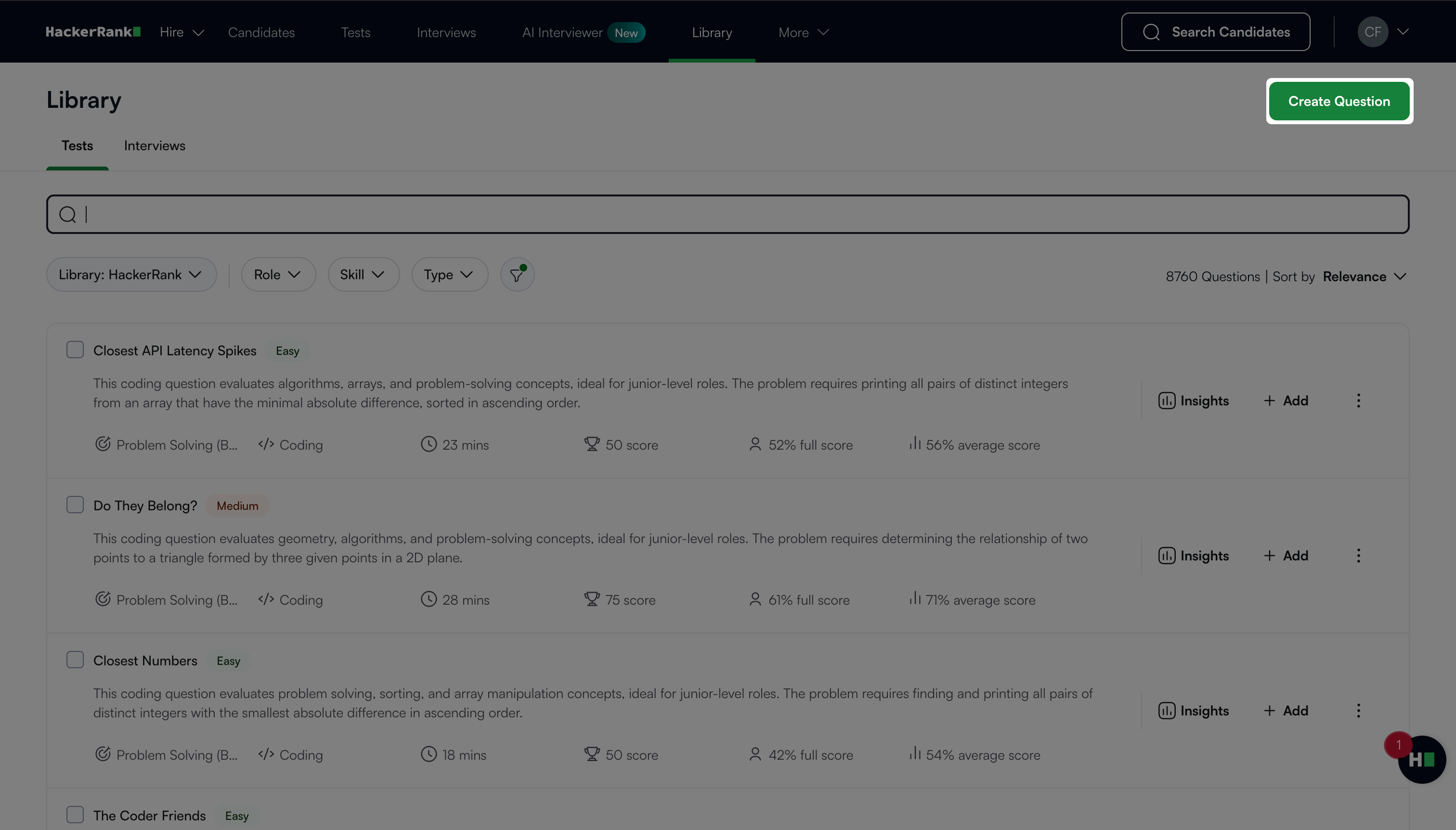
Go to the Library tab.
Click Create Question.
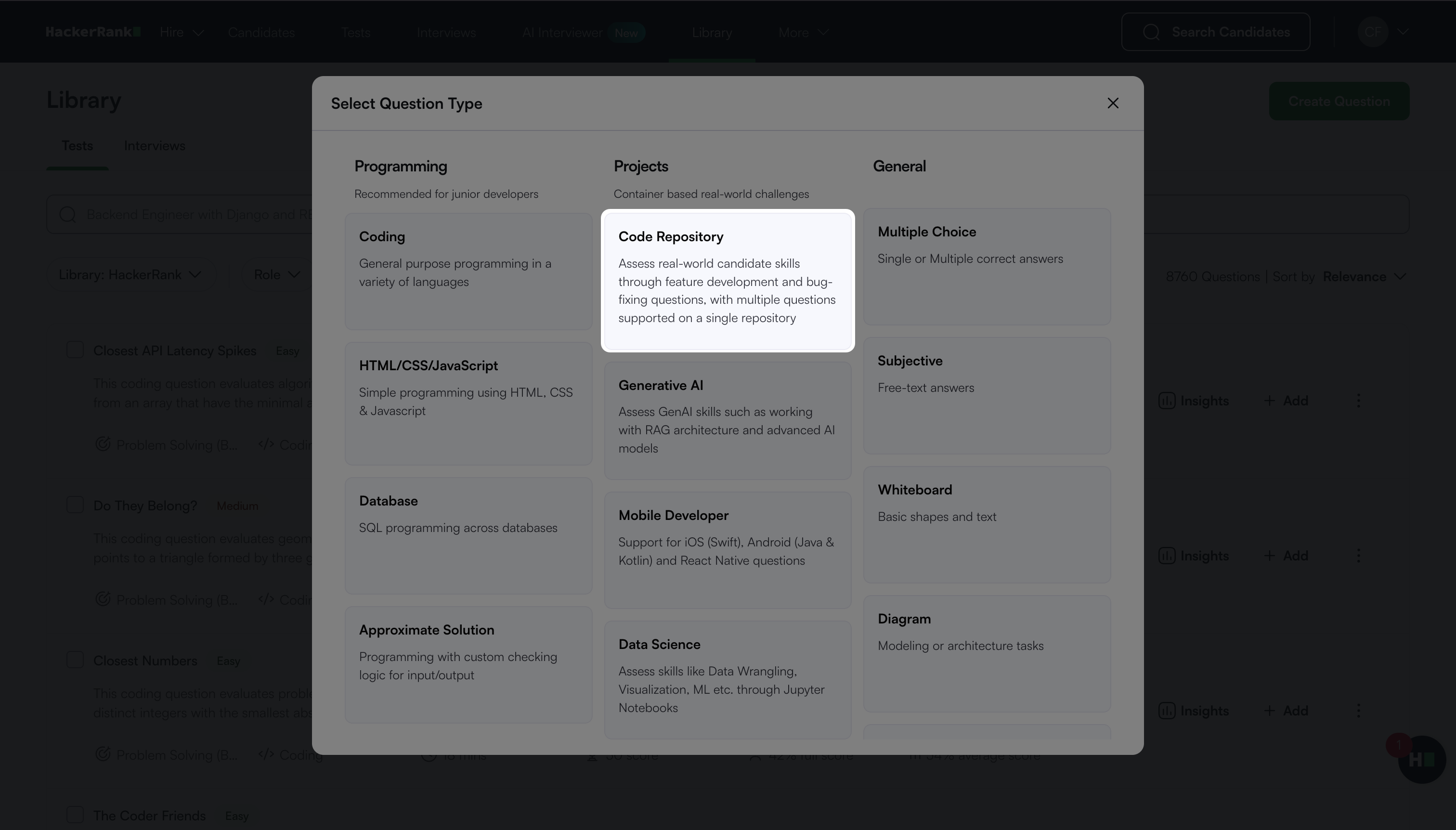
Select Code Repository under Projects.
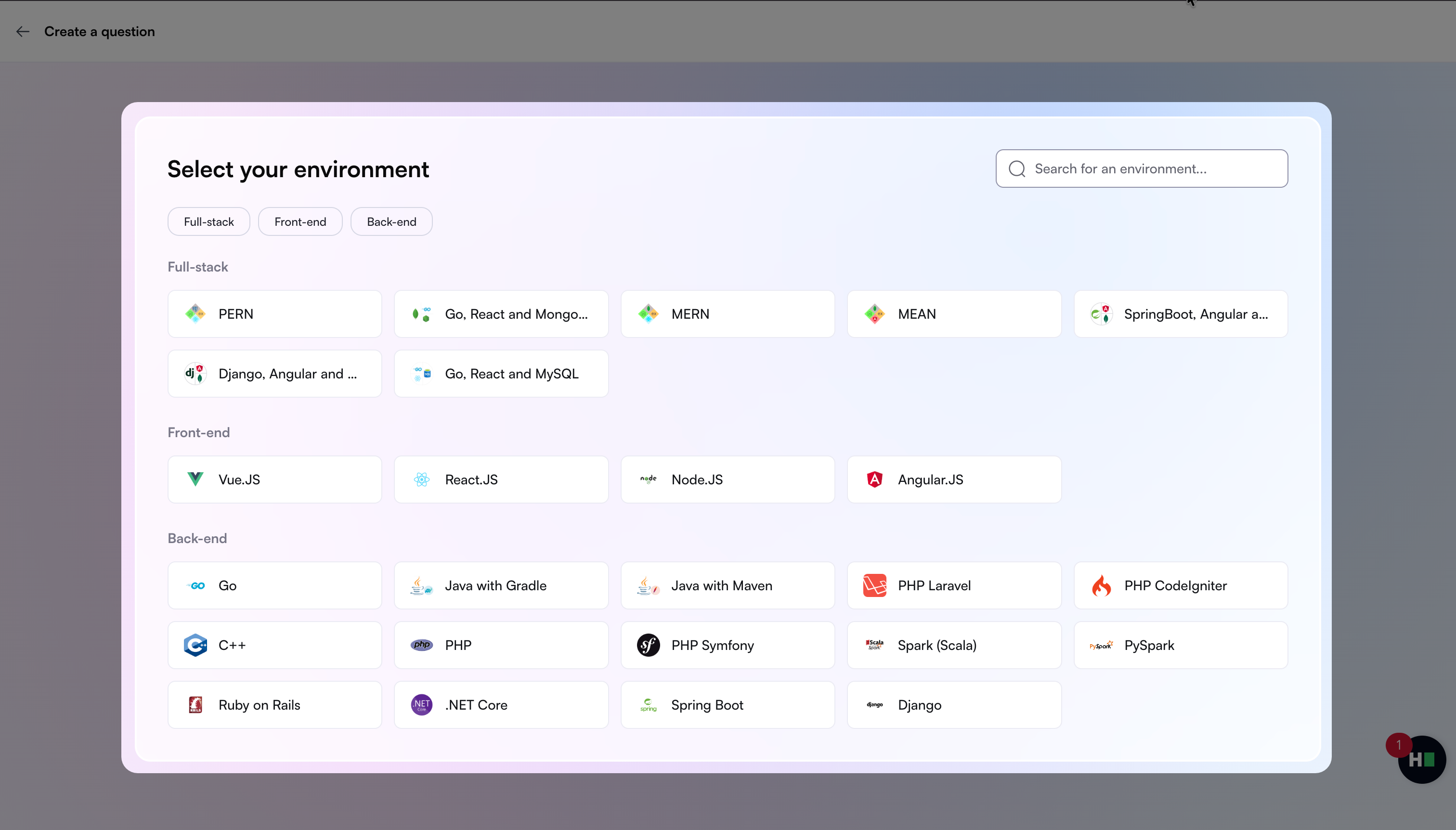
Select the project environment.
Upload a ZIP file of your repository to set up your project environment.
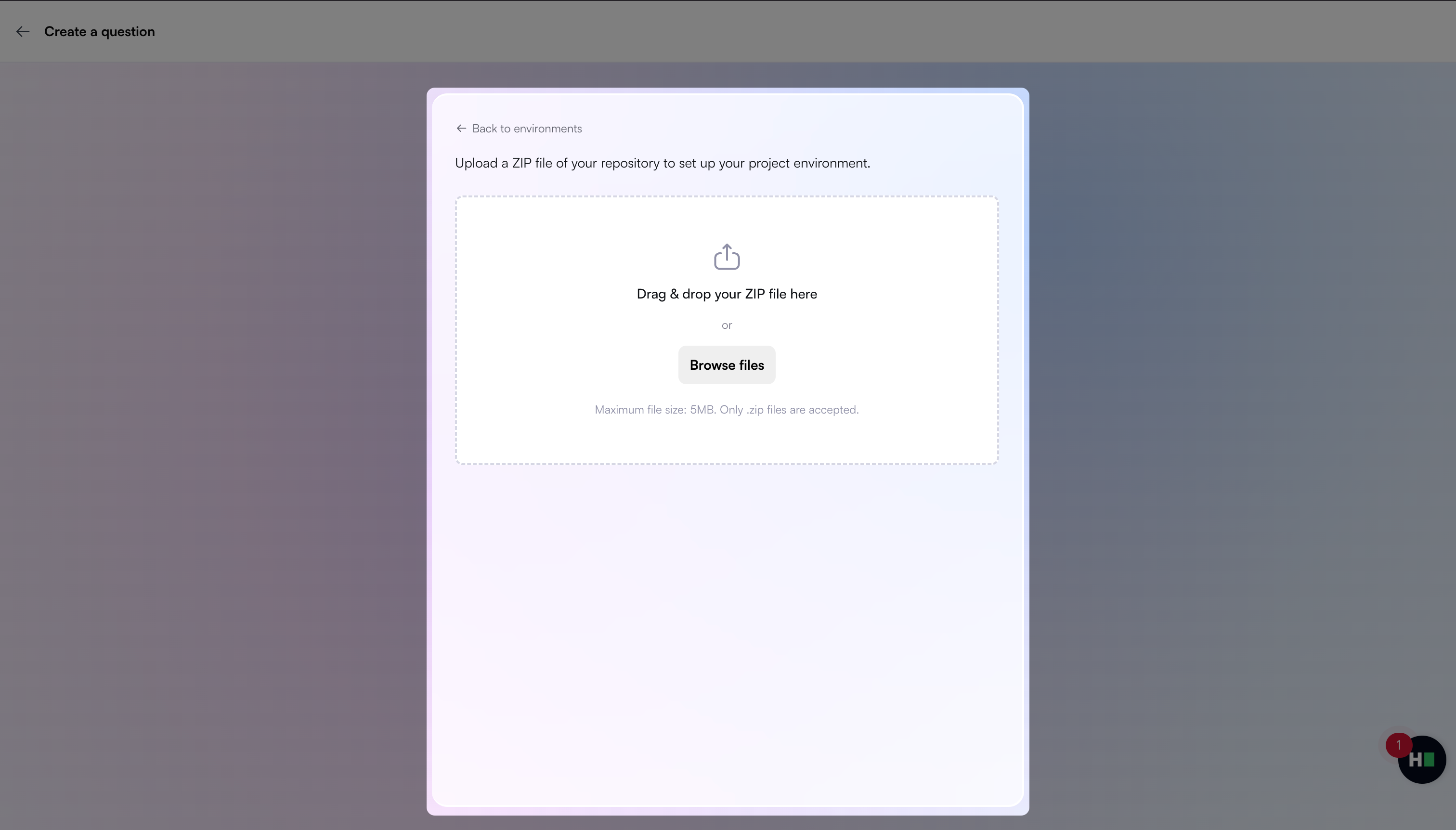
Note: The ZIP file size must not exceed 5 MB.
Wait for the AI Assistant to analyze the repository and generate a summary.
Review the AI-generated summary of the repository.
(Optional) Update or refine the summary if needed.
Confirm the AI Assistant’s understanding to proceed with question creation.
In the
hackerrank.ymlfile:Review the generated install, run, and test commands.
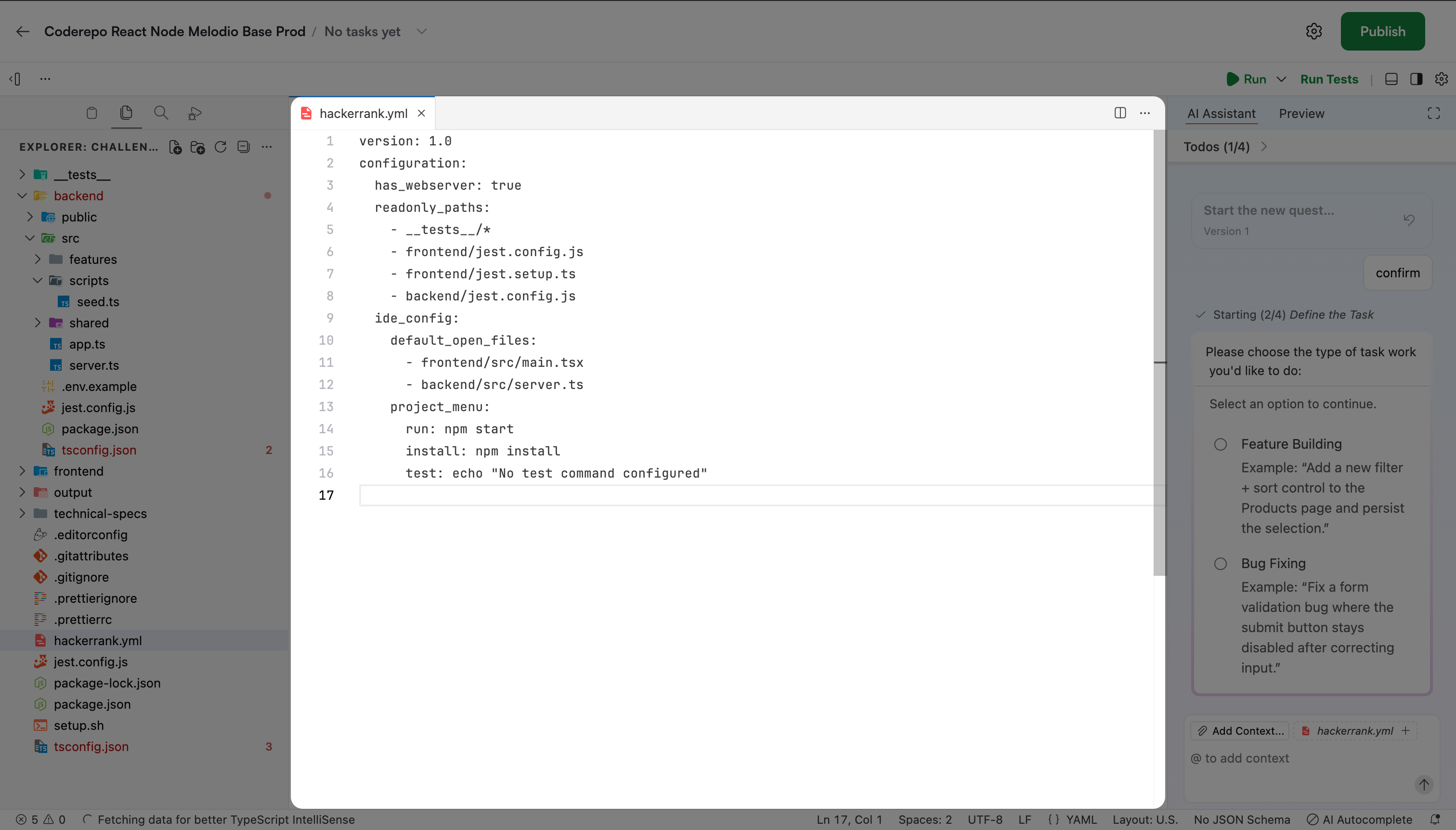
If the repository includes a README file, the platform may extract commands from it.
Note: You can add custom port labels in the
hackerrank.ymlusing theports_settingsfield. For example, assign clear names to ports such as 8000 and 3000 to display them as Frontend and Backend.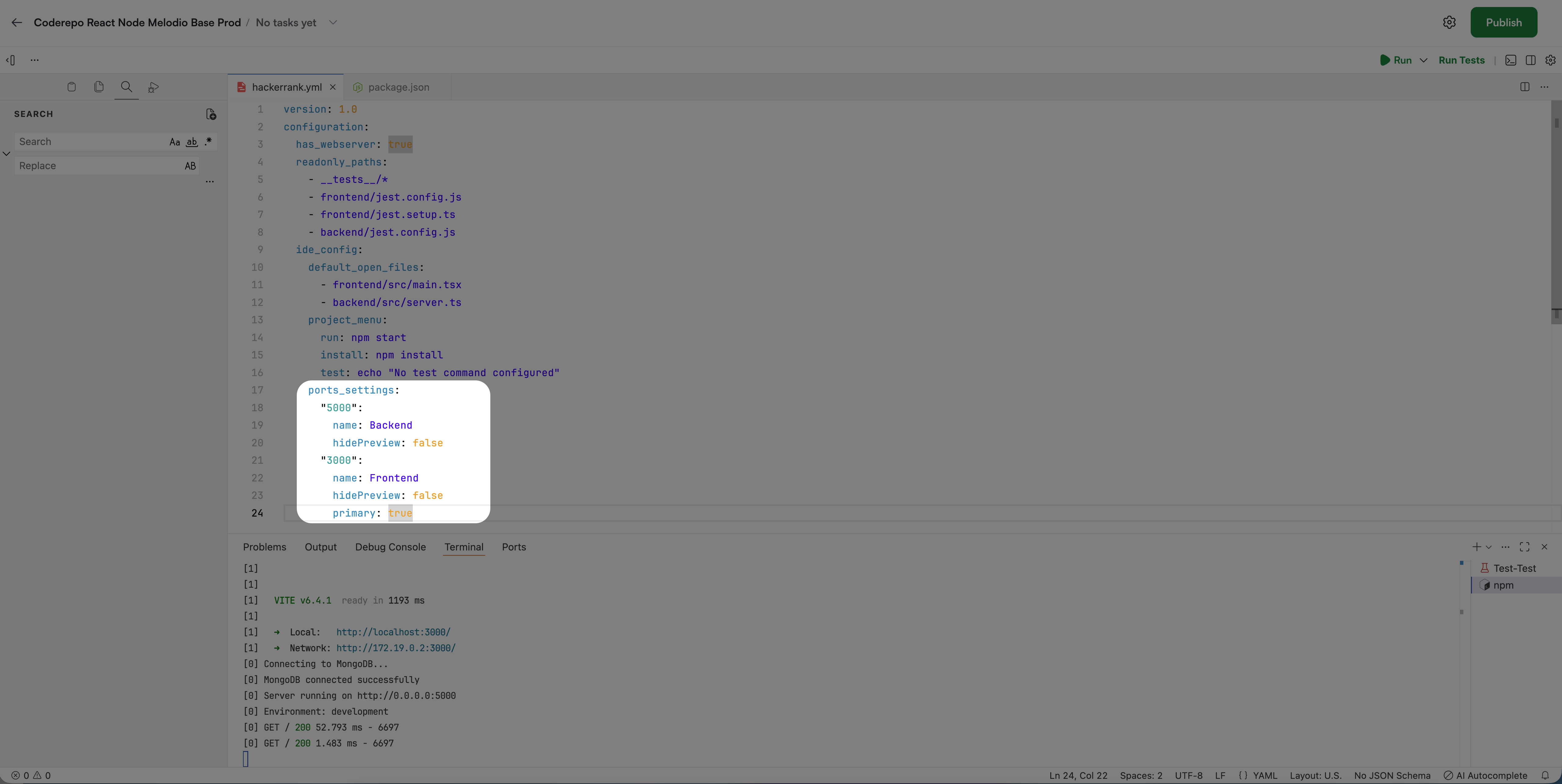
(Optional) Update the
ide_configinstall or run if needed.
In the AI Assistant panel, choose the type of task you want to create:
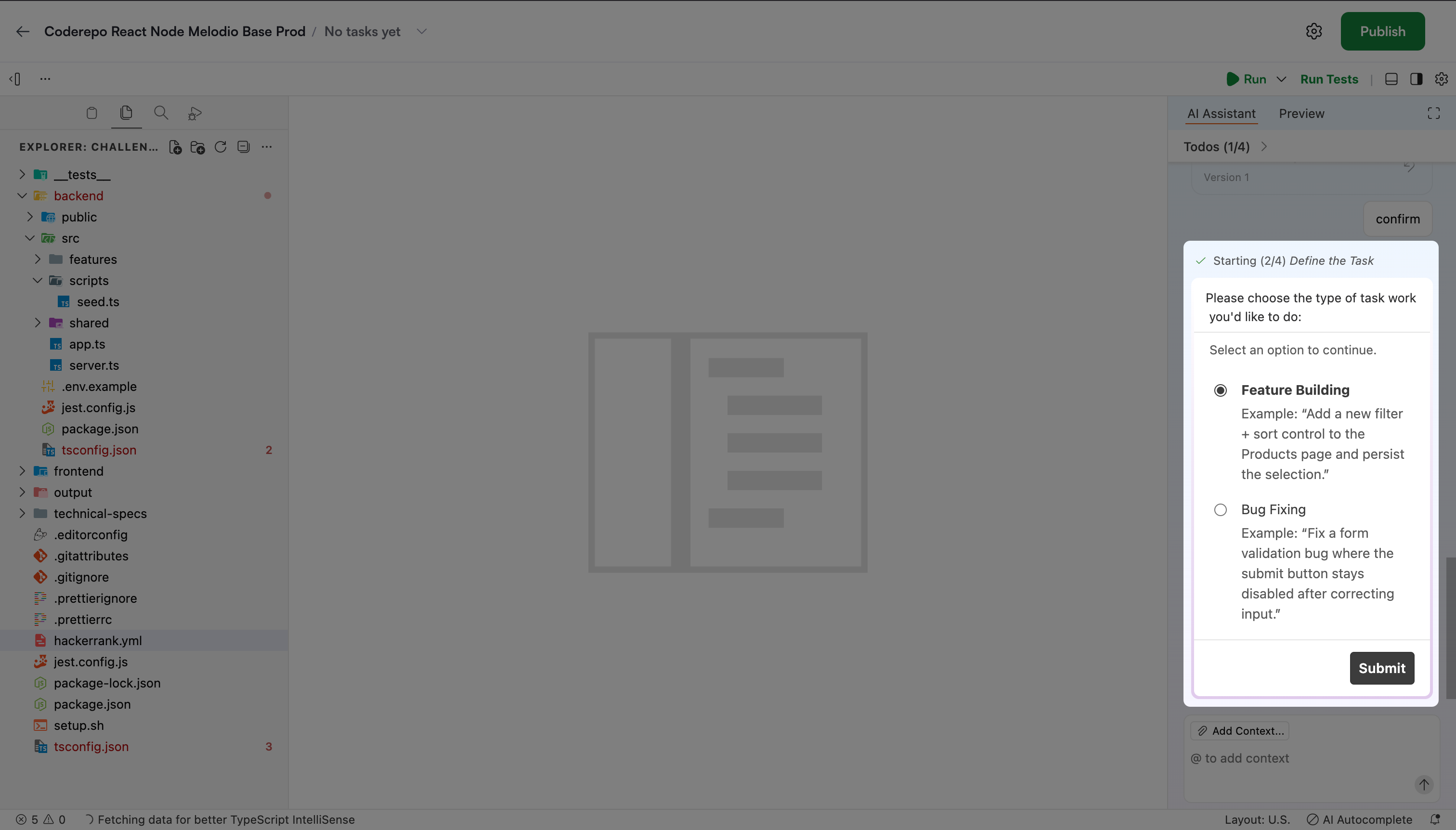
Feature Building
Bug Fixing
Click Submit.
The AI Assistant suggests tasks based on the repository.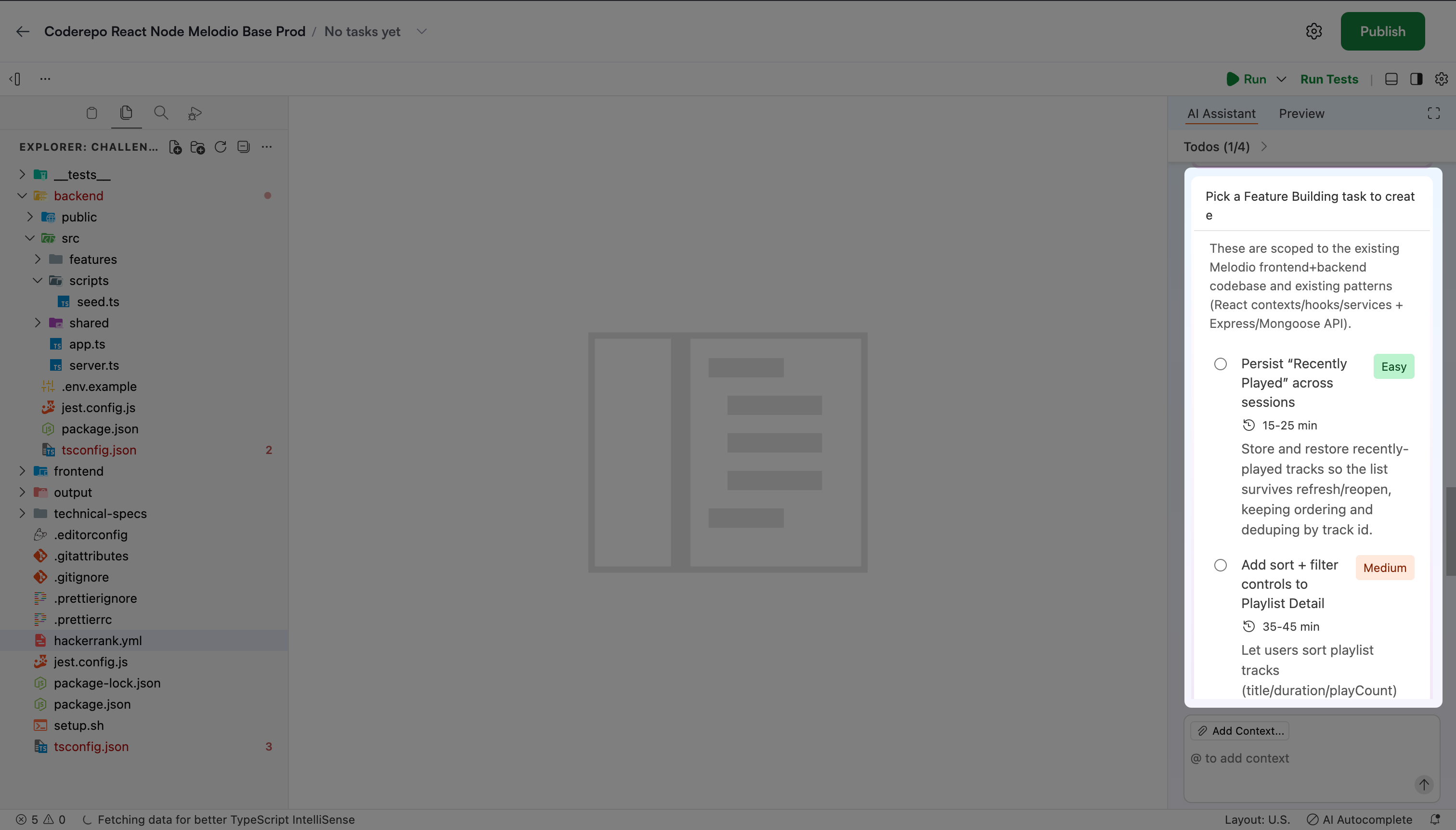
Choose one of the following:
Select a suggested task.
Select Other and describe your own task.
Click Submit.
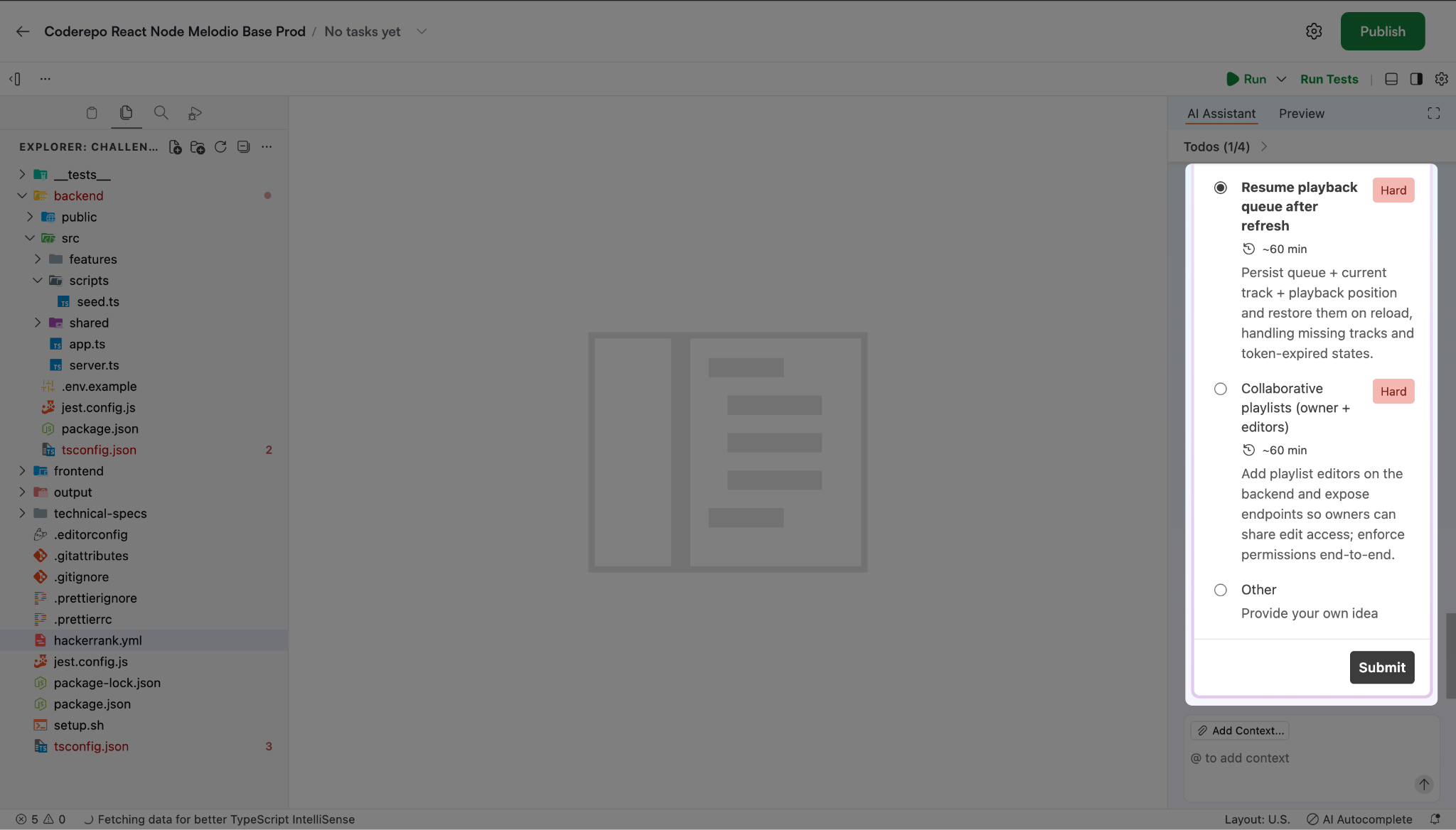
The AI Assistant may ask follow-up questions. Enter the requested details to proceed.
After confirmation, the AI Assistant generates: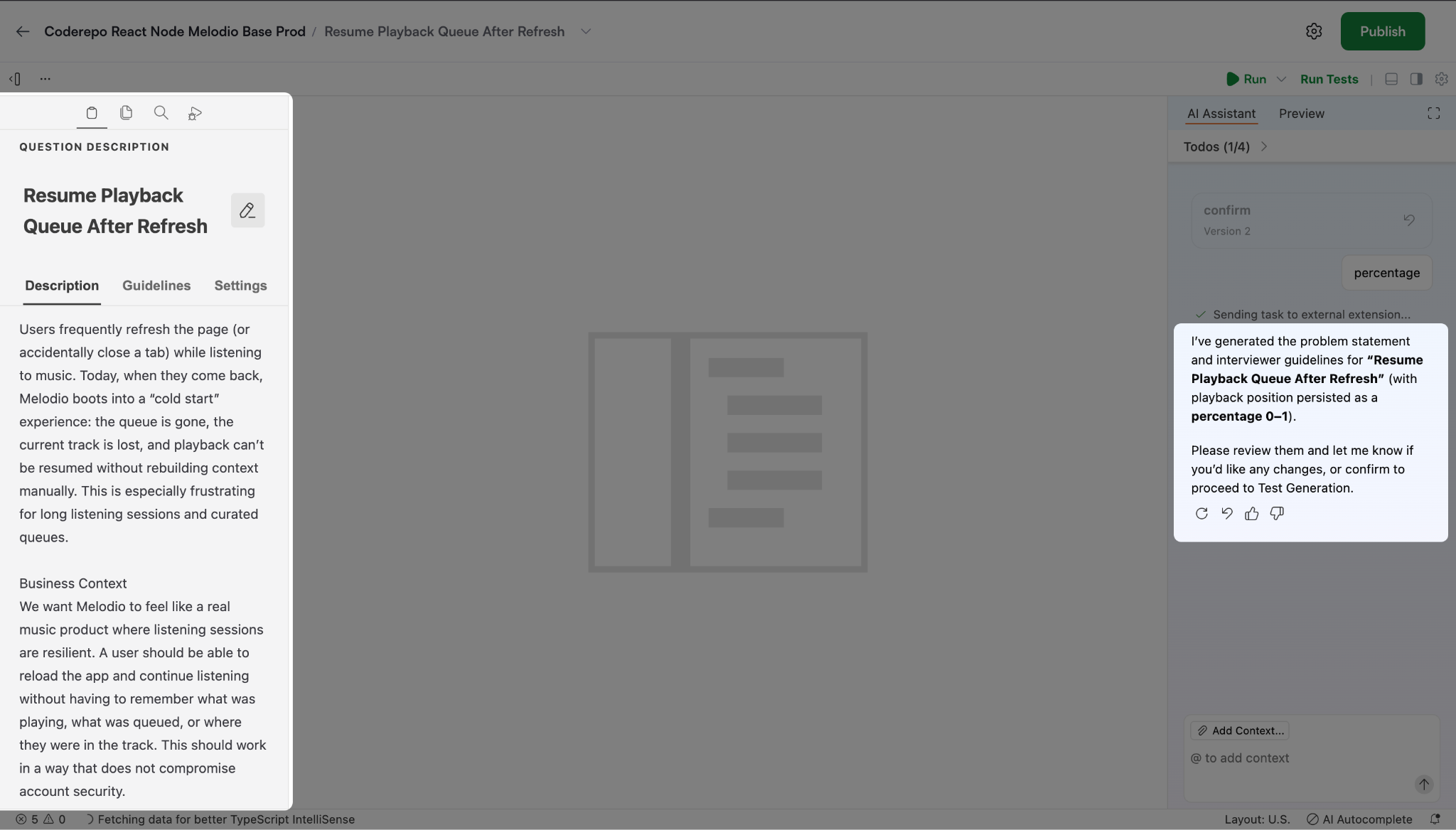
Problem statement
Required file or repository changes
Interviewer guidelines
Review the generated content.
(Optional) Edit any section if needed.
Review the newly generated
coderepo_taskssection in thehackerrank.ymlfile.Sample:
coderepo_tasks:
    - name: Task Name
      task_type: feature
      test_command: npm test
      scoring_command: npm install && npm test
      test_report_path: unit.xml
      test_suite_path: test/test2.js
Click Publish.
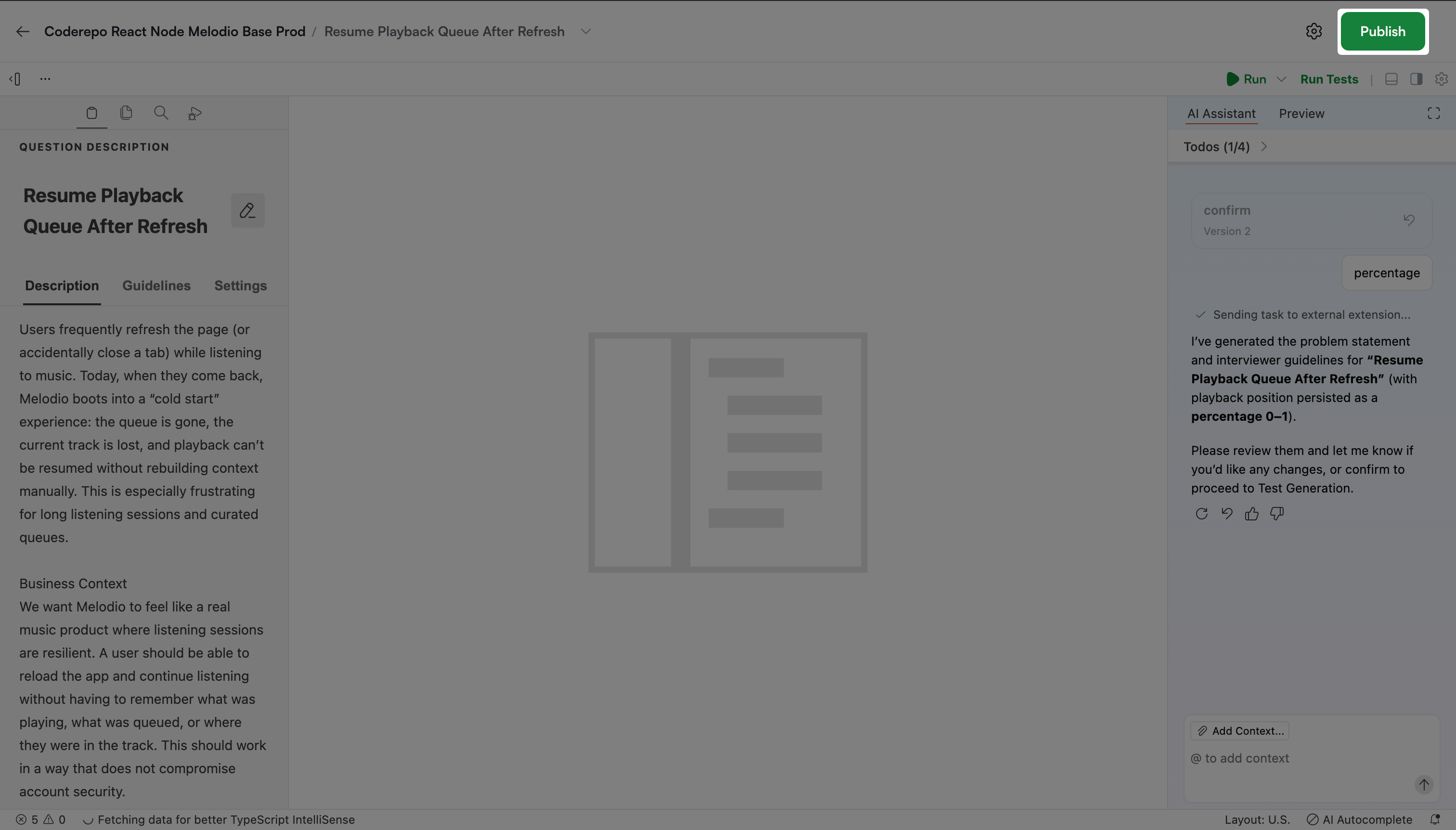
Wait for validation to complete.
After successful validation, the platform saves the question.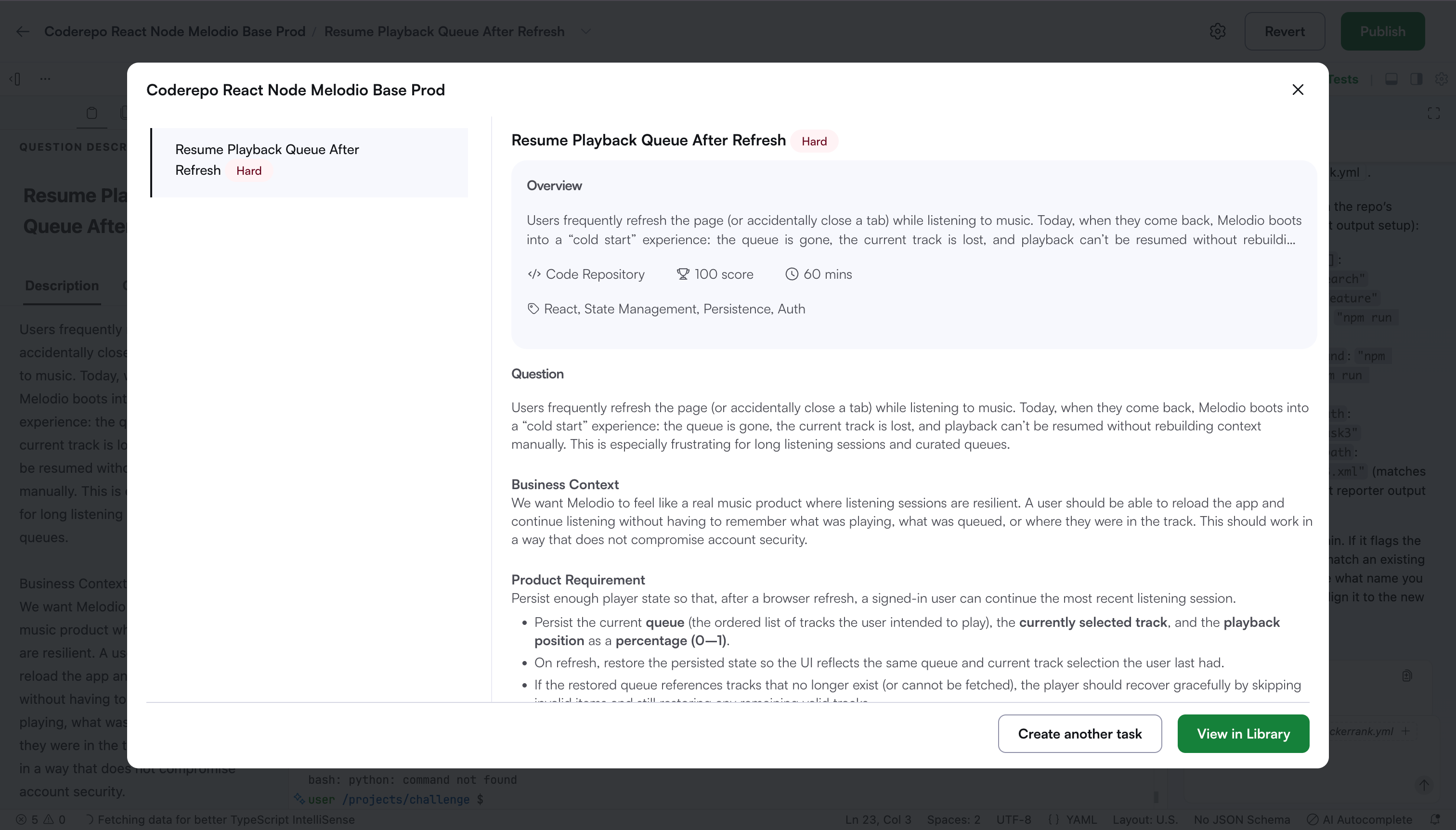
You can click View in Library to open the question or click Create another task to add another question from the same repository.
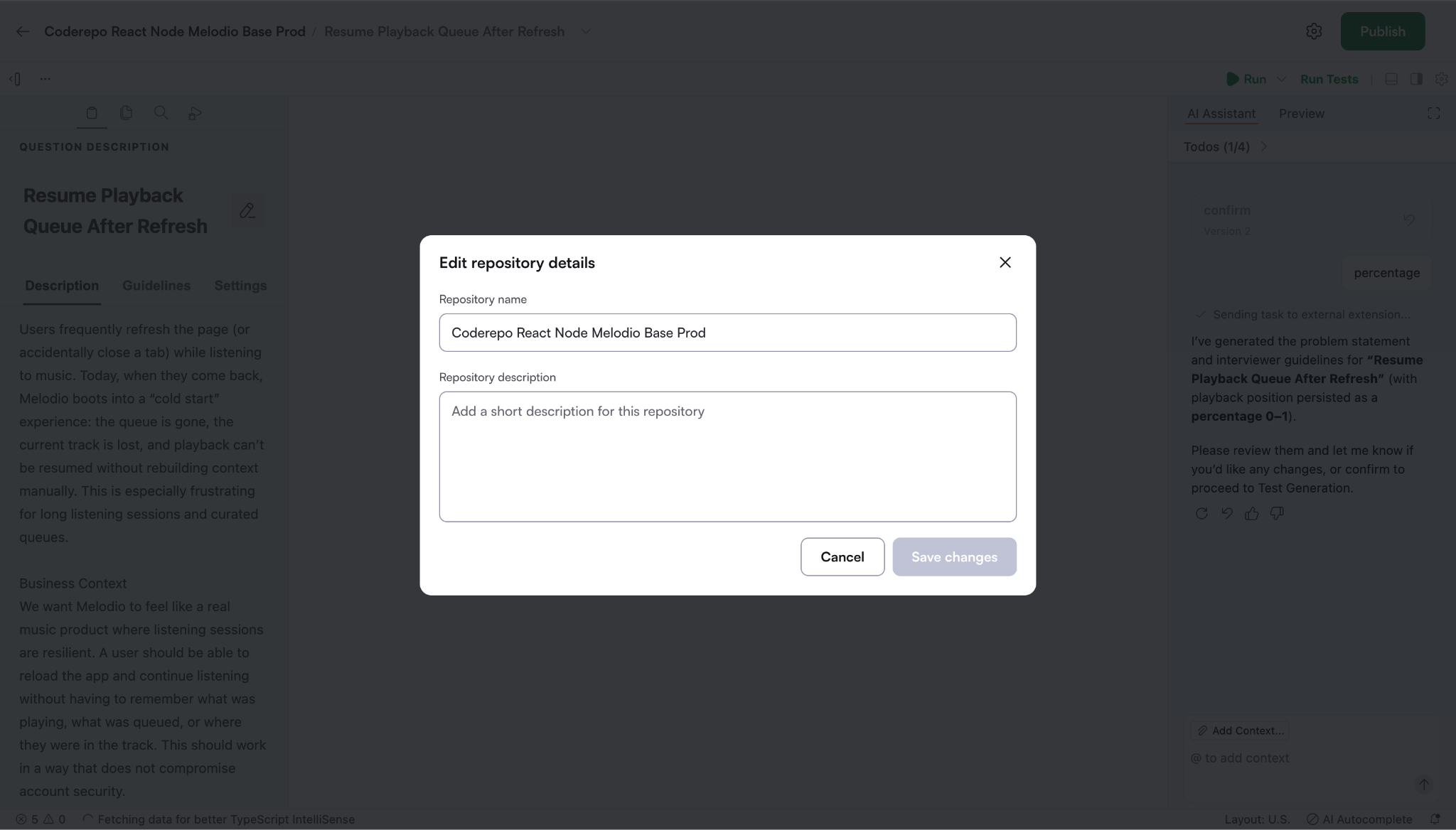
Note: Click the settings icon in the upper-right corner of the repository to update the repository name and description.
Adding questions to an existing Code Repository
To add a question to an existing code repository:
Go to the Library tab.
Open a question created from the repository.
Click Create another task.
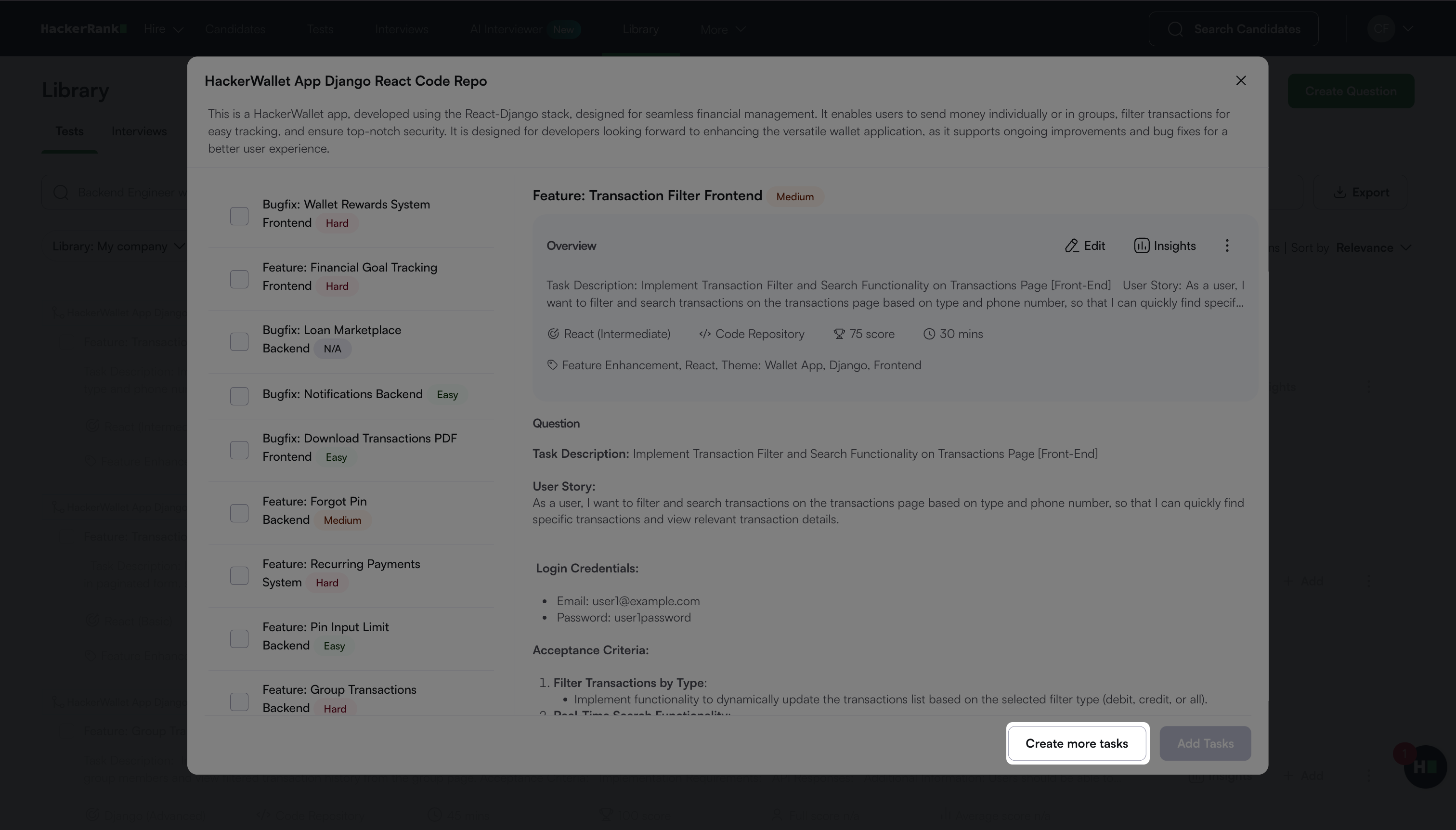
Follow the steps in Creating a Code Repository question to create a new task.
Editing an existing Code Repository question
To edit an existing Code Repository question:
Go to the Library tab.
Locate the question you want to update.
Click Edit.
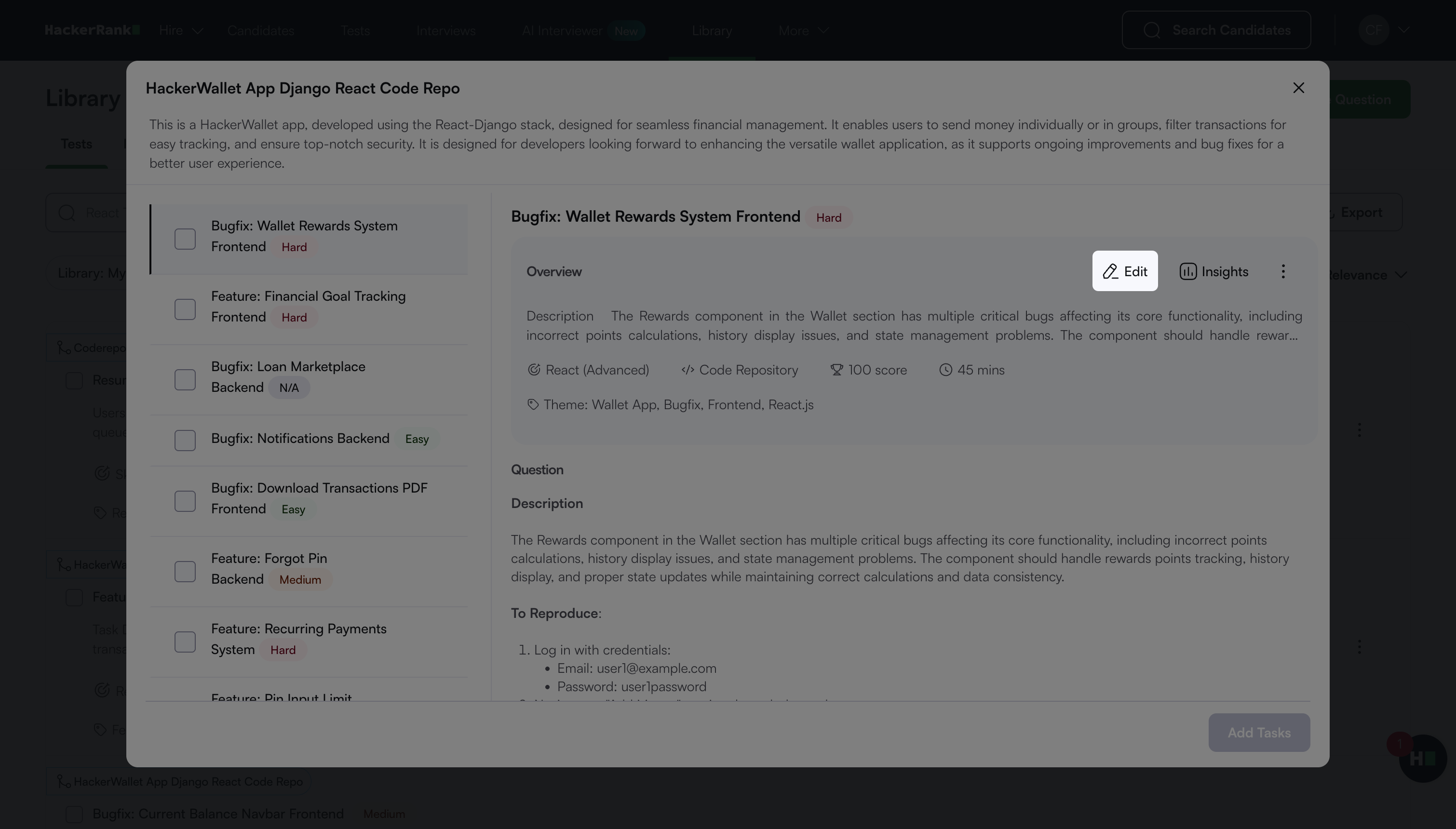
Update the required sections in the Code Repository interface.
Click Publish to validate and save your changes.
Frequently Asked Questions
Why does validation take time?
Validation takes time because the platform checks not only the current question but also the impact of changes on other questions that use the same repository.
What remains the same across questions from the same repository?
The following elements remain the same:
Repository files
Installation setup
Run commands
What changes across questions from the same repository?
The following elements vary for each question:
Problem statement
Question objective
Test cases
File or repository changes
Interviewer guidelines
How does the AI Assistant help during question creation?
The AI Assistant supports the workflow by:
Analyzing the uploaded repository
Summarizing repository content
Helping refine the repository understanding
Suggesting install and run commands
Generating and refining tasks based on the codebase
How many questions should I create from one repository?
HackerRank recommends you create fewer than 10 questions from a single repository. This limit keeps the repository manageable and reduces validation complexity.
Does the AI Assistant support validation?
No. The AI Assistant does not support the validation flow. It helps with understanding the repository, suggesting setup details, and assisting with question creation.
Can I add images or GIFs to the question description?
No. The question description supports text only.
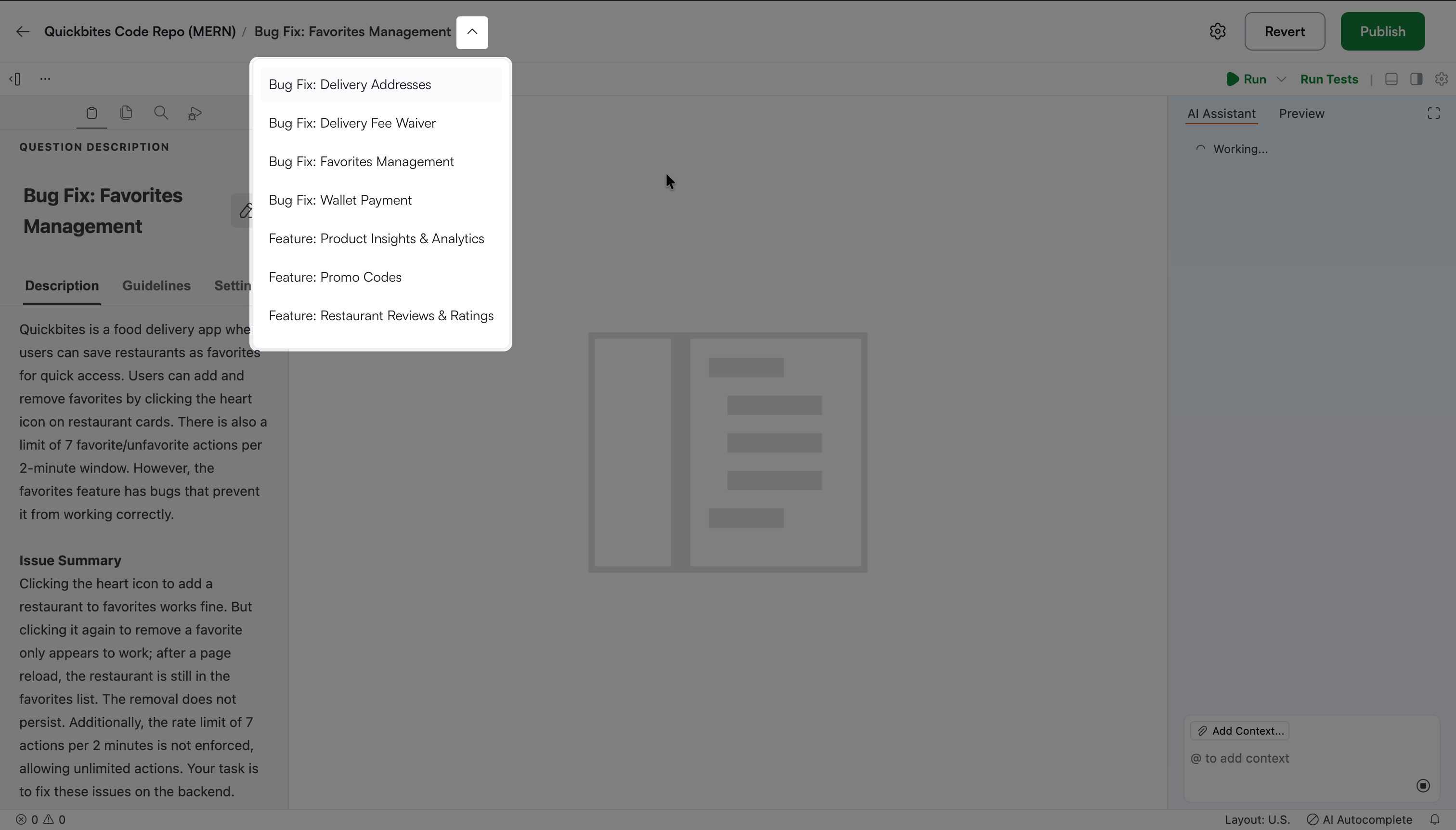
How can I navigate between tasks within the question creation interface?
Click the dropdown next to the code repository name.