Code Review Questions
Last updated: March 26, 2026
Code Review questions assess a candidate's ability to review and critique existing code, mirroring real-world engineering workflows. These questions are suitable for senior-level candidates who have industry experience, mentor others, or regularly participate in code reviews.
Creating a Code Review question
To create a Code Review question:
Log in to your HackerRank for Work account using your credentials.
Go to the Library tab.
Click Create Question.
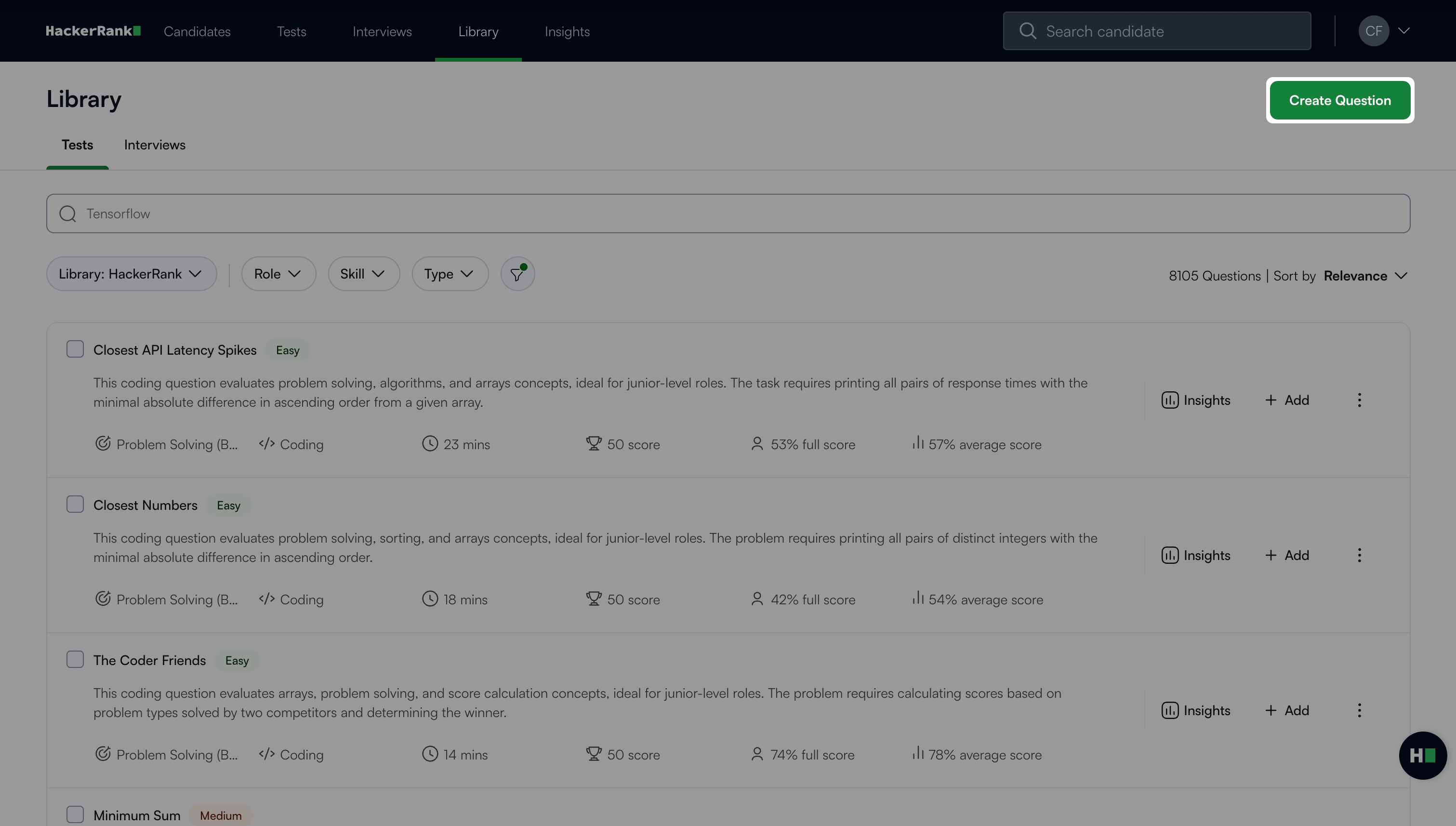
Select Code Review under Projects.
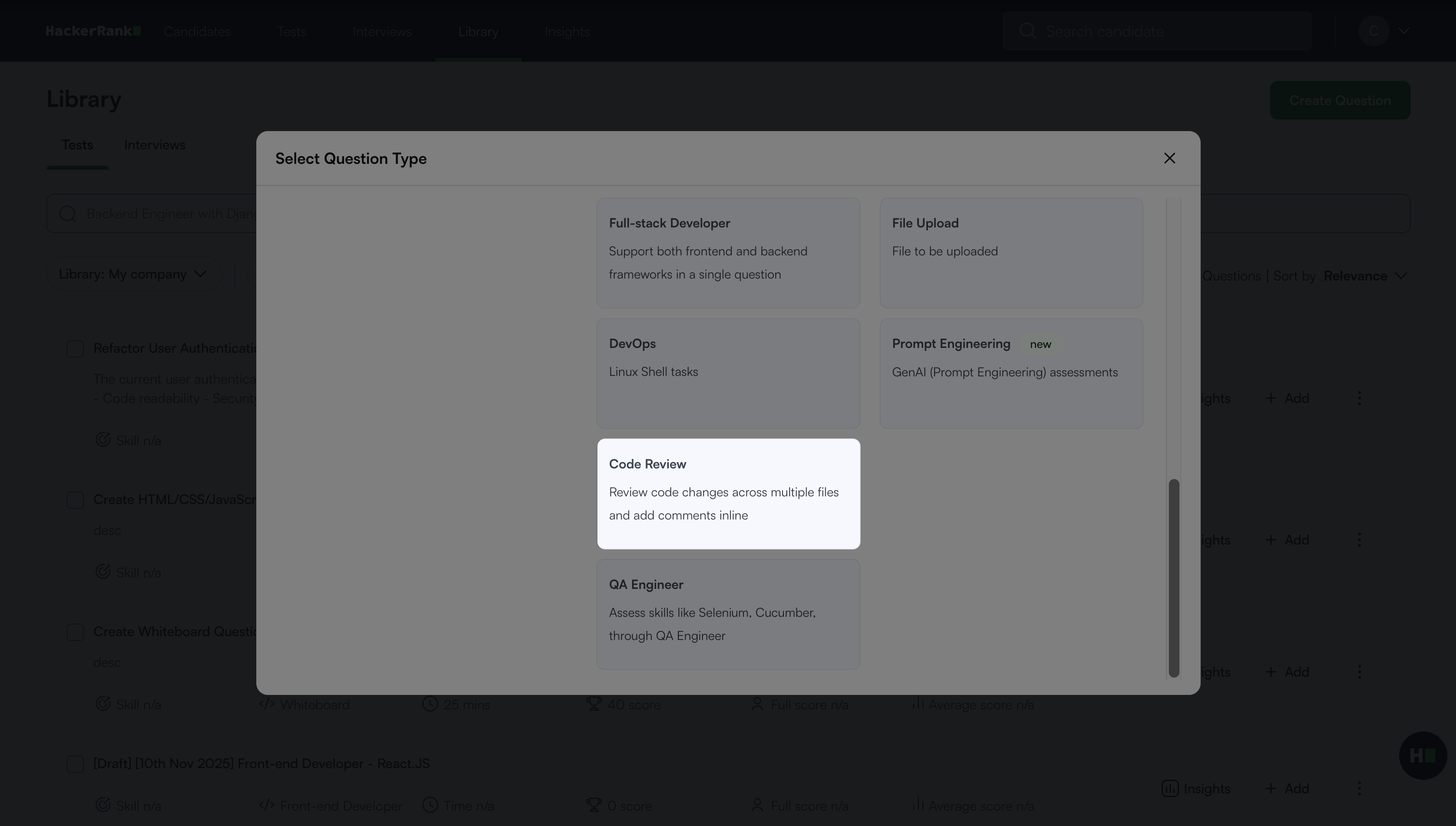
The Code Review question creation workflow opens with the following three steps.
Step 1: Question Details
In the Problem details section:
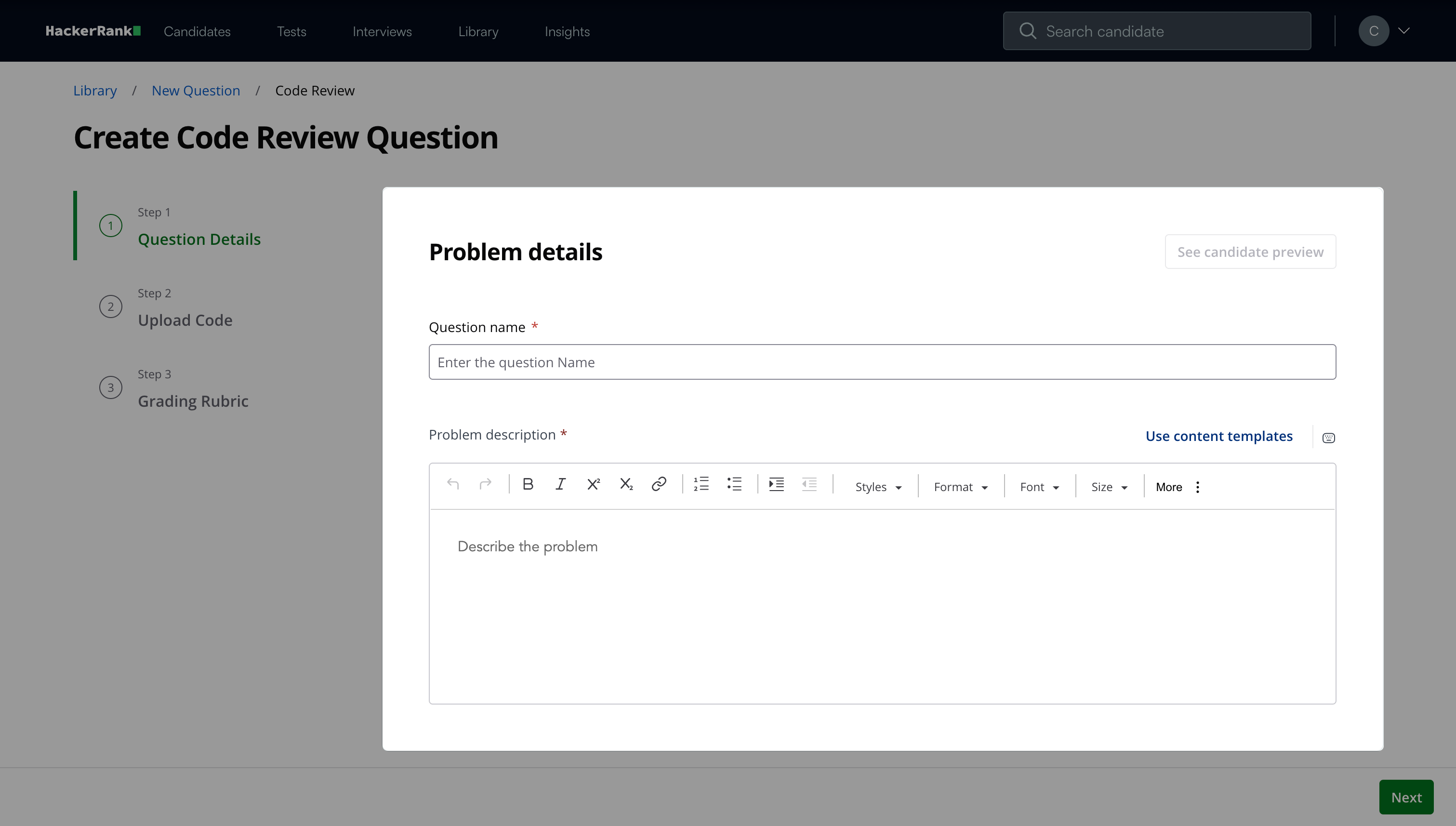
Enter the question name.
Describe the problem in the Problem description field.
Note: Click See candidate preview to view how the question appears to candidates.
In the Question properties section:
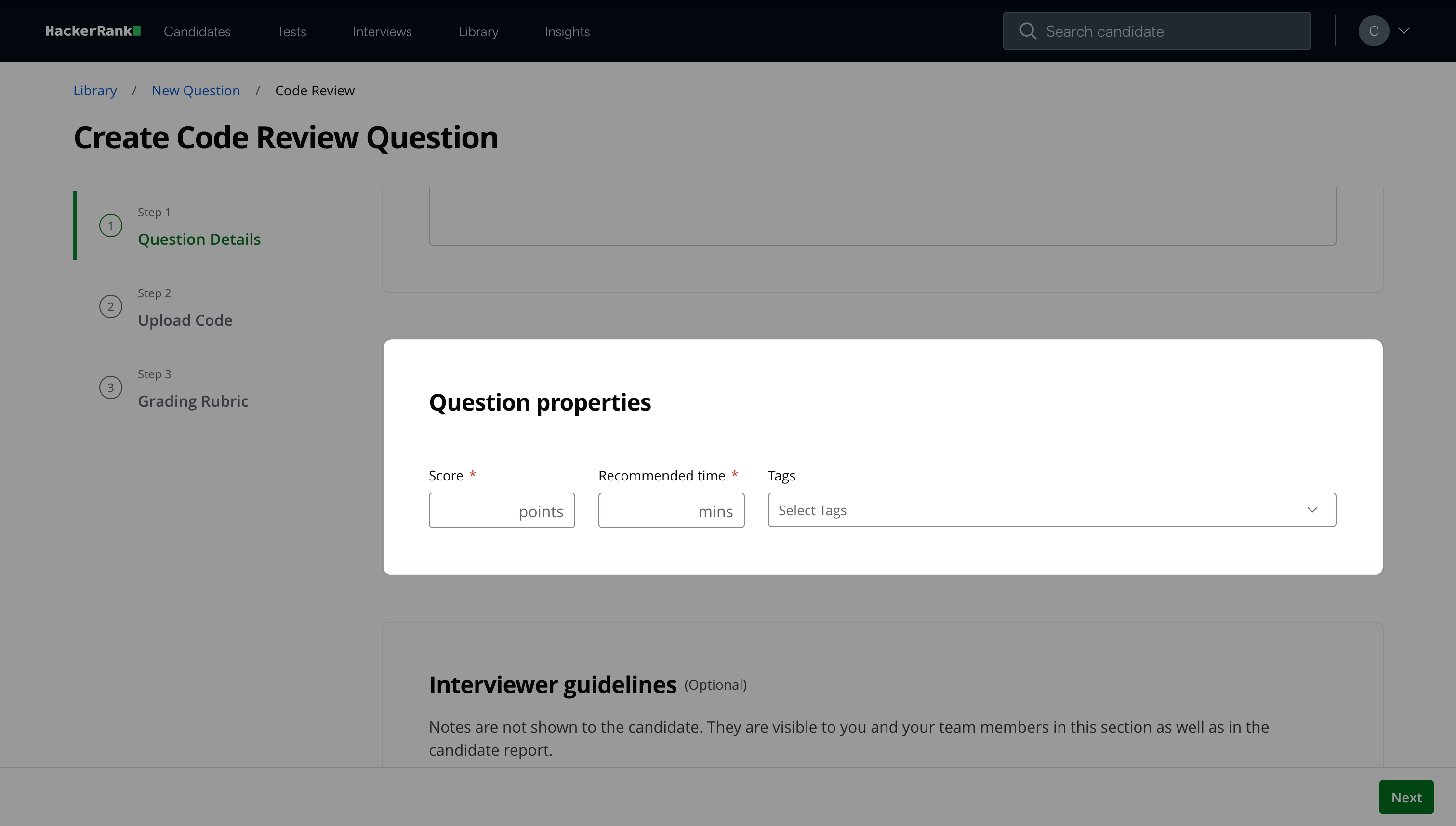
Enter the score.
Add the recommended time in minutes.
(Optional) Add tags from the drop-down list or create new ones.
(Optional) Add Interviewer guidelines for internal use, such as evaluation notes, hints, or reference solutions.
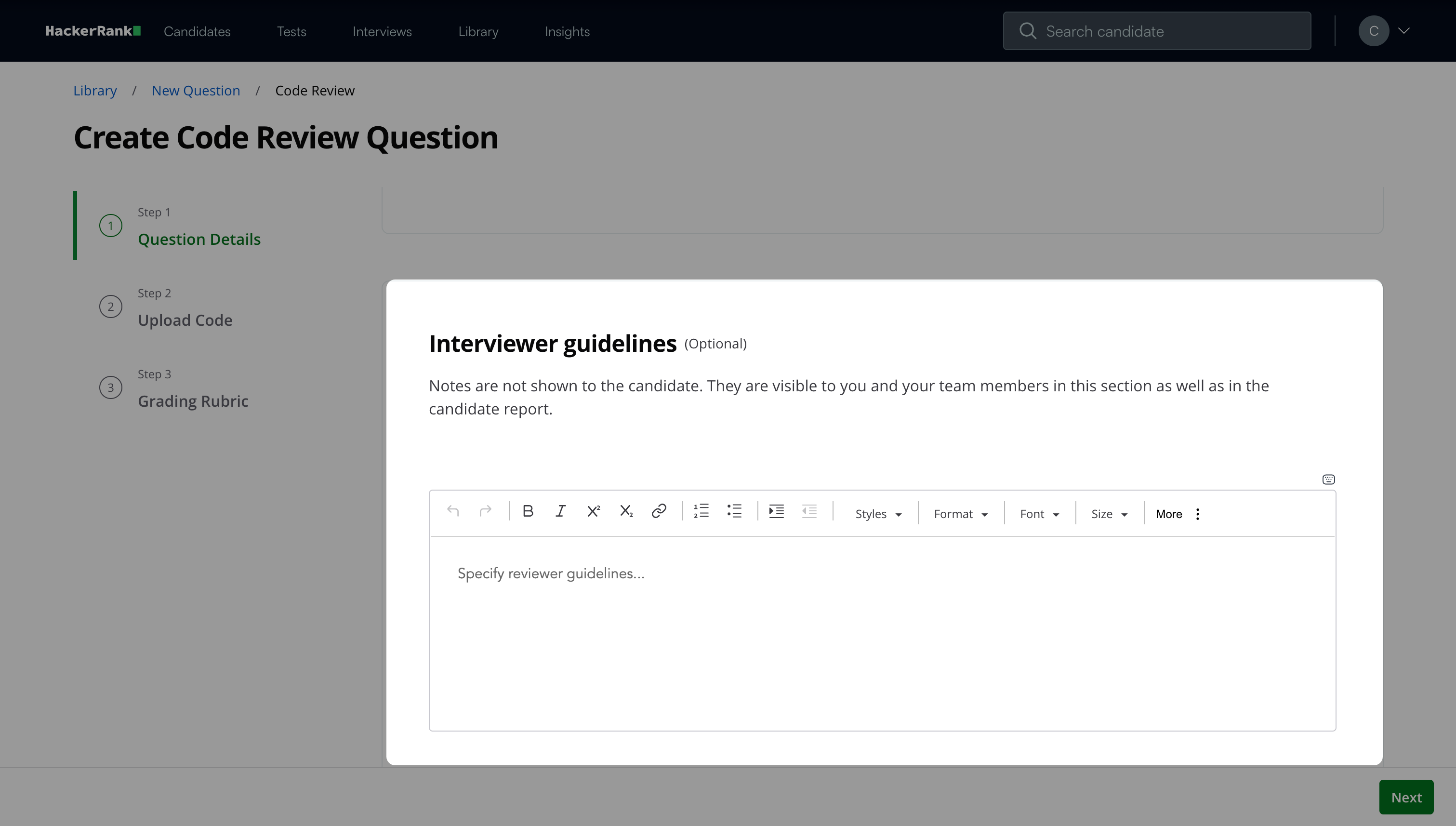
Click Next.
Step 2: Upload Code
Upload the codebase that candidates review as part of the question.
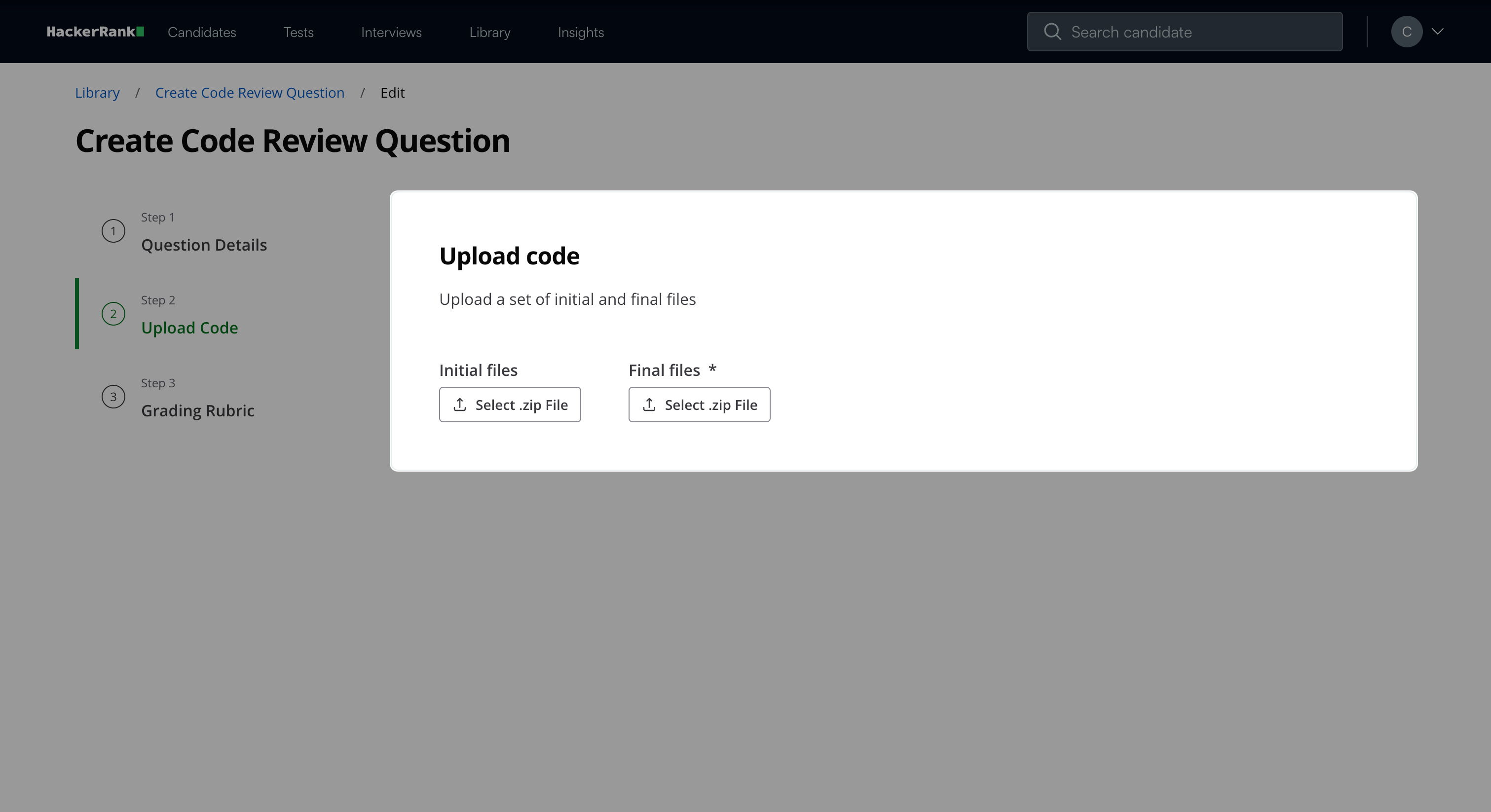
Upload the initial codebase as a ZIP file under Initial files.
Upload the final codebase as a ZIP file under Final files.
Note: After you upload the files, you can select the three-dot menu to remove or download the file.
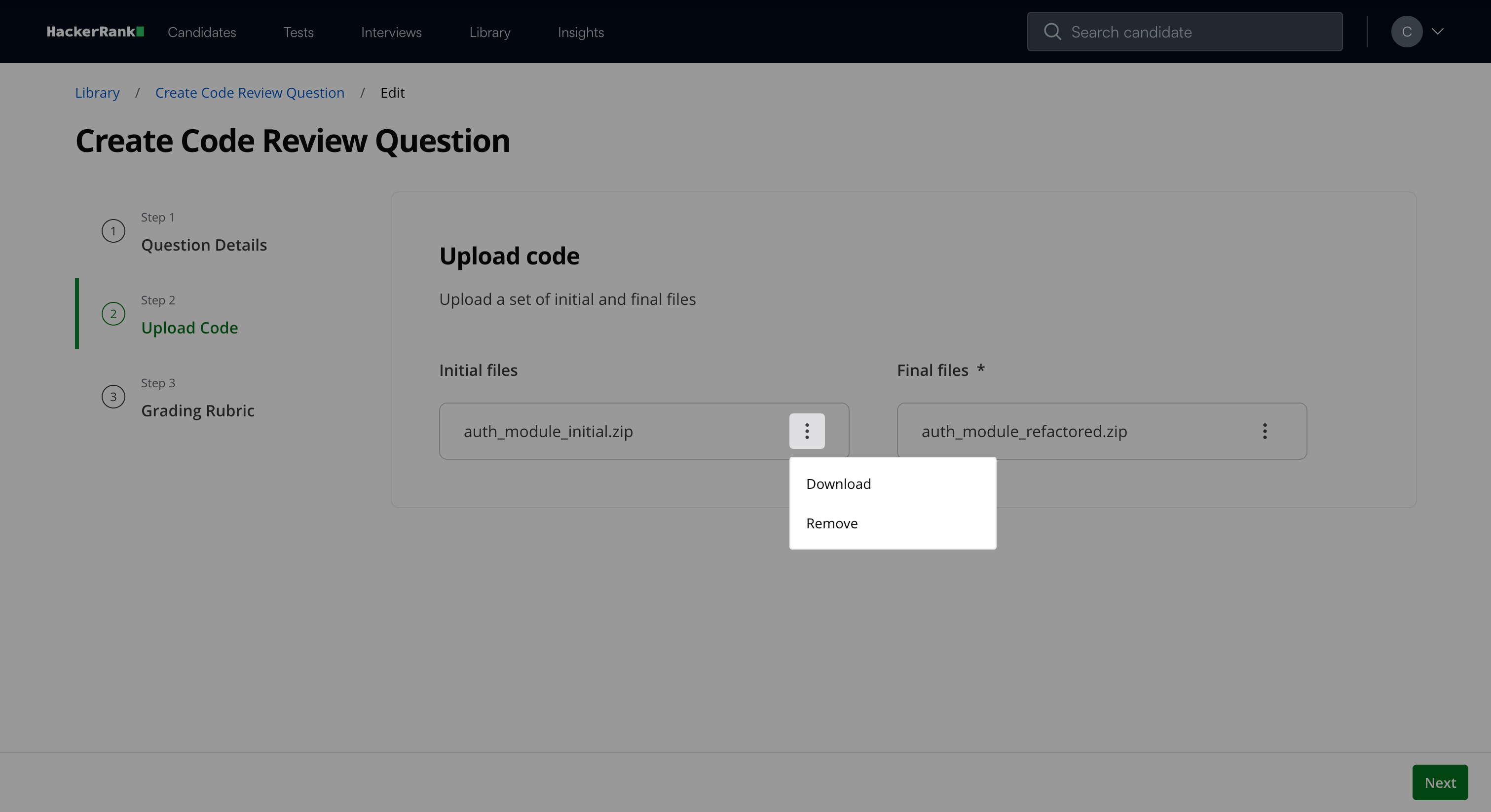
Click Next.
Step 3: Grading Rubric
You can customize the rubric by defining the key areas where you expect candidates to leave comments.
To customize the grading rubric:
Review the code and identify the lines where you expect candidates to leave comments.
Click the plus icon (+) next to the relevant line of code.
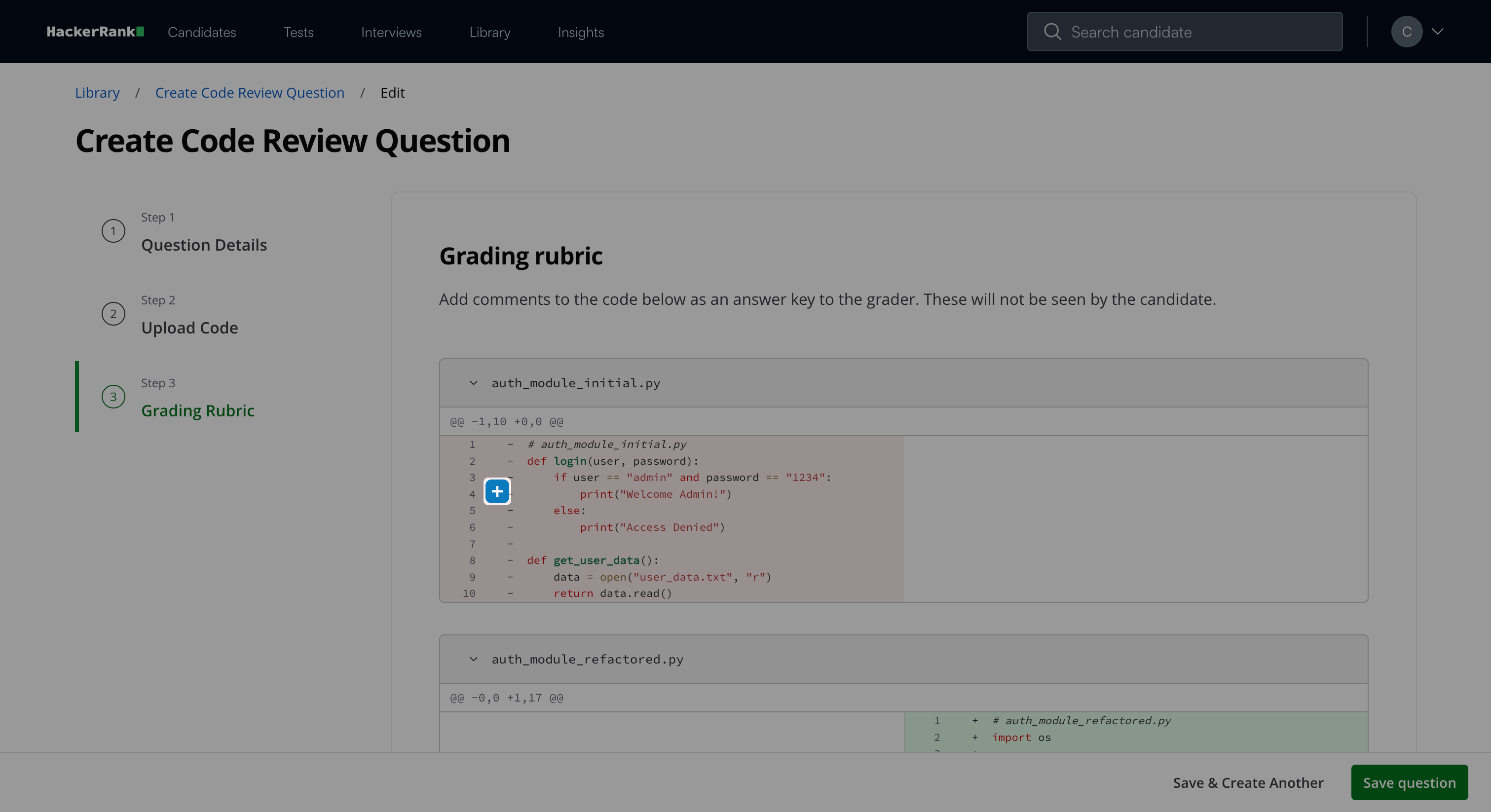
Enter your comment in the textbox. Use the formatting toolbar if needed.
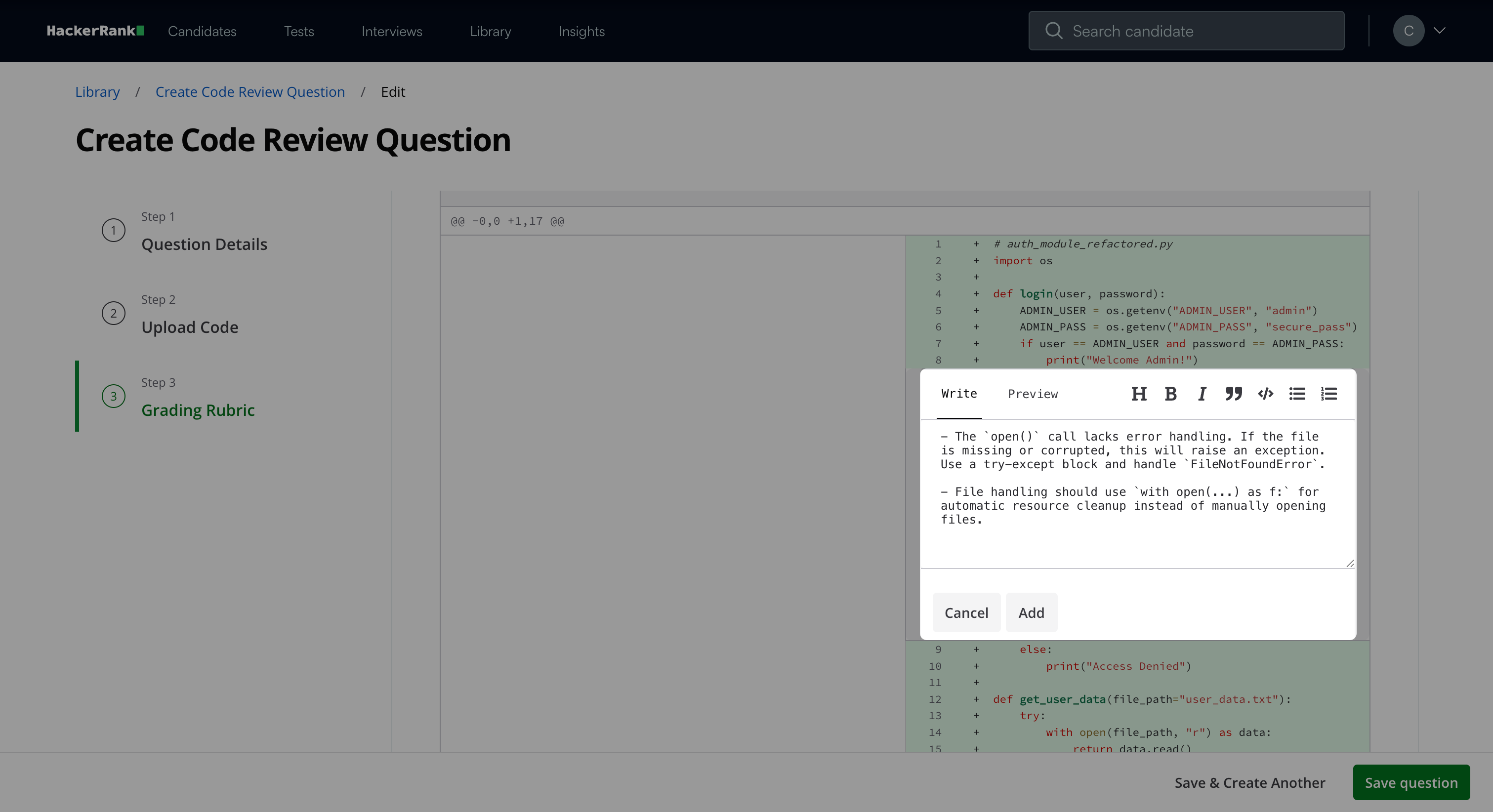
(Optional) Click Preview to view the formatted comment.
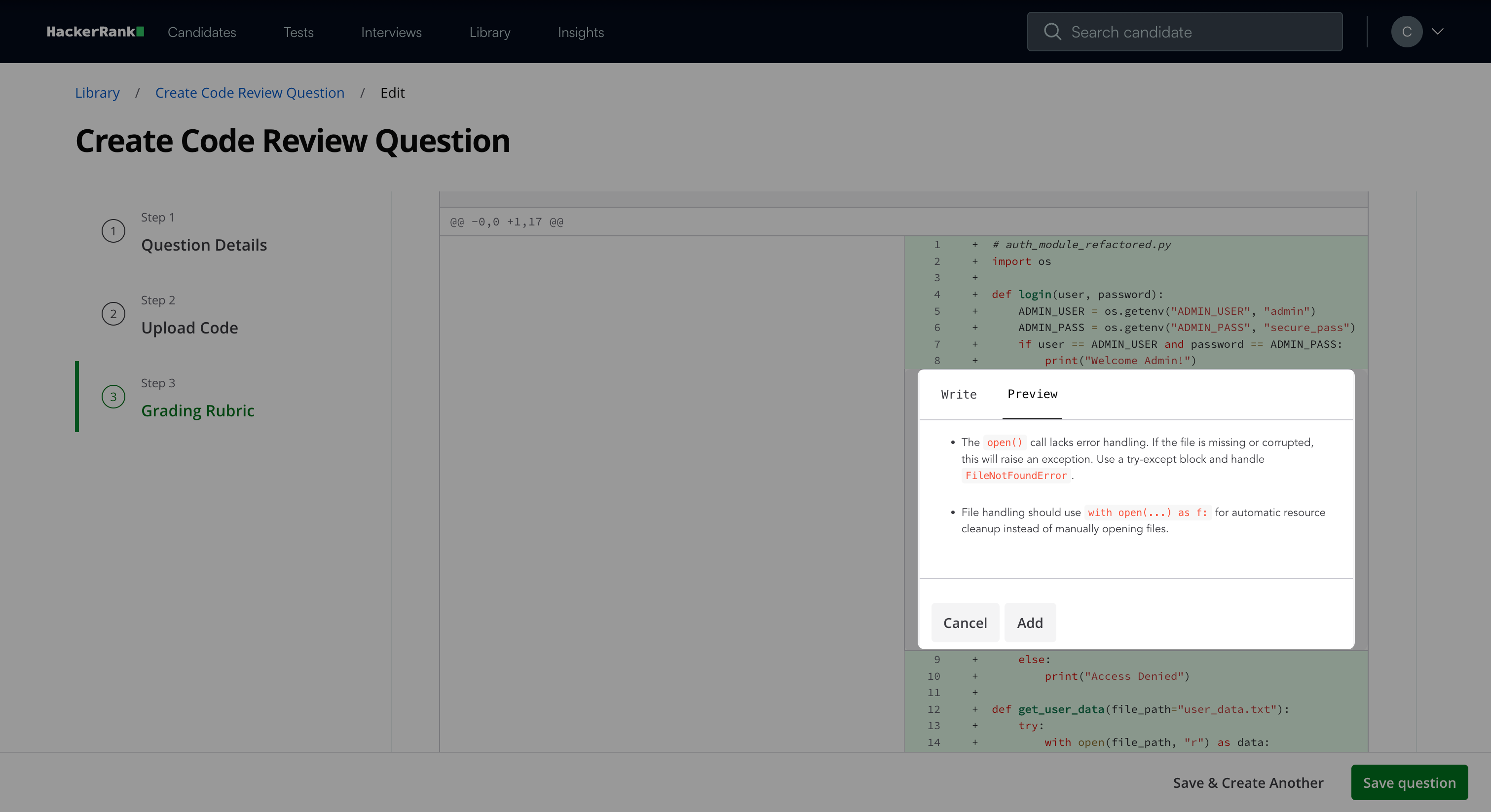
Click Add to save the comment.
Note: After you add comments, you can:
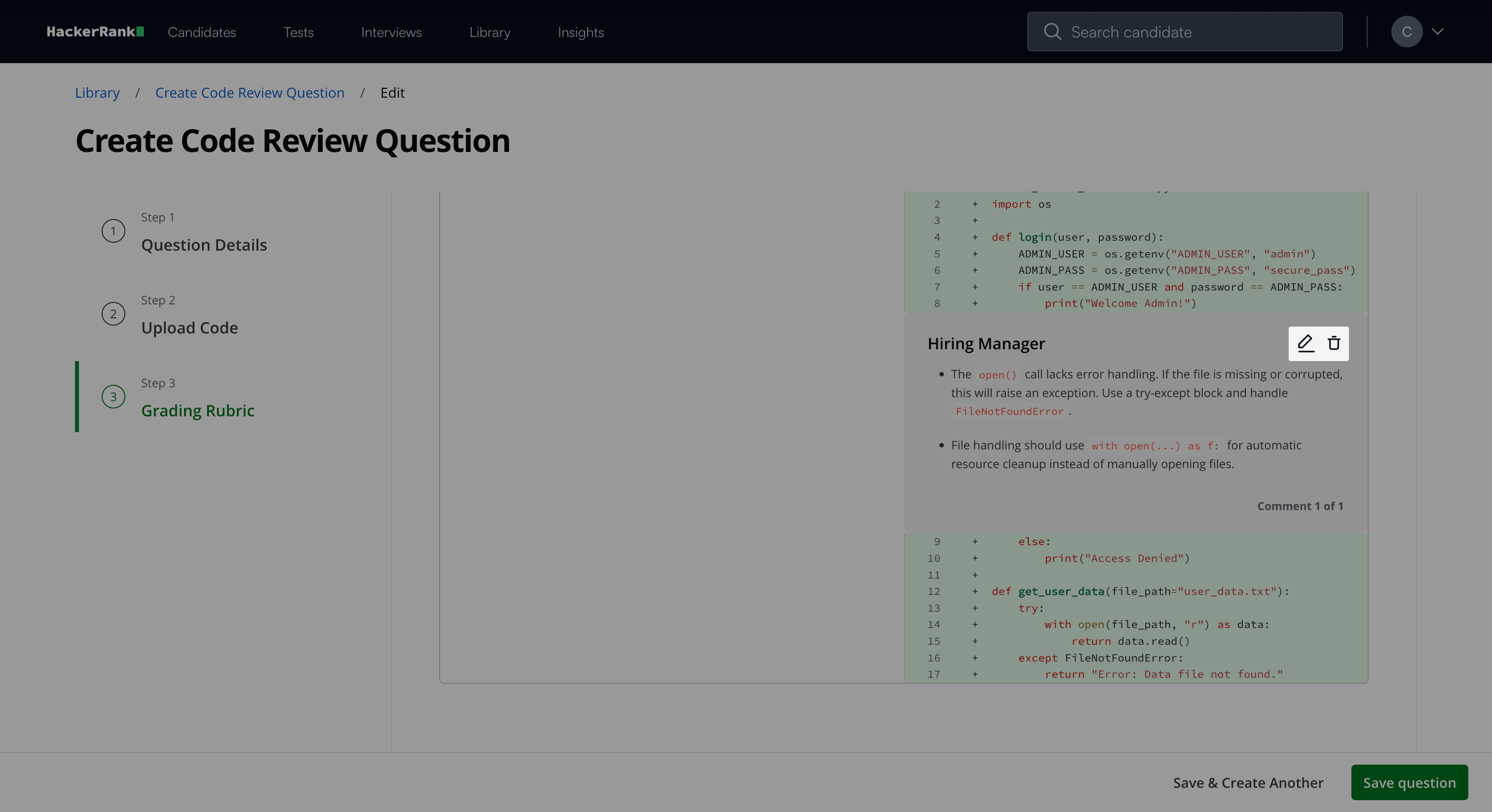
Click the edit icon to update a comment.
Click the delete icon to remove a comment.
Click Save Question when you finish configuring the rubric.
Note: Click Save & Create Another to create another question.
The question appears under My Company questions in the HackerRank Library.
Candidate experience
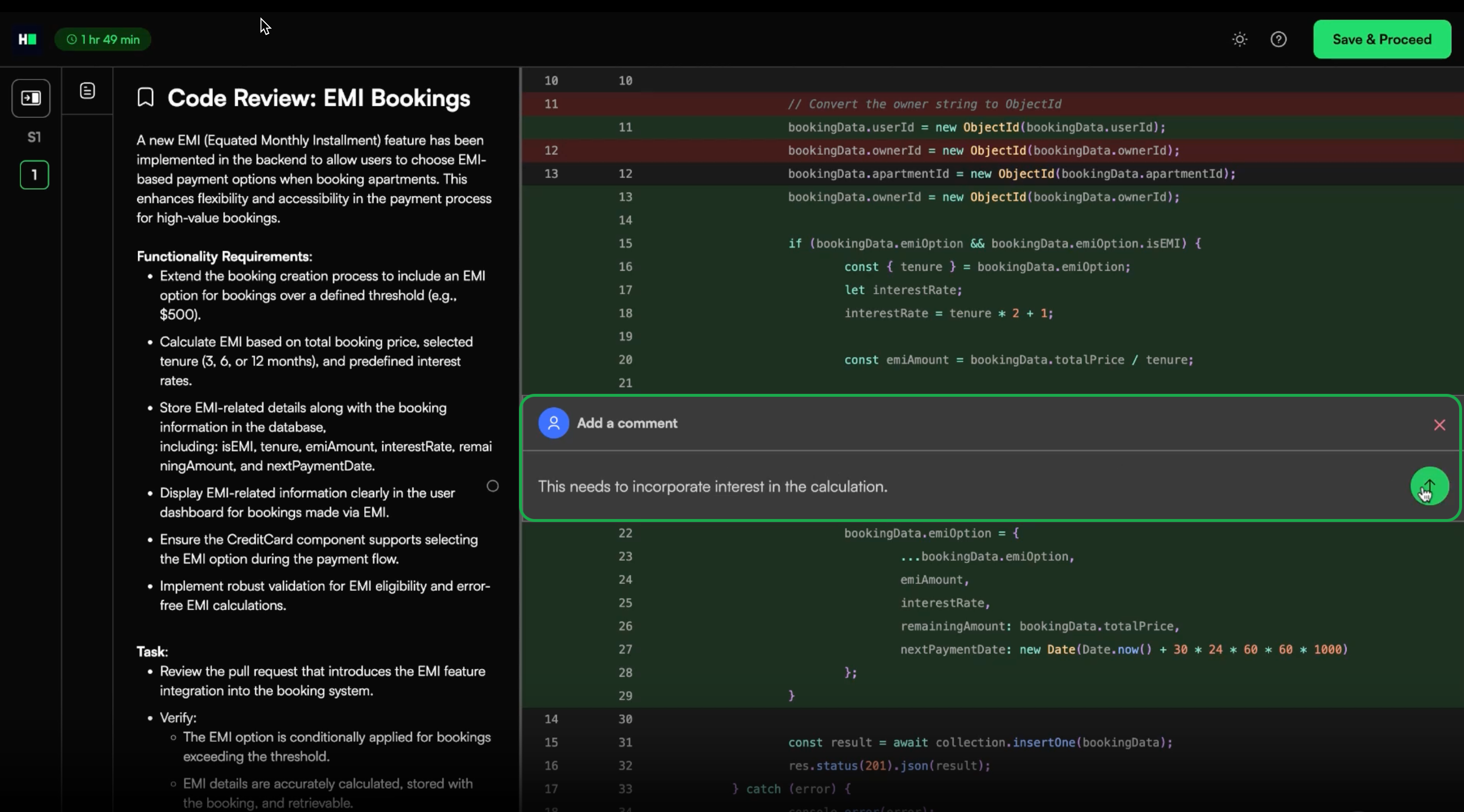
During the test, candidates review the provided code and leave inline comments directly in the code. They use these comments to:
Identify issues.
Suggest improvements.
Explain or justify their reasoning.
The system uses these comments as the basis for automated evaluation.
Scoring a Code Review question in tests
You can score Code Review questions in two ways:
Manual Code Review scoring
Automated Code Review scoring
Manual Code Review scoring
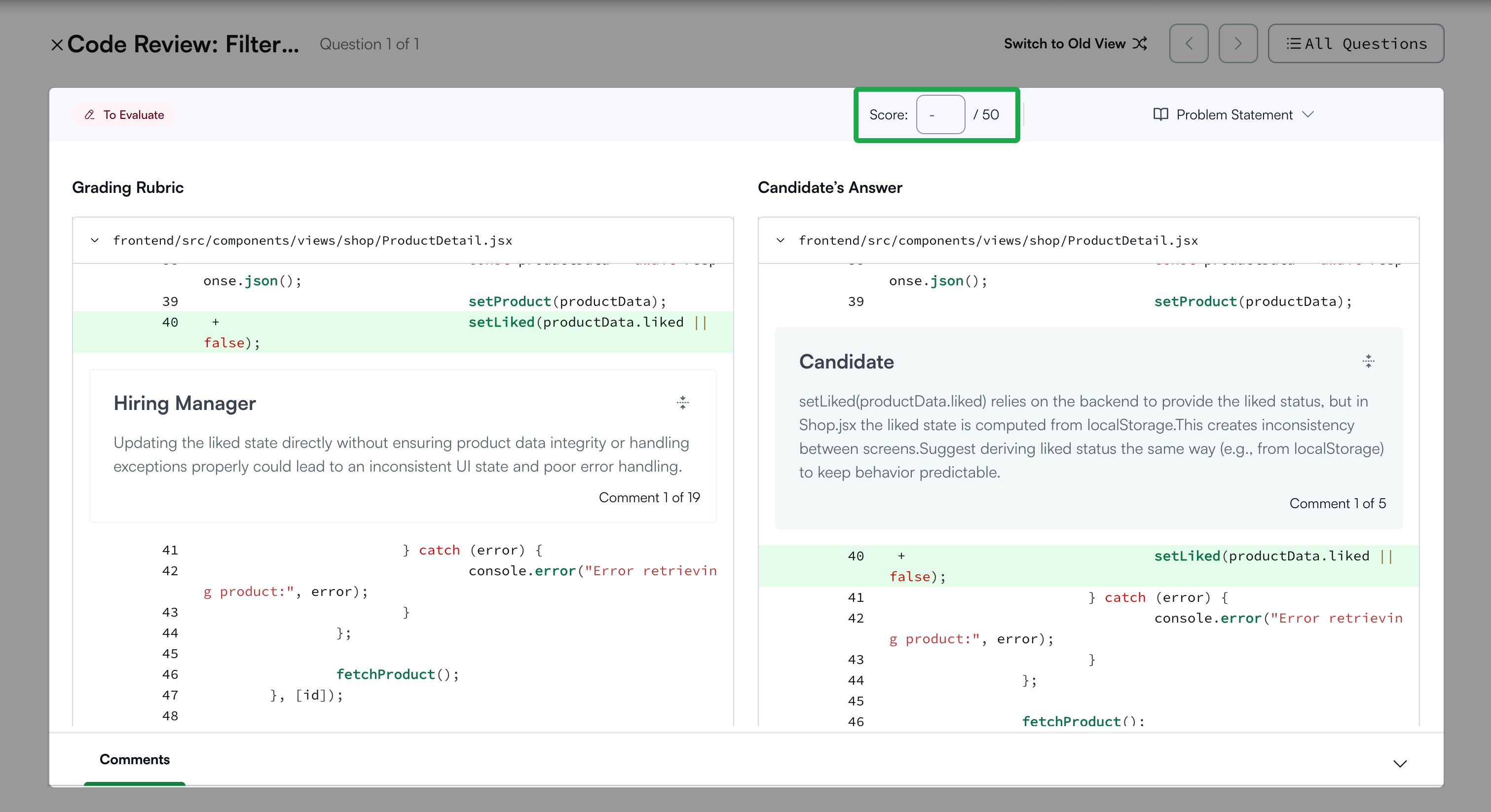
You can review the submission and manually score Code Review questions for each candidate attempt.
To score a Code Review question manually:
Open the candidate’s detailed test report. For instructions, see 📄 Viewing a Candidate's Detailed Test Report.
Open the specific Code Review question.
Enter the score in the Score input field.
Automated Code Review Scoring
This feature is part of the AI Add-on. For more information, see 📄 Advanced Evaluation.
The Automated Code Review Scoring feature automatically evaluates a candidate’s code review comments against expert comments. It measures how effectively the candidate identifies issues, explains reasoning, and provides actionable feedback. This helps hiring teams assess review skills at scale with consistency and efficiency.
Key benefits
The Automated Code Review Scoring feature offers the following benefits:
Scalable and efficient evaluation: Automatically grades multiple candidates and saves time while maintaining evaluation quality.
Transparent results: Provides detailed reasoning for every automated score.
How it works
When you enable Advanced Evaluation at the company level, Automated Code Review Scoring automatically applies to all Code Review questions.
During evaluation, the AI system compares the candidate’s comments with the defined rubric. It analyzes each comment based on the following factors:
Contextual relevance: Whether the comment applies to the correct code section.
Semantic similarity: Whether the comment meaningfully aligns with the expected feedback.
Each relevant and similar comment contributes to the candidate’s overall score.
Viewing evaluation results
Recruiters can view automated evaluation details in the Candidate Evaluation tab of the Detailed Report, including:
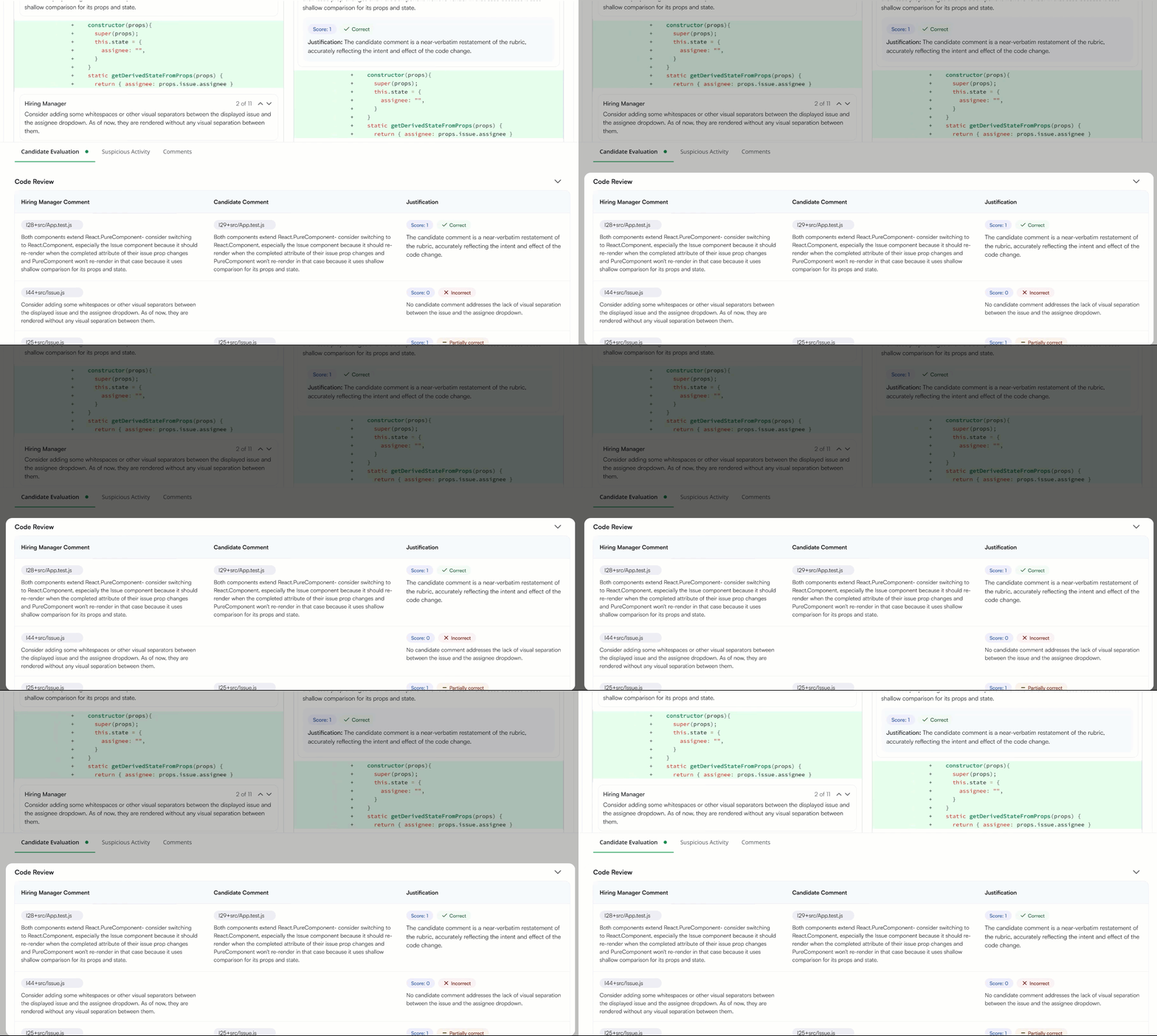
Candidate comments compared with expected comments.
Automatic scoring (For example, 30 points for three relevant comments).
AI-generated reasoning explaining how the score was determined.
Note: The system uses the large language model (LLM) Claude 3.7 Sonnet to evaluate comment quality and relevance.