Pause Subscription
Last updated: May 29, 2026
HackerRank allows you to pause your subscription to temporarily stop billing while retaining your data and settings. The subscription resumes automatically after the selected duration, or you can resume it at any time.
Prerequisite
You have an active monthly subscription.
Pausing subscription
To pause your subscription:
Log in to your HackerRank for Work account using your credentials.
Select your profile icon in the upper-right corner.
Select Settings from the drop-down menu.
Go to Subscription > Billing.
Select Cancel plan under Current Plan.
Click Cancel Subscription to continue.
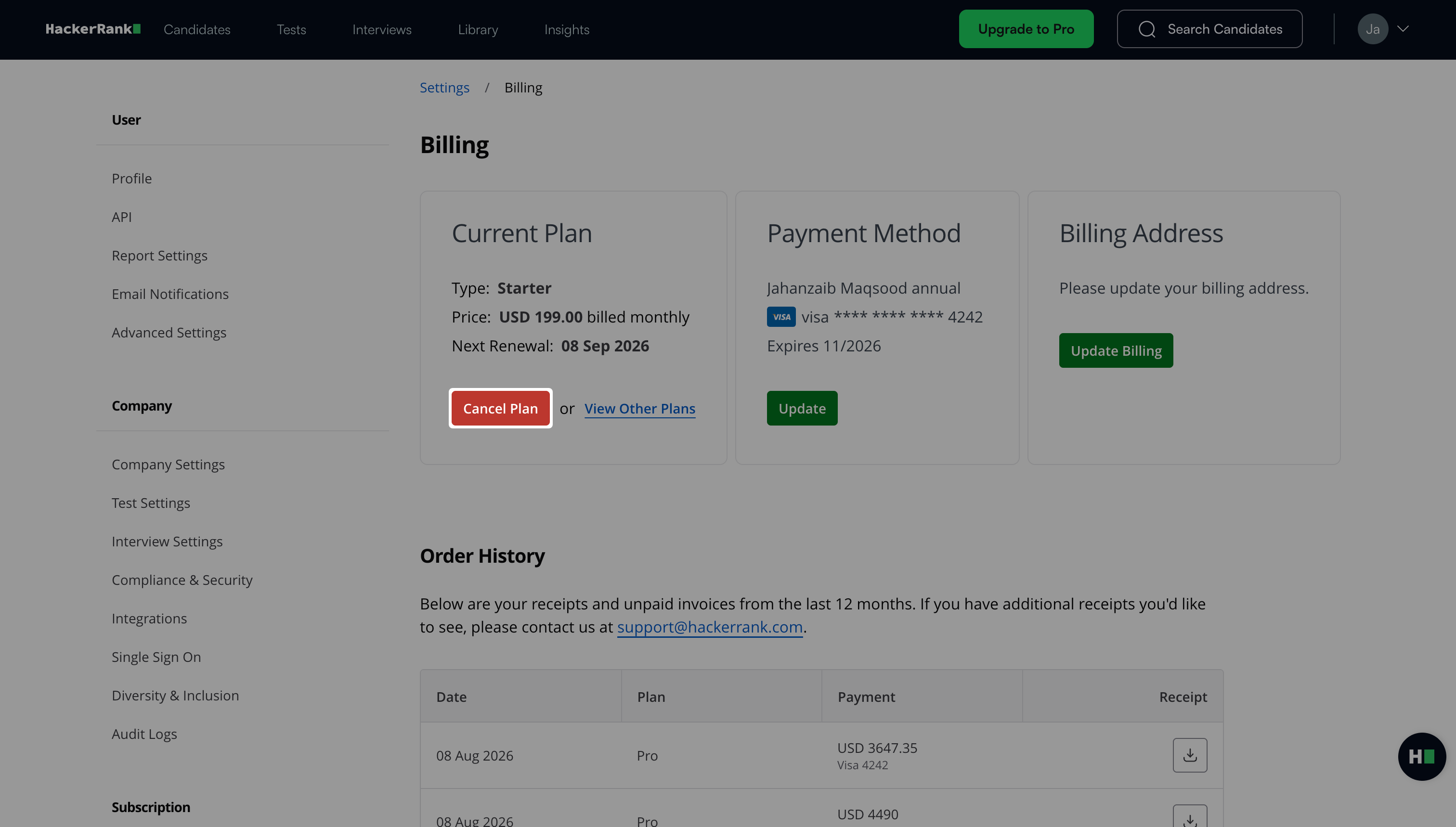
Select the reason for cancellation as Fulfilled my hiring needs and don’t need it anymore.
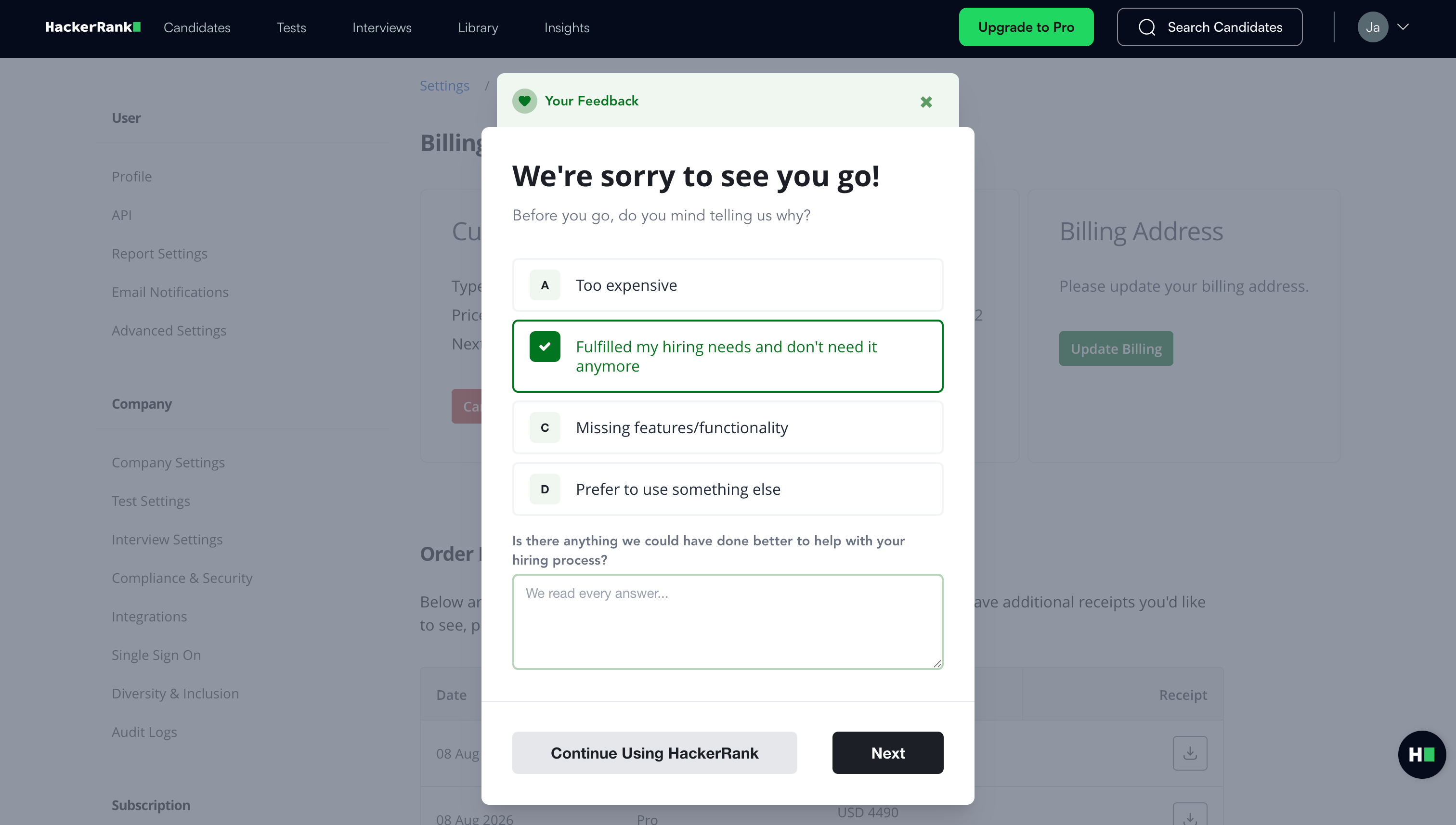
Click Next.
Select the pause duration from the drop-down menu.
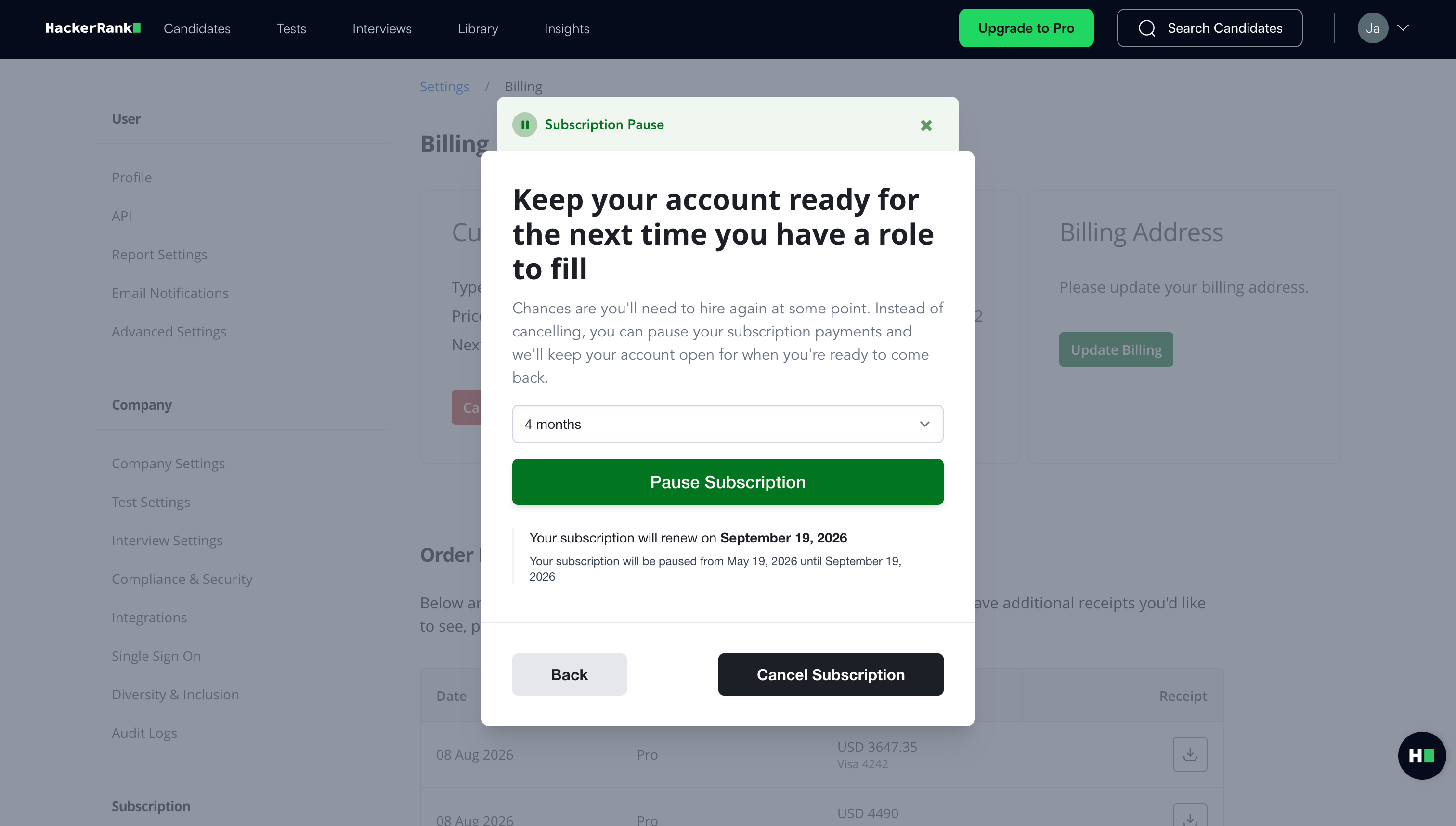
Note: You can pause your subscription for a minimum of 1 month and a maximum of 4 months.
Click Pause Subscription.
The platform pauses your subscription and displays a confirmation message.
Resuming subscription
You can resume your subscription at any time before the scheduled resume date.
To resume your subscription:
Go to Subscription > Billing.
Select Cancel scheduled pause under Current Plan.
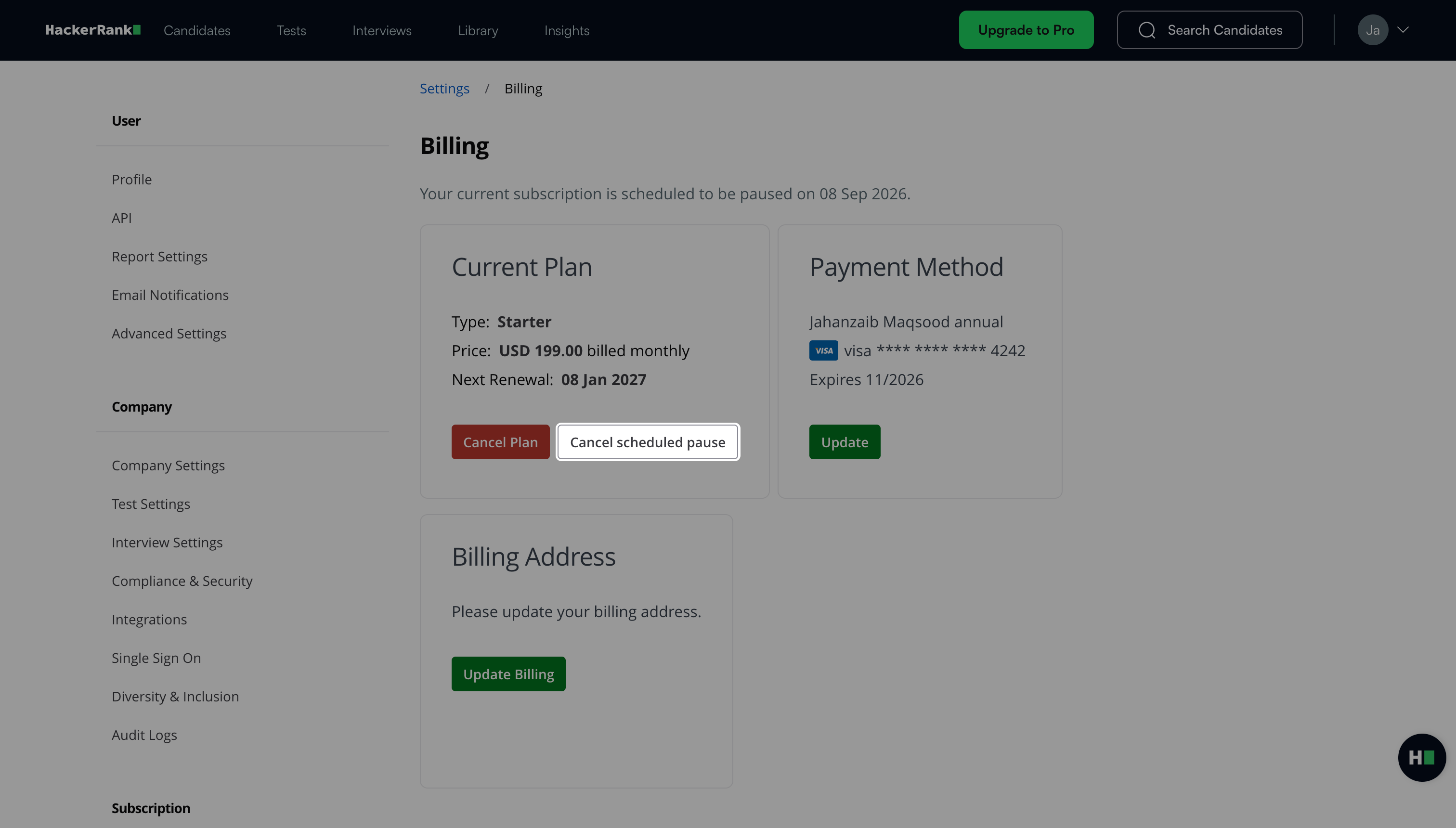
Click Cancel Pause.