Updating Personal Information of your Account
Last updated: January 23, 2025
You can change the basic information about your HackerRank for Work account, including your name, contact number, country, time zone, and display name.
Follow the steps below to understand how to update the basic information on your HackerRank for Work account.
Steps to Update Personal Information
Click on the arrow next to the user icon on the top right corner of the home page and select Settings.
Click on Profile to update your Personal Info.
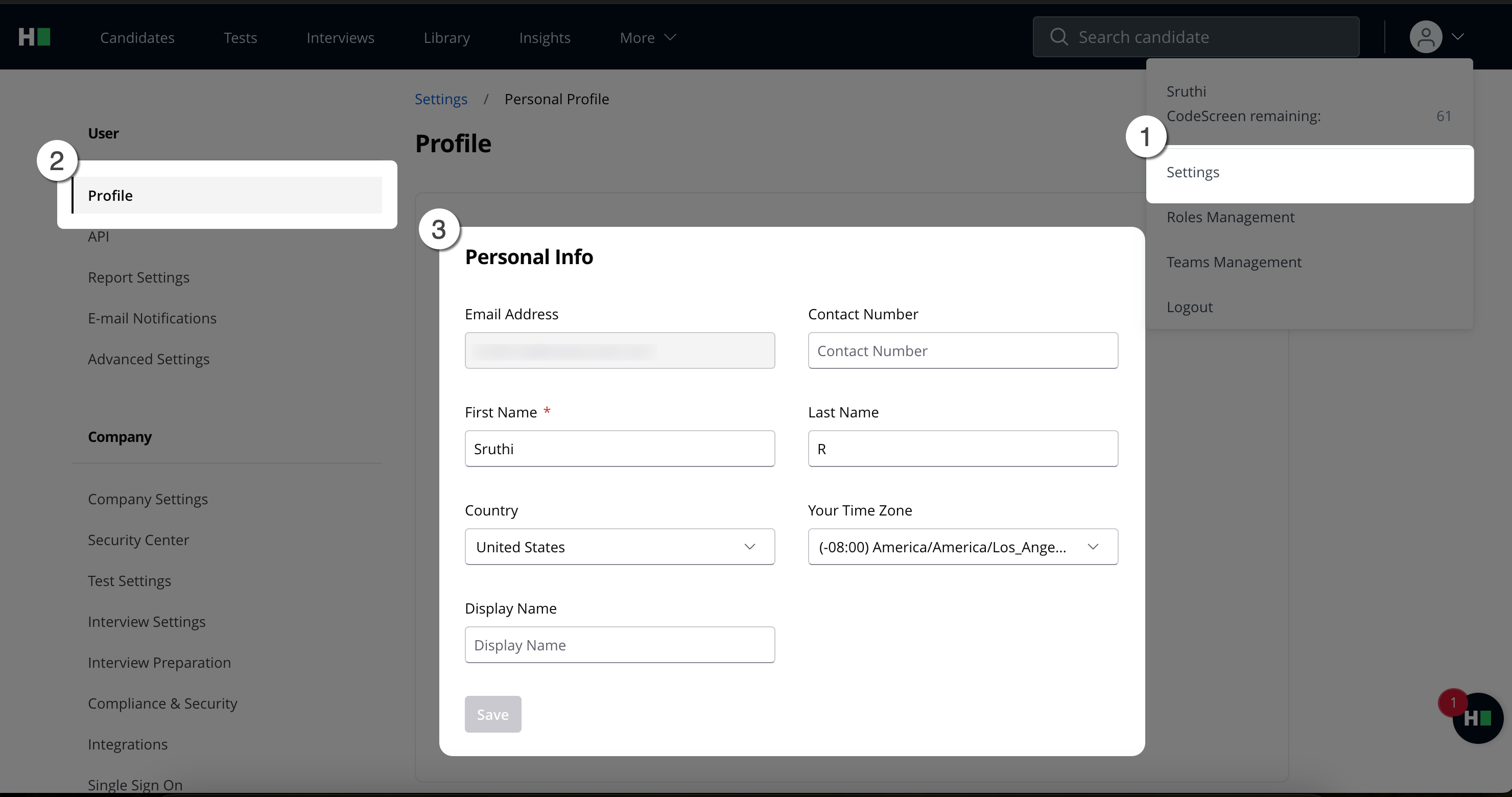
Note: If you must update your email address, contact support at support@hackerrank.com.