View Event Statistics
Last updated: October 15, 2025
Use the Overview dashboard of your event to access key insights after it ends. Insights are presented as visual charts based on either registrations or attempts, depending on the event status.
The dashboard provides visibility into:
Marketing insights.
Candidate funnel data
Candidate distribution by gender, country, and work experience
Event leaderboard
Access Overview dashboard
To access the Overview dashboard:
Log in to your Engage account using your credentials.
Select an event to view its Overview dashboard.
View marketing insights
You can view key marketing insights such as views and visits across different channels to evaluate the return on investment (ROI) of your events. These insights are available for events that include UTM parameters.
Views vs Visitors: Displays the number of views and unique visitors from each source (for example, LinkedIn, Instagram).
Traffic Distribution: Shows the volume of visitors from various sources.
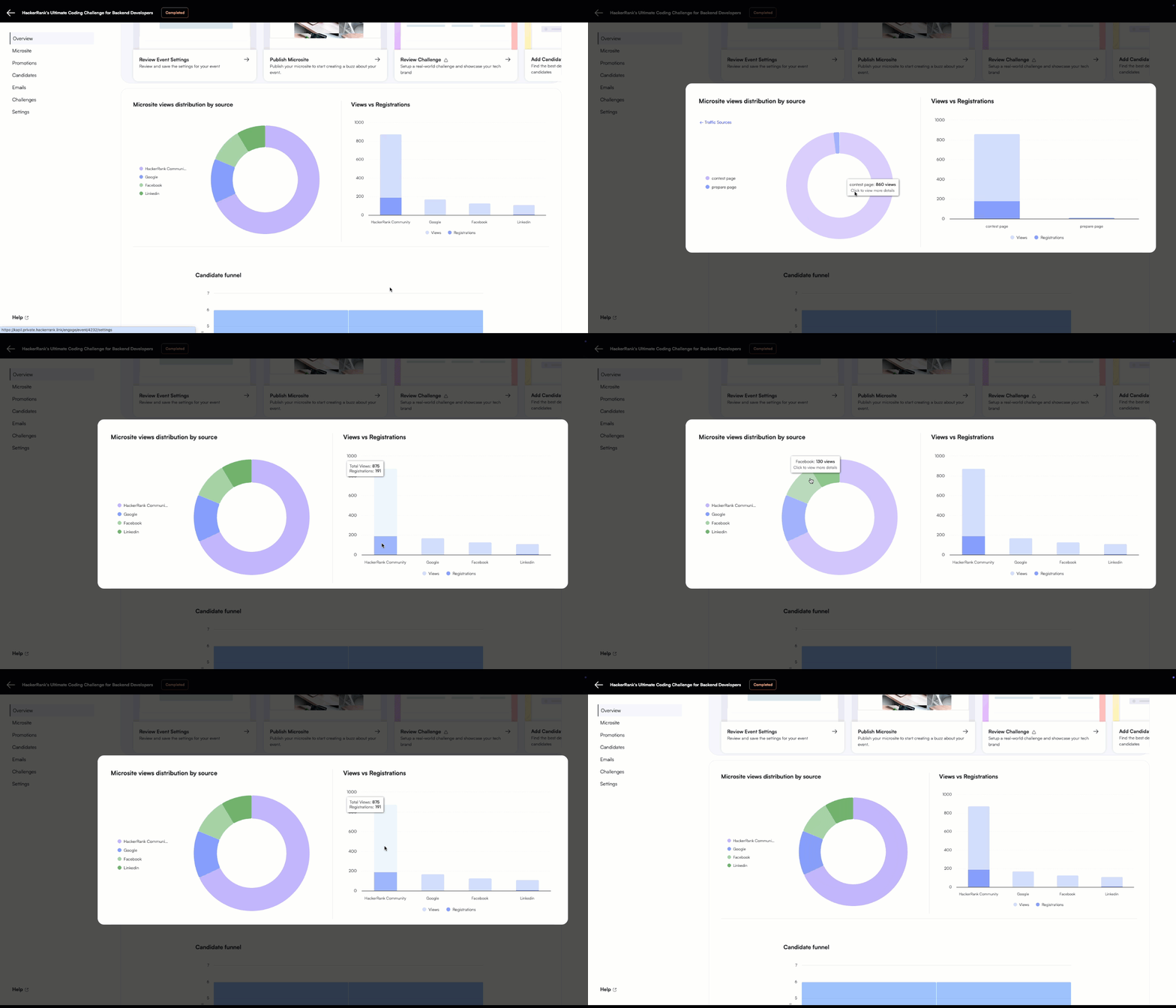
Source breakdown: View the distribution of candidates across different sources or mediums using the Microsite views distribution by source chart. To identify which source contributes most to your registration funnel, refer to the Views vs Registrations chart. These charts help you understand your marketing return on investment (RoI).


View candidate funnel data
You can view the registration and attempt level data that displays how many candidates registered and how many attempted the challenge, helping you measure the overall conversion rate and success of your event.

View candidate distribution
You can view the distribution of registrations and attempts by gender, country, and years of experience. These insights help you evaluate the success of your event across varied dimensions.


View event leaderboard
Access the final leaderboard directly from the homepage. Use the leaderboard to identify top performers and reach out to the winners to create a buzz around your event.
