Lever V2 - HackerRank Integration Guide
Last updated: August 7, 2026
HackerRank integrates with Lever V2 to allow you to manage tests and interviews directly within your existing recruitment workflow.
With this integration, you can:
Create and schedule HackerRank Tests and Interviews directly in Lever.
Sync statuses, feedback, and scorecards automatically between Lever and HackerRank.
Cancel or update tests and interviews in Lever and see those changes instantly reflected in HackerRank.
Note: This version replaces the 📄 Lever HackerRank Integrationand removes the need for manual webhook configurations or redirect-based setup.
Prerequisites
Before you begin, ensure you meet the following requirements:
You have admin access to your HackerRank for Work account.
You have admin access to your Lever account.
Your HackerRank login email address matches the email address associated with your Lever account.
Your organization has an active Enterprise plan with HackerRank.
Integrating Lever V2 for HackerRank tests
To integrate Lever V2 with HackerRank for tests:
Step 1: Generate an API token in HackerRank
The integration API token allows Lever to connect securely with your HackerRank account.
Log in to your HackerRank for Work account using your credentials.
Click your profile icon in the upper-right corner and select Settings.
Go to Integrations > Lever V2.
Click Connect.
In the Configuration tab, click Generate an API token.
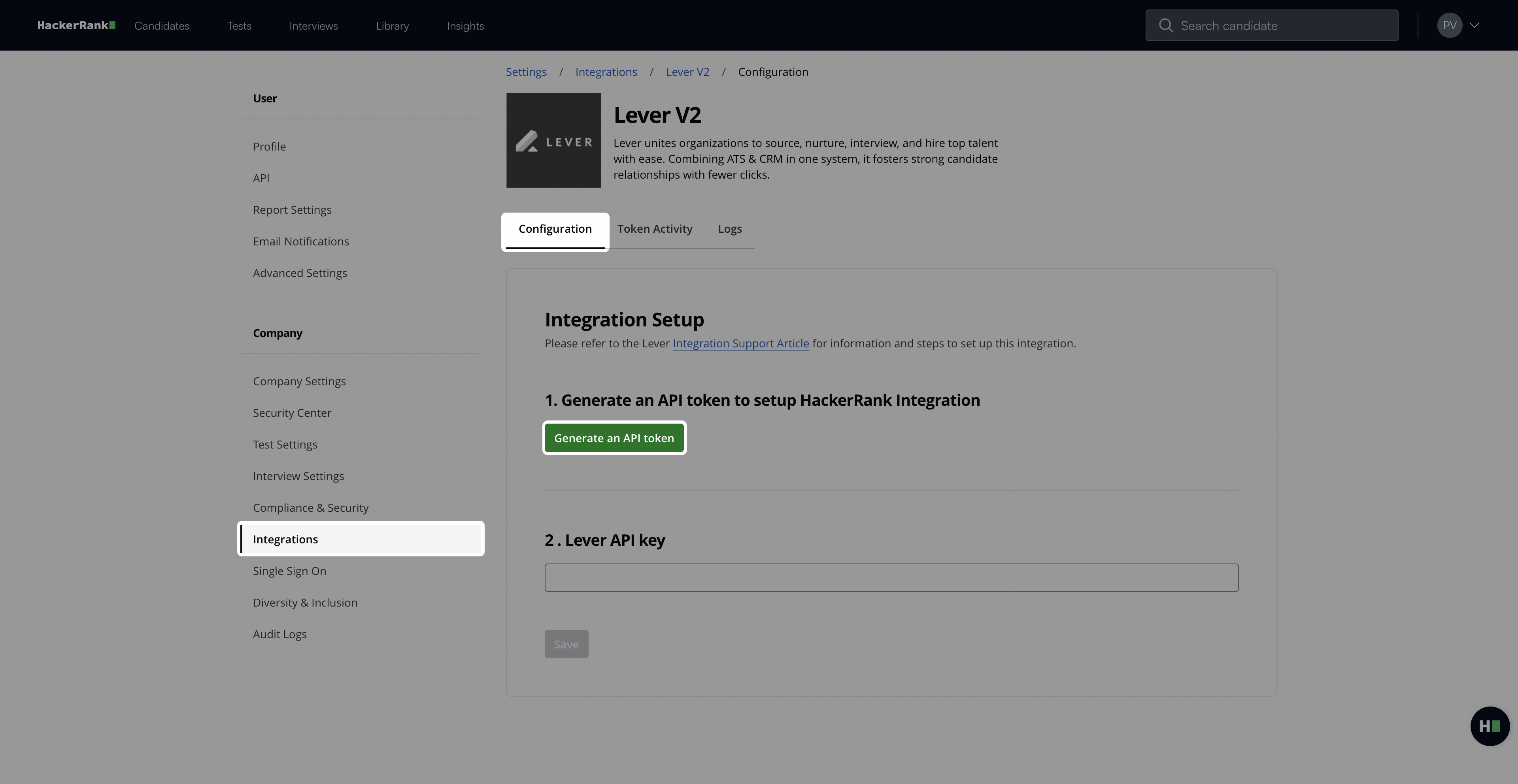
Click Copy and close to copy your token.
Note: You need this token in Step 2: Add the HackerRank API token in Lever.
Step 2: Add the HackerRank API token in Lever
This step authorizes Lever to connect with your HackerRank account.
Log in to your Lever account using your credentials.
Click your profile icon in the upper-right corner and select Settings.
Go to Integrations and API > Partner Integrations.
Turn on the HackerRank Test toggle under the Assessments section.
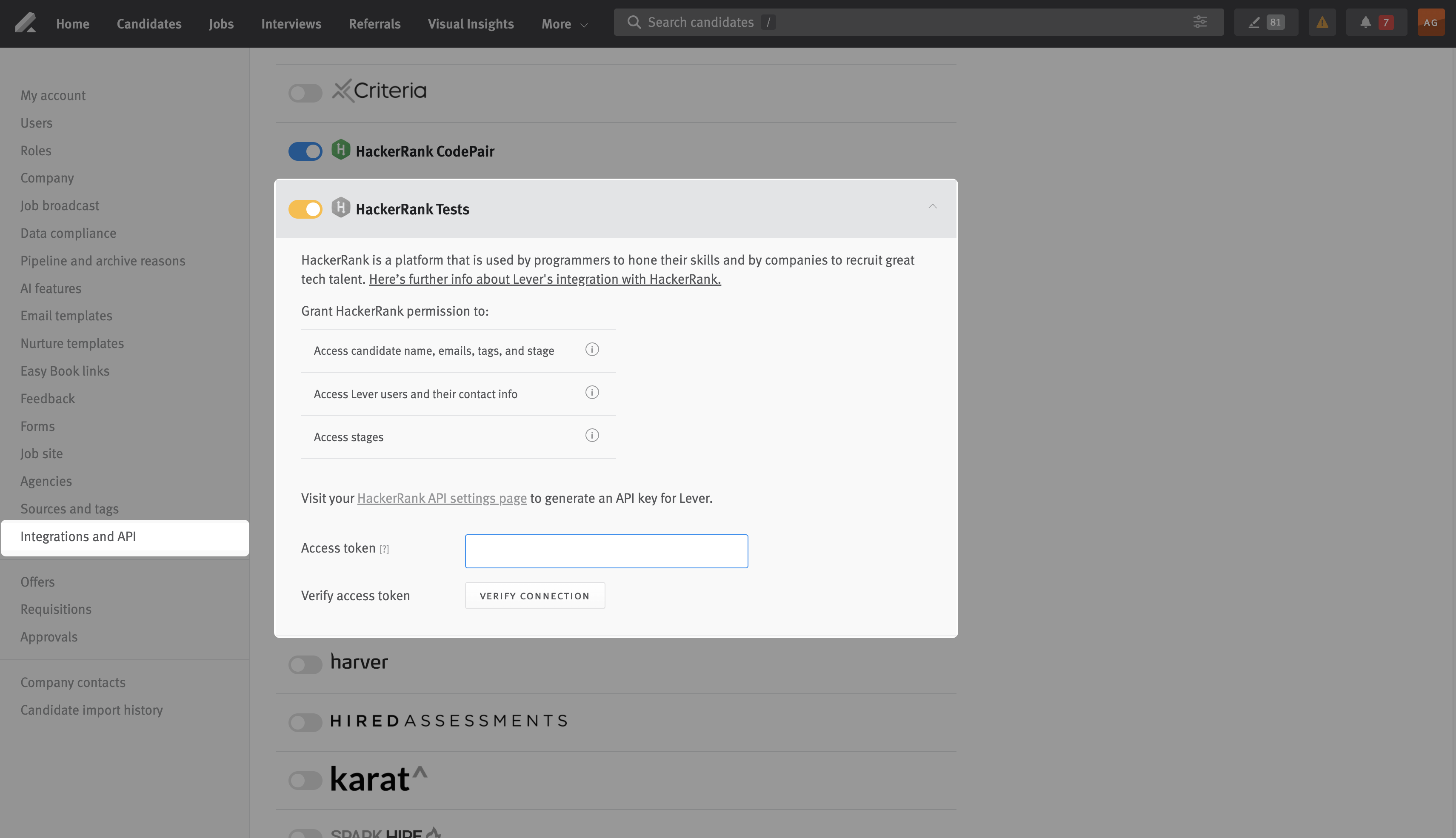
Paste the HackerRank API token into the Access token field.
Click Verify Connection. Lever displays the status as Verified after the connection succeeds.
Your Lever account is now integrated with HackerRank to schedule tests.
Integrating Lever V2 for HackerRank interviews
To integrate Lever V2 with HackerRank for interviews:
Step 1: Generate an API key in Lever
The API key allows HackerRank to connect securely with your Lever account.
Log in to your Lever account using your credentials.
Click your profile icon in the upper-right corner and select Settings.
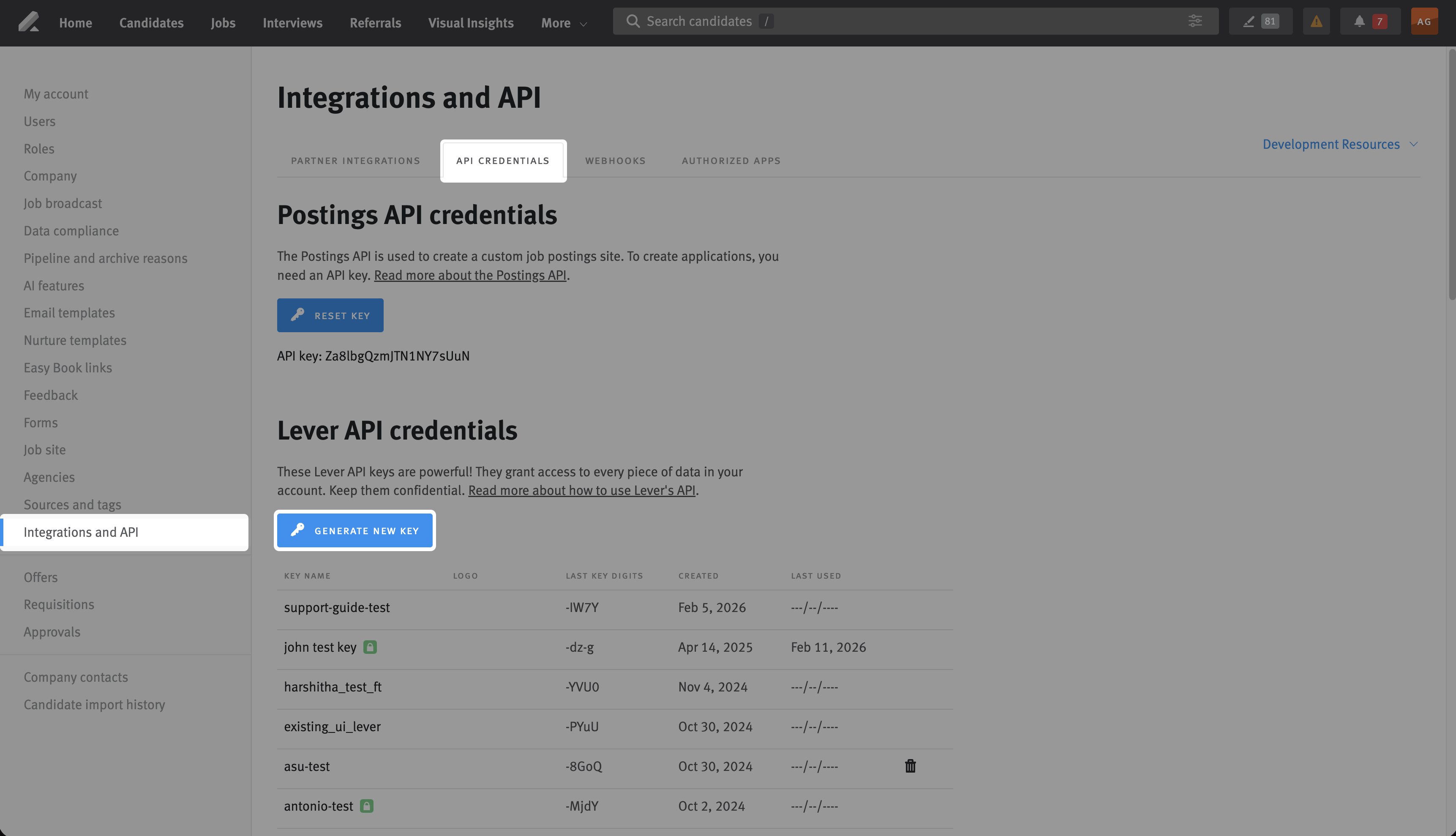
Go to Integrations and API > API Credentials.
In the Lever API credentials section, click Generate New Key.
Select the required permission listed below under Permissions.
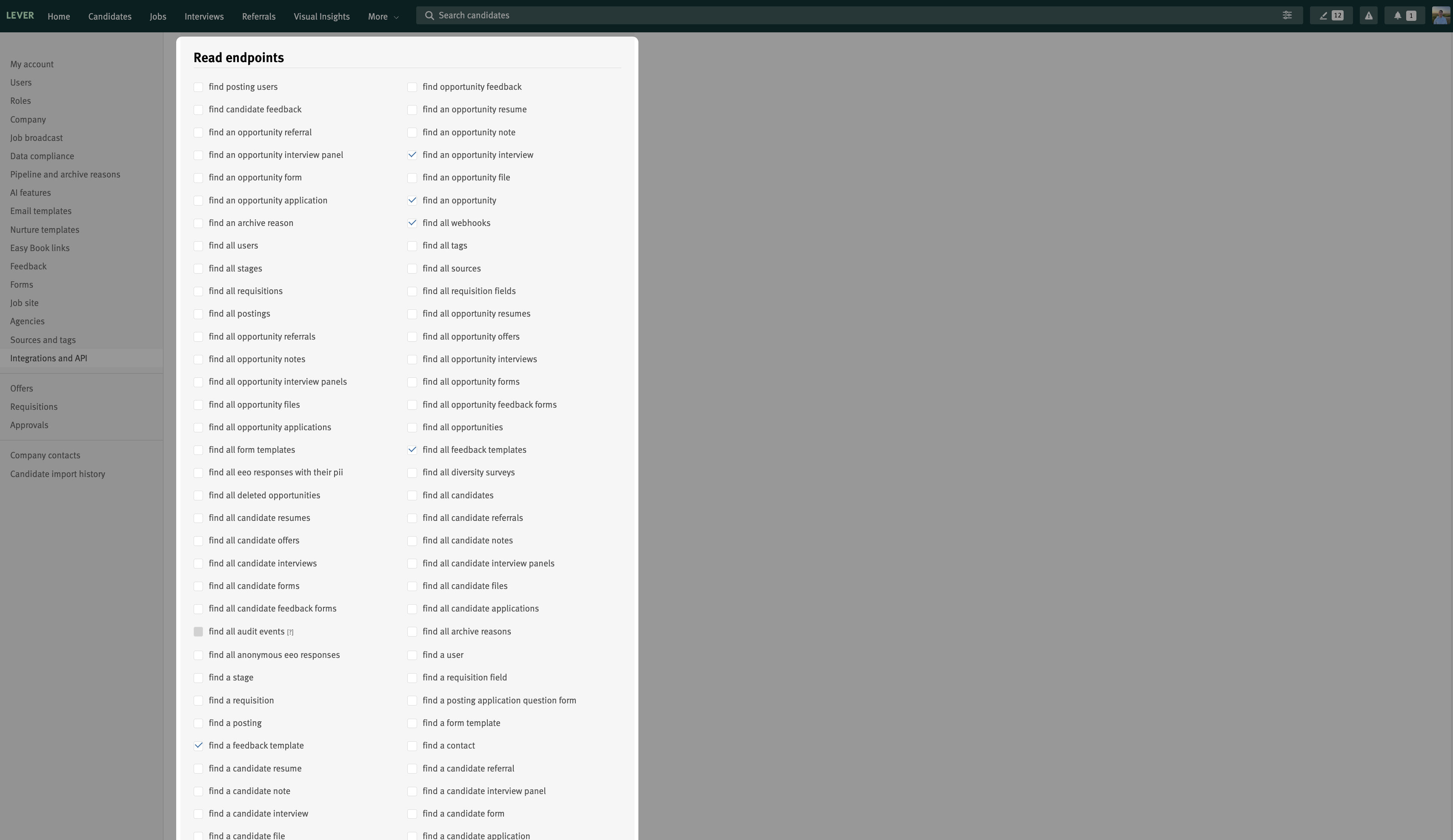
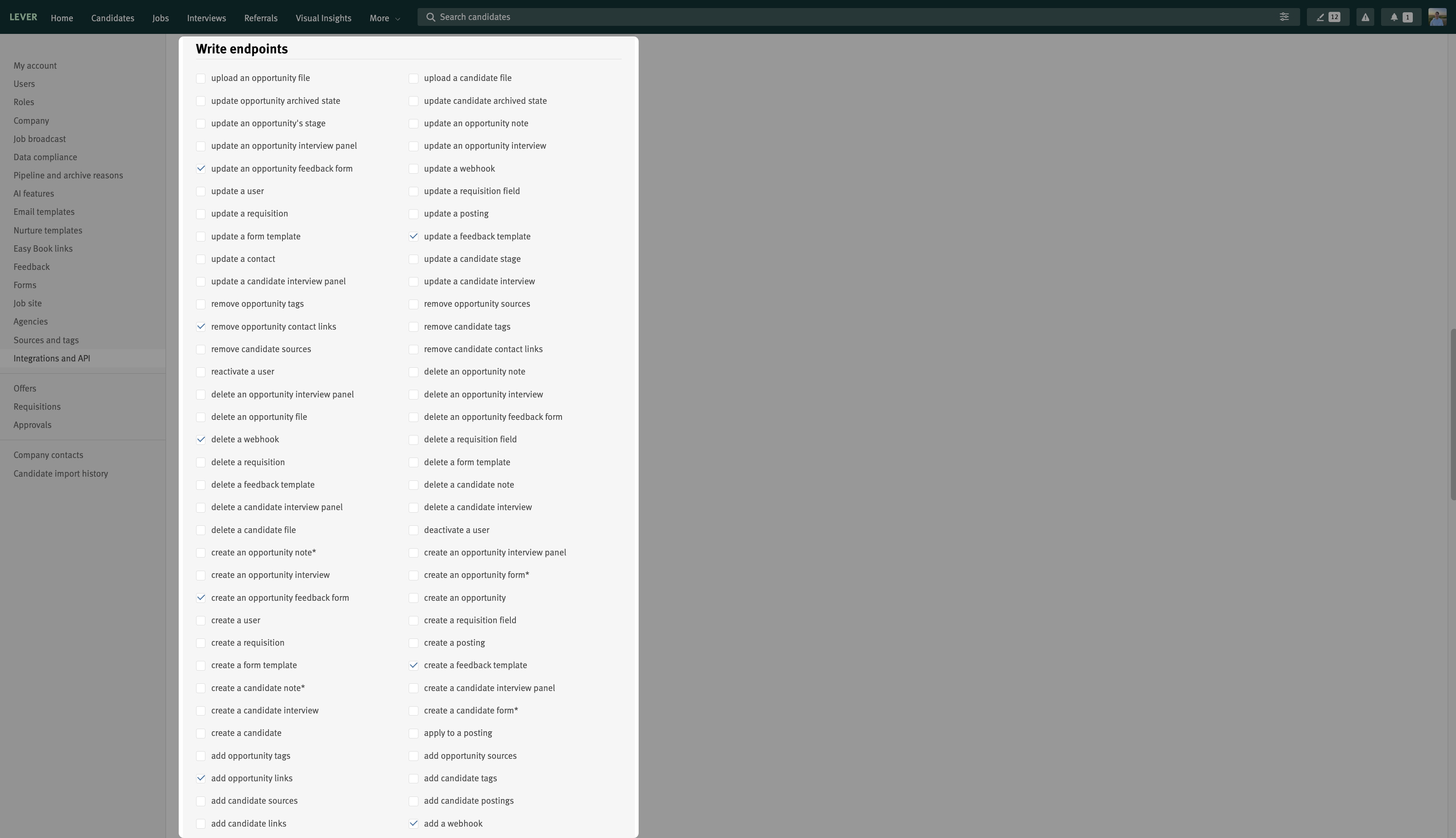
Read endpoints:
find an opportunity interview: Retrieve interview details to sync interview status and updates.
find an opportunity: Retrieve candidate opportunity details for interview creation and feedback mapping.
find all webhooks: Retrieve existing webhooks to verify configuration.
find all feedback templates: Retrieve available feedback templates.
find a feedback template: Retrieve a specific feedback template for accurate feedback mapping.
Write endpoints:
update an opportunity feedback form: Update candidate feedback forms after interview feedback is given.
update a feedback template: Update an existing feedback template when required.
remove opportunity contact links: Remove interview links when an interview is deleted.
delete a webhook: Delete an existing webhook during integration updates or cleanup.
create an opportunity feedback form: Create and attach an interview feedback form to a candidate opportunity.
create a feedback template: Create a structured interviewer feedback template.
add opportunity links: Add interview and report links to a candidate opportunity.
add a webhook: Create a webhook to enable real-time updates between Lever and HackerRank.
Enter a name in the Key name field under the Confidential data access section.
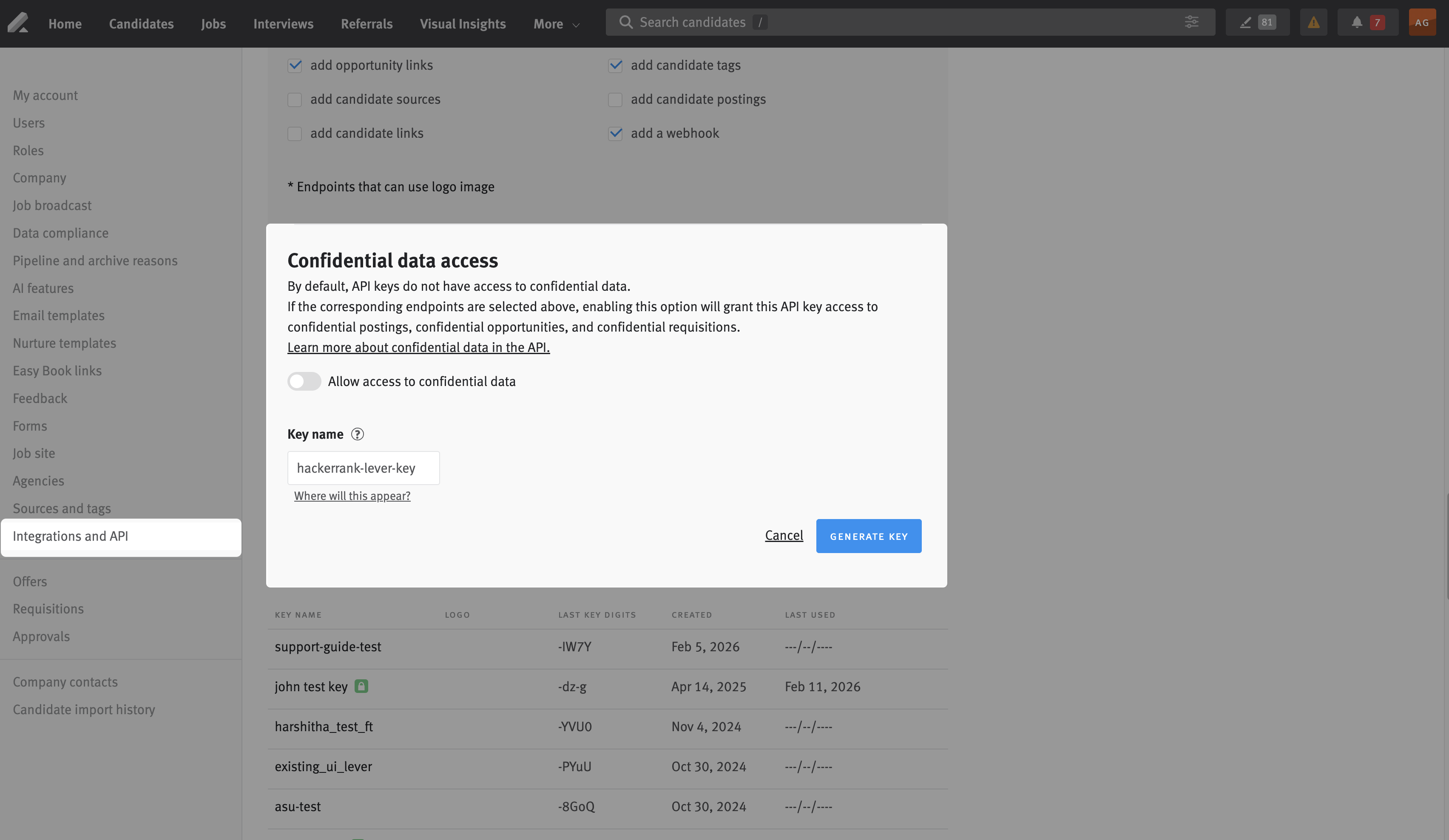
Click Generate Key.
Click Copy Key and store it securely.
Note: You need this token in Step 2: Add the Lever API Key in HackerRank.
Step 2: Add the Lever API key in HackerRank
This step authorizes HackerRank to connect with your Lever account.
Log in to your HackerRank for Work account using your credentials.
Click your profile icon in the upper-right corner and select Settings.
Go to Integrations > Lever V2.
In the Configuration tab, paste the Lever API key into the Lever API Key field.
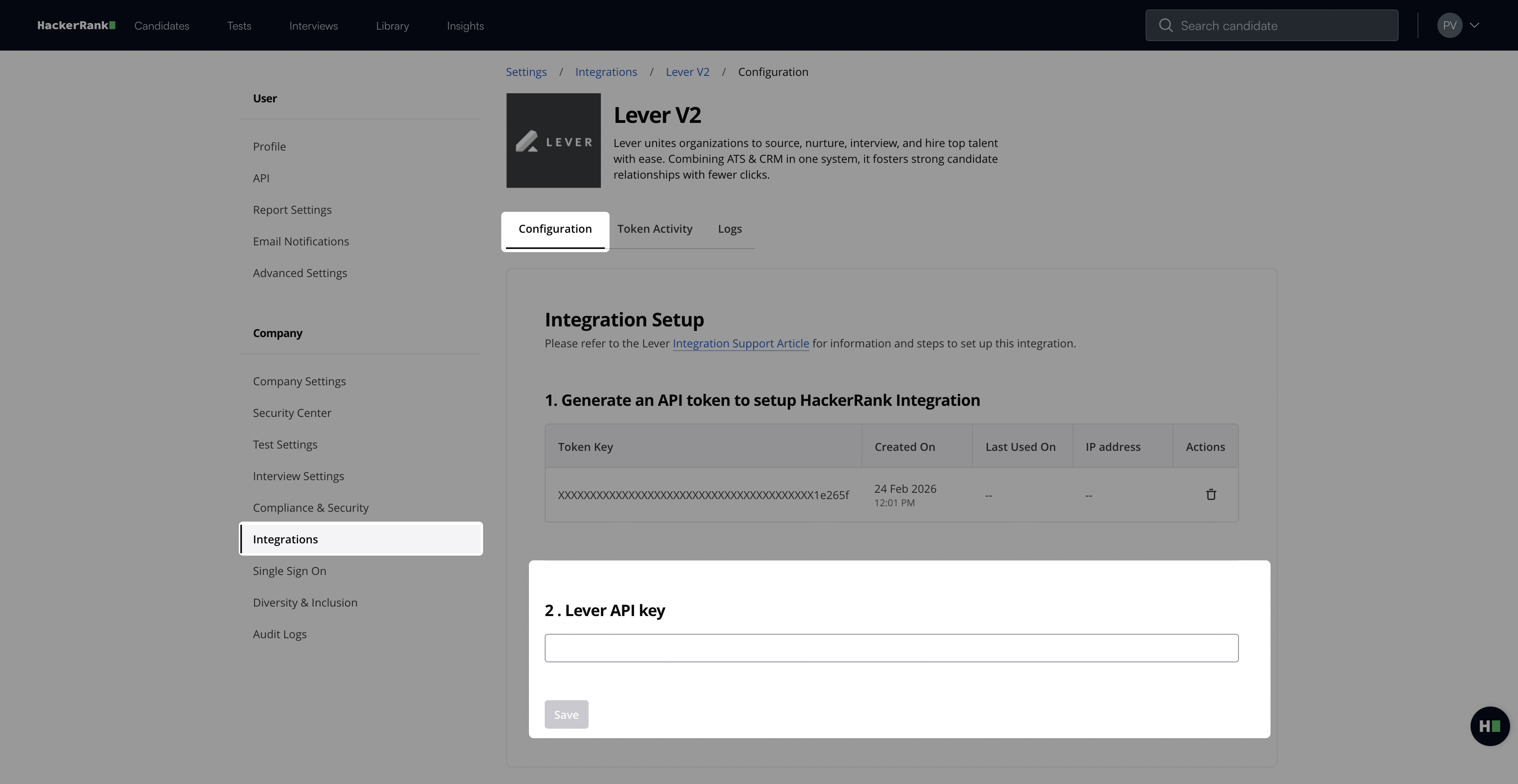
Click Save. A success message appears.
Your Lever account is now integrated with HackerRank to schedule HackerRank interviews.
Note: After you integrate HackerRank with Lever V2, refer to the following user guides to create HackerRank assessments and interviews: