Lever V2 - HackerRank Integration Interview User Guide
Last updated: March 12, 2026
This guide outlines how to use the Lever V2 - HackerRank Integration to schedule HackerRank interviews and review interview feedback directly in Lever.
Prerequisites
Before you begin, ensure you meet the following requirements:
You have admin access to your HackerRank for Work account.
You have admin access to your Lever account.
The HackerRank integration with Lever V2 is complete. For more information, see 📄 Lever V2 - HackerRank Integration Guide.
Scheduling a HackerRank interview from Lever
To schedule a HackerRank interview from Lever:
Log in to your Lever account using your credentials.
Go to the Candidates tab.
Select an existing candidate or or click Add Candidate to add a new candidate
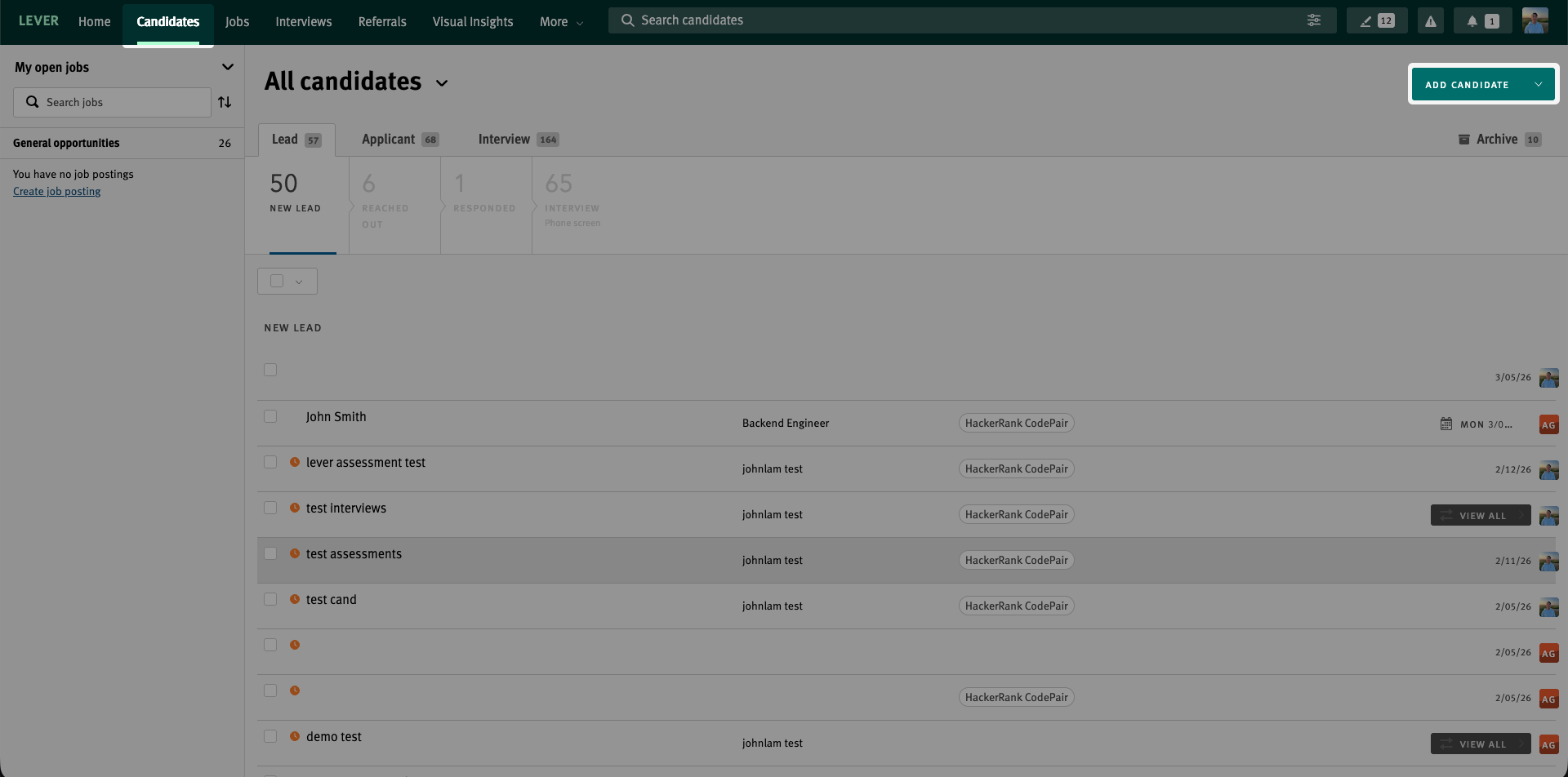
If you select an existing candidate:
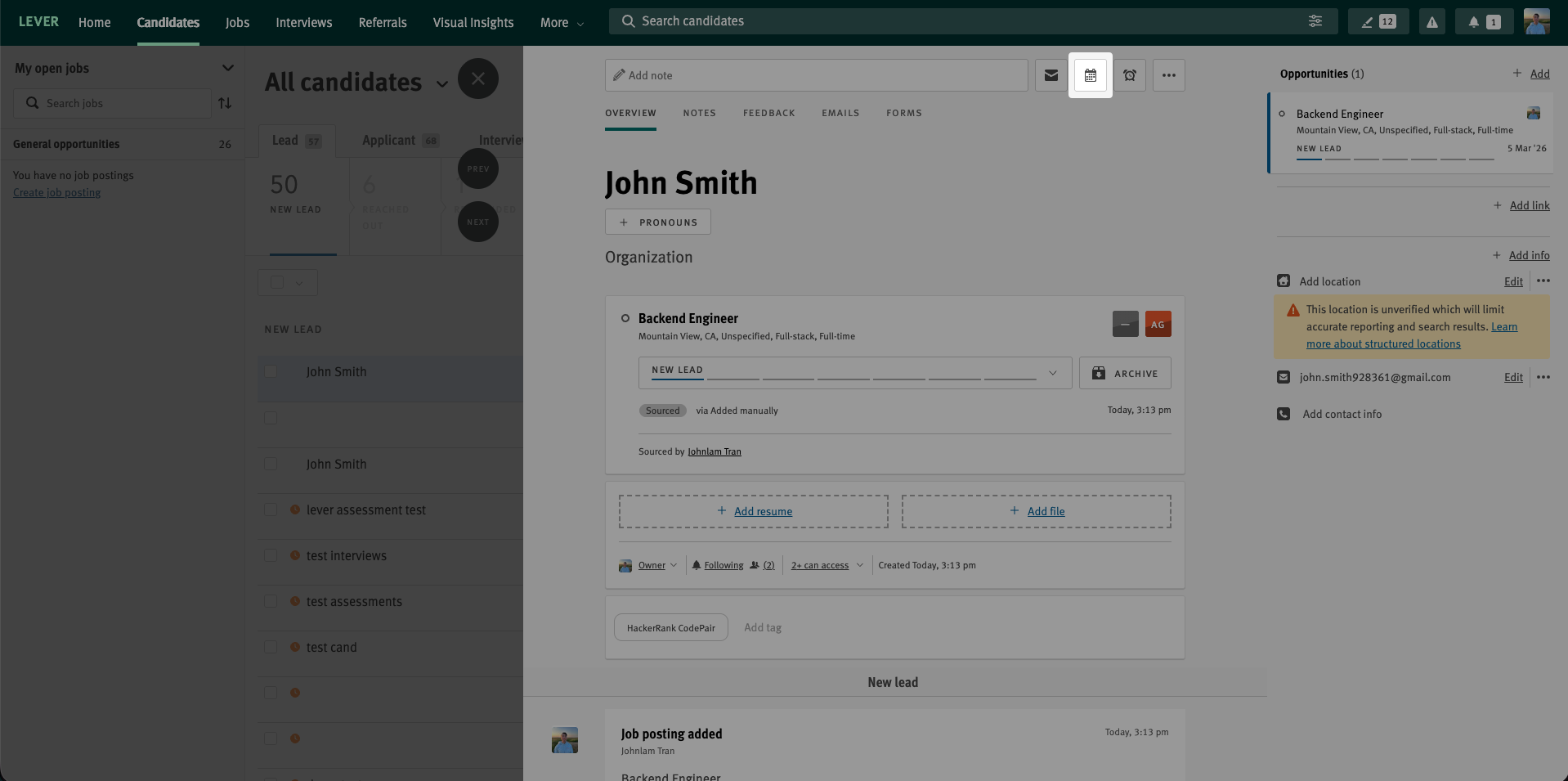
Verify that the correct Job is selected.
Verify that the HackerRank CodePair tag appears. If the tag does not appear, click Add tag and select HackerRank CodePair tag.
Verify that the candidate email ID appears. If the email ID does not appear, click Add email and enter the candidate email ID.
If you add a new candidate:
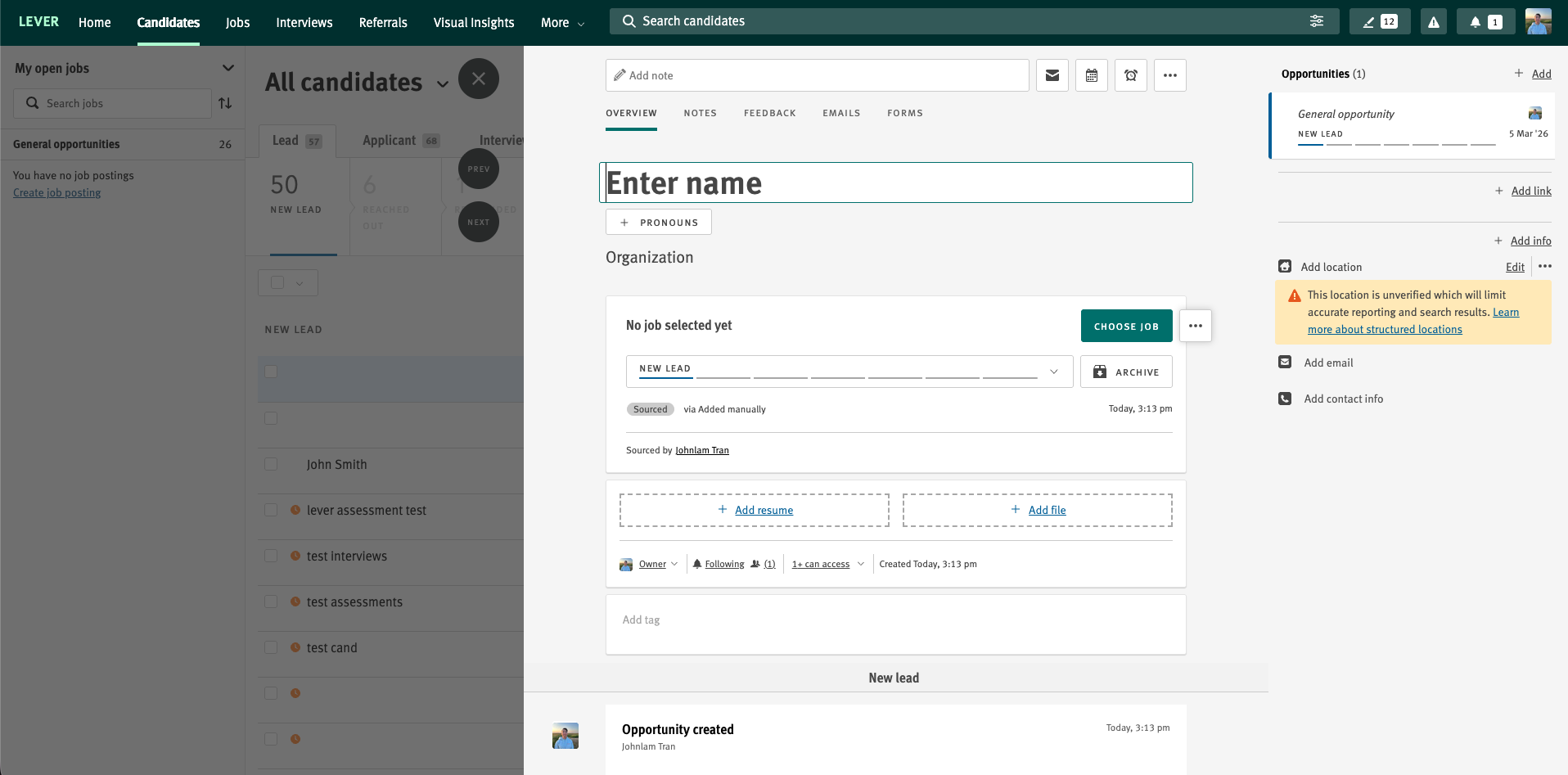
Enter the name of the candidate.
Click Choose Job and select the appropriate job from the drop-down menu.
Click Add tag and select HackerRank CodePair tag.
Click Add email and enter the candidate email ID.
Note: Some jobs automatically add the HackerRank CodePair tag when you select the job. You do not need to add it manually.
Click the schedule icon.
Select the interview date and time.
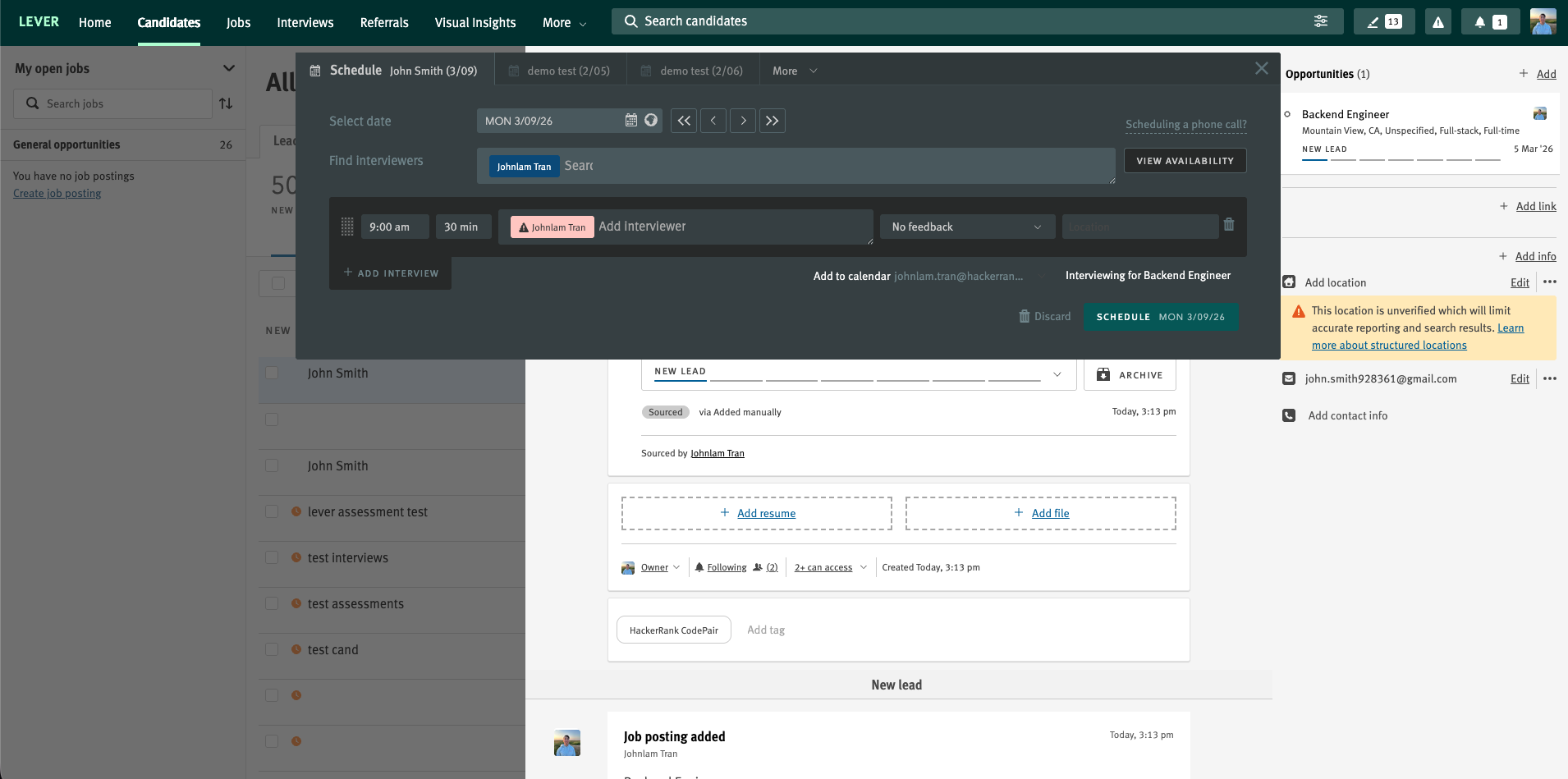
Add interviewers.
Select No feedback from the feedback drop-down menu.
Click Schedule.
(Optional) Edit Feedback reminders and Visibility if needed.
Click Preview.
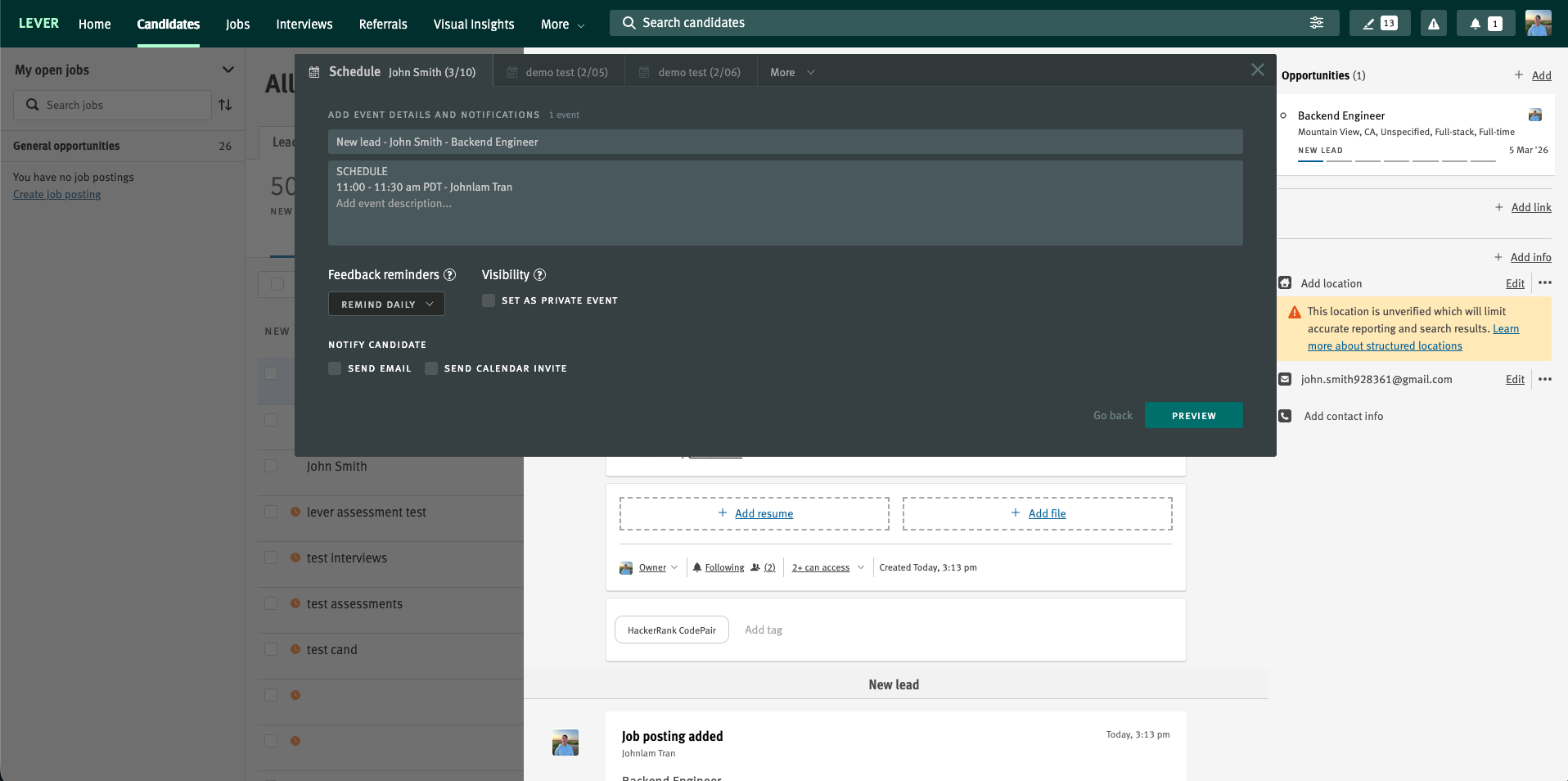
Click Send All.
Lever sends interview invitations to the candidate and interviewers. Lever also creates the HackerRank interview link and displays it on the right side of the candidate profile.
Viewing Interview feedback in Lever
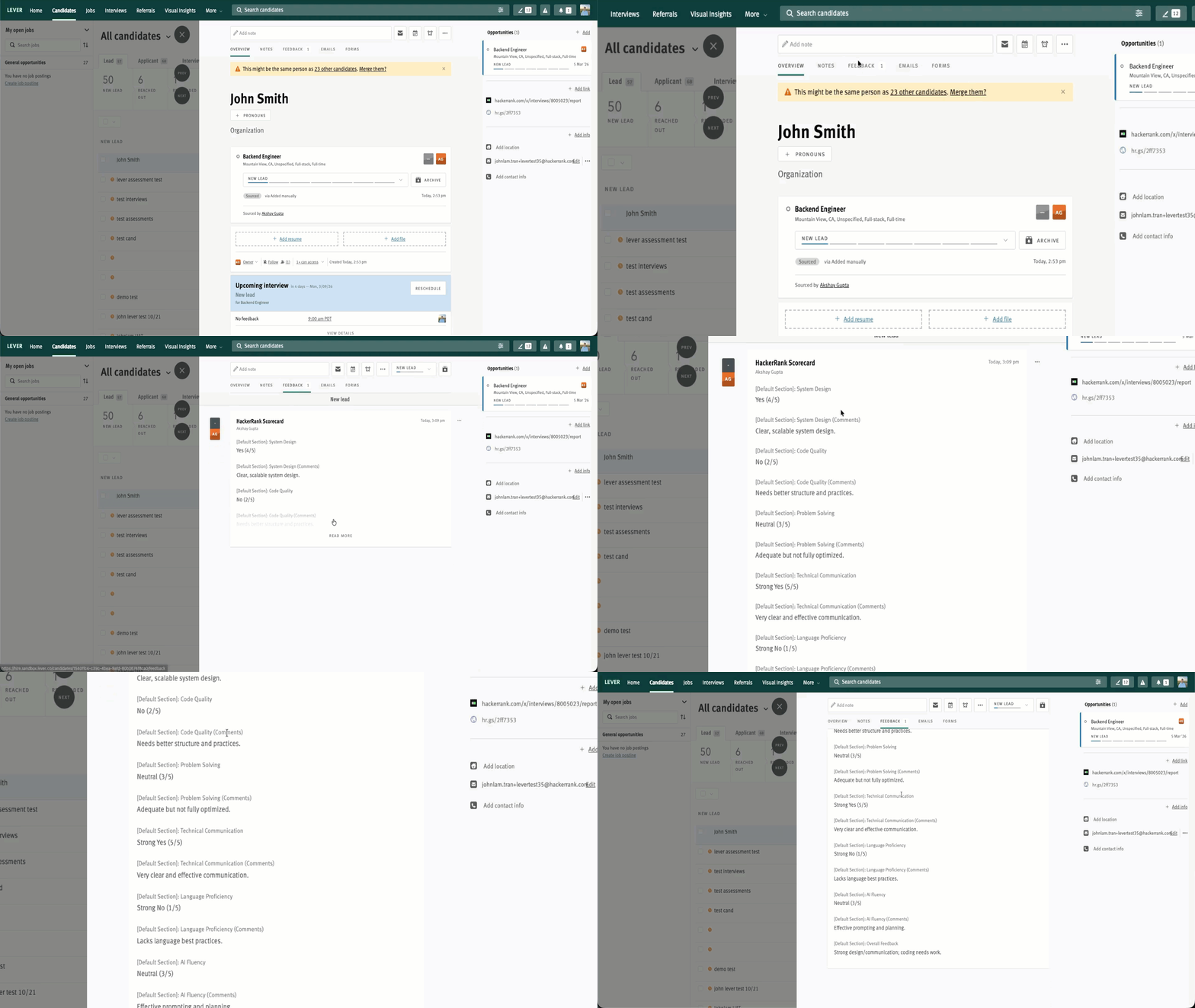
After interviewers complete the scorecard in HackerRank and click Sync to Lever V2, Lever displays the feedback in the candidate profile. For more information about using the interview scorecard in HackerRank, see Using the scorecard during an interview.
To view Interview feedback in Lever:
Log in to your Lever account using your credentials.
Go to the Candidates tab.
Select the candidate whose interview feedback you want to view.
Select the Feedback tab to view the HackerRank scorecard.