Scorecard Assist
Last updated: January 28, 2026
This feature is part of the AI Add-on. For more information, see 📄 HackerRank AI Add-on.
Scorecard Assist uses AI to automatically generate a scorecard after each interview. It extracts insights from:
Interview transcription
Code replay
Test case runs
Interviewer notes
Transcriptions play a key role in powering Scorecard Assist. The scorecard appears in the interview report.
Interviewers often find it tedious to fill out scorecards, and talent partners frequently need to follow up to get them done. Scorecard Assist streamlines this process, allowing interviewers to fill out scorecards faster and with less effort. It also speeds up hiring decisions and improves the candidate experience by enabling faster feedback.
Note: The Scorecard Assist currently supports the following question types:
Coding
Whiteboard
Projects
Frontend
Backend
Full-Stack
Mobile
Code Repository
Enable Scorecard Assist
To enable Scorecard Assist:
Log in to your HackerRank for Work account using your credentials.
Go to Settings.
Select Interview Settings from the left panel under the Company section.
In the Scorecard Assist section, select the Enable Scorecard Assist checkbox.
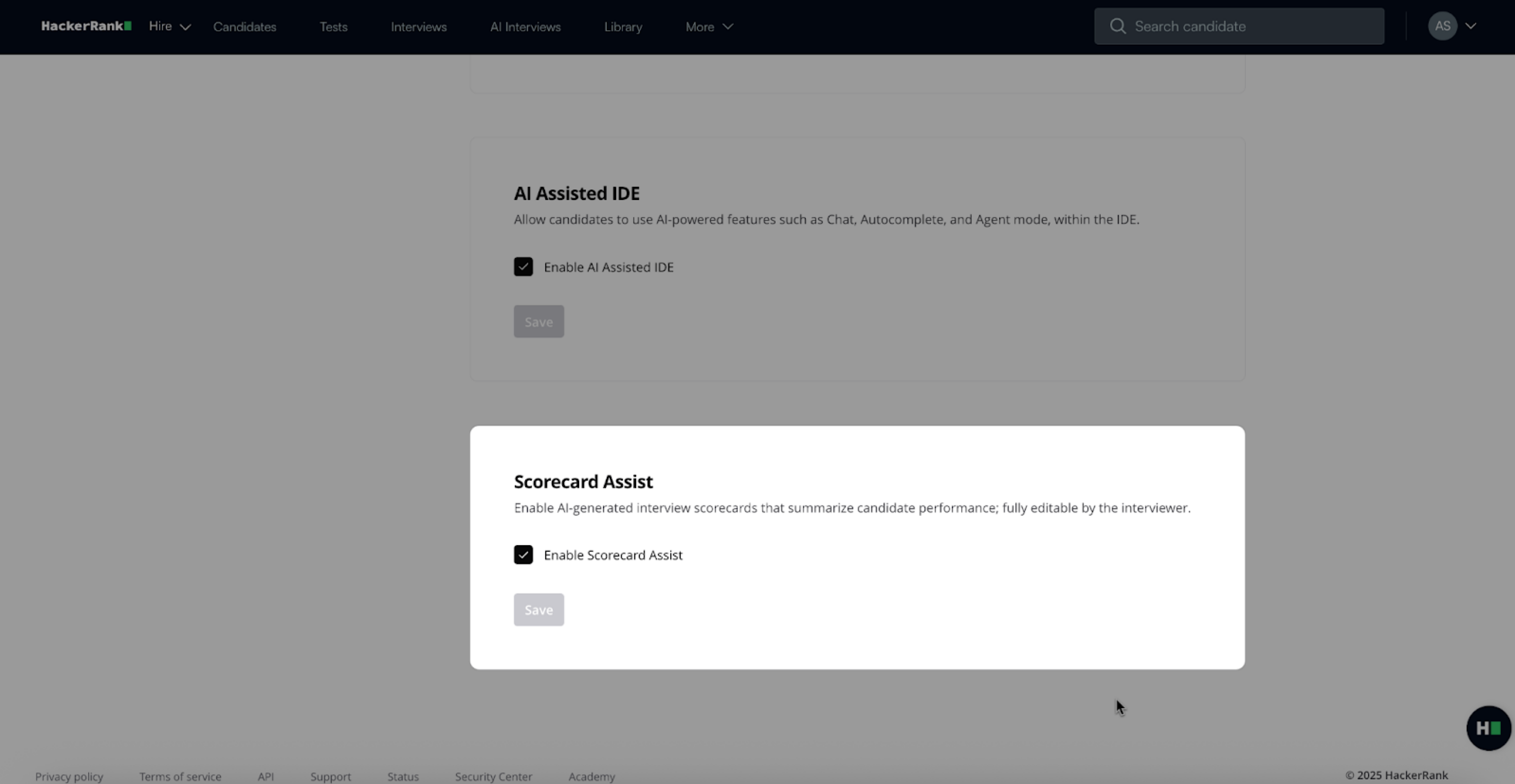
Click Save.
Note: Enabling Scorecard Assist also turns on transcription automatically.
Reports
Each interview report includes:
Full transcript of the session:
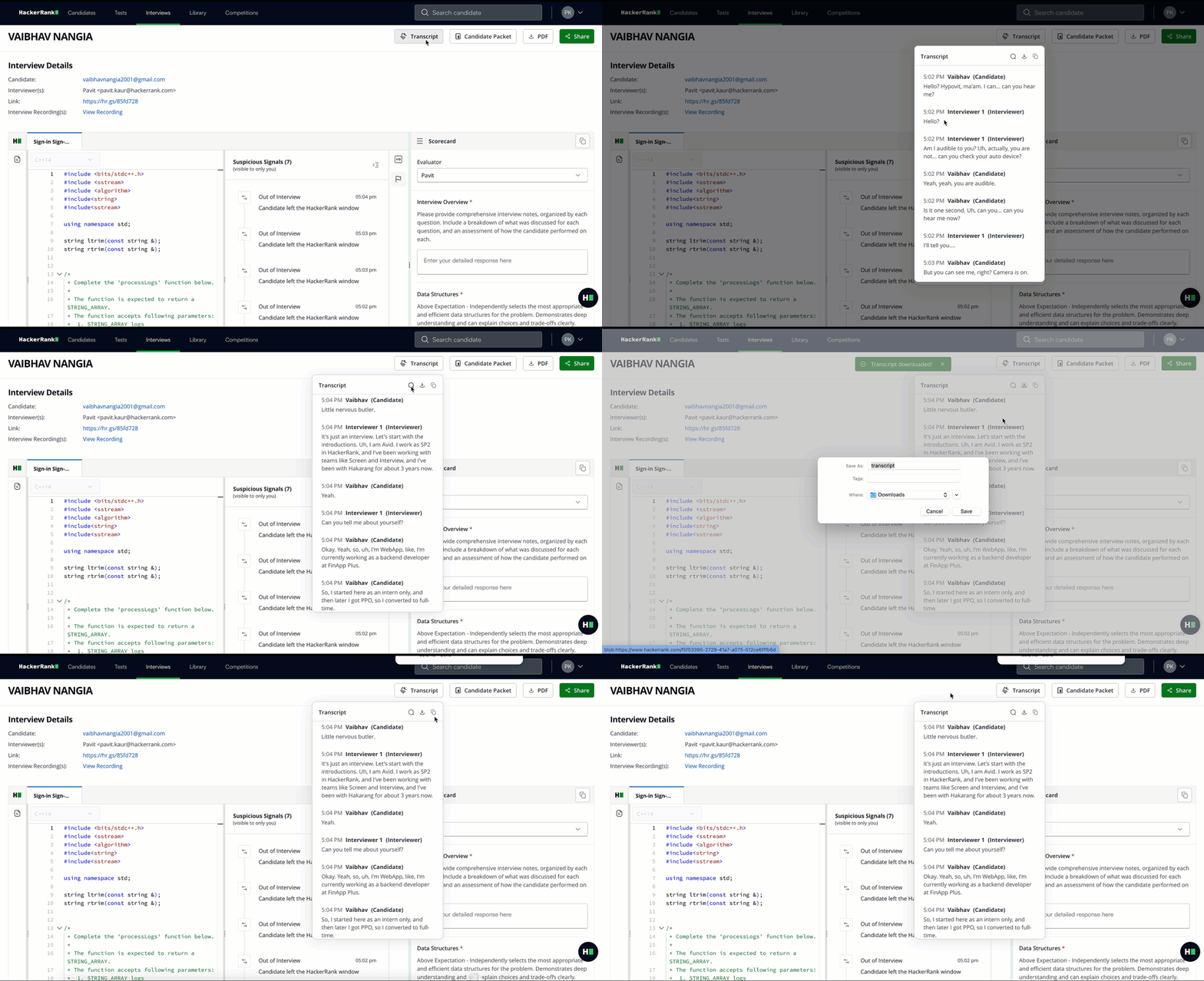
You can search the transcript by keyword (for example, optimal).
You can download it for future reference.
Scorecard Assist: The system pre-fills the scorecard with AI-generated suggestions based on:
Interview transcript
Code replay (if applicable)
Test case runs (if applicable)
Interviewer notes
Using Scorecard Assist
You can complete scorecards in two ways:
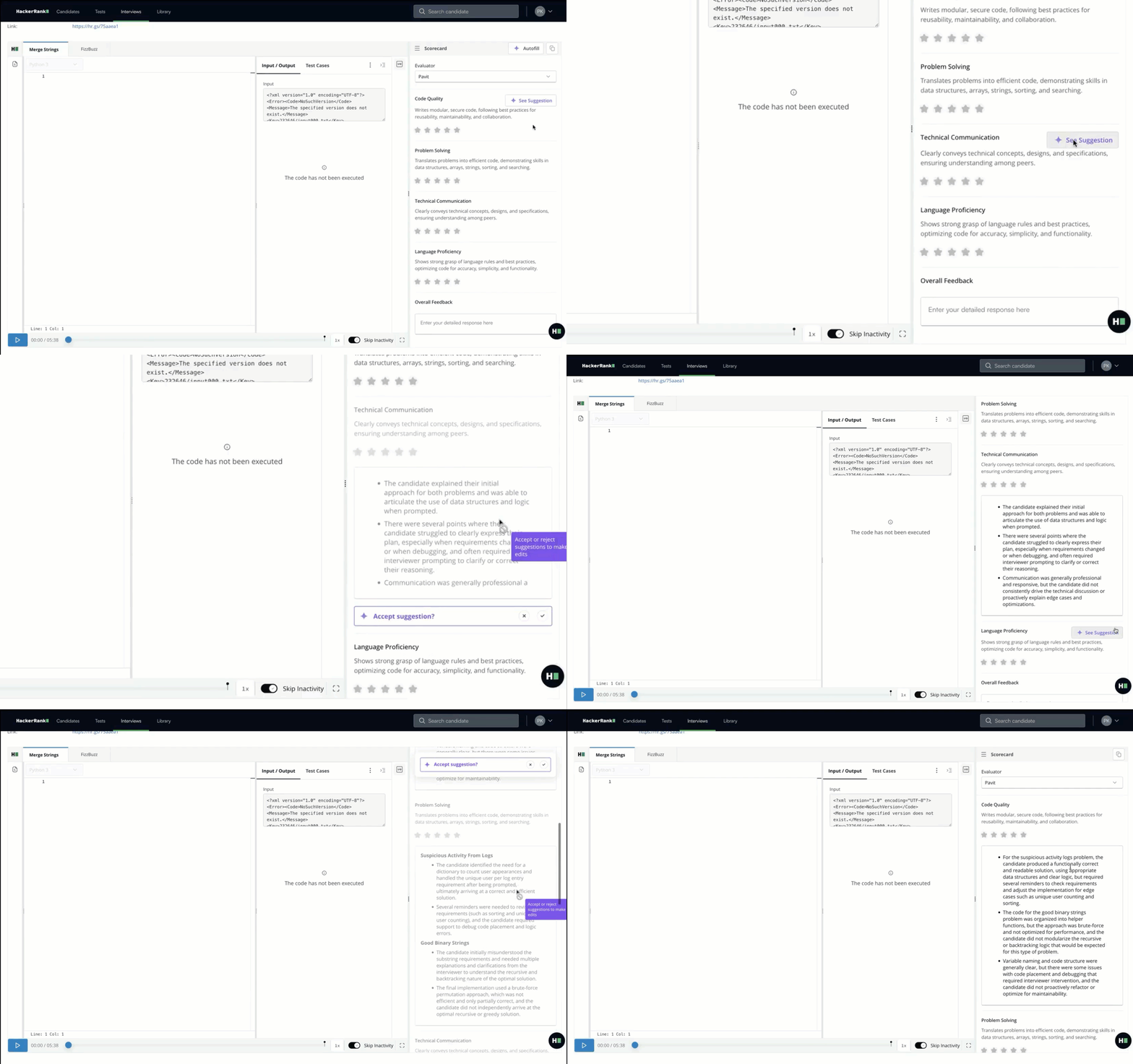
Per comment box
View suggestions for each comment box individually.
Accept, reject, or edit the content as needed.
Autofill entire scorecard
Preview all suggested comments across the scorecard at once.
Accept or reject suggestions in bulk.
All suggestions are editable, giving interviewers flexibility to add their own notes before submitting the scorecard.
Post-Interview workflow
The system sends a scorecard summary email immediately after the interview. From the email, you can:
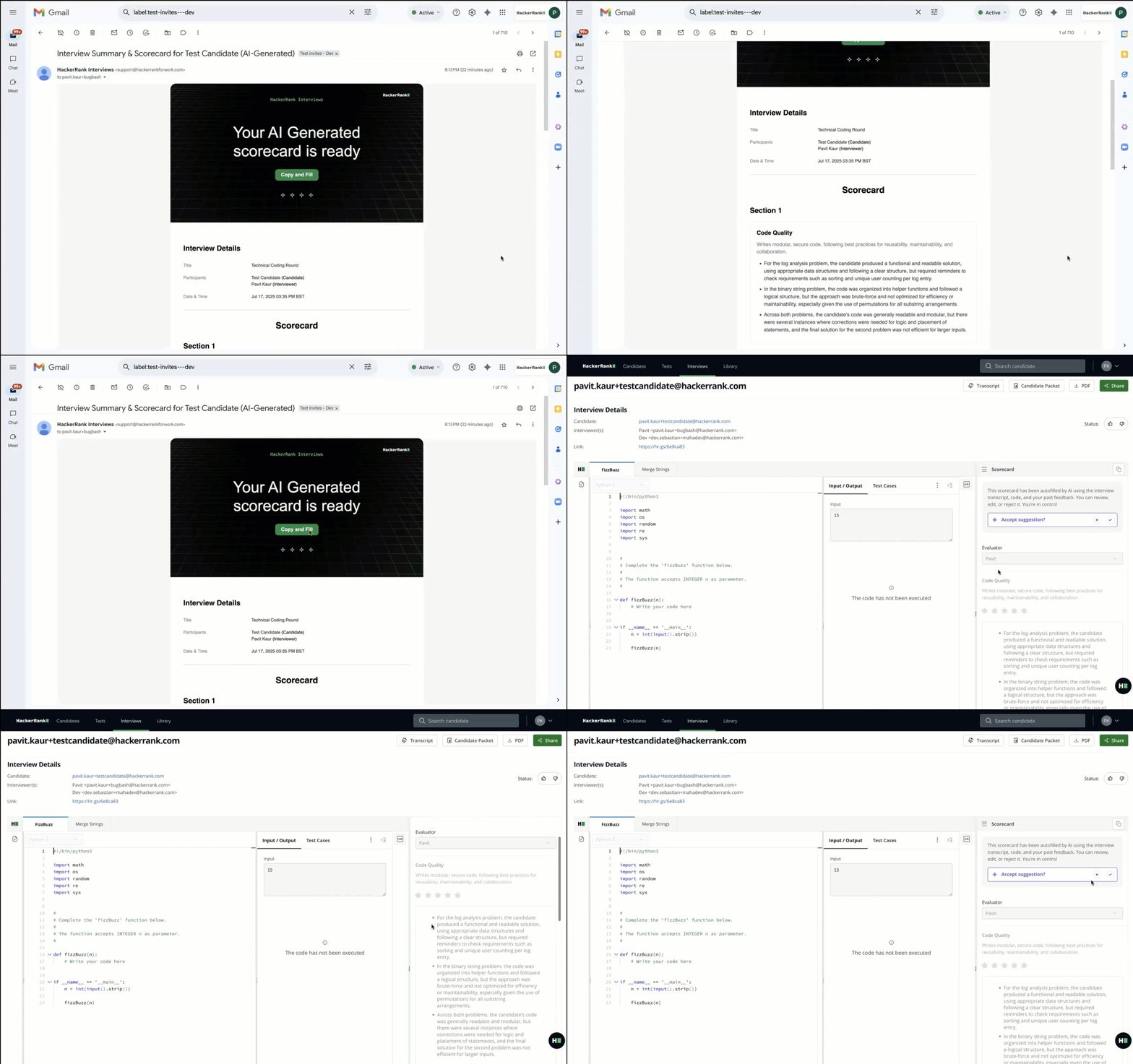
Copy the summary directly into your applicant tracking system (ATS).
Redirect to the HackerRank report to complete or edit the scorecard using Scorecard Assist.
ATS integration
HackerRank embeds interview scorecard links directly into Greenhouse ATS, helping you close the feedback loop.
To view the scorecard in Greenhouse, see View interview scorecard in Greenhouse.
Interviewer experience
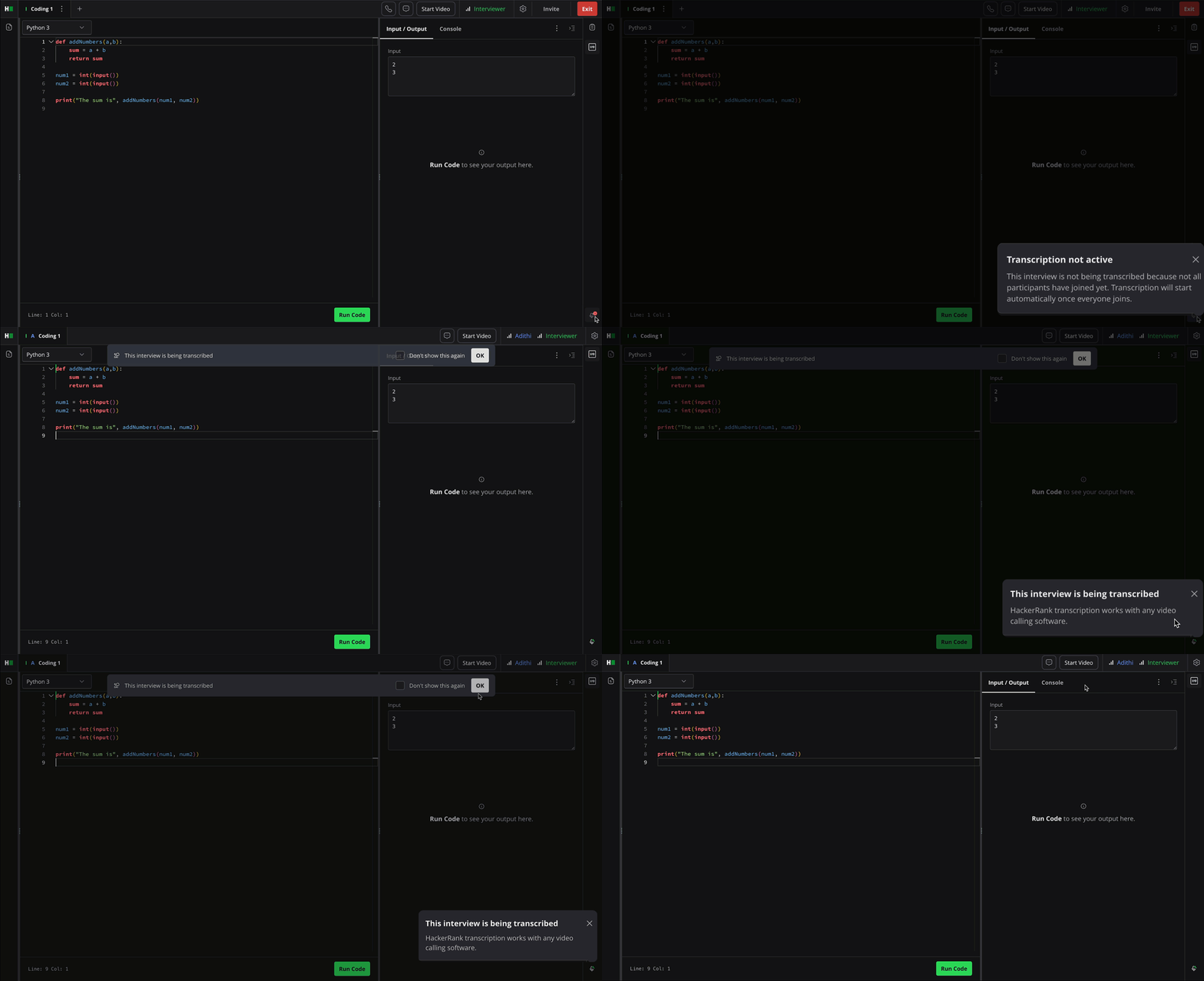
During Interview setup: Transcription remains inactive when the interviewer sets up an interview, even if it is enabled at the global level.
During the Interview:
If the interviewer has not granted microphone access, the system prompts them to enable it for transcription.
After microphone access is granted, transcription activates only when the candidate joins the interview and enables their microphone.
After the Interview:
The interviewer can review AI-suggested comments in the scorecard.
The scorecard can be filled section by section or autofilled entirely, based on preference.
The interviewer also receives a summary email with scorecard suggestions and quick actions to finalize the report.
Candidate experience
Transcription activates only when the candidate joins and enables their microphone. No additional action is required.
Transcription runs passively in the background, providing a seamless experience.