HackerRank AI Add-on
Last updated: September 7, 2026
Experience the Power of AI in Hiring
See What’s Included
Integrity features
Proctor Mode
Proctor mode ensures the integrity of take-home assessments by monitoring the session for any suspicious activities via signals from the webcam, screen capture, and other sources, and presenting the findings in a report. It's intentionally designed not to impact the candidate experience unless there's suspicious activity.
Enable Proctor Mode in Settings
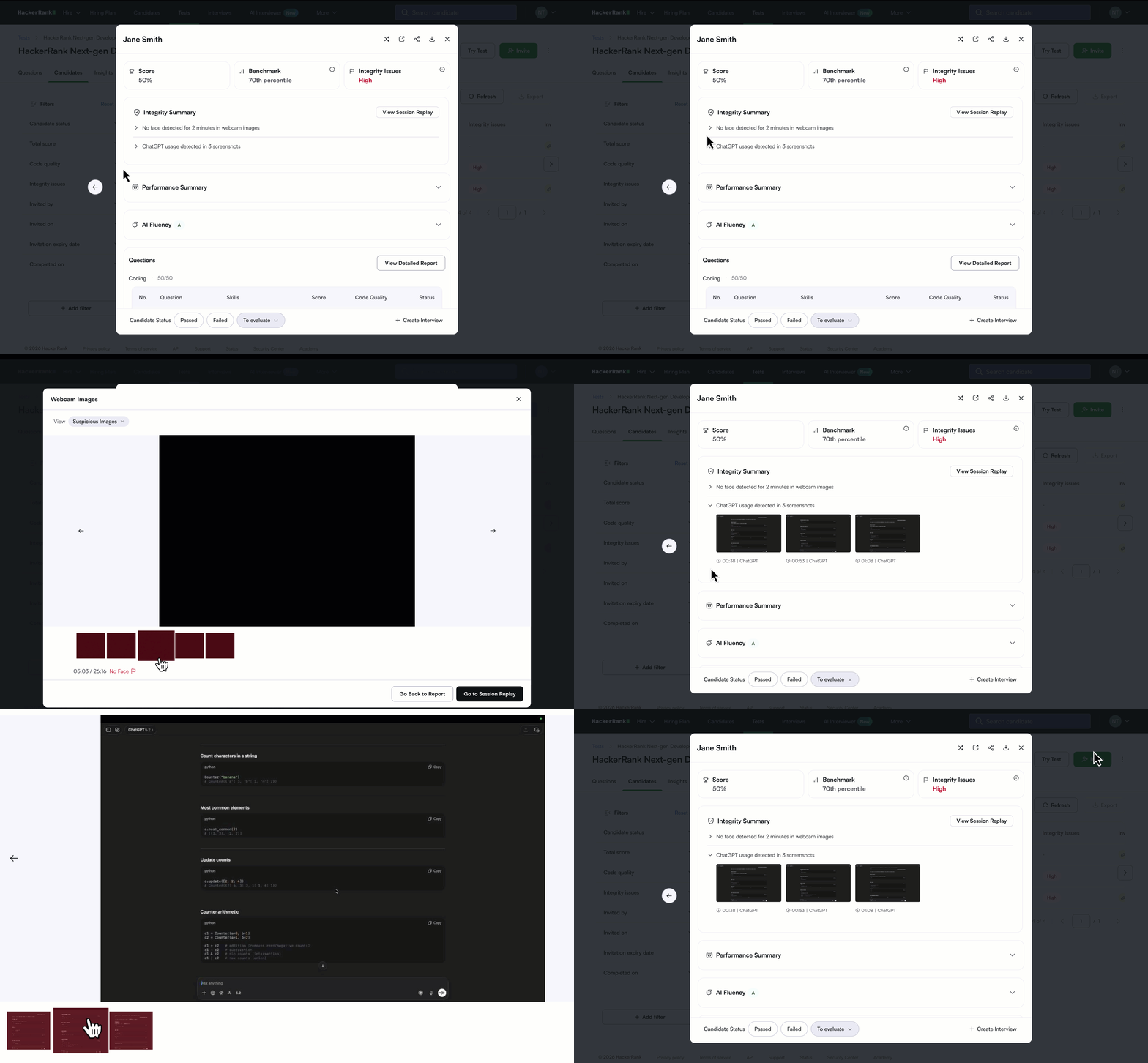
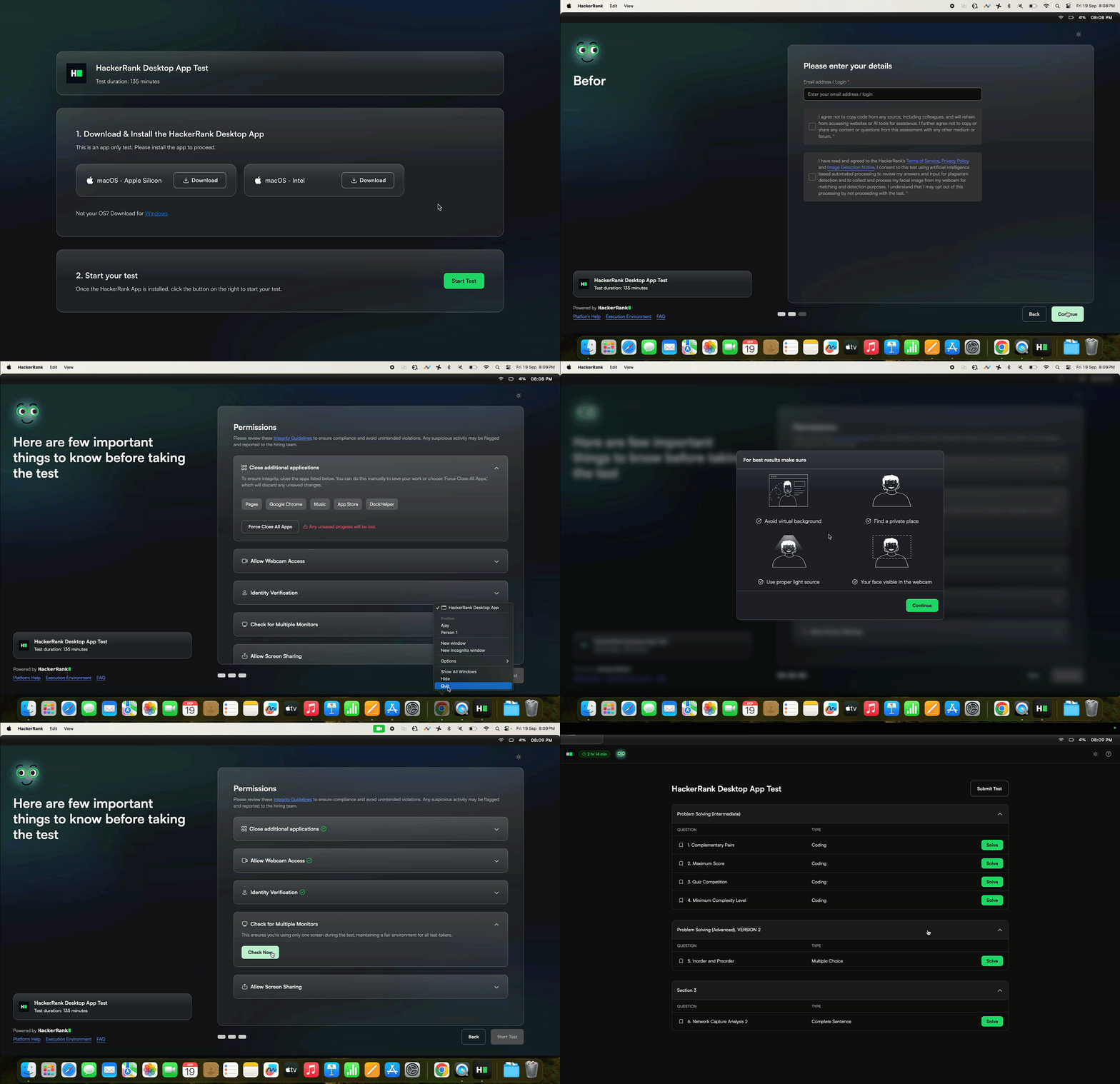
HackerRank Desktop App Mode
The HackerRank App adds a new layer of security for high-stakes assessments. It creates a secure testing environment by blocking unauthorized applications and continuously monitoring candidate activity. It delivers enterprise-grade integrity while preserving a smooth candidate experience.
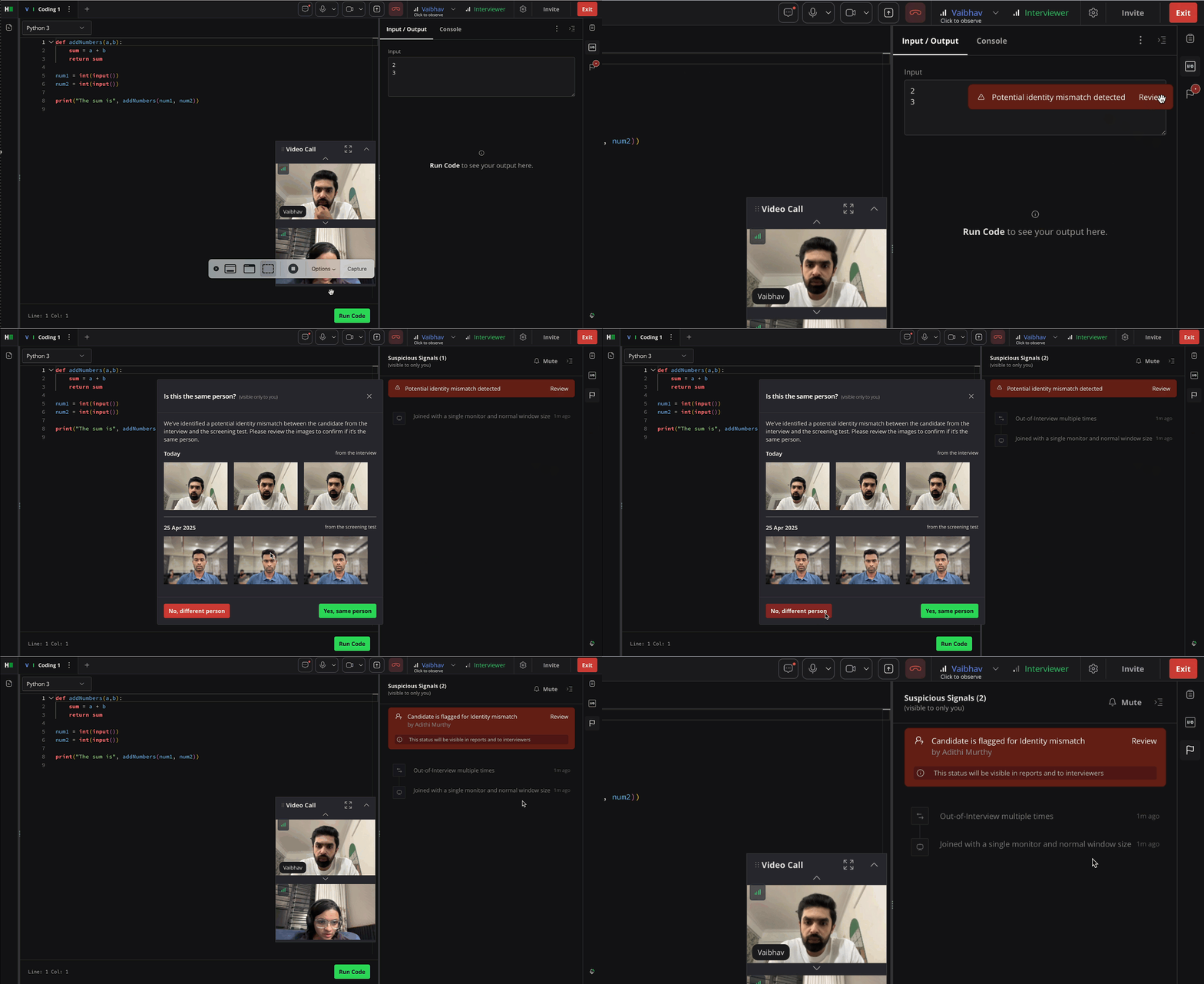
Screen to Interview Identity Match
Screen to Interview Identity Match compares candidate images from take-home assessments in our Screen product with the images from the video feed in our Interview product and flags if there's a mismatch.
Enable Screen to Interview Identity Match in Settings
Features to evaluate NextGen Skills
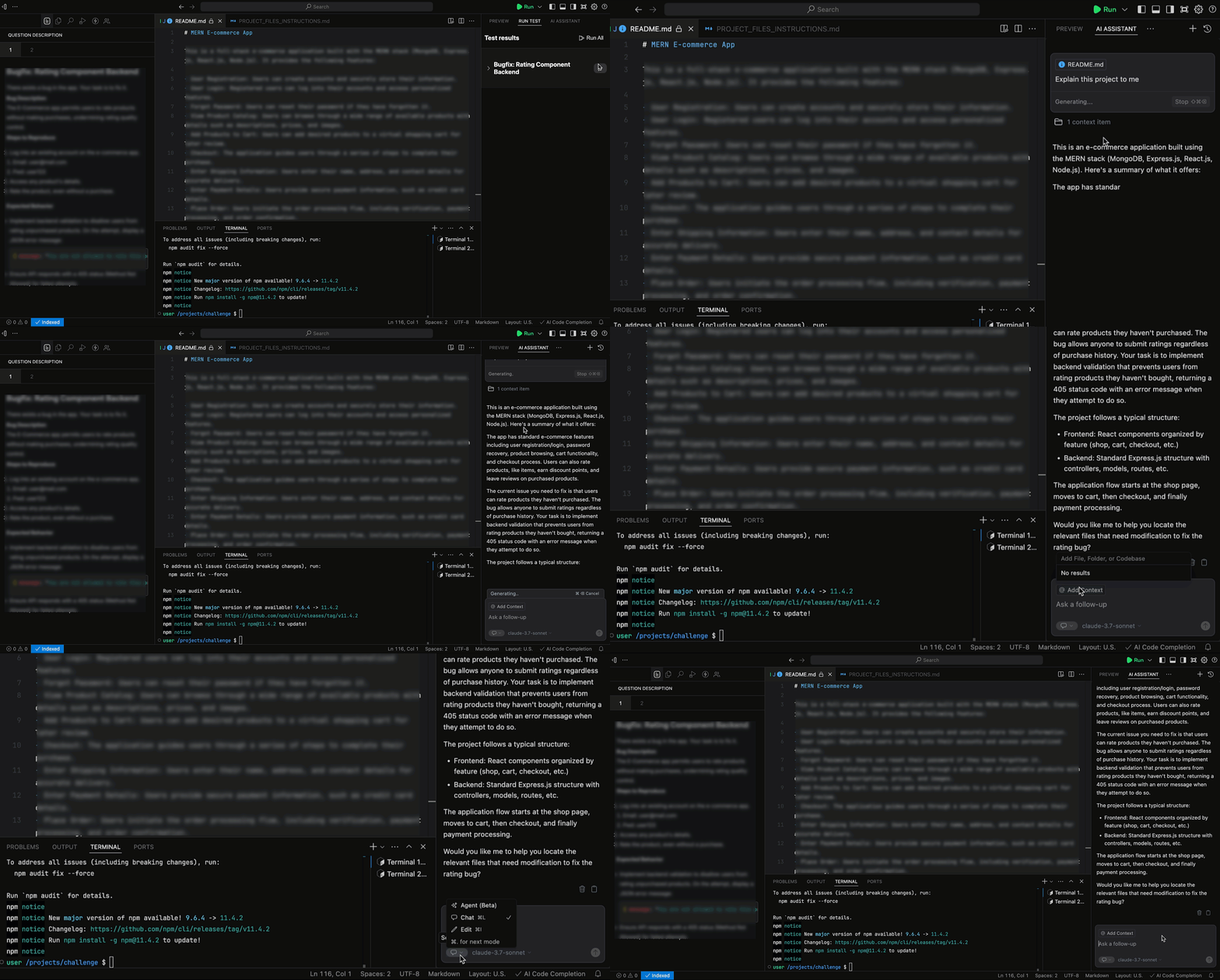
AI-Assisted IDE
The IDE now comes with an AI assistant mirroring the real world. It's currently a guarded assistant in take-home assessments in the Screen product and unguarded in the Interview product.
Learn more about Assistant in Tests
Learn more about Assistant in Interviews
Enable AI Assistant for Interviews
Advanced Evaluation
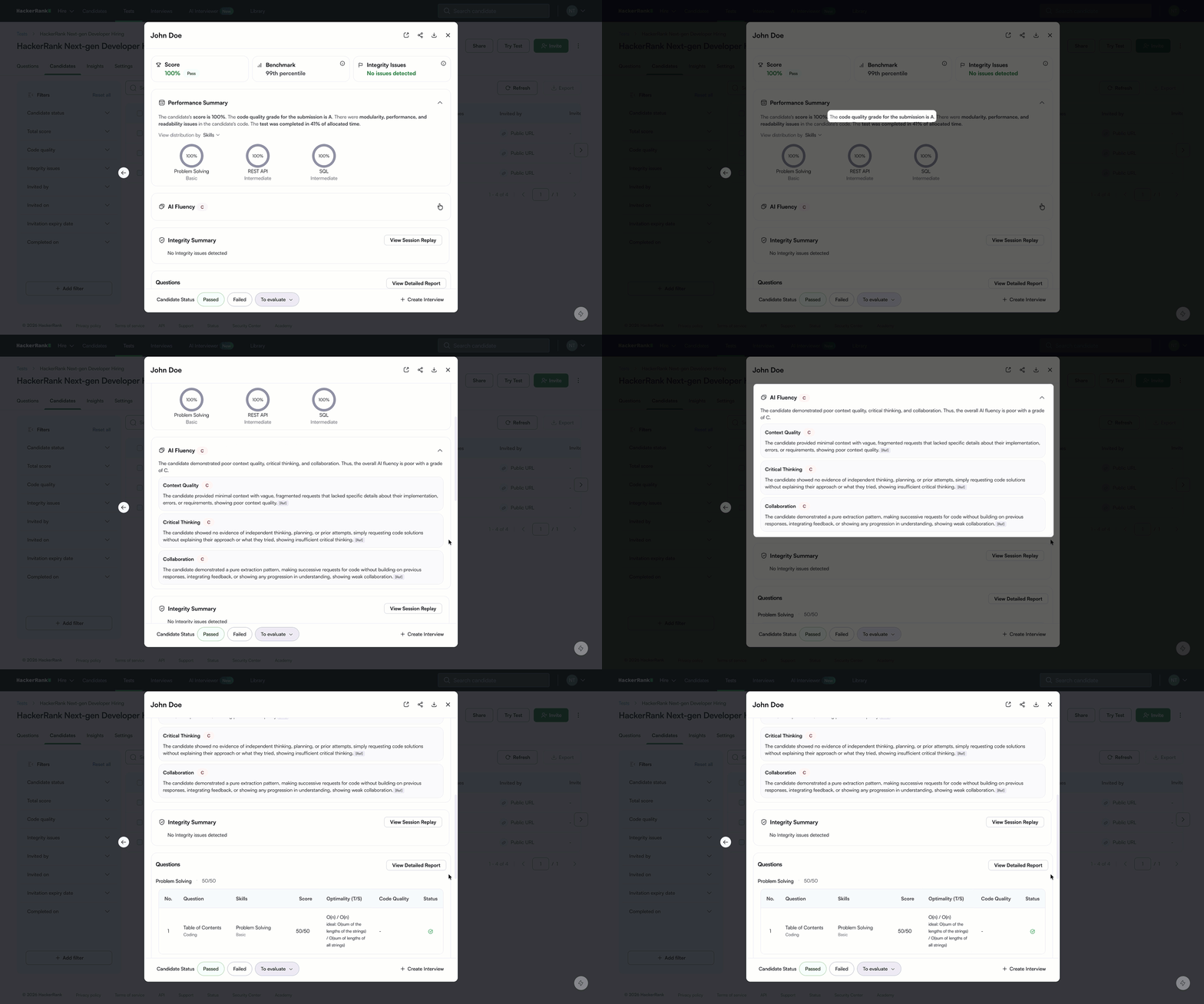
Advanced evaluation extends beyond evaluating the candidates on code correctness and optimality. It assesses the quality of the code written, how they worked with the AI, and other factors, and all of these are summarized and presented in the report.
Enable Advanced Evaluation in Settings
Scorecard Assist
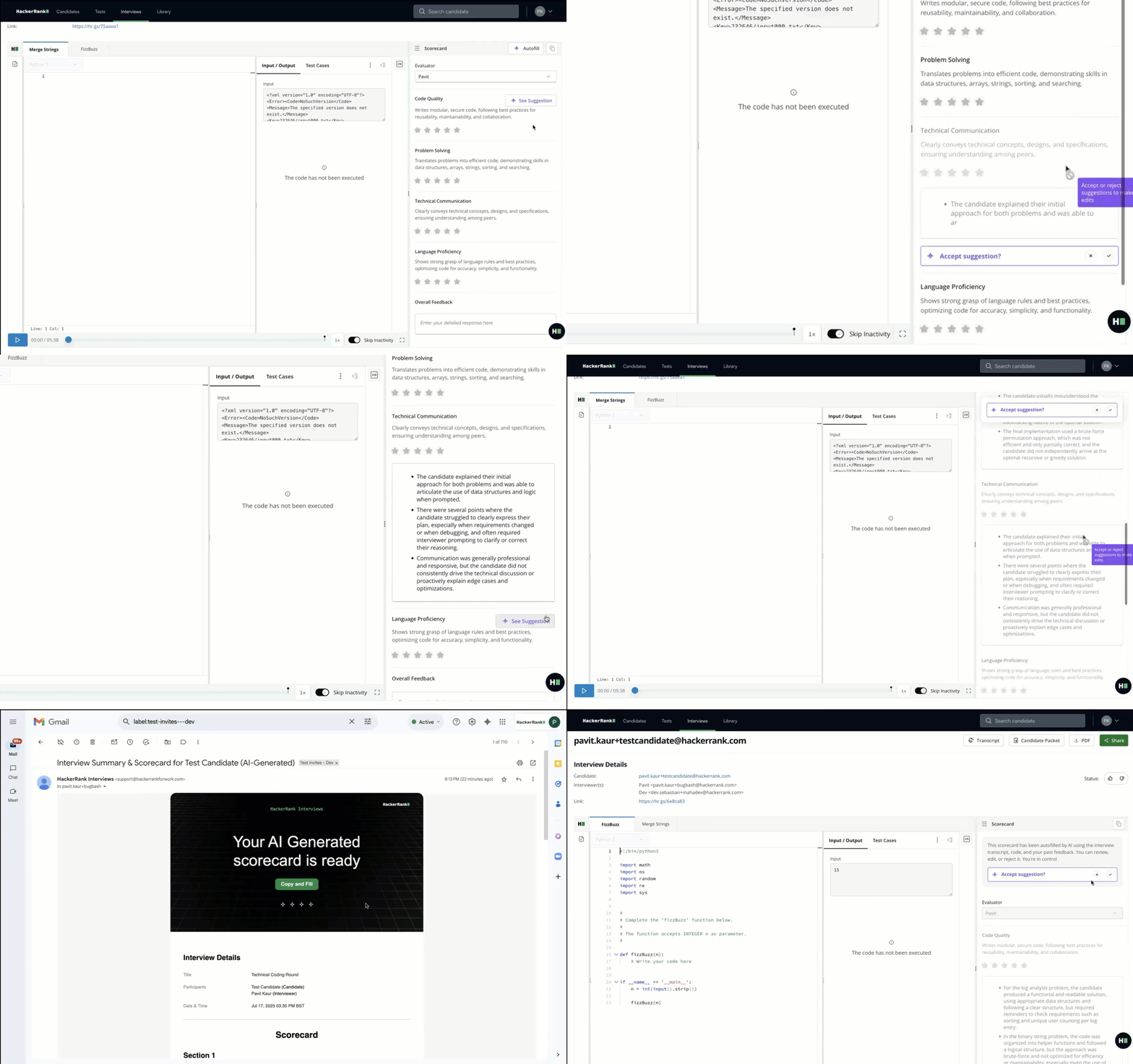
Scorecard Assist uses AI to generate a structured summary from the interview session, analyzing a combination of the transcript and code playback. This is summarized in the rubric specified by the interviewer, helping them complete the writing of the scorecard more efficiently.
Enable Scorecard Assist in Settings
Chakra
Chakra is an AI-powered interviewer that conducts fully autonomous interviews to help companies hire next-gen professionals. It mirrors the structure and rigor of real-world interviews, and is capable of doing both conversational and hands-on evaluation. It delivers consistent and unbiased candidate evaluations and supports high-volume hiring without compromising interview quality or integrity.