Clone an AI Interviewer
Last updated: April 22, 2026
Clone an AI interviewer to create a copy of an existing interviewer, including its prompts and sections. You can use the cloned version to adapt the setup for a different role without creating a new interviewer from scratch.
Prerequisite
Your organization must have created at least one AI interviewer.
Cloning an AI interviewer
To clone an AI interviewer:
Log in to Chakra using your credentials.
Click the sidebar icon and select My Interviewers.
Select the AI Interviewer you want to clone.
Click the more option menu in the upper-right corner.
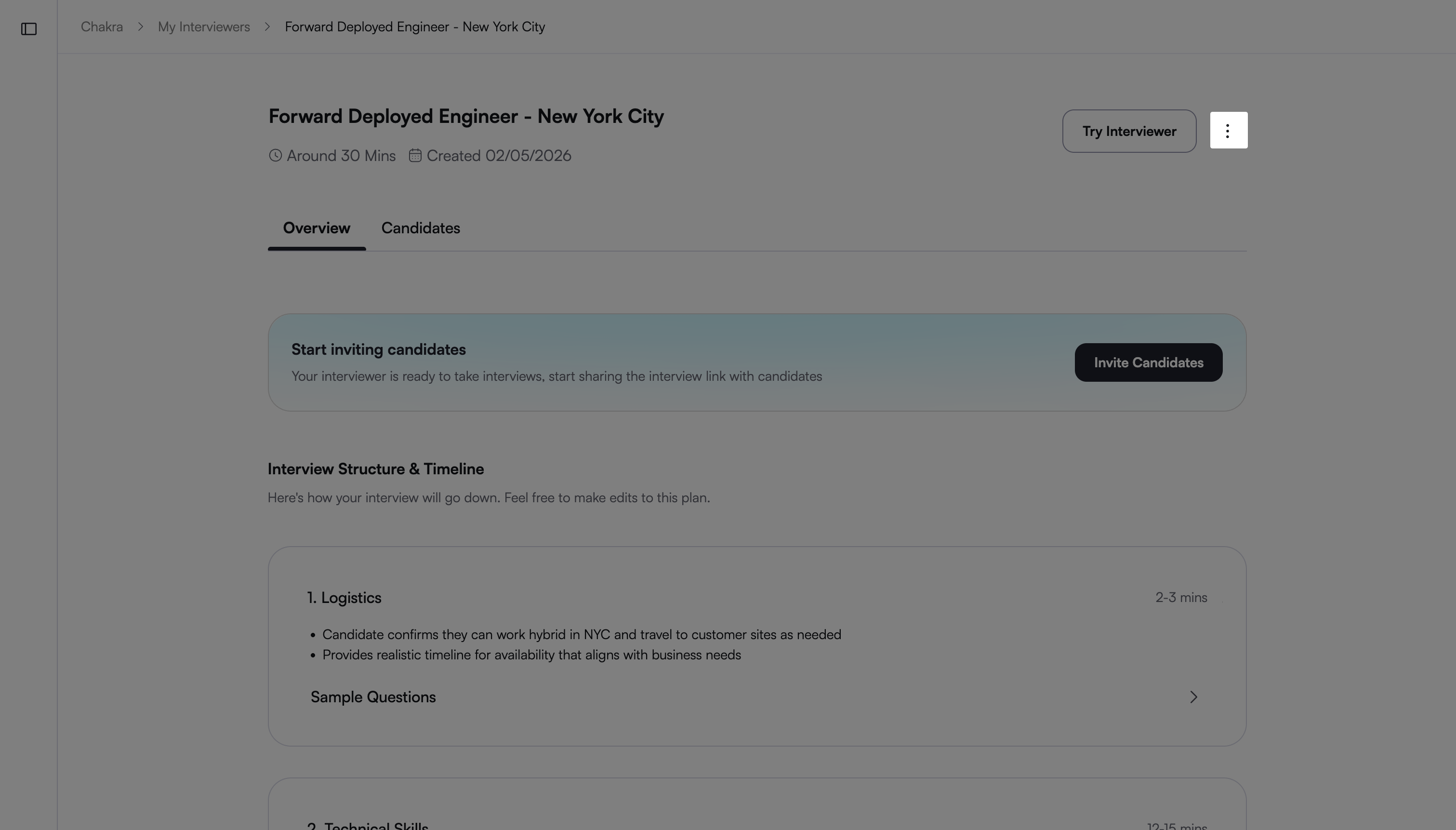
Select Duplicate.
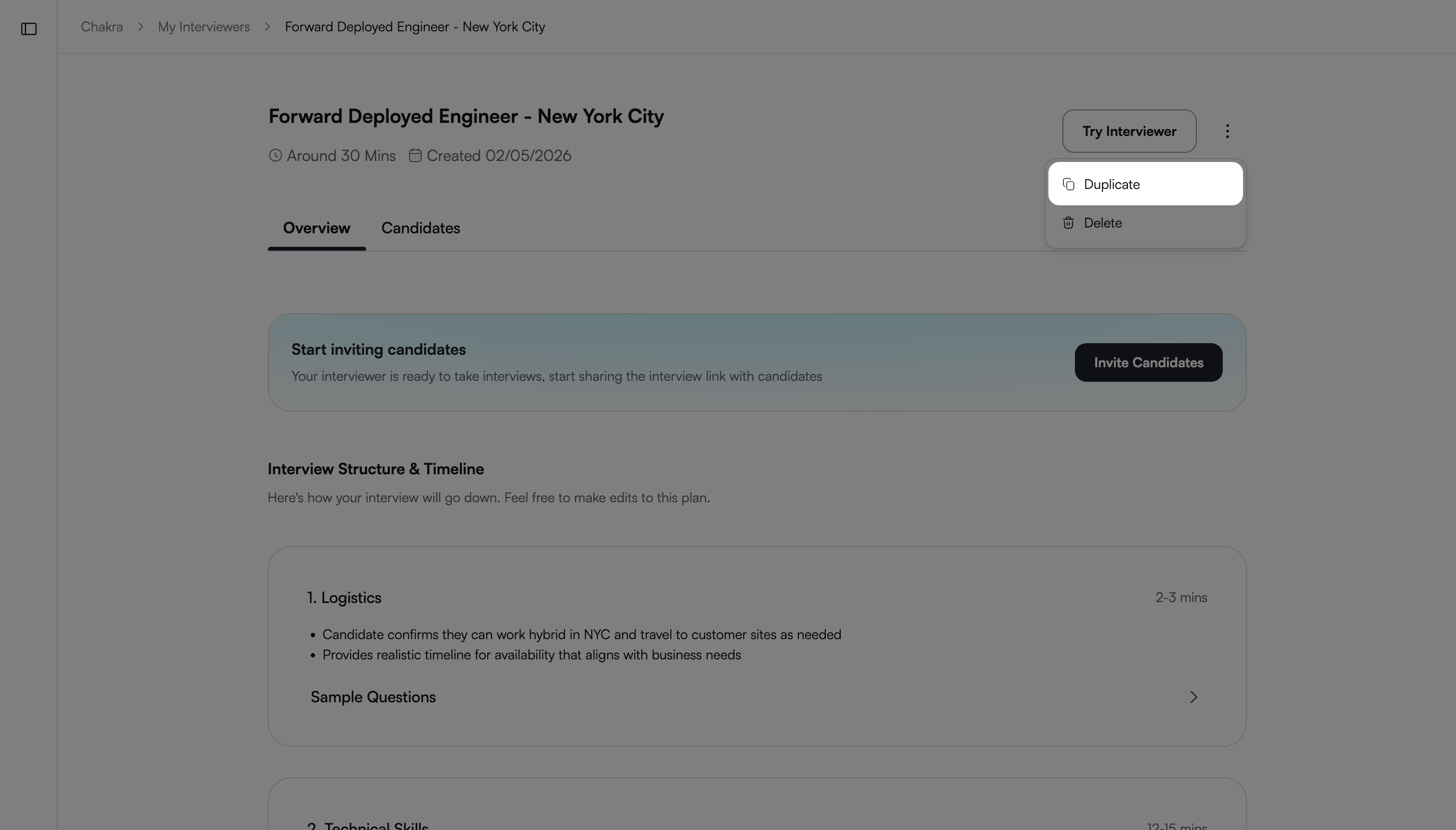
Chakra creates a copy of the AI interviewer and opens it in a new window.
Note: The cloned test name follows this format: Original Test Name (Clone).
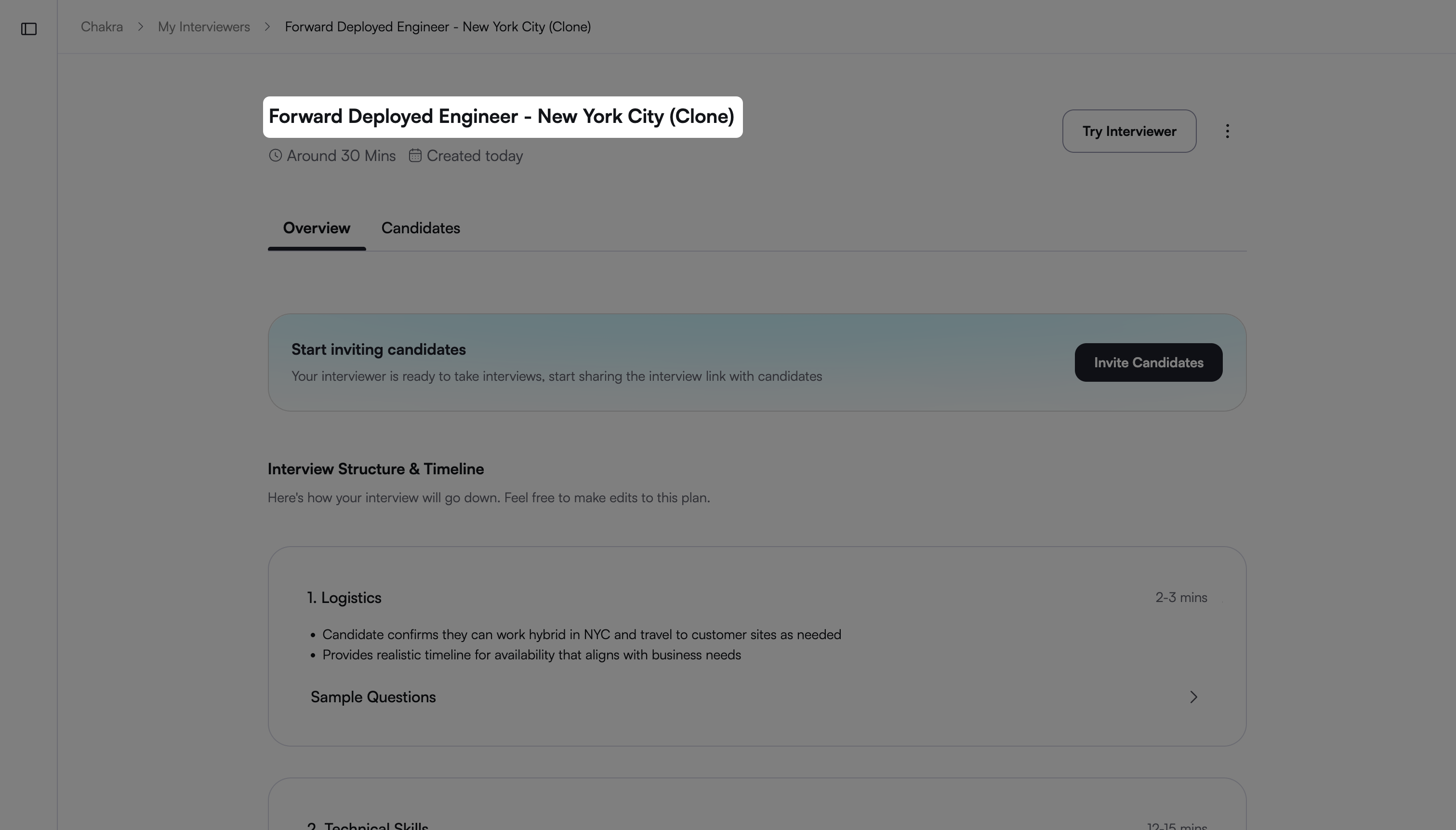
After cloning, update the AI interviewer to match your requirements. For example, rename the interviewer, modify sections, and update role-specific details.