Log In to HackerRank with Google Workspace Account
Last updated: March 25, 2026
HackerRank integrates with Google for Work to facilitate an easy and seamless remote interviewing experience.
As a part of this workflow, HackerRank users who have a Google for Work account can seamlessly log in to HackerRank without having to go through multiple steps of authenticating themselves into their HackerRank account. For example, remembering passwords, going through password managers, and so on. This results in a hassle-free interview scheduling experience saving you a lot of time and effort.
Note: If your company uses SSO, you can configure Google Workspace as your SSO provider through SAML. For more information on SAML, see 📄 SAML 2.0 Single Sign-on (SSO) .
Prerequisites
Your organization has an Enterprise plan with HackerRank.
You must have a predefined Google for Work account before you log in to the HackerRank account.
You must have a work account for Google that you use for the HackerRank login.
Signing In to HackerRank Account with Google for Work Login
Navigate to the HackerRank for Work Login page. The Google for work login is displayed along with the HackerRank login.
Click Continue with Google to log in to your HackerRank account.
The Choose an account page is displayed that shows all your Google for Work accounts.
Select an account that you have already used to log in to HackerRank. It must be your work account.
If you use an account that is not a work account, then an error is displayed: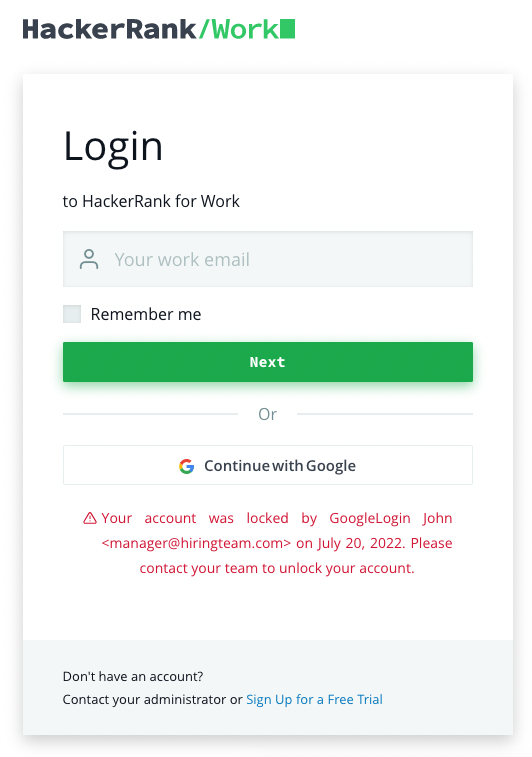
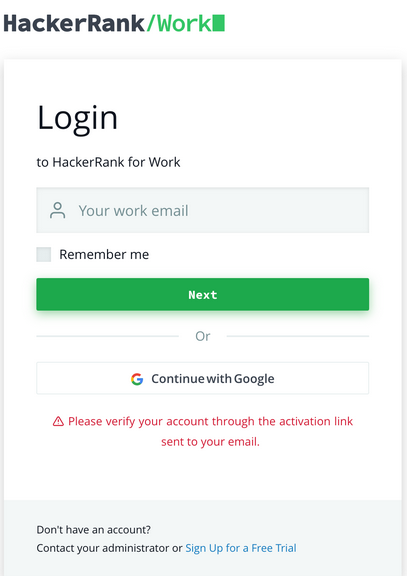
Also, if the account is not valid, an error message is displayed.


FAQs
My company uses an SSO for login to HackerRank. Can I use my Google Workspace account instead?
If your company enforces login through SSO, you cannot log in directly with the Continue with Google option. However, your admin can configure Google Workspace as your SSO provider through SAML.