Export Candidate Reports as a CSV
Last updated: October 19, 2026
You can export Chakra results for all candidates as a CSV file. The CSV file includes overall scores, section-level scores, and candidate summaries to help you analyze performance, compare candidates, and share results.
Exporting candidate reports as a CSV
To export reports for all candidates as a CSV file:
Log in to Chakra using your credentials.
Click the sidebar icon and select My Interviewers.
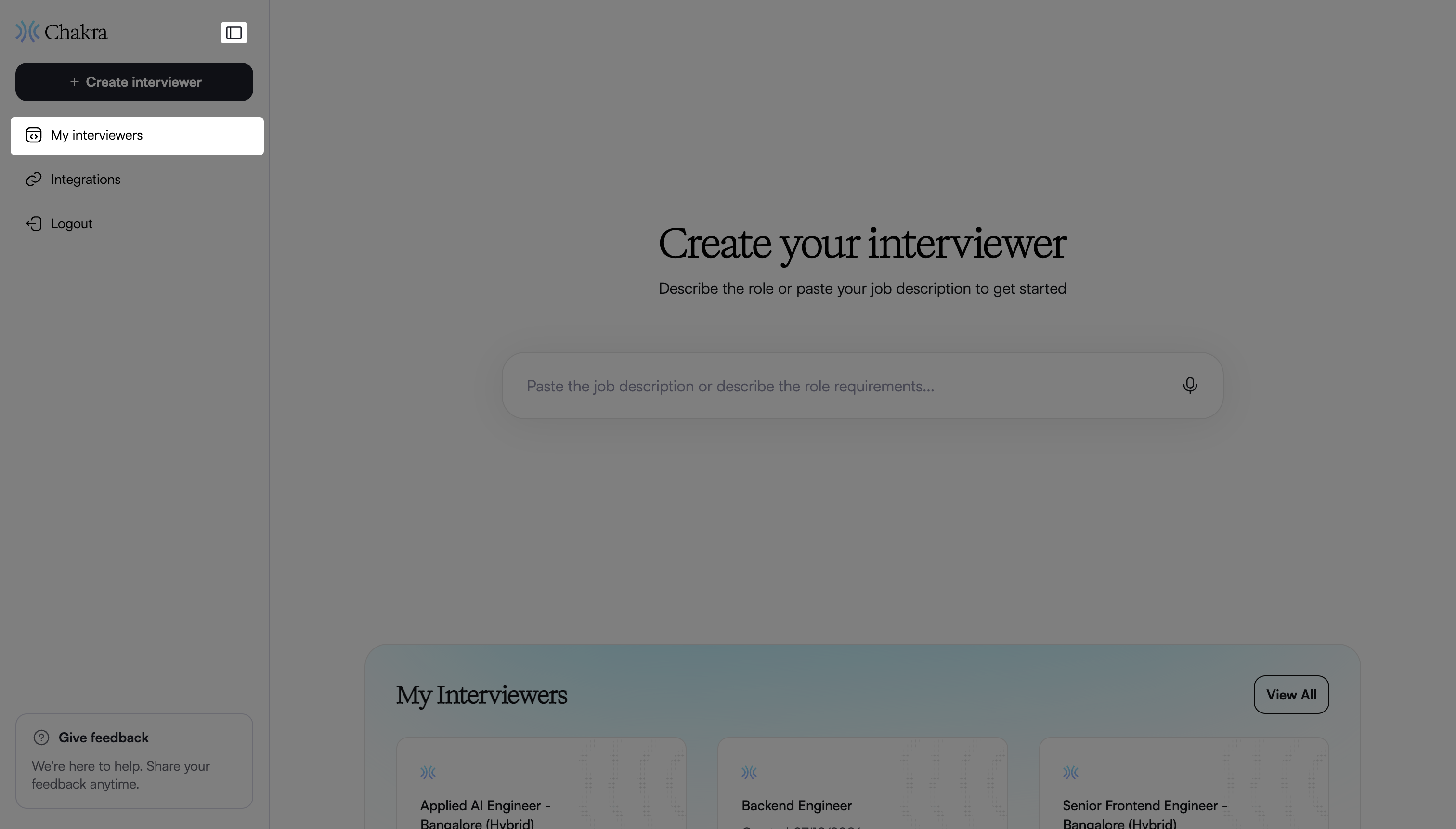
Select the interview for which you want to view candidate reports.
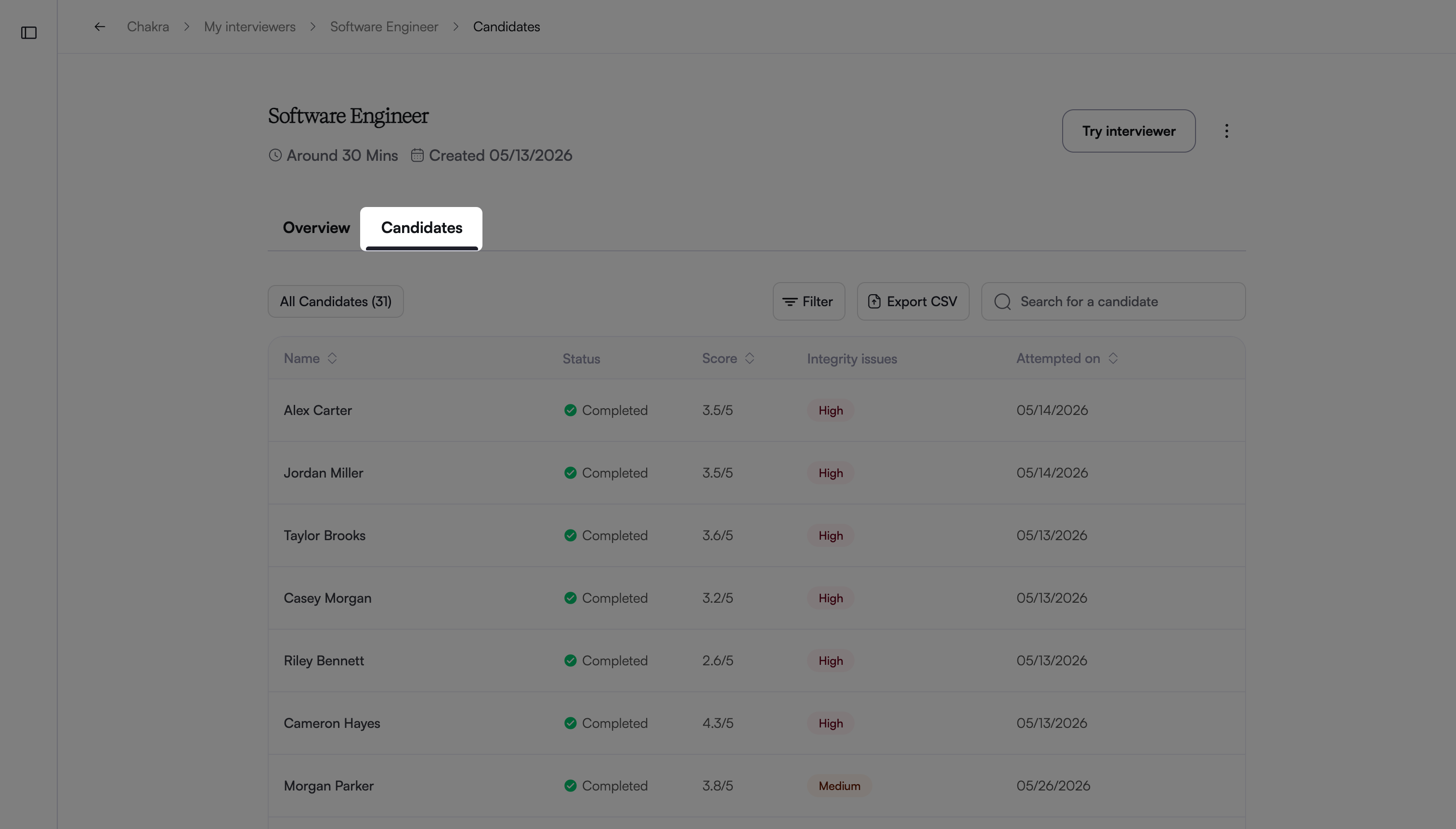
Go to the Candidates tab.
Click Export CSV.
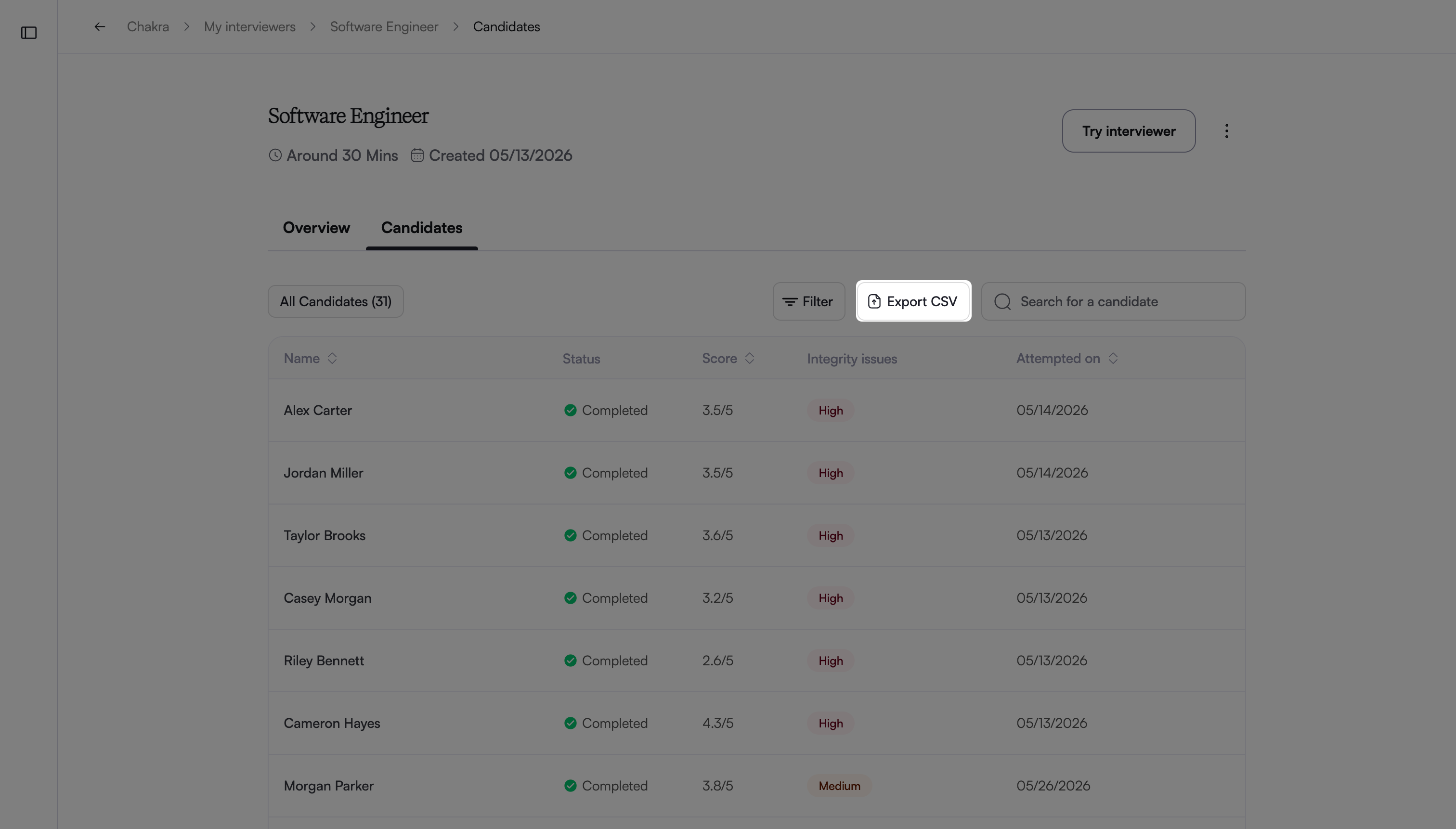
The CSV file downloads to your system.