Archive a Question
Last updated: September 25, 2025
Archive a question when it is no longer in use but you want to keep it for future reference. You can archive only questions created by you or your team members in your organization.
Prerequisite
Your organization must have created at least one question.
Archiving a question
To archive a question:
Log in to your HackerRank for Work account using your credentials.
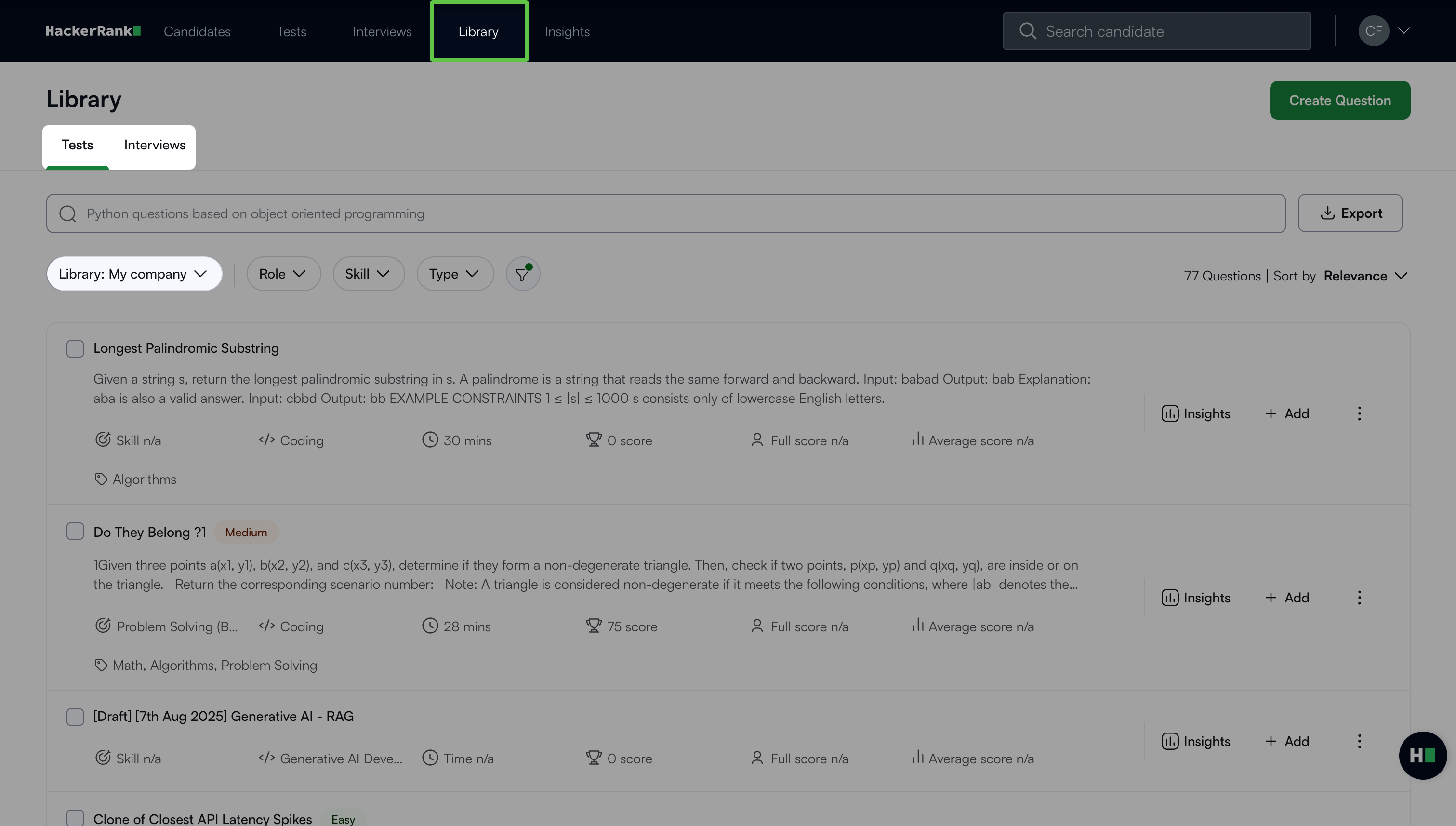
Go to the Library tab.
Select the Tests or Interview tab.
Select My Company as the source of questions from the Library drop-down.
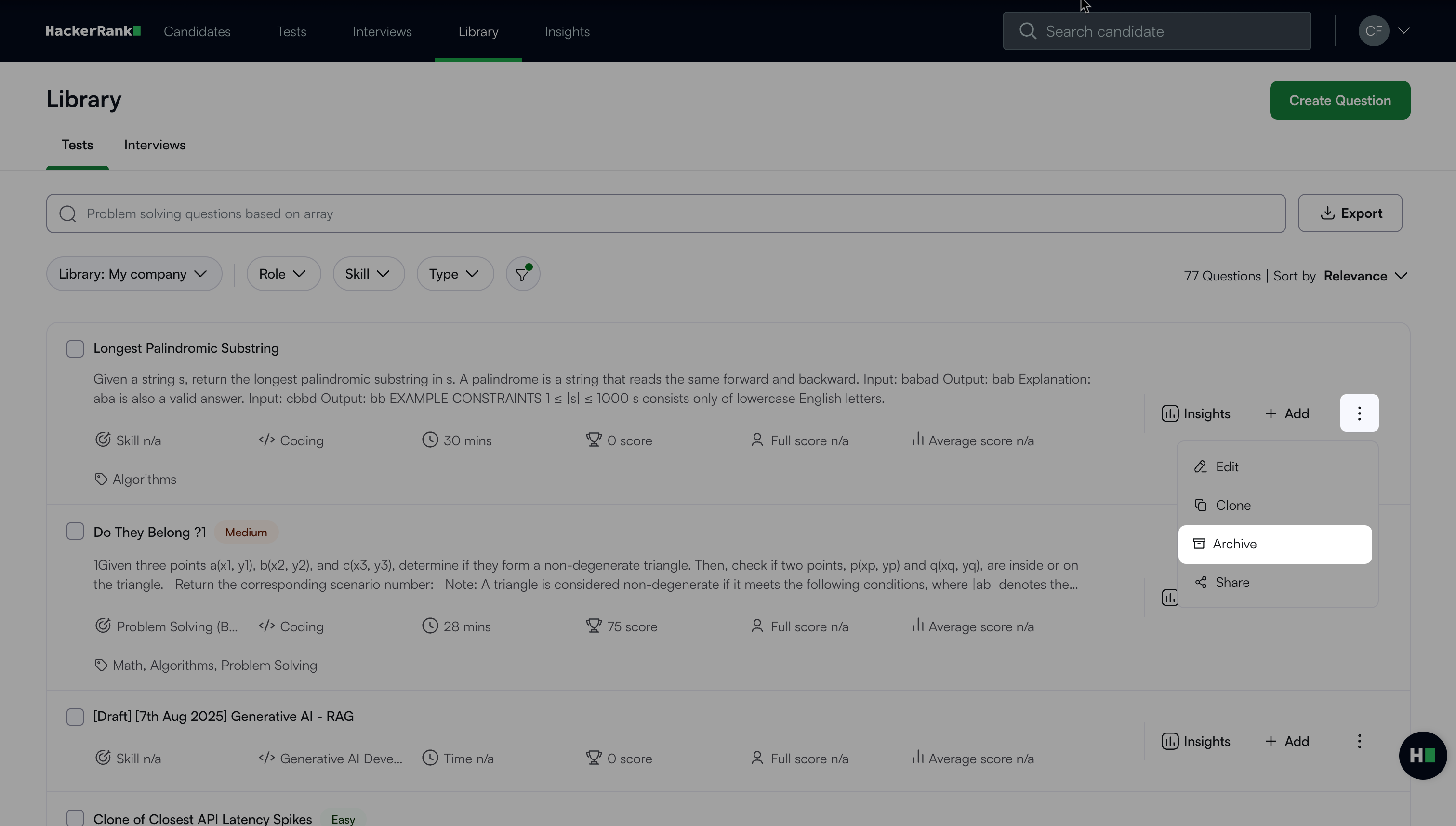
Click the more options menu (⋮) next to the question and select Archive. A success message appears.
Note:
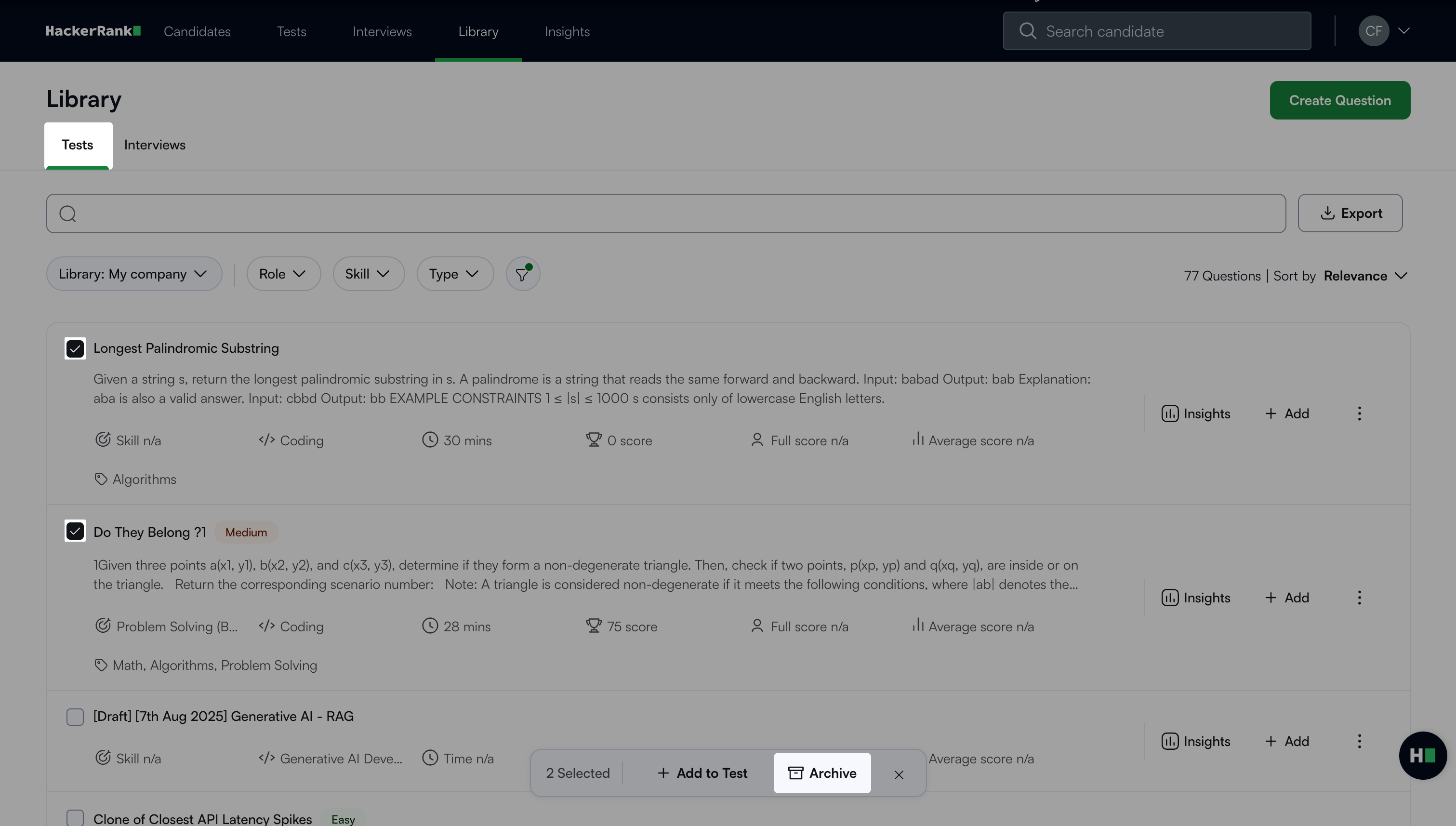
You can archive multiple questions at once. Select the checkboxes next to the questions and then click Archive.
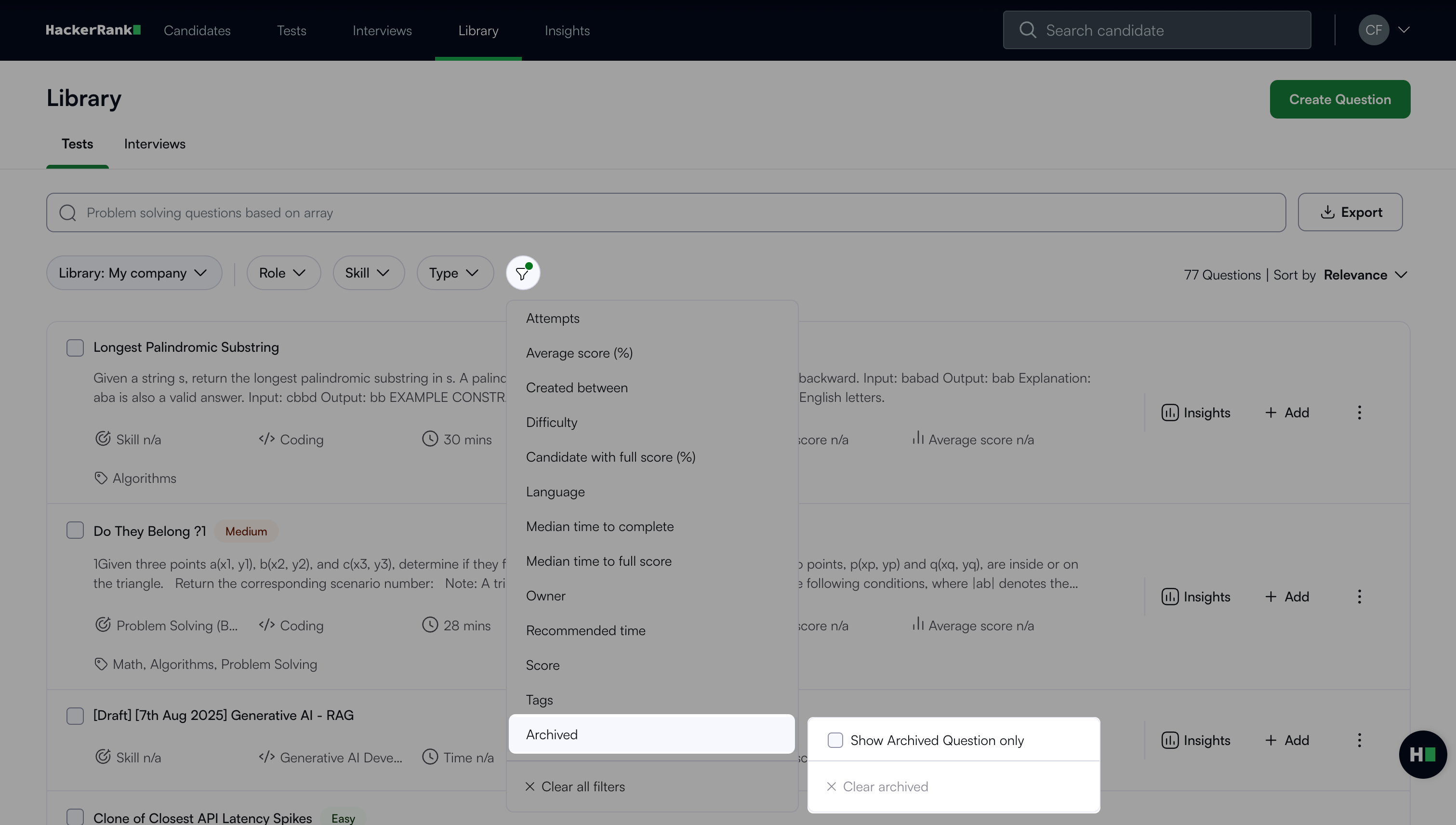
To view archived questions, select the Filter icon, choose Archived > Show Archived Questions Only. To clear archived questions, select Clear Archived.
Unarchiving a question
You can restore archived questions if you need to use them again.
To unarchive a question:
Go to the Library tab.
Select the Tests or Interview tab.
Select My Company as the source of questions from the Library drop-down.
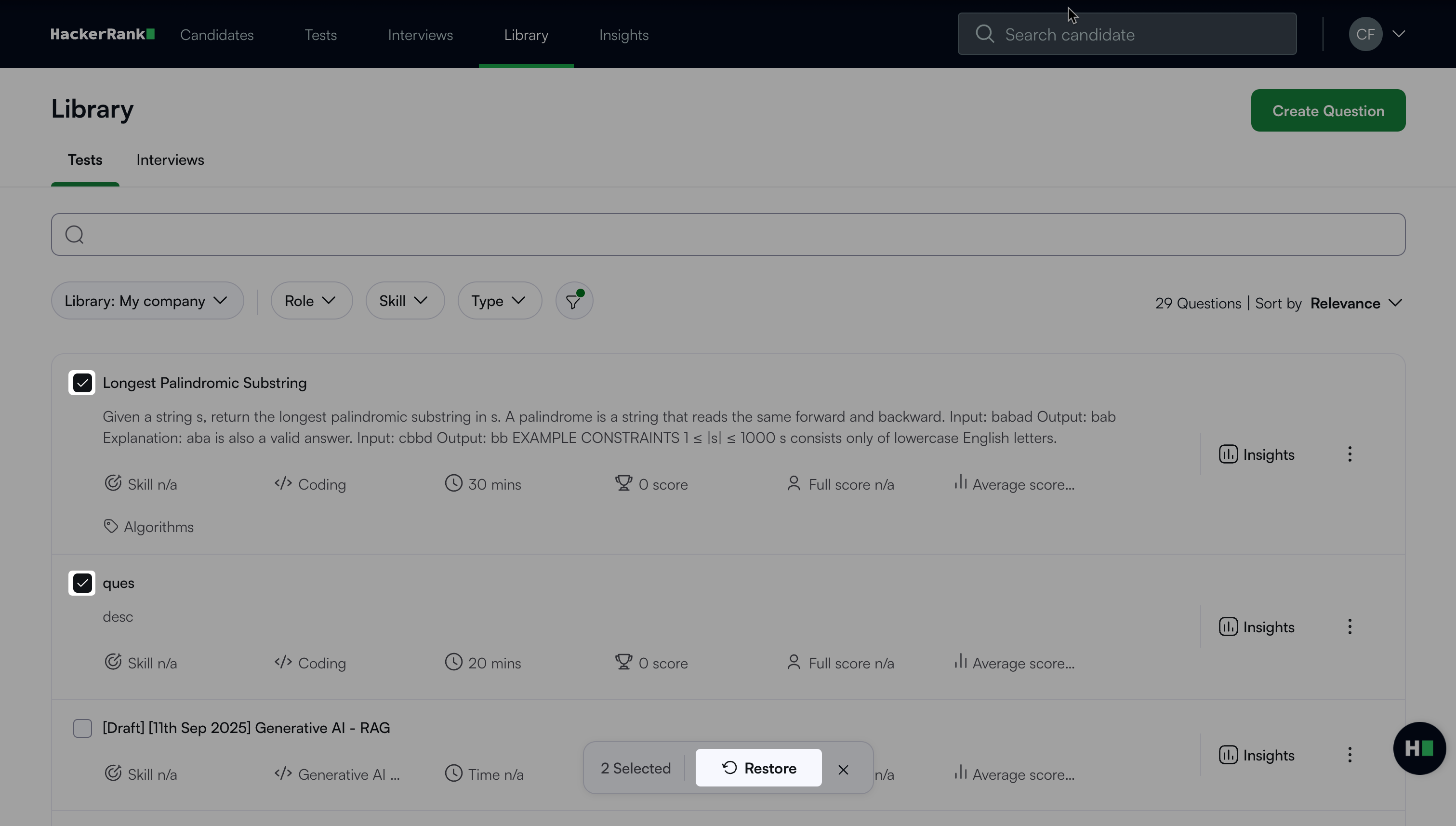
Select the Filter icon and choose Archived > Show Archived Questions Only. Only archived questions appear.
Click the more options menu (⋮) next to the question and select Restore. A success message appears.
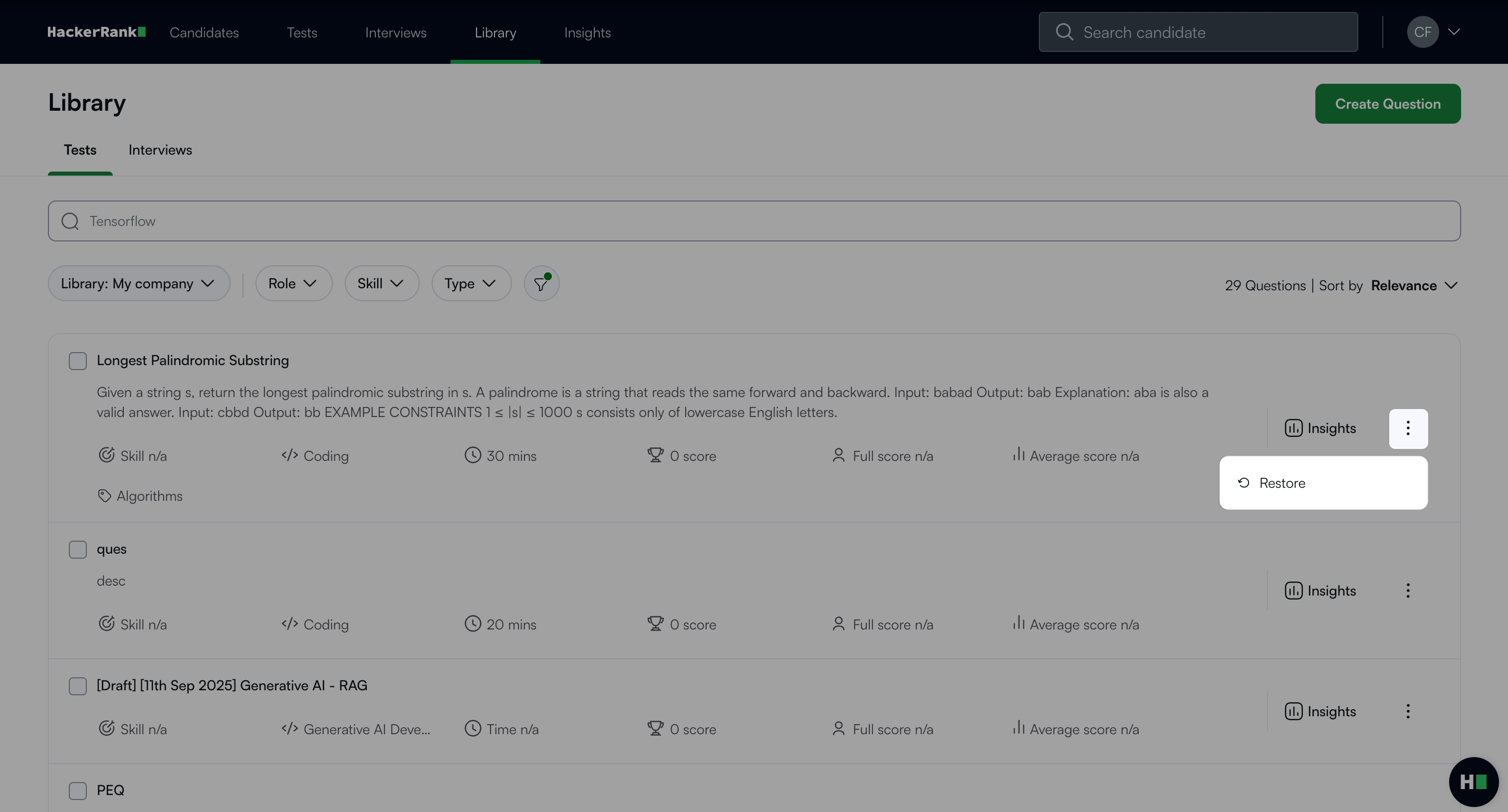
Note: You can unarchive multiple questions at once. You can unarchive multiple test questions at once. From the archived questions filter, select the checkboxes next to the tests and click Restore.