Edit a Question
Last updated: August 14, 2025
You can edit questions in your personal library that appear under the My company questions section. This section displays all questions created by you and other team members in your company.
Note: You can edit only the questions in your company library. HackerRank library questions are not editable.
Prerequisites
The question must exist in your personal library, and you must have permission to edit it.
Editing a question
To edit a question in your company library:
Log in to your HackerRank for Work account using your credentials.
Go to the Library tab.
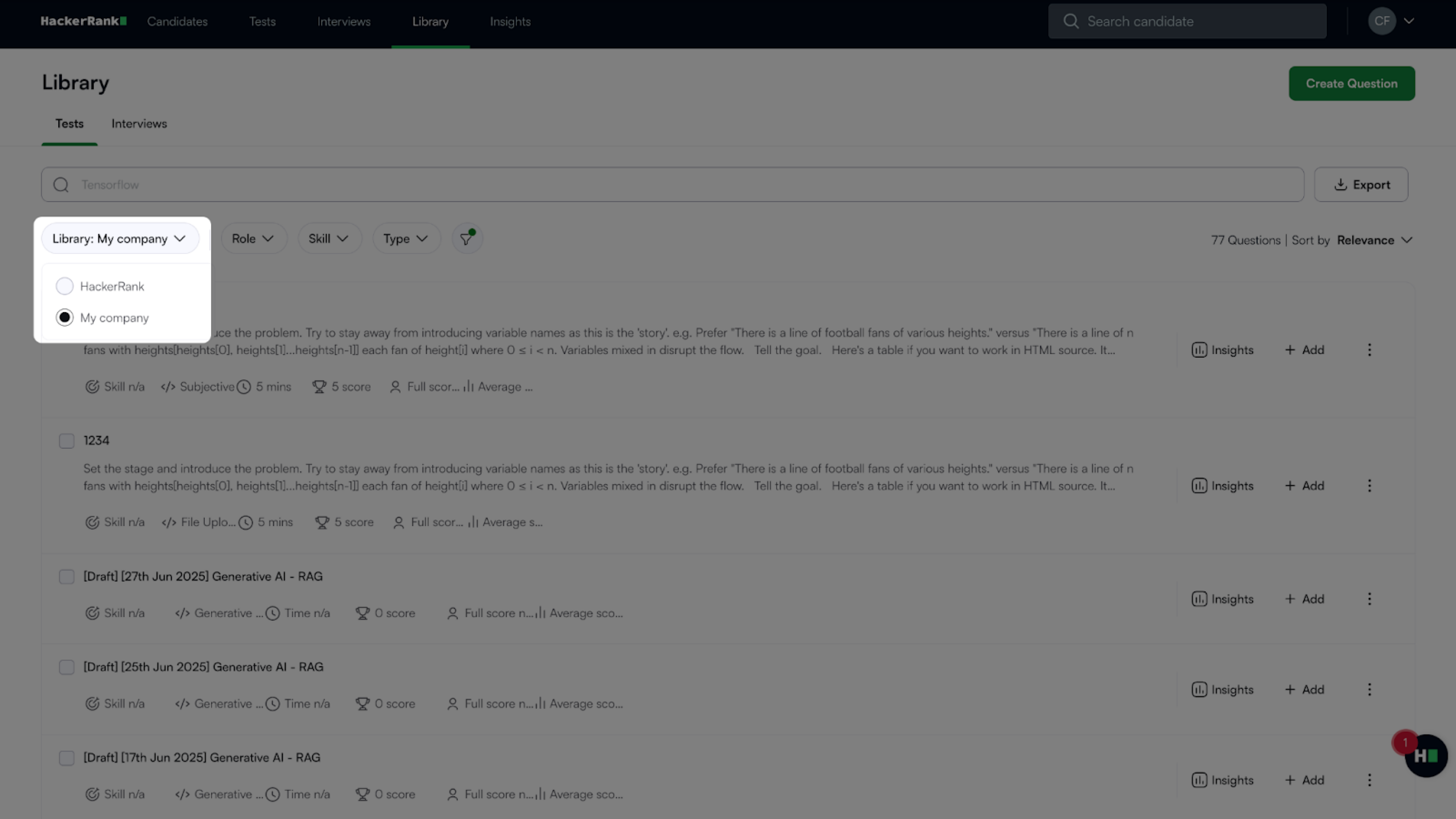
From the Library dropdown, select My company to view questions created by you and other team members in your company.
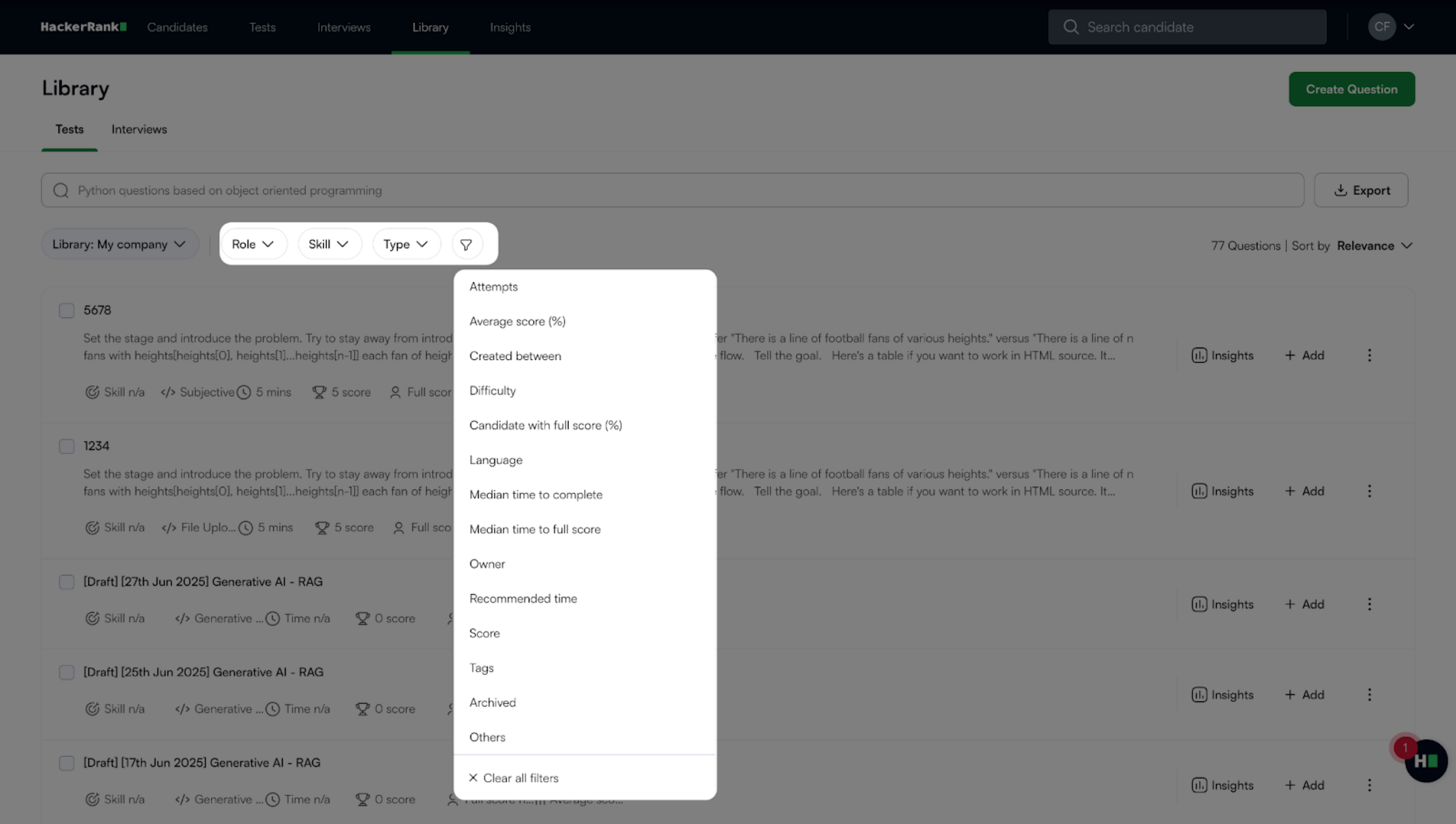
(Optional)Filter the list by Role, Skill, Type, or other parameters.
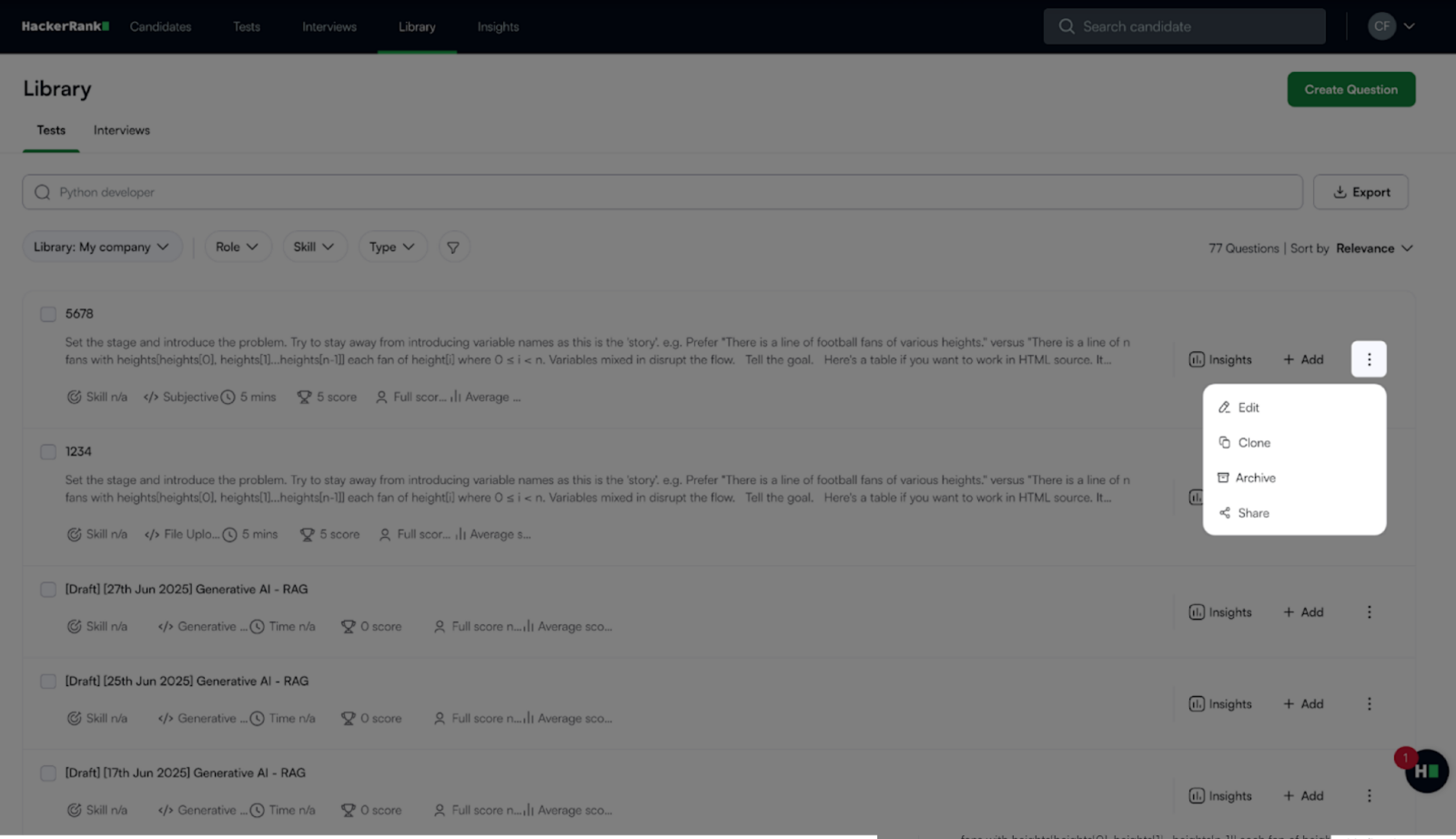
Locate the question you want to edit and do one of the following:
Click the More options menu (⋮) next to the question and select Edit.
Click the question title to open the preview pane, then click Edit.
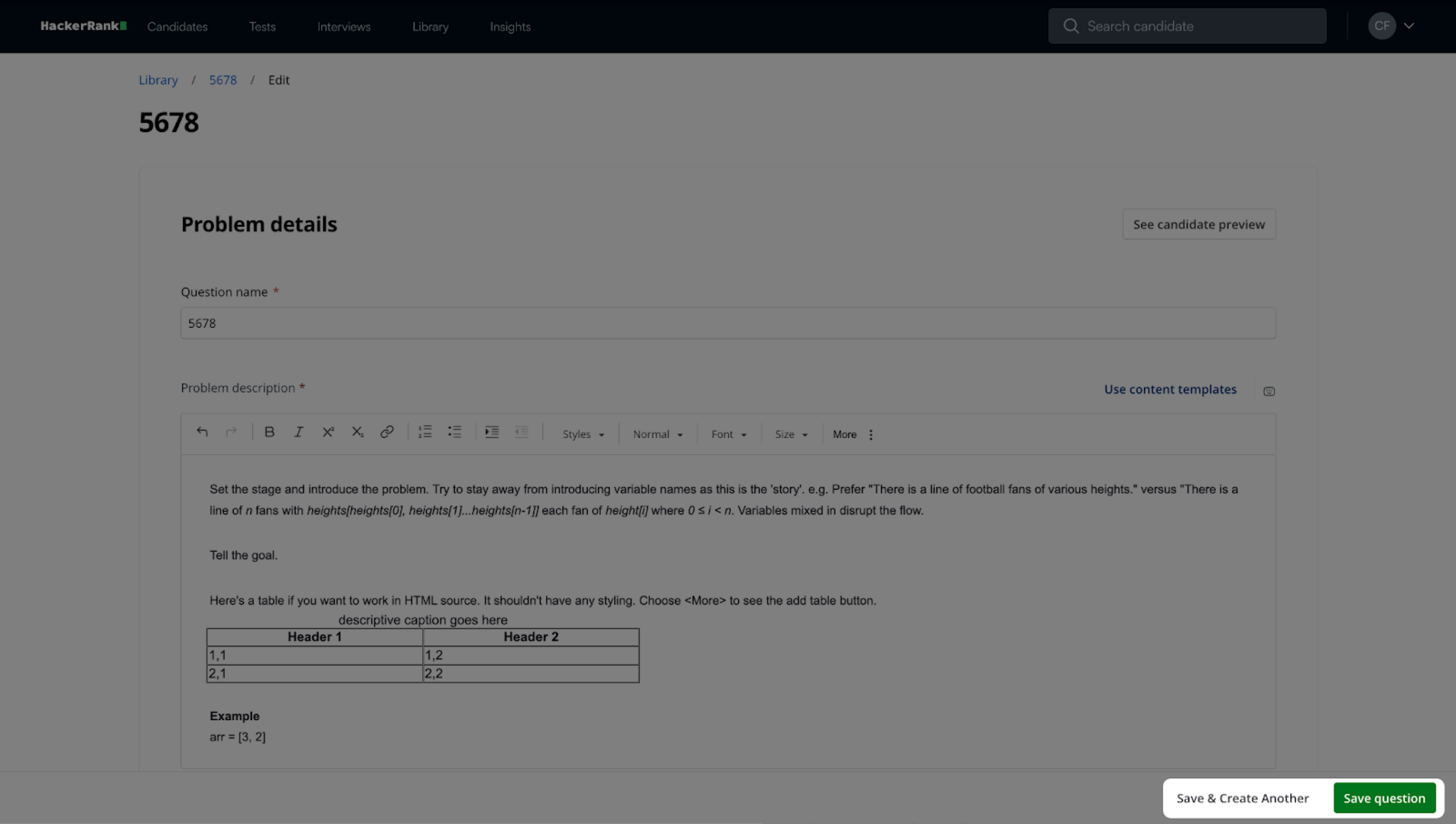
Make the required changes.
For detailed instructions on creating each question type, see Creating Custom Questions section. You can use similar steps to modify a question.
Click Save Question to save your changes, or click Save & Create Another to continue editing another question.