Create a Question
Last updated: June 6, 2026
HackerRank for Work allows you to create questions based on your hiring requirements. You can create questions from the Library or while creating or editing a test.
Creating a question from the Library
You can use the following links to view steps for creating different types of questions from the Library:
Creating a question while editing a test
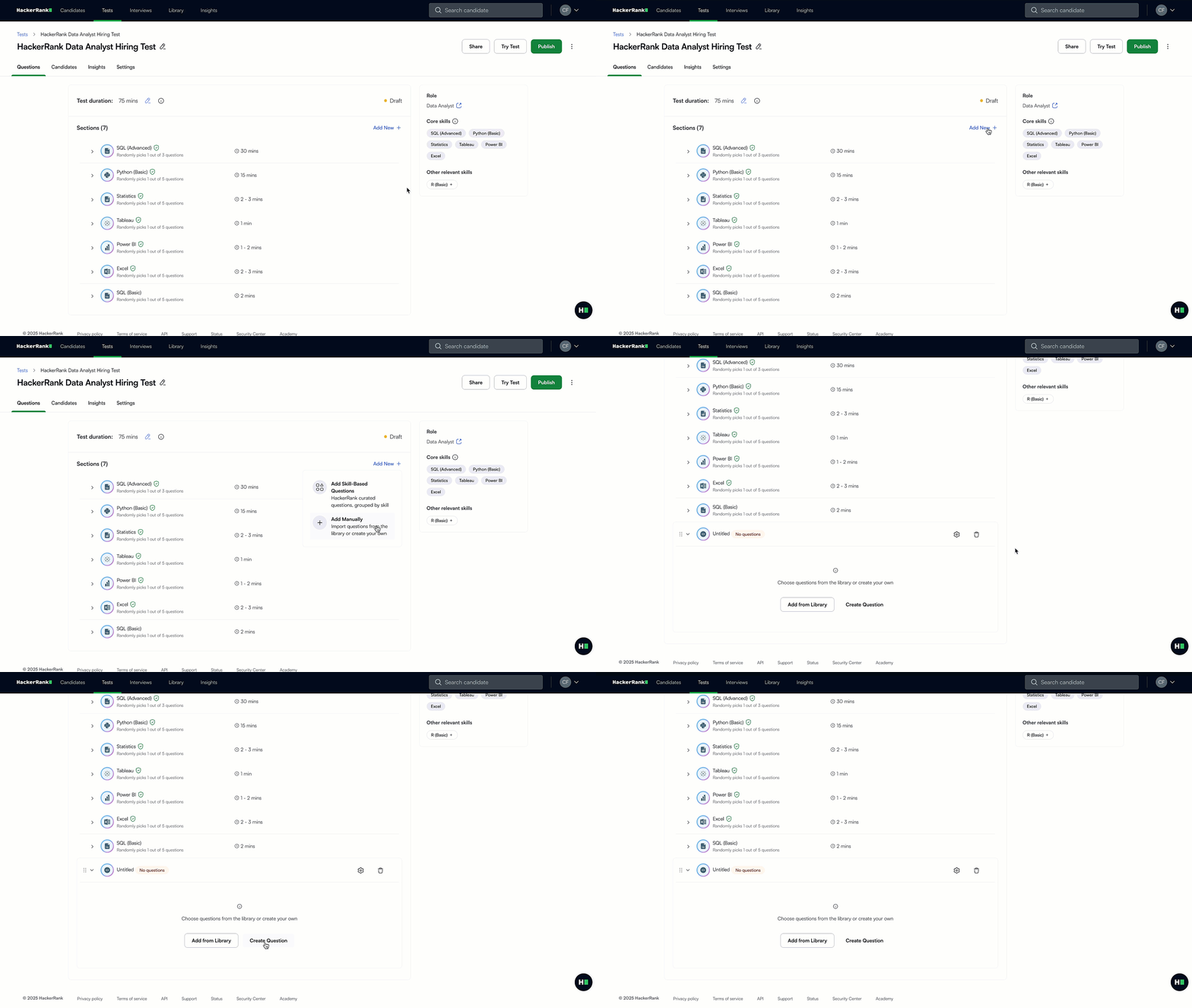
To create a question directly from a test:
Log in to your HackerRank for Work account using your credentials.
Go to the Tests tab.
Open the test you want to edit.
Go to the Questions tab.
Select Add New next to Sections.
Select Add Manually. A new section labeled Untitled appears at the bottom of the list.
Click Create Question. The platform opens the question creation flow in the Library. You can select a question type and complete the required details. For more information, see Creating a question from the Library.
Note: All questions you create are saved in the My Company Library.