View Test Question Insights
Last updated: January 27, 2026
HackerRank provides insights into every test question to help recruiters analyze candidate performance across multiple parameters. The insights show how candidates approach a question and their success rate in solving it. You can use this analysis to select suitable questions for your test.
Prerequisite
The question must be used at least once in a test.
Viewing test question insights
To view test question insights:
Log in to your HackerRank for Work account using your credentials.
Go to Library > Tests.
Locate the question and click Insights. The system opens the Question Insights dashboard.
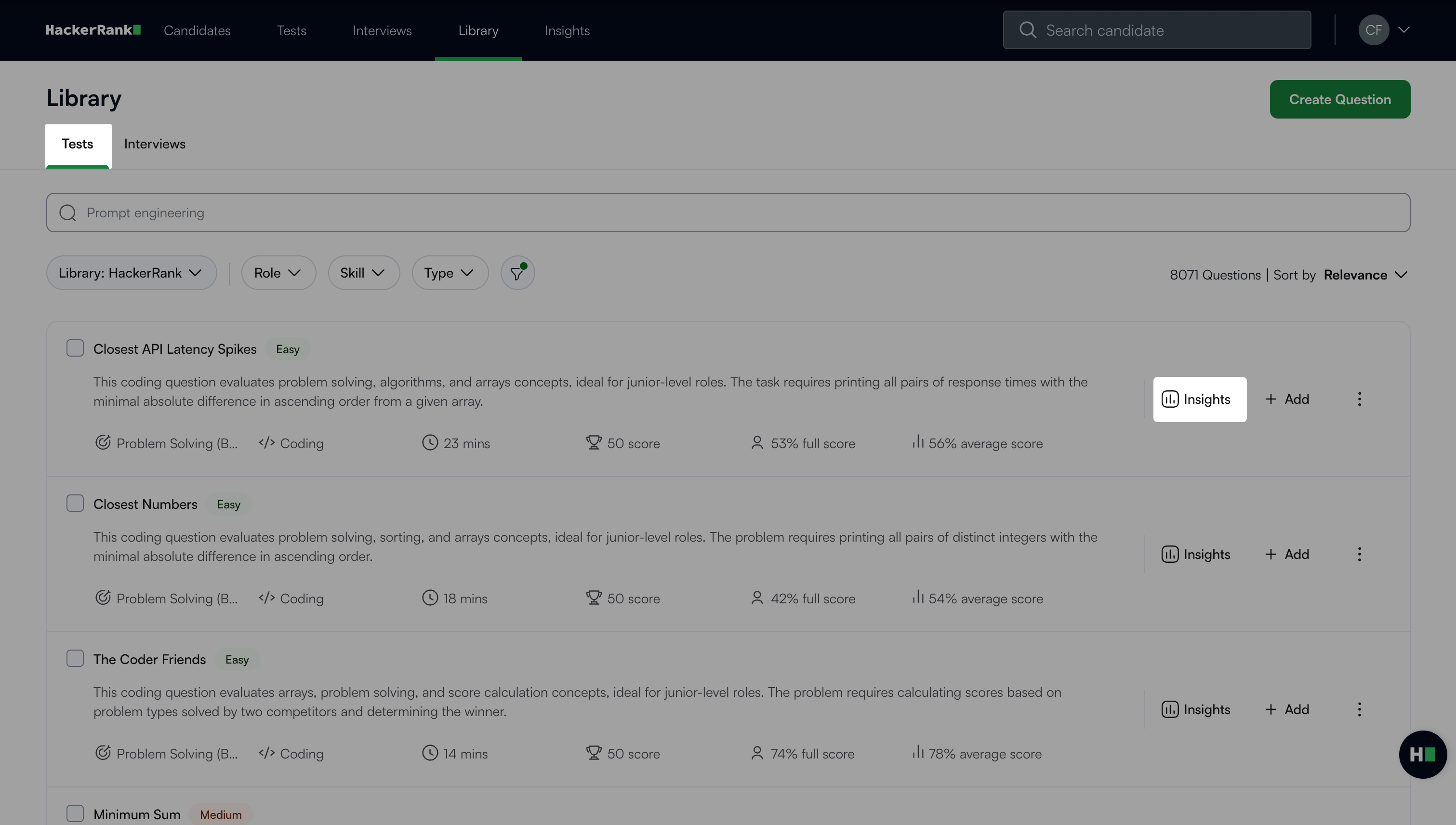
Question insights dashboard
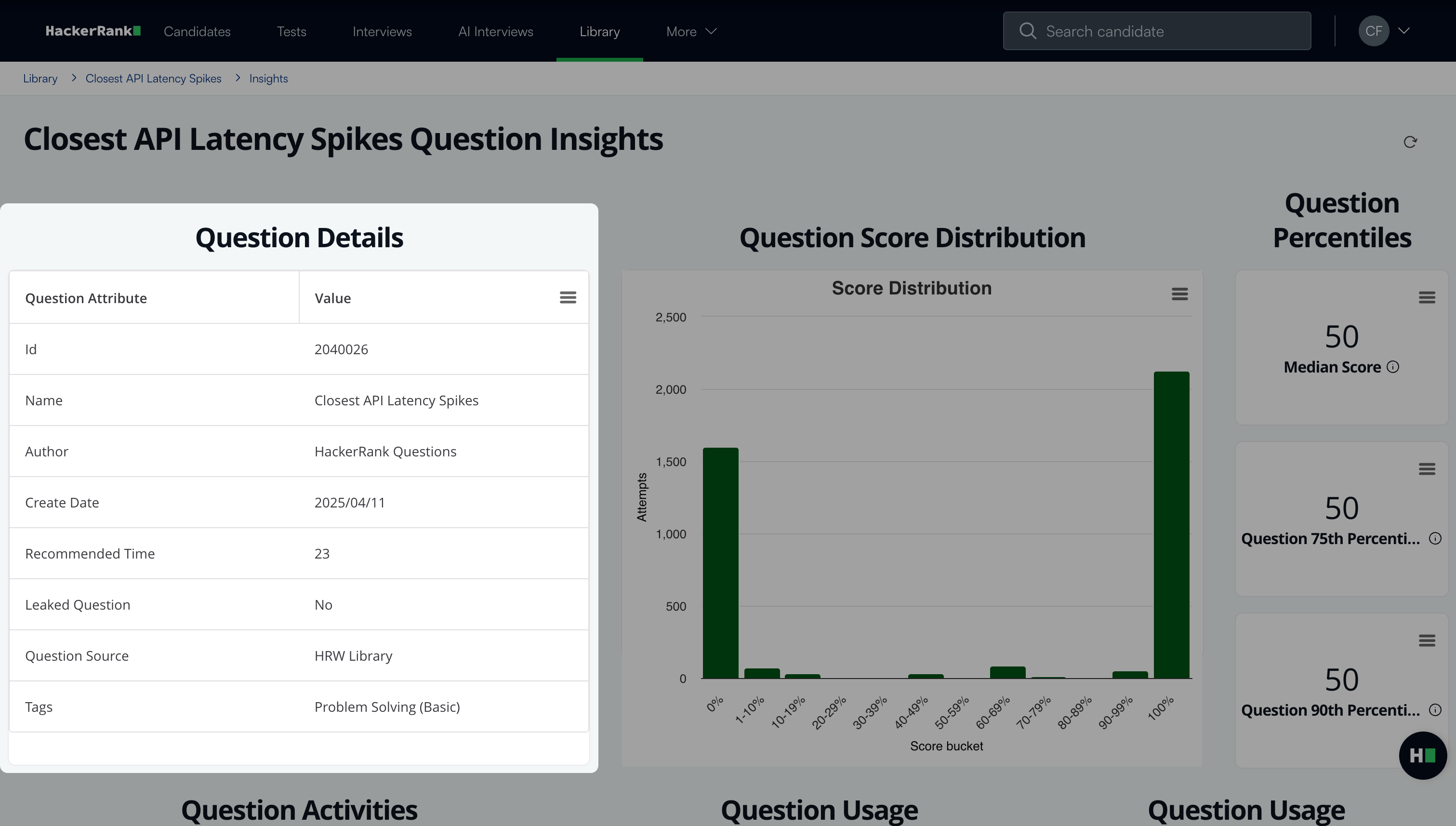
The dashboard includes the following sections:
Question details: Displays basic information about the question, such as question name and author, date created, recommended time, and source.
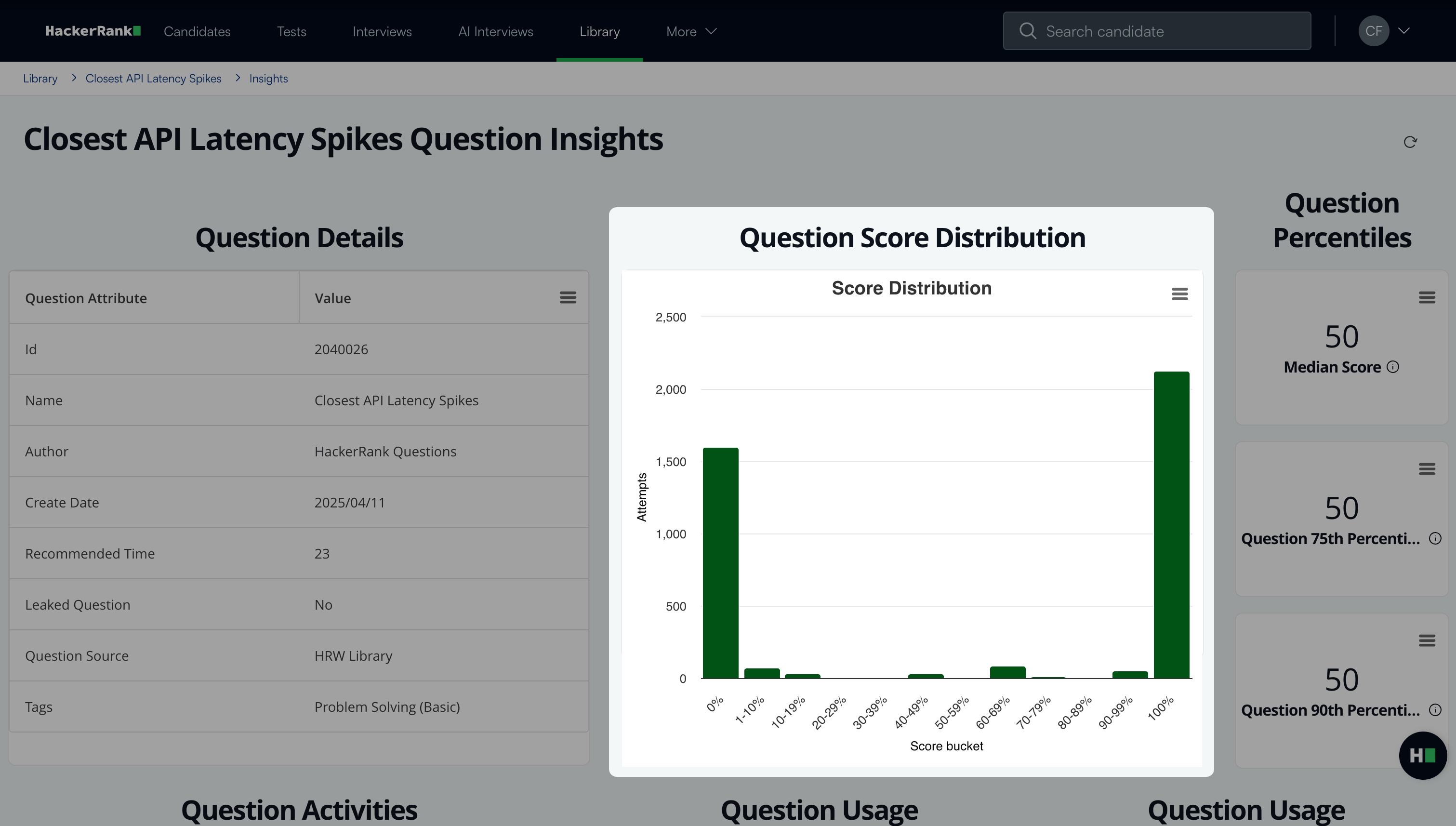
Question score distribution: Displays a score distribution graph that shows the percentage of candidates who achieved each score range for the question.
Question percentiles: Displays score benchmarks across candidates who attempted the question:
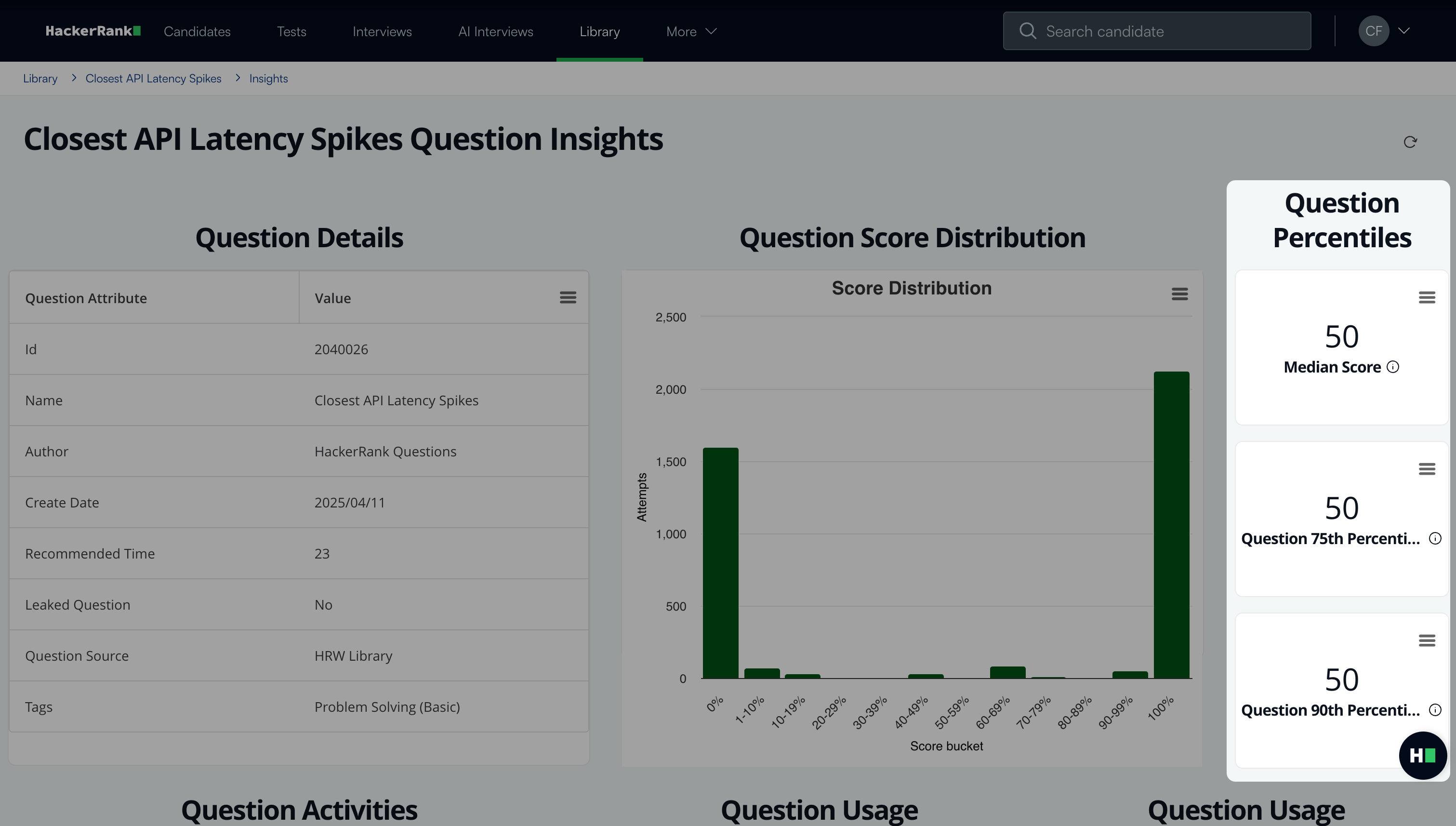
Median score: 50% of candidates scored less than or equal to this value.
75th percentile: 75% of candidates scored less than or equal to this value.
90th percentile: 90% of candidates scored less than or equal to this value.
Question activities: Provides activity metrics for the question.
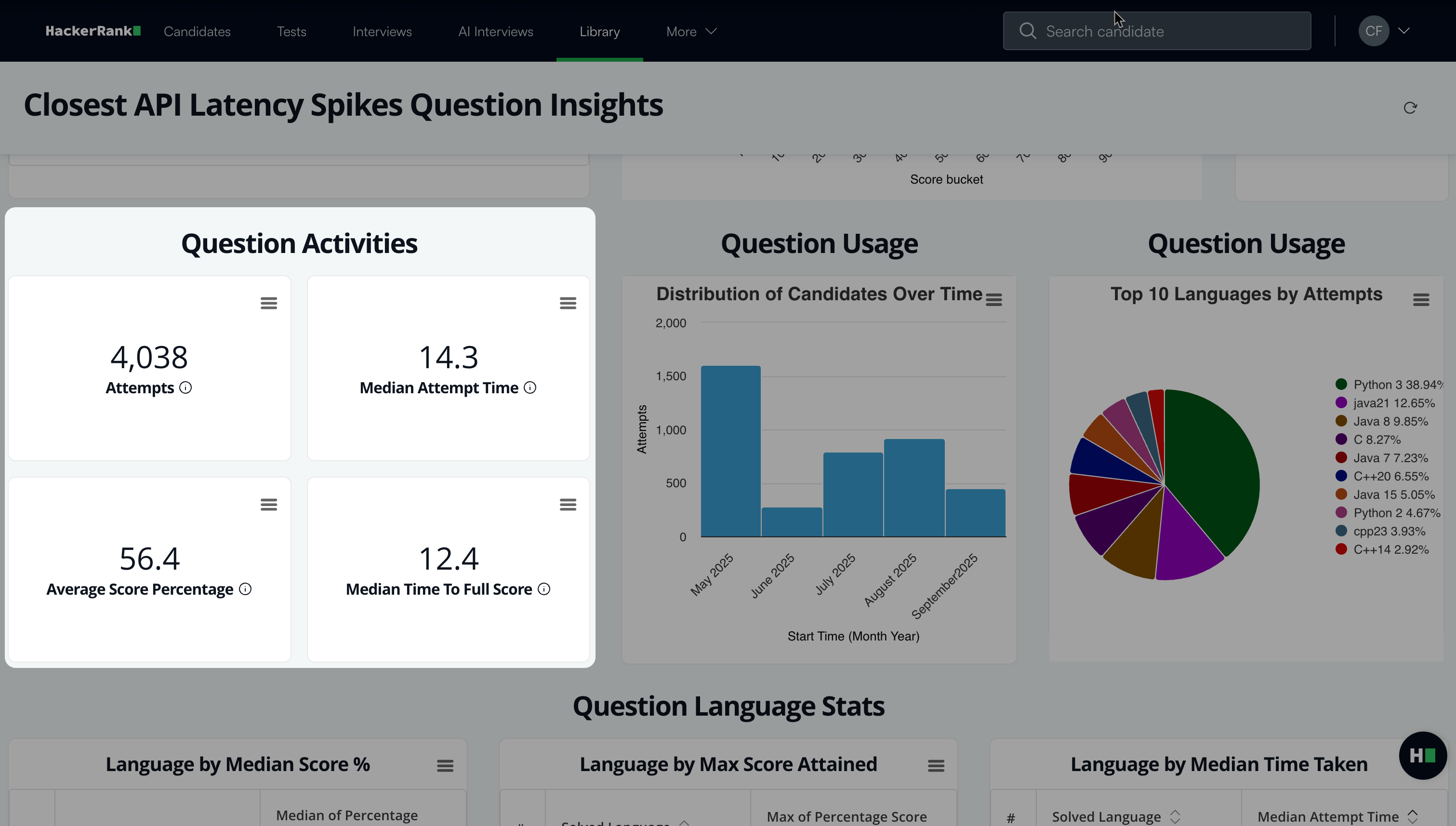
Attempts: Total number of candidates who attempted the question.
Median attempt time: Time within which 50% of candidates completed their attempt.
Average score percentage: Average score across all attempts.
Median time to full score: Time within which 50% of candidates who scored 100% completed the question.
Question usage: Shows how often the question has been used and in which languages.
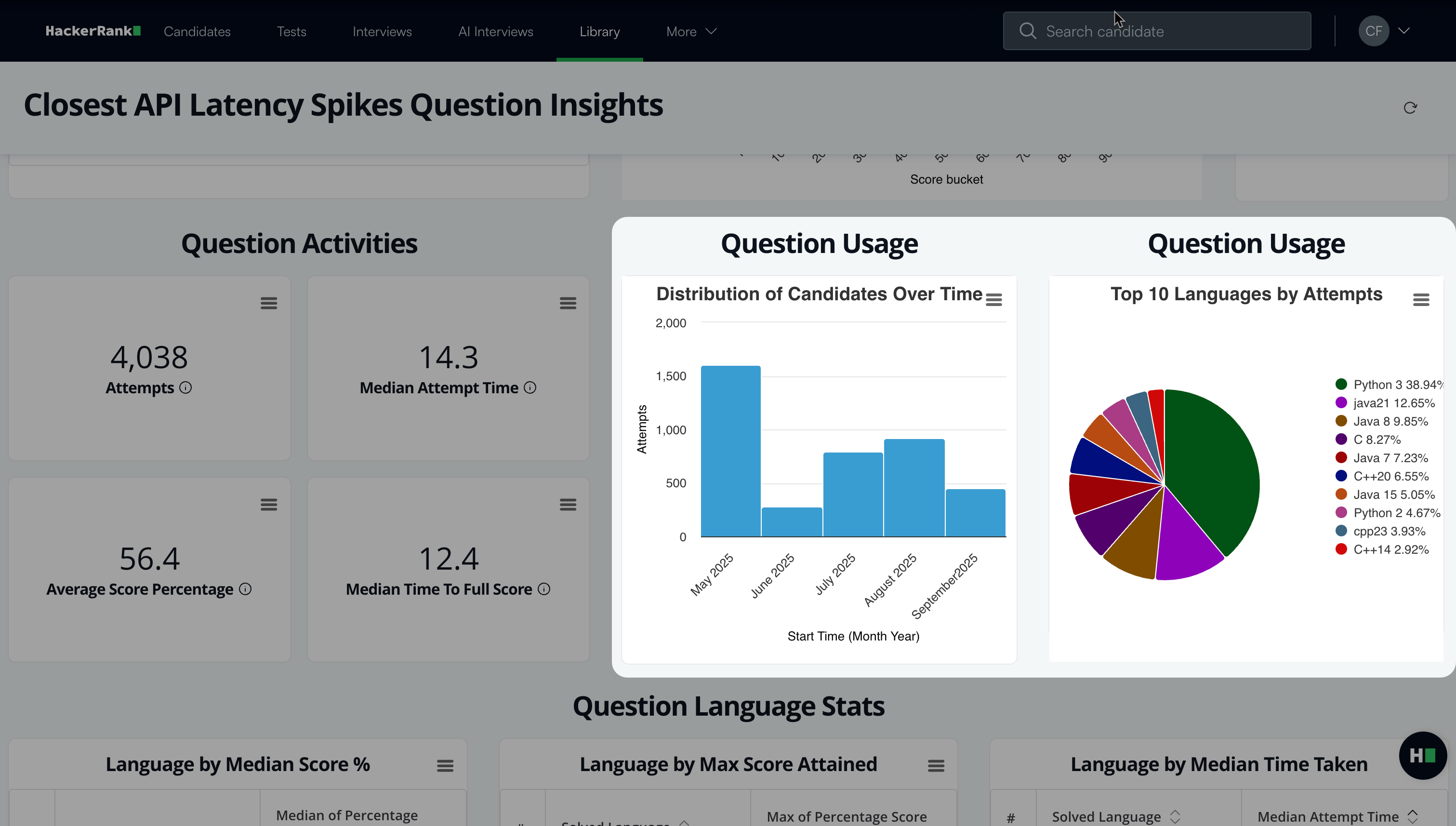
Distribution over time: Number of candidates who attempted the question each month since its creation.
Top 10 languages by attempts: Most common programming languages used to attempt the question.
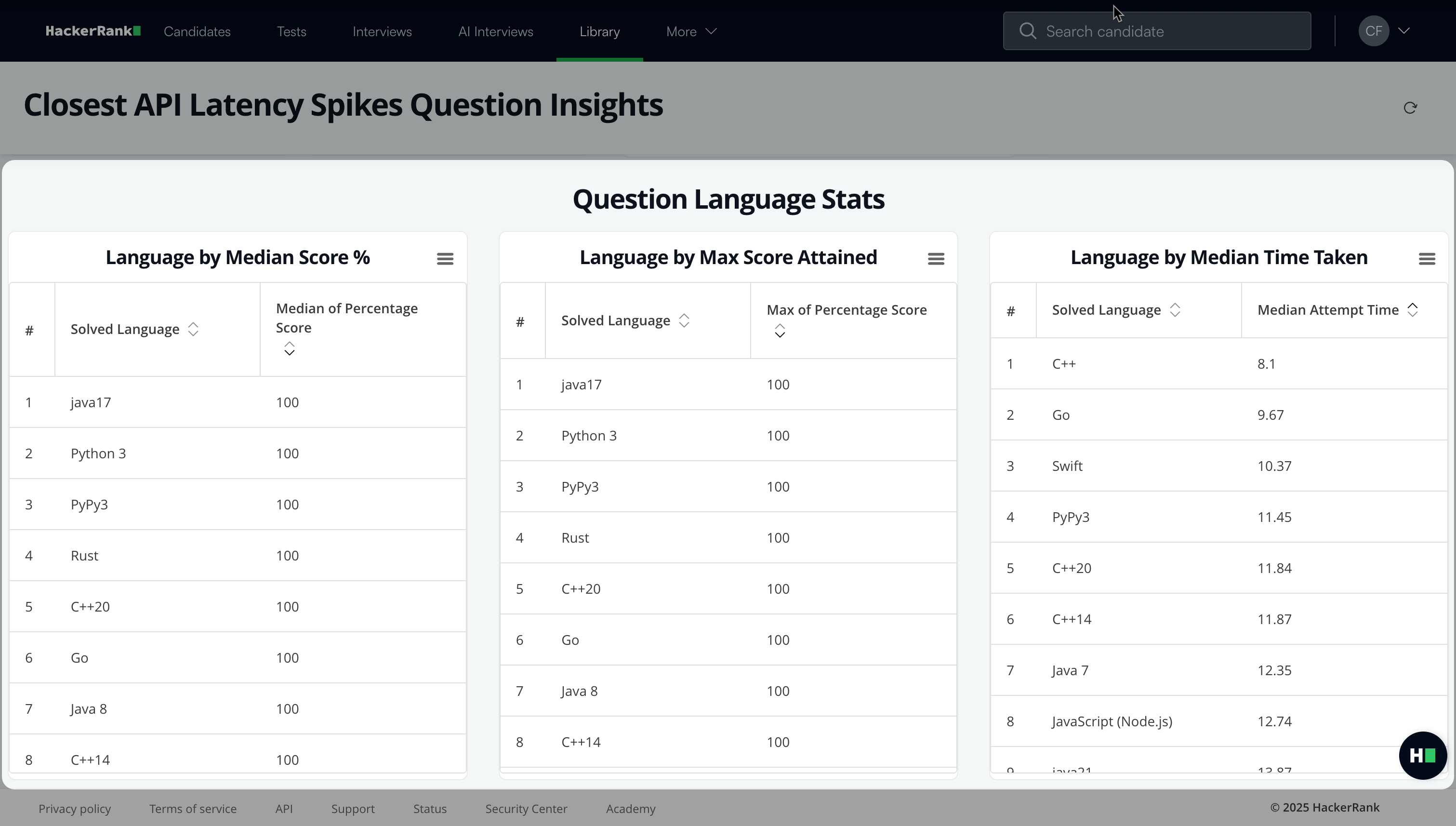
Question language stats: Displays a table with programming language statistics such as language by median score in percentage, language by maximum score attained, and language by median time taken.
Dashboard actions
For each dashboard section, click the more option menu to access the following options:
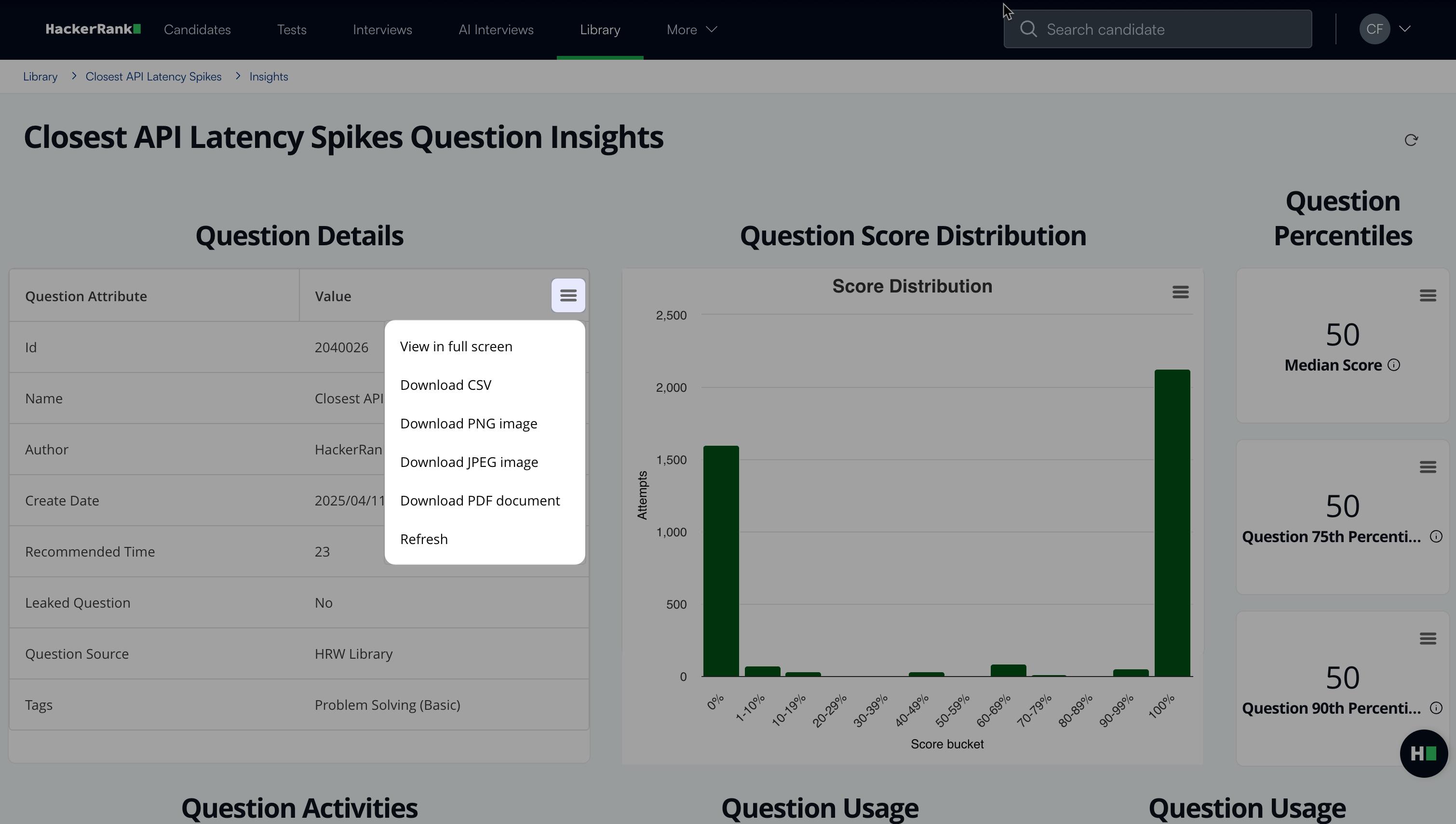
View in full screen: Expand the dashboard to full-screen mode
Download CSV: Exports the data as a CSV file.
Download PNG: Exports the data as a PNG image.
Download JPEG: Exports the data as a JPEG image.
Download PDF: Exports the data as a PDF document.
Refresh: Reloads the displayed data.