Share a Question
Last updated: September 25, 2025
You can share questions created by you and your team members in your organization. You can grant Viewer or Editor access, or transfer ownership to another team member.
Prerequisite
Your organization must have created at least one question.
Sharing a question
To share a question with another team member:
Log in to your HackerRank for Work account using your credentials.
Go to the Library tab.
Select the Tests or Interviews tab.
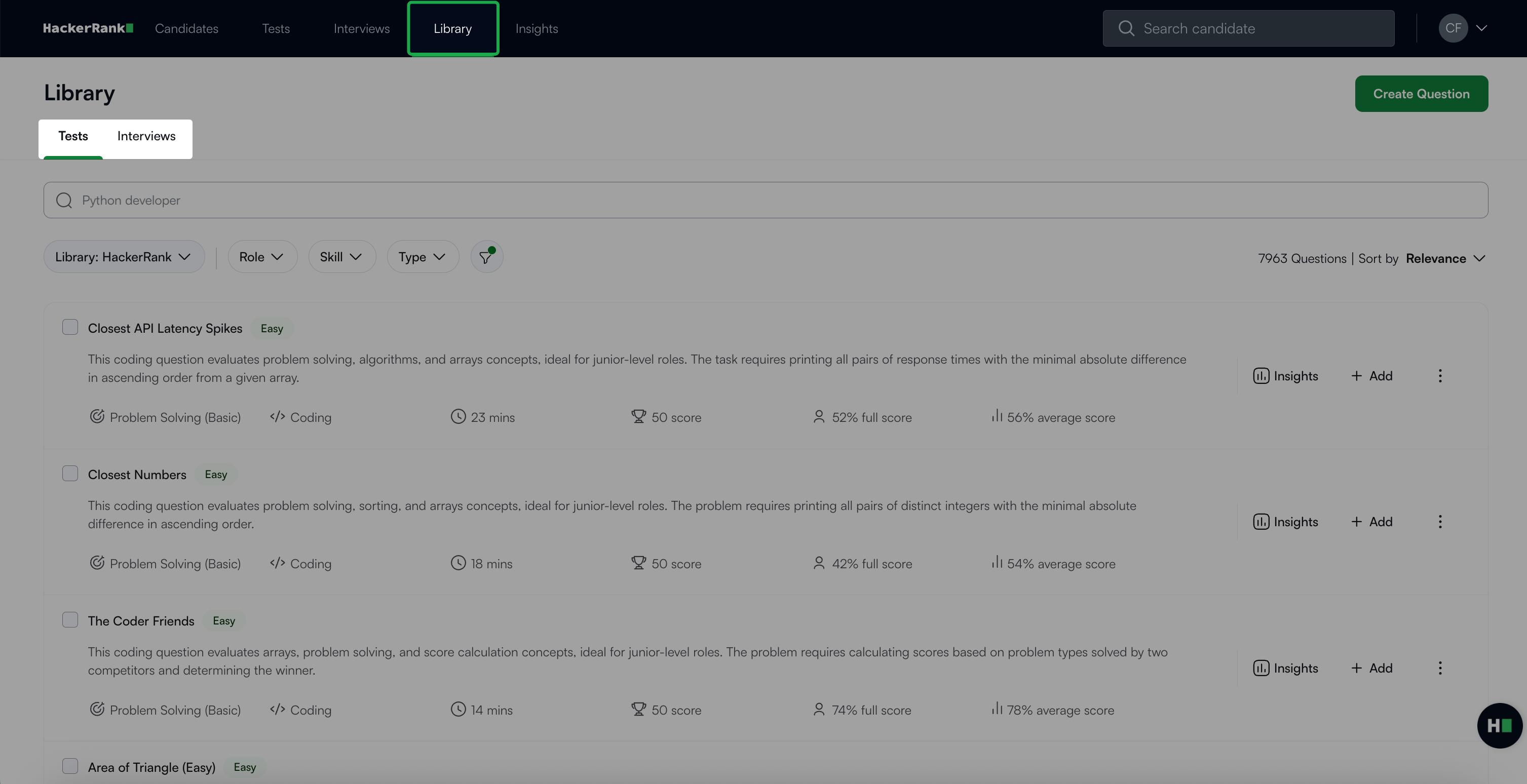
Select My Company as the source of questions from the Library drop-down.
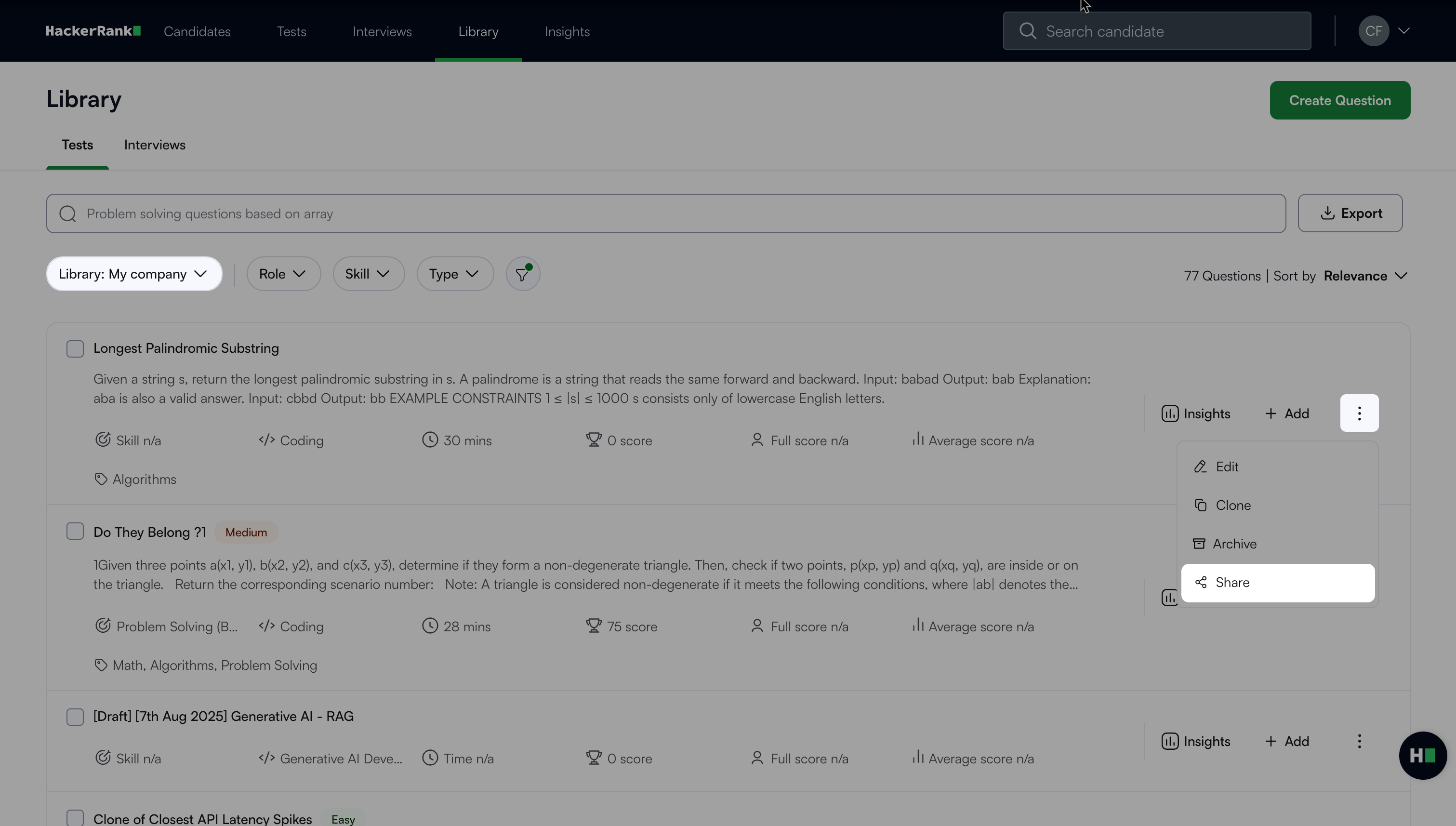
Click the more options menu (⋮) next to the question and select Share.
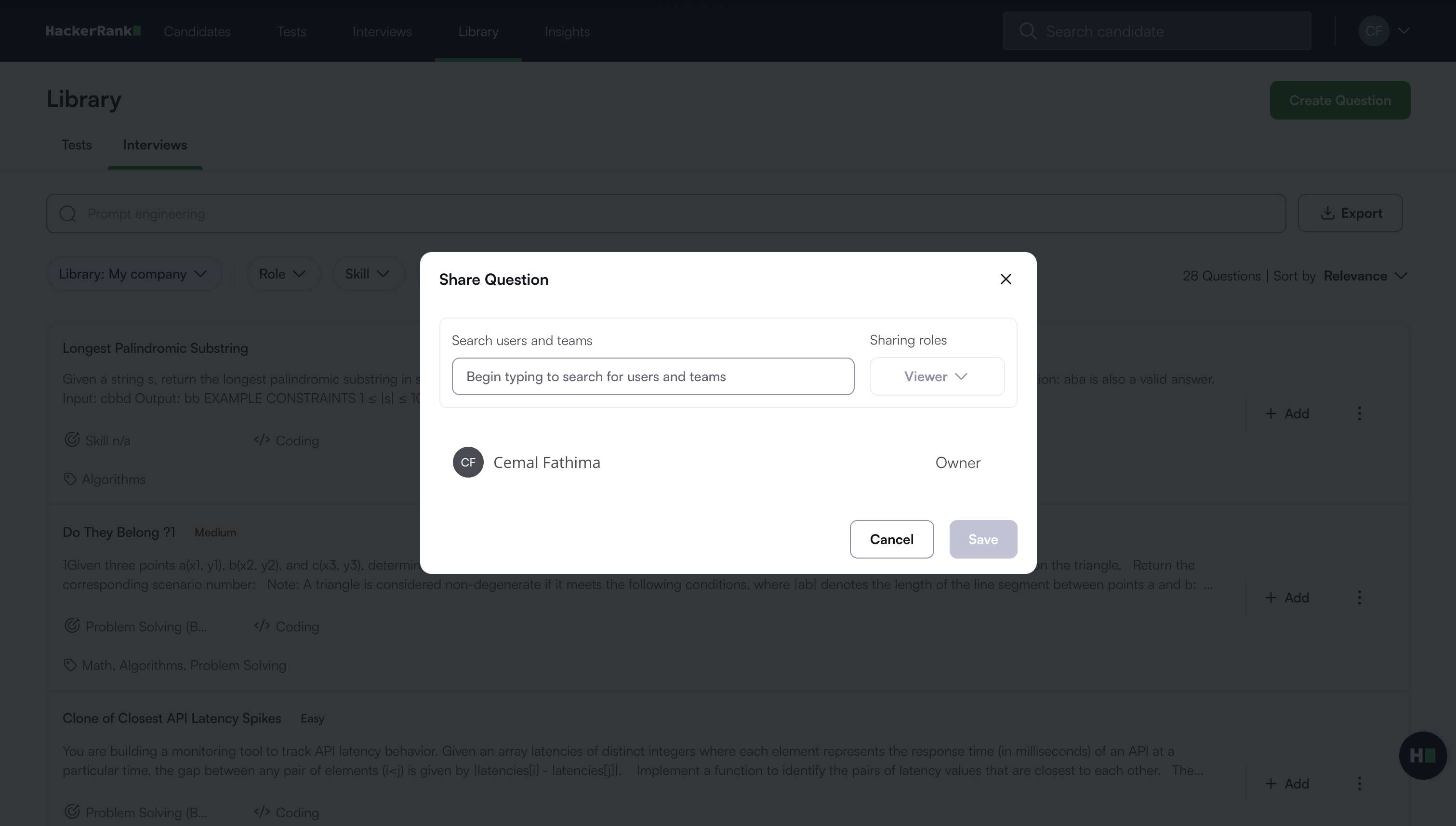
In the Share Question dialog box, enter a user or team name in the Search users and teams field.
Choose a sharing role from the drop-down list:
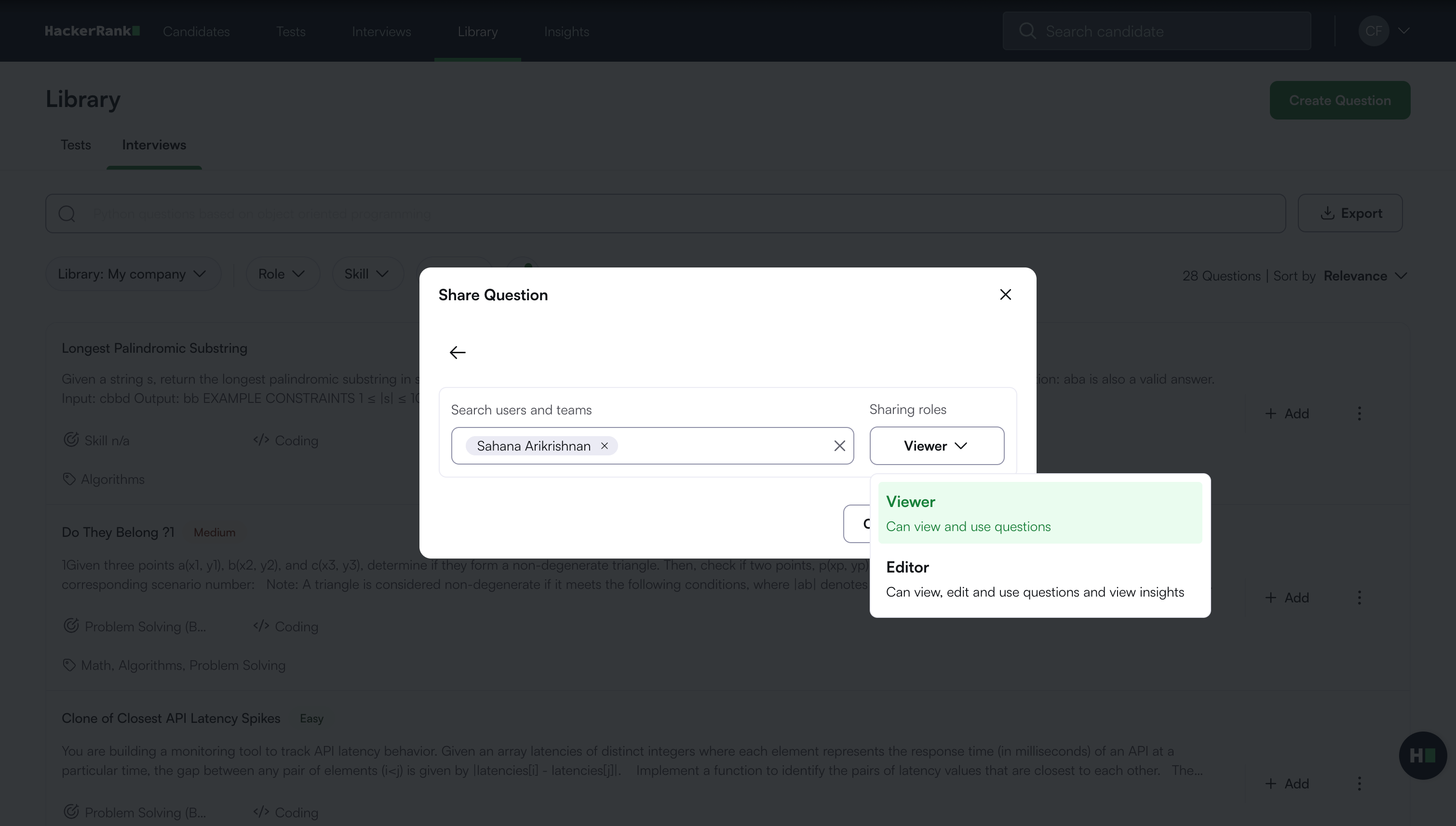
Viewer: Can view and use questions.
Editor: Can view, edit, and use questions, and view insights.
Click Save.
After you save the changes, the users or teams and their assigned roles appear below the search field.
Transferring ownership of a question
Note: You must share the question with the team member before you can transfer ownership.
To transfer ownership:
Click the more options menu (⋮) next to the question and select Share.
In the Share Question dialog box, select the dropdown next to the user name.
Select Transfer Ownership.
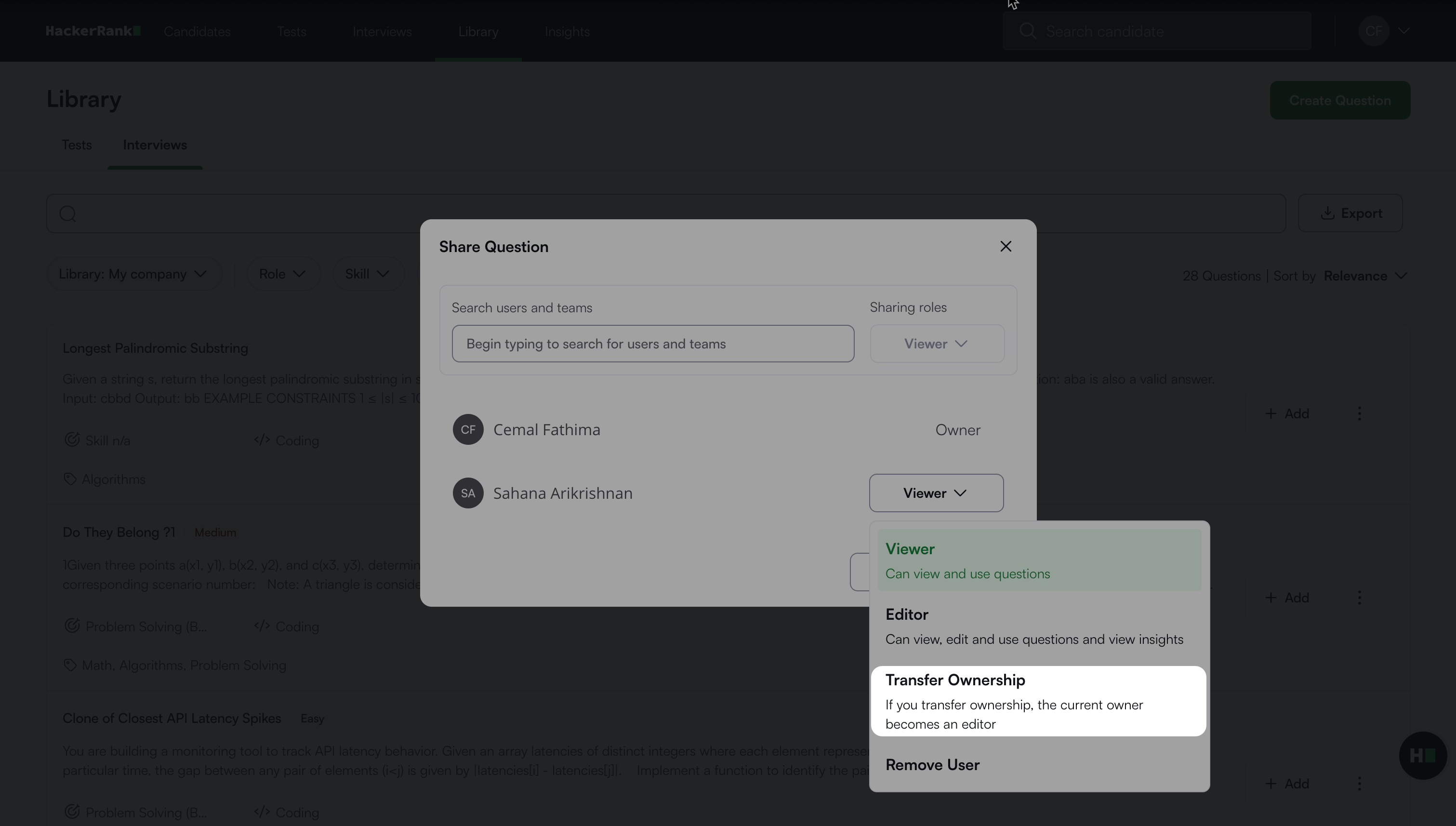
In the confirmation dialog, click Confirm. A success message appears.
After the ownership transfer, the role of the previous owner changes to Editor.
Removing access from a question
You can revoke Viewer or Editor access to a question for another team member at any time.
To remove access:
Click the more options menu (⋮) next to the question and select Share.
In the Share Question dialog box, select the dropdown next to the user name.
Select Remove User.
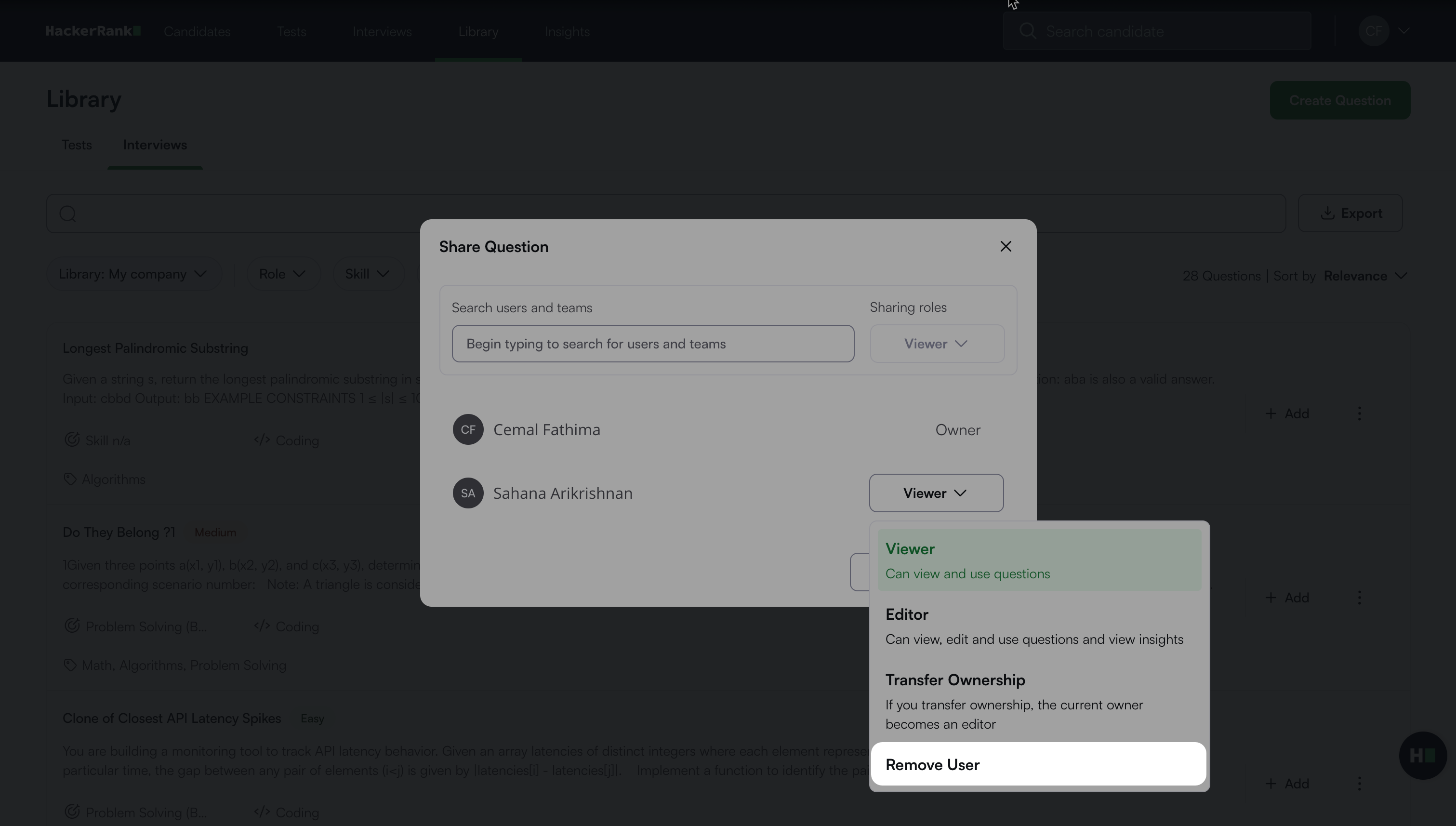
In the confirmation dialog, click Confirm. A success message appears.