Export Questions
Last updated: September 25, 2025
You can export test and interview questions from the Library into a CSV file.
Prerequisite
Your company must have created questions in Tests or Interviews.
Exporting all questions
To export all test or interview questions:
Log in to your HackerRank for Work account using your credentials.
Go to the Library tab.
Select the Tests or Interview tab.
Select My Company as the source of questions from the Library drop-down.
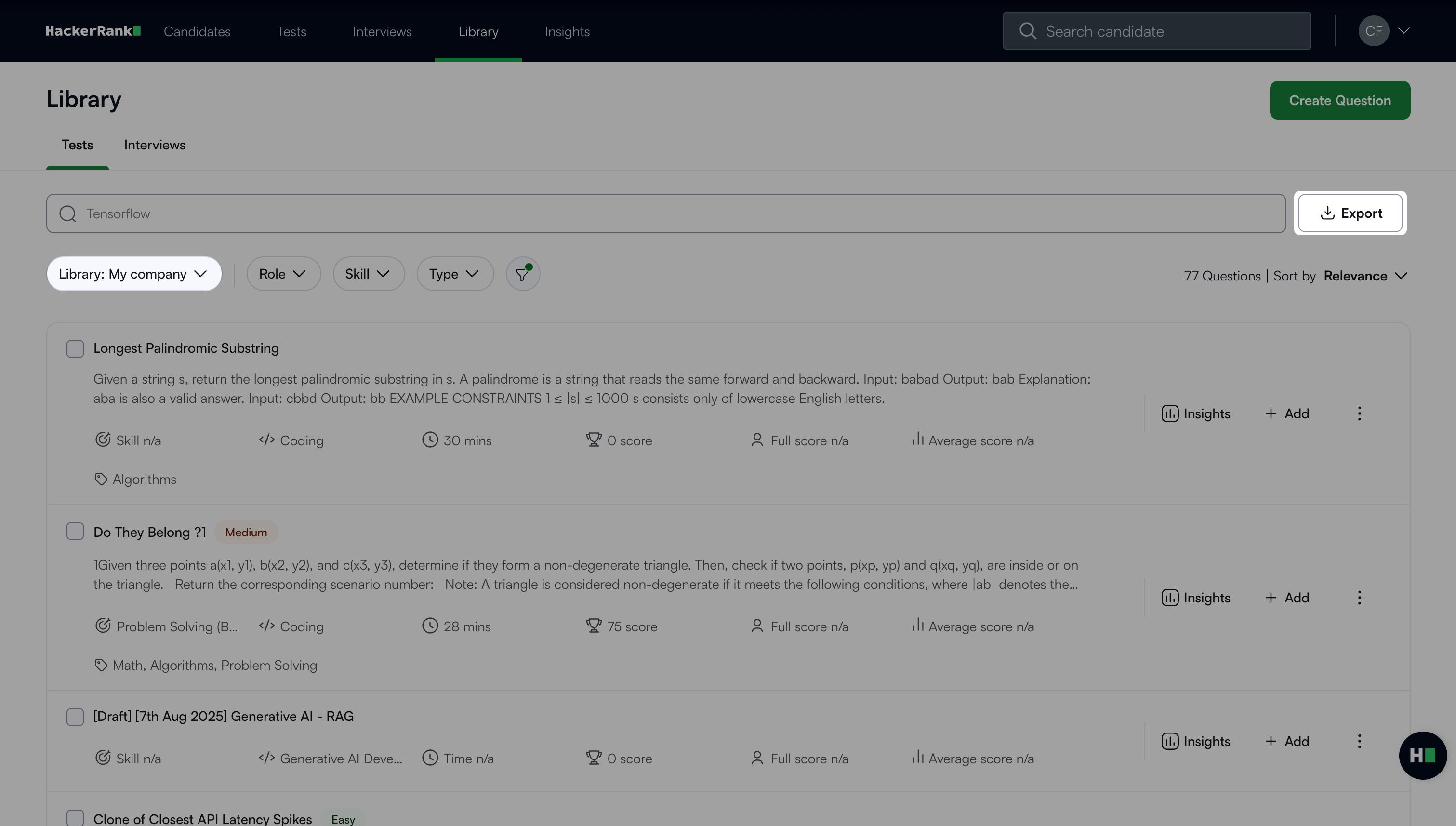
Click Export. The CSV file downloads to your system.
Exporting selected test questions
To export selected test questions:
Go to the Tests tab.
Select My Company as the source of questions from the Library drop-down.
Select the questions you want to export.
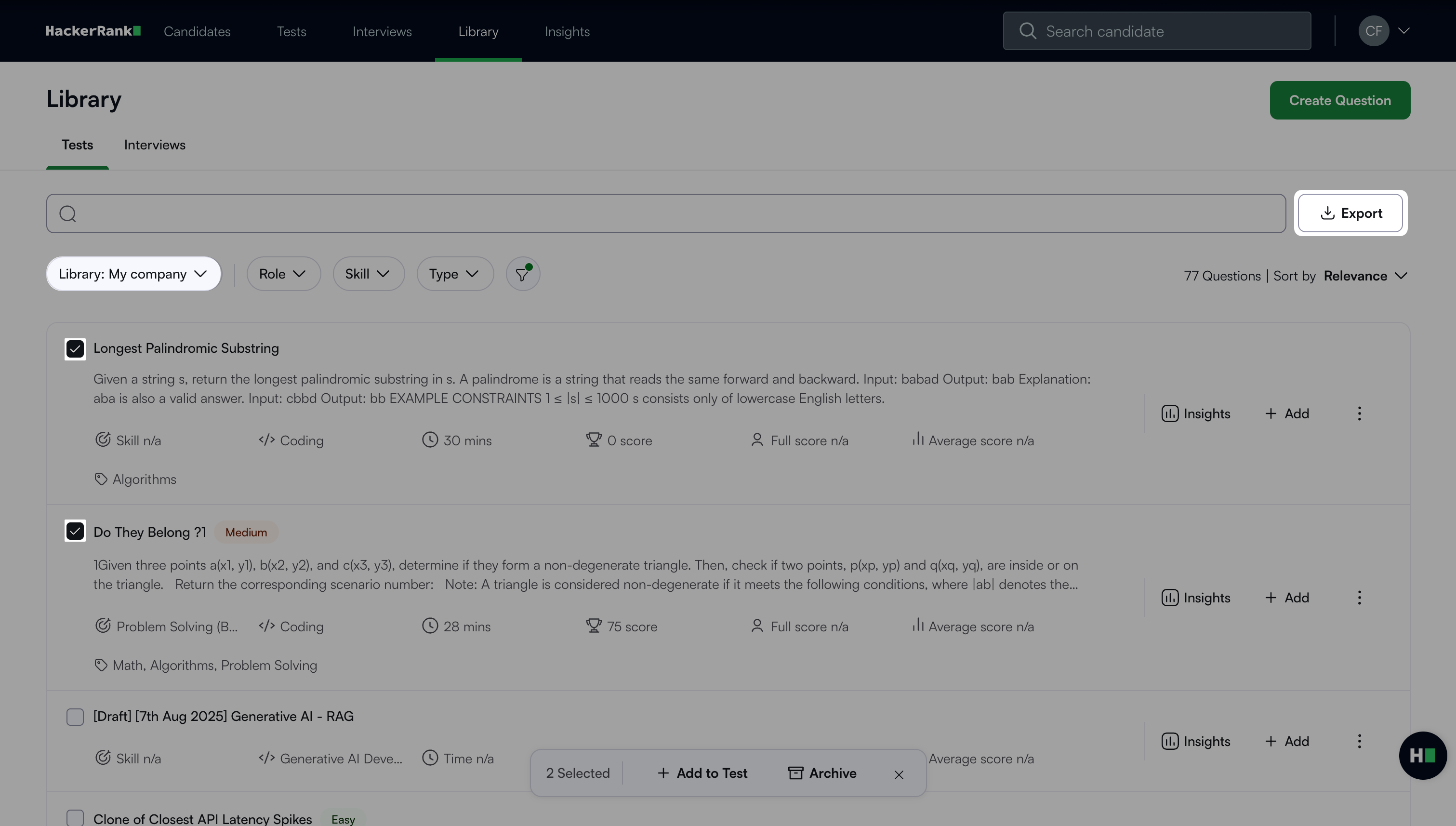
Click Export. The CSV file downloads to your system.