SkillUp Manager Experience
Last updated: April 22, 2026
Managers in your organization can use the SkillUp platform to upskill themselves and their teams. With a manager license, they can access the SkillUp Manager Portal to develop new skills, earn certifications, and track their team’s progress simultaneously.
Manager Learning
Home
The home tab provides an organized overview of your learning progress. You can track your skills development, discover recommended roles, and view certifications to keep you aligned with your goals. The Assigned to Me tab provides an overview of the courses that your managers have assigned to you.

Skills
The Skills Directory allows you to explore in-demand skills. View globally trending skills and those available in HackerRank's library, organized by categories such as AI & ML, Software Engineering, Cloud Engineering, Data Engineering, and more. Tracking skills here helps align your learning with organizational needs, increasing your impact.
On the Skills tab, you can either explore new skill areas or continue your learning journey by resuming courses where you left off.

Roles
Based on your skills, the Roles Directory recommends career paths such as Angular Developer or Full Stack Engineer. Every career path would be a combination of multiple skills. You can unlock new roles and progress in your career by meeting the required learning milestones.

Certifications & Badges
Completing learning paths can earn you industry-recognized certifications. Display your new skills with badges and certifications to highlight your achievements within your organization.

Tracking Team Progress
My Team Dashboard
Managers can access the My Team dashboard to review their team's progress.
The dashboard consists of two tabs:
Direct Reports: Displays data of team members who directly report to you.
All Reports: Displays data of all employees within your department beyond your direct reports.

Search and Export Data
Use the search bar to find employees. The filters will help refine the search based on skills, activities, and managers.
To download all of the employee data, click on the Export option.
Viewing Employee Progress
Click on an employee’s name to view their progress. The slider displays all certifications, whether self-assigned or assigned by the employer. You can click on the certification name to expand the timeline of events. Additionally, you can send reminders and set a due date for the certification.

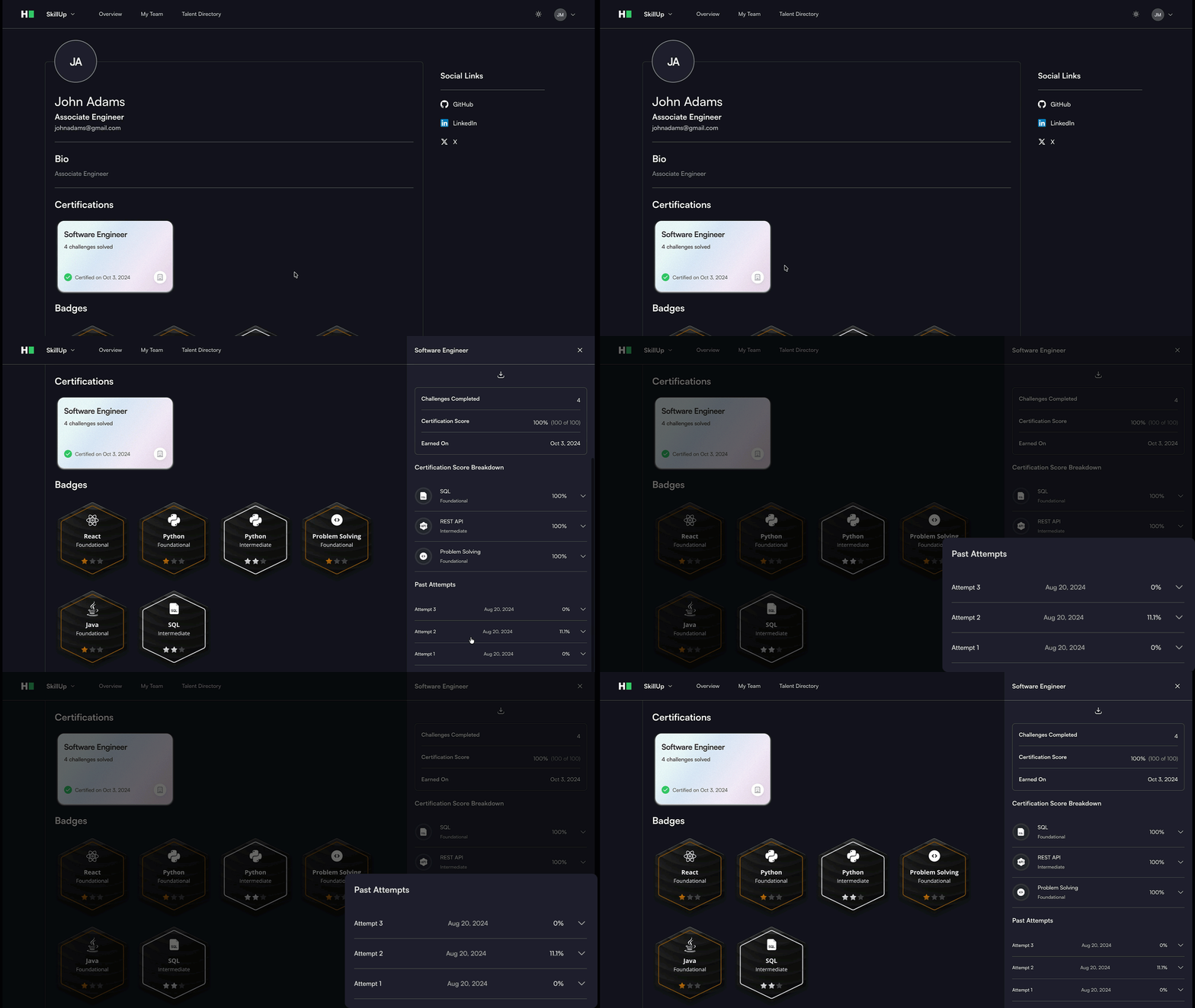
Certification Attempt History
Admins can view a candidate’s certification attempt history to track performance across attempts. You can use this information to:
Review the number of attempts
Compare score changes across attempts