Clone a Question
Last updated: August 14, 2025
HackerRank for Work enables you to clone existing questions. When you clone a question, the platform creates an independent copy with a unique Question ID. Any changes made to the original question do not affect the cloned version.
Cloning is useful when you want to create modified versions of a question for different contexts.
Note:
You can access questions from two sources in the Library dropdown:
My company: Contains all questions created by you and other users in your company.
HackerRank: Contains the HackerRank repository of assessment questions.
You can clone questions from both sources.
Cloning a question
To clone a question:
Log in to your HackerRank for Work account using your credentials.
Go to the Library tab.
Locate the question you want to clone and do one of the following:
Click the More options menu (⋮) next to the question and select Clone.
HackerRank Library
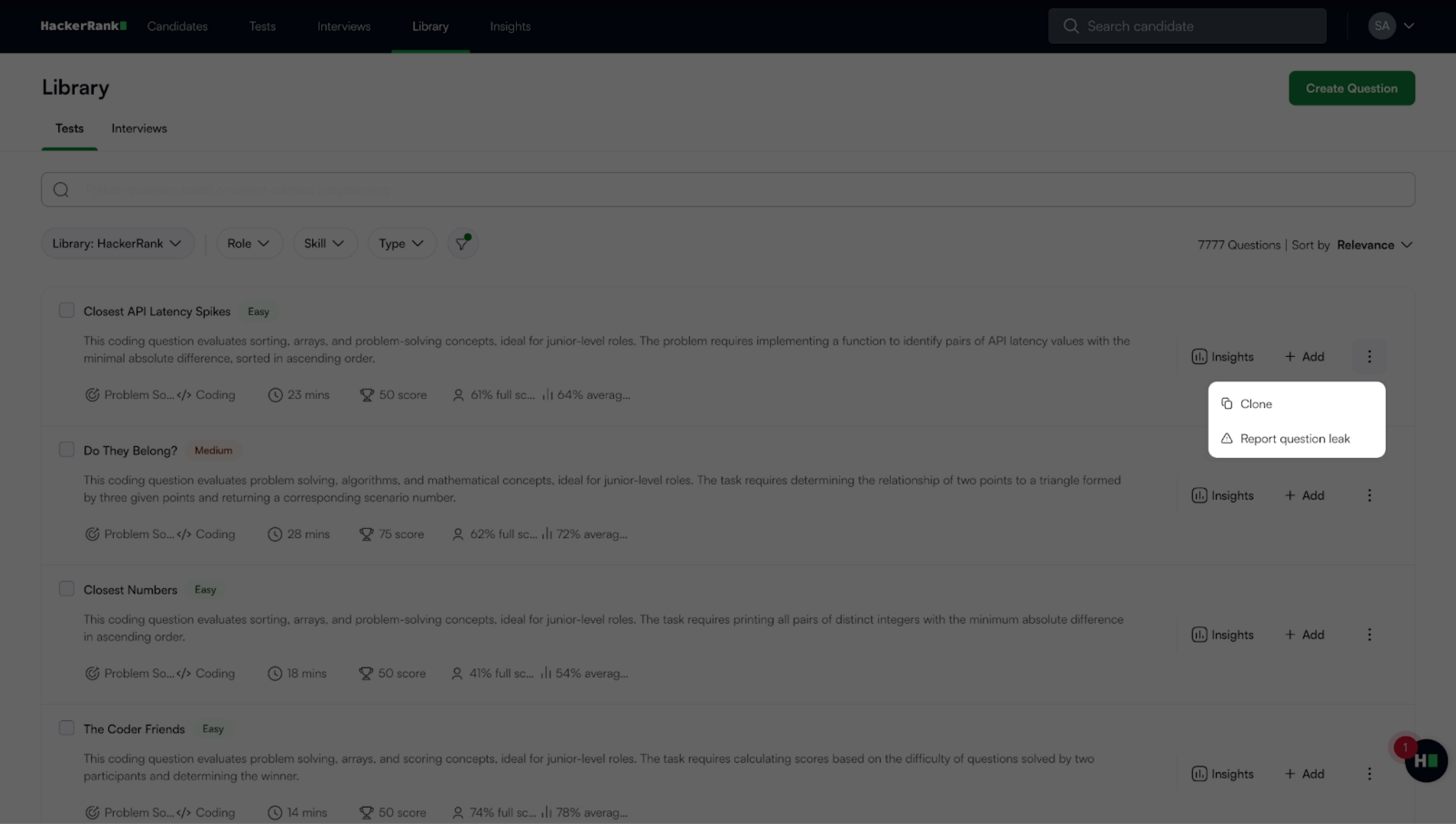
My Company Library
Click the question title to open the preview pane, click the More options menu (⋮), and then select Clone.
In the Clone Question dialog box:
Click Okay to continue.
Enter a new name for the cloned question.
Click Clone.
The cloned question opens in the Edit workflow.
Edit the question as needed:
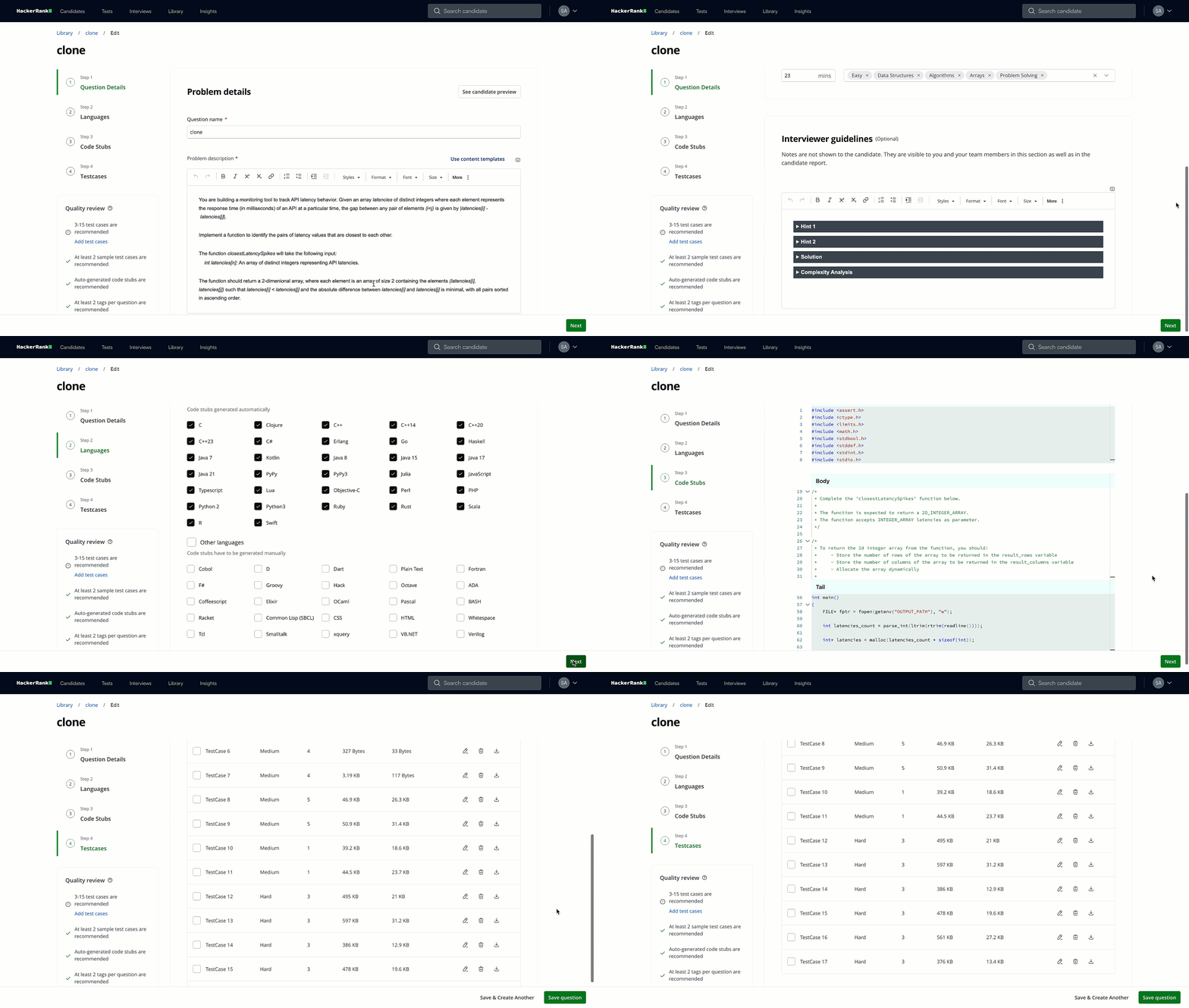
Step 1: Update the problem details, question properties, and Interviewer guidelines.
Step 2: Select the supported programming languages.
Step 3: Review or edit code stubs and function details.
Step 4: Add test cases and upload a sample solution.
For detailed instructions on the above steps for each question type, see the Creating Custom Questions section.
Click Save question or Save & Create Another if you wish to clone another question.
