Reinvite Candidates to a Test
Last updated: December 4, 2025
If a candidate experiences an issue such as a power outage or loss of internet connection, you can reinvite them to retake the test at any time. You do not need to delete the previous invite or attempt before sending a new one.
Note: When you reinvite a candidate, their previous report is automatically deleted. To recover a deleted report, contact support@hackerrank.com.
Prerequisites
The candidate must have already been invited to or attempted the test.
You must have a Recruiter license to reinvite candidates.
Reinviting candidates to a test
To reinvite a candidate to a test:
Log in to your HackerRank for Work account using your credentials.
Go to the Tests tab.
Open the test from which you want to reinvite candidates.
Go to the Candidates tab.
Select the checkbox next to the candidate you want to reinvite.
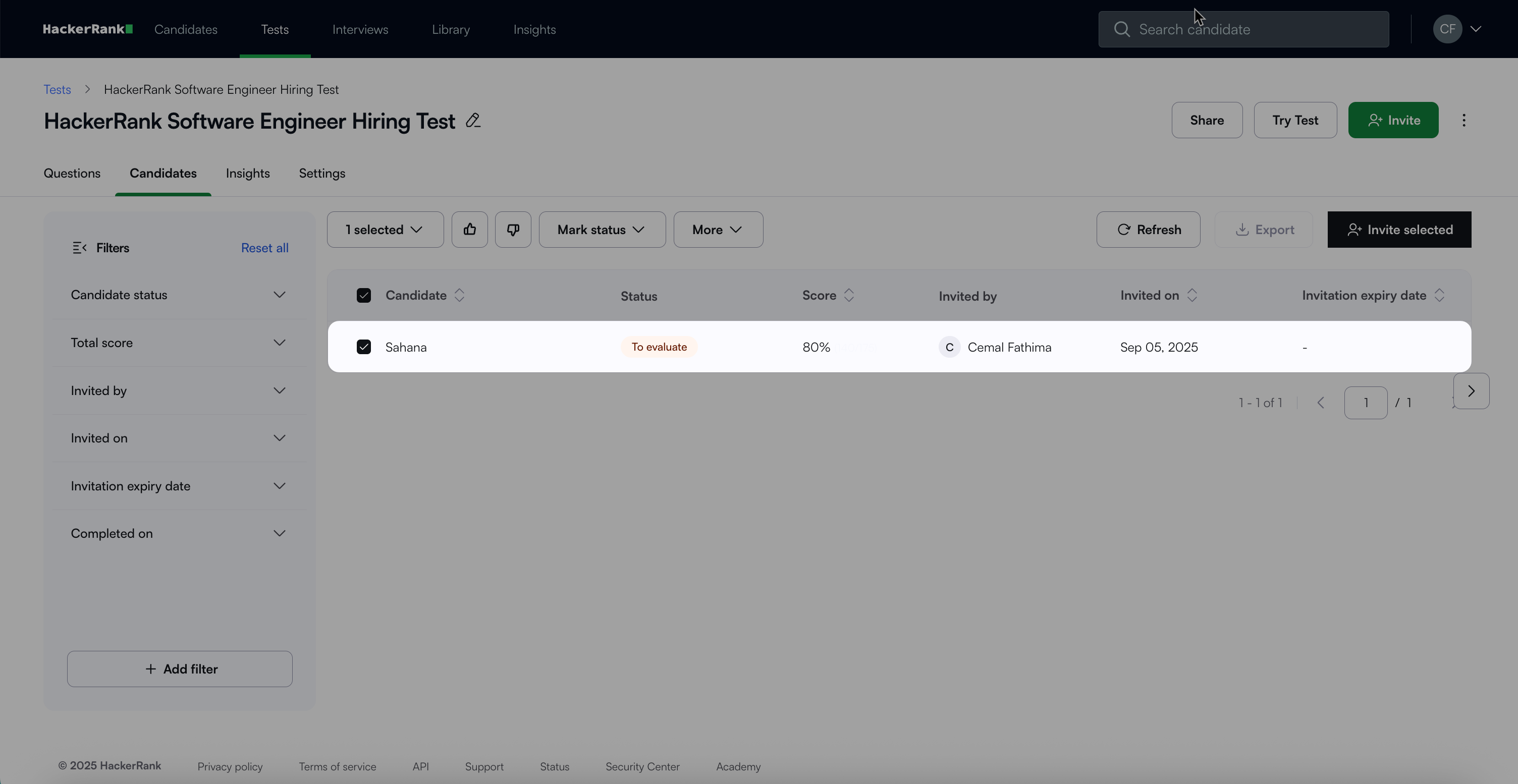
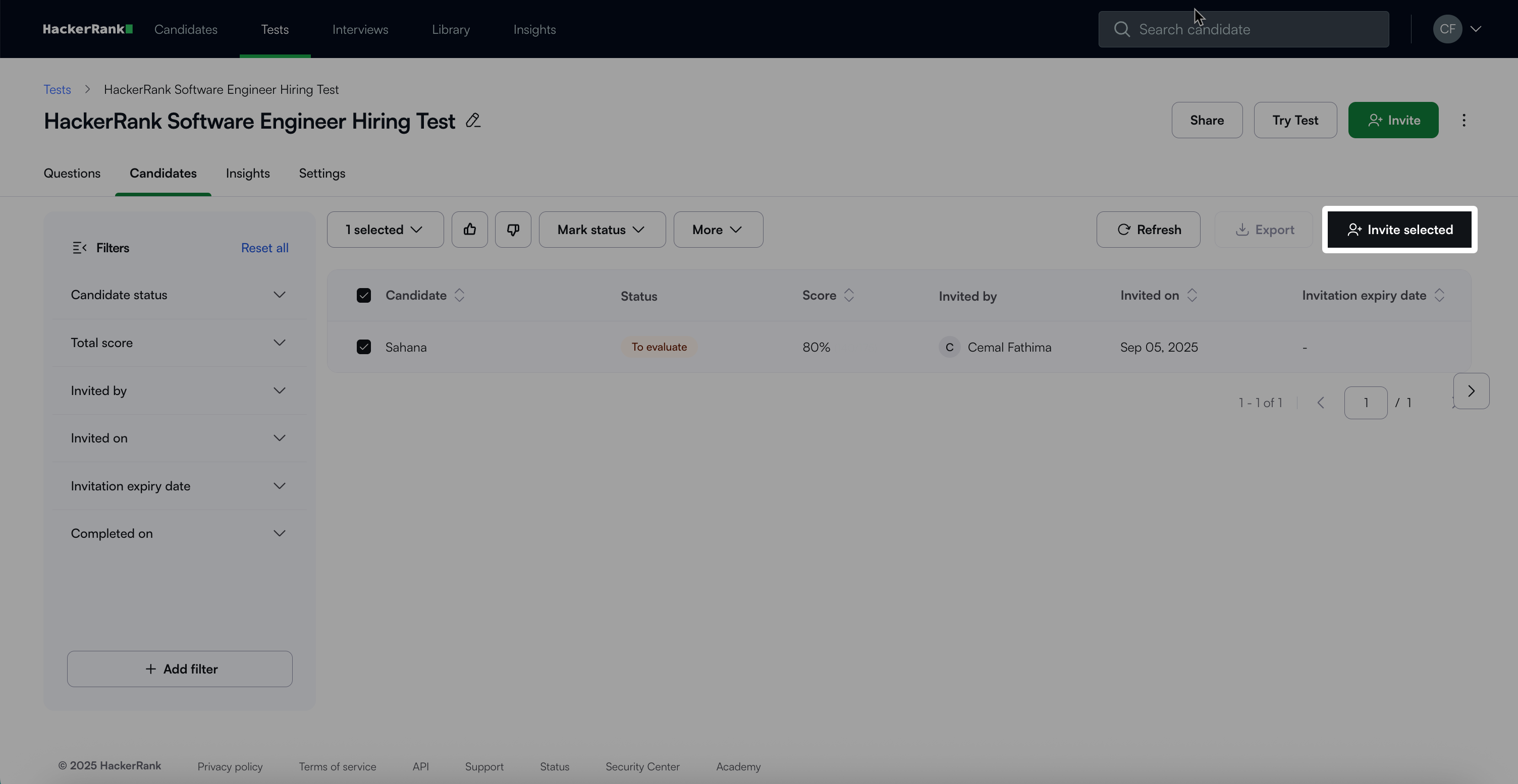
Click Invite selected.
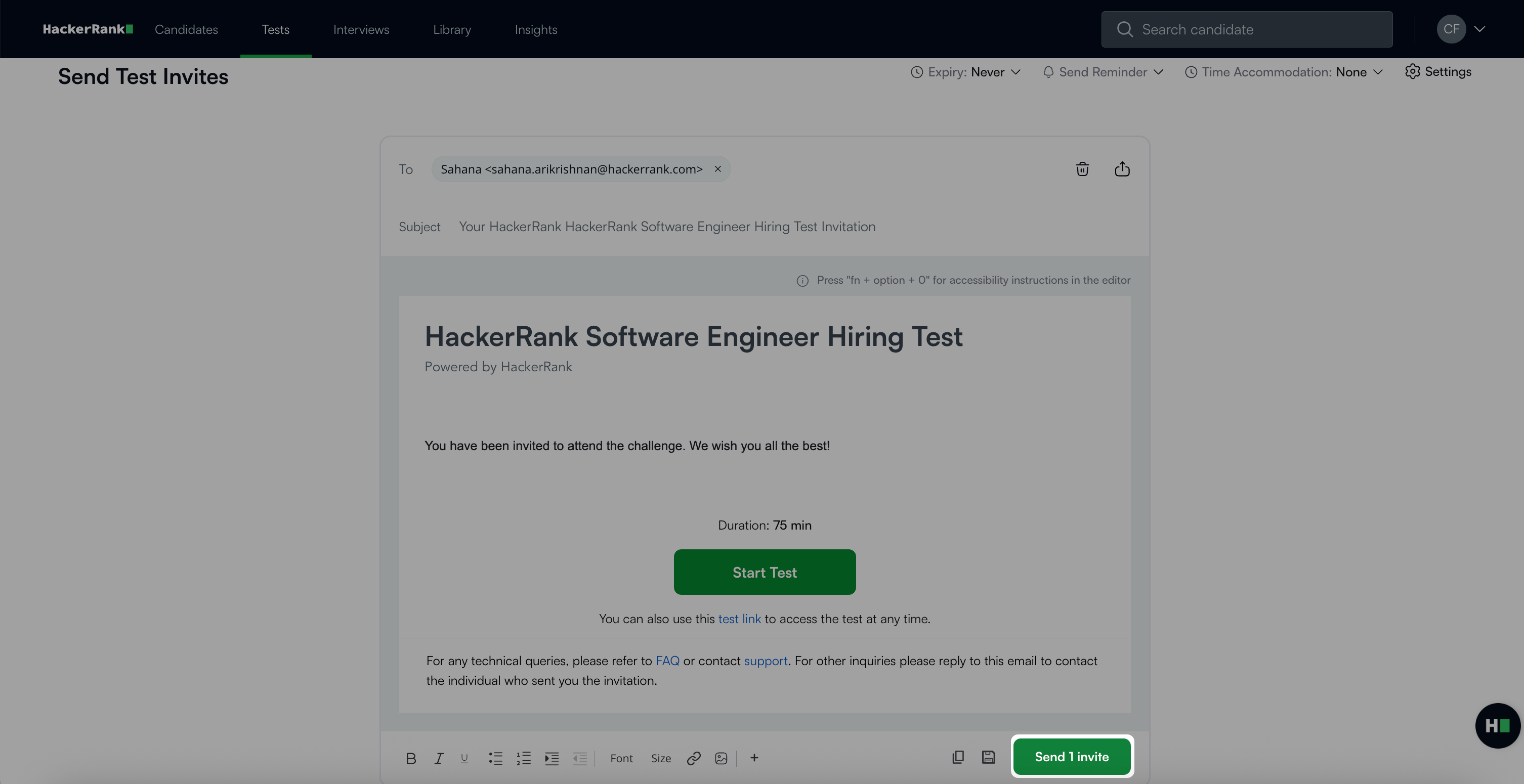
In the Send Test Invites section, click Send invite.
A confirmation message appears indicating that the candidate has already attempted the test.Click Re-invite to send the test invitation again.
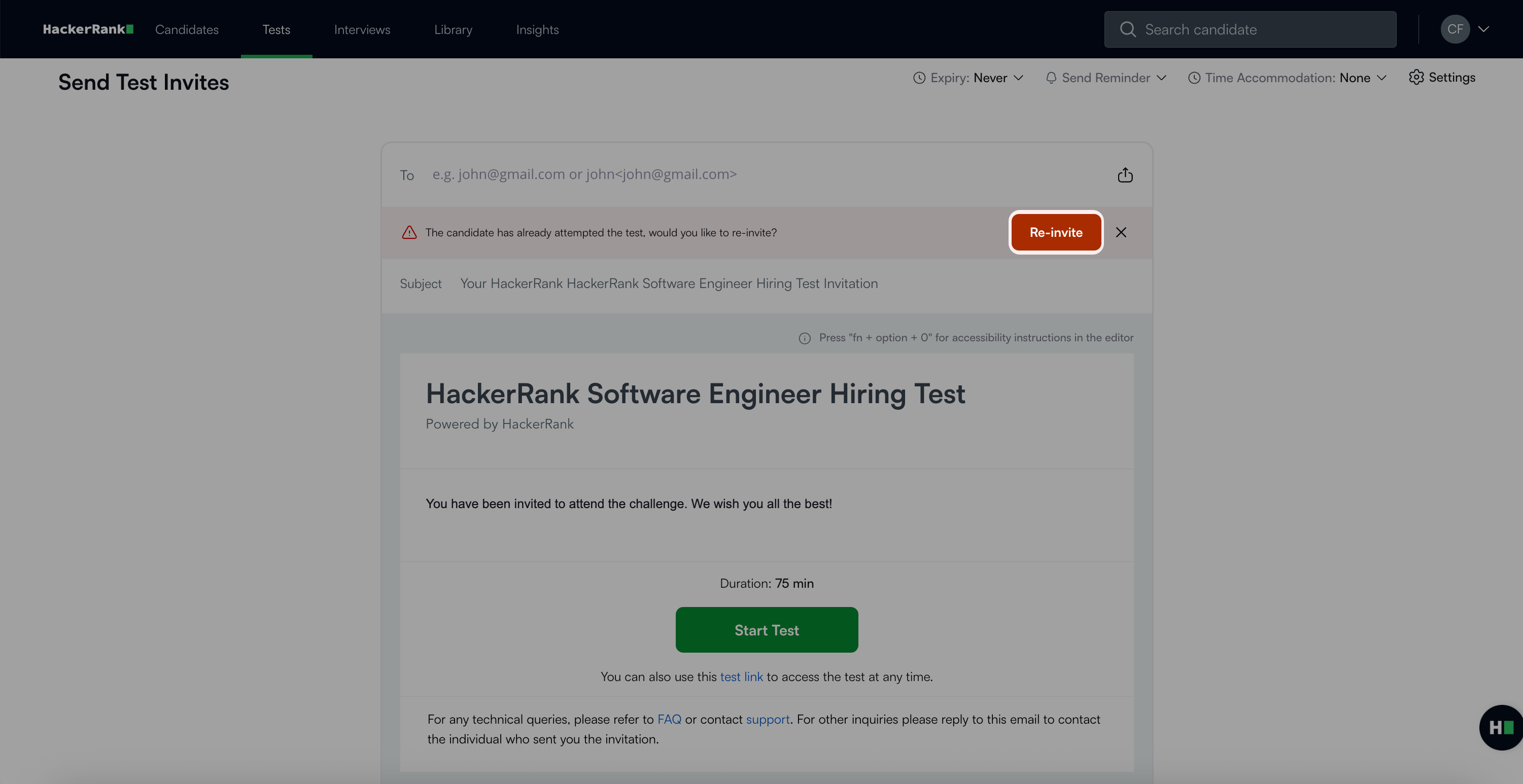
Click Send invite to complete the reinvitation process.