Replace Leaked Question
Last updated: November 18, 2025
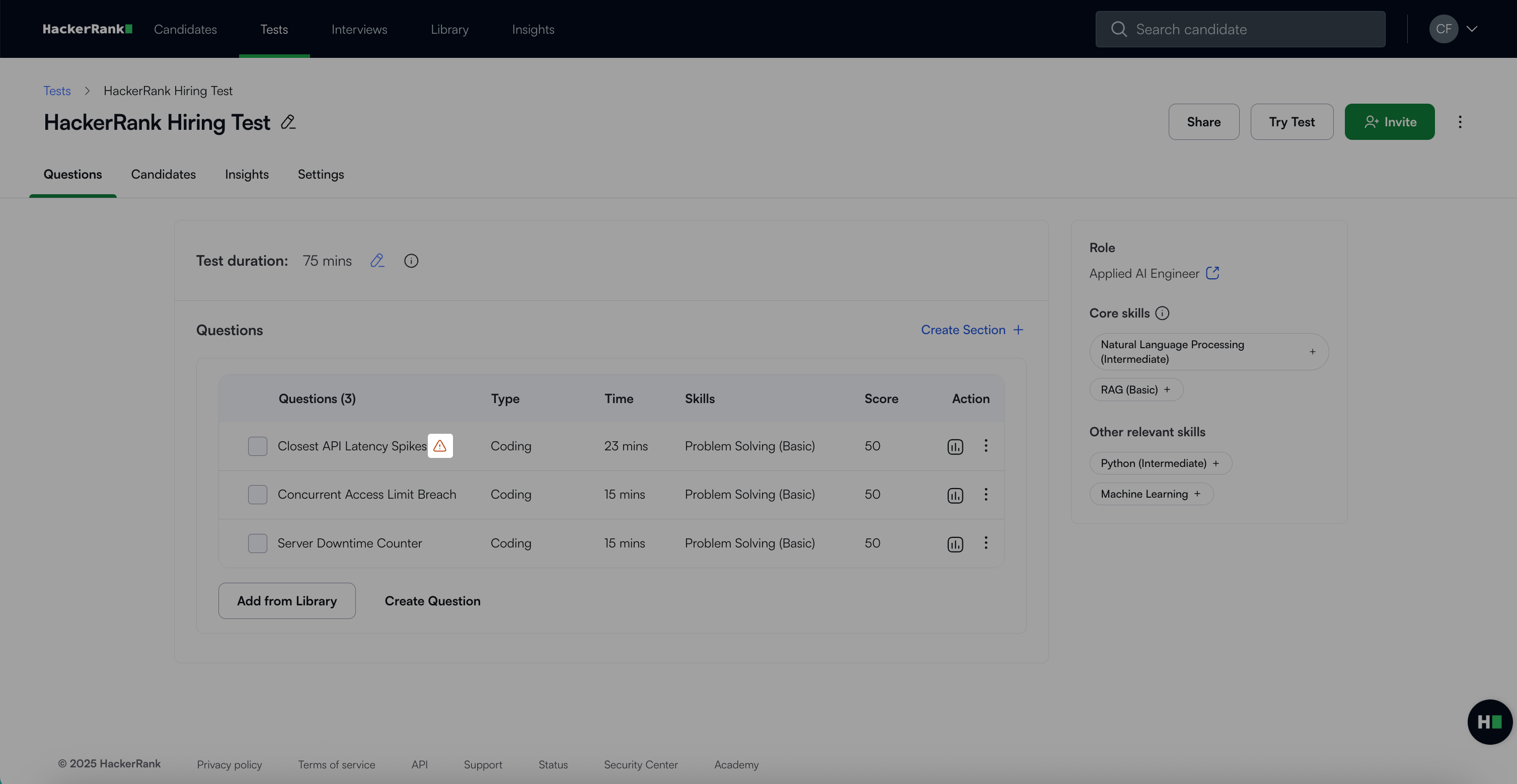
When a question is flagged as leaked, a warning icon appears beside its title in your test. You can manually replace any question identified as leaked online.
When you click the warning icon, the following options appear:
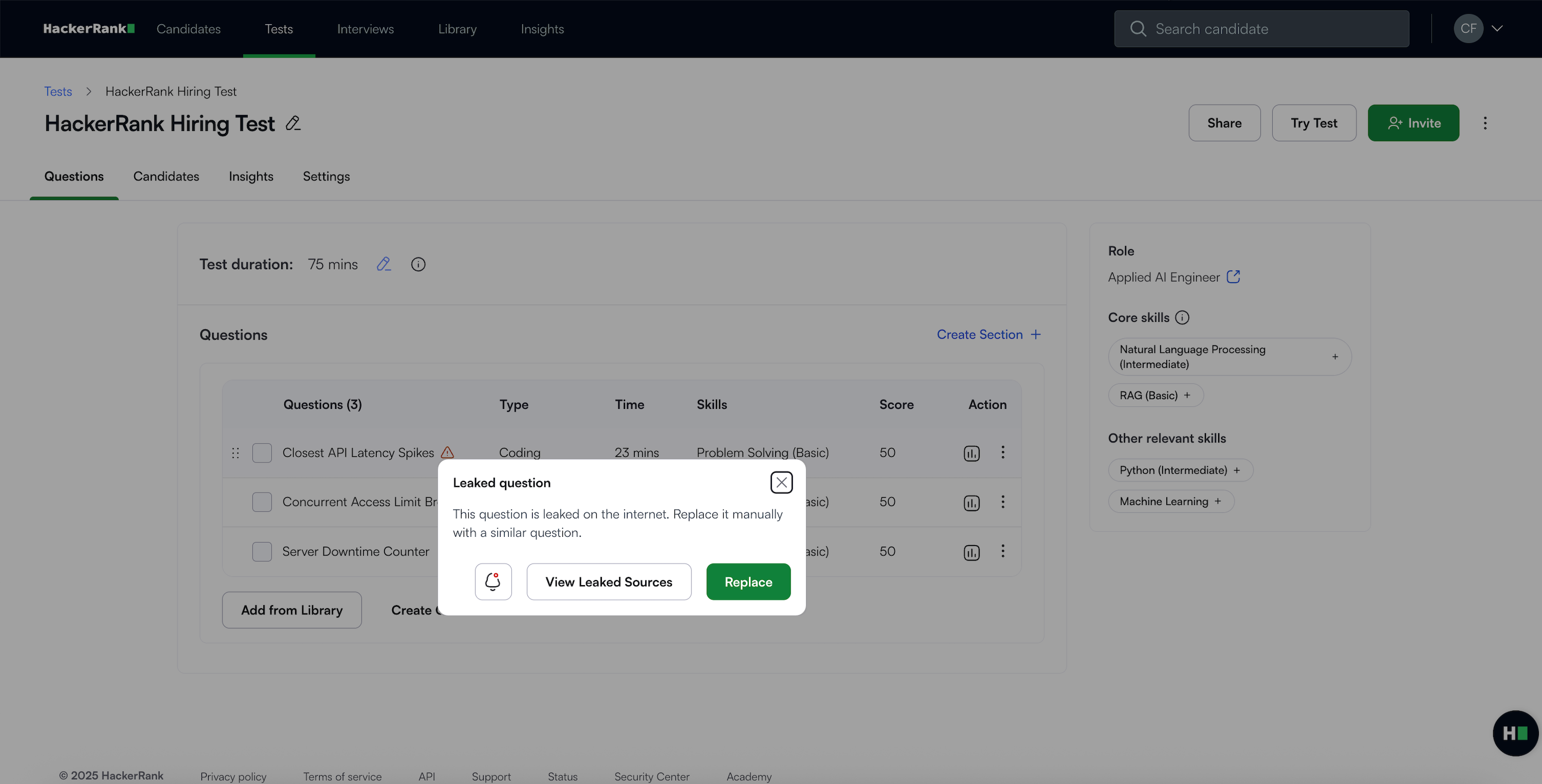
Subscribe to email alert: Receive notifications when HackerRank detects a leaked test question. For more information, see Configure Leakage Alert Emails.
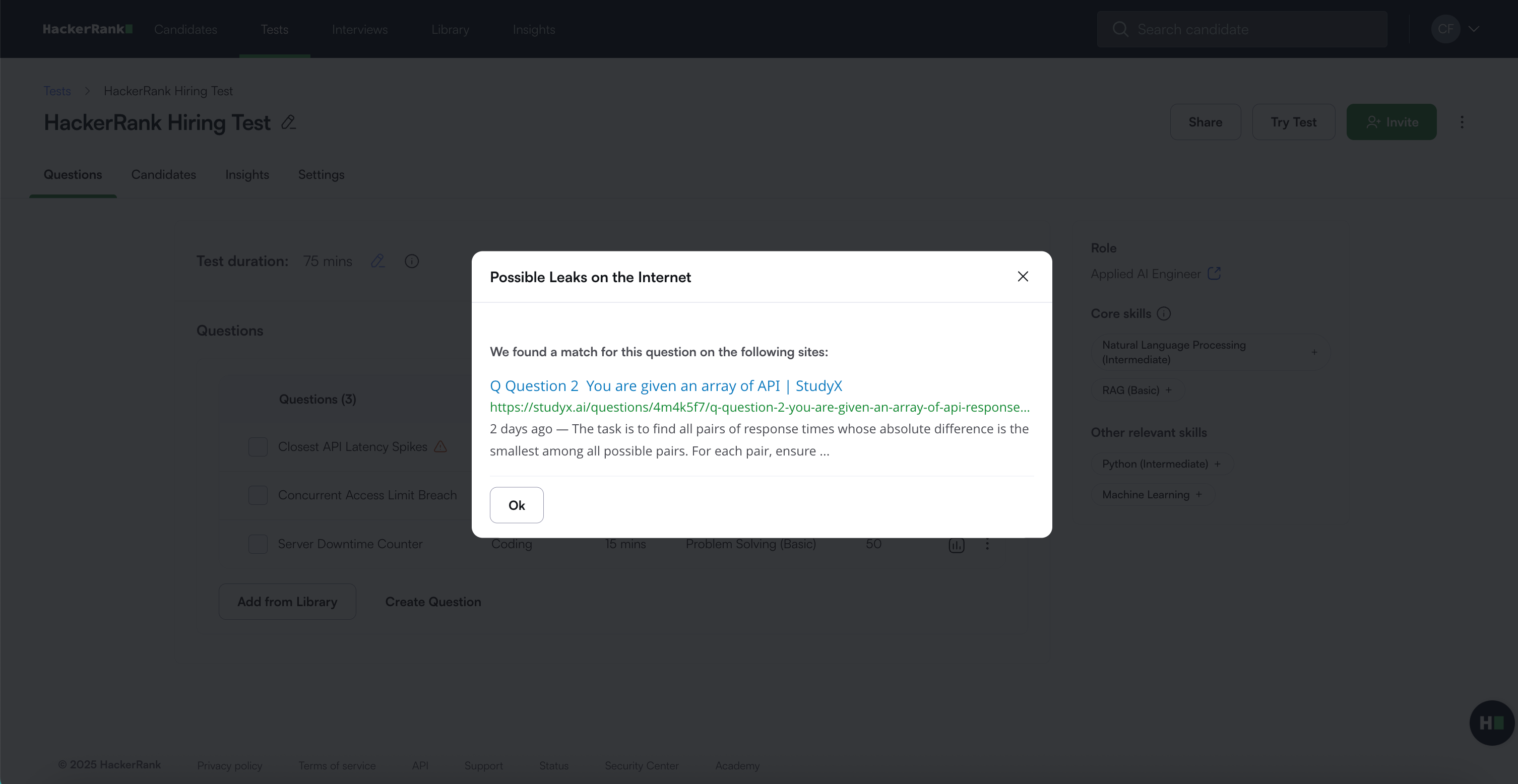
View leaked sources: Review the online sources where the question appears.
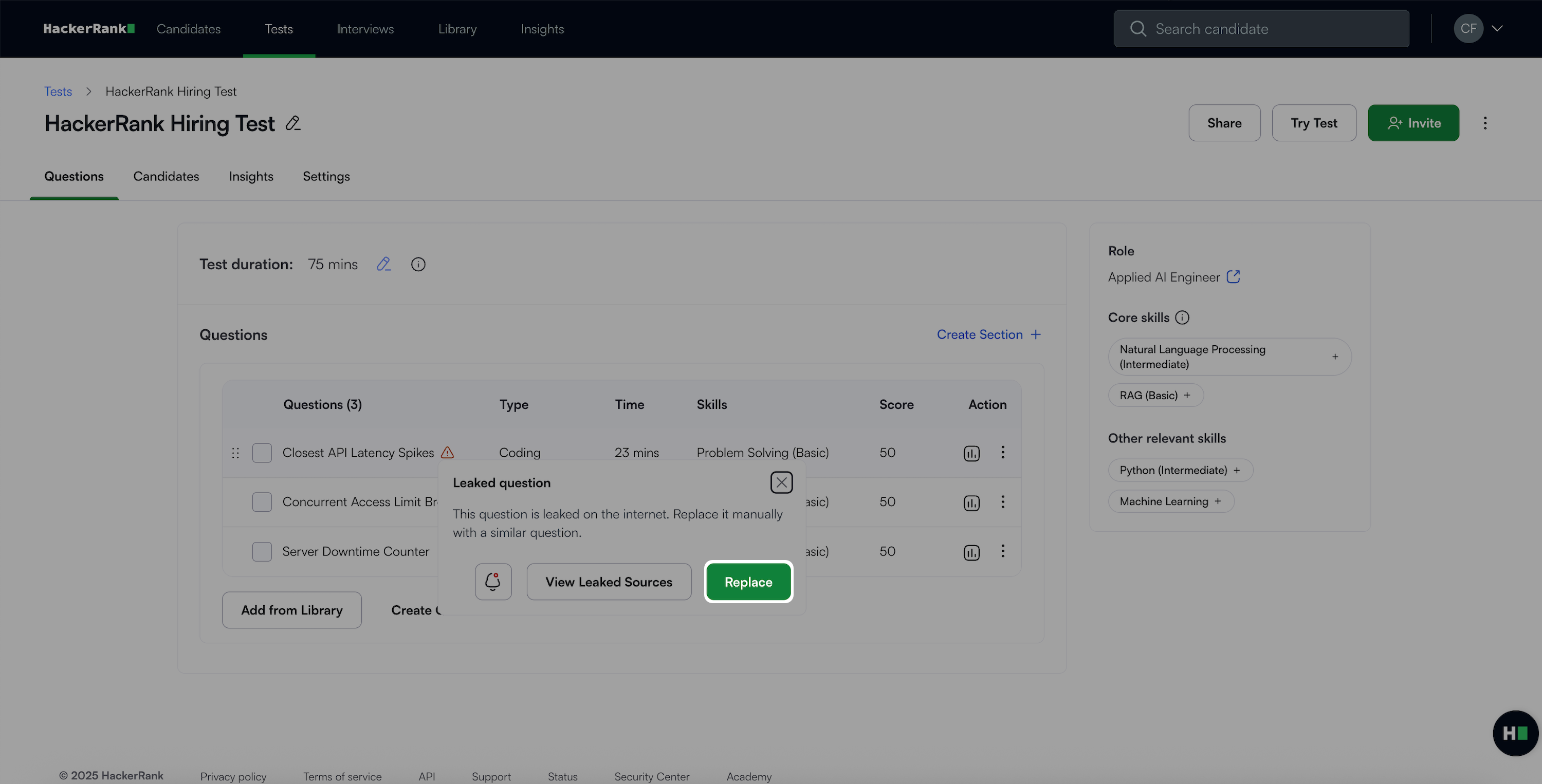
Replace: Replace the leaked question with a suitable alternative from the Library.
Replacing a leaked question
To replace a leaked question:
Click the warning icon next to the leaked question.
Select Replace. The Library opens with filters applied based on the original question’s type, skill, and difficulty.
Choose a suitable replacement question and click Replace.
Compare the existing and new questions in the confirmation modal (name, skill, type, score, and duration).
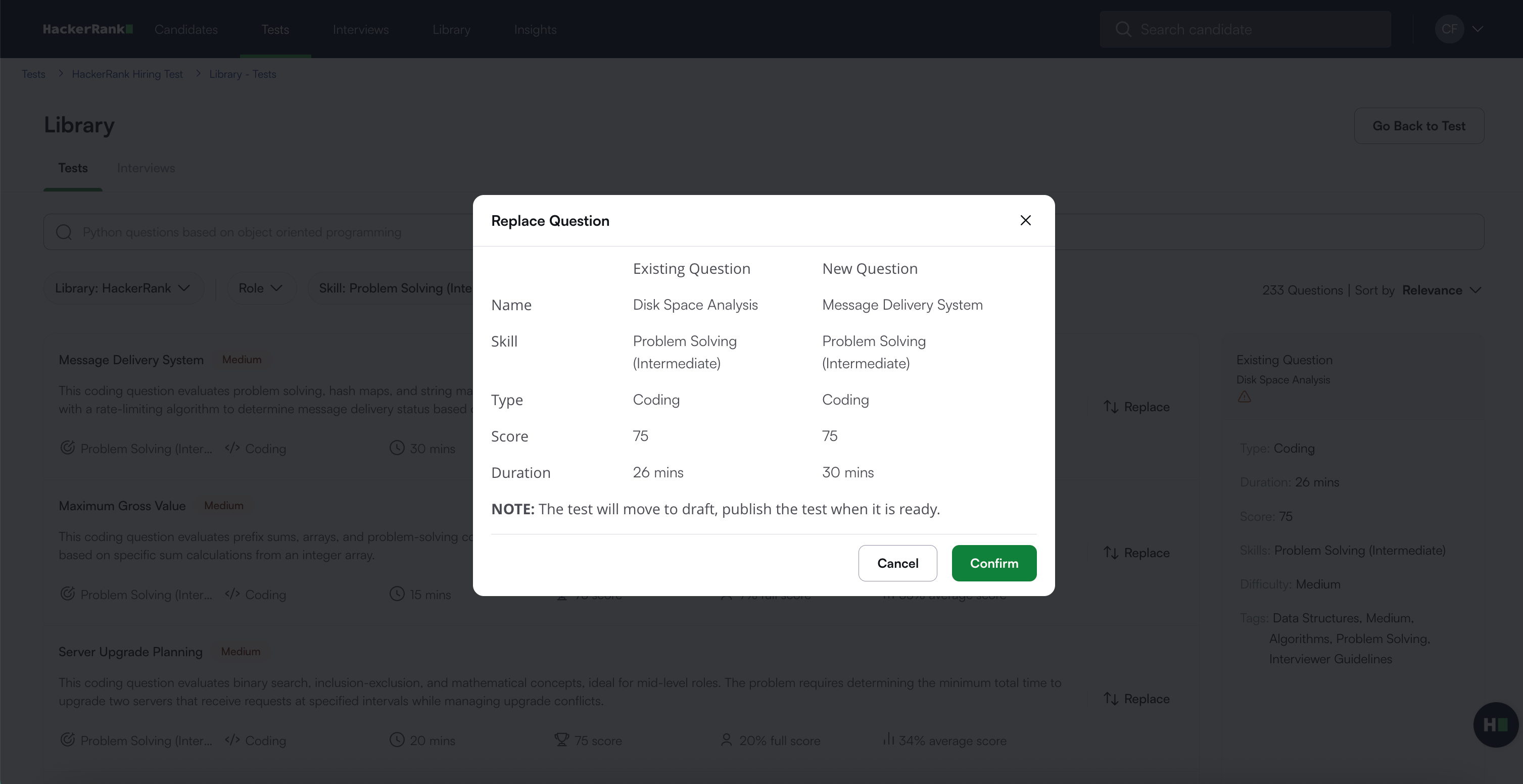
Click Confirm.
Click Publish to make the updated test available to candidates.