Disabling Implicit Sharing
Last updated: March 11, 2026
The updated sharing controls enable you to disable automated team-based sharing for tests and questions. By activating this feature, newly created tests and questions are shared only with their creators and company administrators. Owners can manually share these resources with specific teams or users as needed.
This feature provides enhanced control over access management. It allows creators to selectively share tests and questions with individuals or teams rather than relying on automatic team-based sharing, ensuring greater precision and flexibility in managing permissions.
Important: Enabling this feature is irreversible. Use this option carefully to avoid unintended access changes.
For additional details, refer to:
Steps to Disable Automated Team-Based Sharing
Prerequisites
You must have a Company Admin license to perform this action.
Steps
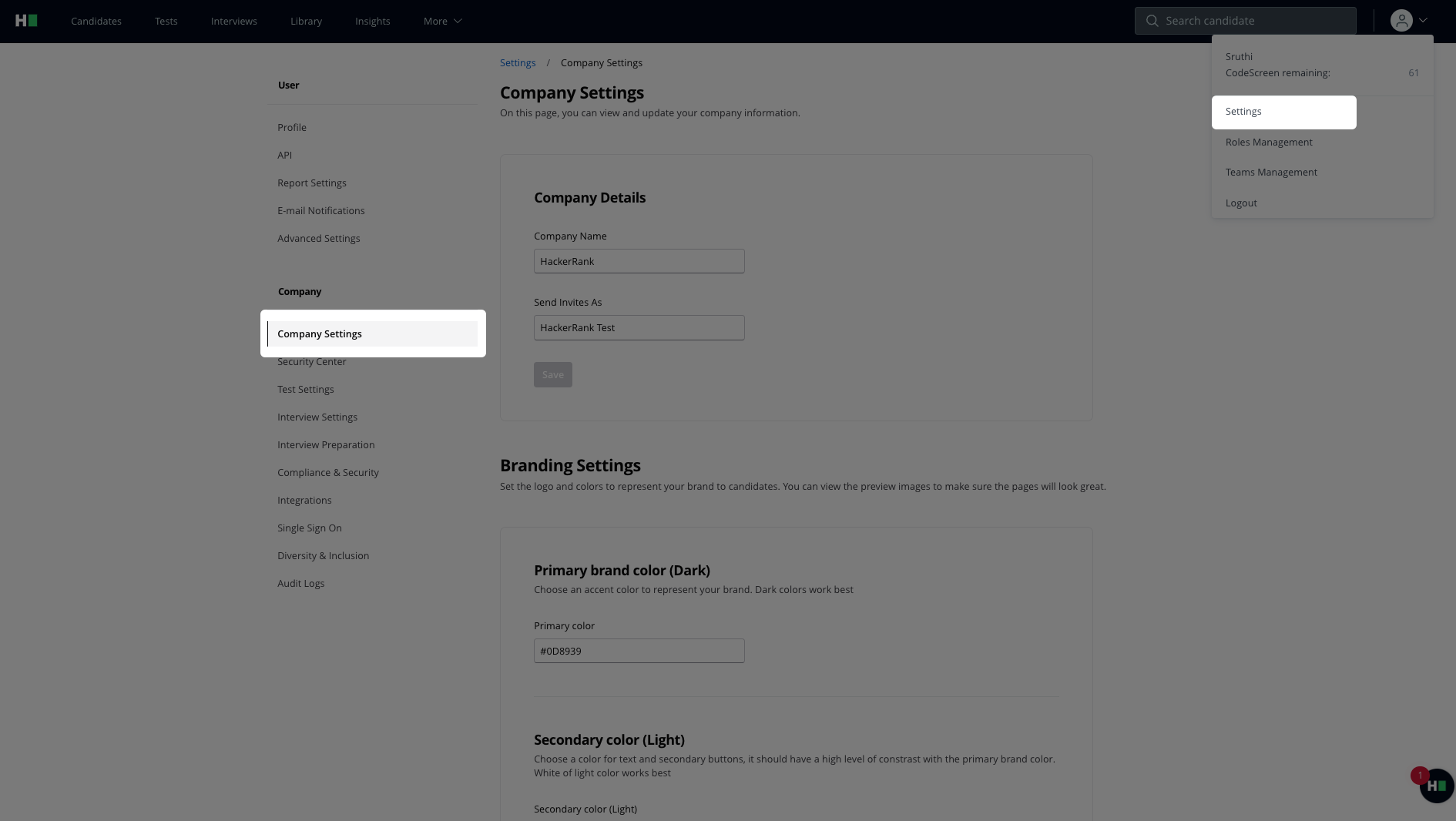
Click the profile icon in the top-right corner of the HackerRank for Work interface.
From the dropdown menu, select Settings.
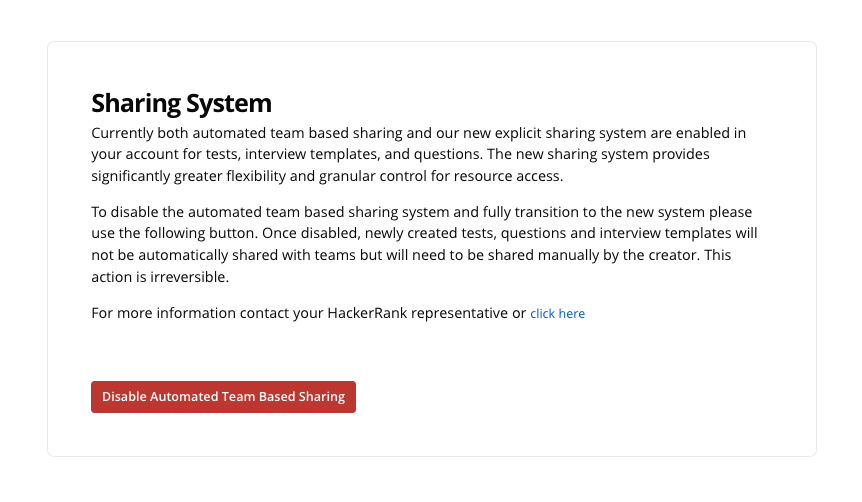
On the Company Settings page, scroll to the Sharing System section
Click the Disable Automated Team-Based Sharing button.
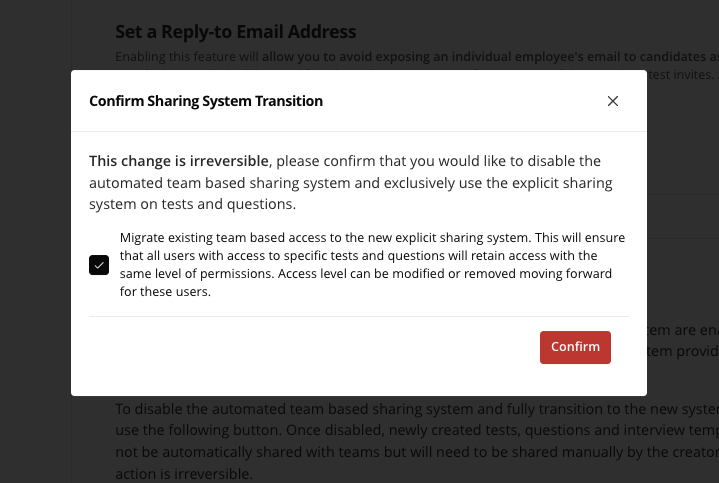
A dialog box with migration details will appear.
Check the box to convert implicit access to explicit access and retain user permissions.
Leave the box unchecked to remove implicit access. Users without explicit sharing will lose access to the tests and questions.
Carefully review the notice before proceeding.
Confirm your selection to finalize the migration.