Download Tests as PDF
Last updated: September 1, 2025
You can download a HackerRank test as a PDF to share or review offline.
Prerequisites
You must have an existing test in your HackerRank account.
Downloading test as PDF
To download the test as a PDF:
Log in to your HackerRank for Work account using your credentials.
Go to the Tests tab.
Open the test you want to download.
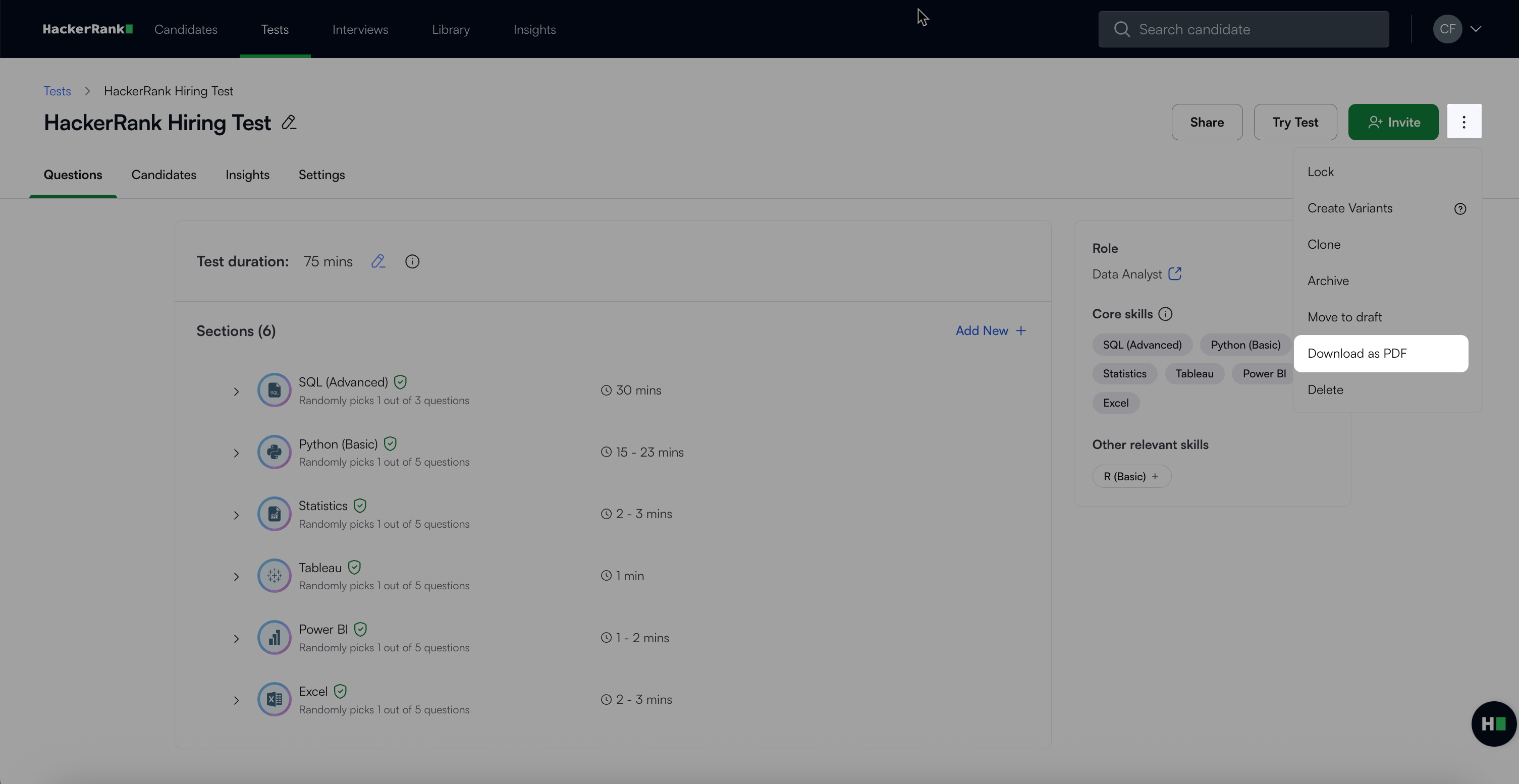
Click the more options menu (⋮) in the top right corner.
Select Download as PDF.
A Download Test as PDF dialog box appears with two options: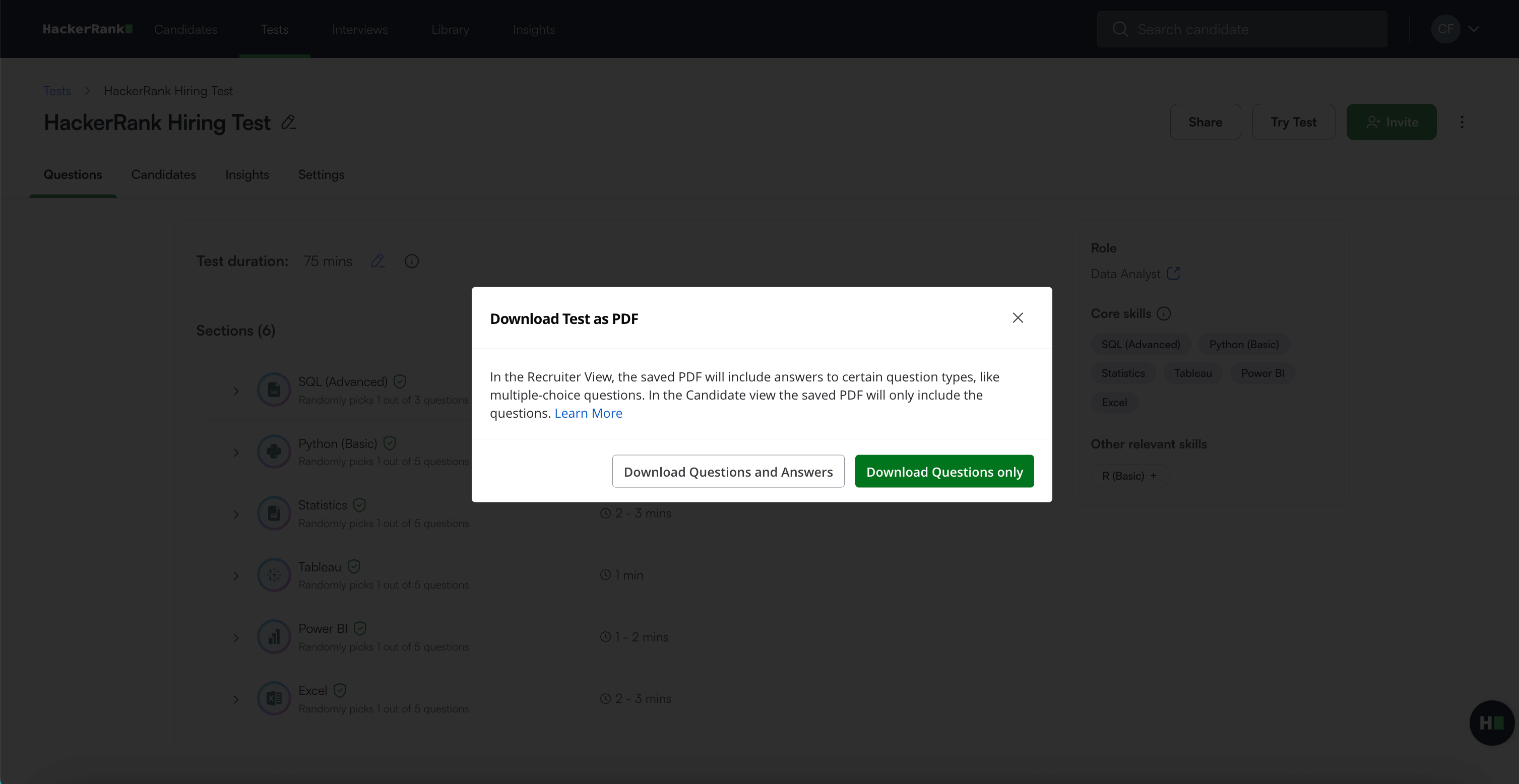
Download Questions and Answers: Downloads the recruiter version, which includes all test questions. The download includes answers only for Multiple Choice and Sentence Completion question types.
Download Questions Only: Downloads the candidate version, which includes only the questions without answers.
Select the required option to begin the download.