Archive a Test
Last updated: September 25, 2025
Archiving a test helps you manage your test library by moving unused tests out of the Active Tests tab. An archived test is no longer available for inviting candidates or publishing. You can restore an archived test at any time.
Prerequisites
You must have an existing test in your HackerRank account.
Archiving a test
To archive a test:
Log in to your HackerRank for Work account using your credentials.
Go to the Tests tab.
Open the test you want to archive.
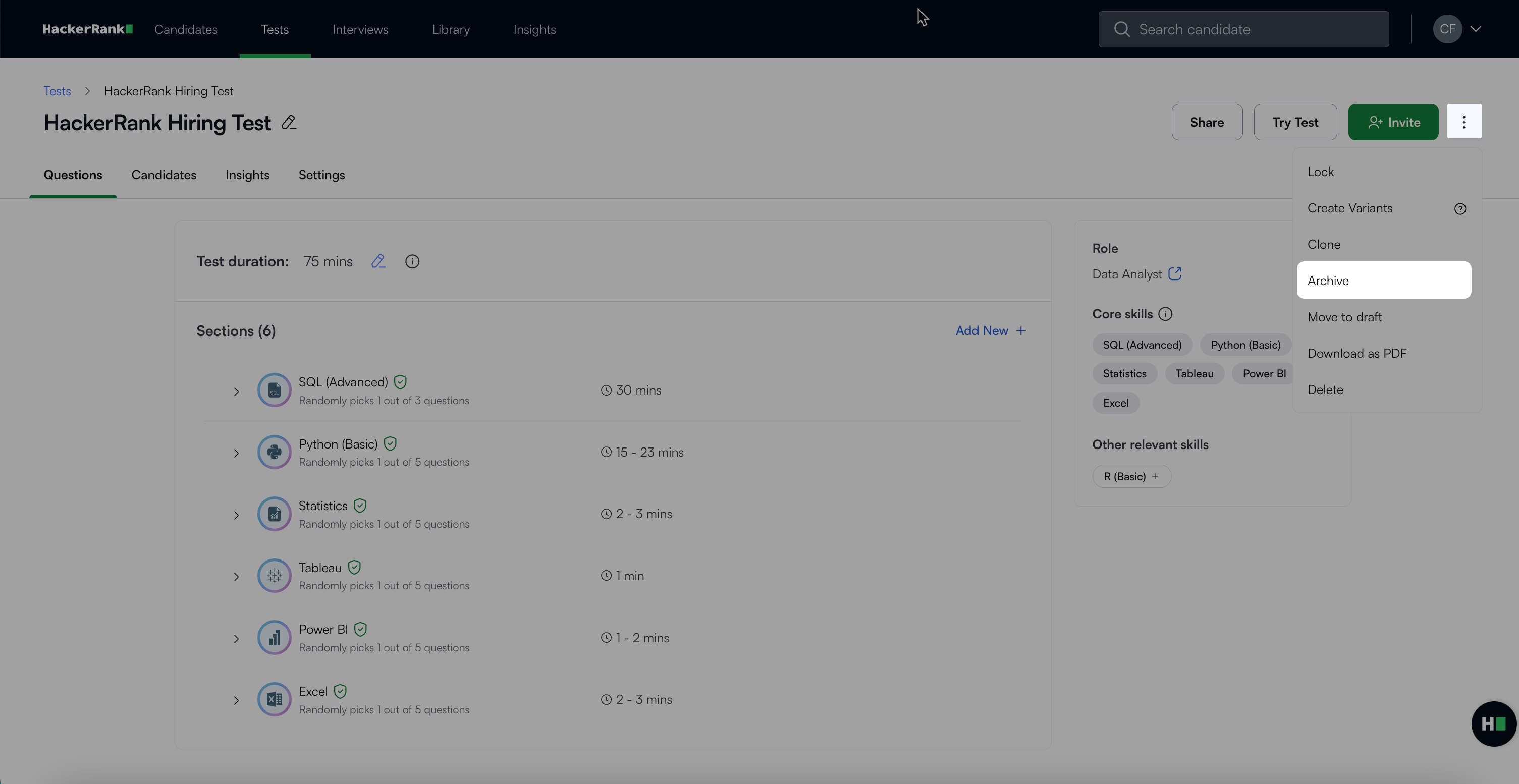
Click the more options menu (⋮) in the top right corner.
Select Archive.
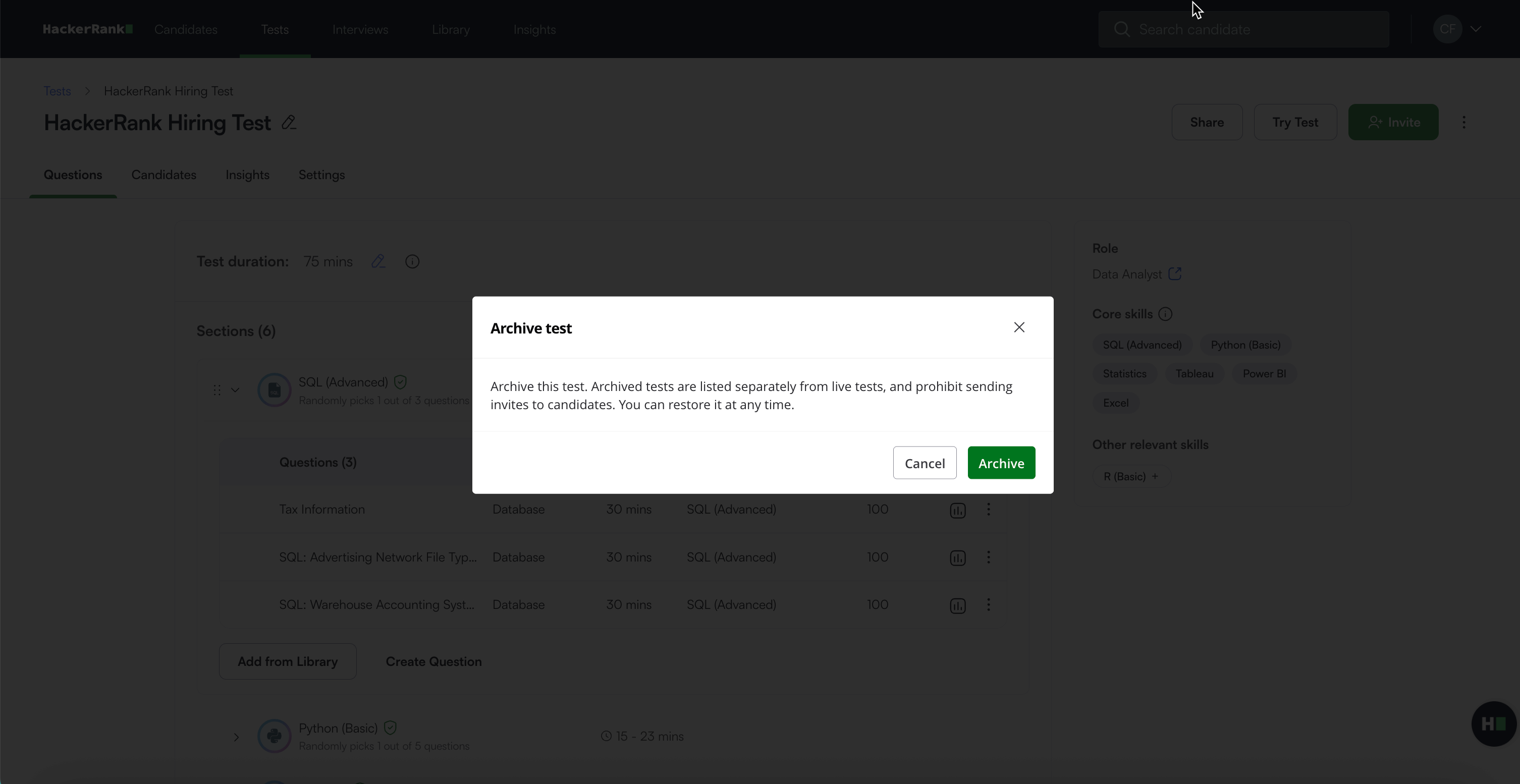
In the confirmation dialog, click Archive to confirm. A success message appears.
The test moves to the Archived Tests list.
Restoring an archived test
To restore an archived test:
Open the test you want to restore.
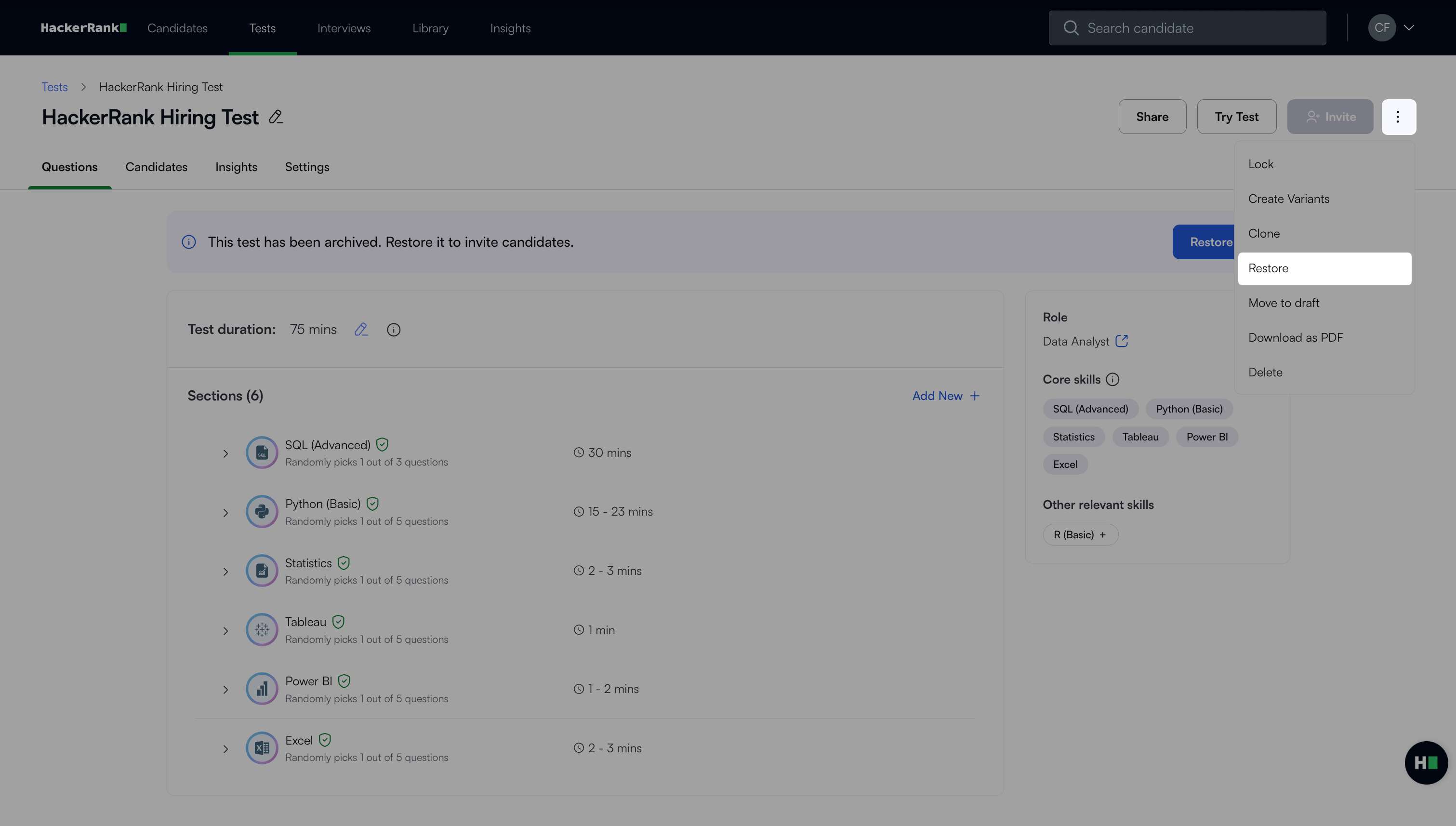
Click the more options menu (⋮) in the top right corner.
Select Restore.
In the confirmation dialog, click Restore to confirm. A success message appears.
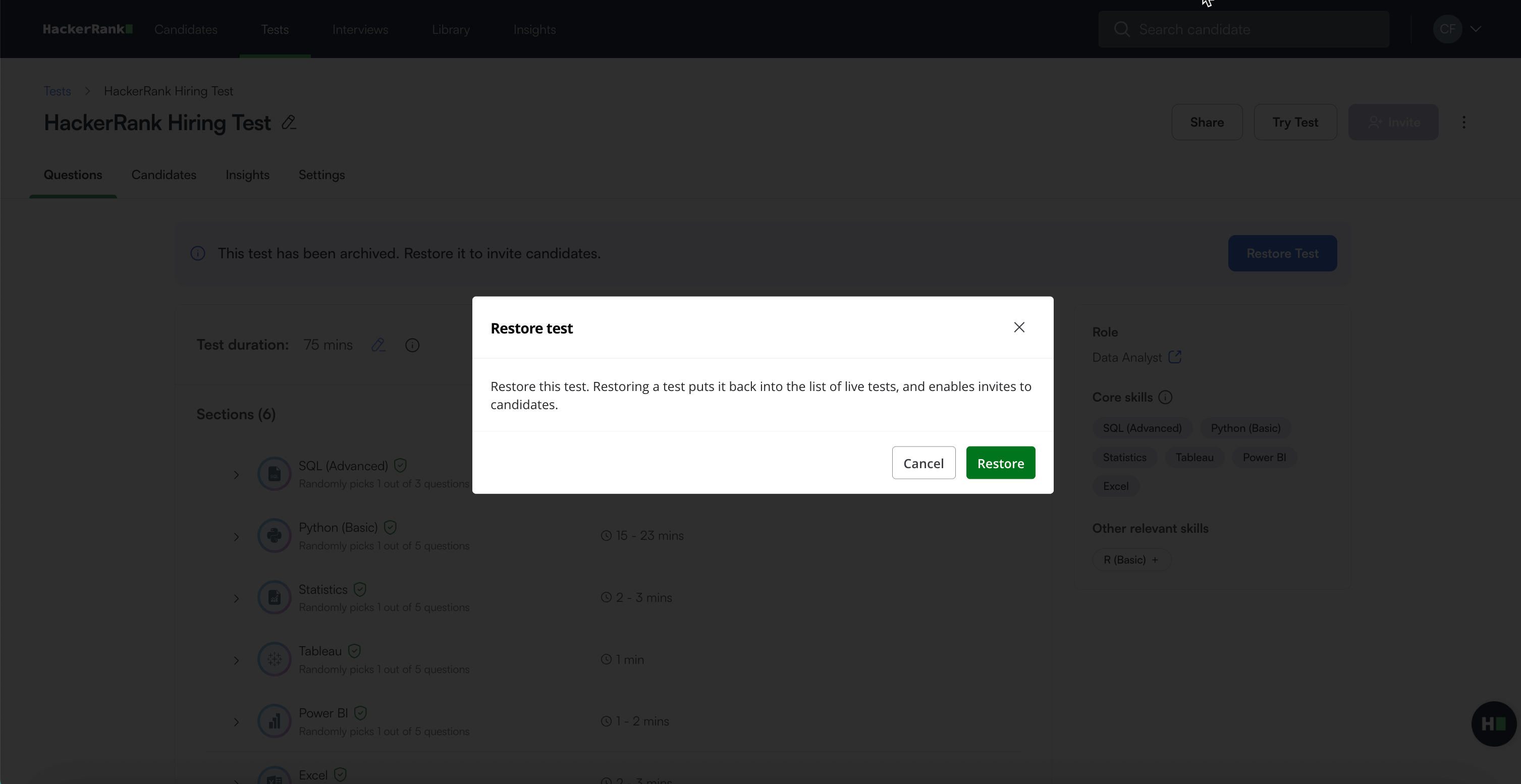
Once restored:
The test moves back to your list of Active Tests.
Candidate invites are re-enabled.
Note:
You can also restore the test by clicking the Restore Test button at the top of the test page.
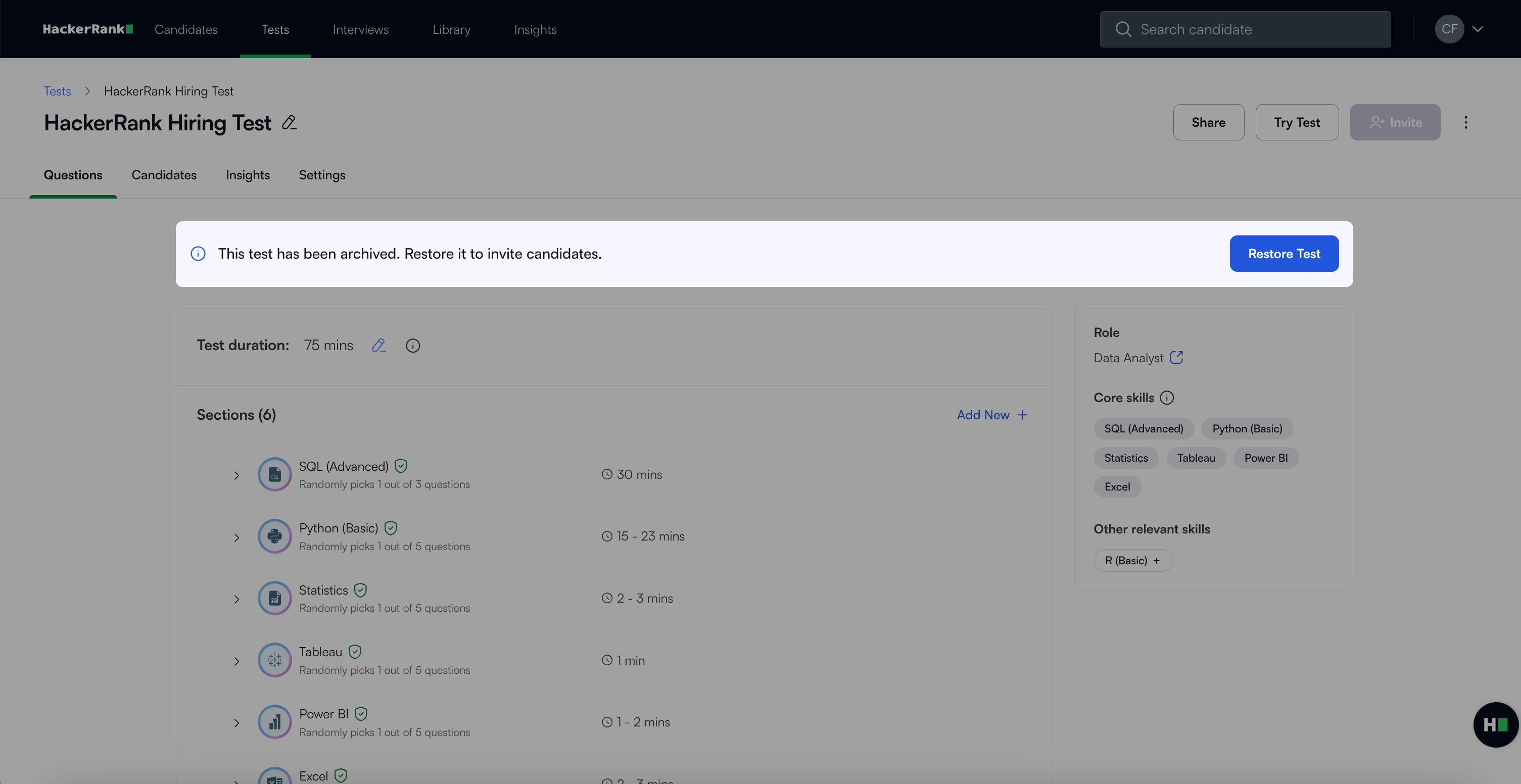
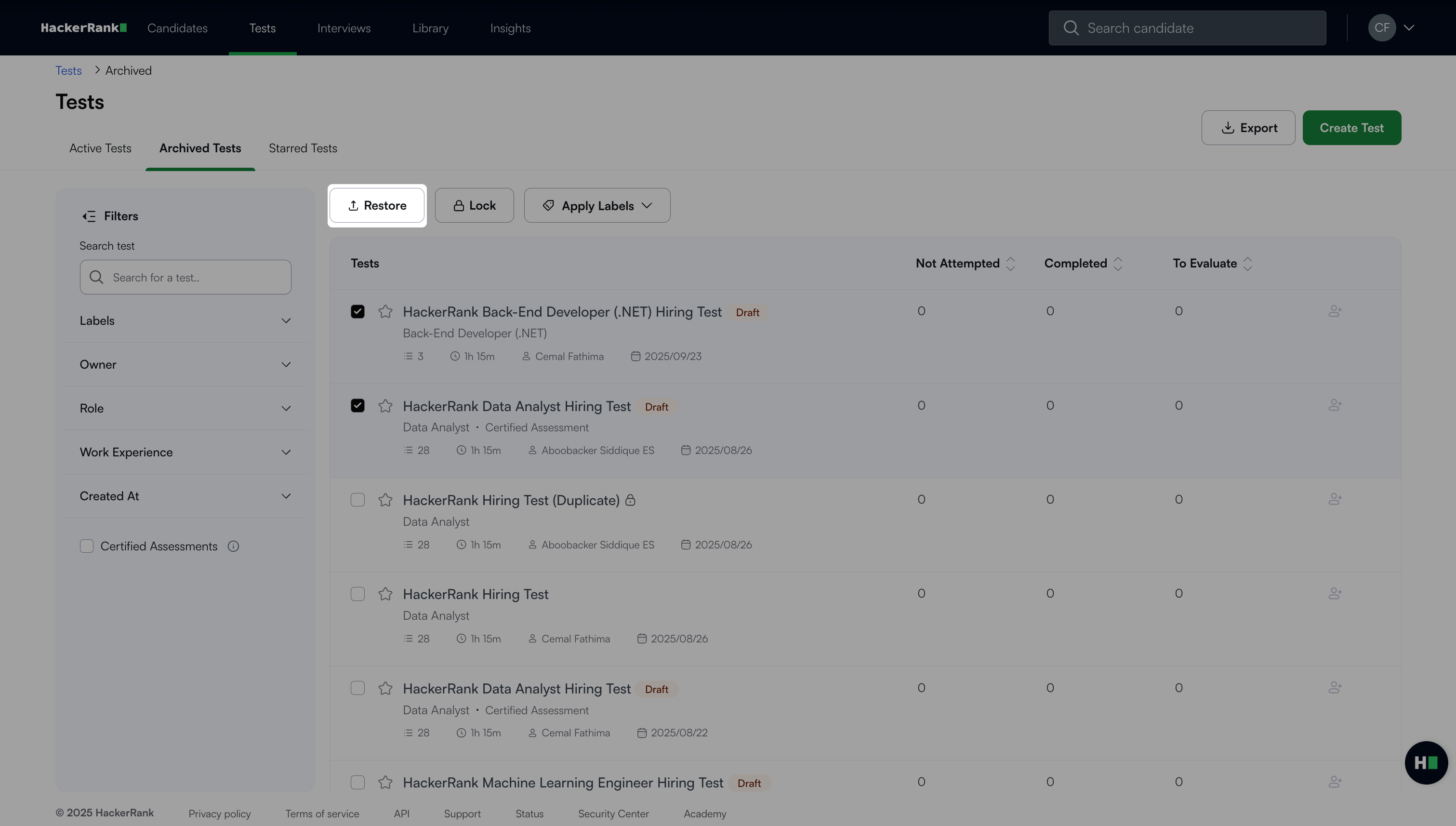
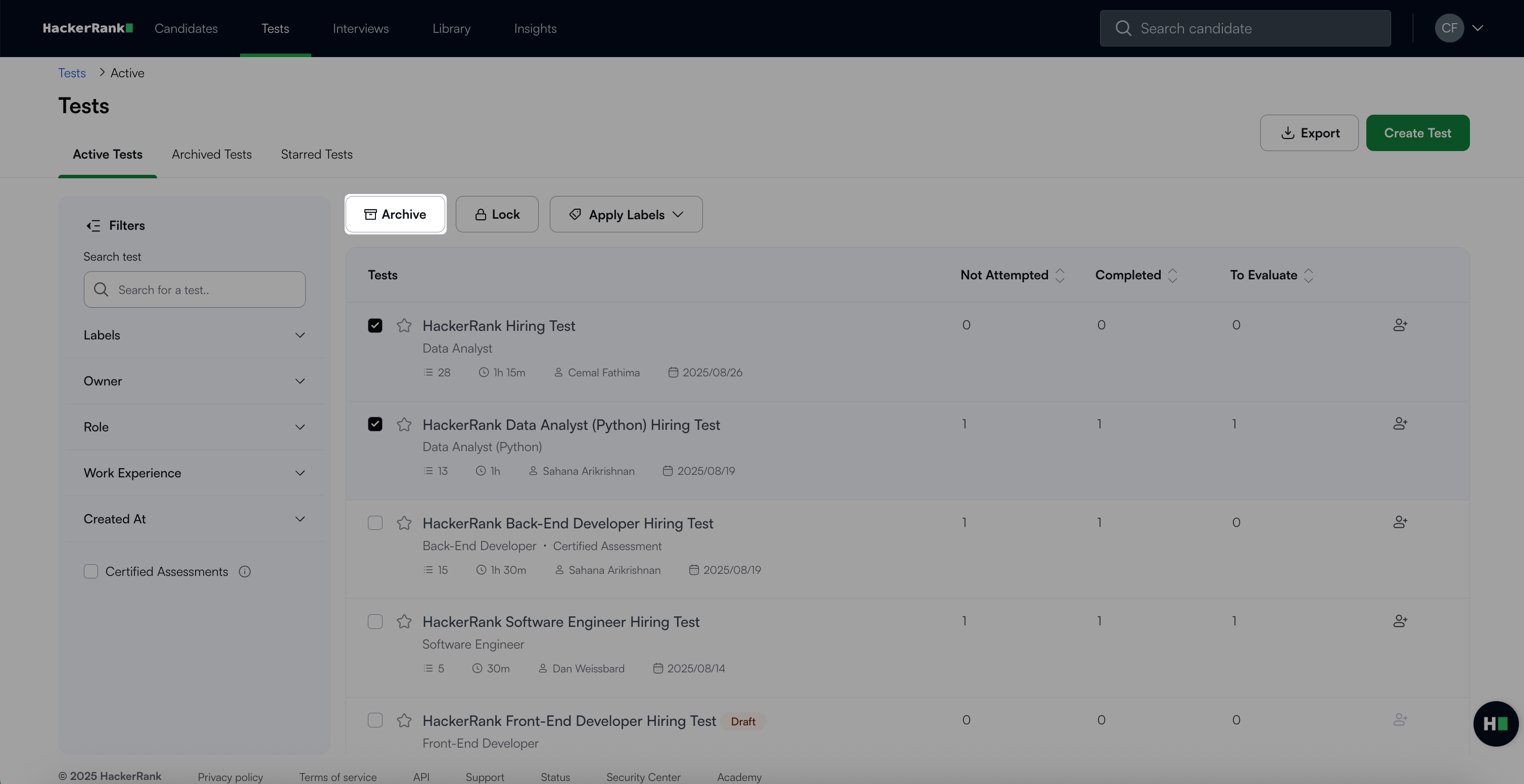
You can archive or restore multiple tests at once.
In the Active Tests tab, select the checkboxes next to the tests you want to archive, and click Archive.
In the Archived Tests tab, select the checkboxes next to the tests you want to restore, and click Restore.