Greenhouse - HackerRank Integration Interview User Guide
Last updated: June 3, 2026
This guide outlines how to use the Greenhouse - HackerRank integration to schedule HackerRank interviews and review interview results directly in Greenhouse.
Prerequisites
Before you begin, ensure you meet the following requirements:
You have active HackerRank and Greenhouse accounts.
The HackerRank integration with Greenhouse is complete. For more information, see 📄 Greenhouse - HackerRank Integration Guide.
Note: To migrate Greenhouse Harvest v3, see 📄 Greenhouse Harvest v3 Migration Guide.
Adding HackerRank interview stage in Greenhouse
You can add a HackerRank Interview stage to include HackerRank Interviews in your hiring process.
To add HackerRank Interview stage to a job interview plan in Greenhouse:
Log in to your Greenhouse account using your credentials.
Go to the Jobs tab.
Select the job you want to update.
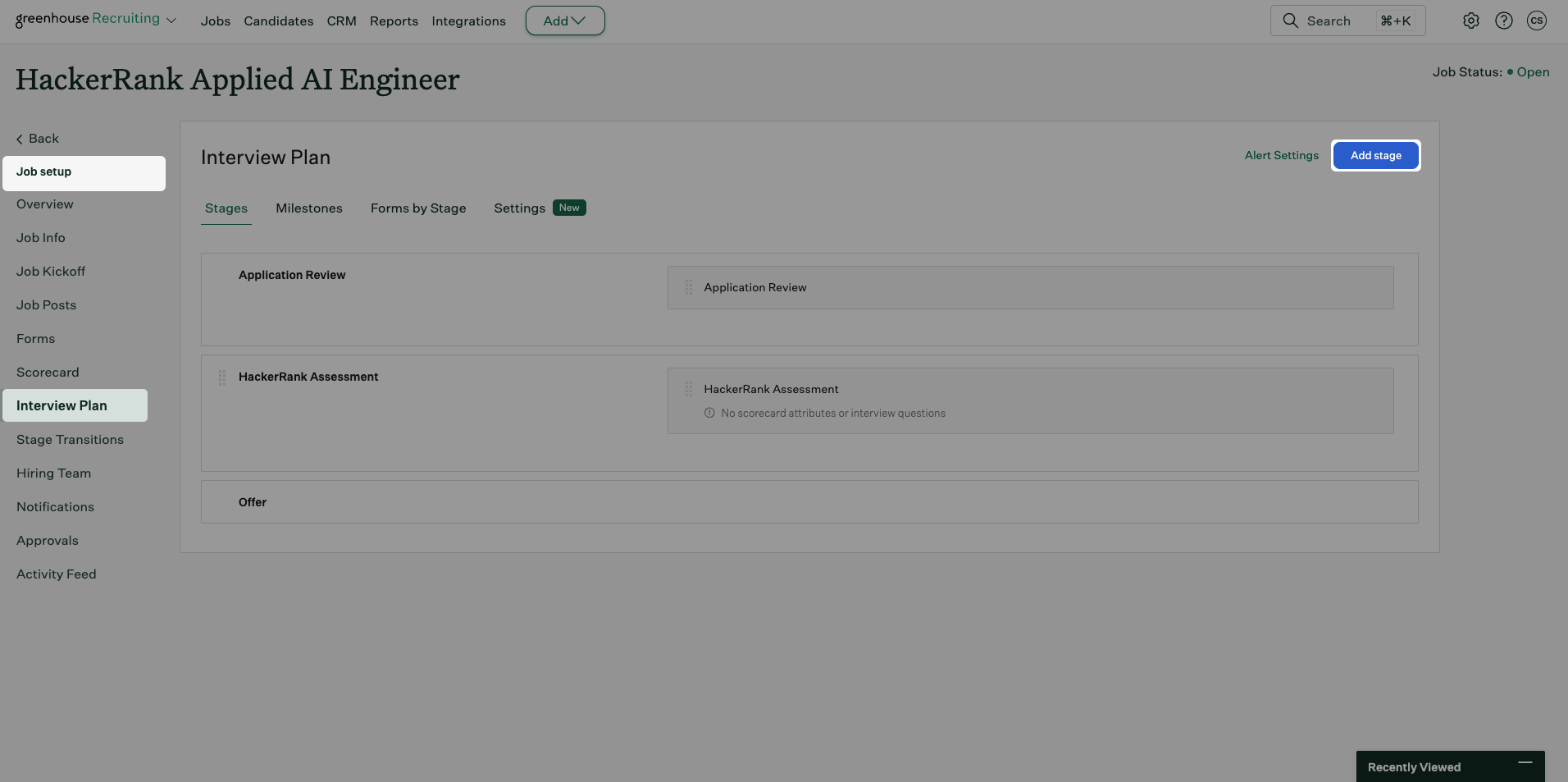
Go to Job Setup > Interview Plan.
Click Add stage.
In the Add Stage dialog, select Phone Interview 2.
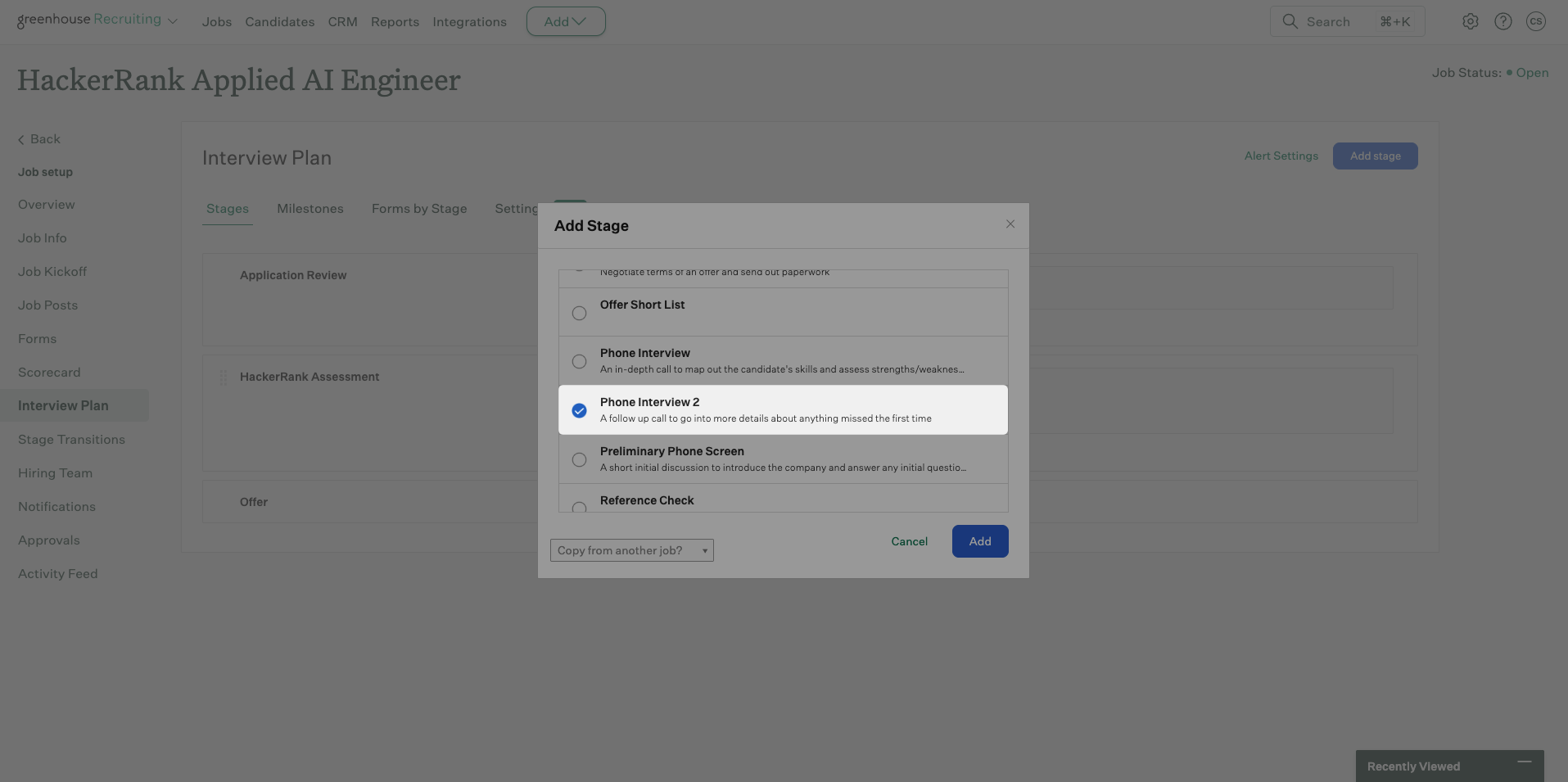
Note: If Phone Interview 2 does not appear in the stage list, the integration is not configured correctly. For more information, see 📄 Greenhouse - HackerRank Integration Guide.
Click Add. Greenhouse adds the HackerRank Interview stage to the interview plan.
Scheduling HackerRank Interview
Note: Before you schedule an interview, ensure that the HackerRank Interview stage is added to the job interview plan in Greenhouse. For more information, see Adding HackerRank interview stage in Greenhouse.
To schedule a HackerRank interview in Greenhouse:
Log in to your Greenhouse account using your credentials.
Go to the Candidates tab.
Select a candidate.
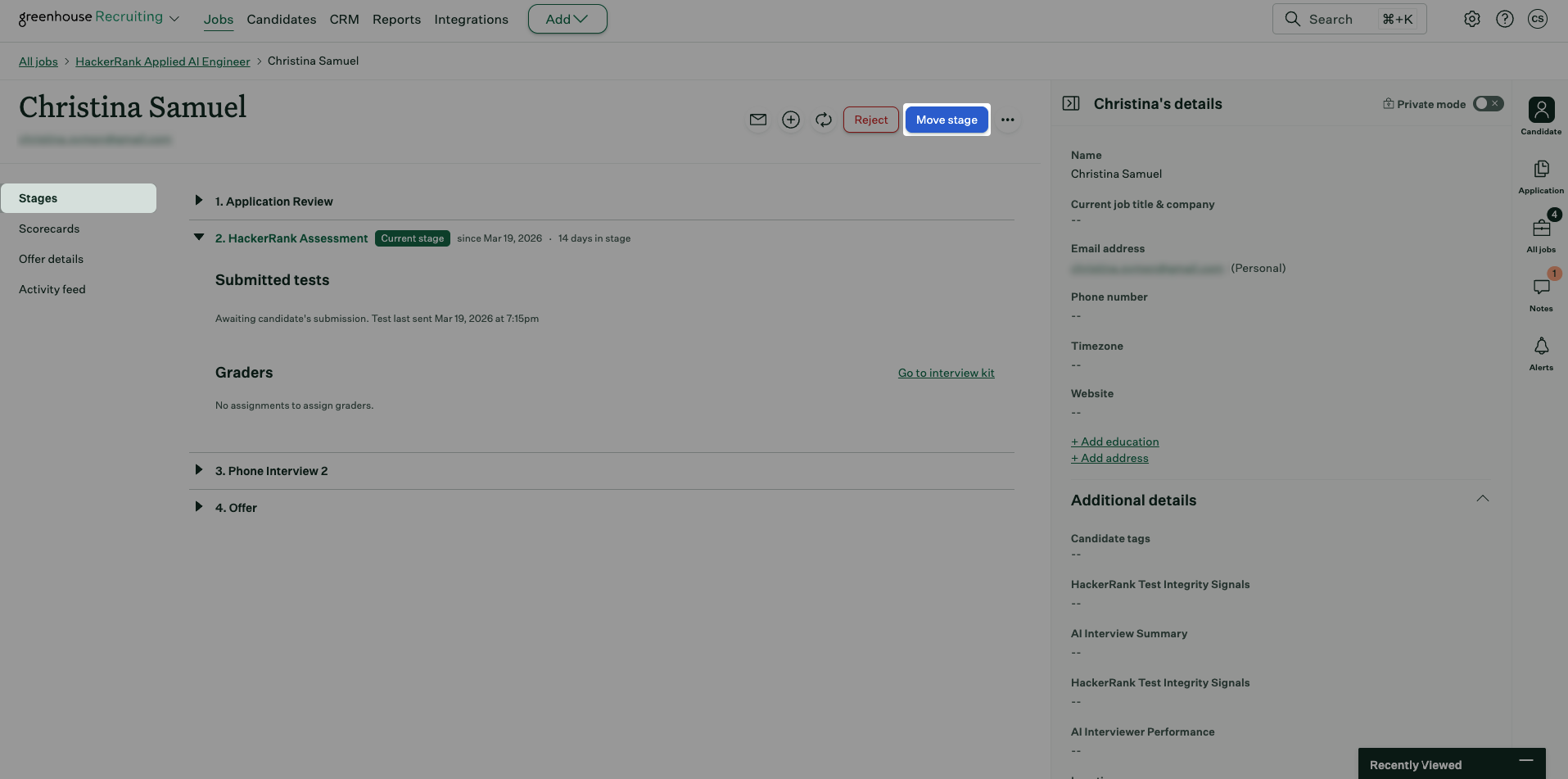
Go to the Stages tab.
Click Move stage and select Phone Interview 2.
In the Phone Interview 2 stage, click Schedule manually.
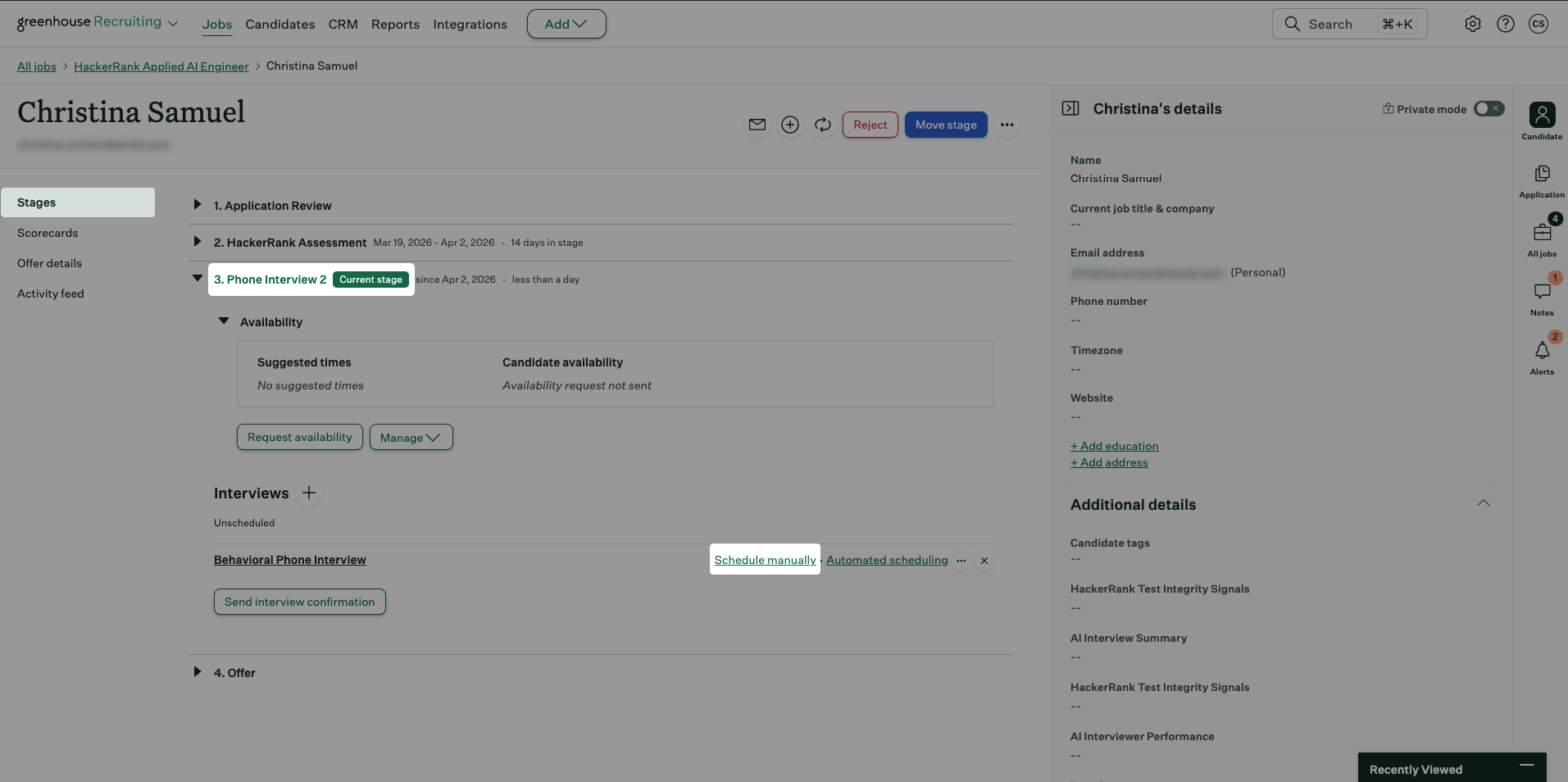
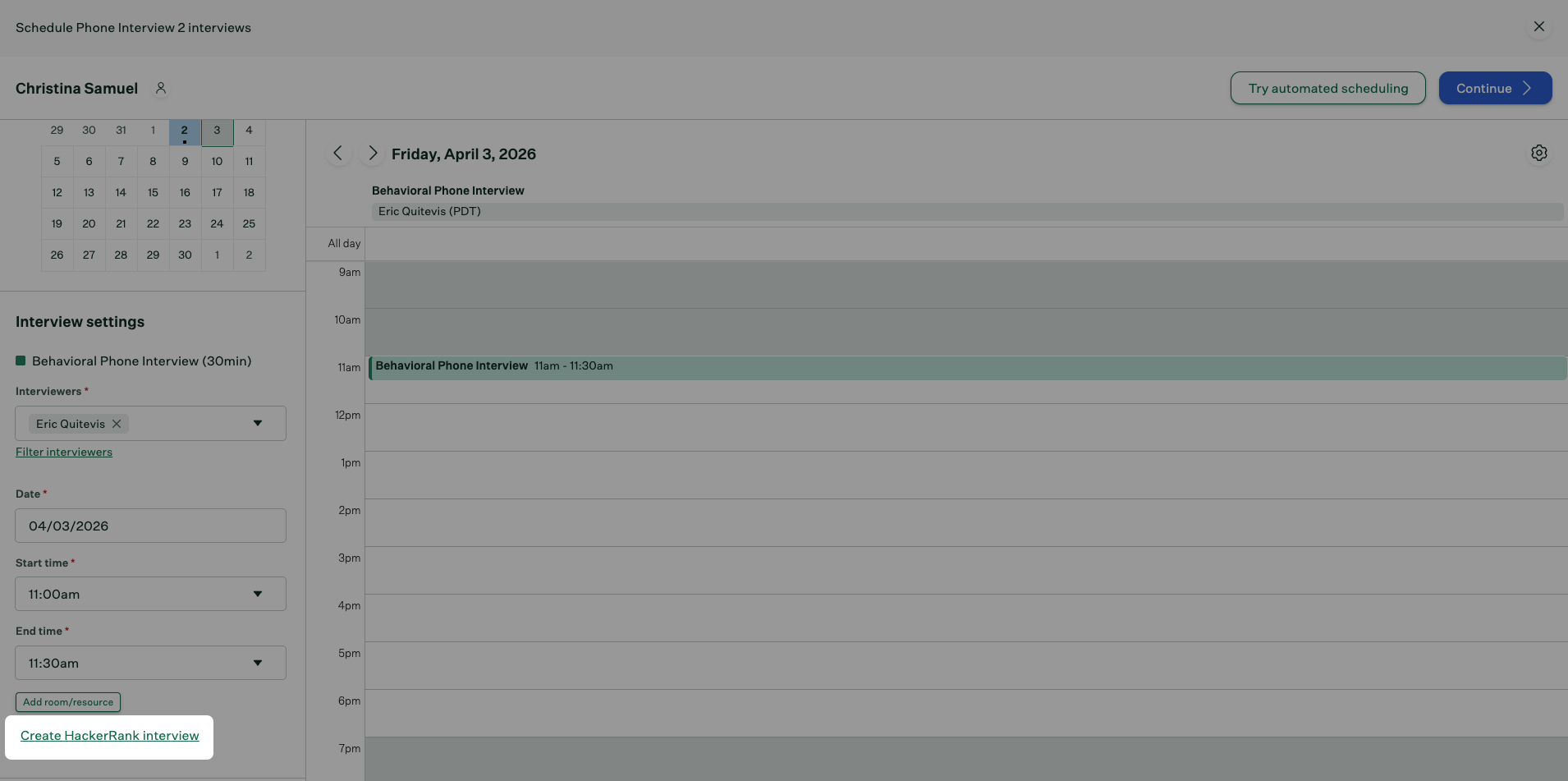
In Interview settings, select the following:
Interviewers
Date
Start time
End time
Click Create HackerRank Interview.
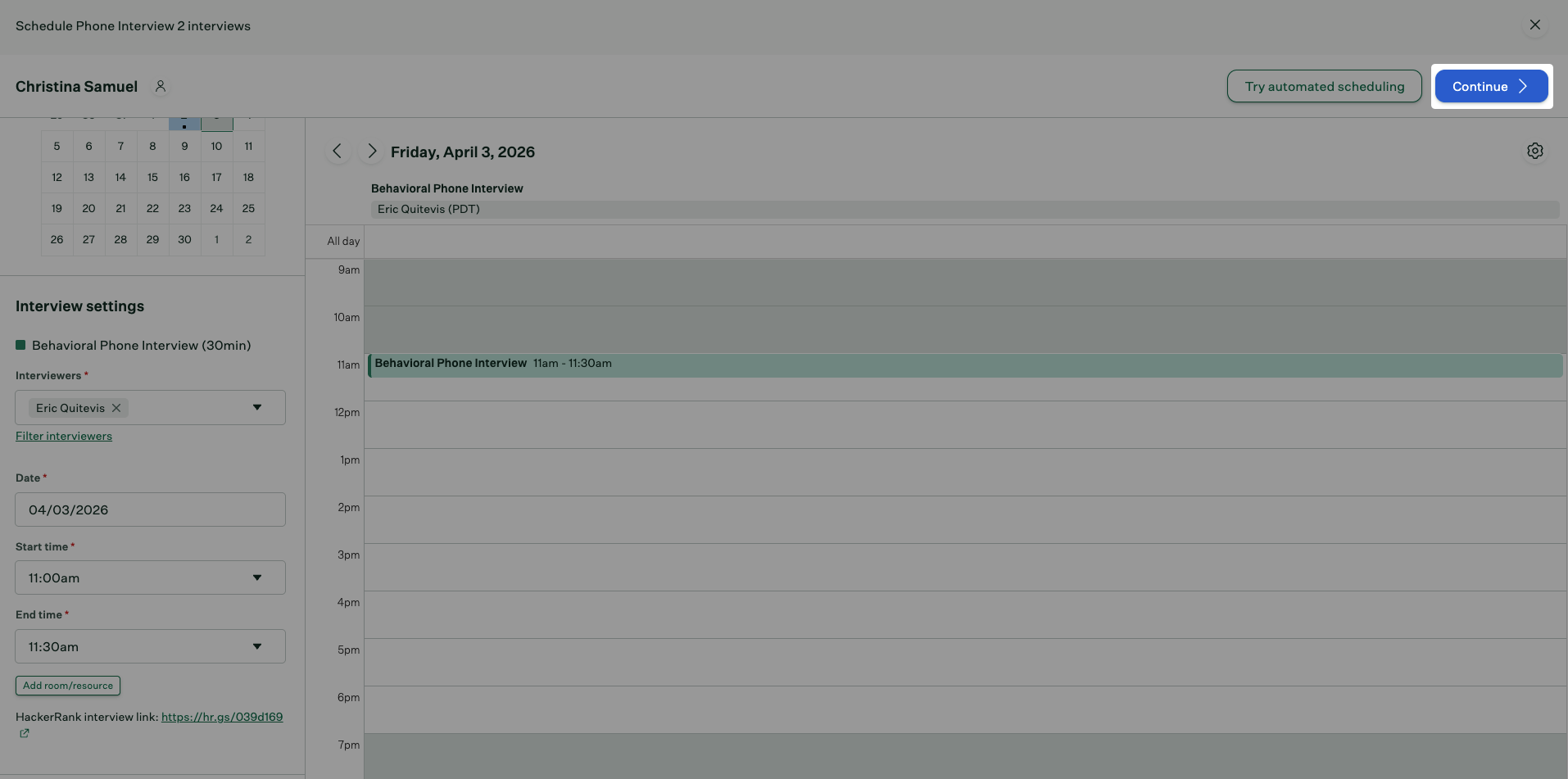
Greenhouse generates the HackerRank interview link and displays it under Interview settings.
Click Continue.
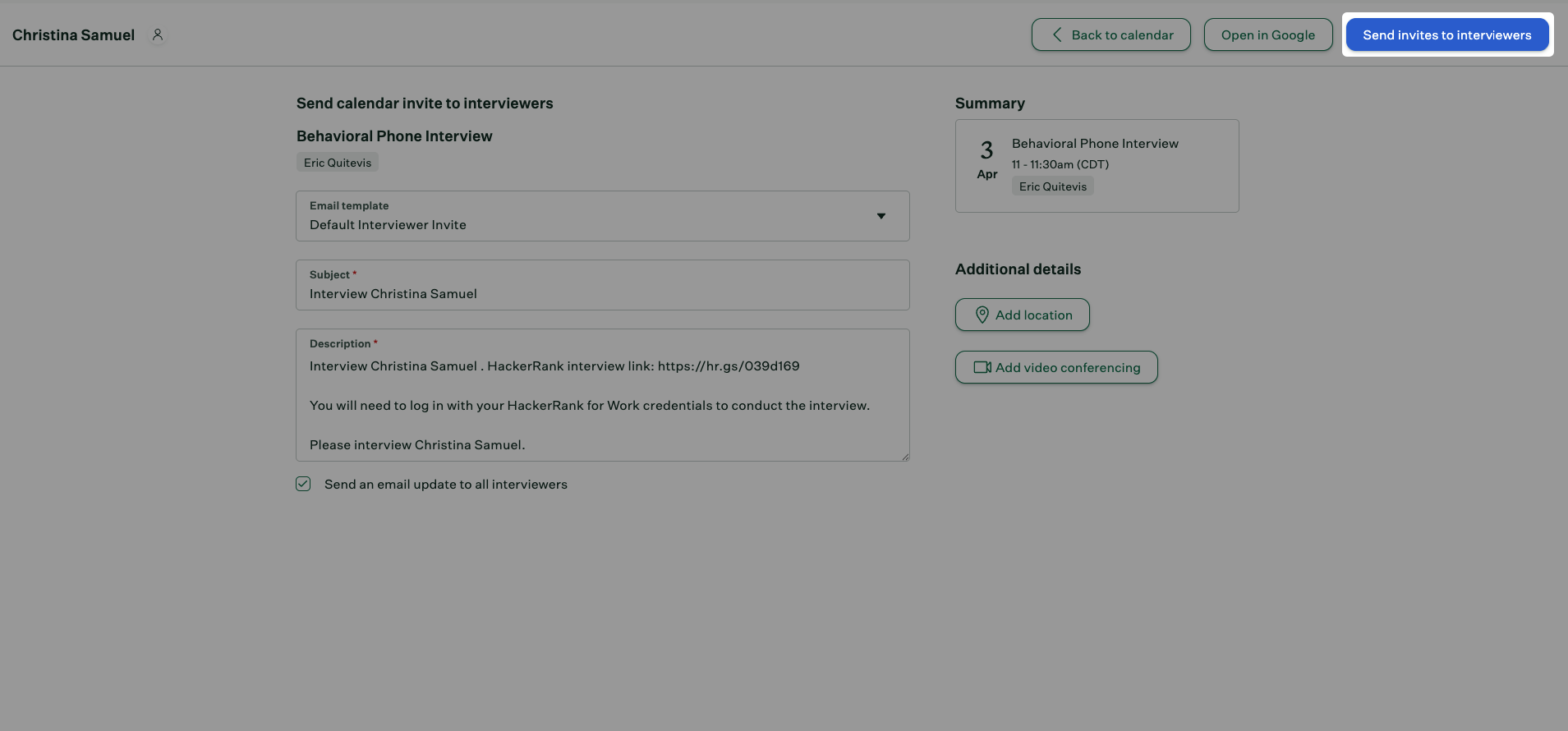
Review the invite details under Send calendar invite to interviewers section:
Email template: Auto-selected as Default Interview Invite
Subject: Auto-generated; edit if needed
Description: Autogenerated and includes the HackerRank interview link; edit if needed
Note: The Send an email update to all interviewers checkbox is selected by default. Clear it if you do not want Greenhouse to send an email update to the interviewers.
Click Send invites to interviewers.
Greenhouse sends the interview invitations to the candidate and interviewers.
Viewing Interview Results
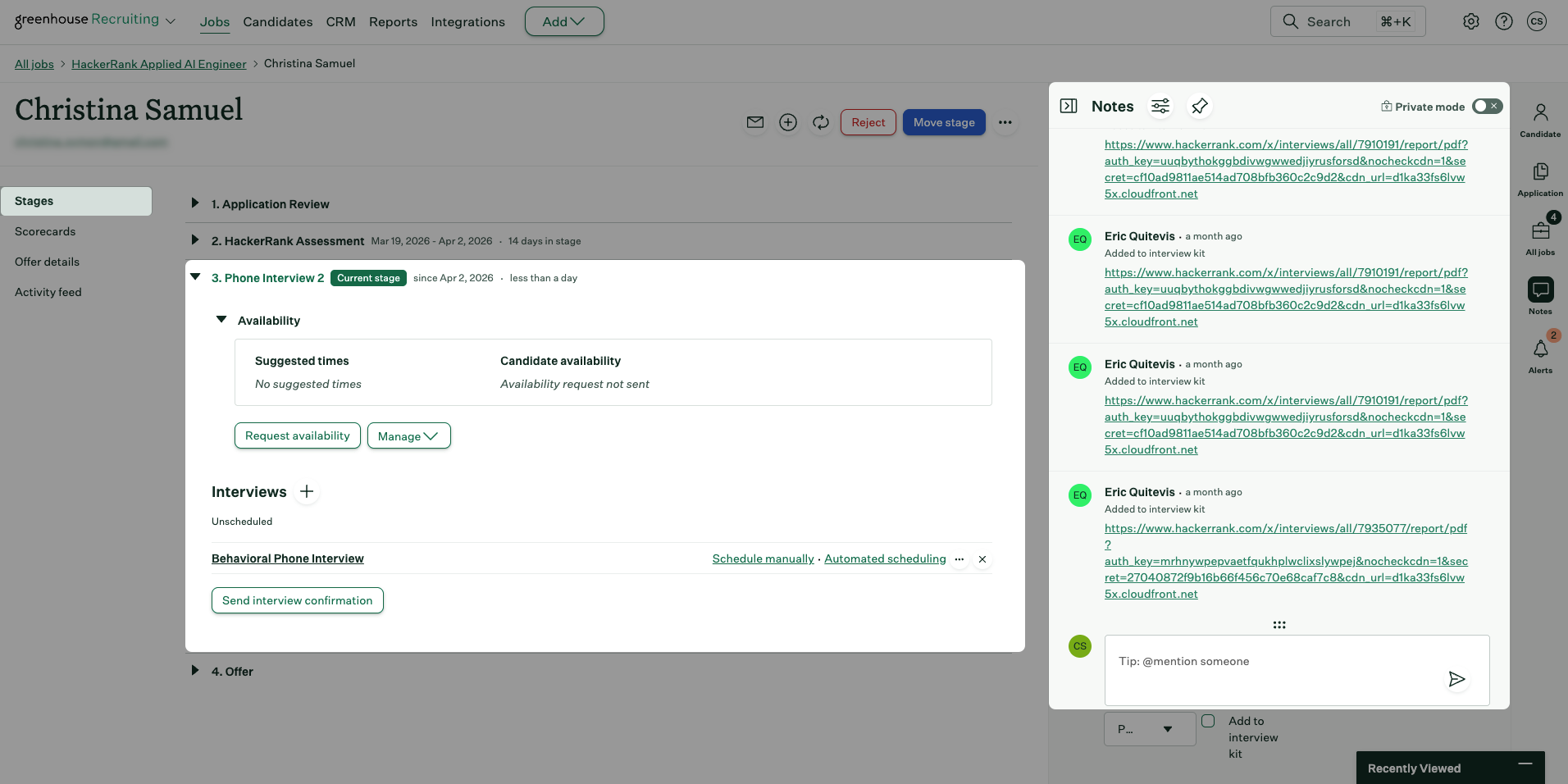
After interviewers complete the scorecard in HackerRank and click Sync to Greenhouse, the interview report link appears in the candidate’s profile in Greenhouse. For more information about using the interview scorecard in HackerRank, see Using the scorecard during an interview.
To view interview results from the Notes tab:
Open the candidate’s profile in Greenhouse.
Go to the Stages tab.
Select the Phone Interview 2 stage.
Click the report link in the Notes panel to view the full interview report.
To view interview results from the Activity tab:
Open the candidate’s profile in Greenhouse.
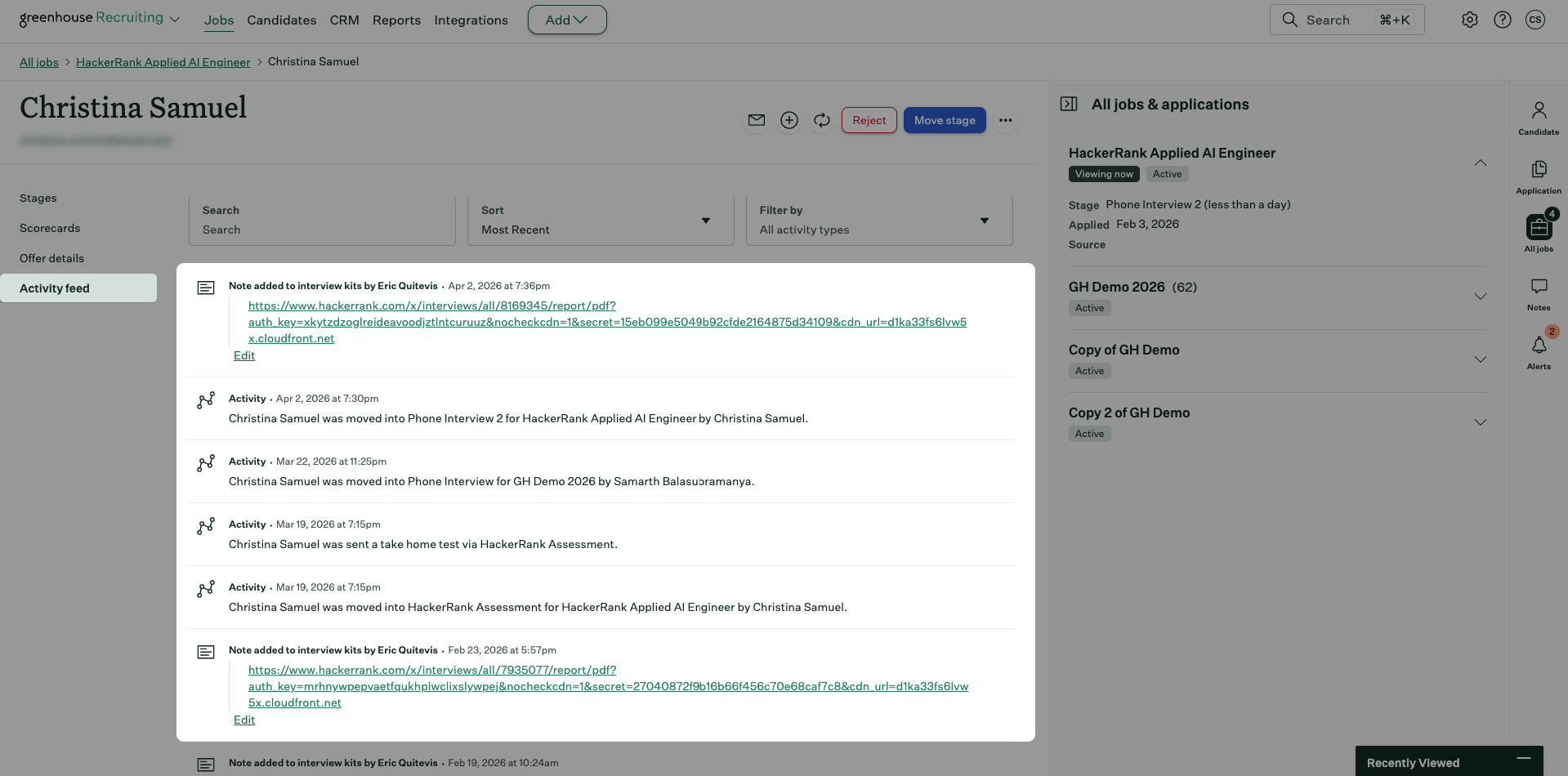
Go to the Activity feed tab.
Locate the note labeled Note added to interview kits.
Click the report link in the note to view the full interview report.