Manage Leaked Questions
Last updated: April 22, 2026
A question is considered leaked if it appears in publicly accessible search results and matches a HackerRank Library or customer-created question both structurally and semantically.
Detecting leaked questions
HackerRank uses a leak detection algorithm that automatically searches at regular intervals to identify leaked questions from the leak-protected skill sets in your tests.
How leak detection works
The system:
Searches the web for matches to a question's problem statement.
Scrapes the content and applies string-matching algorithms.
Flags any question that meets or exceeds the defined matching score threshold.
Note:
Although the leak detection algorithm is highly accurate, HackerRank recommends that you conduct your own validation before taking action on flagged content.
Leak detection currently applies to the following question types:
Coding
Approximate Solution
Database
DevOps
Fullstack
Reporting leaked questions
If you find a HackerRank Library or your company question that appears online, you can manually report it.
To report a leaked question:
Log in to your HackerRank for Work account using your credentials.
Go to the Library tab.
Select the Tests or Interview tab.
Select the source of questions from the Library drop-down.
Locate the leaked question.
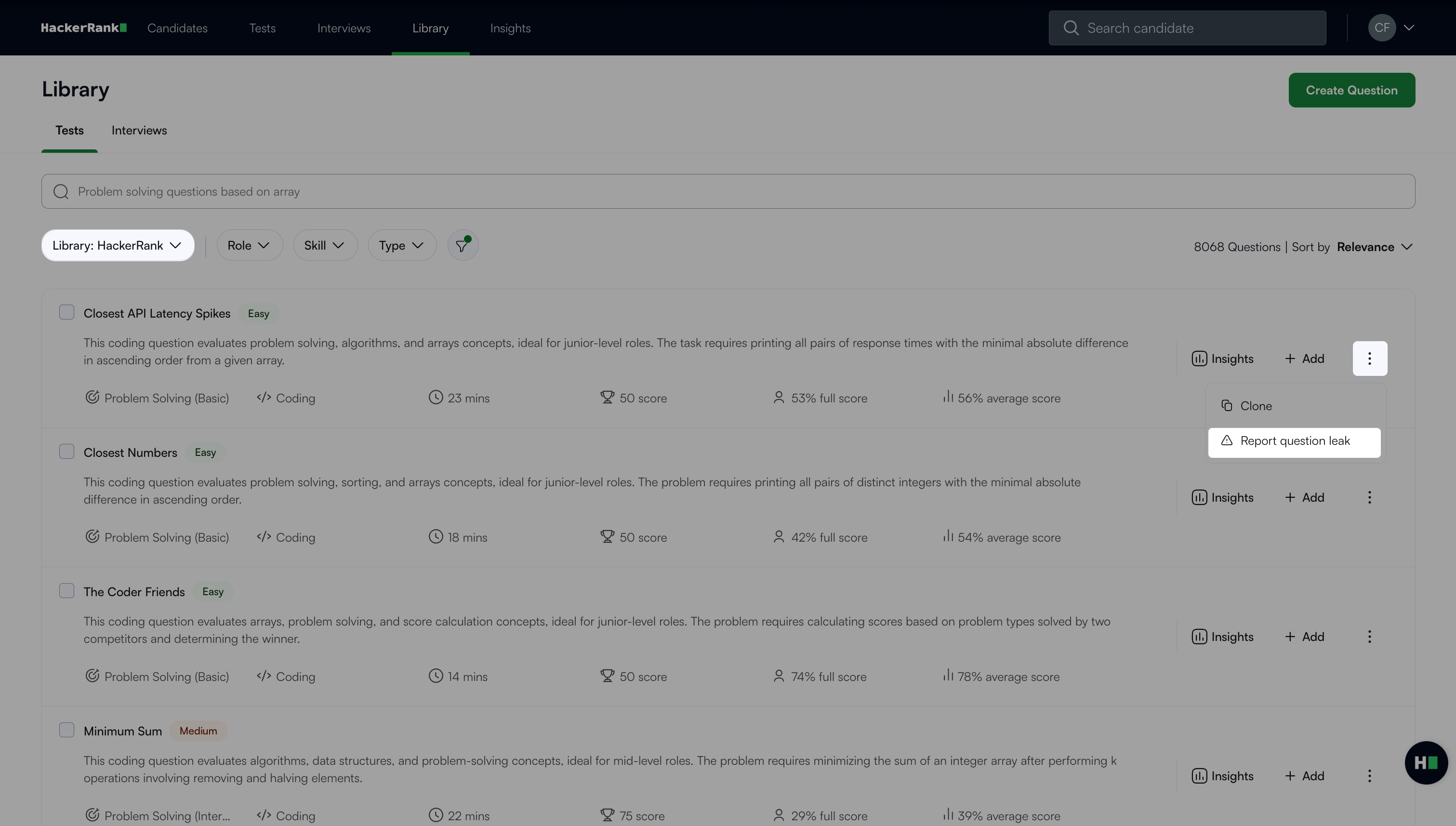
Click the more options menu (⋮) next to the question and select Report question leak.
In the dialog box, paste public URLs where the question appears.
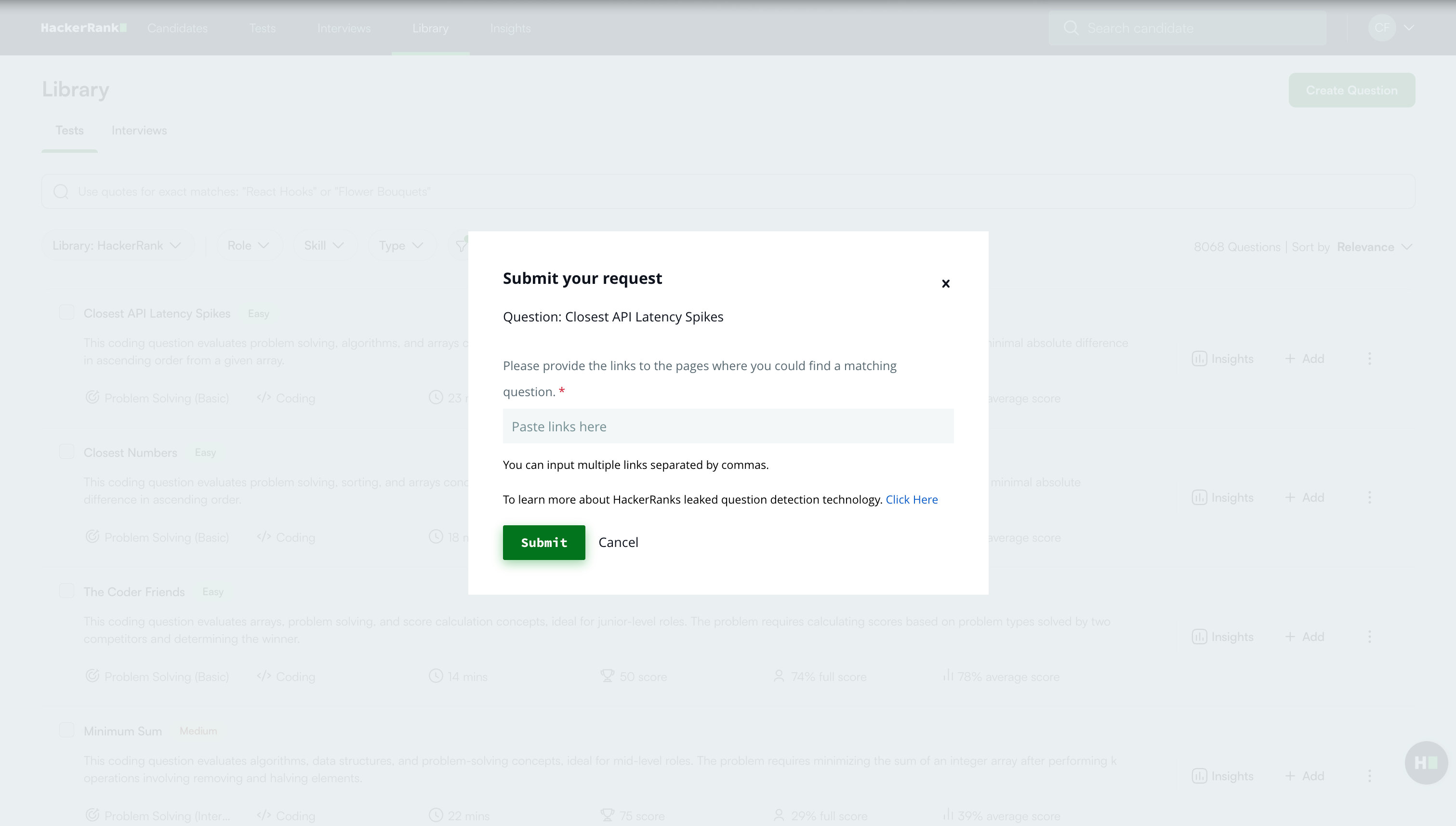
Click Submit. A success message appears.
Viewing leaked questions in library
By default, HackerRank hides leaked questions from the Library.
To view leaked questions:
Go to the Library tab.
Select the Tests or Interview tab.
Select the source of questions from the Library drop-down.
Click the Filter icon and select Others.
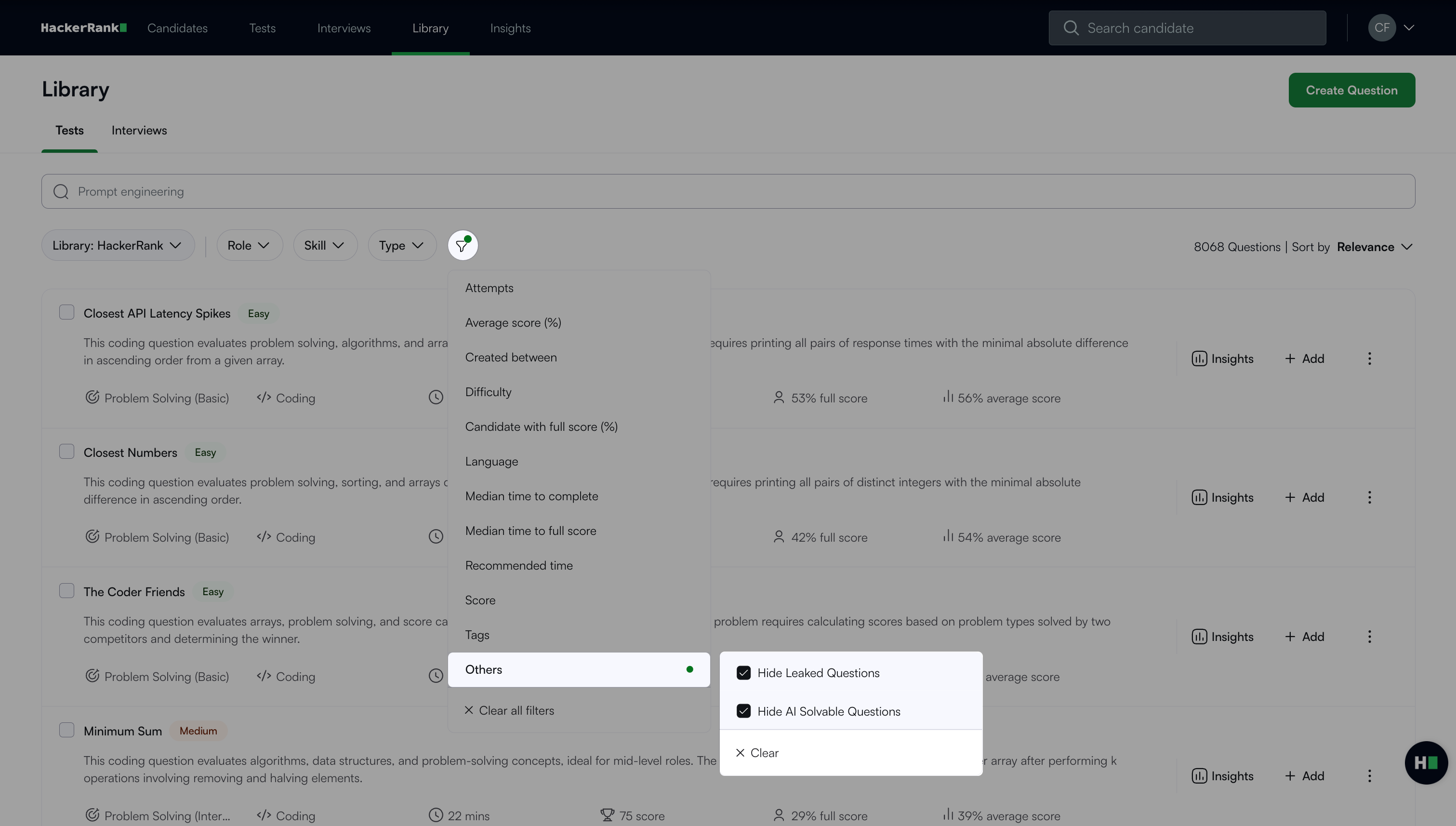
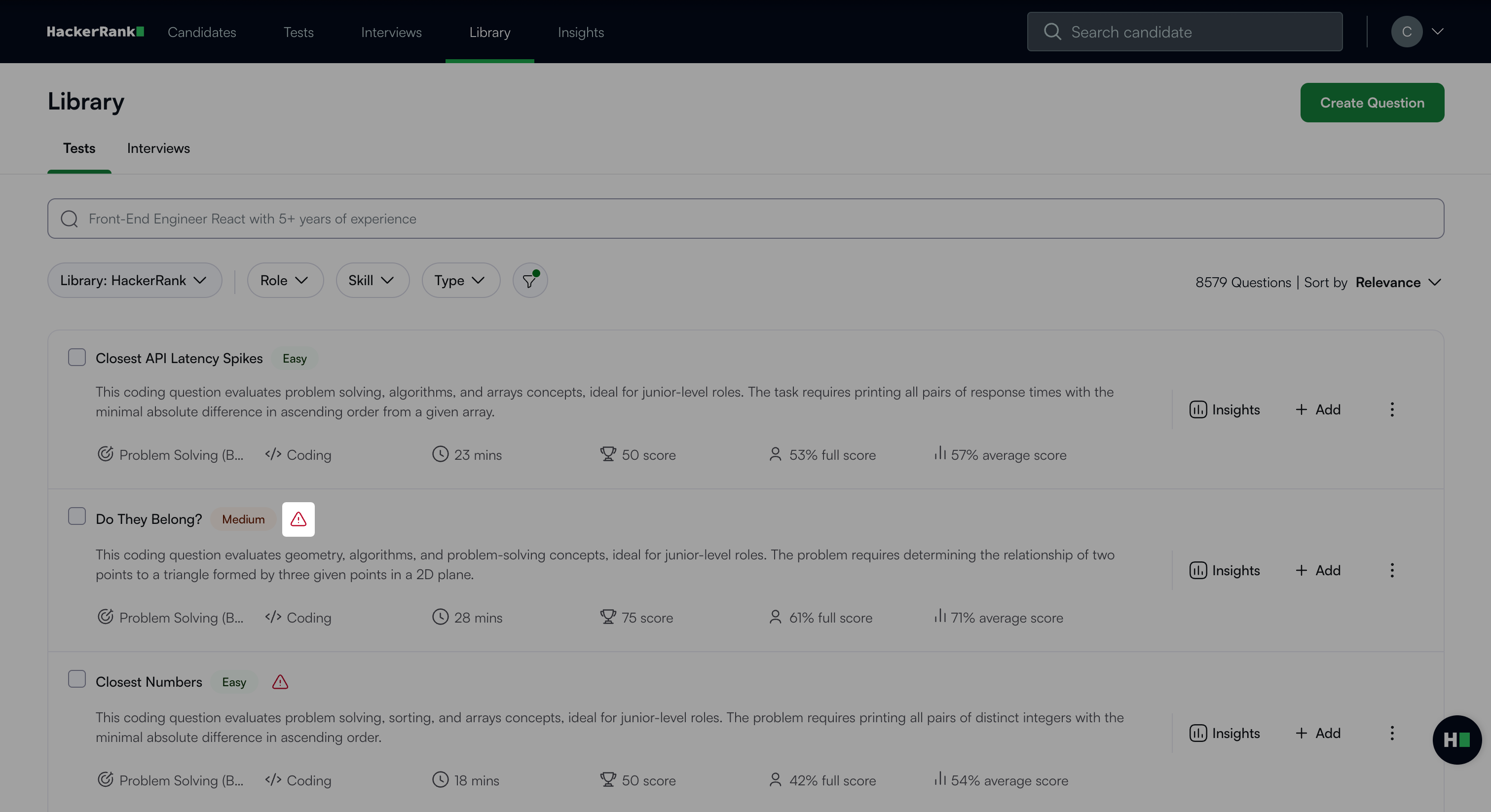
Clear the Hide Leaked Questions checkbox. The leaked questions appear with a warning icon.
Viewing tests with leaked questions
You can identify tests that contain one or more leaked questions directly from the test listing page, including tests in the draft stage.
To view tests with leaked questions:
Log in to your HackerRank for Work account using your credentials.
Go to the Tests tab.
In the Active Tests tab, select the Leaked Tests checkbox under the Filters panel. An indicator appears next to each test that contains leaked questions.
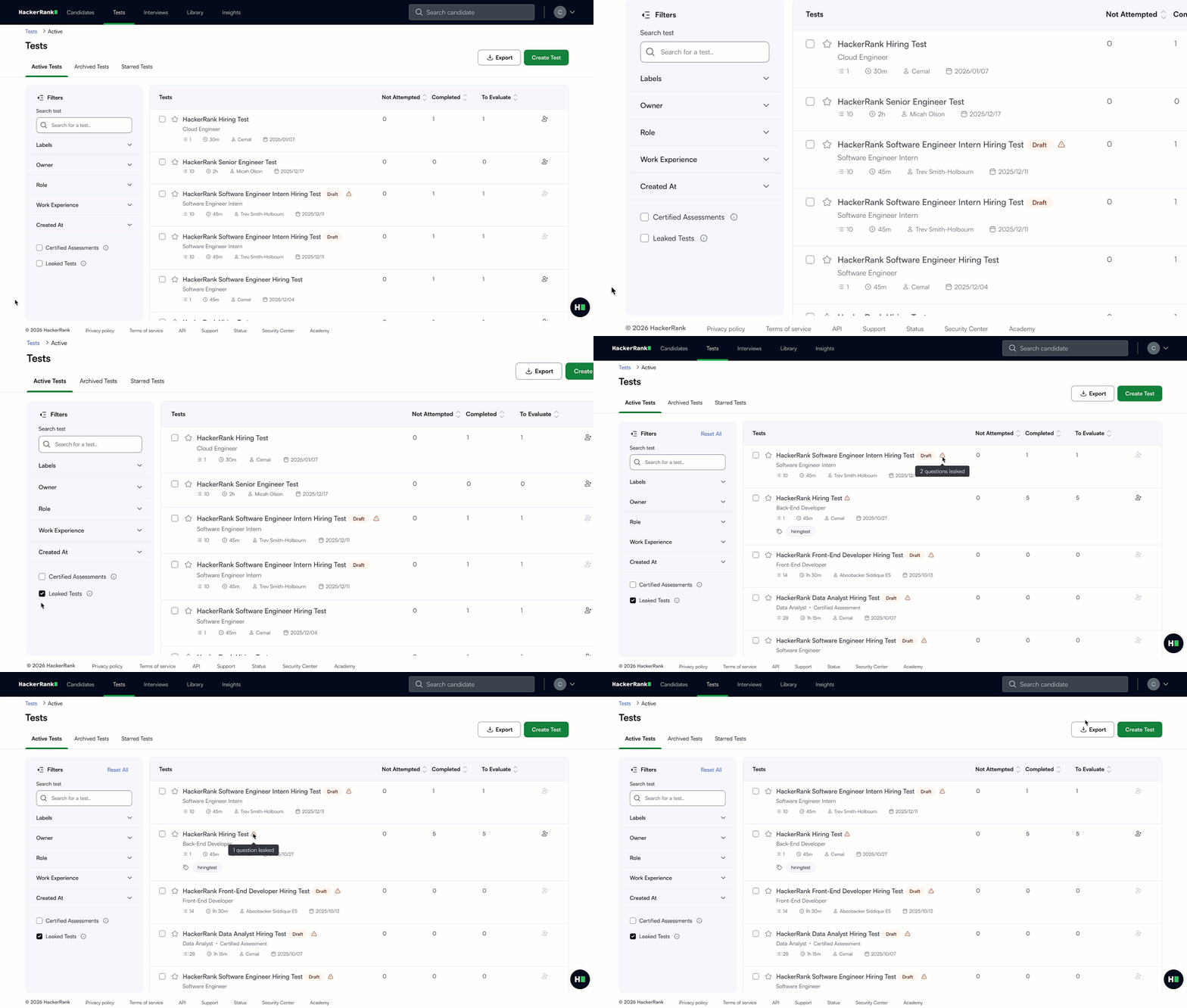
Hover over the indicator to view the number of leaked questions in the test.
Select a test to view the leaked questions
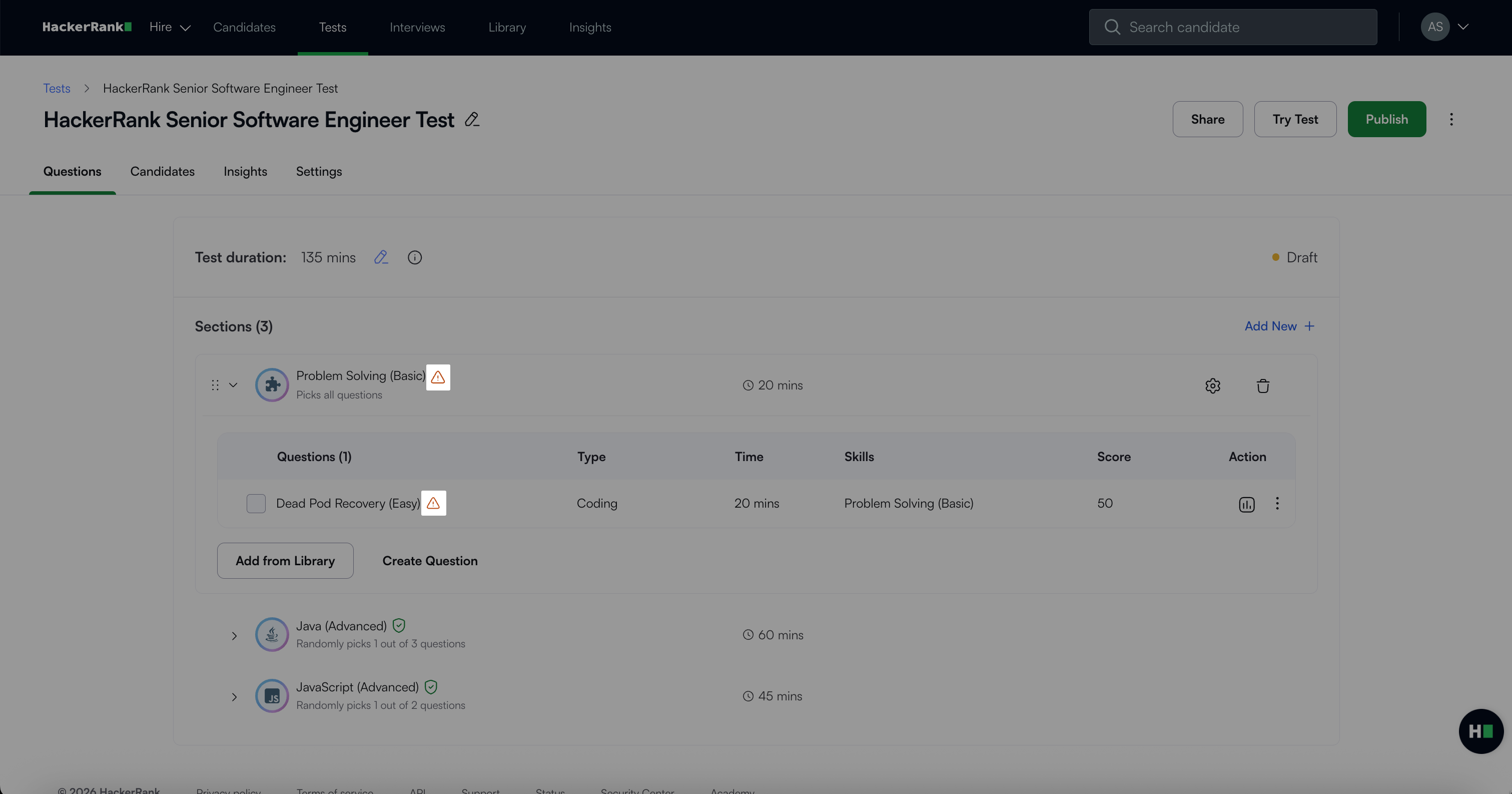
Handling leaked questions
Take the following actions to maintain test integrity and minimize exposure:
Avoid using leaked questions in new tests: Enable the Hide Leaked Questions toggle when selecting questions during test creation.
Replace leaked questions: Use the Replace Question option to replace any leaked question with a similar non-leaked one. For more information, see 📄 Replace Leaked Question.
Monitor ongoing tests: If a leaked question is included in an active test, use the plagiarism detection functionality to monitor submissions. Replace the question if required.
Adjust scoring for completed tests: For completed tests, disregard the leaked question during evaluation to ensure fairness.
Leak mitigation and takedown actions
To maintain content integrity, HackerRank takes the following measures:
DMCA takedowns: HackerRank issues DMCA takedown notices to websites hosting leaked questions, prioritizing cases based on severity and domain type. For more information, see HackerRank's DMCA Process.
Library updates: HackerRank runs leakage detection daily and updates the question library regularly with new question types and skills. For more information, see 📄 HackerRank Question Count Comparison by Subscription Plan.
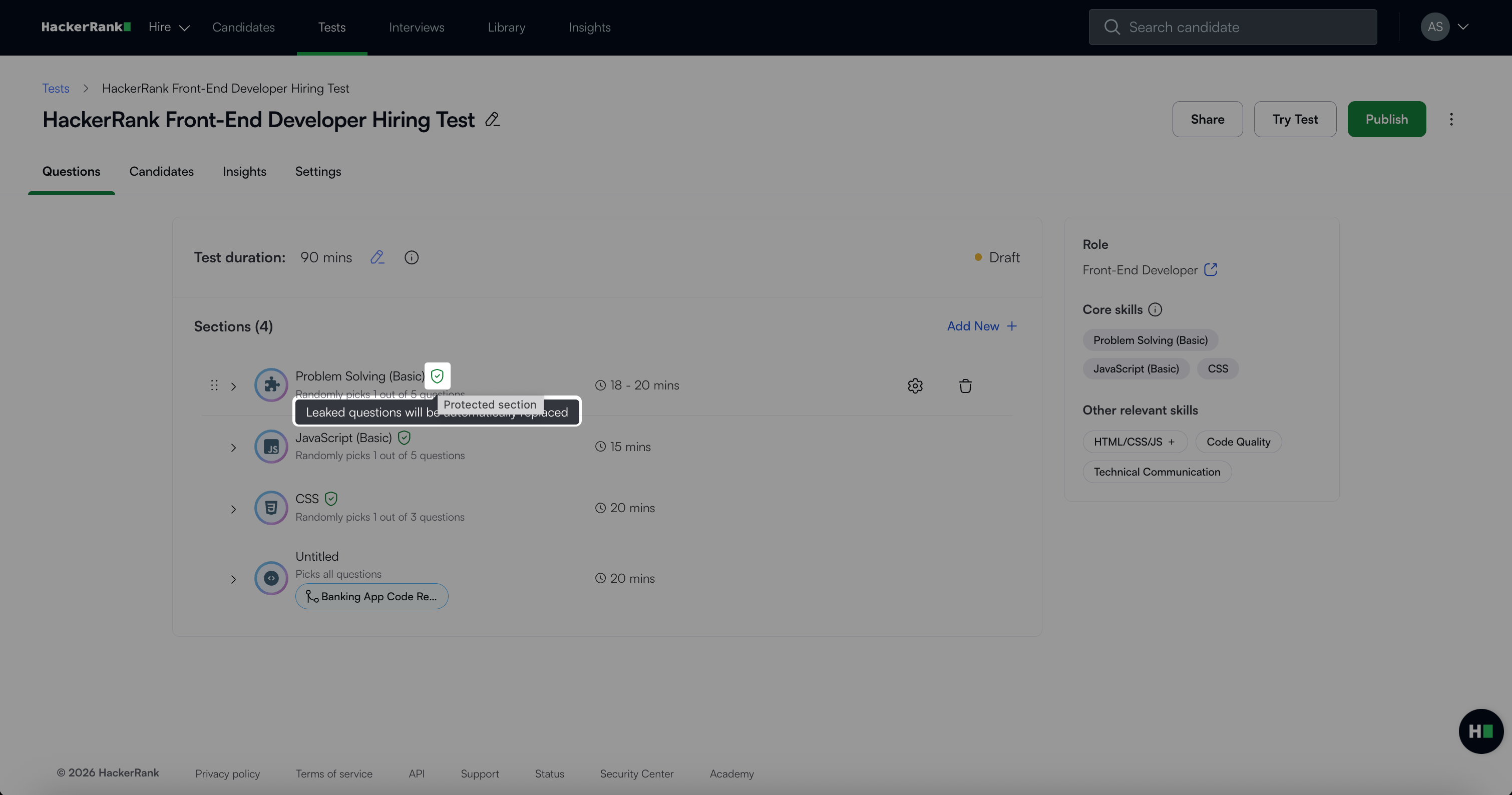
Automatic replacement of leaked questions in tests: If a test contains leaked questions, HackerRank automatically replaces them with similar questions for leakage-protected sections.
Custom question monitoring: HackerRank runs leakage detection for customer-created questions every two weeks to identify and mitigate potential breaches.