Transfer Resource Ownership
Last updated: March 12, 2026
HackerRank allows you to transfer ownership of all resources, such as tests and questions, from one user to another. Transferring ownership ensures that no critical content is lost during user transitions.
Prerequisite
You must have Company Admin access.
Transferring resource ownership
To transfer ownership of all resources:
Log in to your HackerRank for Work account using your credentials.
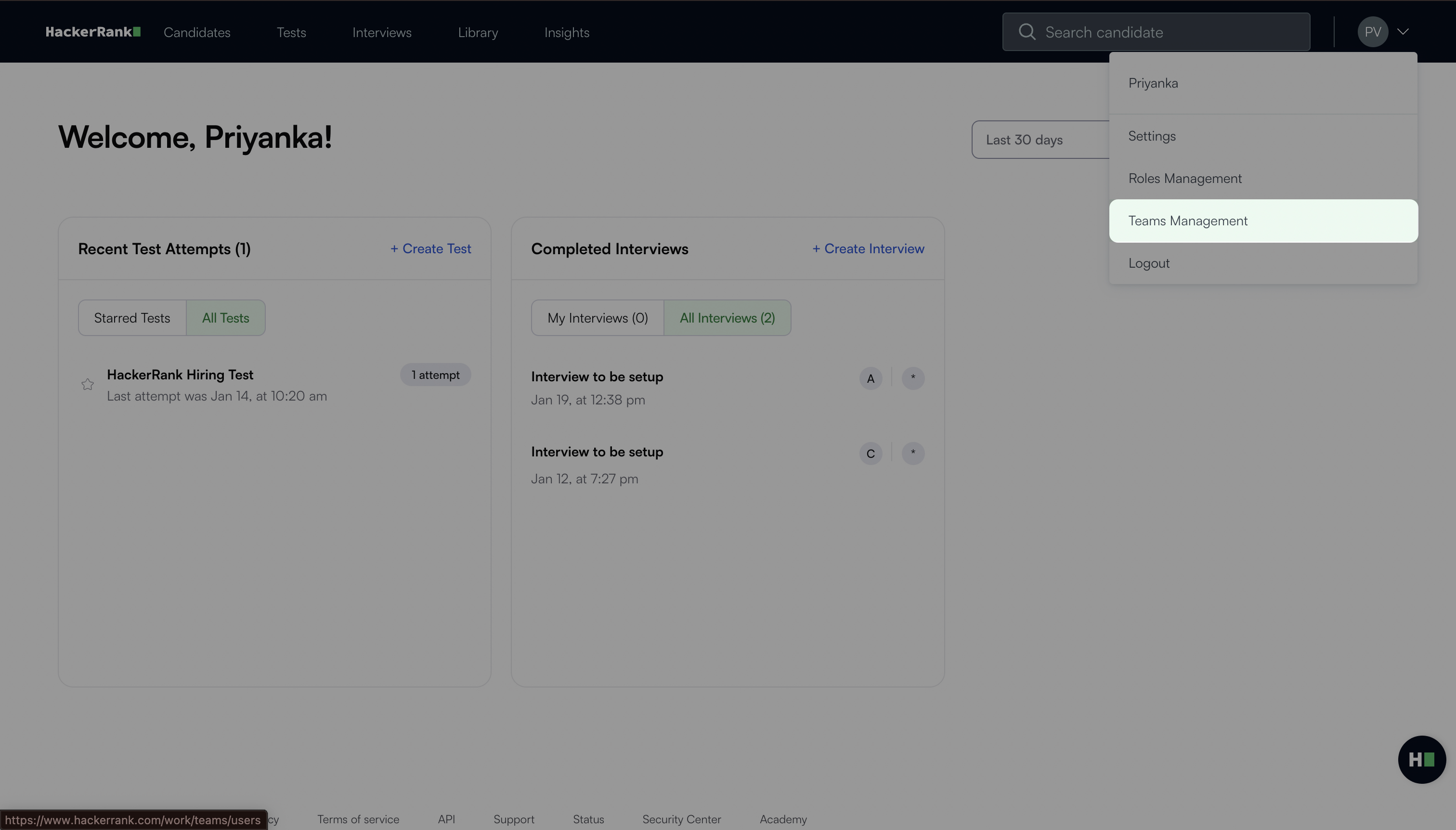
Select your profile icon in the upper-right corner.
Select Teams Management from the drop-down menu.
Locate the user whose resources you want to transfer in the Users tab.
Click the more options menu under the Actions column.
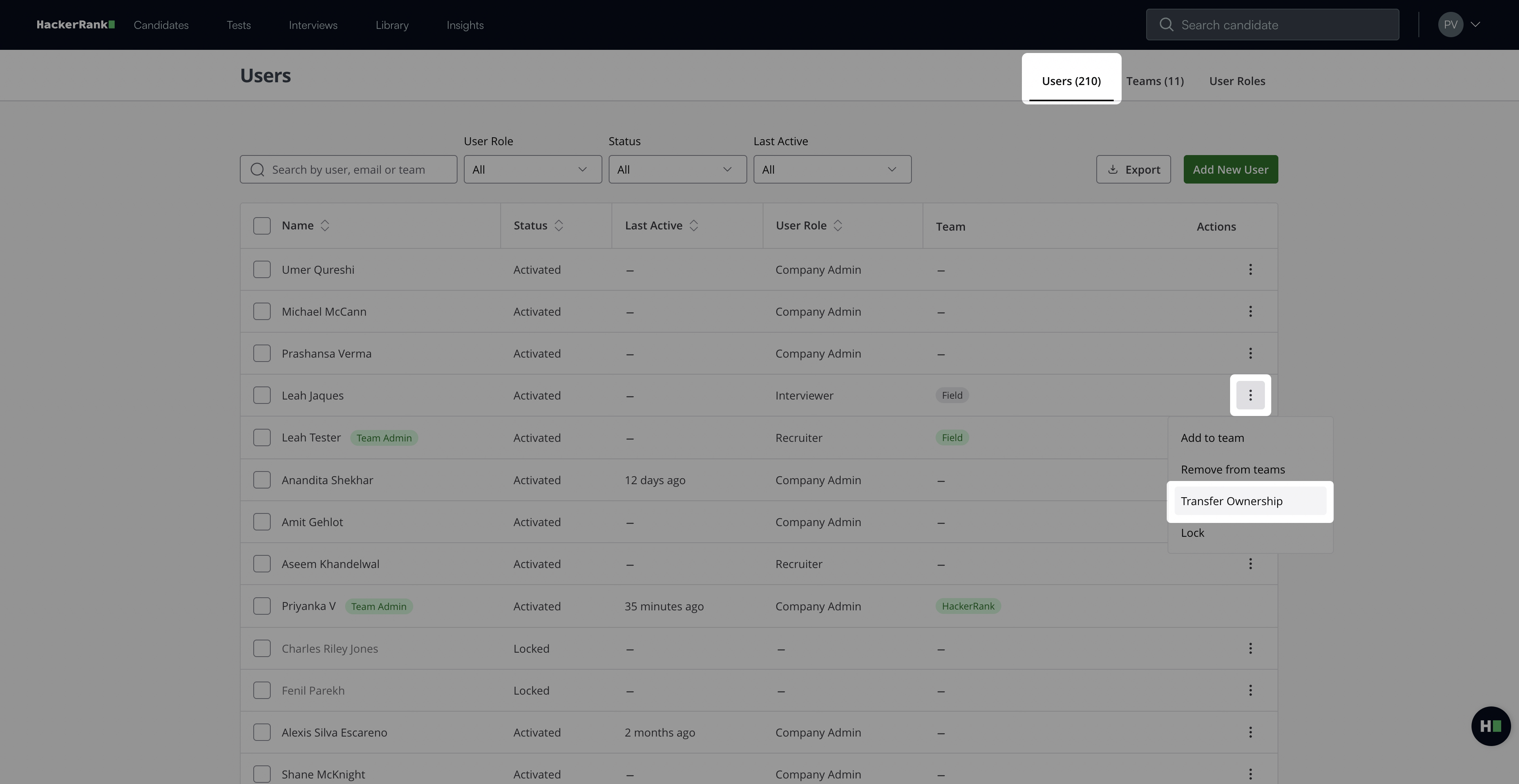
Select Transfer Ownership.
In the Transfer Resource Ownership dialog:
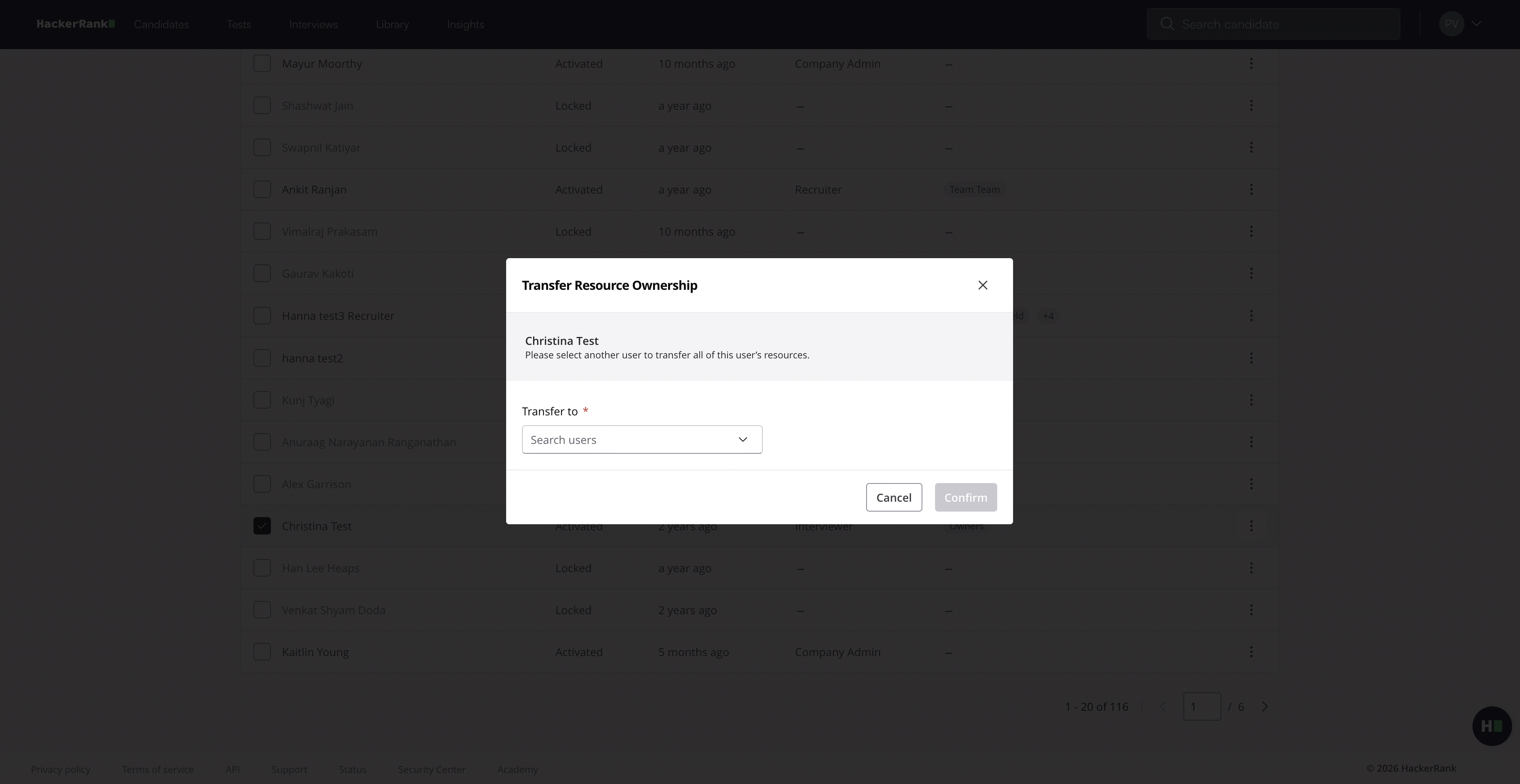
Select the user to whom you want to transfer all resources.
Click Confirm. A success message appears.
Note: You can transfer ownership of test resources to a Developer or Recruiter, but not to an Interviewer, as Interviewers do not have access to test resources.