Modify Entitlements for Developers
Last updated: January 28, 2026
You can modify developer entitlements to control access to tests, interviews, questions, and candidates.
Prerequisite
You must have created a team.
Modifying entitlements for developers
To modify entitlements for developers in a team:
Log in to your HackerRank for Work account using your credentials.
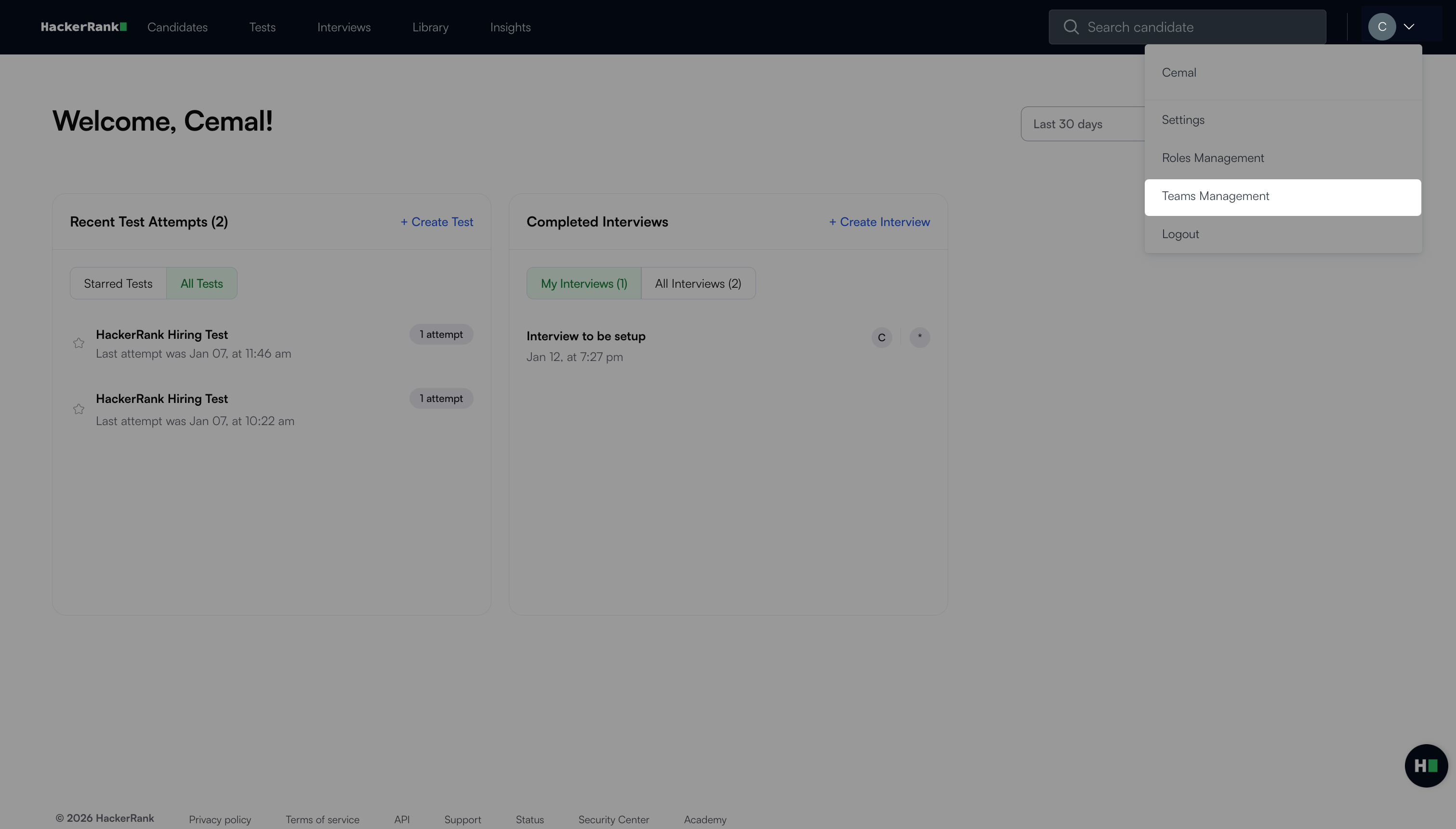
Select your profile icon in the upper-right corner.
Select Teams Management from the drop-down menu.
Go to User Roles > Developer.
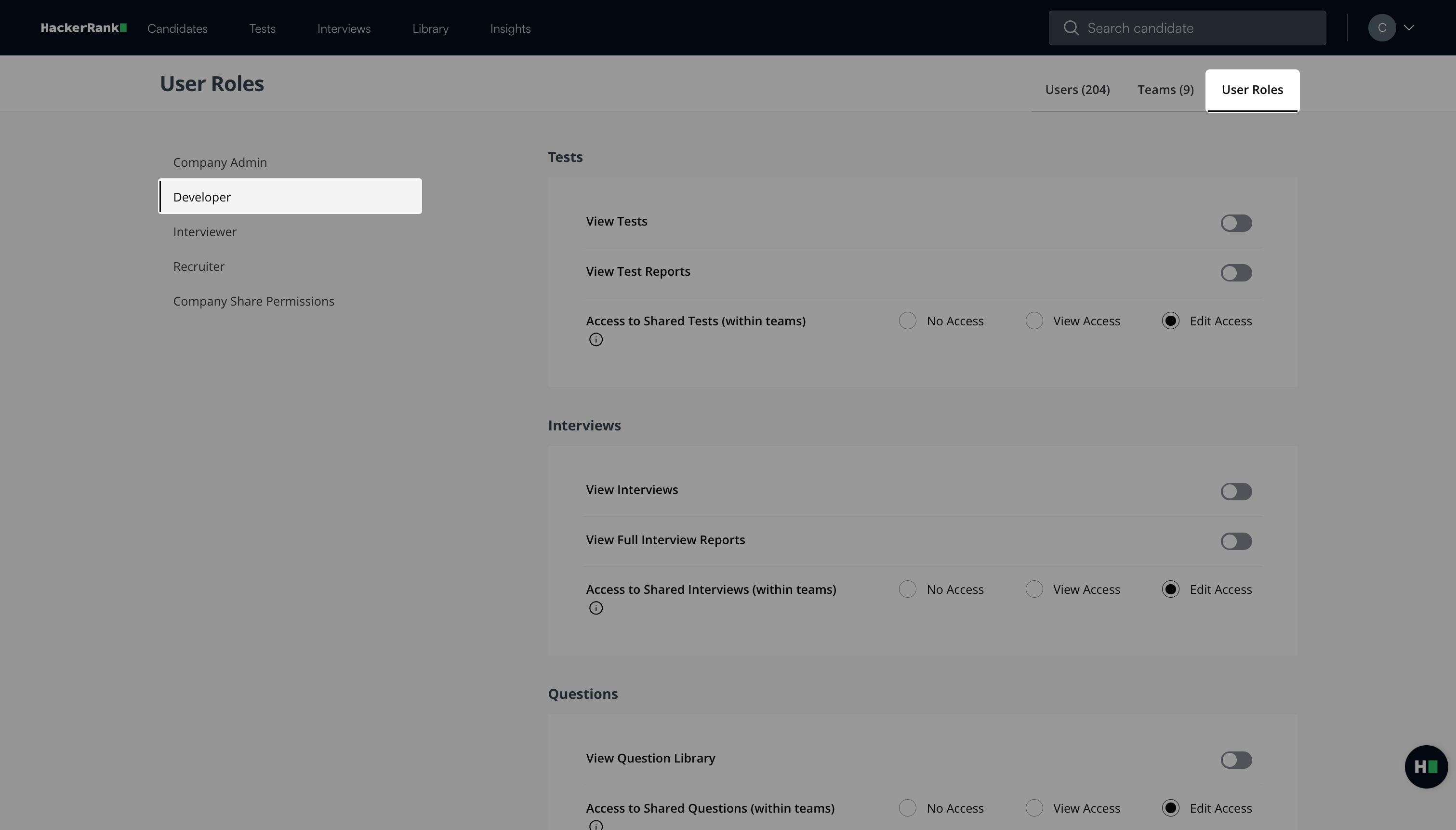
Review and update the entitlements as needed.
Available developer entitlements
You can manage the following entitlement categories for developers:
Tests
Interviews
Questions
Interview templates
Interview scorecards
Candidates
Exports
Test entitlements
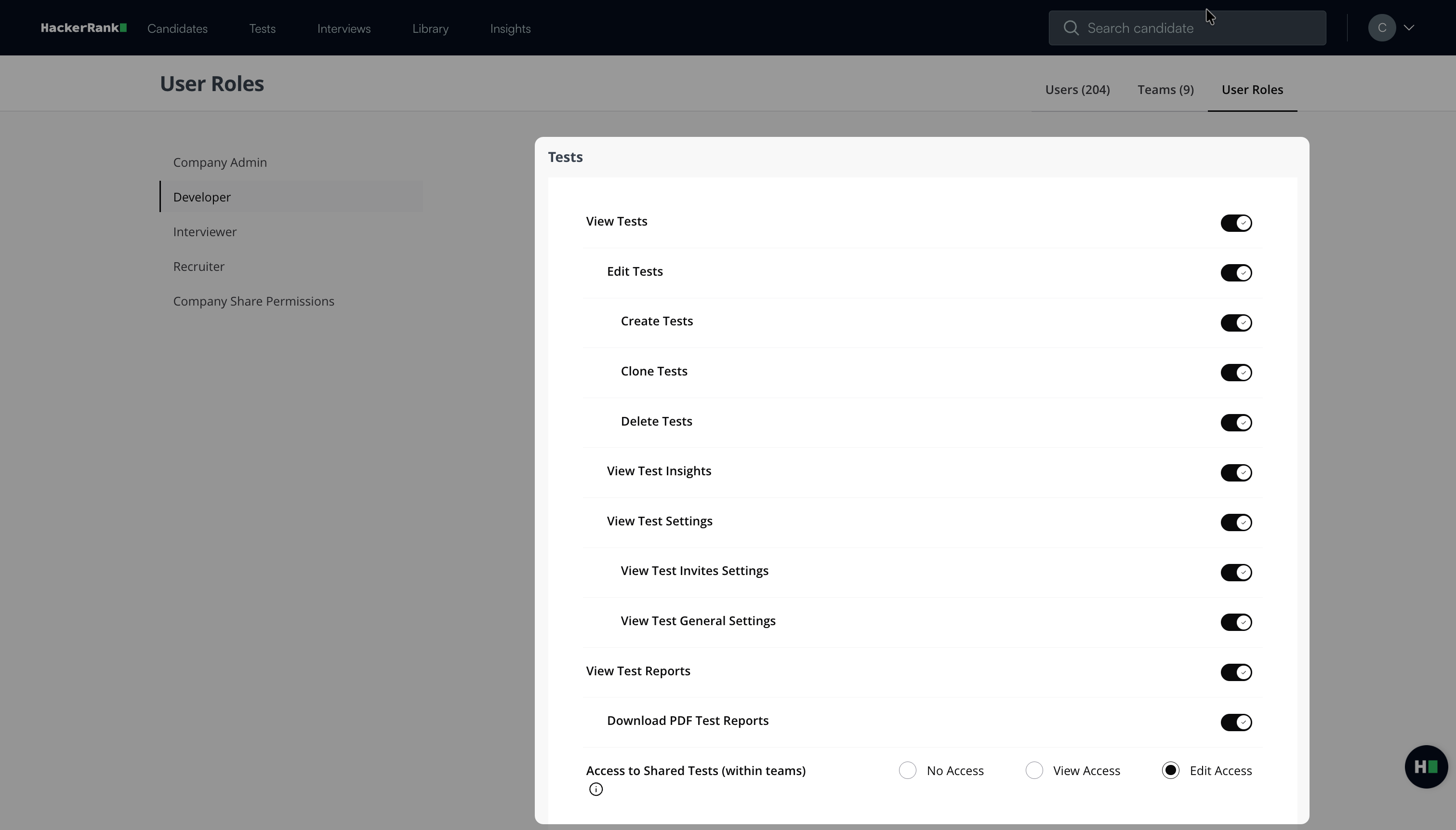
View Tests: If toggled on, developers can:
Edit Tests
Create Tests
Clone Tests
Delete Tests
View Test Insights
View Test Settings
View Test Invites Settings
View Test General Settings
View Test Reports: If toggled on developers can:
Download PDF Test Reports
Access to Shared Tests (within teams): You can select the access you wish to provide:
No Access
View Access
Edit Access
Interviews entitlements
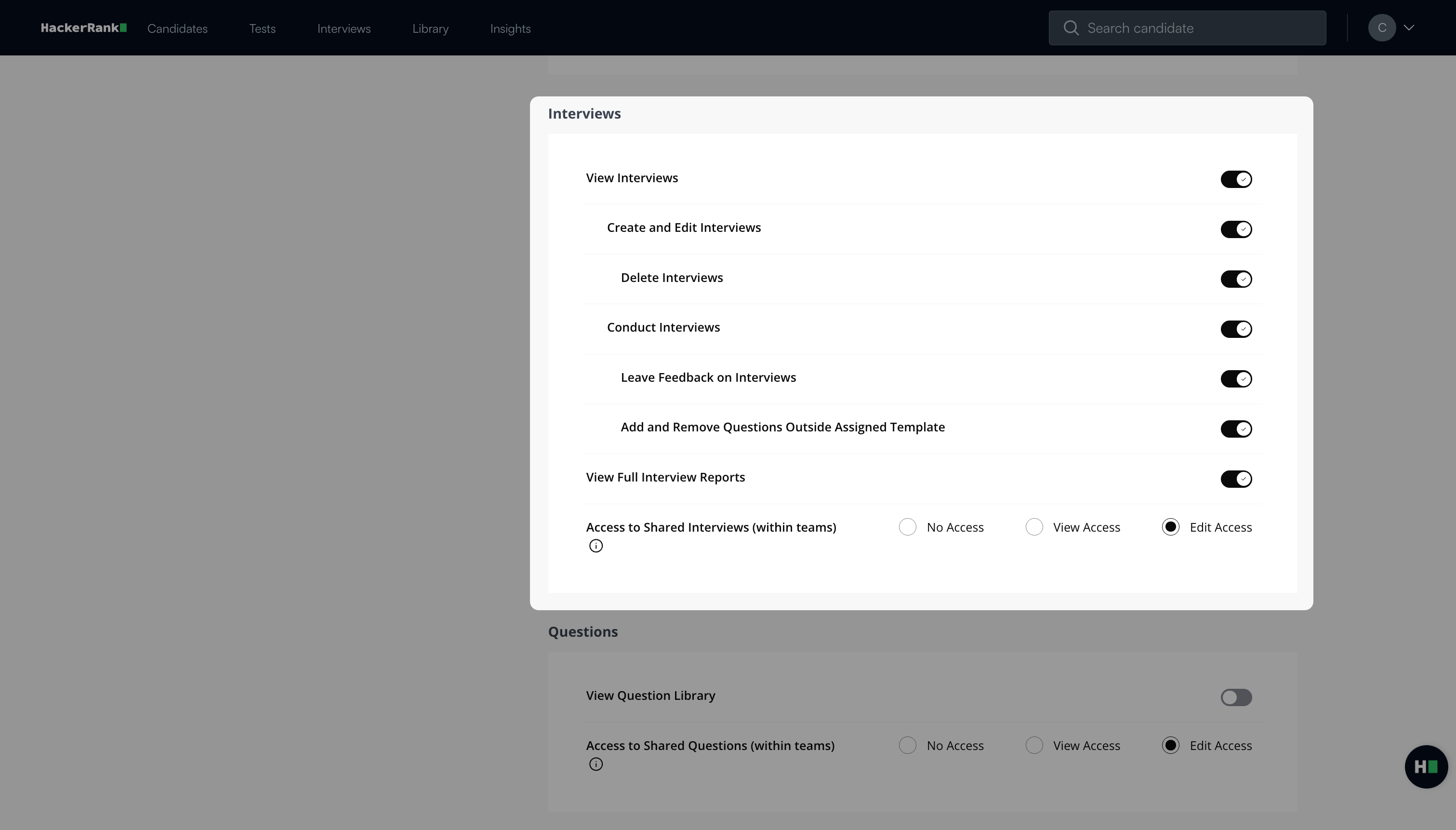
View Interviews: If toggled on, developers can:
Create and Edit Interviews
Delete Interviews
Conduct Interviews
Leave Feedback on Interviews
Add and Remove Questions Outside Assigned Template
View Full Interview Reports
Access to Shared Interviews (within teams): You can select the access you wish to provide:
No Access
View Access
Edit Access
Question entitlements
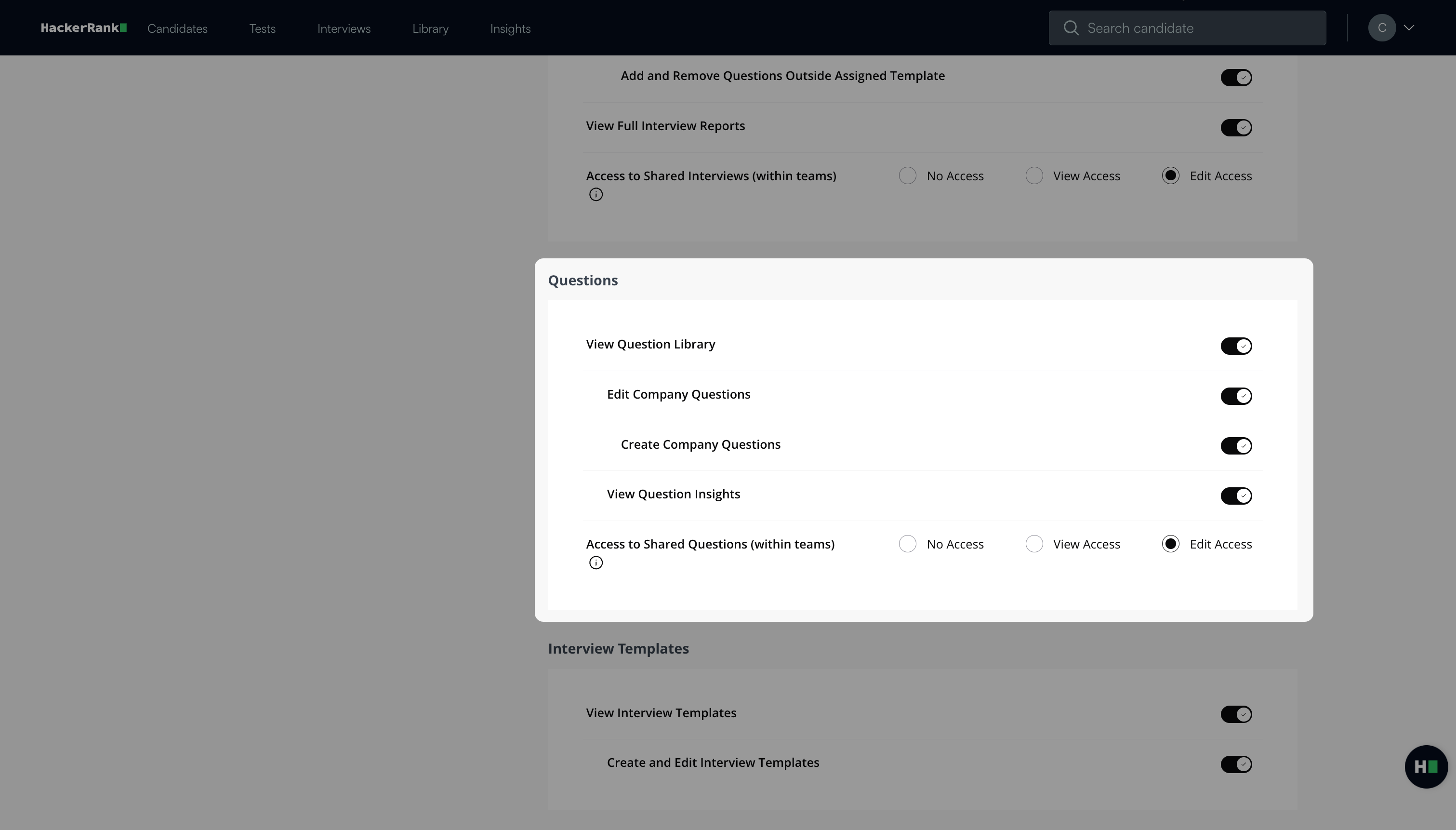
View Question Library: If toggled on, developers can:
Edit Company Questions
Create Company Questions
View Question Insights
Access to shared questions (within teams): You can select the access you wish to provide:
No Access
View Access
Edit Access
Interview Templates entitlements
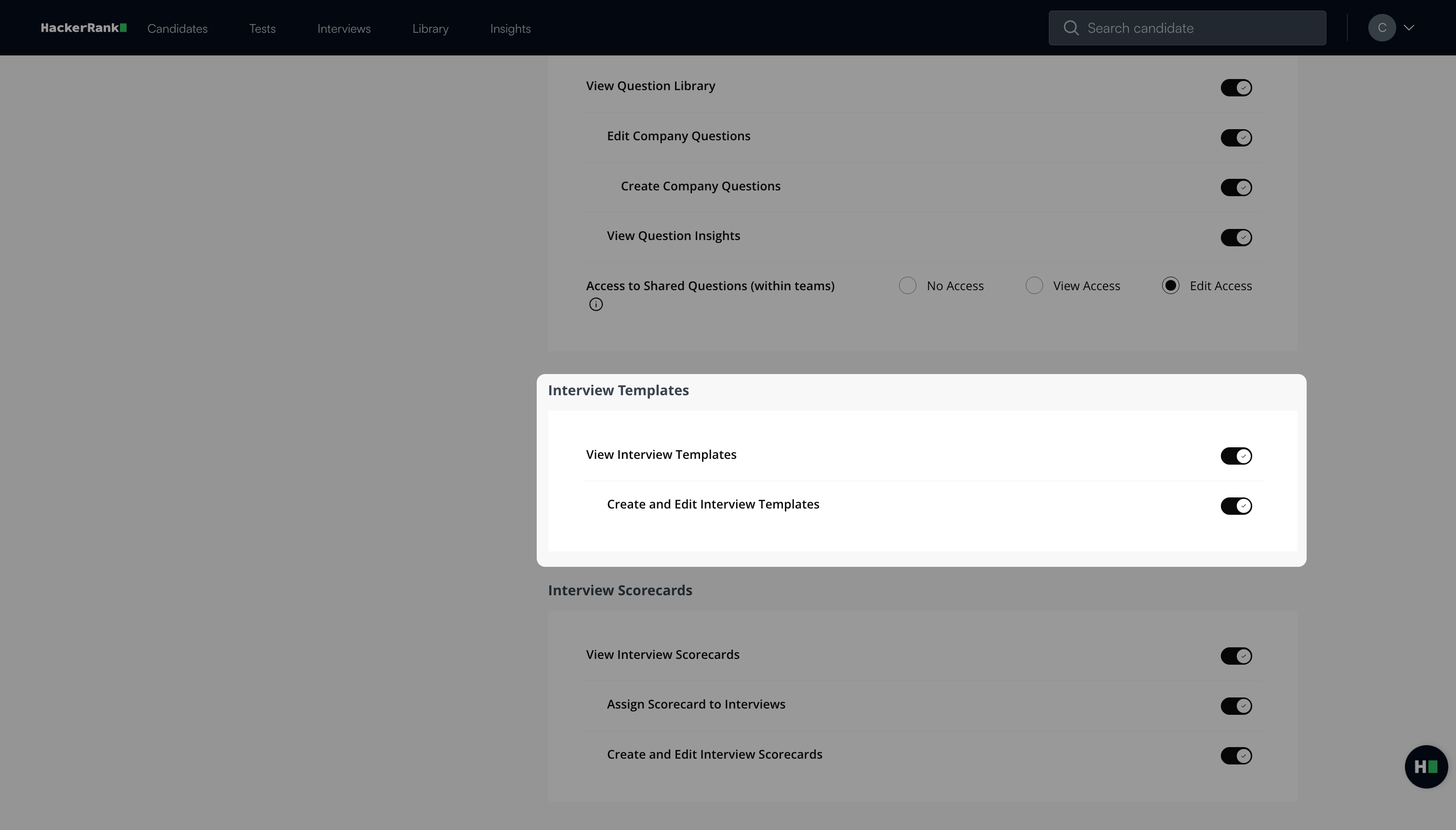
View Interview Templates: If toggled on, developers can:
Create and Edit Interview Templates
Interview Scorecards entitlements
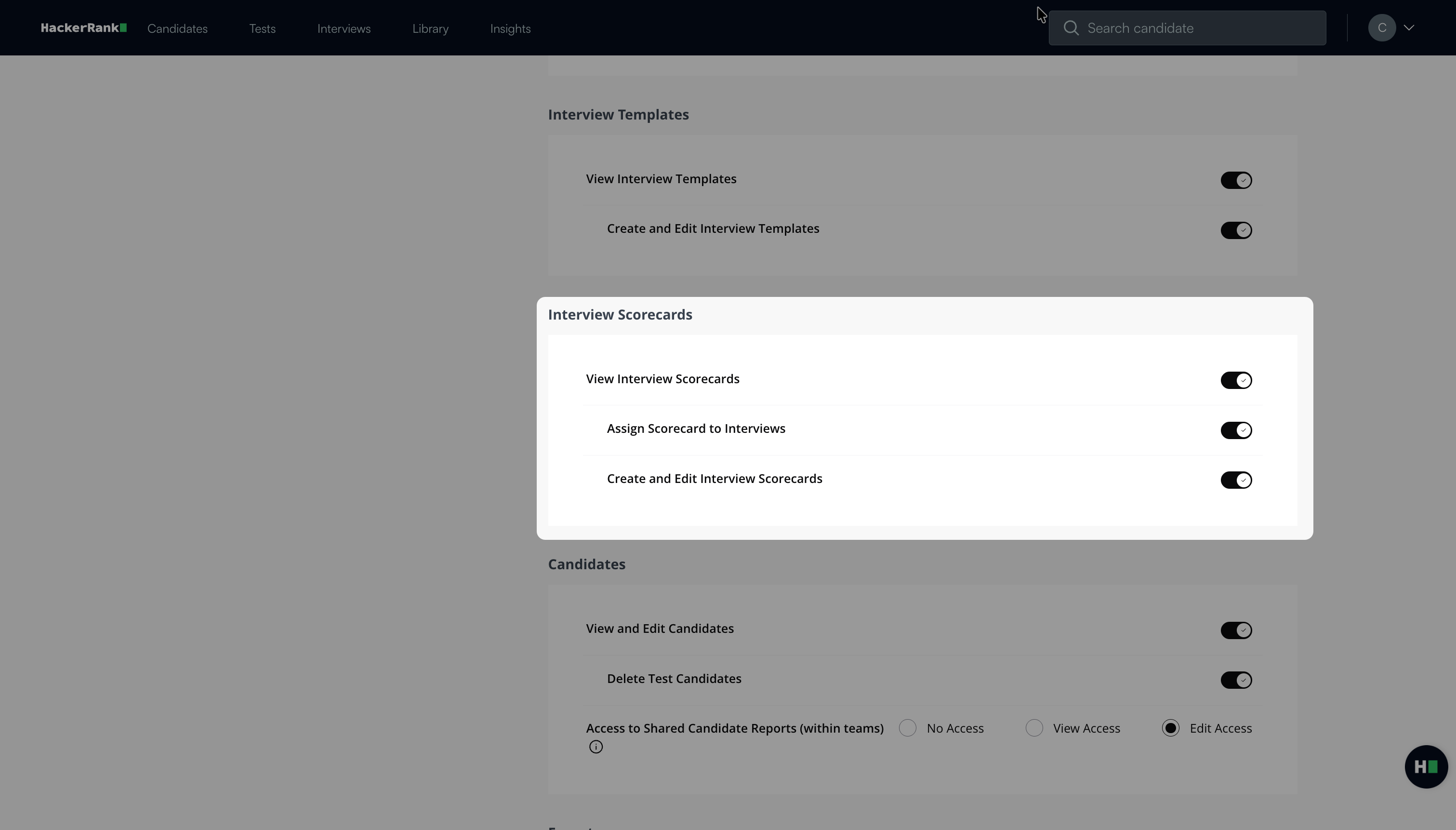
View Interview Scorecards: If toggled on, developers can:
Assign Scorecard to Interviews
Create and Edit Interview Scorecards
Candidates entitlements
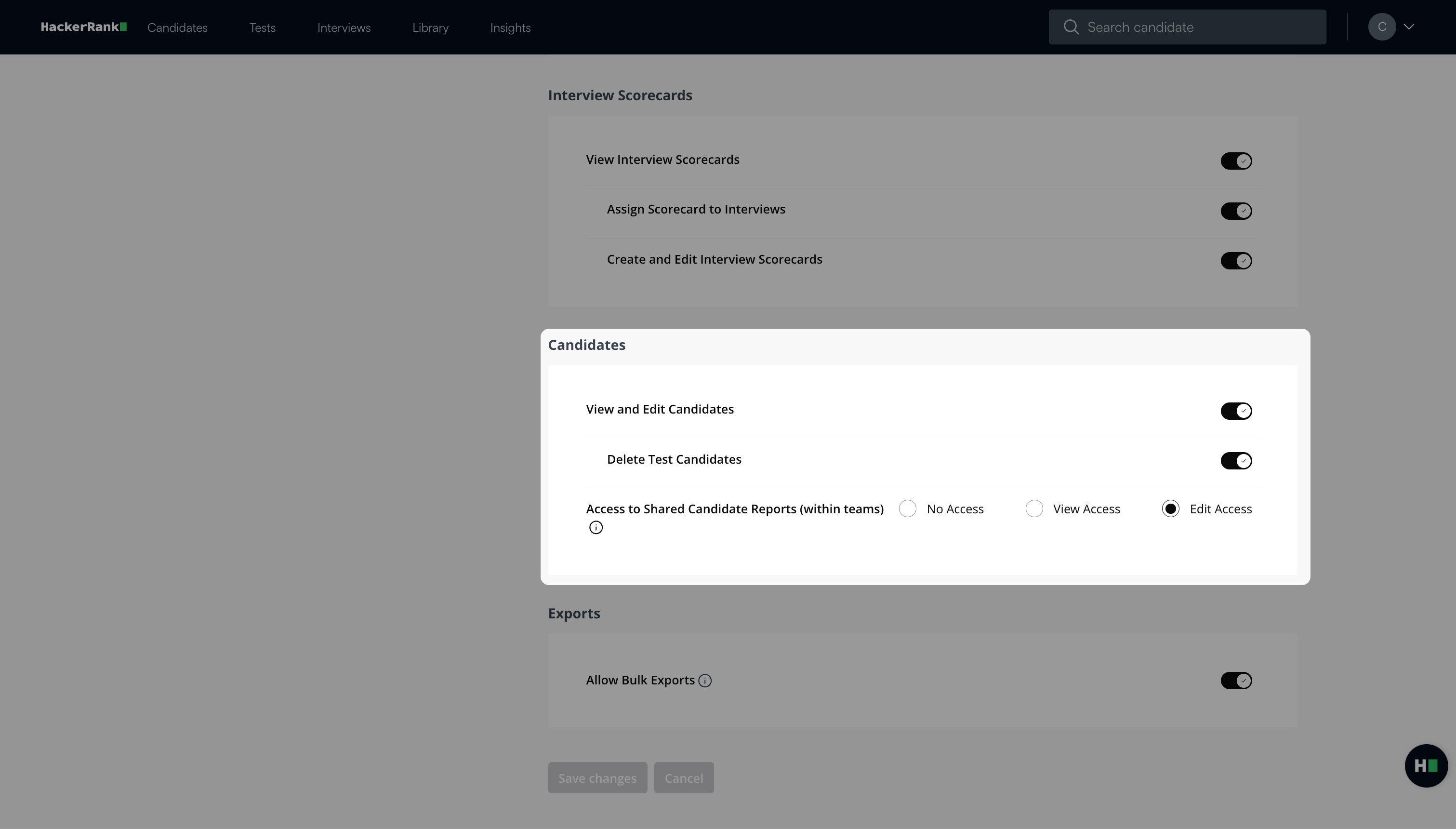
View and Edit Candidates
Delete Test Candidates
Access to Shared Candidate Reports (within teams): You can select the access you wish to provide:
No Access
View Access
Edit Access
Exports entitlements
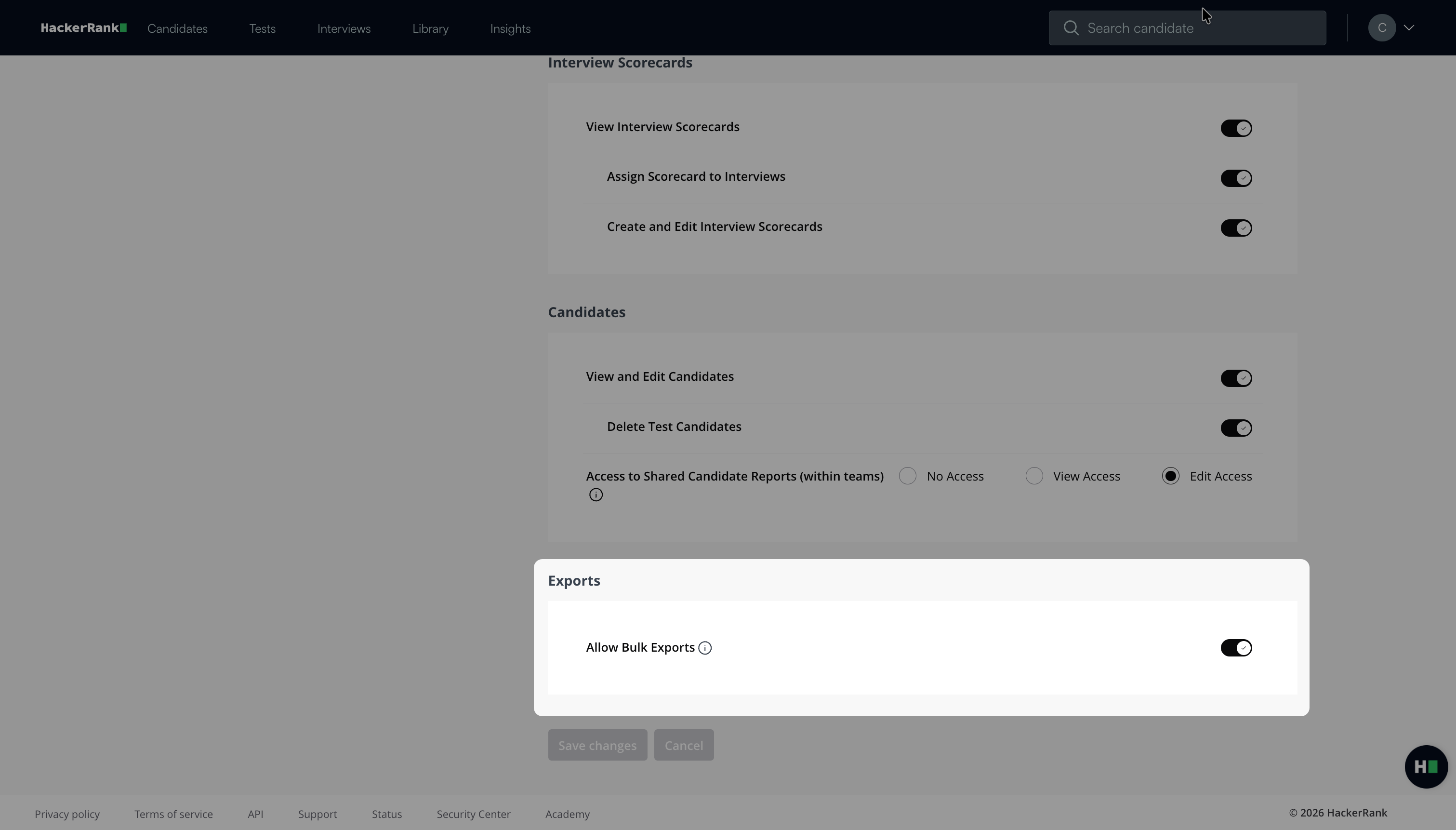
Allow Bulk Exports
Note:
All sub-fields can be toggled on and off based on your requirements
To learn more about the entitlements, see Available entitlements.