Diversity and Inclusion Settings Page
Last updated: December 26, 2024
The Diversity and Inclusion Center offers features to support hiring teams in making fair, inclusive, and unbiased hiring decisions. These features help create an inclusive interview experience by reducing unconscious bias.
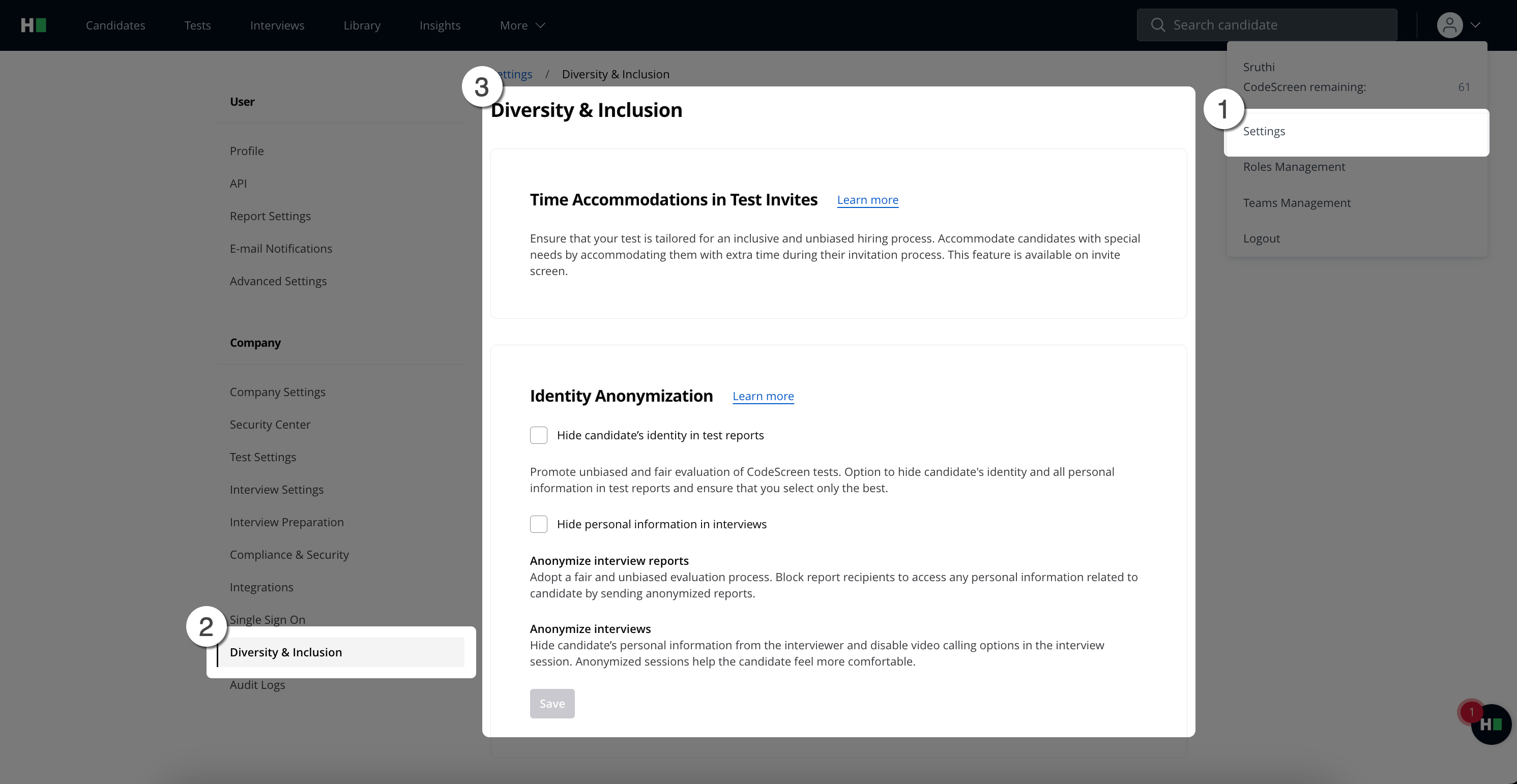
Key Features of the Diversity and Inclusion Center
Identity Anonymization: Hide candidate identities and personal details in test and interview reports.
Anonymized Interview Experience: Conduct interviews without revealing candidate or interviewer identities.
Special Needs Accommodations: Provide time accommodations for candidates with specific requirements.
Note:
1. Only Company Admins can enable or disable identity anonymization settings.
2. Time accommodations are enabled by default. For details, see Adding Extra Time for Candidates.
Identity Anonymization Features
1. Hiding Candidate’s Personally Identifiable Information (PII) in Test Reports
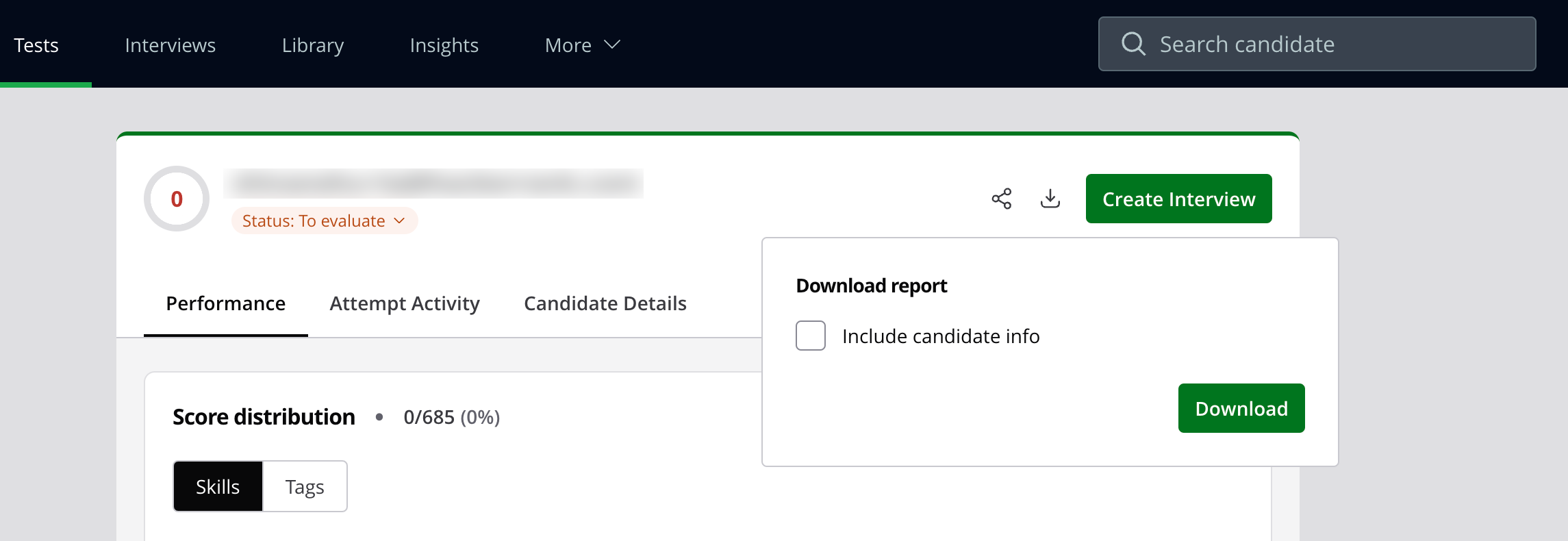
This feature enables recruiters and hiring teams to download anonymized test reports. Developers can access only the anonymized versions of these reports through the UI.
Steps to Download an Anonymized Report:
Click the Download Report button.
In the pop-up window, select the option to download the Anonymized Report.
Candidate PII has been removed from both the PDF report and the UI.
This setting can be applied separately to tests and interviews.
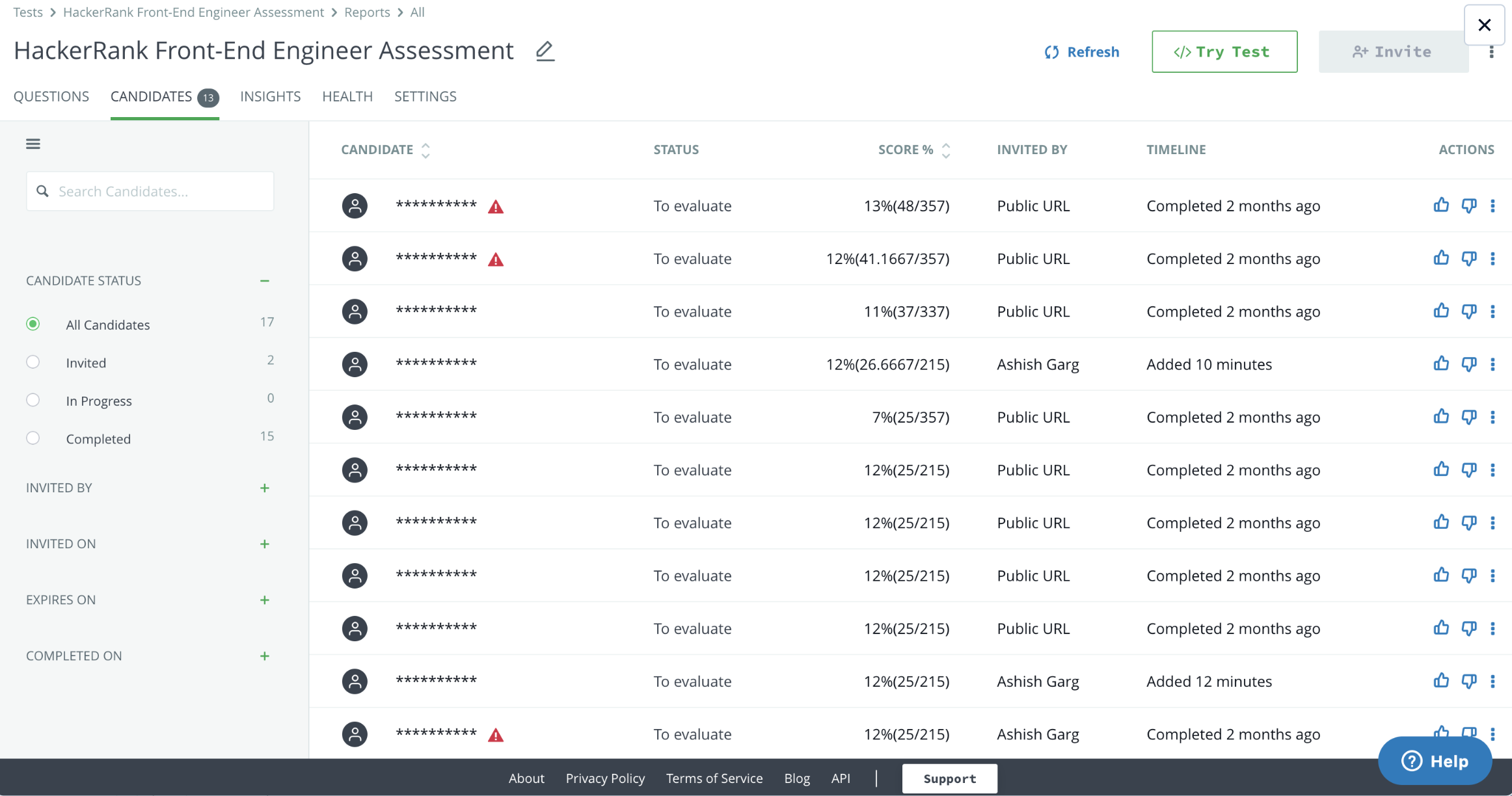
When enabled:
Candidate identity will also be hidden on the Candidates page.
2. Hiding Candidate’s Identity in Interviews
When this feature is activated:
The candidate's name is hidden from the interviewer during the interview.
The interviewer’s name is also hidden from the candidate.
Video chat functionality is disabled for the interview session.
Candidate information is anonymized in the interview report visible to developers.