Introduction to HackerRank Interview
Last updated: August 31, 2026
This article applies to the legacy Interview experience. If your interview interface looks different, see 📄 Introduction to HackerRank Interviewfor the new Interview experience.
HackerRank Interview is an online platform for conducting live coding interviews. Interviewers can use the platform to invite candidates to a live session, where both the candidate and the interviewer communicate, write code, and collaborate in real time.
Use the following sample links to explore the HackerRank Interviews platform:
Candidate experience
Share the candidate experience link with candidates to help them become familiar with the platform before their interview.
Note: Open the interview link in an incognito window or a browser where you are not logged in to a HackerRank account.
This article outlines the key features of the HackerRank Interview platform, which is designed to streamline the interview process and help you efficiently identify top candidates.
Key capabilities
The HackerRank Interview platform offers the following core capabilities:
Create and customize an interview
You can create an interview between a candidate and interviewers using one of the following methods:
Schedule an interview: Set a specific date and time for the interview. HackerRank sends email notifications to the candidate and the interviewer. The email includes the scheduled date and time and a link to join the interview. Interviewers may also receive additional information, such as the candidate’s phone number, resume, and any notes you provide.
Start an interview immediately: You can start an interview immediately. HackerRank does not send notifications. You must manually share the link with candidates and communicate the time and details to all participants.
Note: For more information, see 📄 Create an Interview.
Interview templates
You can use interview templates to create consistent and structured experiences for candidates applying to the same role. Templates help interviewers ask the same set of questions and evaluate the same skills across all candidates. This standardization reduces bias and supports fair comparisons..
For more information, see Standardizing Interviews Using Templates.
Import questions
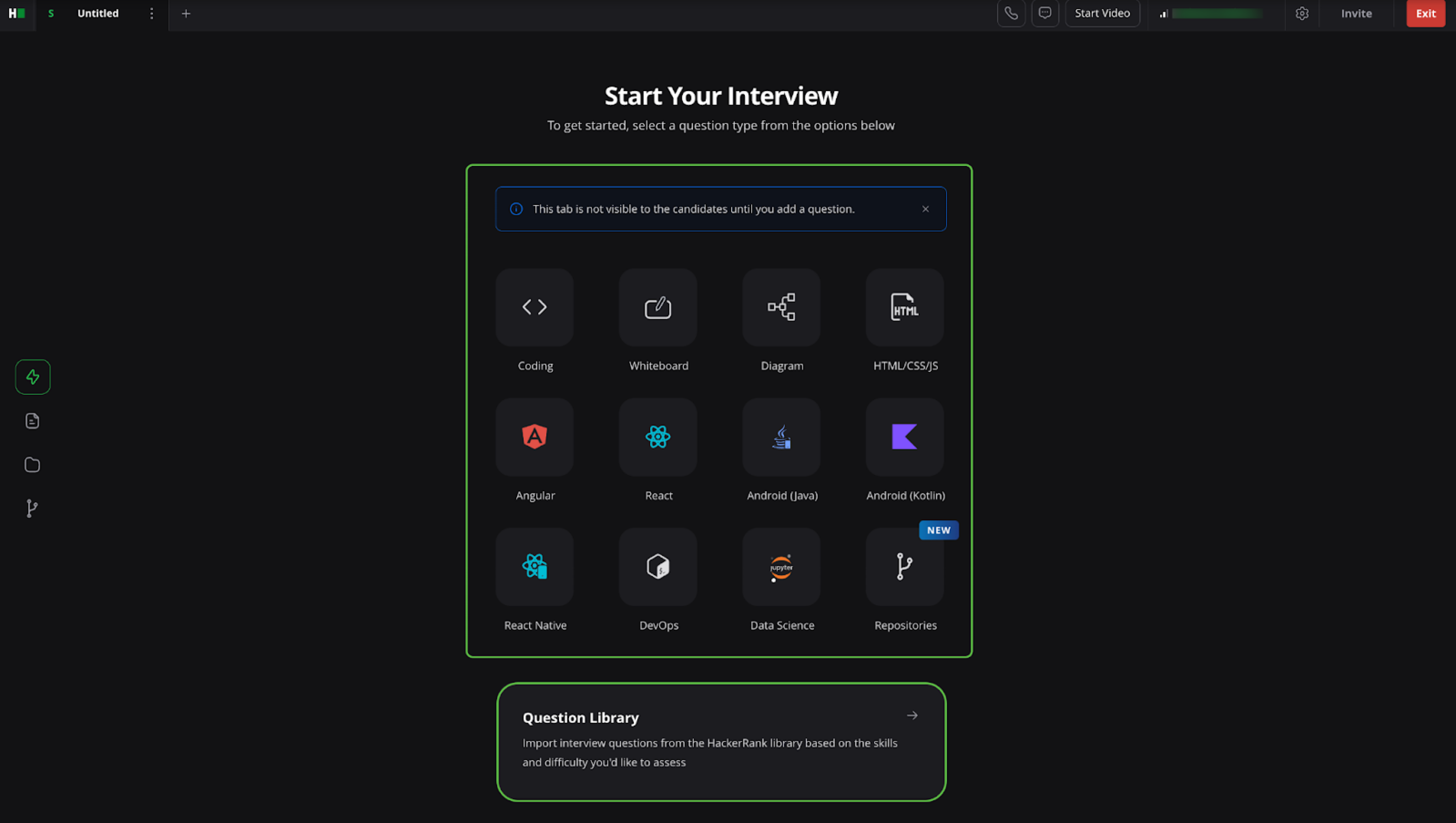
HackerRank Interviews supports various question types such as Coding, Front-End, Back-End, Full-Stack, Database, and more. You can add questions to the interview from the Explore tab in the left pane.
Alternatively, you can use the Questions tab to import questions directly from the Question Library.
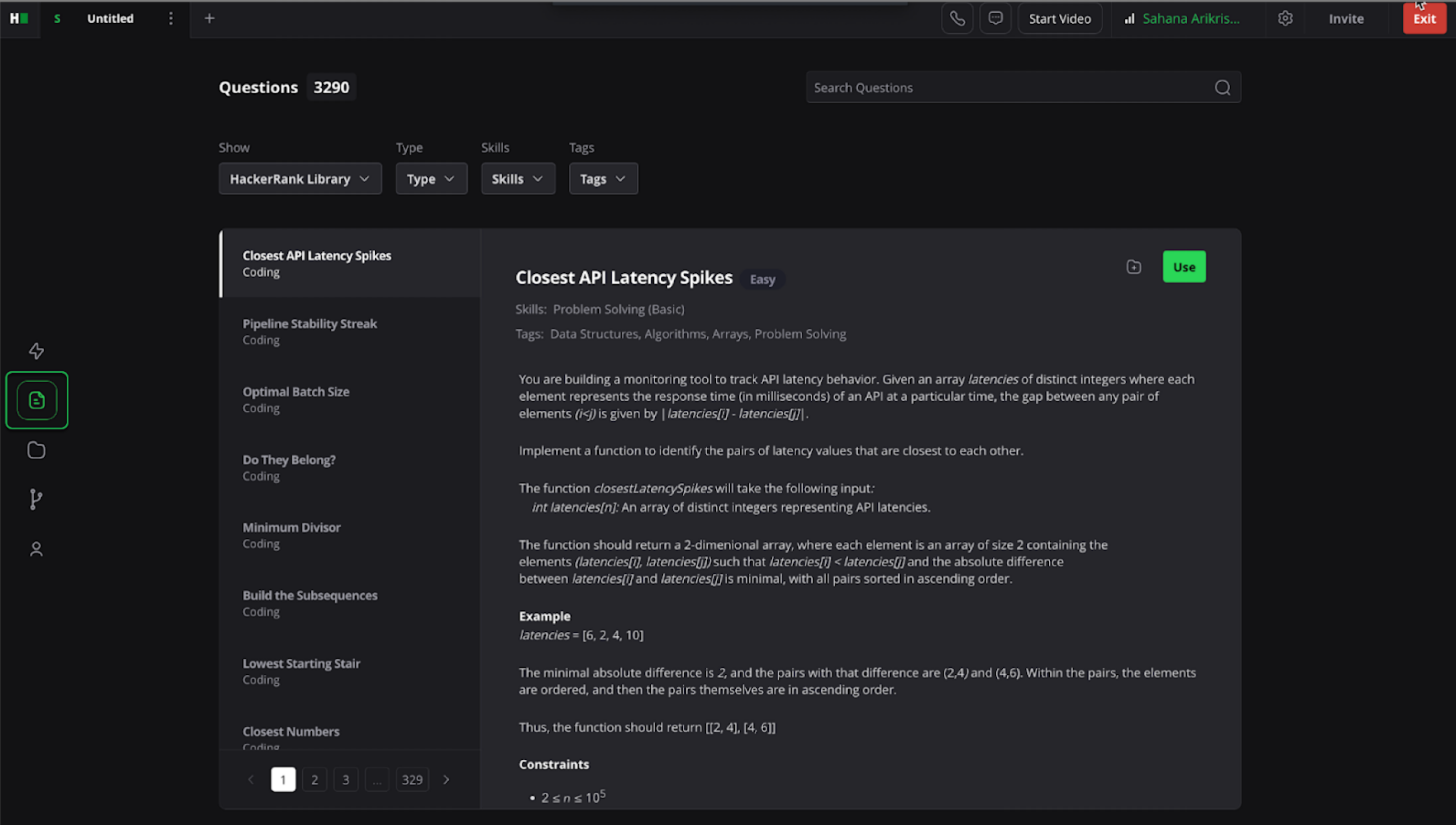
For more information, see Adding Questions to Interviews.
Import project questions
By importing project-based questions during the interview, you can assess candidates across various technical skills, such as Front-End, Back-End, Full-Stack, DevOps, Data Science, and more. The Platform automatically captures all interactions and code in a detailed report for post-interview review and collaboration.
For more information, see Importing Project Questions in HackerRank Interview.
Real-time coding environment
Candidates have access to a workspace tailored for coding during the interview. Key features include:
Code Editor: Supports more than 58 programming languages. Candidates can switch languages using the language dropdown.
Run Tests/Run Code: Candidates can run all predefined test cases with Run Tests or execute the current input using Run Code.
Input Panel: Enter custom input values and run the code. To use pre-configured test cases, select Run Tests.
Output Panel: Displays the results of code execution, including standard output and error messages.
Test Cases: Displays which test cases have passed or failed based on code submission.
Console: Supports real-time execution in supported REPL languages such as Python, JavaScript, and Ruby. For more information, see REPL Support in HackerRank.
Live communication
HackerRank Interview supports real-time communication between the candidate and interviewer through text, audio, and video chat.
Rename tabs
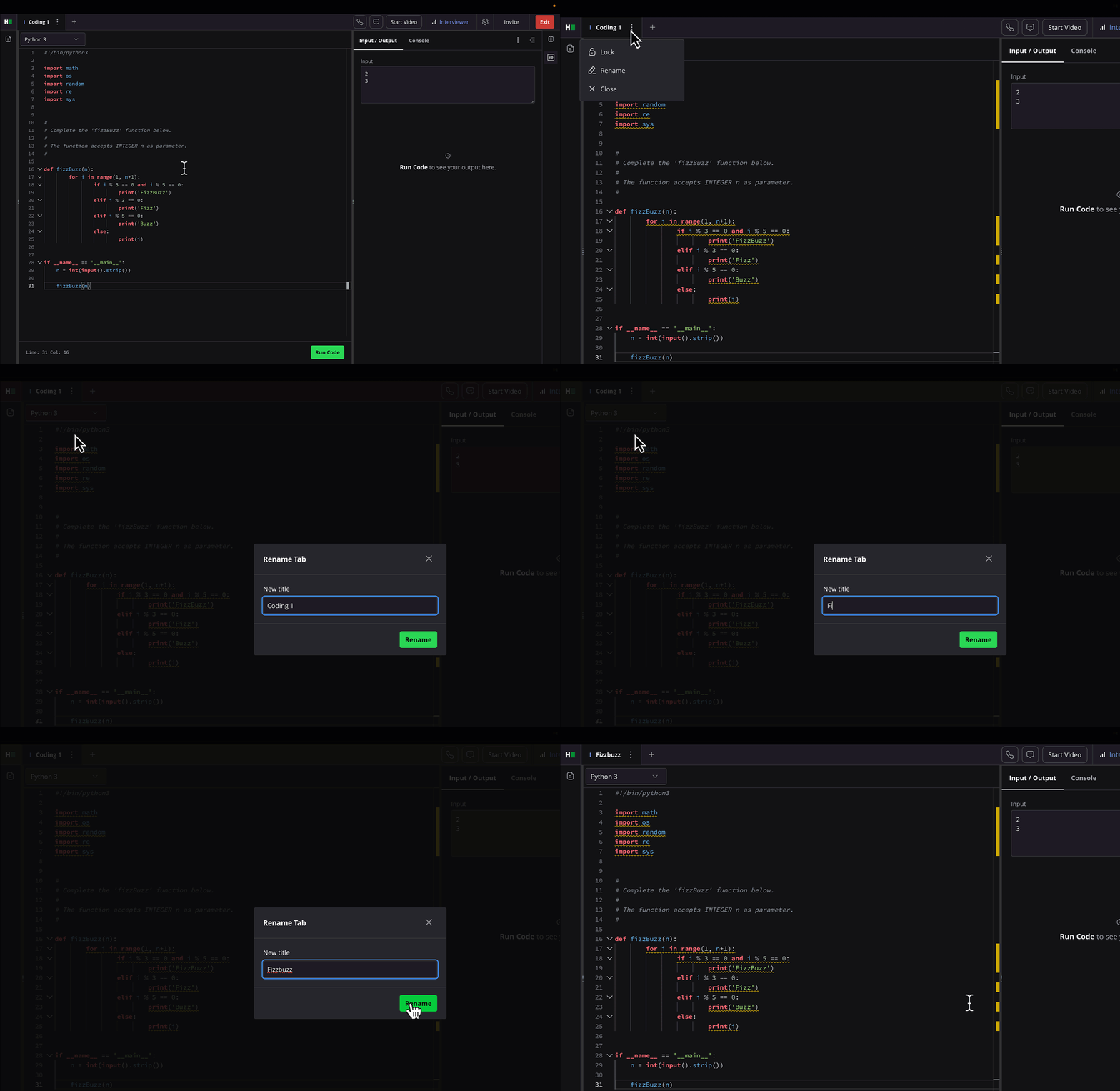
You can rename individual tabs within the Interview platform to organize sessions more effectively. By default, tabs use generic names such as Coding 1. You can replace these with custom names that reflect the task, such as Problem-Solving or System Design. Custom tab names make it easier to navigate interview stages and maintain a clear session structure.
Virtual Lobby
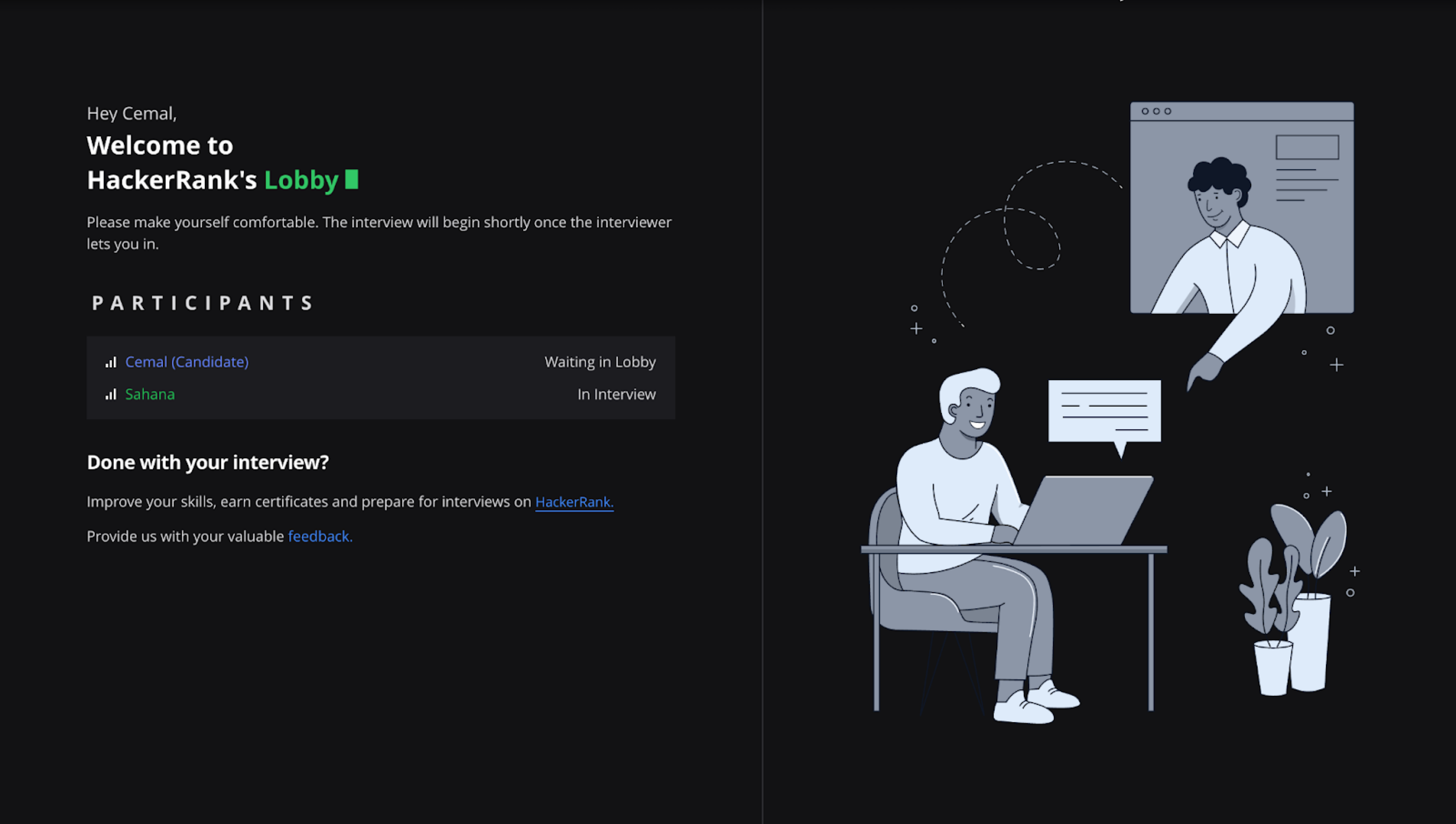
The Virtual Lobby allows you to manage multiple interviews using a single interview link. Based on the configured settings, candidates will wait in the lobby until the interviewer admits them.
Note: Depending on the settings, candidates either enter the interview directly or wait in the Virtual Lobby.
For more information, see Using Virtual Lobby.
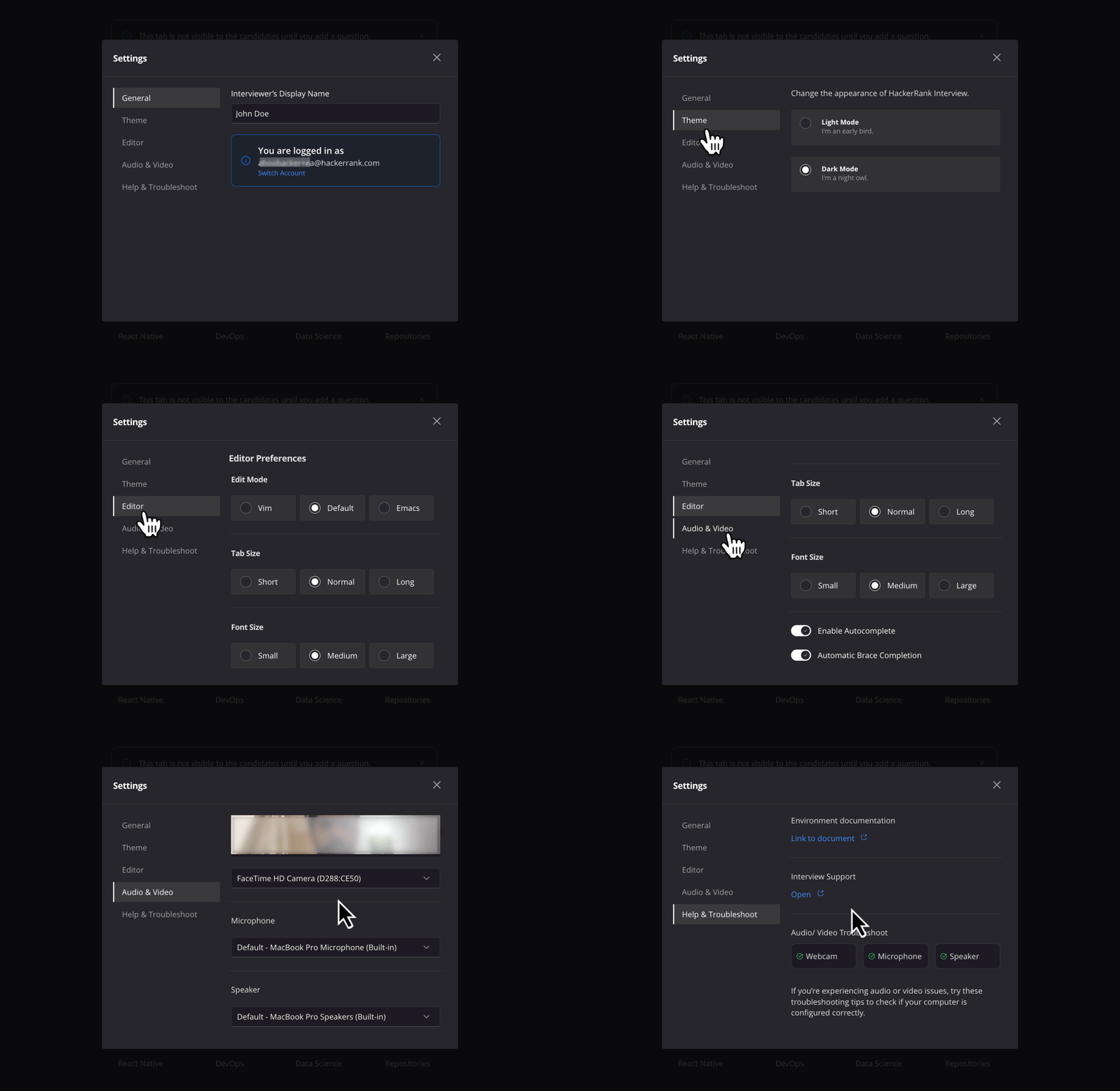
Customize interview settings
For more information, see 📄 Configure Interview Settings
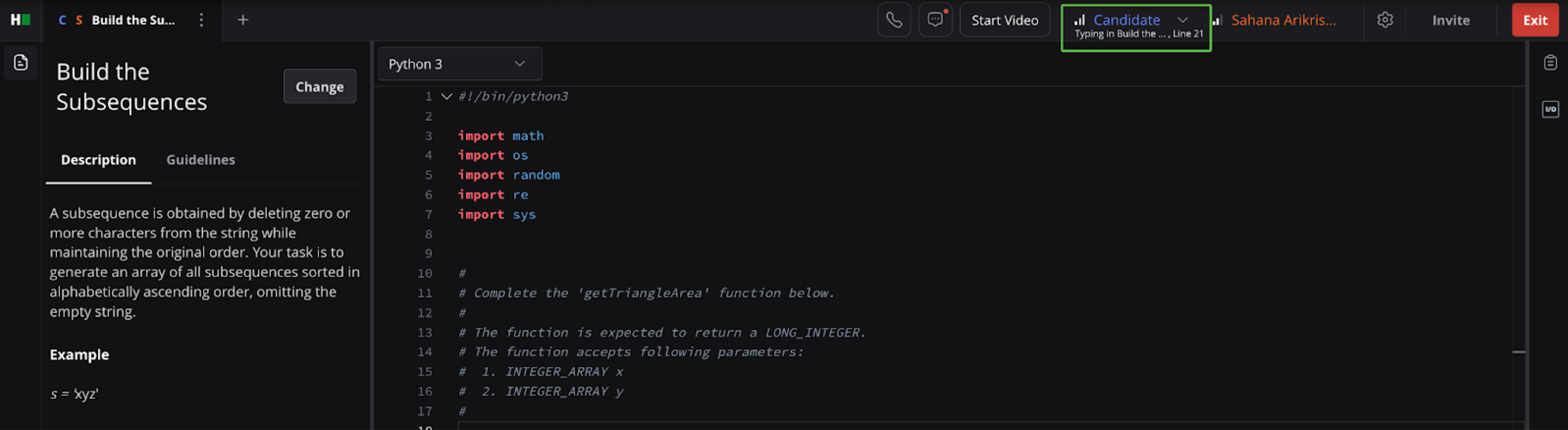
Monitor candidate presence
During an interview session, you can:
Confirm candidate presence using the colored indicators at the top of the screen.
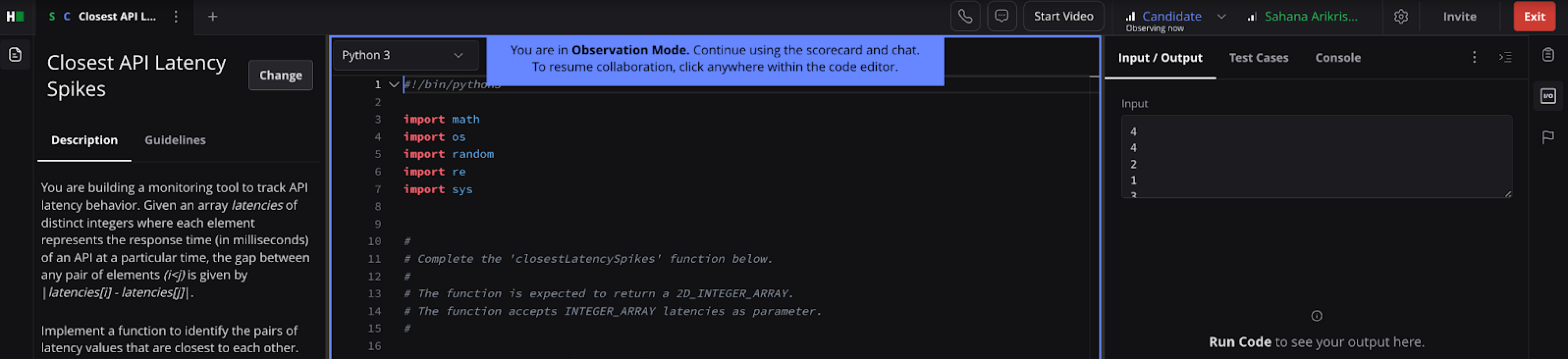
Monitor candidate activity using Observer Mode by clicking on their name.
Assess connectivity using the Internet Quality Indicator for both you and the candidate.
Identify when a participant leaves the session through the Out of Interview message displayed below their name.
Interview Integrity Signals
Interview Integrity Signals notify interviewers only when the system detects meaningful clusters of suspicious candidate activity. For more information, see Interview Integrity Signals.
Interviewer Scorecard
The Interviewer Scorecard is a private scorecard that allows the interviewer to rate candidates on the specific skills related to the role. The platform auto-saves all ratings and feedback. For more information, see Interview Scorecards.
If you use a scorecard template, you can also add custom skills. For more information, see Adding Skills to an Interview Scorecard.
Reports
When an interview ends, HackerRank automatically generates a detailed report to support evaluation and hiring decisions. You can download the report as a PDF, share it with your team, and update the hiring status.
For more information, see Viewing Interview Reports.