Evaluate Integrity Signals for Flagged Candidates at Scale in Proctor Mode
Last updated: January 28, 2026
Proctor Mode helps test administrators quickly identify potential integrity issues in online assessments. Proctor mode reports are easy to review for individual sessions, but become inefficient and challenging when evaluating candidate attempts at scale.
Evaluating Integrity Signals for flagged candidates at scale
To evaluate Integrity Signal for flagged candidates at scale in Proctor Mode:
Step 1: Export Proctor Mode data for flagged candidates
Log in to your HackerRank for Work account using your credentials.
Go to the Tests tab.
Open the test that contains the candidate data.
Go to the Candidates sub-tab.
In the left panel, under Integrity Issues, select the checkboxes for High and Medium.
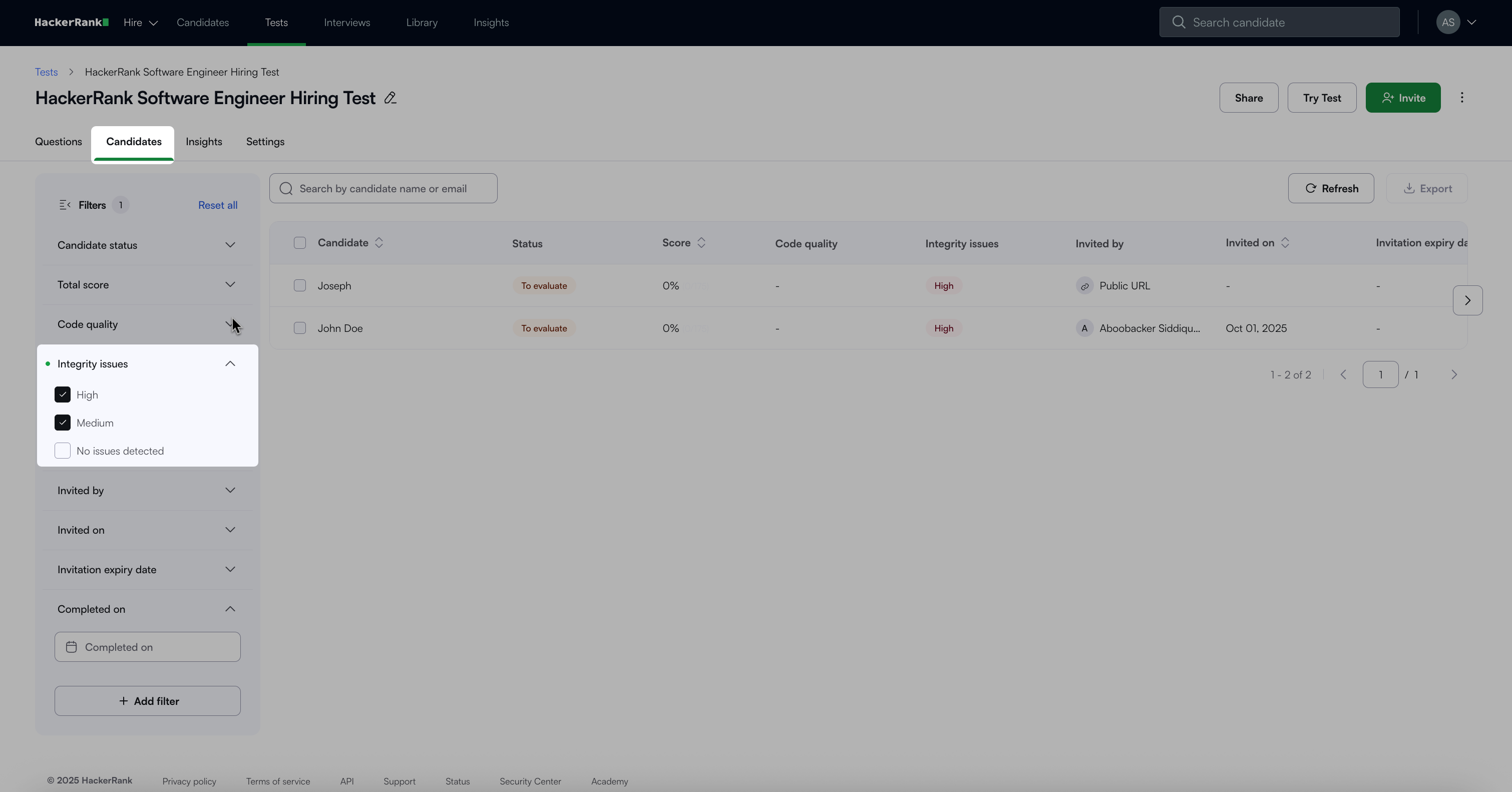
Select the Select all rows from table checkbox above the candidate list.
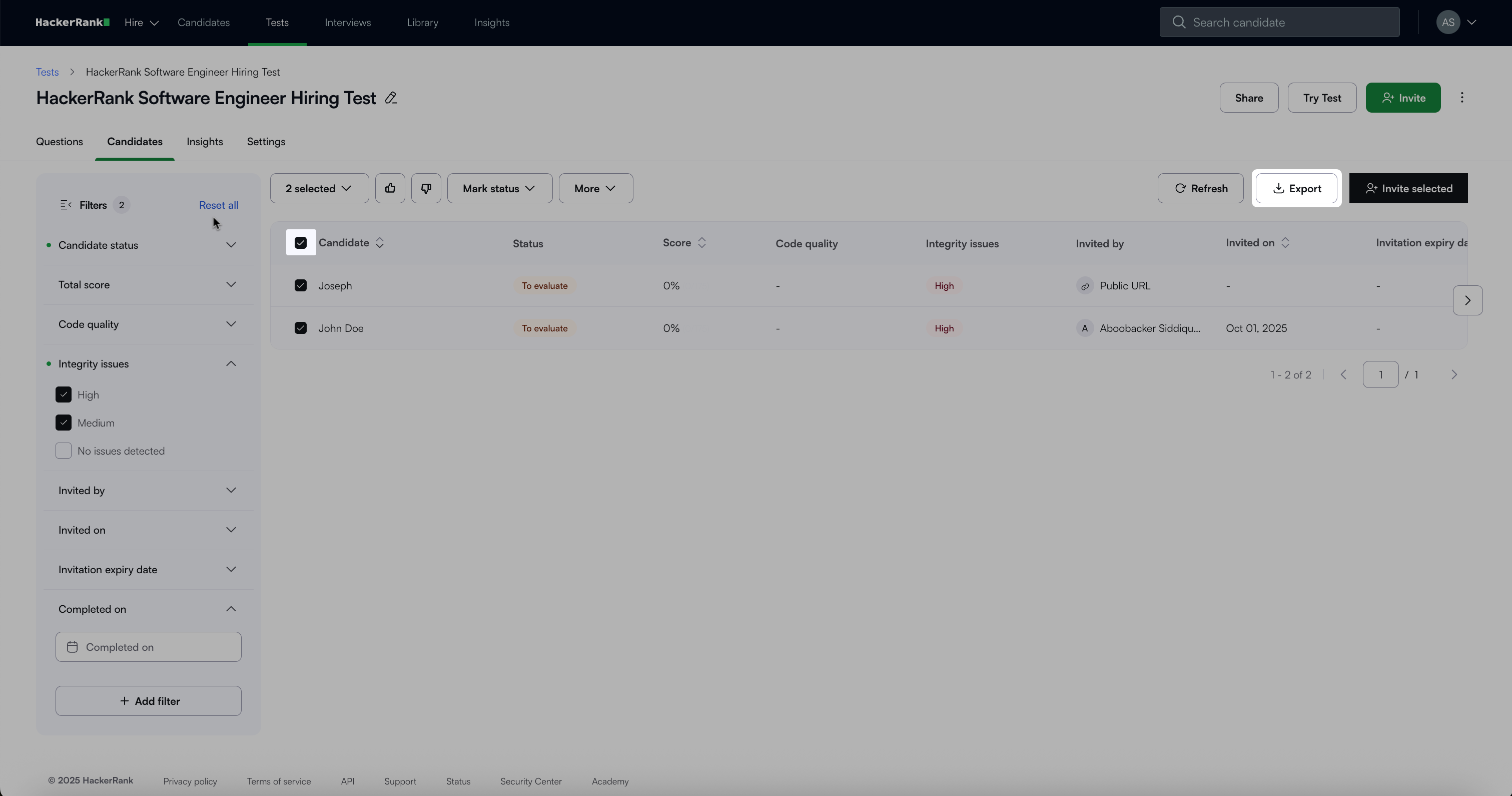
Click Export and select Excel.
Step 2: Apply filters in the spreadsheet
Use the exported file to filter and analyze candidates based on suspicious activities. Apply the following filters:
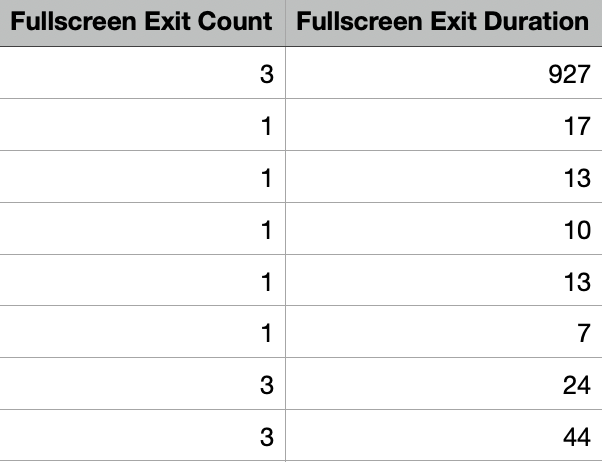
Fullscreen Exit Count and Fullscreen Exit Duration: Indicates how many times a candidate exits the enforced full-screen environment and for how long. The system flags candidates who violate these rules with High Integrity issues. There are no known ambiguities in detecting this rule violation.
Filter out candidates with two or more exits.
If a candidate exited once, check the Fullscreen Exit Duration:
If the duration is more than 10 seconds, filter out the candidate.
If the duration is 10 seconds or less, system does not flag the candidate, but you can review the context to confirm.
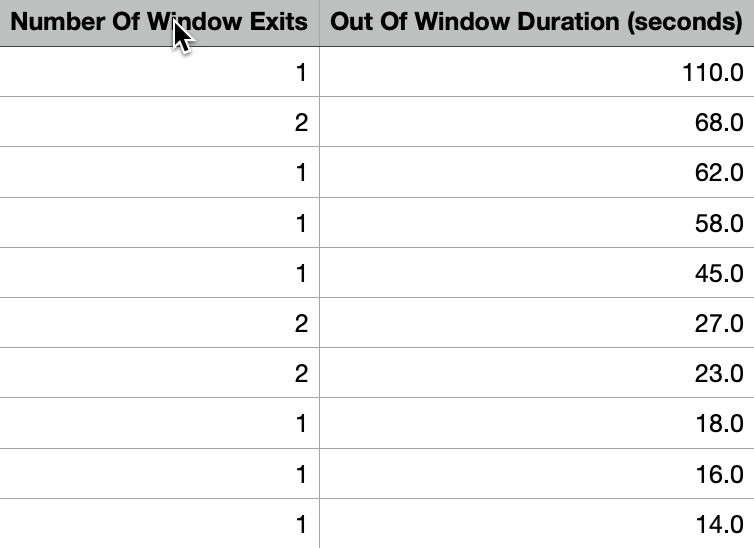
Number of Window Exits and Out of Window Duration: Indicates how many times a candidate navigates away from the active test window and for how long.
Filter out candidates with two or more window exits.
If a candidate exited once, check the Out of Window Duration:
If the duration is more than 10 seconds, filter out the candidate.
If the duration is 10 seconds or less, the system does not flag the candidate, but you can review the context and use discretion.
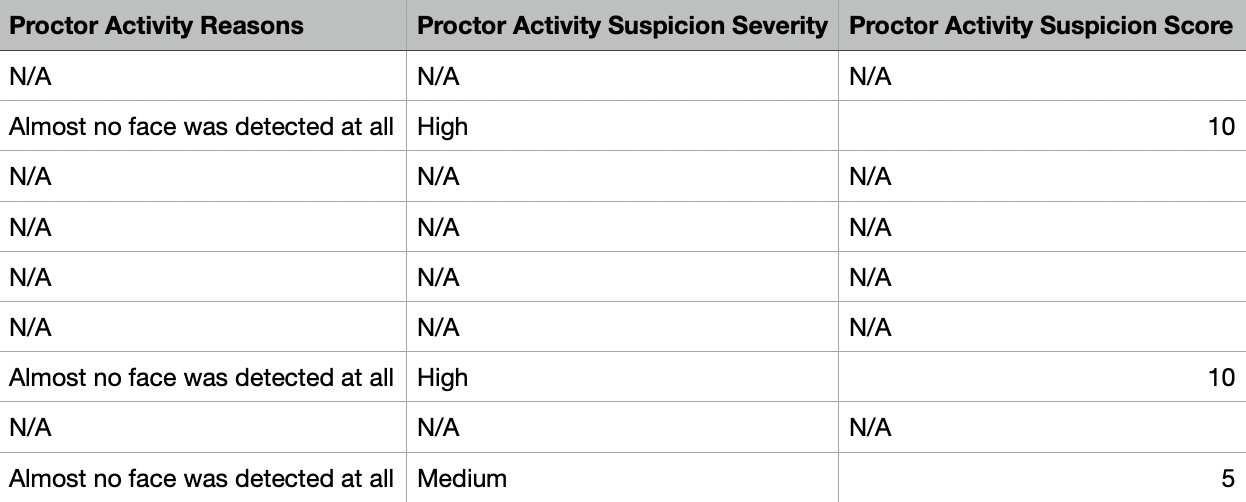
Proctor Activity Suspicion Severity and Proctor Activity Suspicion Score: Indicates suspicious activity detected during webcam monitoring.
Check the values under the Proctor Activity Suspicion Severity column. The system marks this column as High or Medium when it detects multiple faces, different faces, or no face.
Check Proctor Activity Suspicion Score column to understand the overall confidence of the flag.
Score 10: High confidence
Score 5: Medium confidence
Check the Proctor Activity Reasons column to identify the detected anomaly.
Severity order:
Secondary face
Multiple faces
No face
Filter out candidates with High suspicion severity.
Note: Ignore multiple-face violation flags if the test takes place in a setting where multiple faces are expected (for example, invigilated university exam halls)
Integrity Summary: Review the Integrity Summary column for tools detected in the screenshots taken during the test. Common tools include:
External websites or reference material
AI assistants and cheating tools (for example, ChatGPT, InterviewCoder)
Messaging and conferencing tools (for example, Slack, Discord, WhatsApp)
Remote desktop tools (for example, AnyDesk, TeamViewer)
An honest test session shows only the HackerRank interface. If a candidate opens another application or navigates away, the system flags it in the Integrity Summary.
Use discretion when reviewing flagged tools, and verify by checking screenshots in the Session Replay on the attempt report.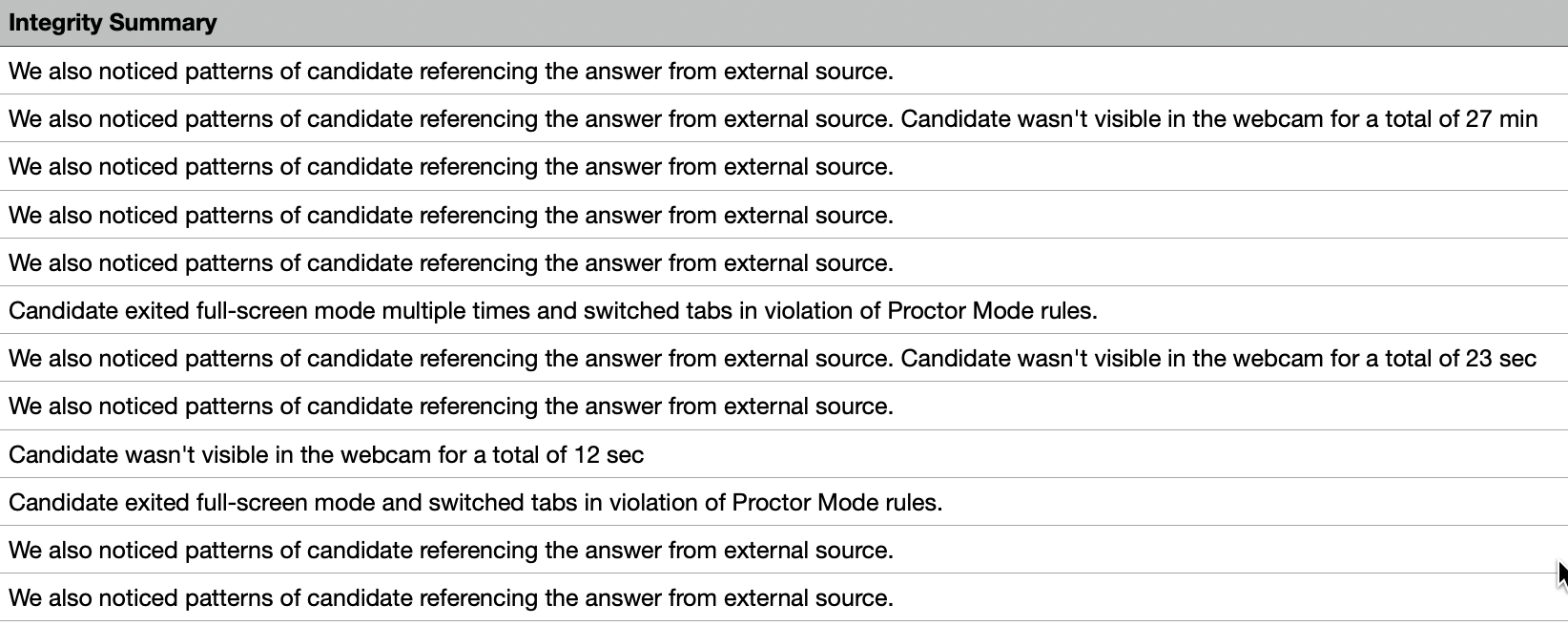
Attempt Activity Suspicion Severity and Attempt Activity Suspicion Score: Indicates suspicious or unusual code-writing patterns detected by advanced plagiarism models.
Filter by Attempt Activity Suspicion Severity based on the severity values:
High: Strong suspicion of plagiarism
Medium: Suspicious activity with lower model confidence (many customers choose to ignore medium flags).
Filter further based on Attempt Activity Suspicion Score. The scores here are indicative of the confidence level of the prediction. Higher the score, higher the prediction confidence.
Score 8-10 → High confidence
Check the Attempt Activity Reasons column to identify the suspicious pattern:
Large copy-paste events (blocked in Proctor Mode)
Suspicious code resets (candidate deletes large portions of code and restarts with a new approach that passes most test cases).