Modify Test Expiration Time
Last updated: March 10, 2026
You can define a start and end time (including time zone) to control when a test remains active.
Candidates can attempt the test only during the active period. After the test expires:
Invited candidates cannot access the test.
The Invite button is disabled.
You cannot invite new candidates.
Prerequisite
You must have created a test.
Modifying test expiration time
To modify the test expiration time:
Log in to your HackerRank for Work account using your credentials.
Go to the Tests tab.
Open the test you want to update.
Go to Settings > General.
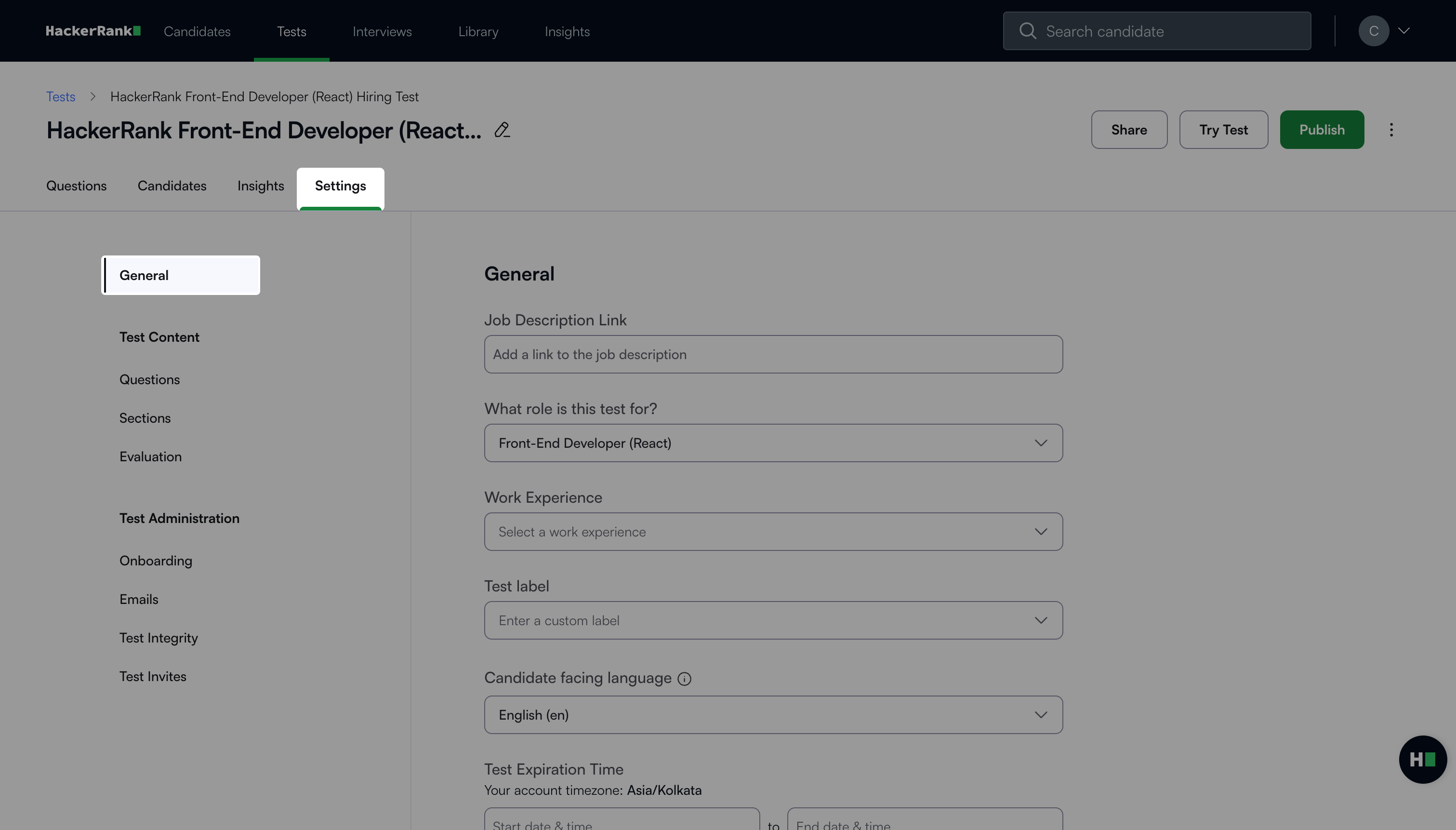
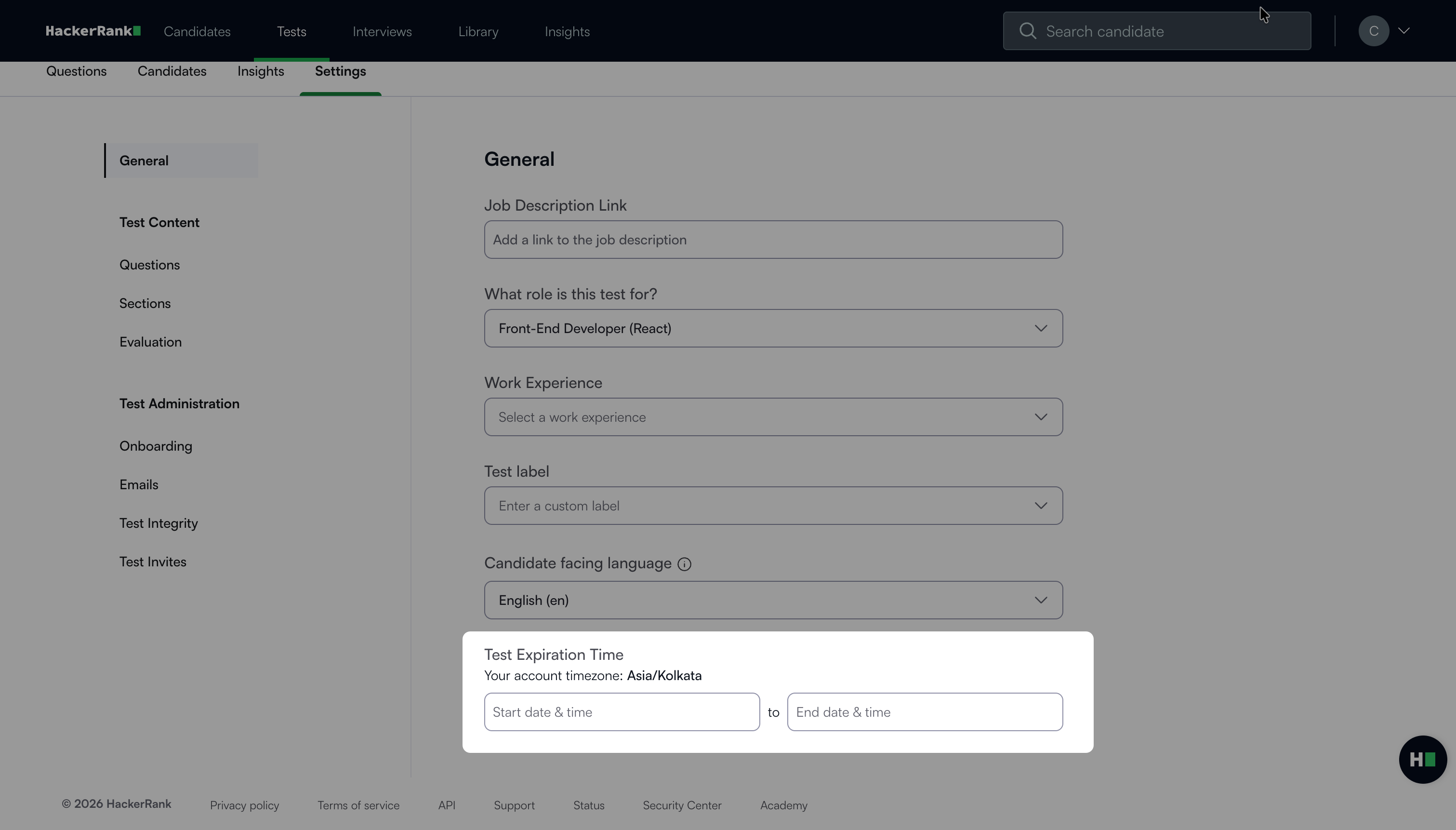
Modify the Start date & time and End date & time in the Test Expiration Time section.
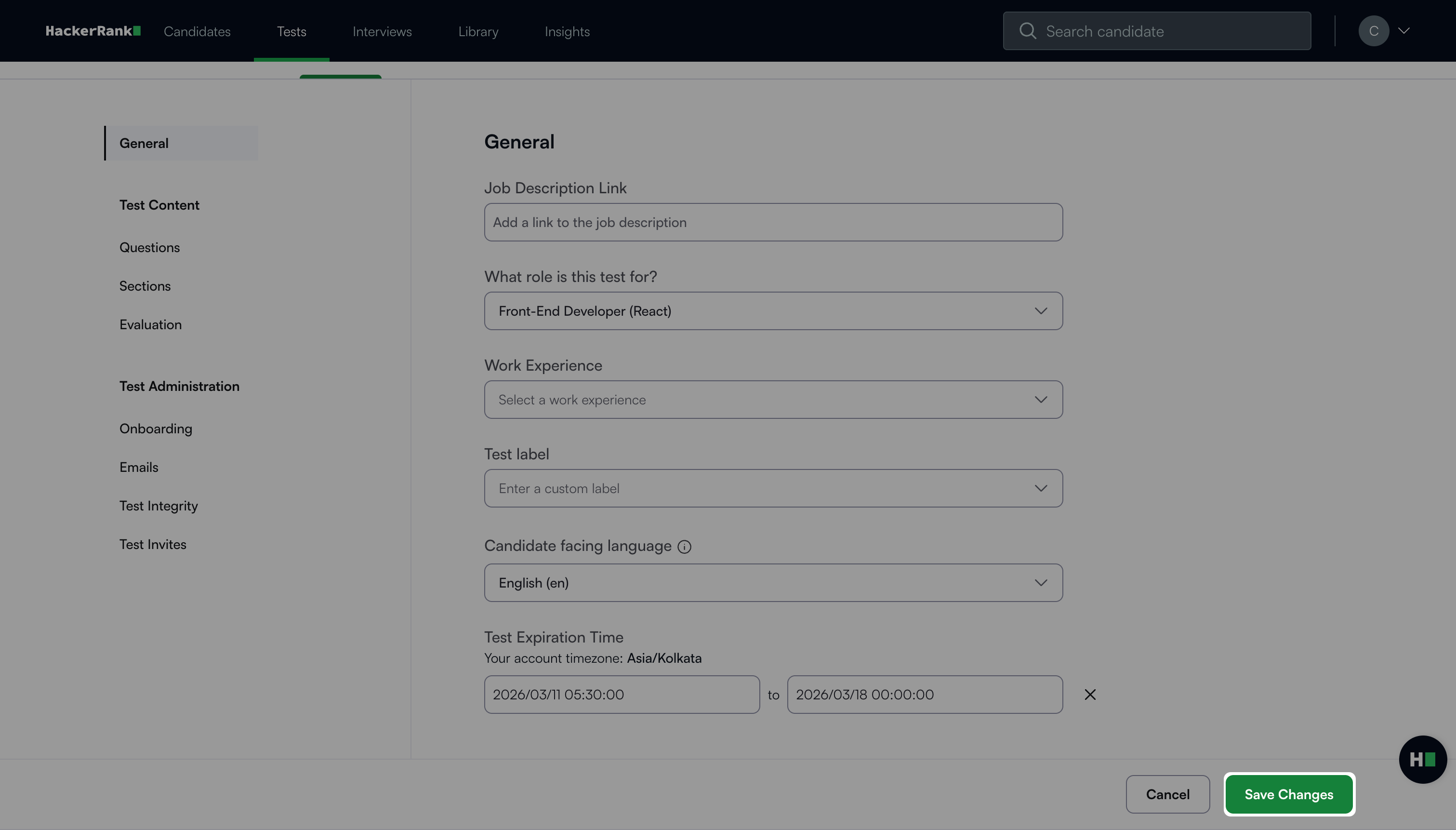
Click Save Changes.
Note:
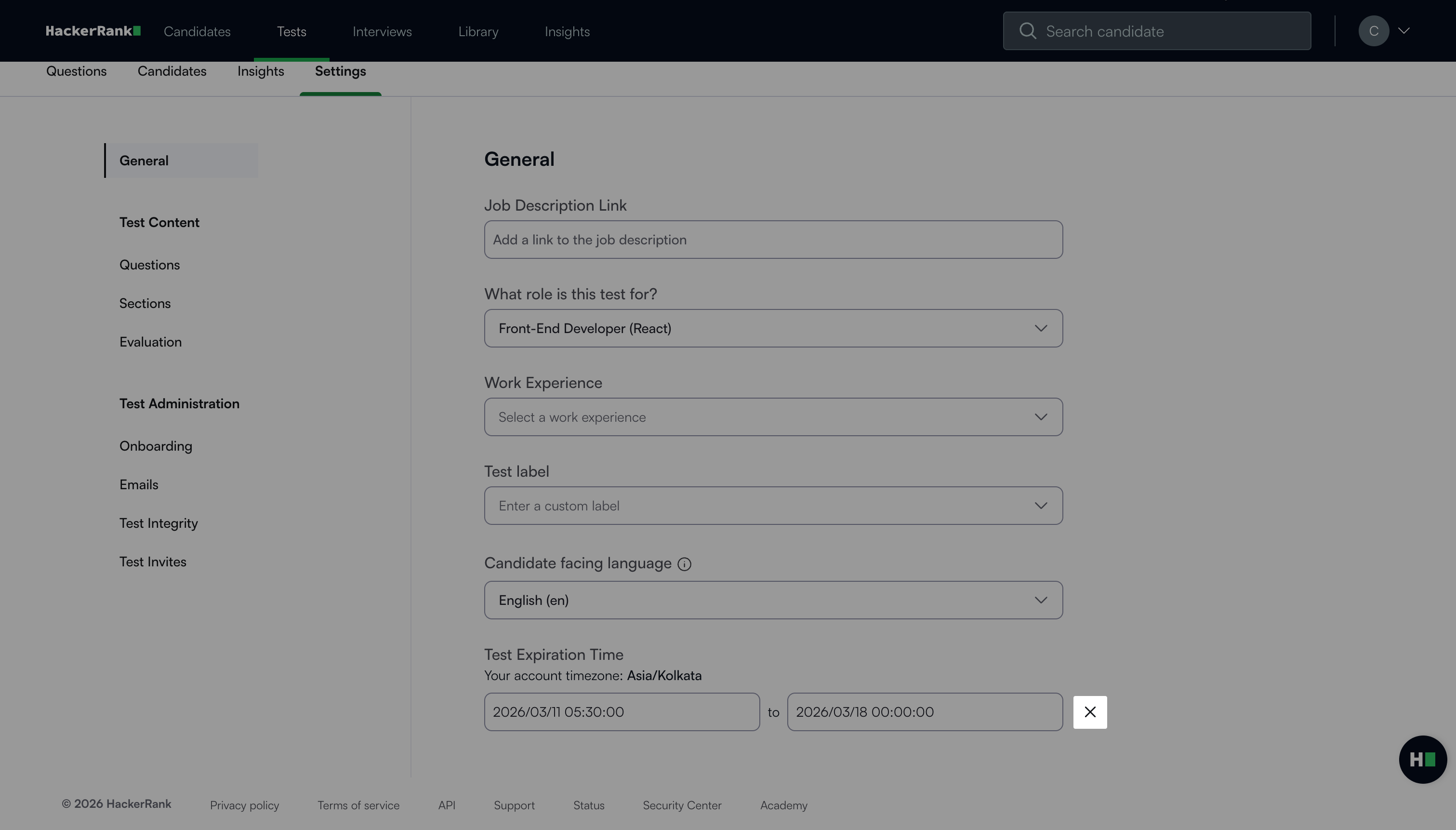
By default, the Test Expiration Time fields are empty.
To restore the default state, click the clear icon (X) to remove the Start date & time and End date & time values.
Note:
If a candidate needs to retake a test, you can reinvite them at any time. You do not need to delete the previous invite or attempt. For more information, see 📄 Reinvite Candidates to a Test.