Grant Team Admin Access
Last updated: February 19, 2026
Team Admin access allows a user to manage specific teams within your company.
A Team Admin can:
Add existing users to the team and assign roles.
Remove team members from the team.
Configure team-level settings, such as changing department, region, or team name.
Note: Only Company Admins can add new users to the platform. For more information, see 📄 Invite a New User.
Prerequisites
Before you begin, ensure you meet the following requirements:
You have Company Admin or Team Admin access.
The user is already a member of the team. For more information, see 📄 Inviting an Existing User to a Team.
Granting Team Admin access
To grant Team Admin access:
Log in to your HackerRank for Work account using your credentials.
Select your profile icon in the upper-right corner.
Select Teams Management from the drop-down menu.
Choose one of the following methods to grant Team Admin access:
From the Users tab:
Go to the Users tab.
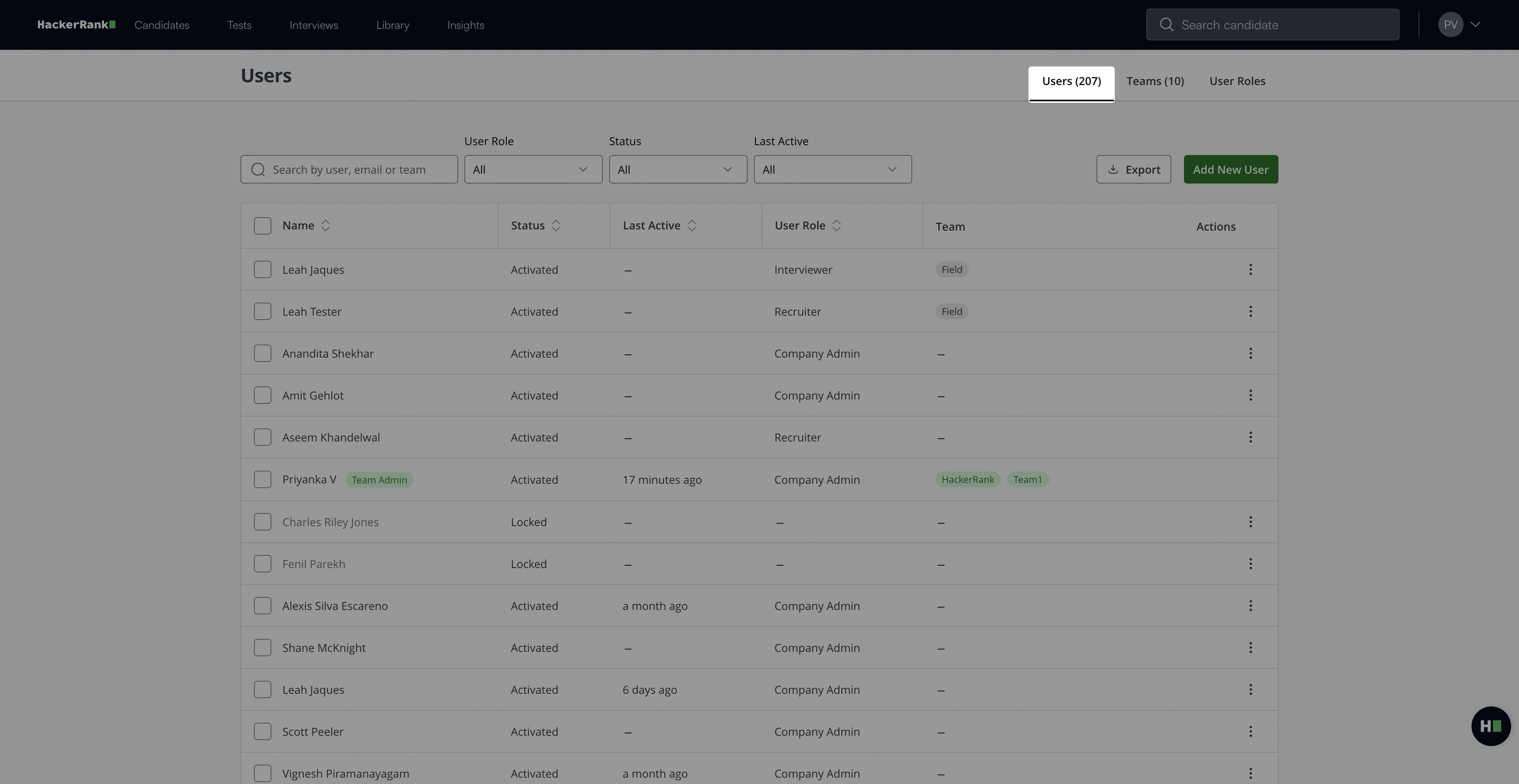
Select a user.
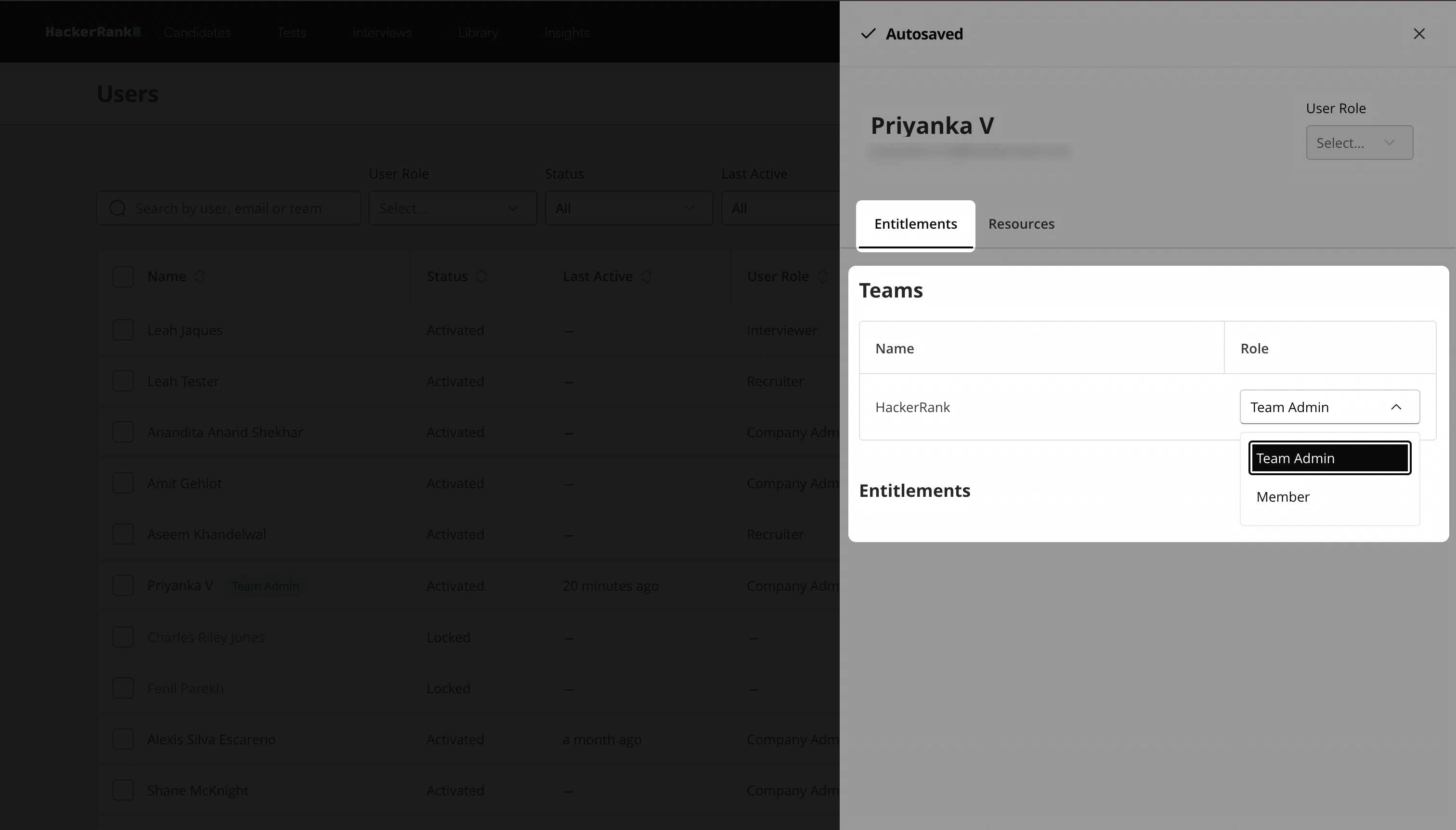
In the Teams section under Entitlements, locate the team.
Select Team Admin from the Role drop-down list.
From the Teams tab:
Go to the Teams tab.
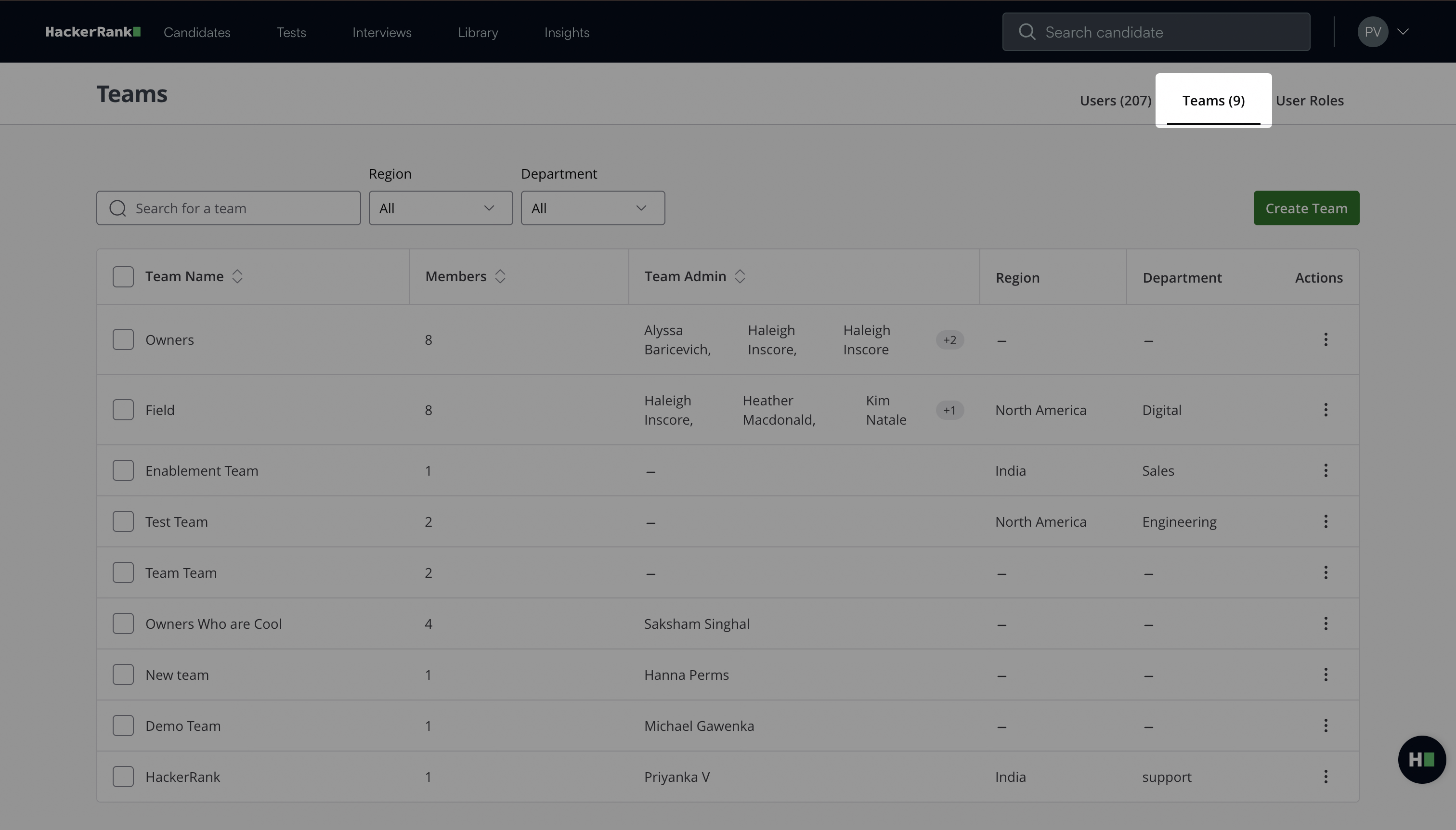
Select a team.
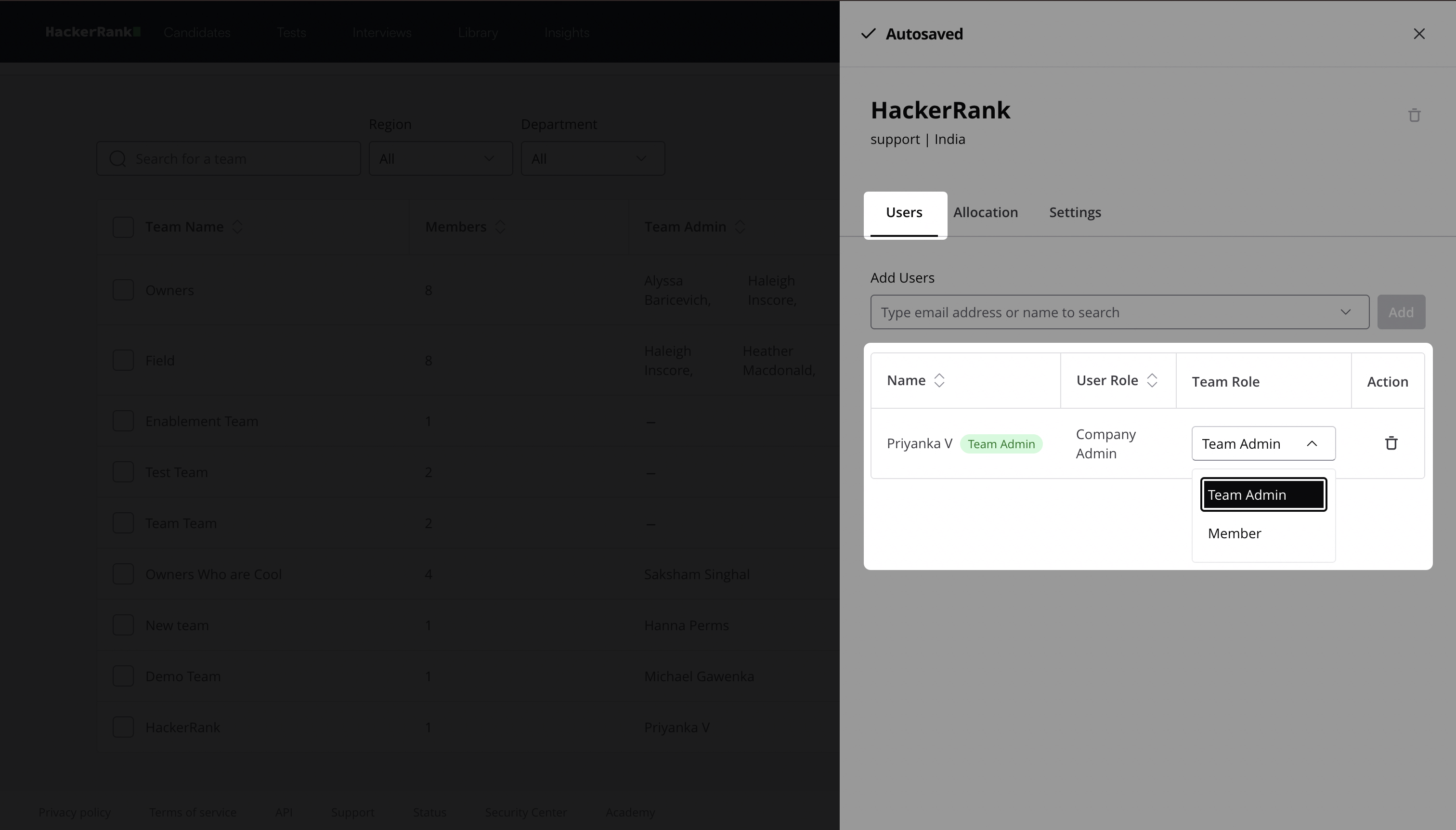
Locate the user under the Users tab.
Select Team Admin from the Team Role drop-down list.