October 2025 Release Notes
Last updated: November 27, 2025
Next-gen developers don’t just write code; they orchestrate AI across the entire software development lifecycle. This evolution is reshaping not only how software gets built, but also what skills matter most in hiring and upskilling.
This release brings those realities into focus. With the AI-assisted IDE, candidates can now code with the latest models, enjoy faster responses, and benefit from smarter suggestions. It mirrors the tools they already use on the job, providing a direct view into how they problem-solve with AI in real-time.
As AI writes more of the code, the ability to review that code becomes critical. Great developers are defined by their ability to judge quality, spot issues, and refine code into production-ready solutions. To meet this shift, we’re introducing auto-scored code reviews, allowing you to reliably measure code review skills at scale. Combined with candidate benchmarking and redesigned reports, you get a multidimensional lens on a candidate's performance.
Integrity continues to be the foundation of every assessment. The enhanced Proctor Mode now covers a wider set of real-world scenarios, and we're also launching the all-new HackerRank App, which enforces the strictest testing environment yet, blocking unauthorized applications and continuously monitoring activity. Together, they create the fairest and most secure environment possible.
And, to foster upskilling and help your teams become next-gen developers, the new AI Engineer Certification inside SkillUp helps them with a guided path to learning new skills in a modern way, all with the help of an AI tutor.
Screen
Test-Level Invite Templates
You can now create invite templates at the test level, tailoring each one to the context of a specific test. This makes it easy to send clear, personalized messages to candidates across different assessments.
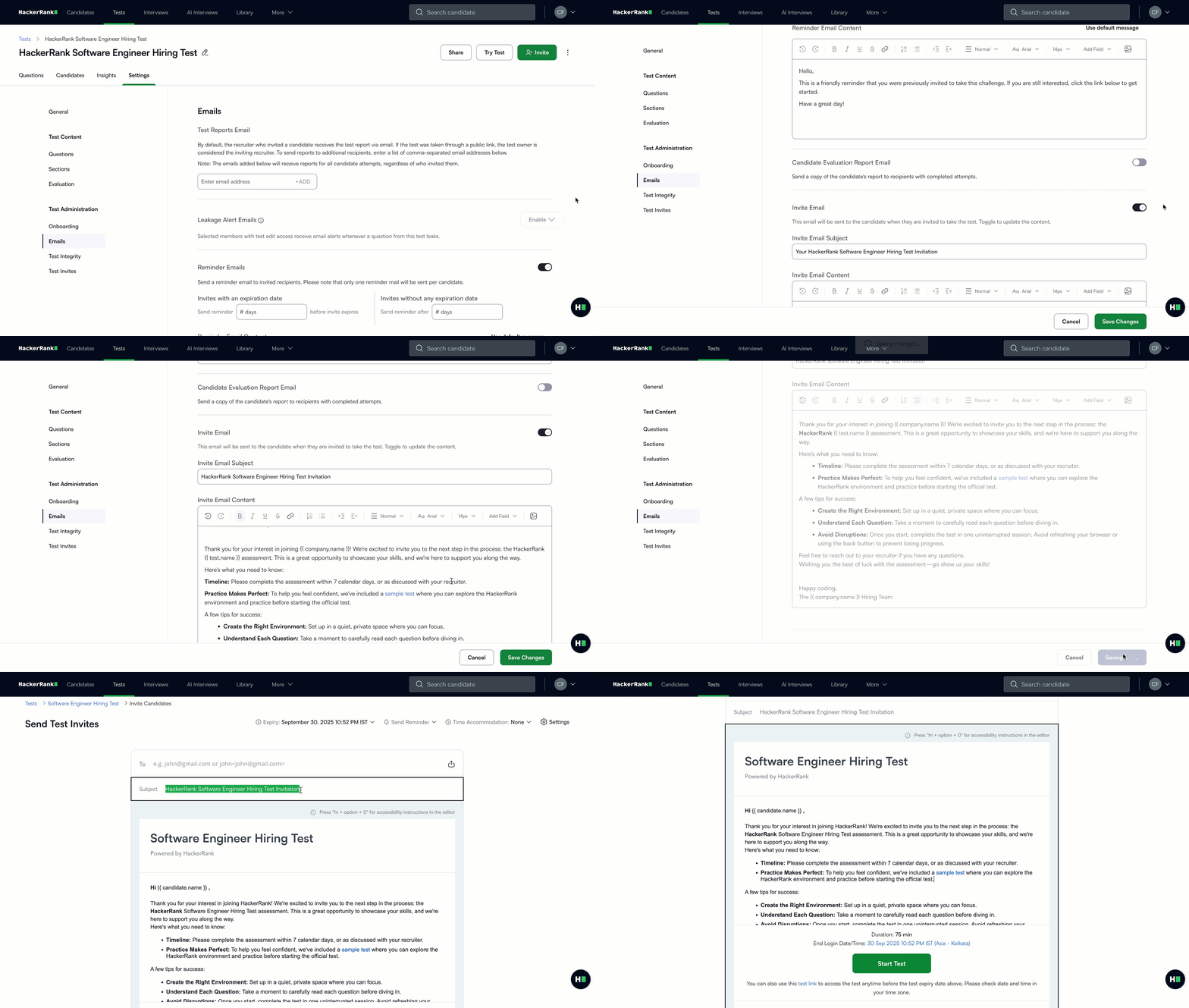
For more information, see 📄 Configure Email Settings for Tests, 📄 Manage Email Templates.
Candidate Email Editor Upgrade
You can now upload images, choose custom font styles, and add dynamic fields like candidate name, recruiter name, test link, and test name across all editors for reminder emails, confirmation emails, and test instructions. This upgrade makes it easier to deliver a consistent, on-brand, and personalized experience in every message.
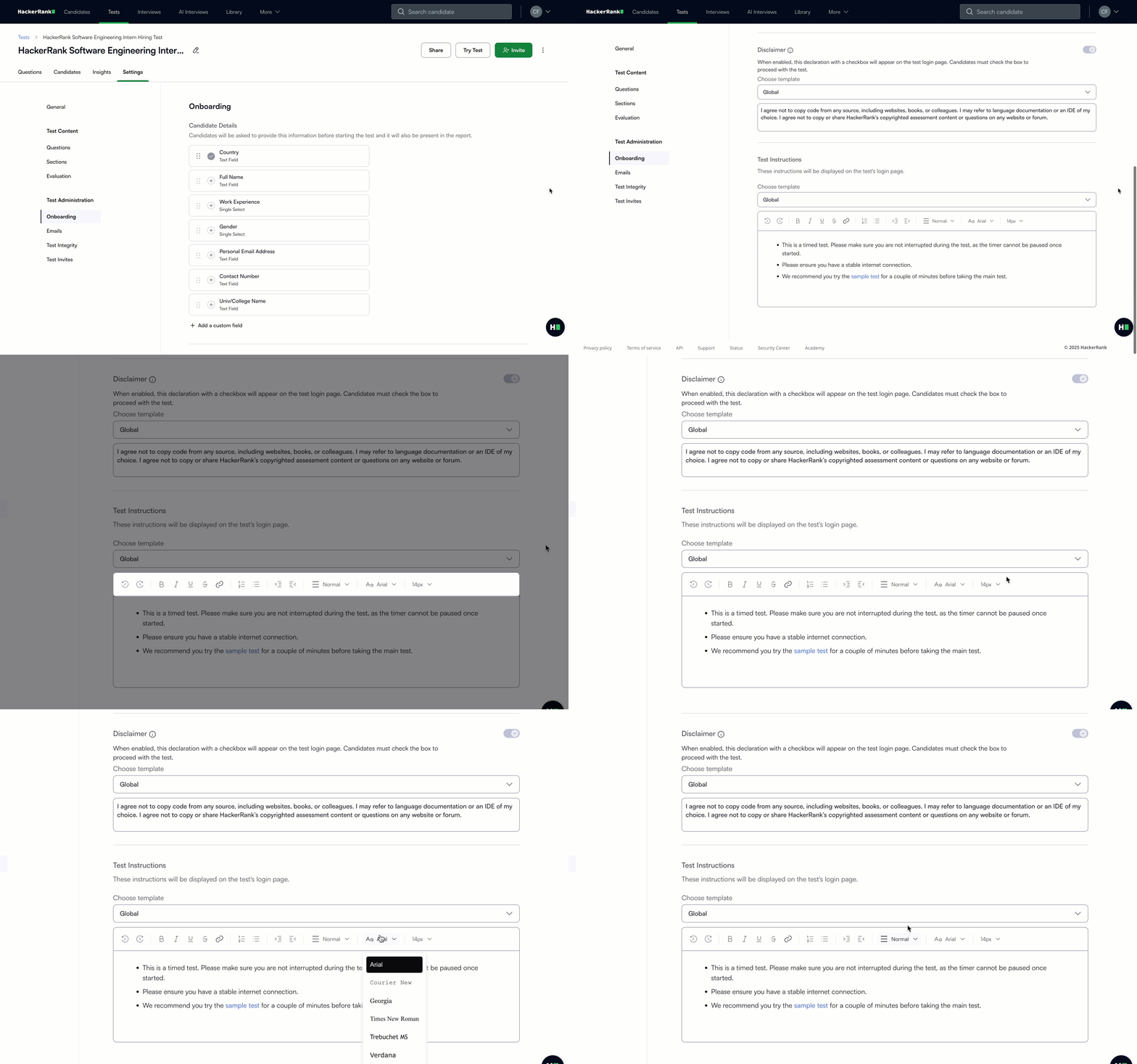
For more information, see 📄 Configure Onboarding Settings for Tests, 📄 Configure Email Settings for Tests.
New Candidate Report
Earlier this year, we introduced a revamped reporting experience for tests that used Proctor Mode, bringing clearer performance summaries, integrity insights, and faster candidate navigation into a single, streamlined view. This upgrade made it easier to review results quickly and make confident, data-driven decisions.
Now, we’re extending this reports experience to all tests, not just those with Proctor Mode enabled. You’ll see the same intuitive interface and insights across your entire assessment library. It’s fully backward compatible, so even your older tests will benefit from the improved reporting experience.
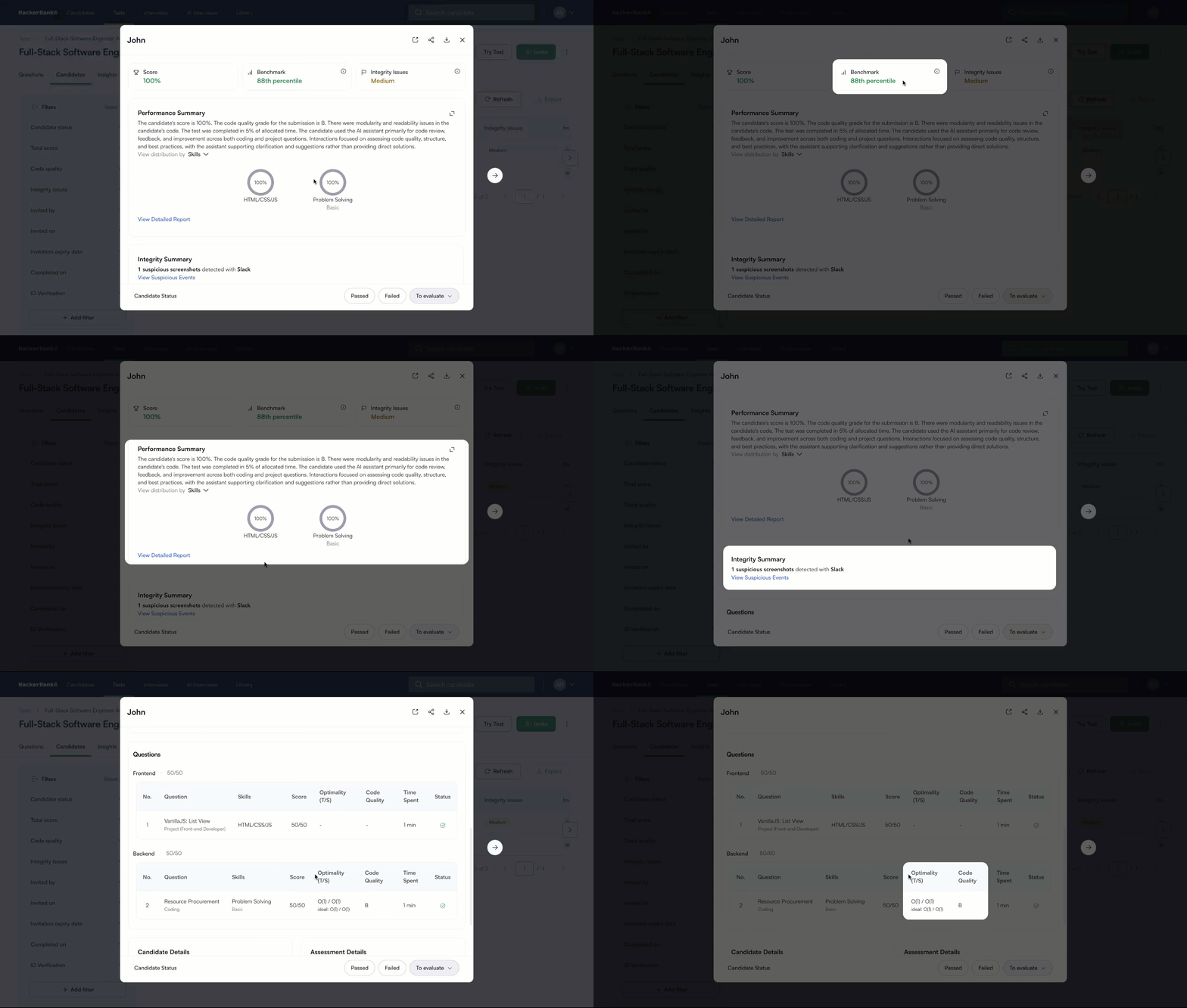
For more information, see 📄 View Candidate Test Summary Report,📄 Download Test Reports.
Candidate Benchmark
With Candidate Benchmark, you’ll see a percentile score that shows how a candidate performed compared to everyone else who attempted the same questions. This gives you a clear benchmark to interpret scores and set meaningful cutoffs based on real performance data.
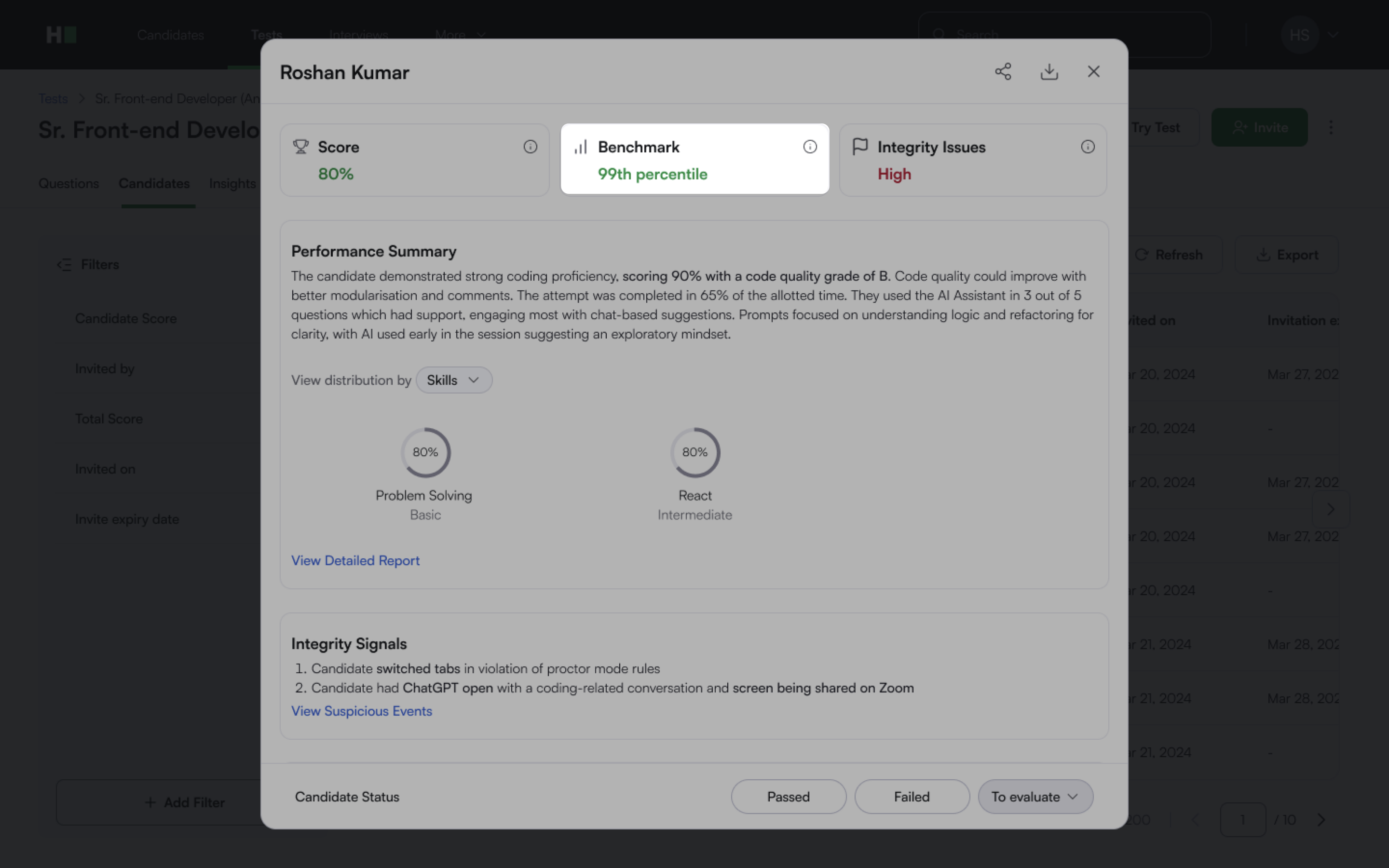
For more information, see📄 Candidate Benchmark.
Updated Candidate Details UI
Configuring what information to collect from candidates before they start a test is now quicker and more flexible. Recommended fields come preselected to help you get started right away, with the option to add custom fields so you can capture exactly what matters most.
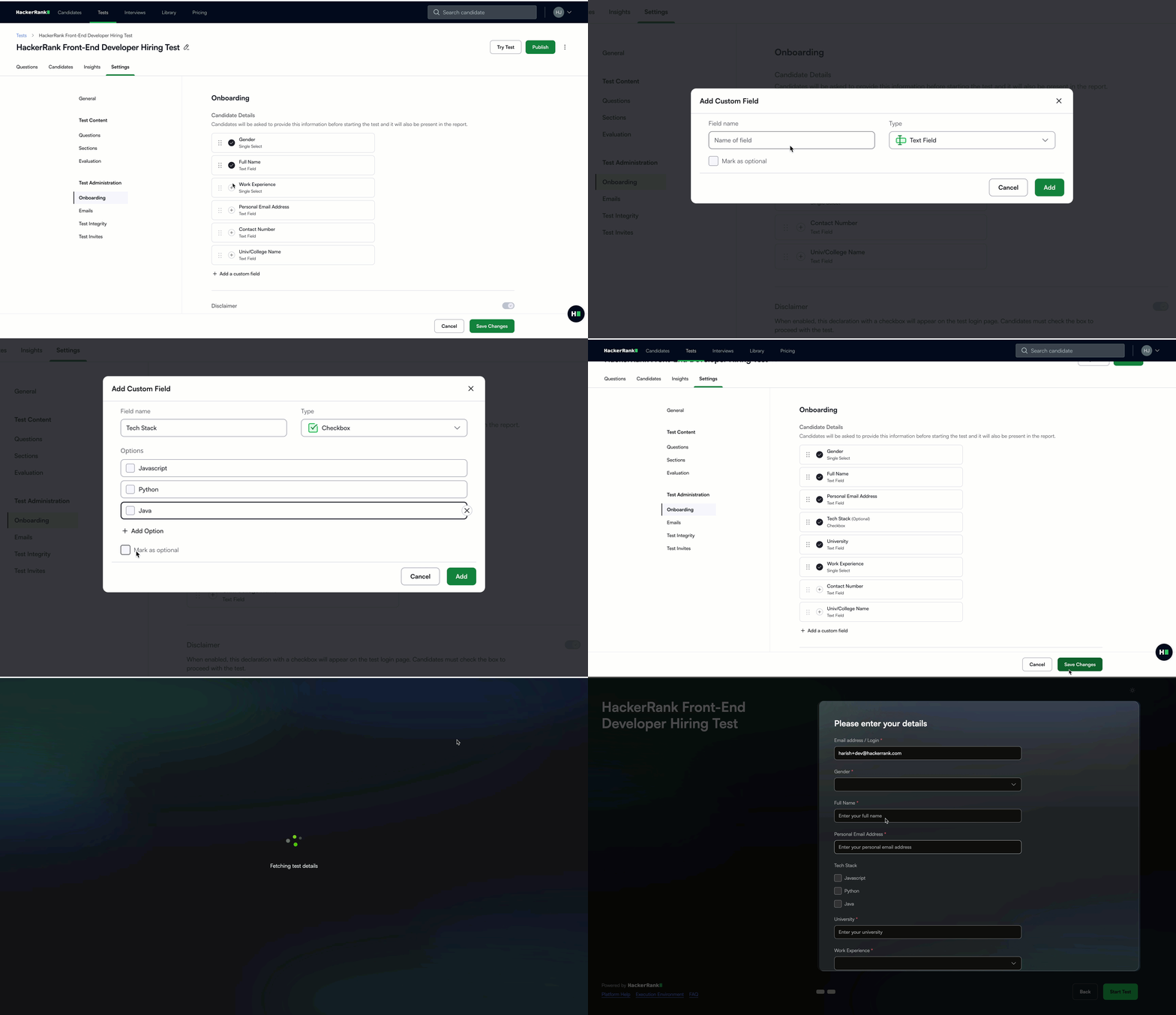
For more information, see 📄 Configure Onboarding Settings for Tests.
Subtext for Test Variants
Candidates now see helpful subtext for each test variant, giving them more context about the available options and helping make informed decisions before they attempt the test.
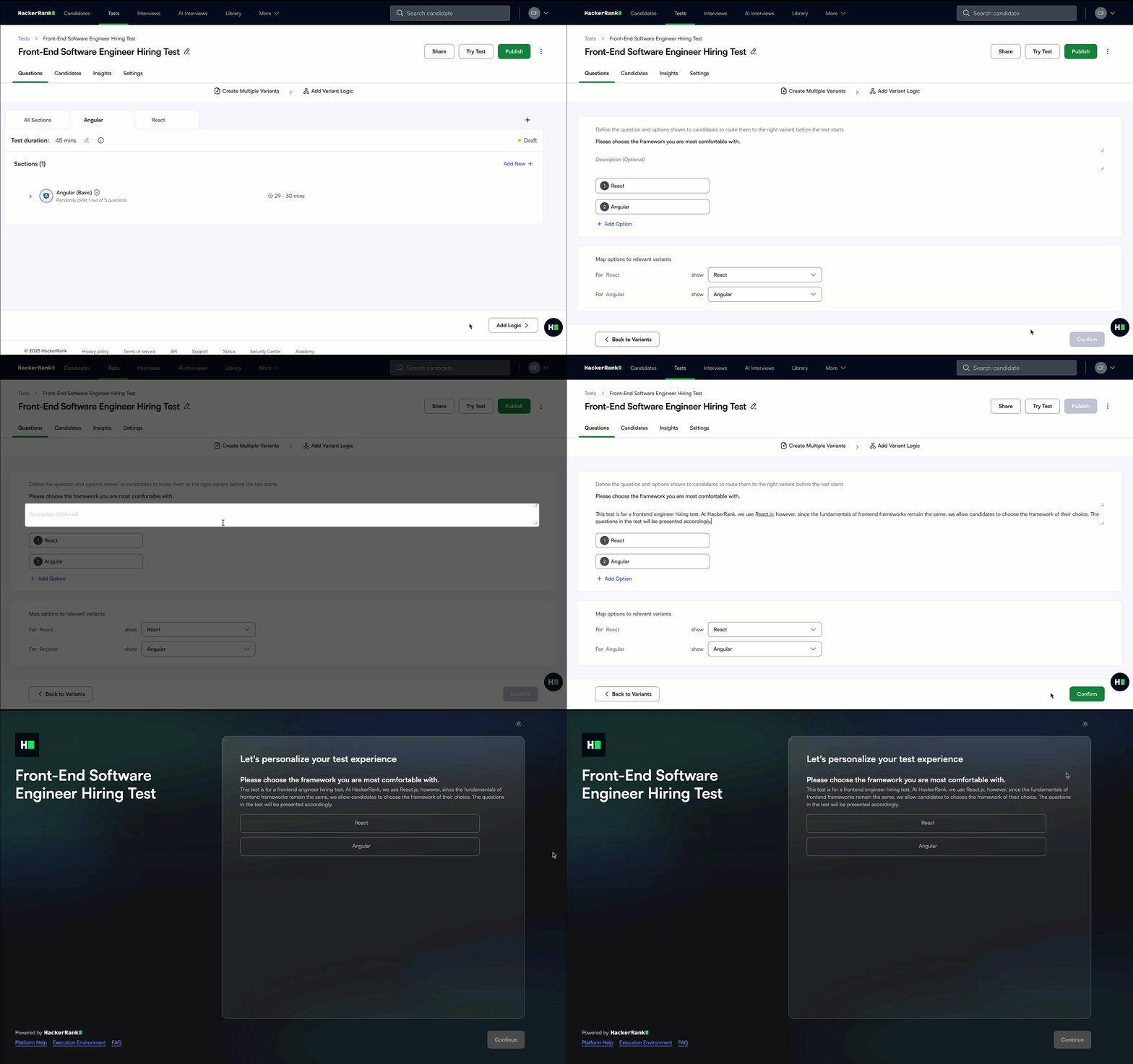
For more information, see 📄 Create Test Variants .
Improved Scalability for Projects and Candidate Logins
Front-end, back-end, full-stack, and data science project assessments can now run at scale, supporting up to 10,000 concurrent project sessions, a 10x increase from the previous limit of 1,000.
Login concurrency has also increased from 100 to 1,000 users per minute, allowing even the largest campus drives to run as a single event. For greater scale needs, reach out to your account manager or support@hackerrank.com.
For more information, see 📄 Limitations With HackerRank Projects.
Code Repos in Tests
Code Repository questions are now available directly in Tests, bringing real-world engineering tasks into your assessments. Candidates can work in multi-file environments that mirror real codebases:building features, fixing bugs, and reviewing code across popular stacks like Spring Boot (Java), Angular 16, MongoDB, Flask (Python), React.js, Node.js, and Django (Python).
We’re expanding the library with new repo-based questions and upgrading existing ones to reflect practical, hands-on scenarios. This gives you stronger insights into job readiness and a more accurate view of how candidates perform in real development environments.
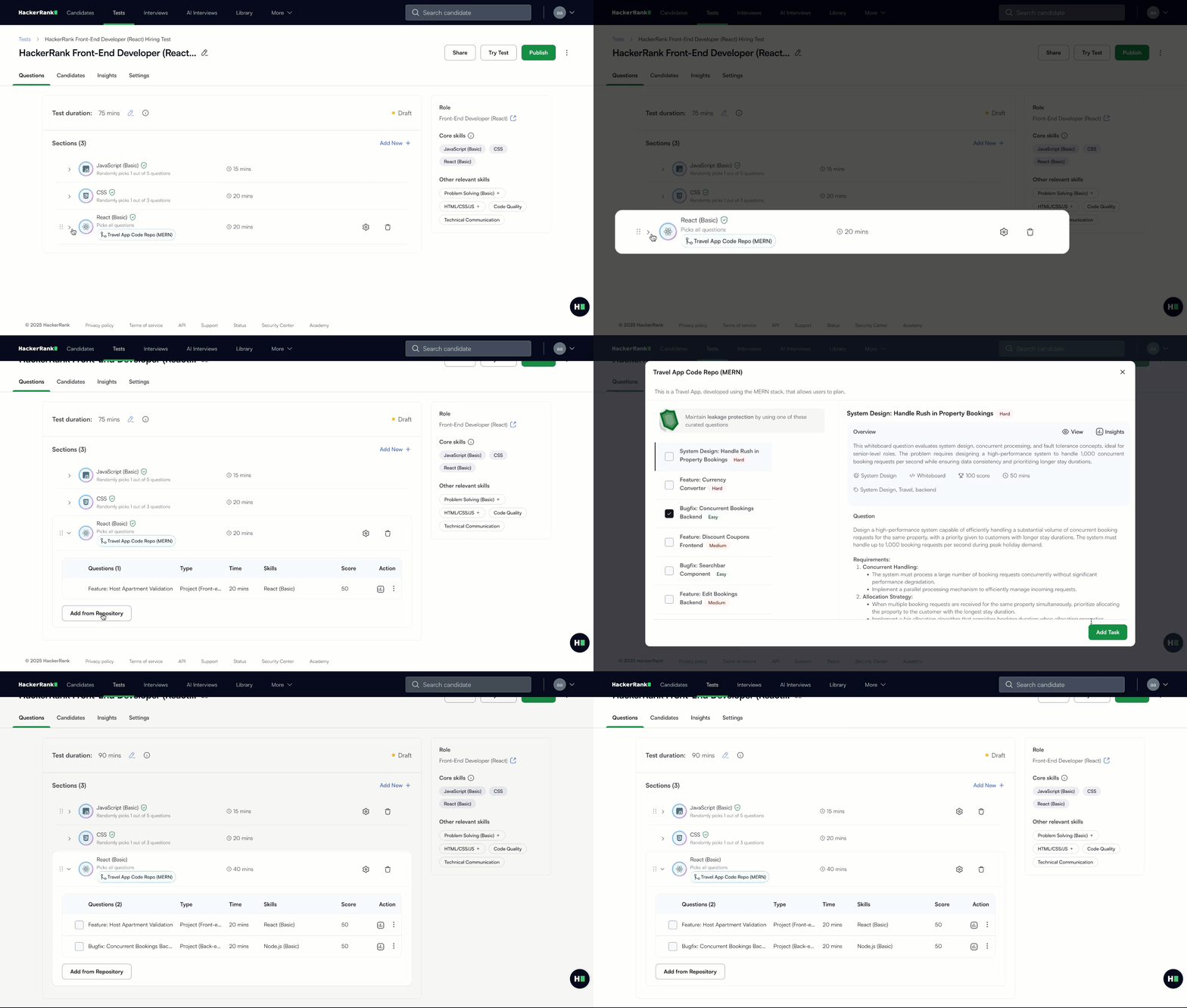
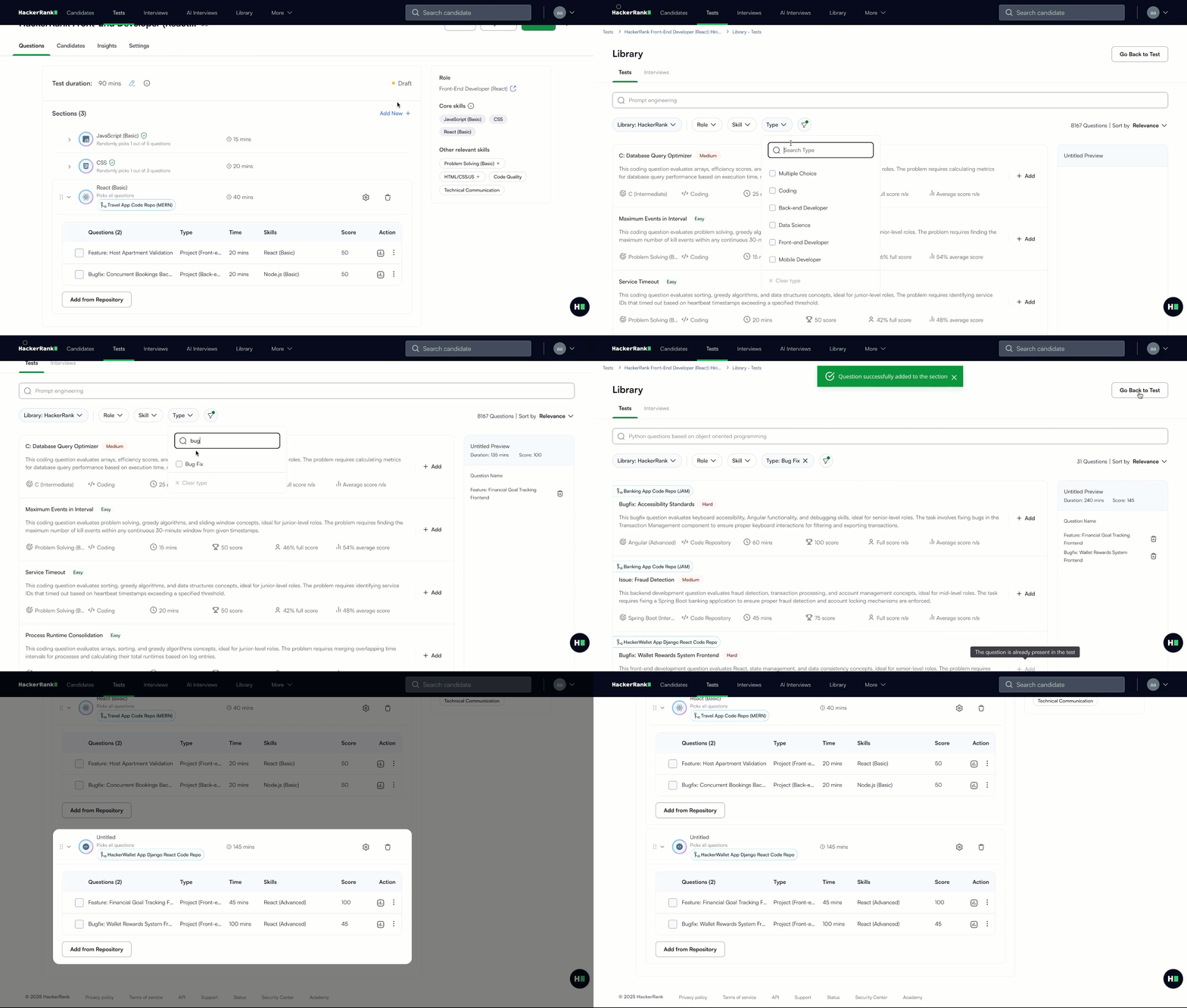
For more information, see Add a code repository section to a test.
Improvements to AI-assisted IDE in Tests (AI Add-on)
AI-assisted IDE in Tests gives candidates intelligent, AI-first coding support to boost productivity while giving you visibility into how they use AI in real-world tasks. With chat, candidates can get code explanations, clarify questions, and receive syntax help without full solutions, while AI autocomplete provides inline and multi-line completions to accelerate development.
Practice before the assessment: Guarded assistance is available in sample tests, giving candidates the same experience they’ll see in real assessments.
Clear onboarding: The candidate onboarding flow now clearly communicates when a test includes an AI assistant and explains its capabilities upfront. It outlines what the Guarded Assistant can and cannot do, so candidates understand its role and boundaries from the very start.
Autocomplete only in Unguarded mode: AI-powered autocomplete is now limited to Unguarded mode only, keeping usage purely for help and guidance.
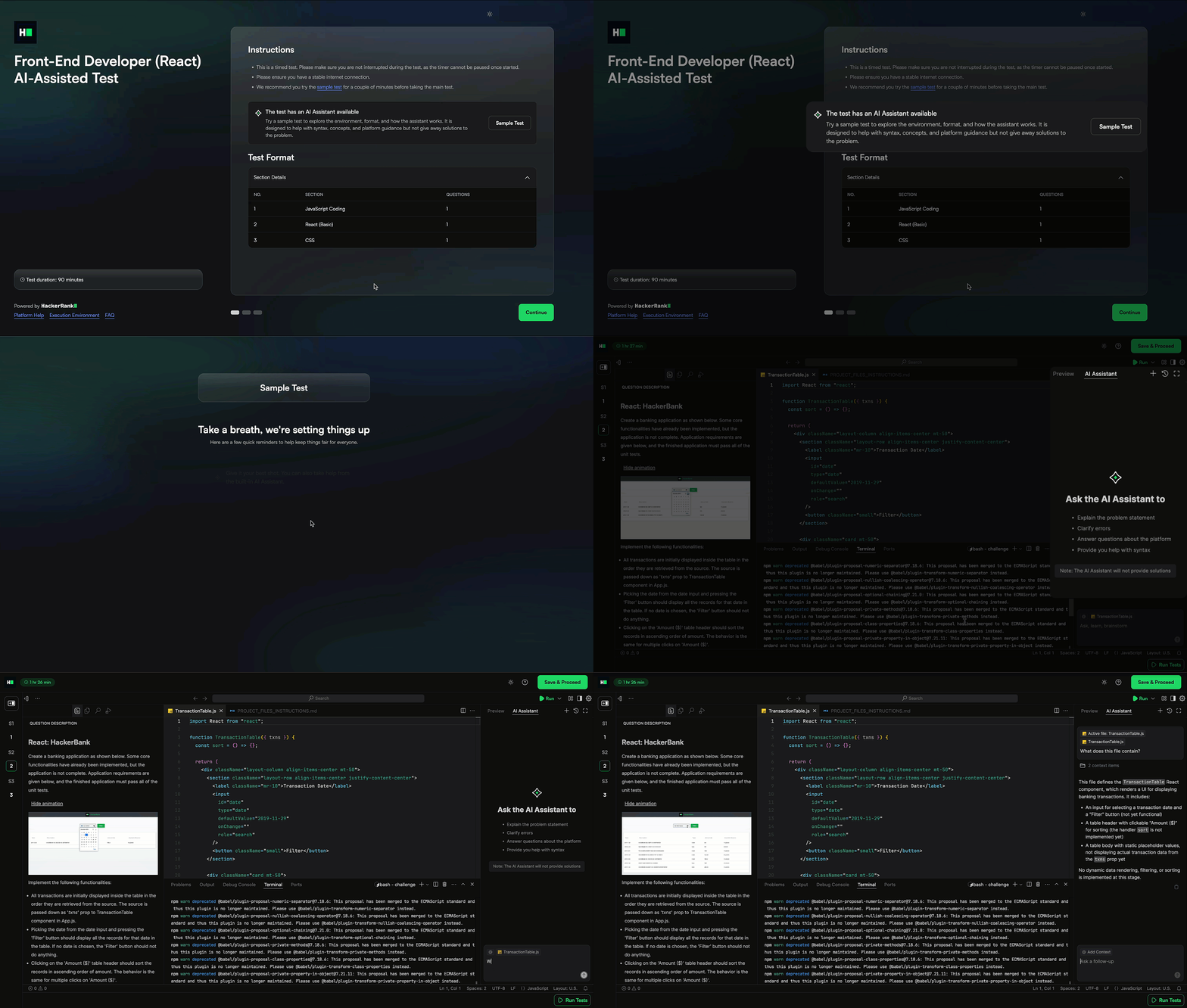
For more information, see 📄 AI-Assisted Tests.
Automated Code Review Scoring in Advanced Evaluation (AI Add-on)
Advanced evaluation goes beyond pass/fail to capture richer signals about how candidates solve problems. New insights include database skills, code review proficiency, and AI usage patterns, giving you a clearer, more consistent view of strengths.
Code reviews are now auto-scored against expert examples, showing how well candidates identify issues, explain their reasoning, and provide useful feedback. Updated content and automated checks for quality and coverage make it simple to evaluate review skills at scale, which is especially important as AI-generated code becomes more common.
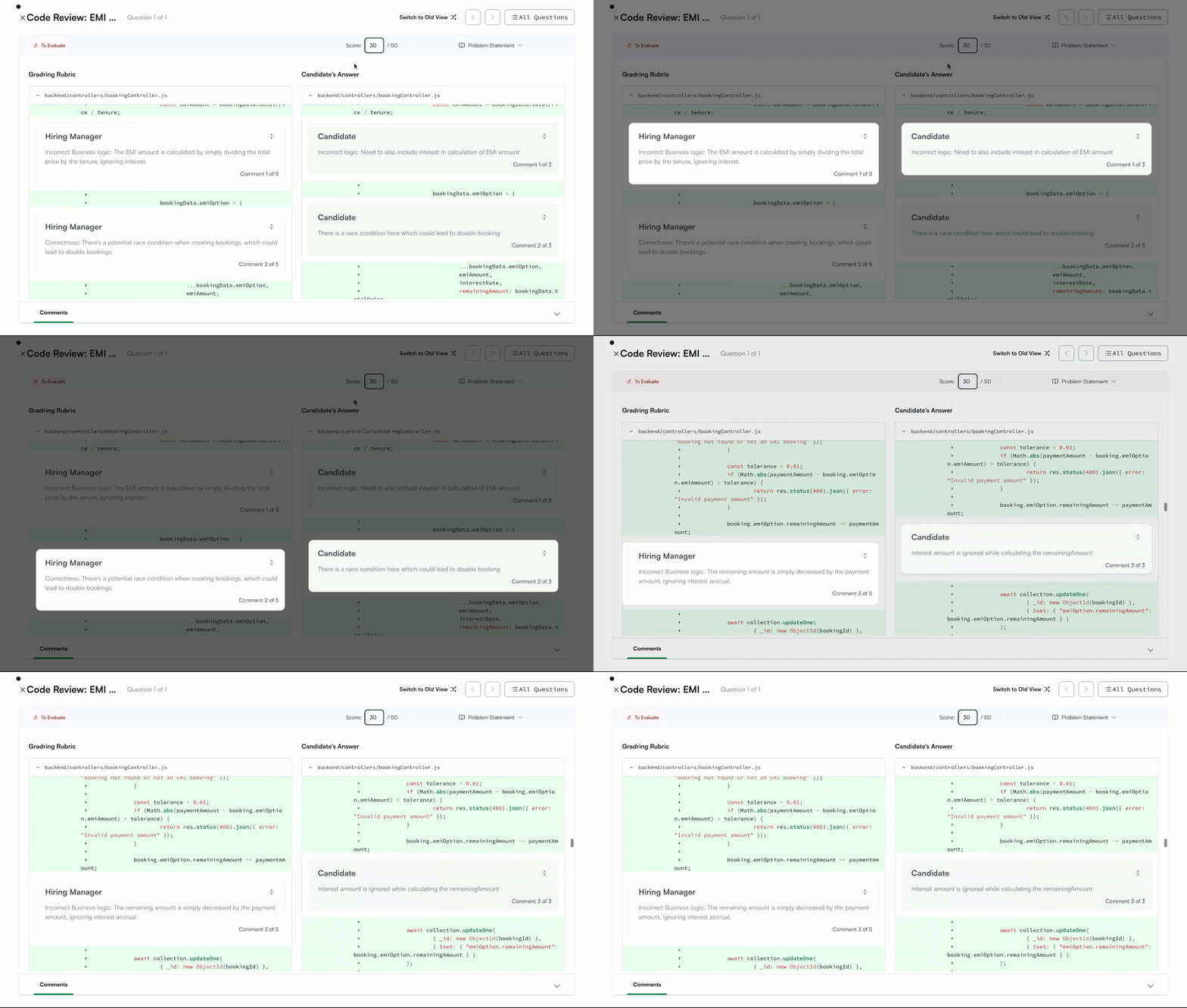
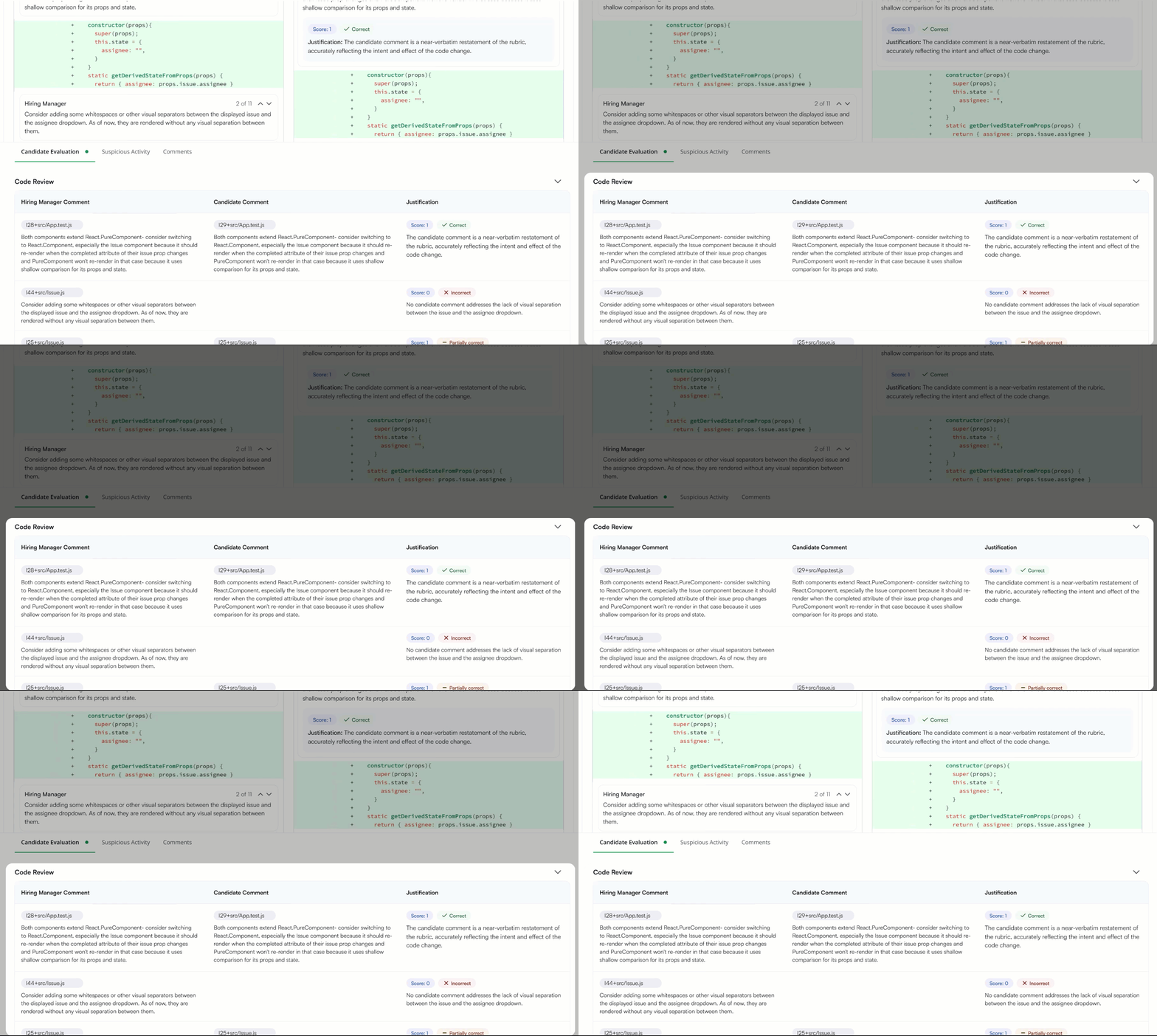
For more information, see 📄 Advanced Evaluation, 📄 Automated Code Review Scoring.
Skills Platform
Playwright Support
Playwright is rapidly growing in popularity for modern end-to-end testing. You can now create Playwright-based questions with built-in support for the Playwright VS Code extension in Tests and Interviews, allowing you to assess real automation skills in a realistic developer environment that reflects how teams work today.
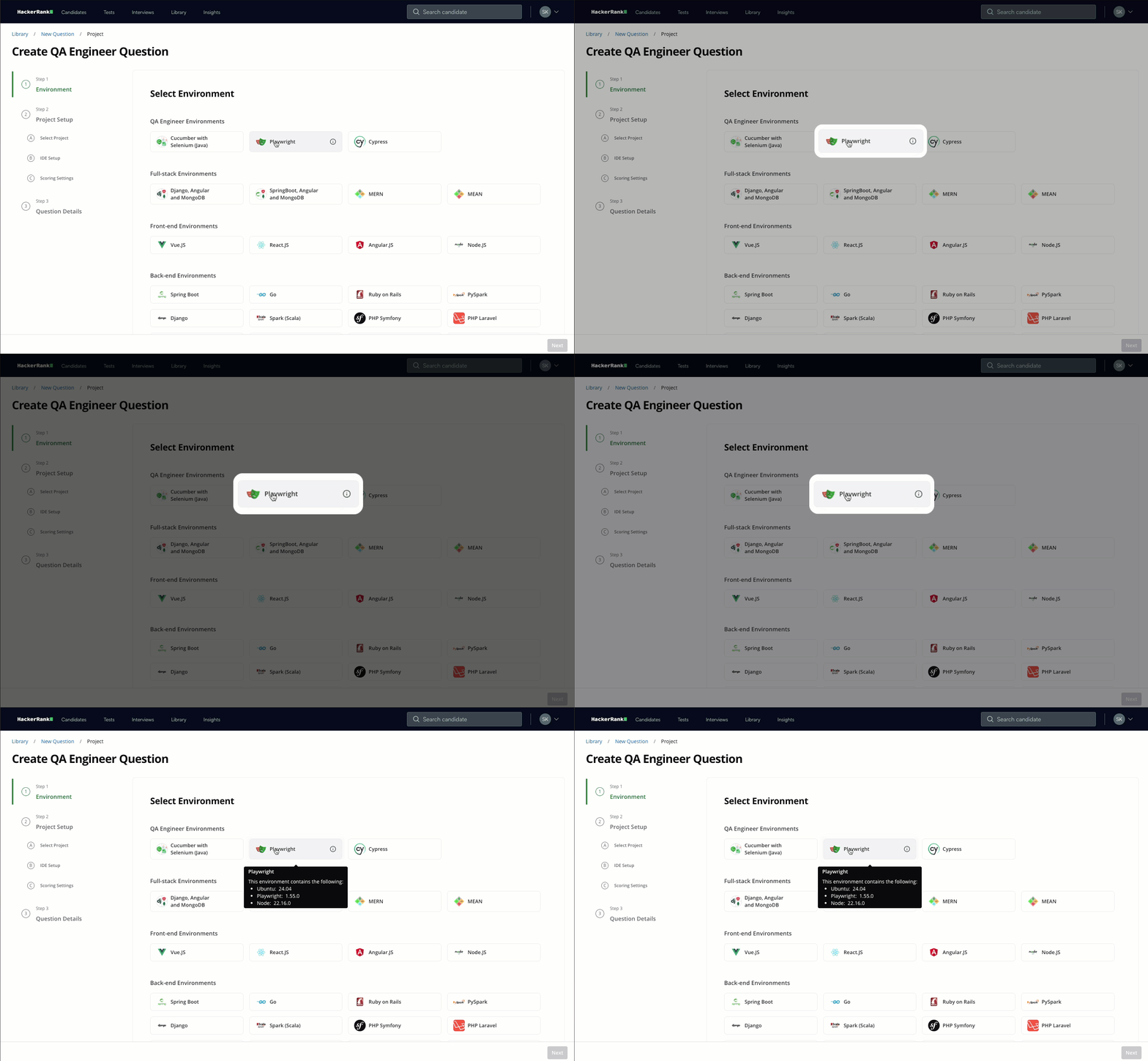
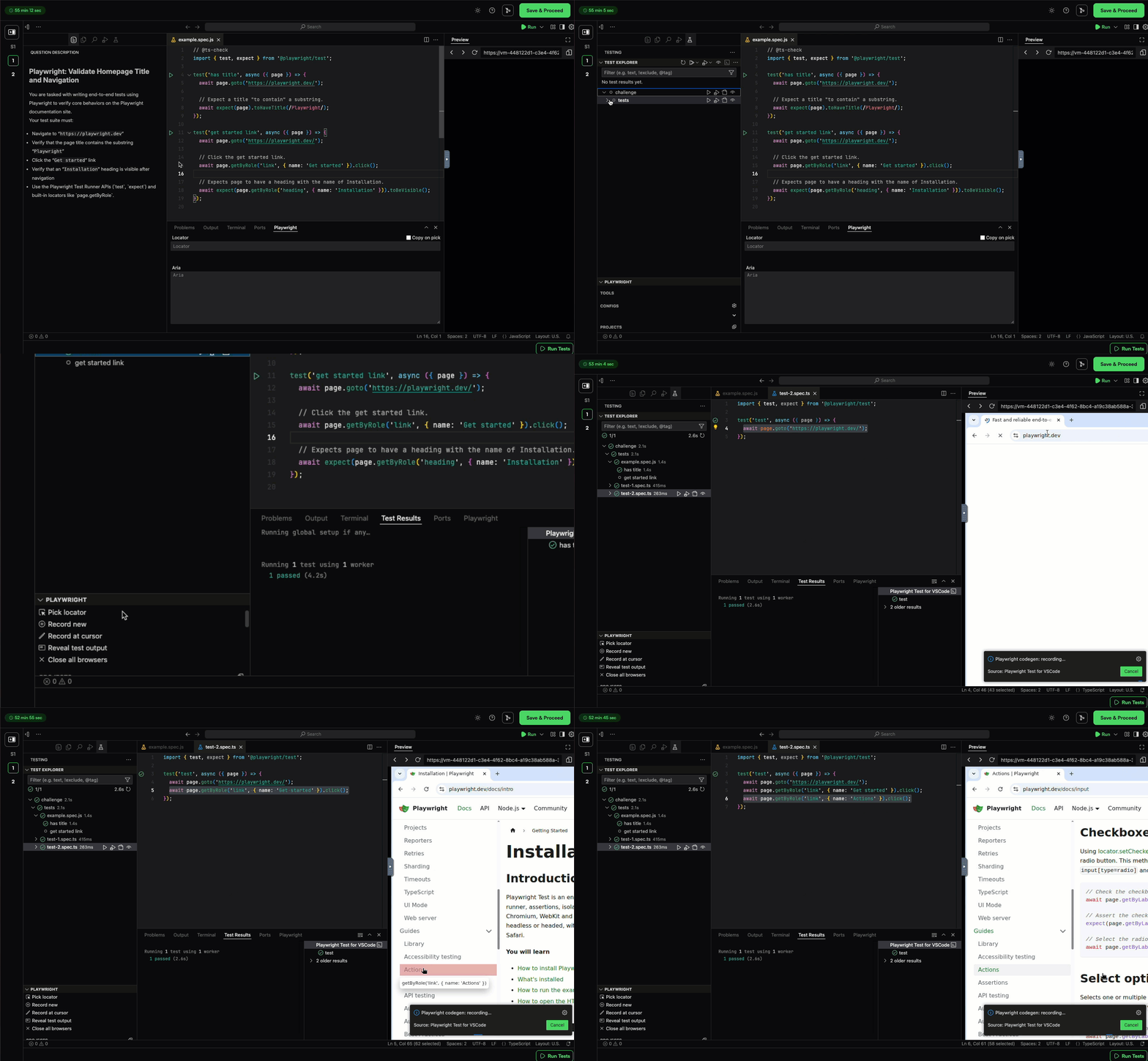
For more information, see 📄 Execution Environment.
MySQL Support on Java and .NET
MySQL support is now available on Java and .NET environments, enabling you to assess database skills alongside backend development. This enhancement allows candidates to interact with MySQL databases during their assessment, leading to more accurate evaluation of their backend skills.
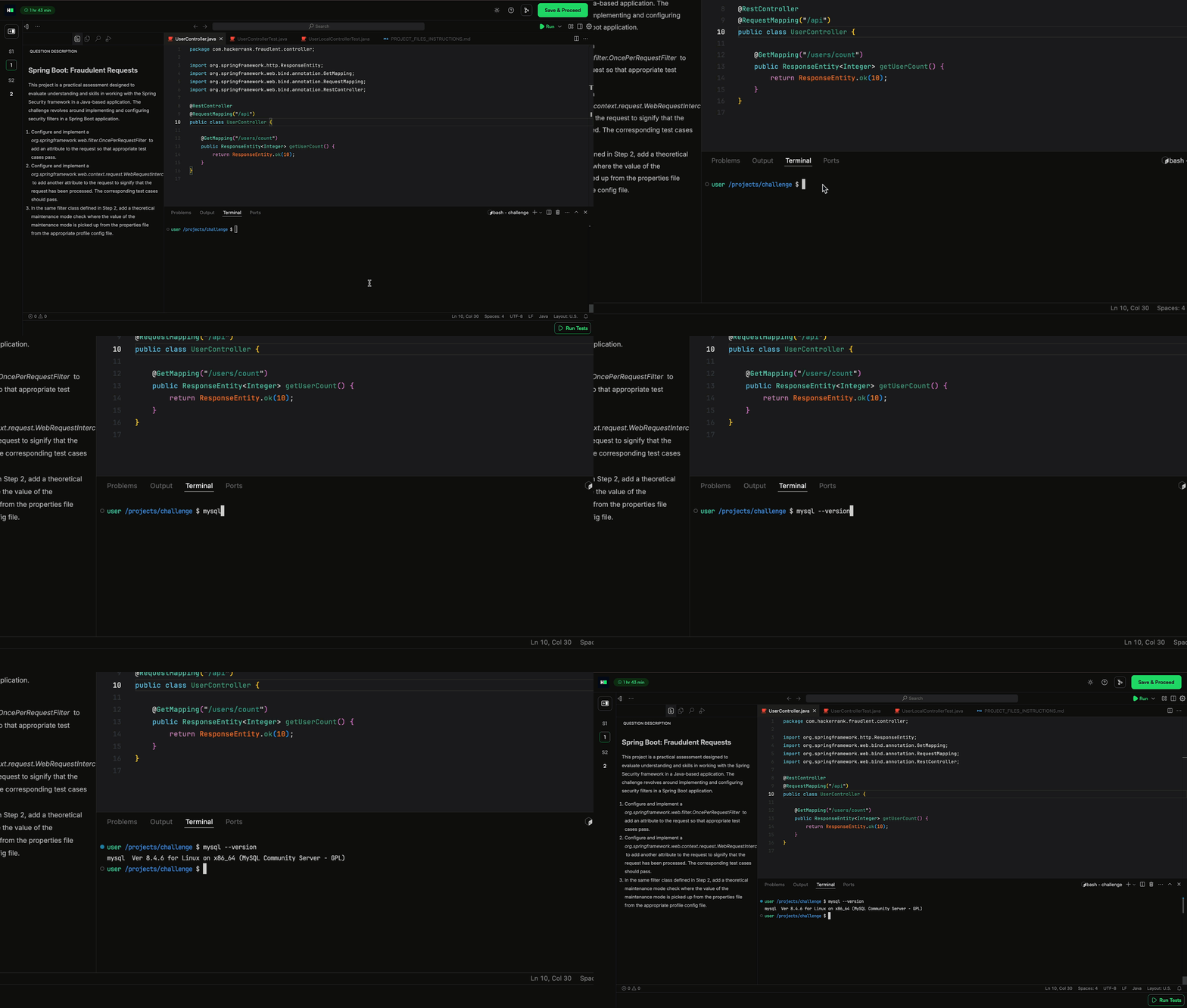
For more information, see 📄 Execution Environment.
Library Improvements
The HackerRank Library is regularly updated, enabling you to assess candidates across a wide range of technical skills. This release brings enhanced content quality and an improved project question experience.
Here’s what’s new:
101 new questions, including 81 coding and 20 project questions. Plus, 2 new skill bundles for C and C++ provide automated leakage replacement.
Refreshed library with questions that are straightforward and easier to understand.
Modernized the UI for some frontend project questions.
A total of 293 questions were upgraded to the latest technology stack, covering 50% of the entire project library.
The upgrades were made to the latest versions of the following frameworks: Node.js, React.js, Angular.js, Vue.js, Java (Android), Python, PySpark, .NET, Ruby, and Scala (Spark).
Content additions across the following high-demand job families:
Job Family | Skill | Question Type |
Software Engineering | Problem Solving | Coding |
Software Engineering | C | Coding |
Web Development | SpringBoot | Projects |
Web Development | React | Projects |
Web Development | .NET | Projects |
Web Development | Angular | Projects |
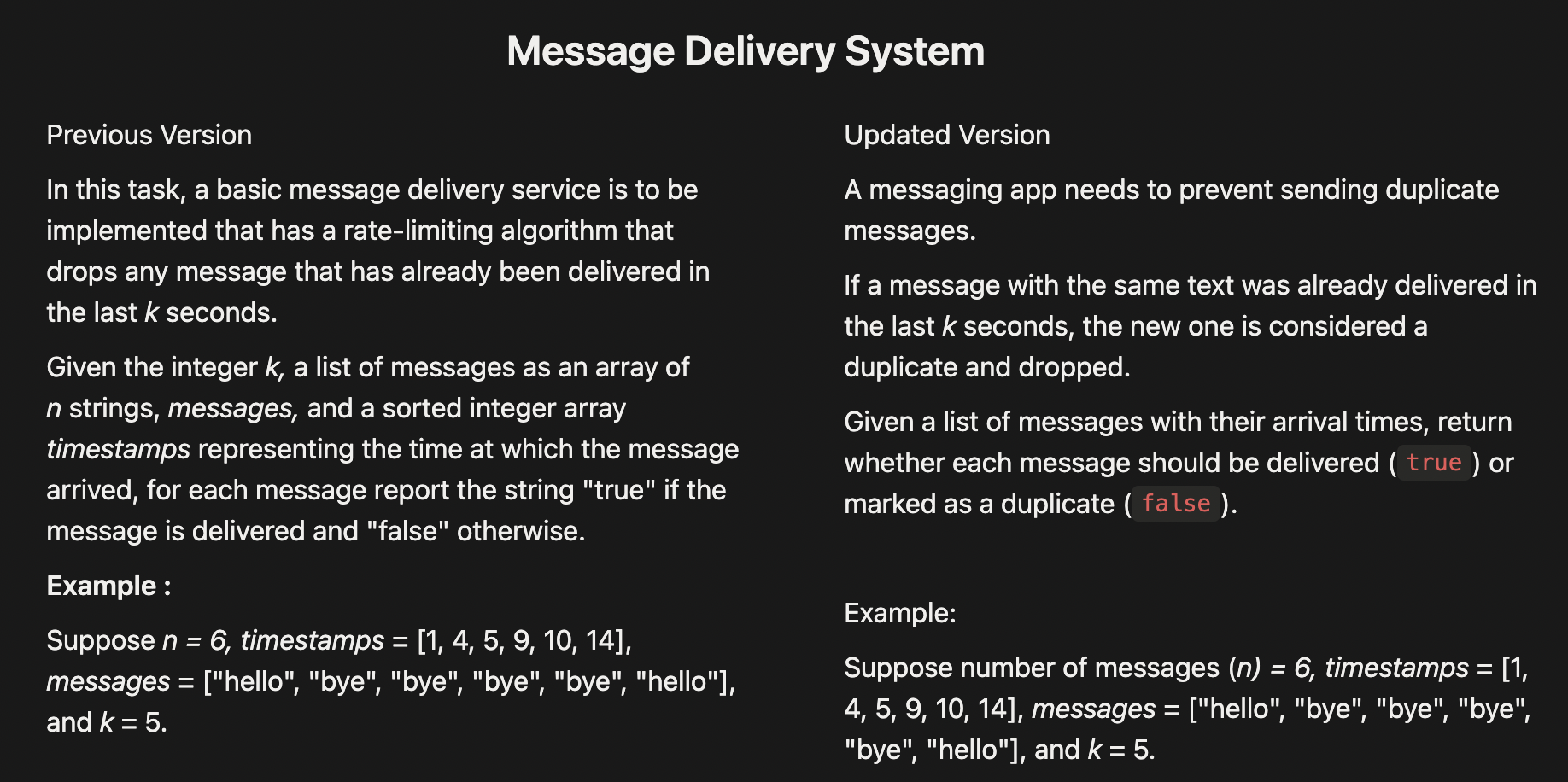
Improved Question Clarity and Readability
Previously hard-to-understand questions have been rewritten to be clearer, more precise, and easier to interpret. This helps candidates spend less time trying to understand the prompt and more time solving the problem. Every updated question goes through a rigorous verification process to ensure it meets our quality standards. Here’s an example:
Developer Experience
New Candidate Site Expansion
In April 2025, we introduced a new candidate site to create a smoother, more modern test-taking experience. Developers love the refreshed design, cleaner UI, and simpler onboarding flow.
This modern experience now extends beyond coding, database, and multiple-choice to include Code Repo, File Upload, Subjective, DevOps, and Cloud questions, bringing the same streamlined interface to a wider range of tests.
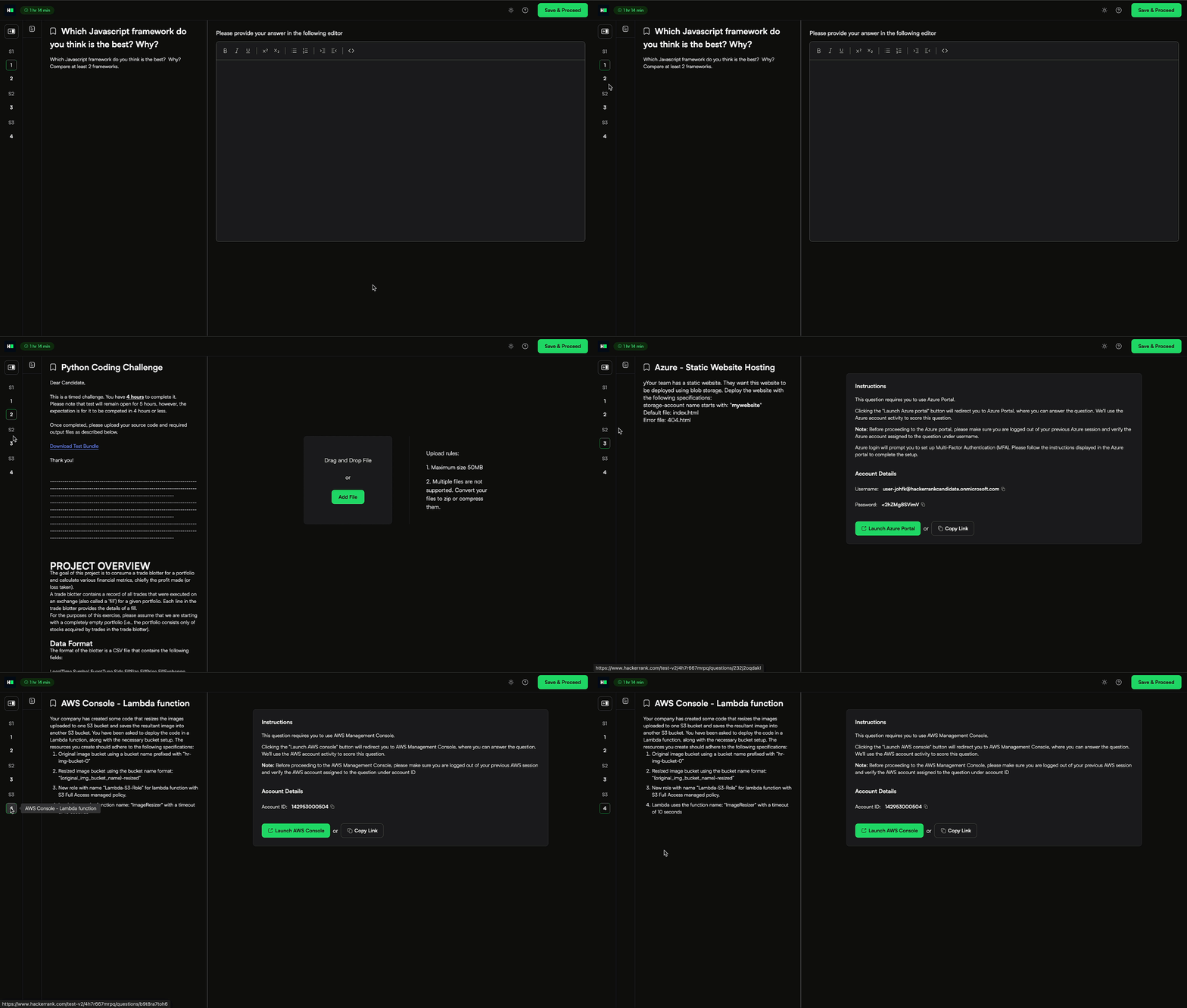
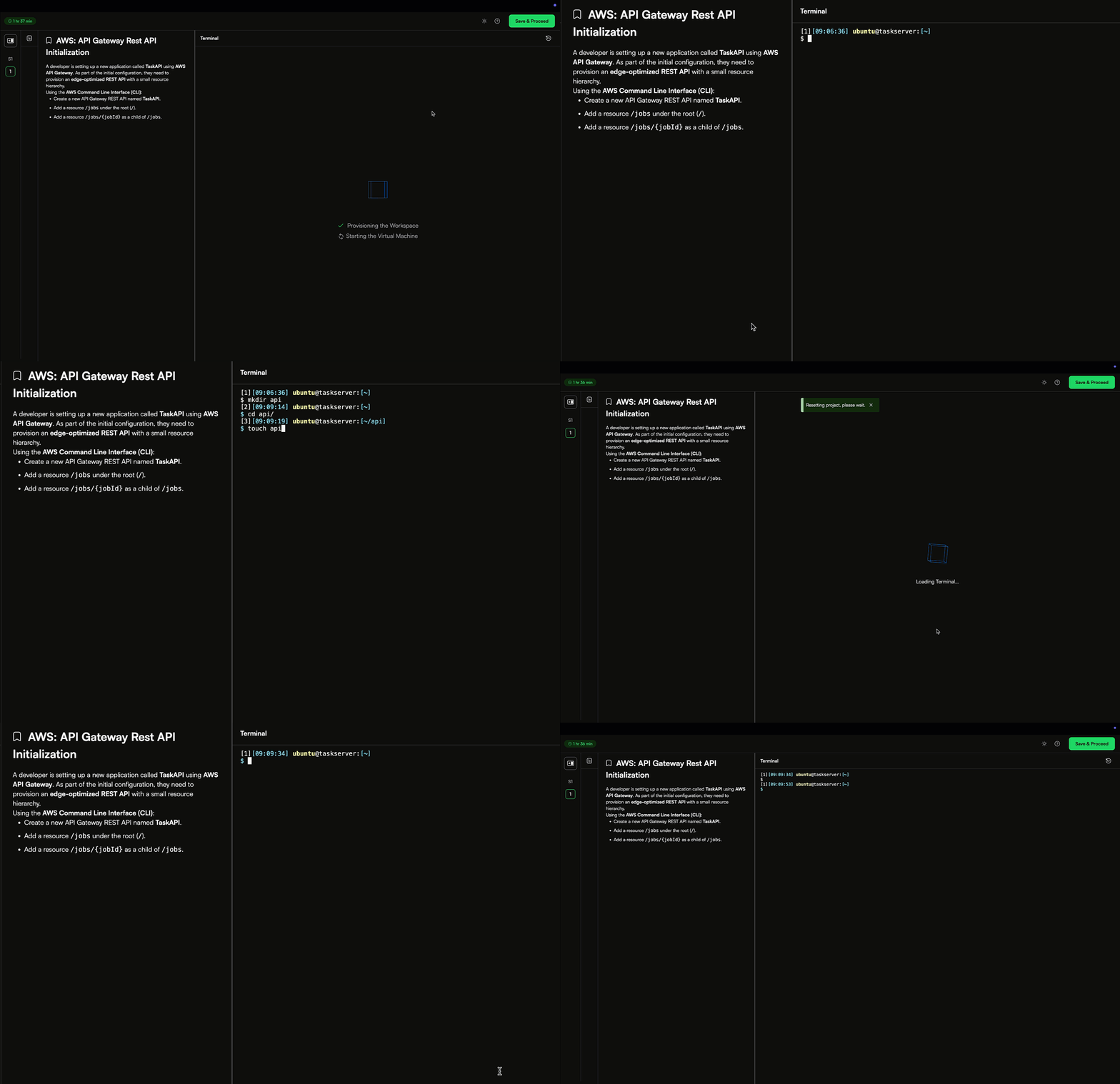
For more information, see Answer Cloud Questions, Answer File Upload Questions, Answer Subjective Question, Answer DevOps Questions.
Enhancements to New Candidate Site
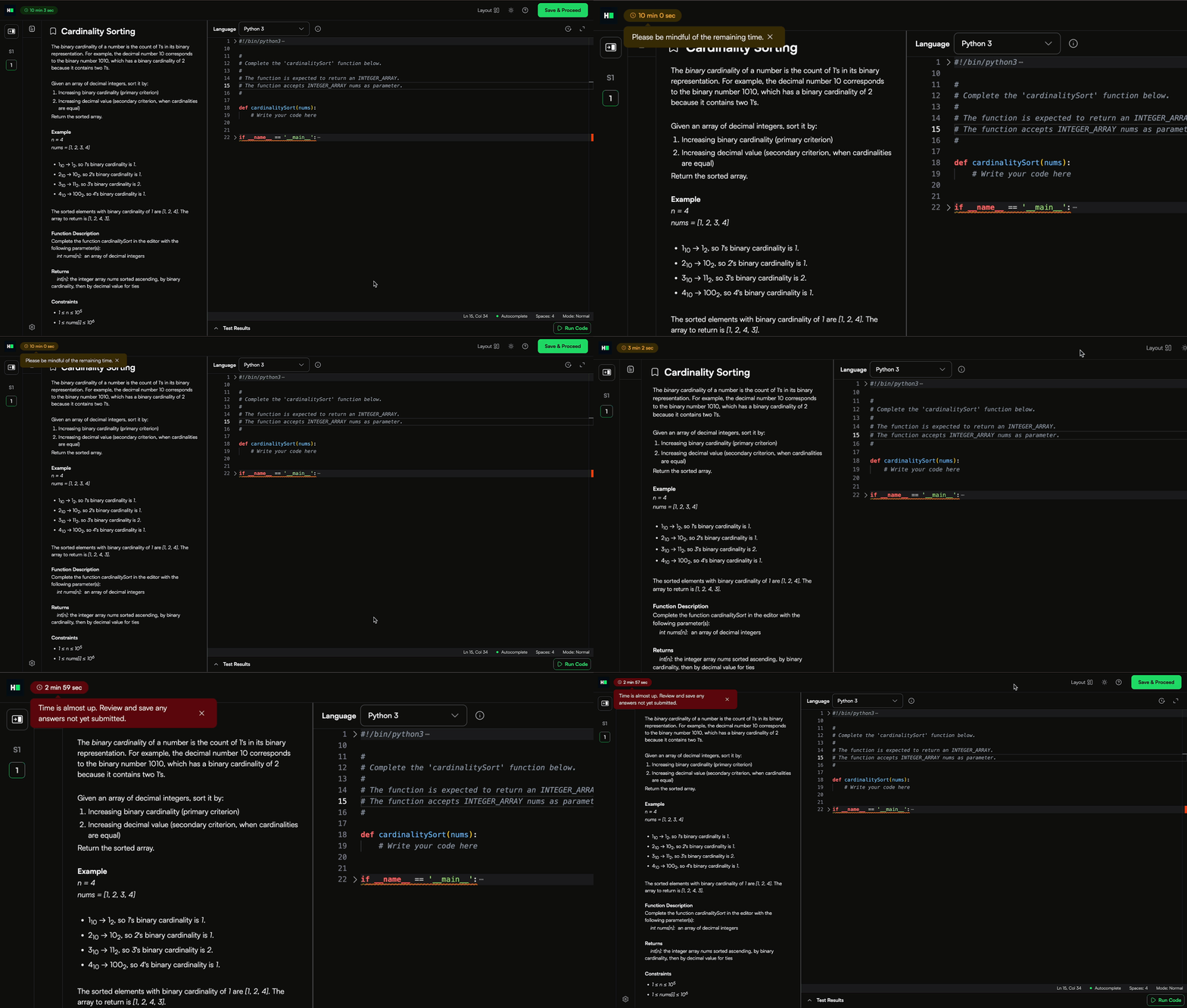
Timer Nudges
When time is running out, candidates now see a clear prompt reminding them to wrap up and submit their work. This helps them stay mindful of the clock, manage their pace, and make sure their latest code is captured for evaluation.
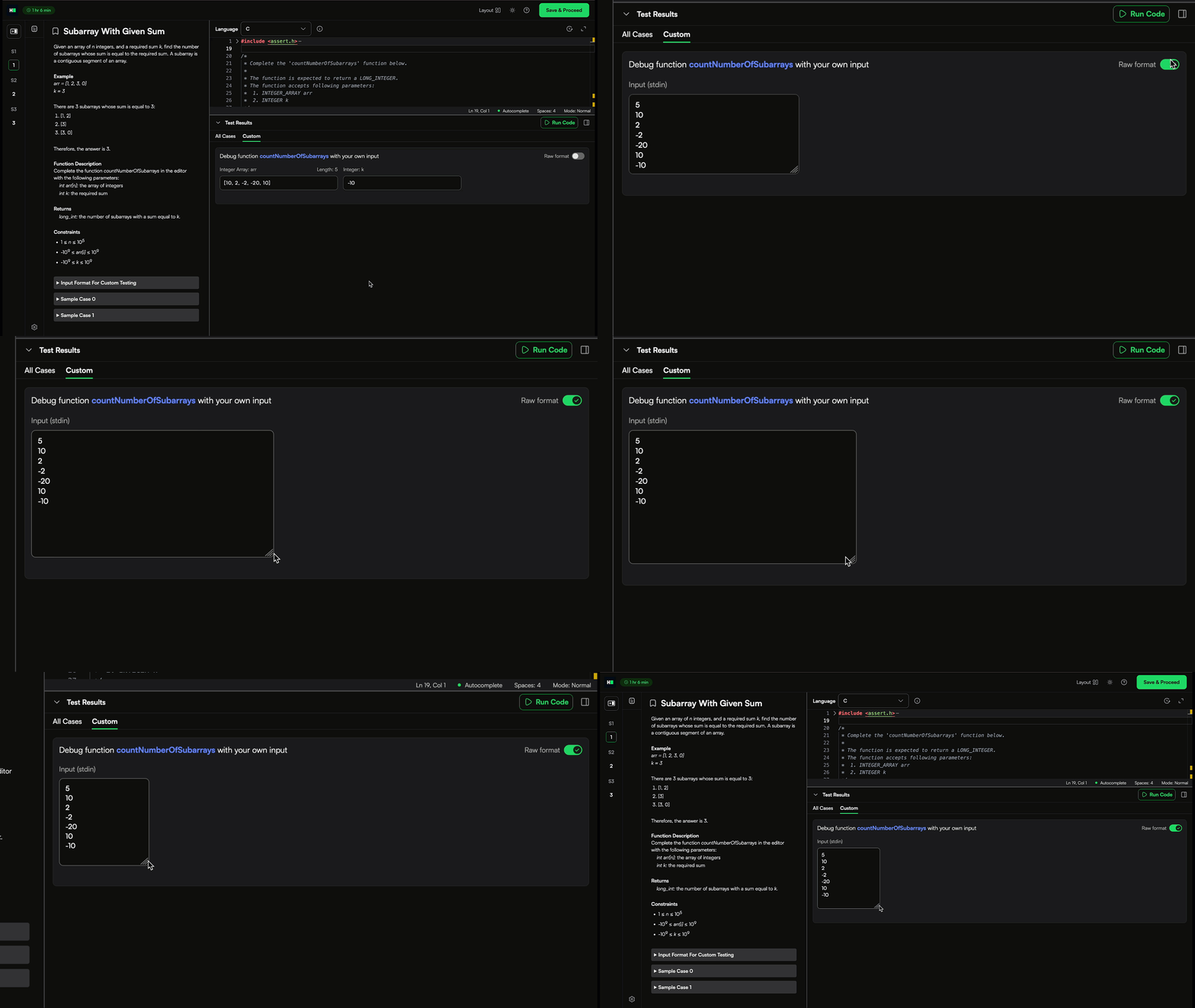
Resizable Input Fields
The custom input box can now be expanded, making it easier for candidates to work on free-form answers comfortably.
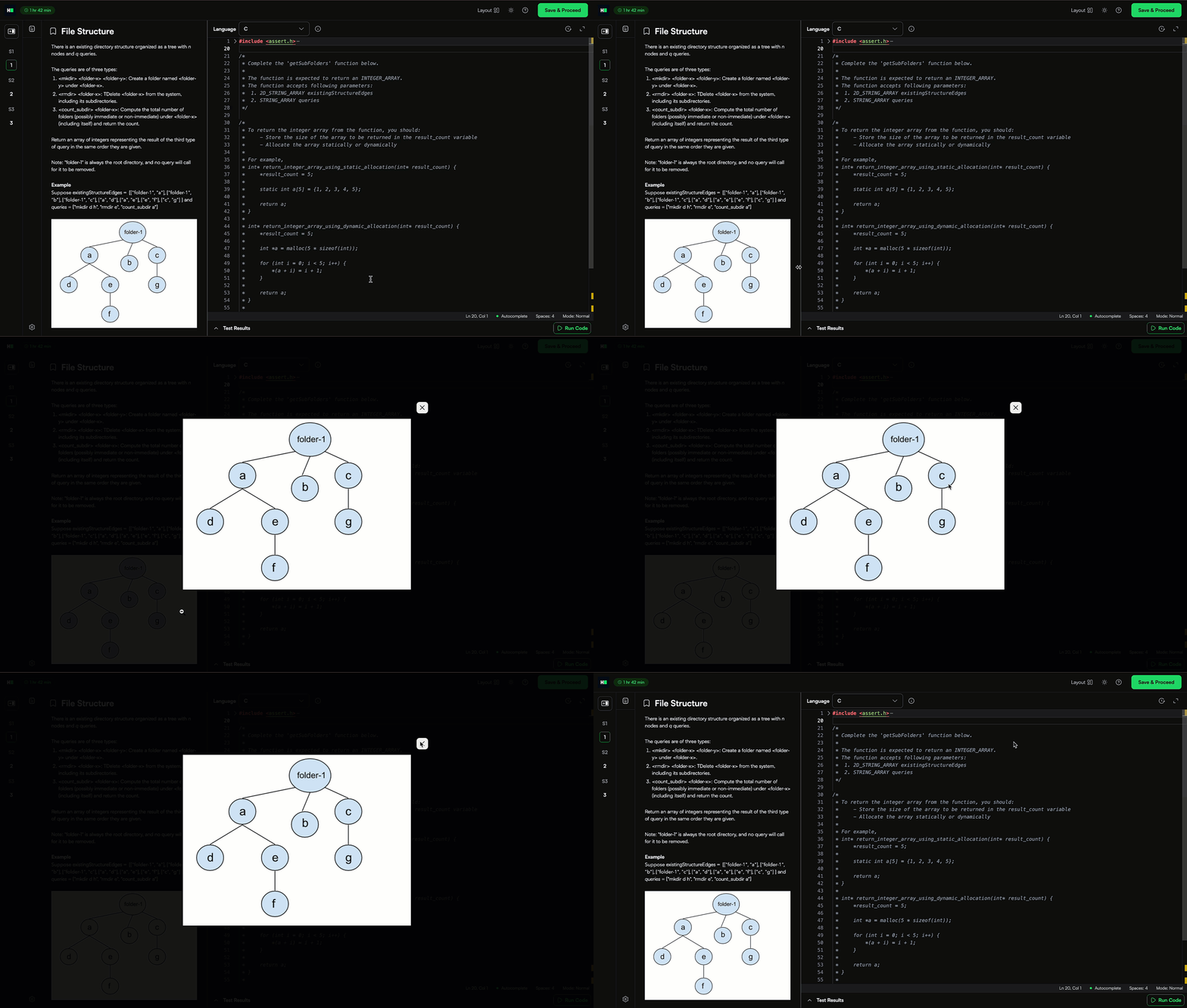
Expandable Images
You can now zoom into images in the question panel for a larger, clearer view.
VS Code IDE Upgrade
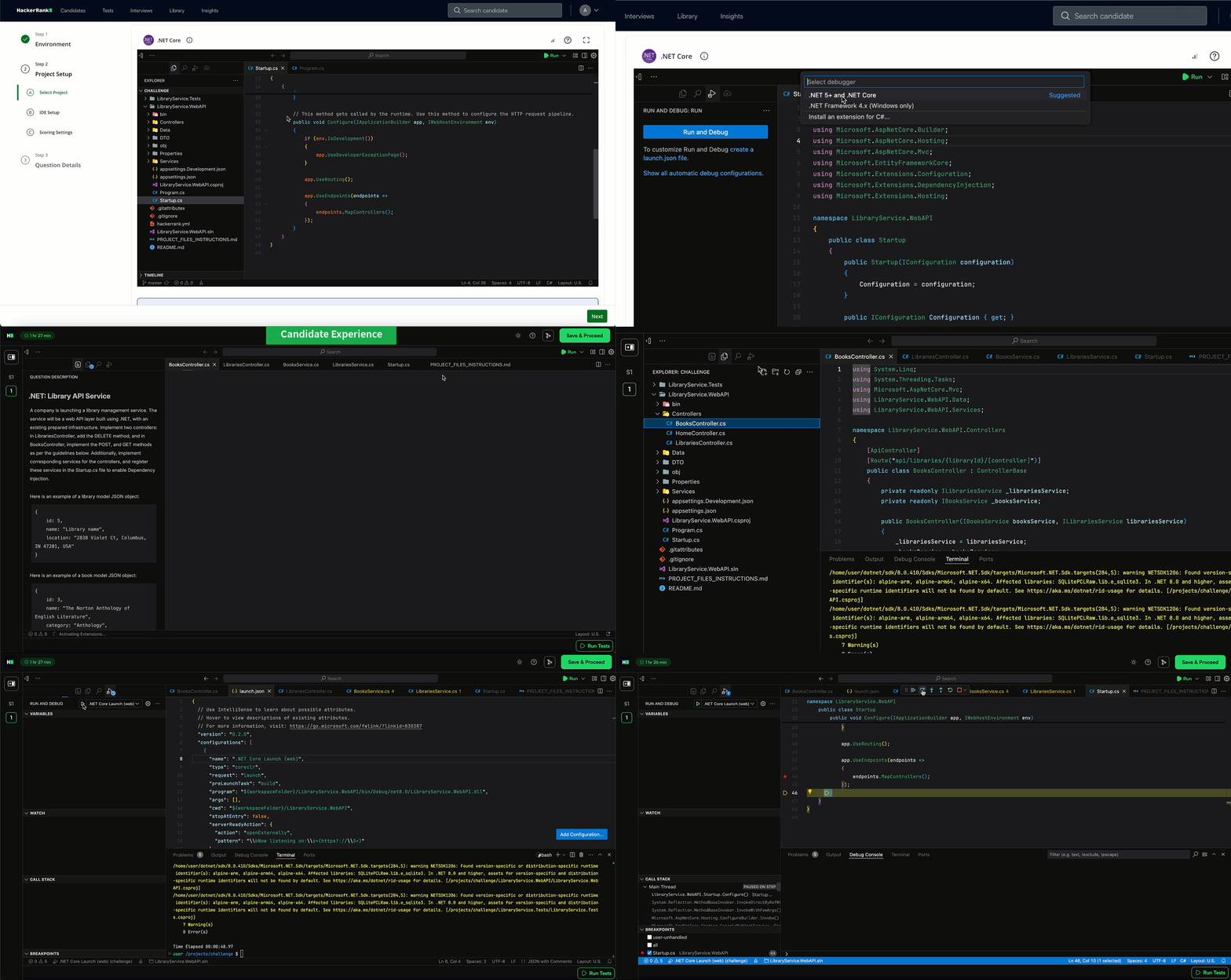
Project-type questions now run on the latest VS Code v1.103.2, bringing new capabilities and a more modern developer environment. Key highlights include:
Configure debugger support: You can now configure a debugger for Project questions directly within the question creation flow. Project root folders have been restructured so all files sit at the root, making the setup seamless. Once enabled, candidates will automatically see the debugger in their environment, eliminating the need for manual workarounds.
Faster navigation: Candidates can now use middle-click scrolling to pan through long files and logs with ease, making it quicker to review code, debug, or search through logs during project work.
Smarter terminal: IntelliSense has been upgraded to understand full command chains (
;,&&,||, pipes, etc.). Candidates now get suggestions for each command in the sequence, speeding up complex workflows likenpm ci && npm run build && npm testwhile reducing typos and retyping.
For more information, see 📄 Create Front-end, Back-end, Full-stack, and Mobile Questions.
Integrity
Revamped Test Integrity Settings
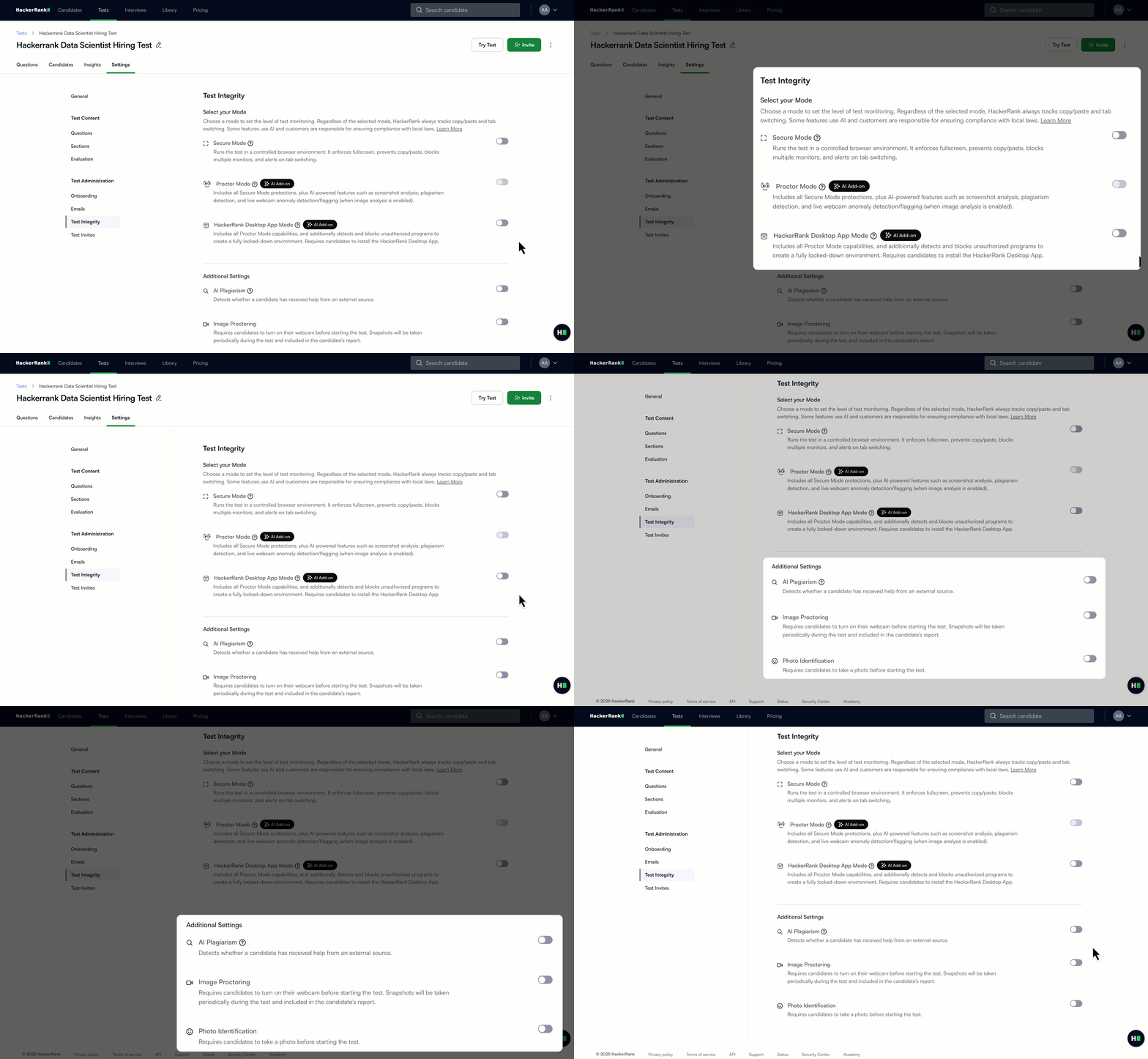
Integrity settings have been reorganized to make test setup more straightforward and intuitive. New updates include:
Copy-paste tracking and tab-switch detection are now on by default, adding security without disrupting candidates.
During test creation, you’ll first be prompted to select from Secure, Proctor, or App Modes. This ensures that the setup aligns with your integrity needs from the very beginning.
Additional settings are reduced to three toggles: Image Proctoring, Advanced Plagiarism Detection and Photo Identification so you can set up faster while staying protected.
Question shuffle and watermarking are now in Question Settings, keeping all question-related options together for easier access.
For more information, see 📄 HackerRank Test Integrity,📄 Modify Question Settings for Tests.
Single Monitor Enforcement in Secure Mode
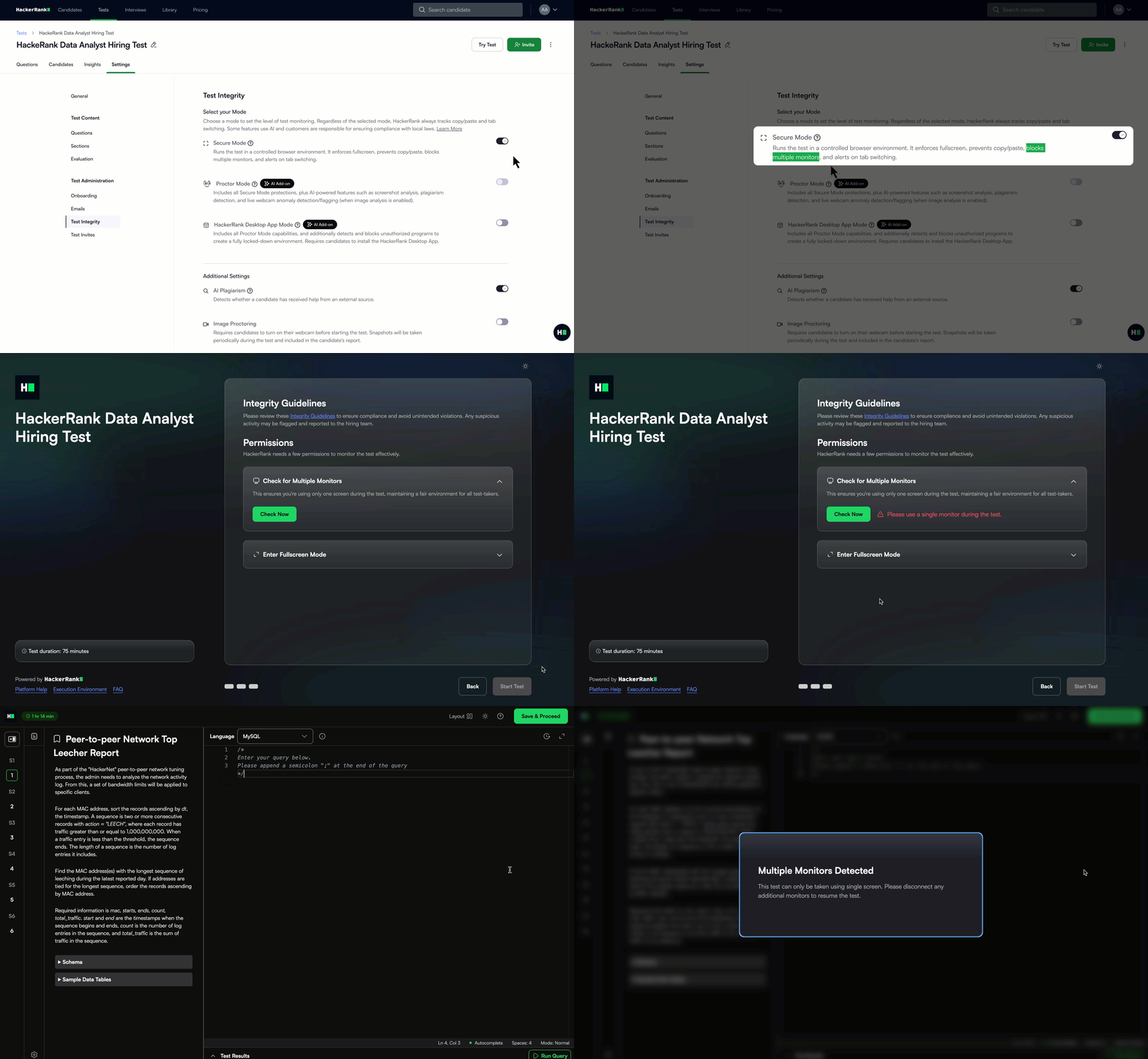
Secure Mode now includes a single-monitor requirement to ensure a more secure and consistent testing environment. If multiple monitors are detected before the test begins, the test will not start. If additional monitors are connected during the test, it will automatically pause.
This feature is supported on Chrome and Edge, and candidates using unsupported browsers like Firefox or Safari will be prompted to switch their browser before starting.
For more information, see 📄 Secure Mode.
Enhancements to Proctor Mode (AI Add-on)
Proctor Mode brings AI-powered integrity monitoring to your assessments, offering the rigor of live proctoring without the overhead. It tracks webcam activity, tab switches, and takes screenshots during the test, delivering a post-test report with a full session replay and summarized violations.
Proctor Mode now includes:
Faster session replays: Recordings now load faster, creating a smoother and more efficient review experience.
Expanded coverage: Support now extends to Subjective, File Upload, Code repo and Code Review question types, securing a wider range of assessments.
For more information, see 📄 Proctor Mode.
HackerRank Desktop App (AI Add-on)
You now have a powerful new way to protect test integrity while giving candidates a smooth, frustration-free experience. The HackerRank Desktop App is a lightweight application that candidates download before their assessment begins. Once launched, it creates a secure environment by locking the screen, preventing unauthorized applications, and monitoring activity throughout the session.
The App is built for today’s real-world assessments, where projects are complex and AI tools are readily available. Reviews are streamlined with automatic flags for anomalies in webcam feeds or code-writing patterns, clearly summarized in the Candidate Report and highlighted in session replays. Paired with Proctor Mode, you get full flexibility to choose the right level of security for any role, ensuring fair, skills-based assessments at scale.
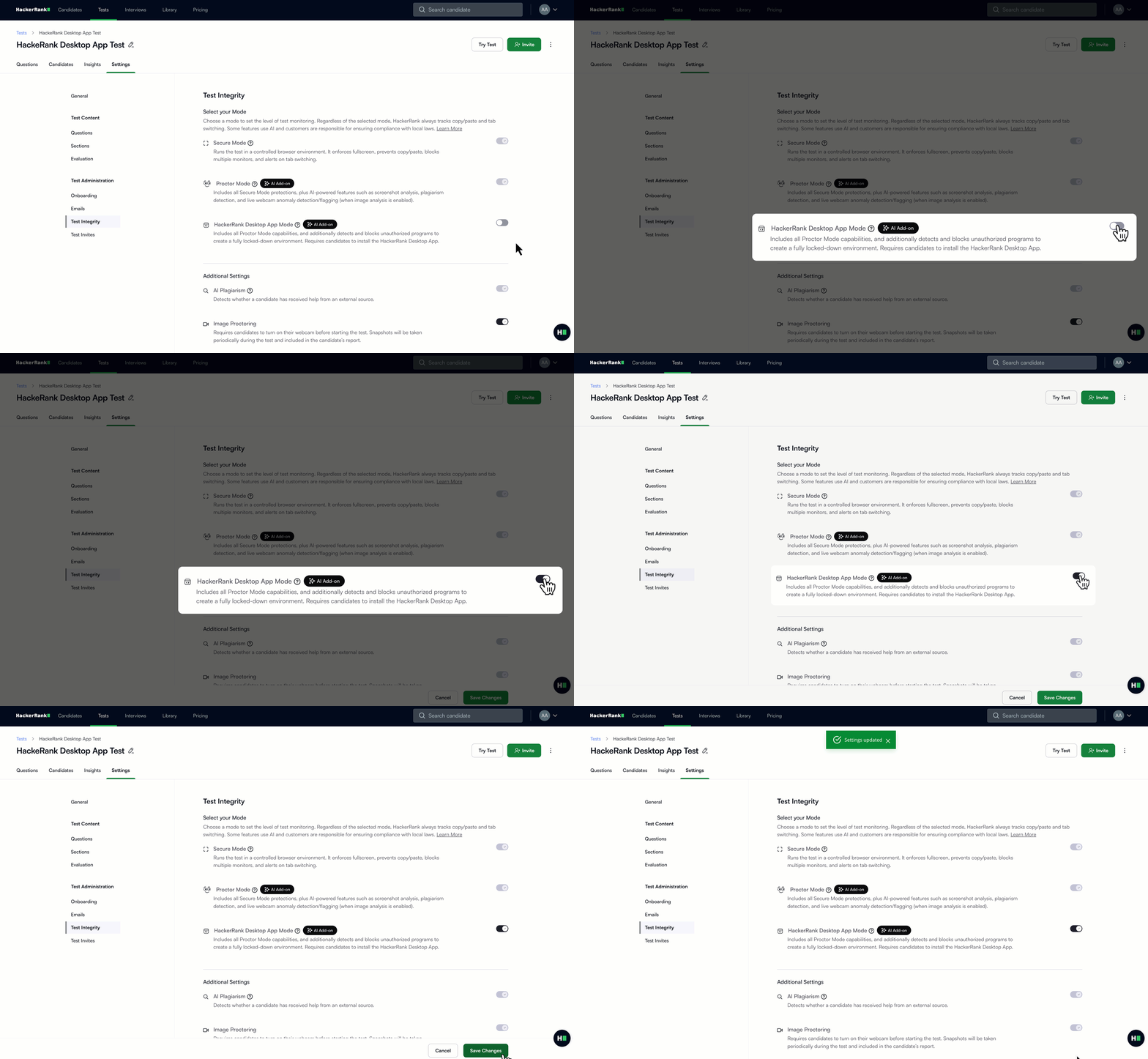
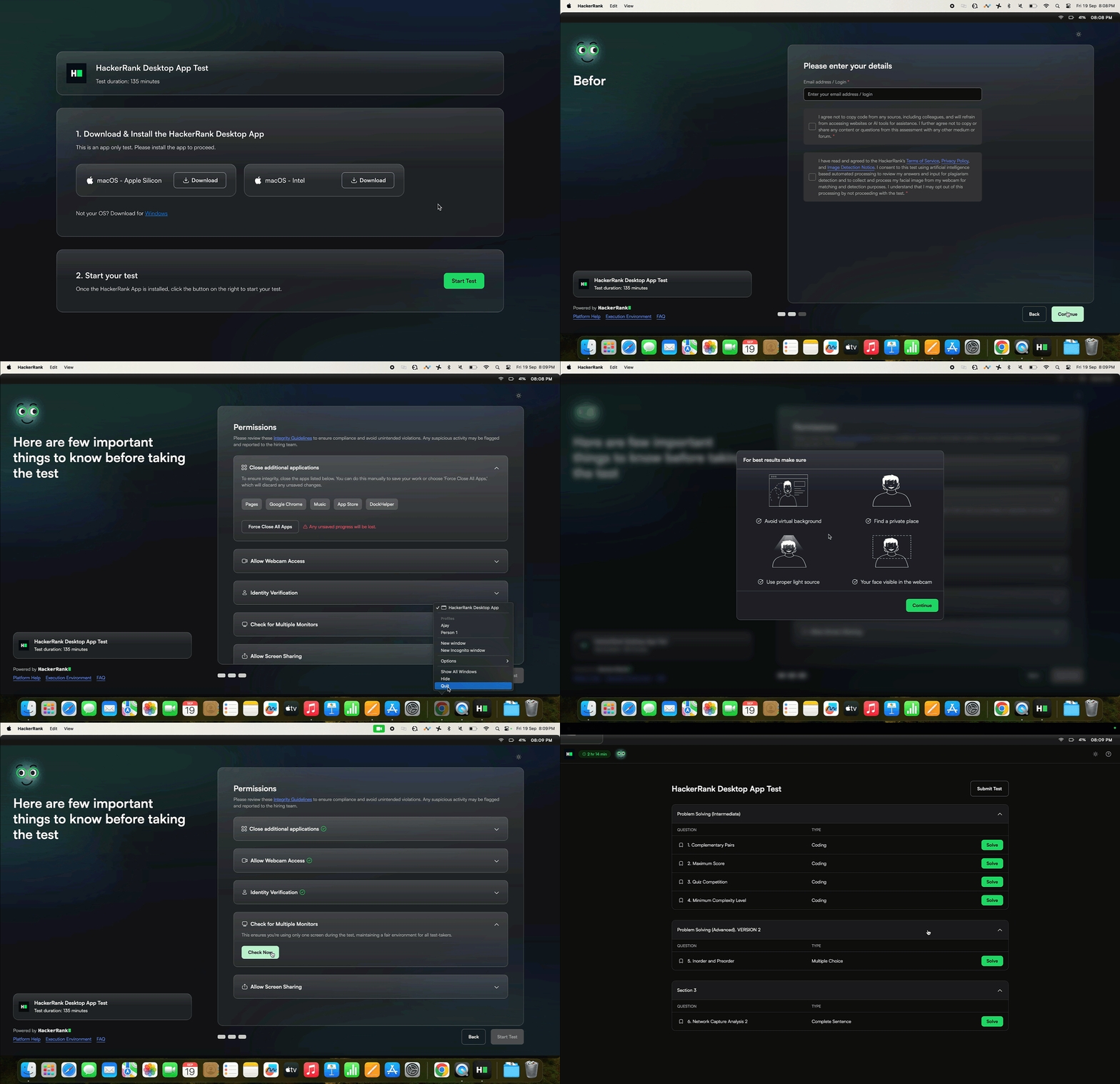
For more information, see 📄 HackerRank Desktop App Mode.
Interview
Enhancements to Scorecard Assist (AI Add-on)
Scorecard Assist auto-generates a structured summary with transcripts, code submissions, test results, and rubrics to simplify post-interview evaluation. It now supports whiteboard questions as well, resulting in faster, more structured evaluations that help teams make decisions with confidence.
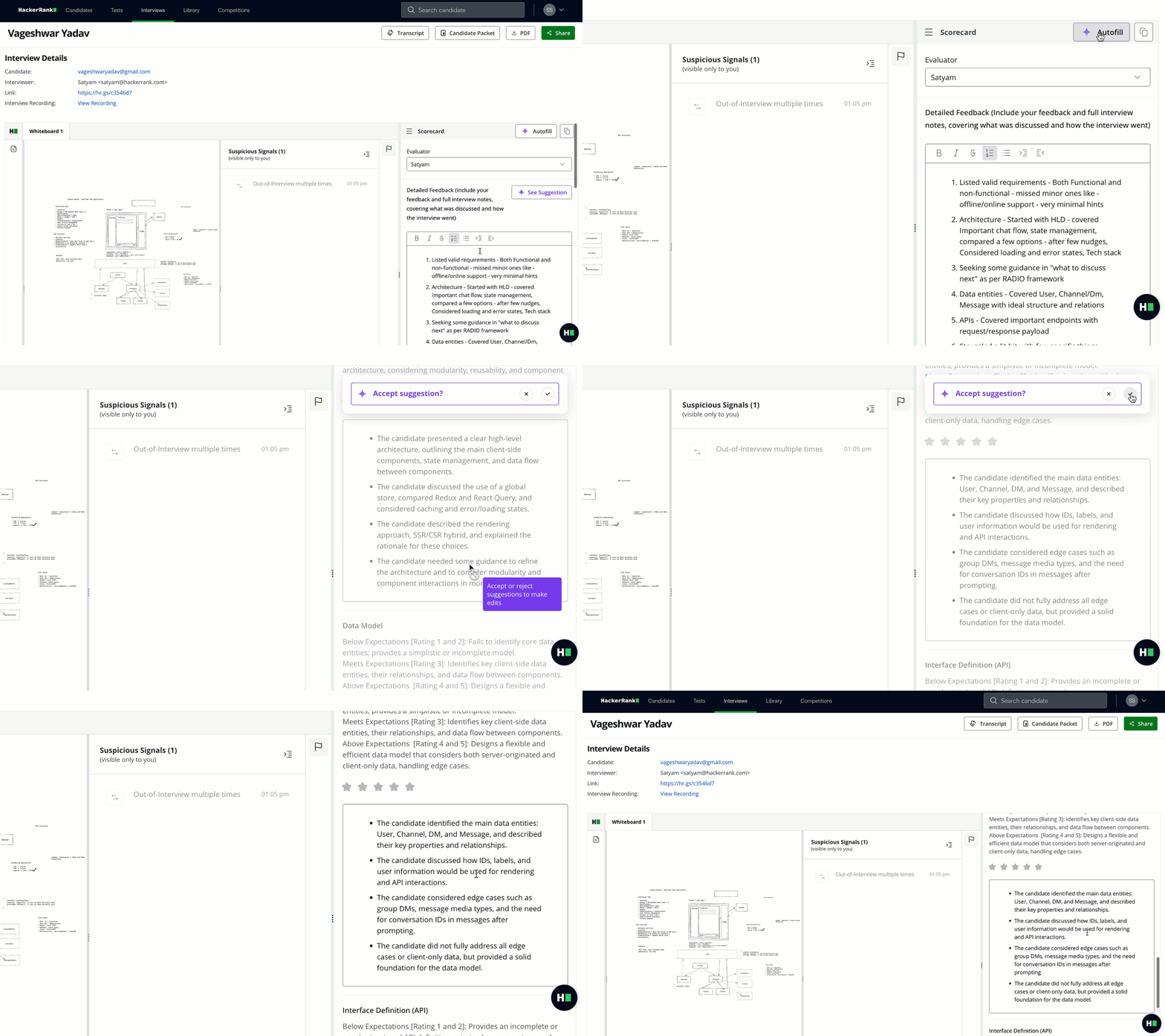
For more information, see 📄 Scorecard Assist
Improvements to AI-assisted IDE in Interview (AI Add-on)
The AI-assisted IDE in Interviews is now smarter, faster, and enabled for more project types, with the following updates:
Expanded Coverage: You can now enable the AI Assistant for React, Angular, and other project-based questions directly from the scratchpad in Interviews.
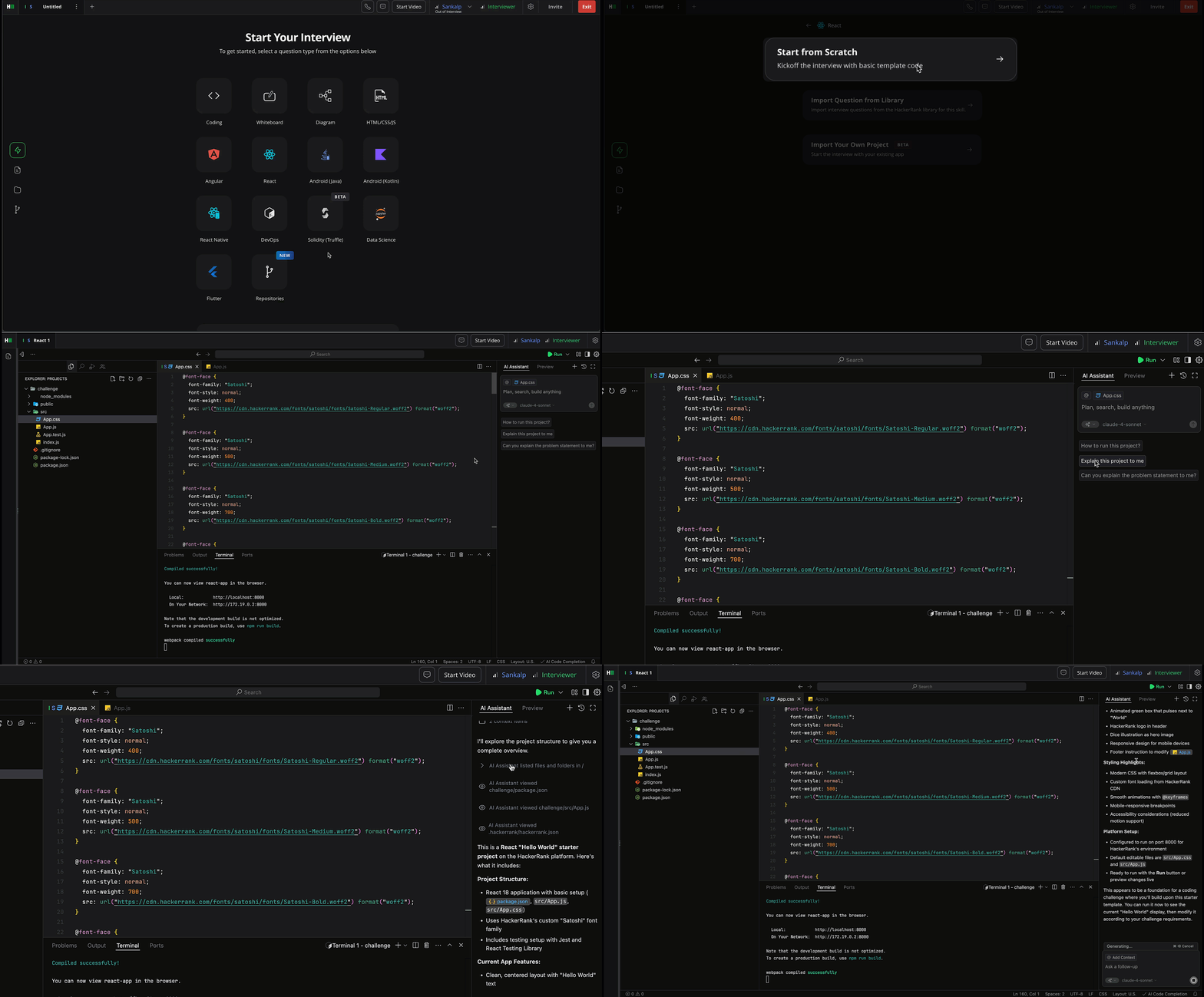
Faster responses: Autocompletions and Agent mode edits now appear twice as fast, helping candidates stay focused, without breaking momentum.
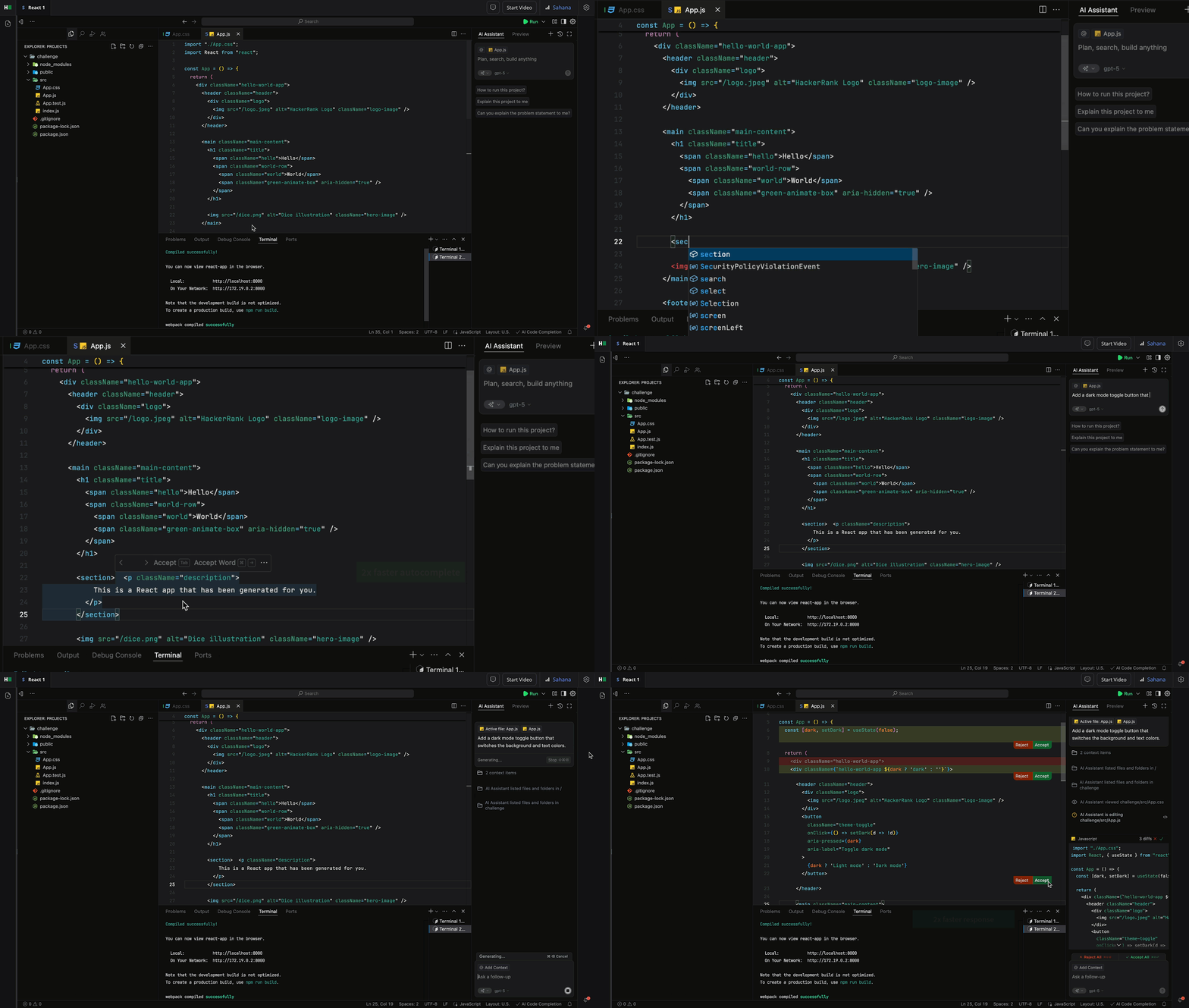
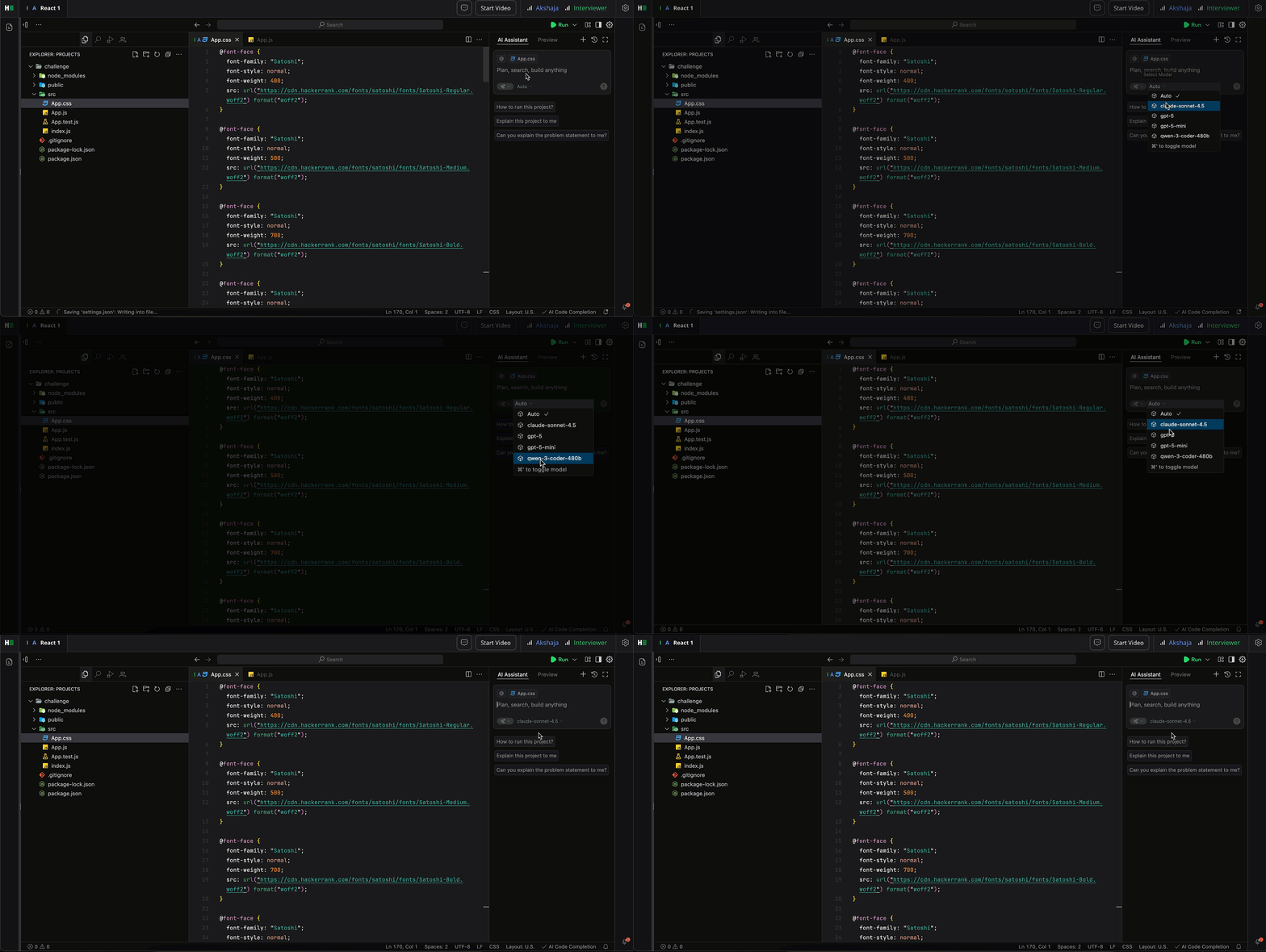
Smarter model with Auto mode: The AI-assisted IDE now supports the latest models, including Sonnet-4.5, GPT-5 mini, GPT-5, and Qwen-3-Coder-480B. You can also enable Auto Mode, which automatically selects the best model based on response speed. This provides greater reliability while ensuring candidates are assessed with the most up-to-date AI tools.
For more information, see 📄 AI-Assisted Interviews.
Flexible Video Layouts in Interview
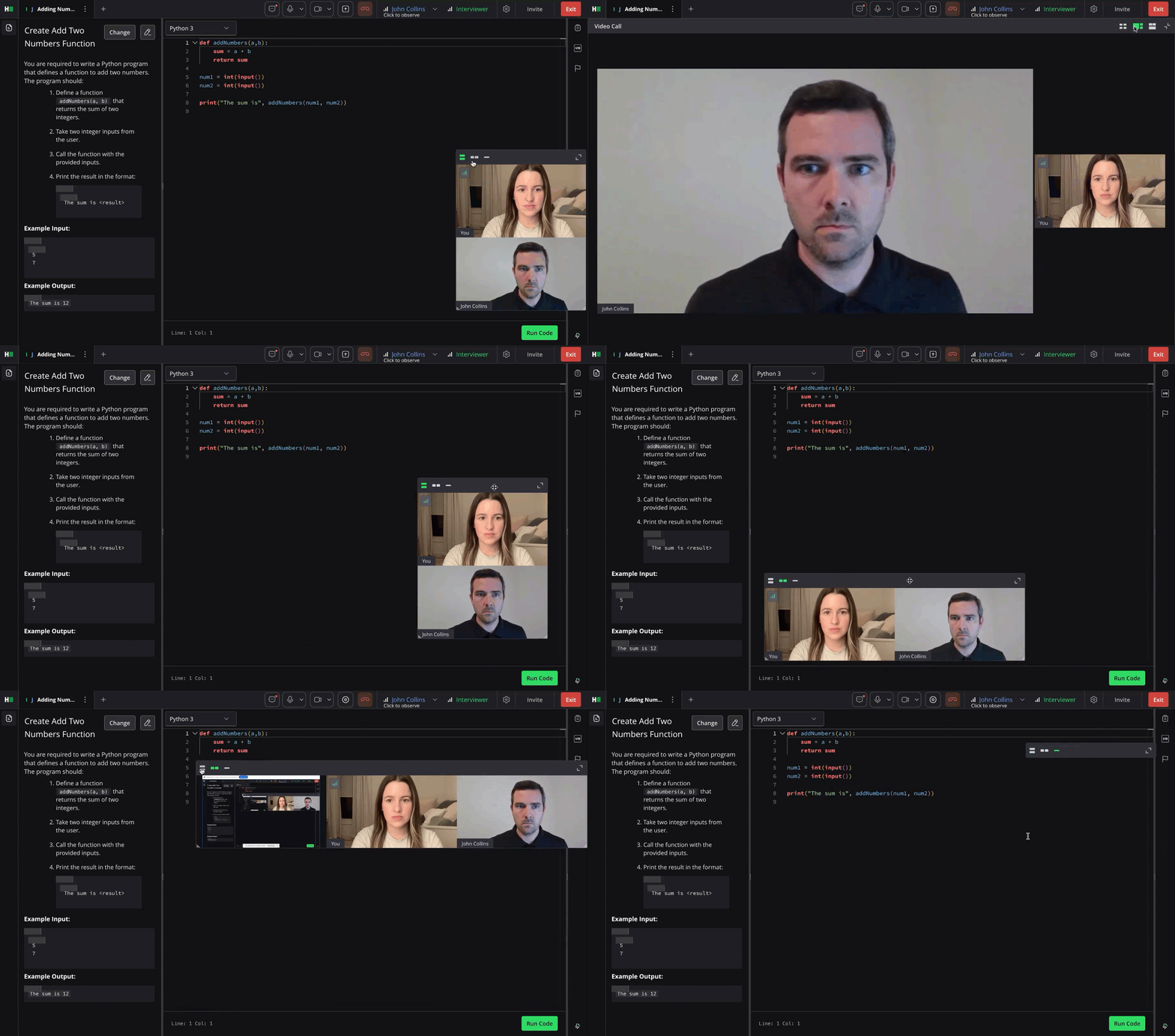
The interview video experience has been upgraded to give you more control and flexibility. Layouts automatically resize to fit everyone, while full-screen mode now offers three options: film strip, film strip vertical, and gallery.
For more information, see Customize the video layout.
Improvements to Interview Onboarding Experience
The interview login flow has been redesigned to make setup smoother and give participants a positive start.
Revamped login experience: The new login page introduces clear sections for candidates and interviewers, making entry points easy to navigate.
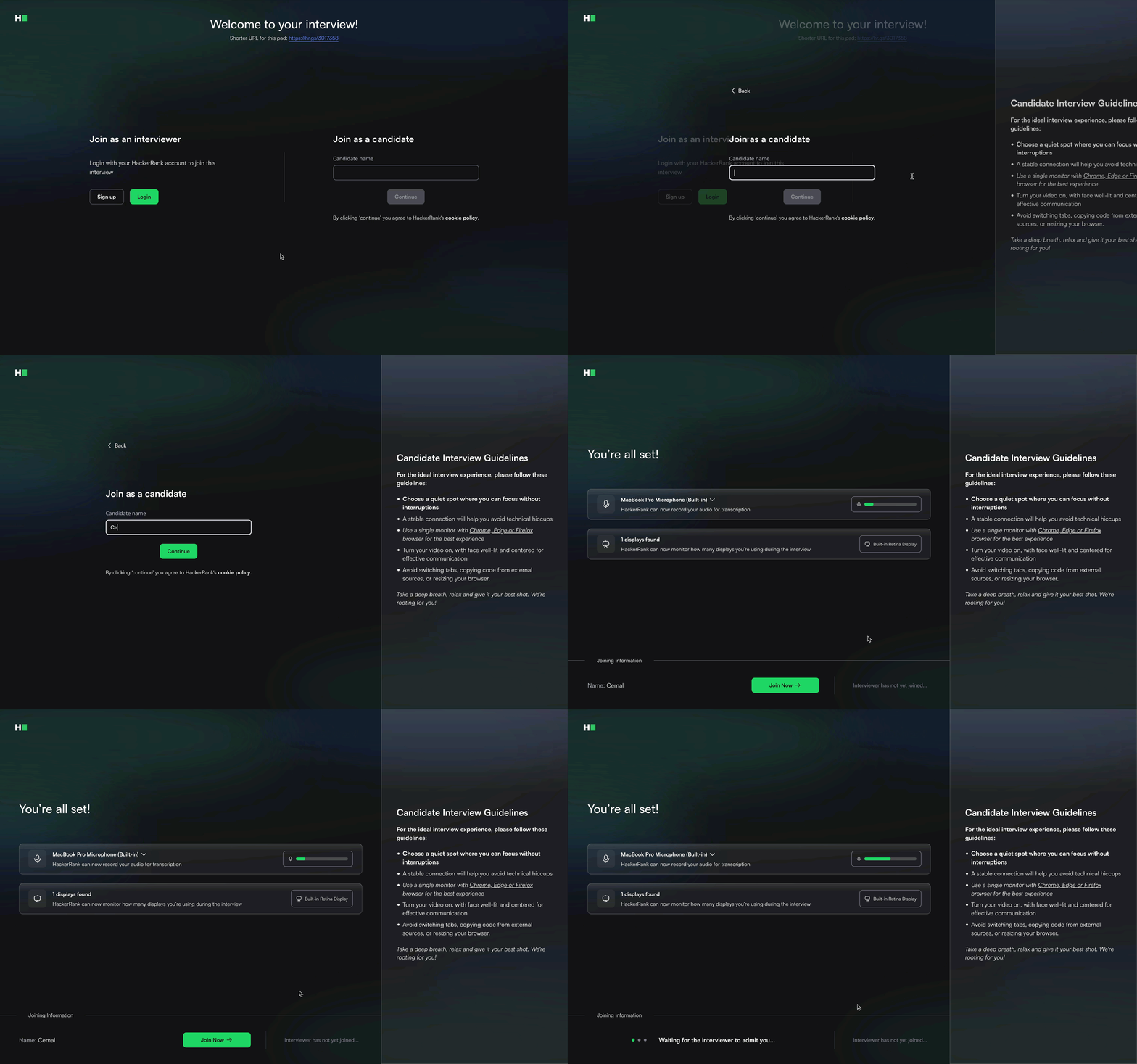
Proactive compatibility checks: Device type, window size, browser support, and local storage are now checked upfront and asynchronously. If an issue is detected, both candidates and interviewers receive real-time notifications, making it easy to resolve problems before the session starts.
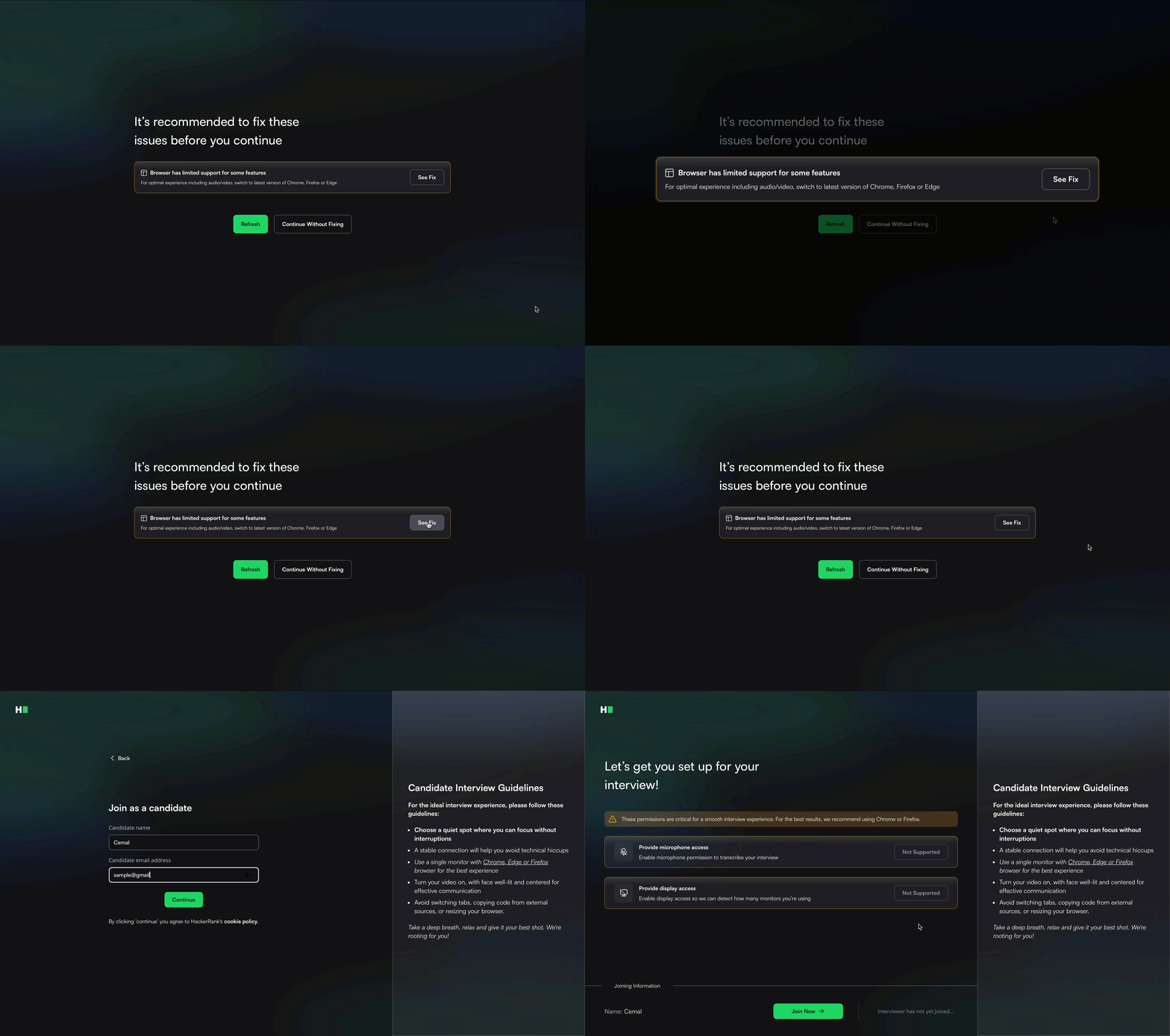
Move candidates to lobby: If no interviewer joins a scheduled interview within 3 minutes, candidates are now automatically moved to the lobby. This helps reduce confusion and ensures candidates aren’t left waiting in an empty session.
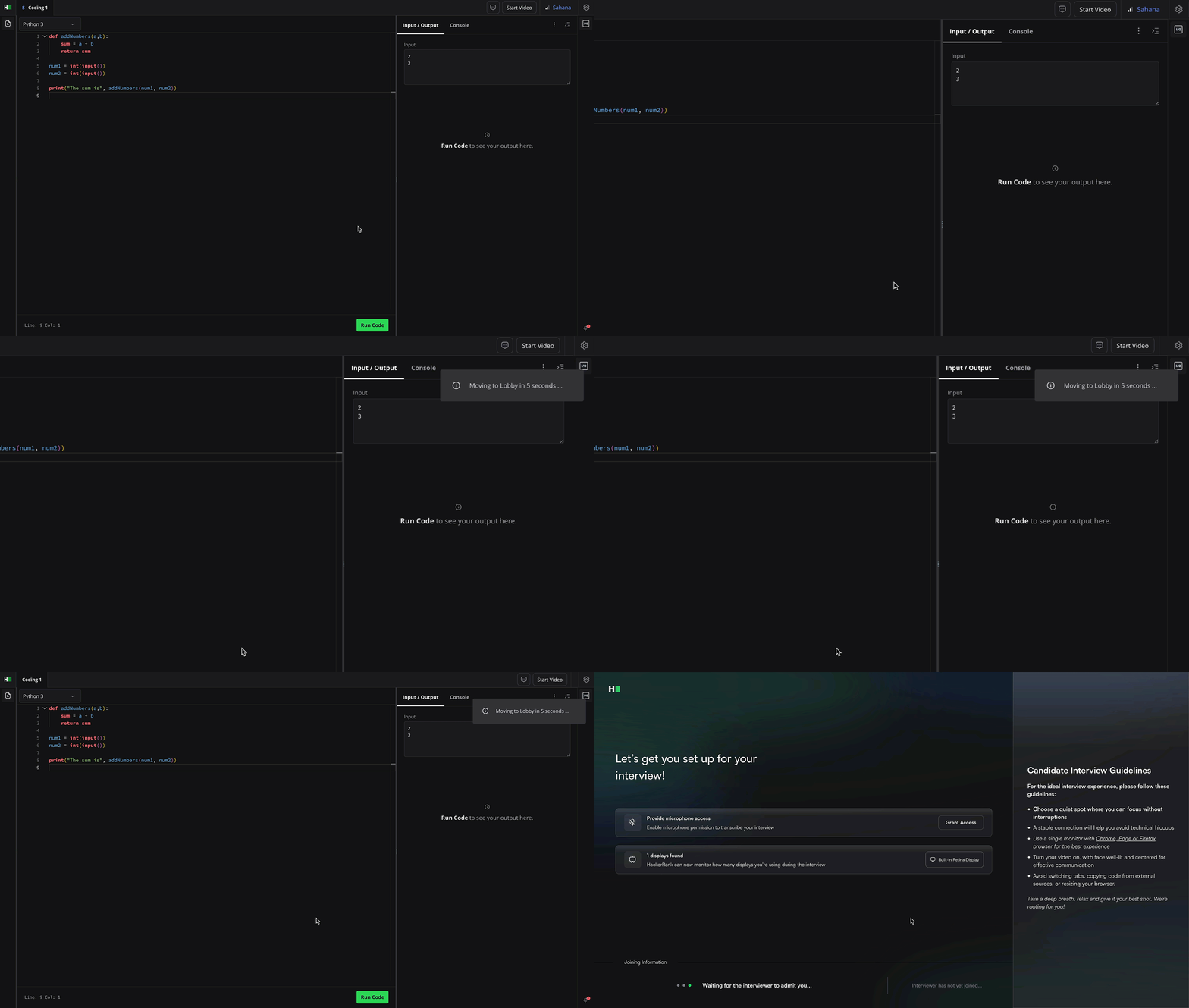
For more information, see Logging into HackerRank Interview.
Save Custom Questions in Interview
You can now create and save custom scratchpad questions directly during a live interview and reuse them in future sessions. Store questions in your personal or team library to stay organized and skip the hassle of copy-pasting from documents or other unorganized sources. This works across both coding and whiteboard questions, so your content is always in one place and ready to go.
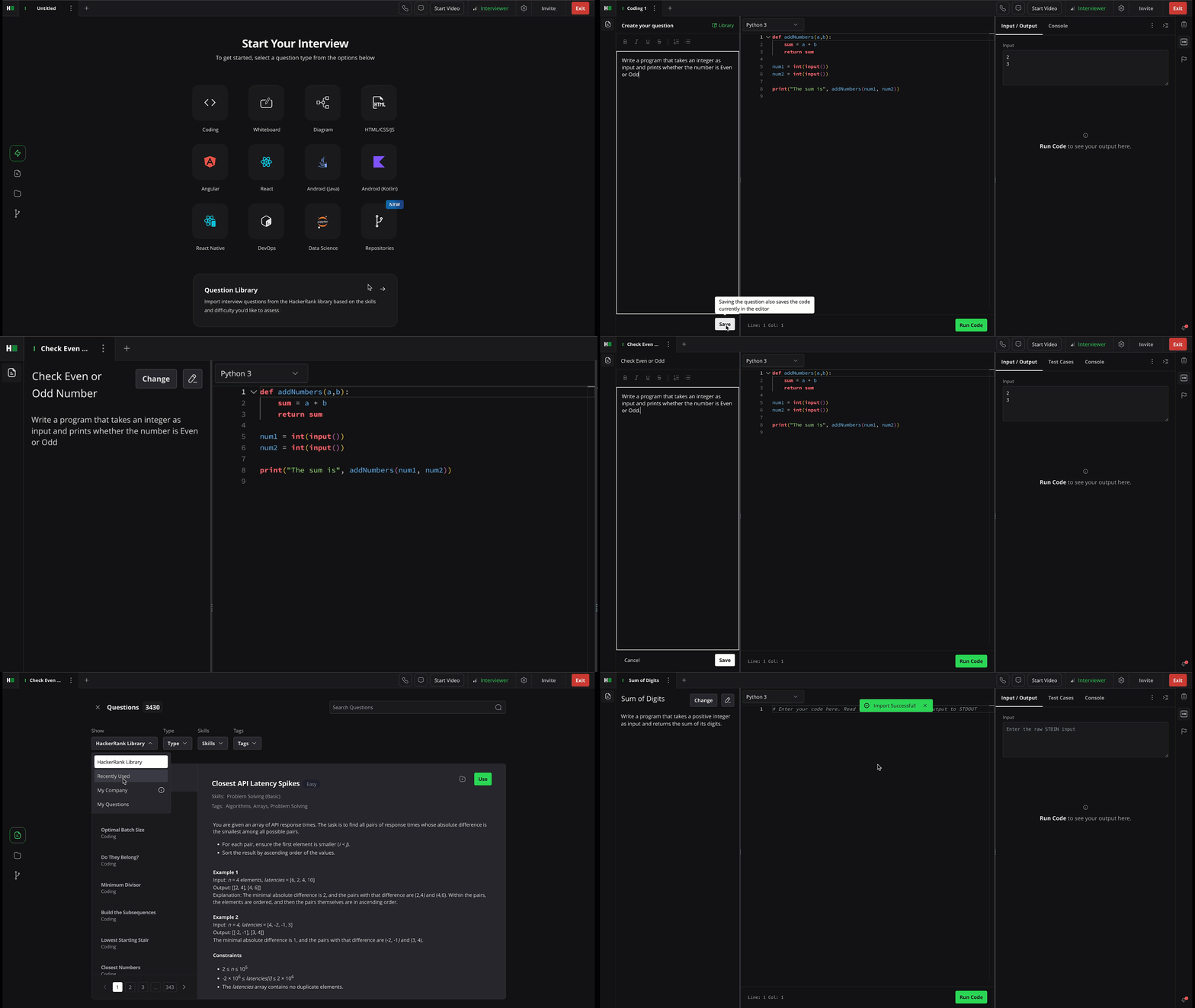
For more information, see 📄 Add Questions to Interview.
Auto Sync Interview Scorecard with ATS
Scorecard updates now flow directly into Workday, Lever, and Greenhouse in near real-time, appearing the moment feedback is submitted. This eliminates manual effort and sync delays, keeps data consistent across platforms, and ensures hiring teams can move faster with smooth, reliable post-interview workflows.
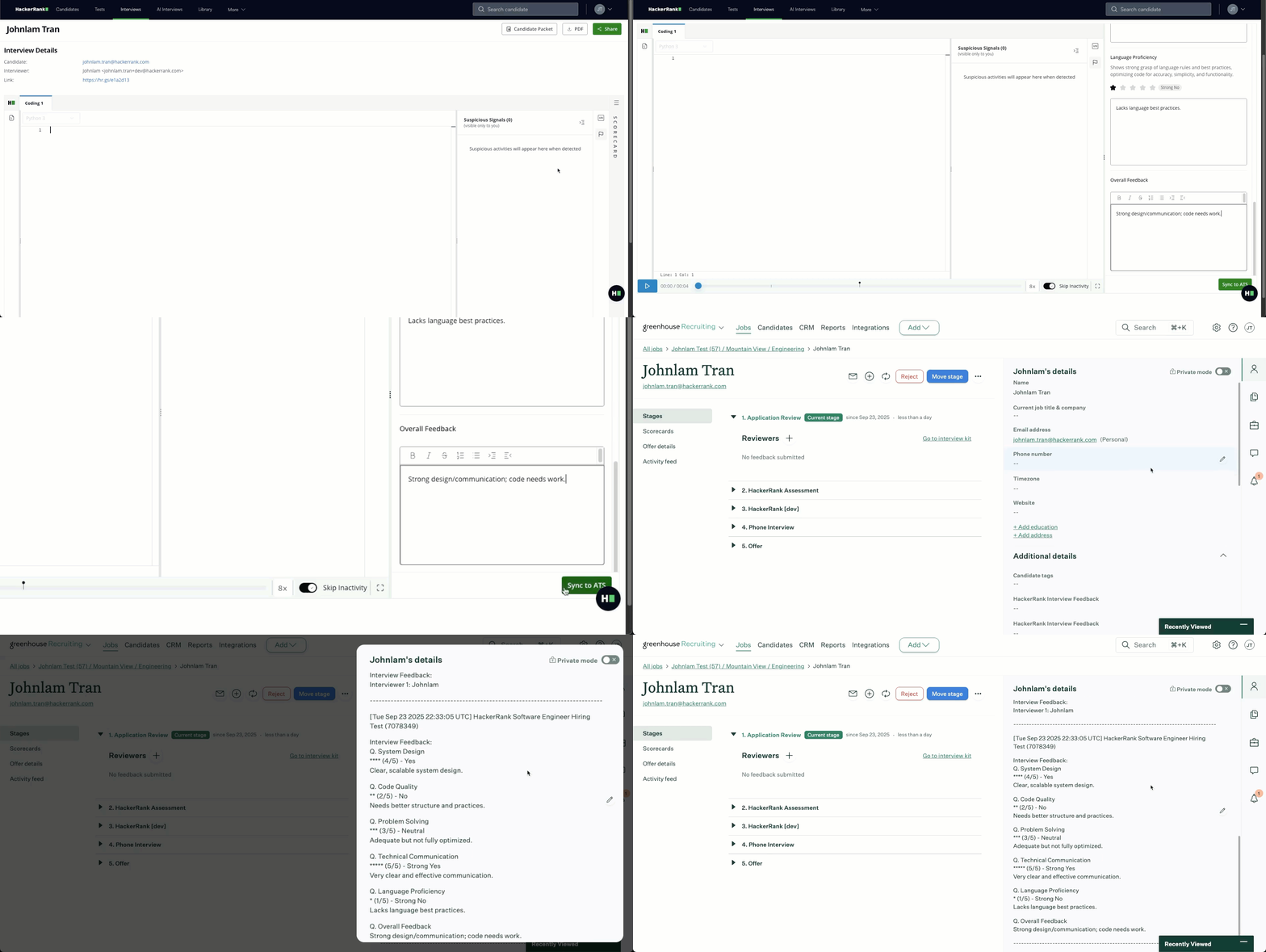
For more information, see 📄 Interview Scorecards.
Customize Interview Guidelines
You can now personalize the onboarding guidelines shown to candidates, adding custom instructions specific to your organization.
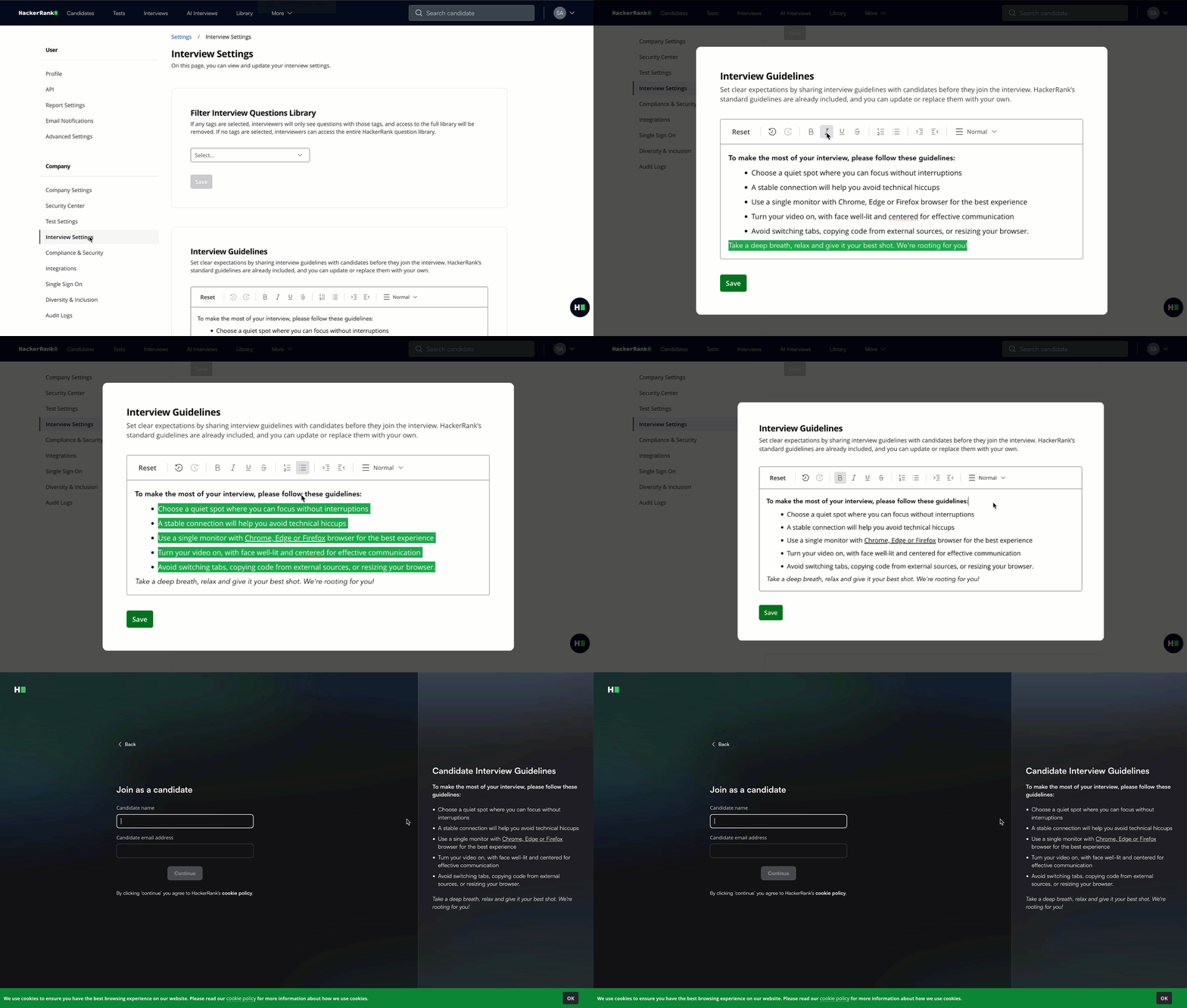
For more information, see 📄 Centralized Interview Settings.
Data and Insights
Performance Improvements to Analytics Infrastructure
We have optimized exports to ensure dramatically faster load times. In-product exports and dashboards that previously took 15+ seconds now complete in as little as 3 seconds.
Integrations
Lever-Interviews Integration
You can now seamlessly schedule, conduct, and evaluate live coding sessions without leaving Lever. The new Lever Interview integration reduces setup complexity by automatically configuring webhooks, syncing interview statuses, and streamlining candidate workflows.
With Lever Interviews, you can:
Create and schedule HackerRank technical interviews directly in Lever.
Keep candidate records up to date with automatic syncing of feedback and scorecards.
Cancel or update interviews in Lever and see changes instantly reflected in HackerRank.
A dedicated Lever Interviews card in your HackerRank settings includes partner branding, setup instructions, and configuration options to make onboarding quick and reliable.
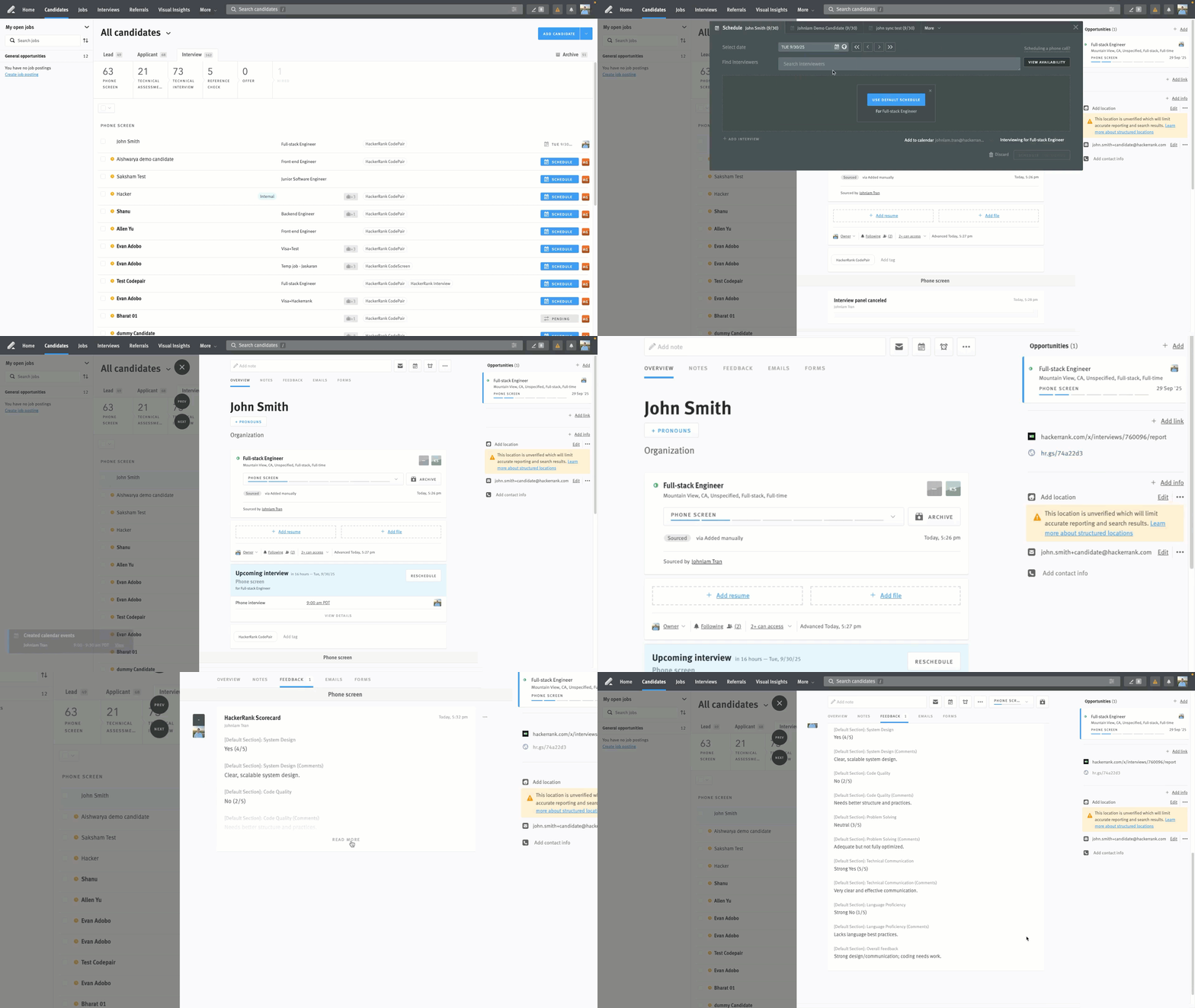
For more information, see 📄 Lever V2 - HackerRank Interview Integration.
Integration with Nortstarz.ai
HackerRank is now integrated with Northstarz.ai, an AI-powered talent intelligence platform that helps teams identify top candidates using resume analysis and video interviews. With this integration, you can access a dedicated Northstarz.ai card in the HackerRank integration settings, complete with partner branding, setup instructions, and configuration options, making it easy to get up and running.

For more information, see 📄 Northstarz - HackerRank Integration User Guide.
Integration with Kula.ai
HackerRank is now integrated with Kula.ai, an AI-native Applicant Tracking System that unifies sourcing, CRM, pipeline management, interviewing, and analytics into a single platform. The integration includes a dedicated Kula.ai card in the HackerRank integration settings, featuring partner branding, setup instructions, and configuration options for a smooth onboarding experience.
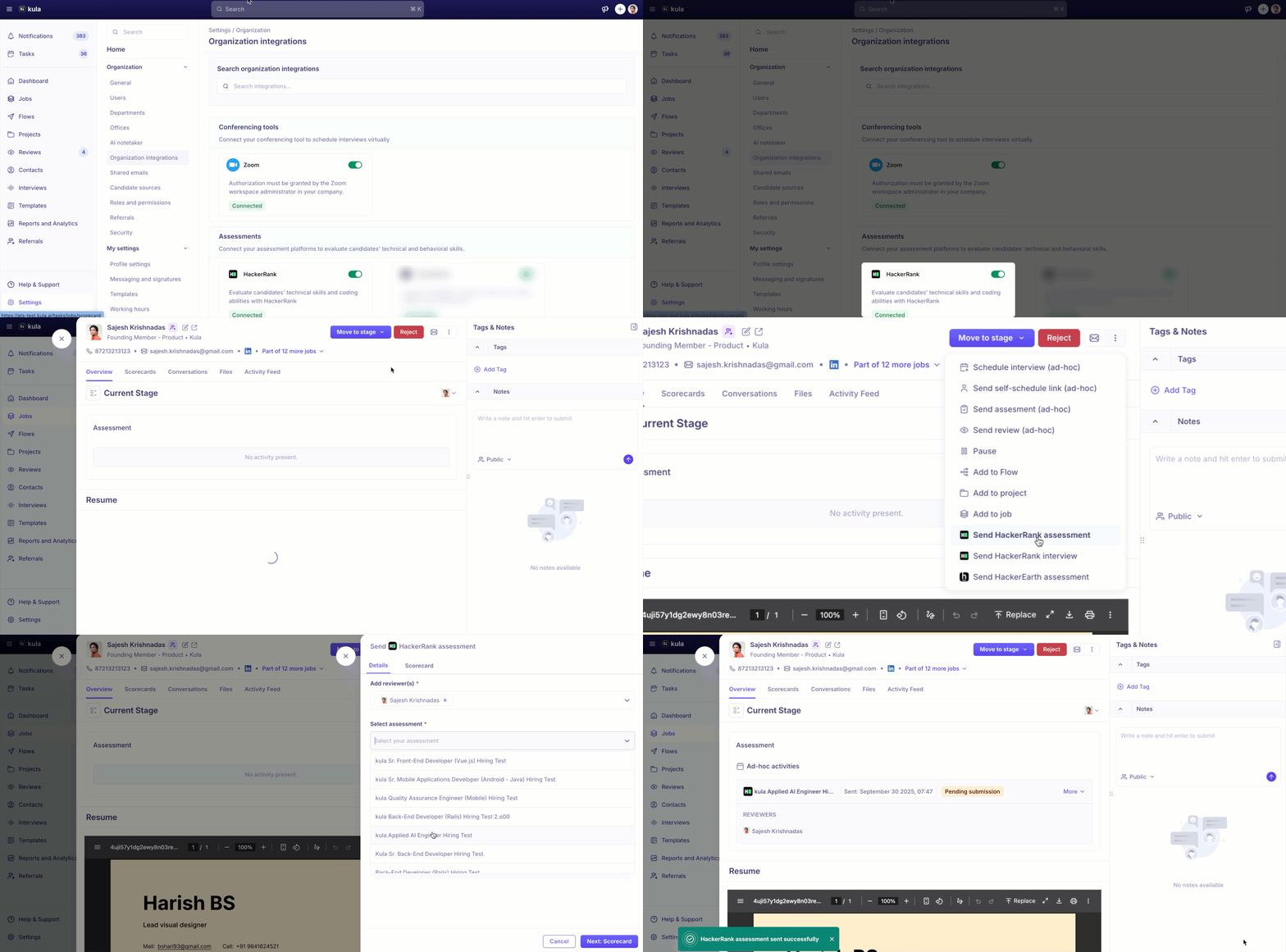
For more information, see 📄 Kula.ai – HackerRank Integration User Guide.
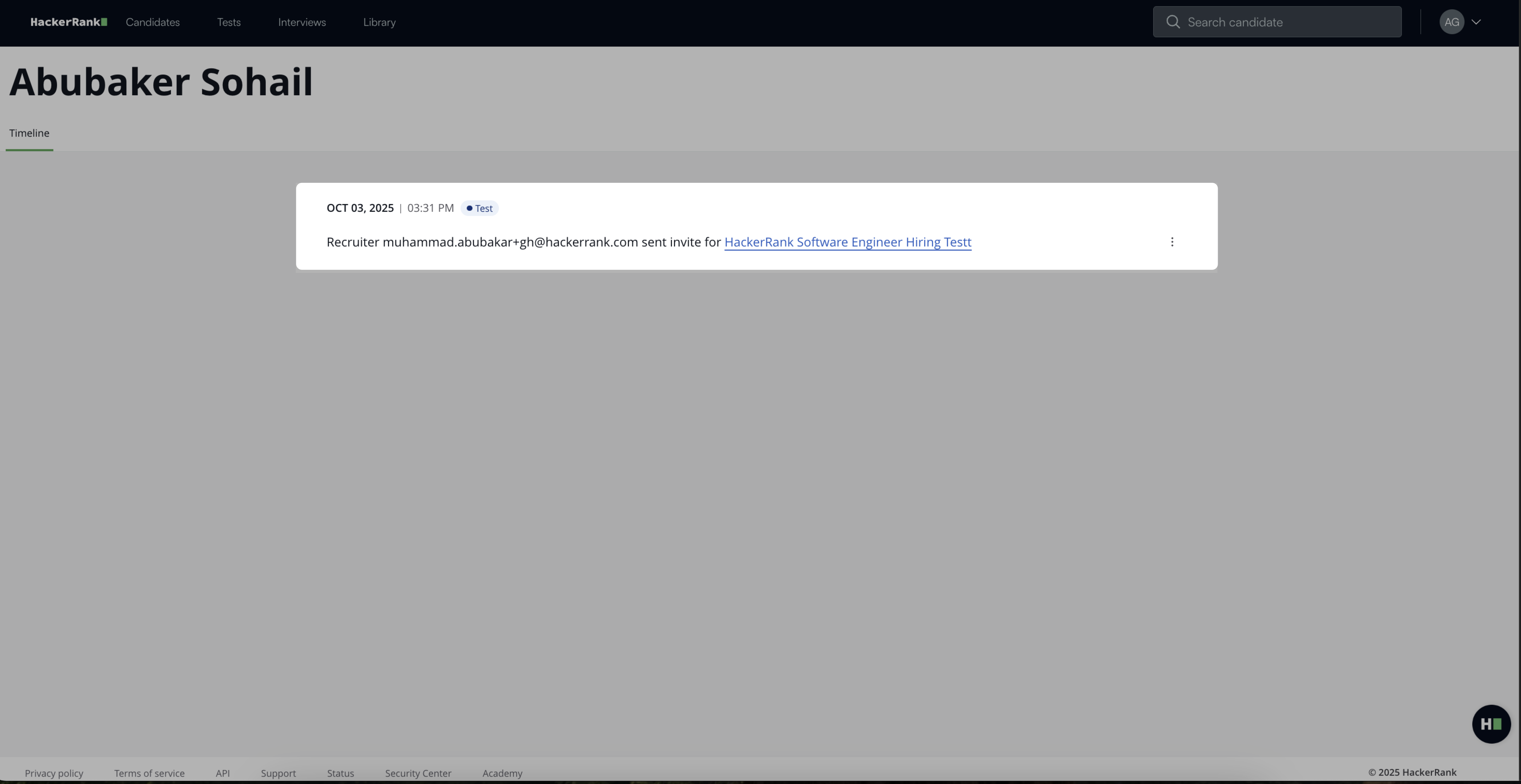
Update to Greenhouse Integration
The Greenhouse integration has been updated to improve recruiter visibility and reporting. Assessment invitations will now display the recruiter who initiated the invite instead of the company owner, ensuring more accurate attribution and clearer insights into recruiter activity. This update also requires that anyone sending a HackerRank test invite through Greenhouse hold a valid HackerRank license.
AI Interviewer (Limited Availability)
Improvements to Problem-Solving Interviewer
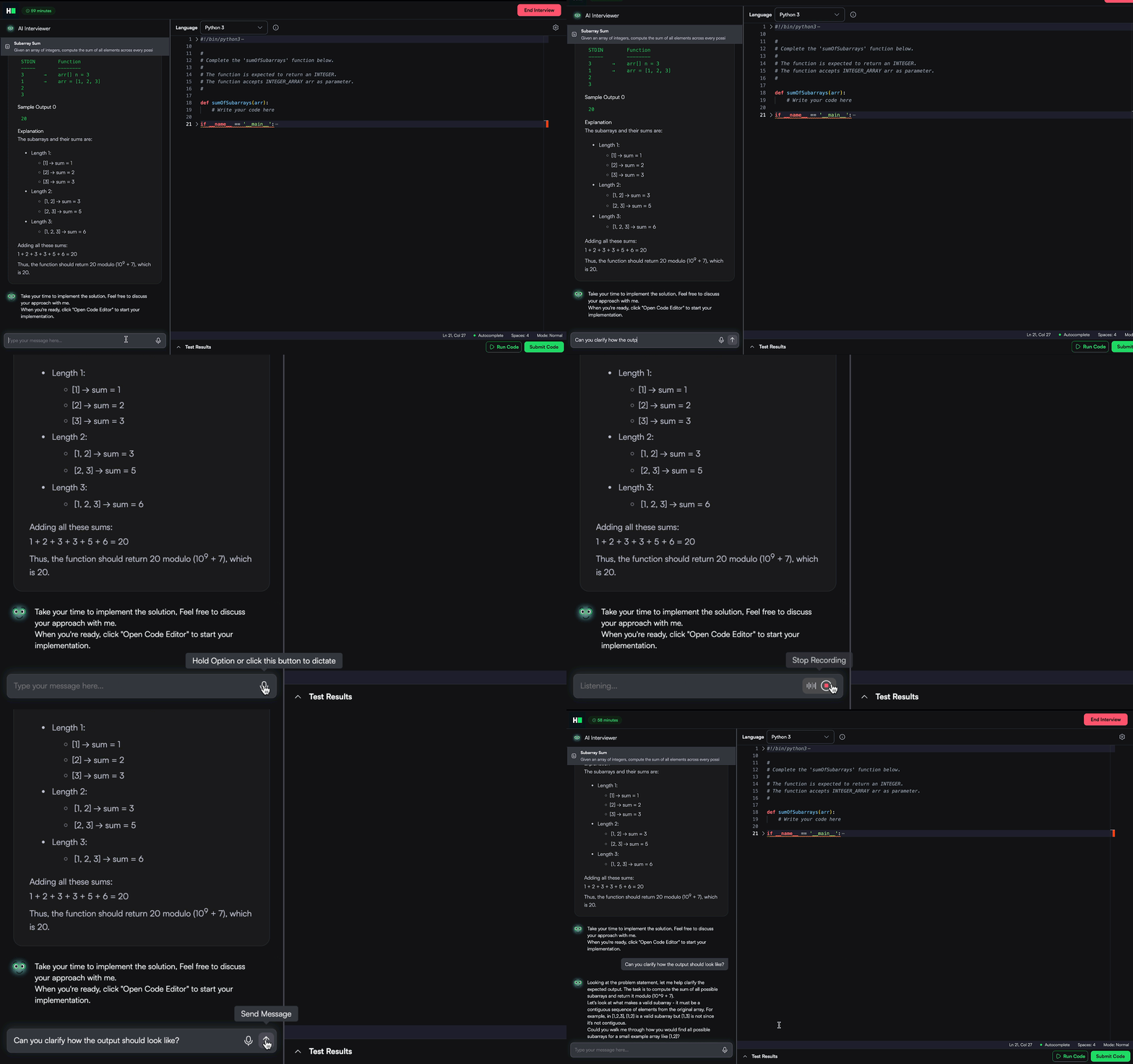
The Problem Solving AI Interviewer has been enhanced to create a smoother, more natural interview experience. Here’s what’s new:
Skip questions with ease: Candidates can move past questions even if they don’t finish the full solution, keeping the interview flow stress-free.
Smarter interviewer behavior: The AI Interviewer provides nudges without giving away code or pseudocode, asking probing questions to encourage deeper thinking before coding.
Richer reports: Reports now include AI interaction signals and follow-up performance, giving you clearer insight into reasoning and problem-solving.
Voice input support: Candidates can now answer using voice, making the interaction feel more conversational and natural.
Sign up for access to AI Interviewer, or reach out to your account manager for more details.
For more information, see 📄 Introduction to AI Interviewer, 📄 Set up an AI Interview, 📄 View Candidate Reports.
SkillUp
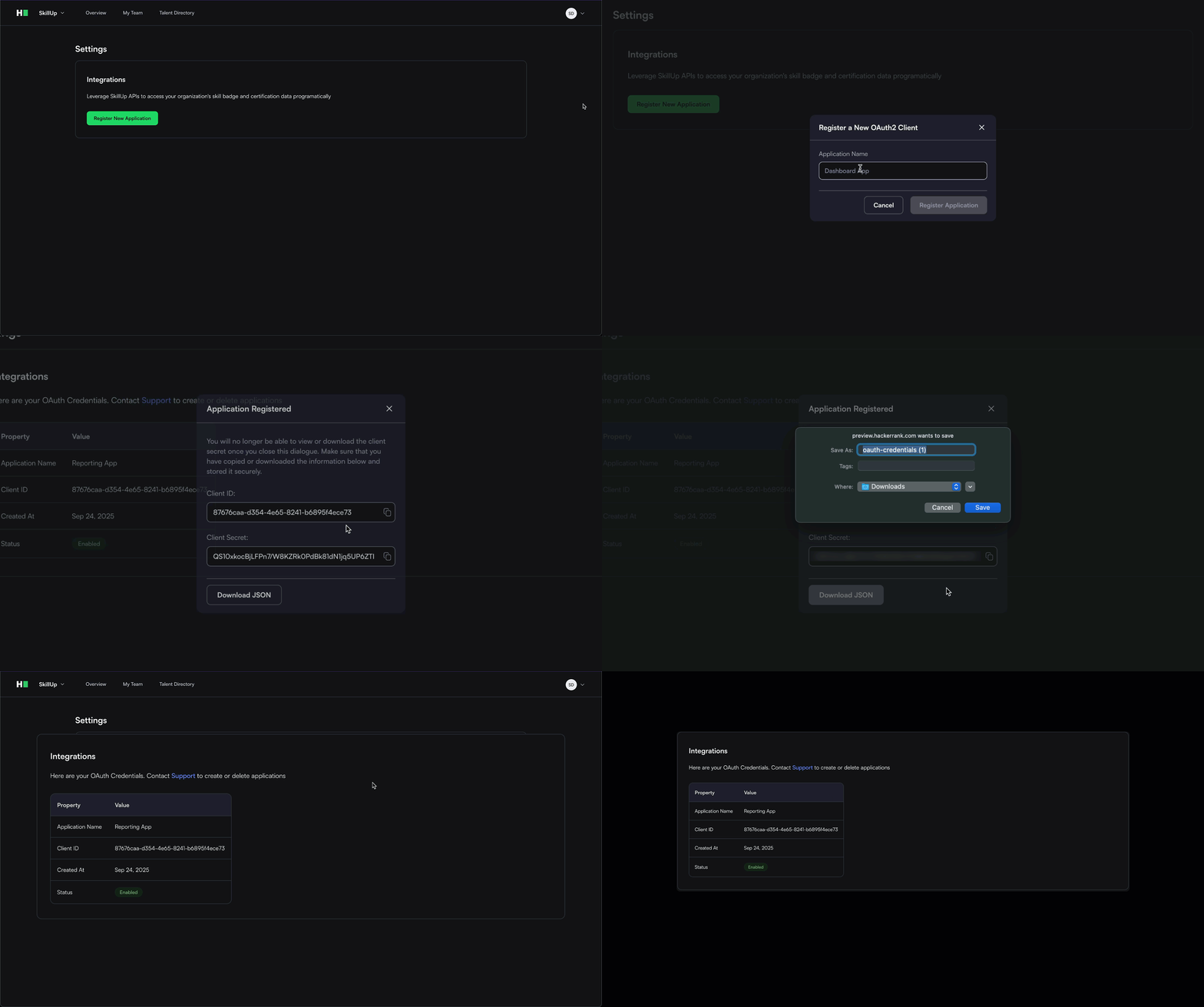
Enterprise-ready Reporting APIs
You can now programmatically extract skill signals, badges, and certification details with our APIs. These can be leveraged to build customized reporting and integrations with HR systems, making it easier to track progress, showcase achievements, and connect learning outcomes to business impact.
For more information, see 📄 Reporting APIs.
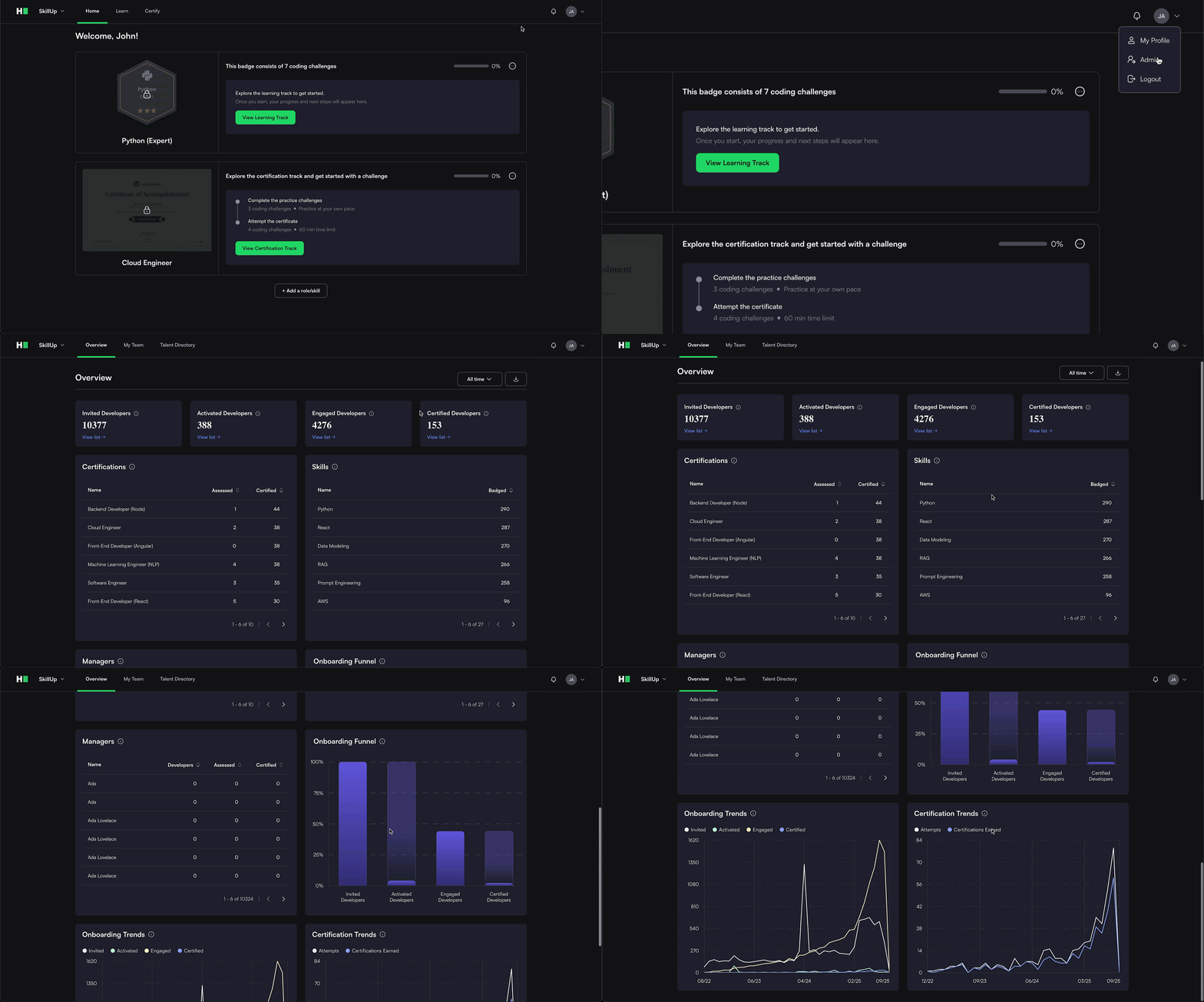
Learn Access for Admin Users
Admins can now earn badges and certifications while continuing to manage the product, helping them stay closely aligned with the skills and workflows their teams use every day. The learner view is now the default, making it easy to explore content, code, and demo features firsthand.
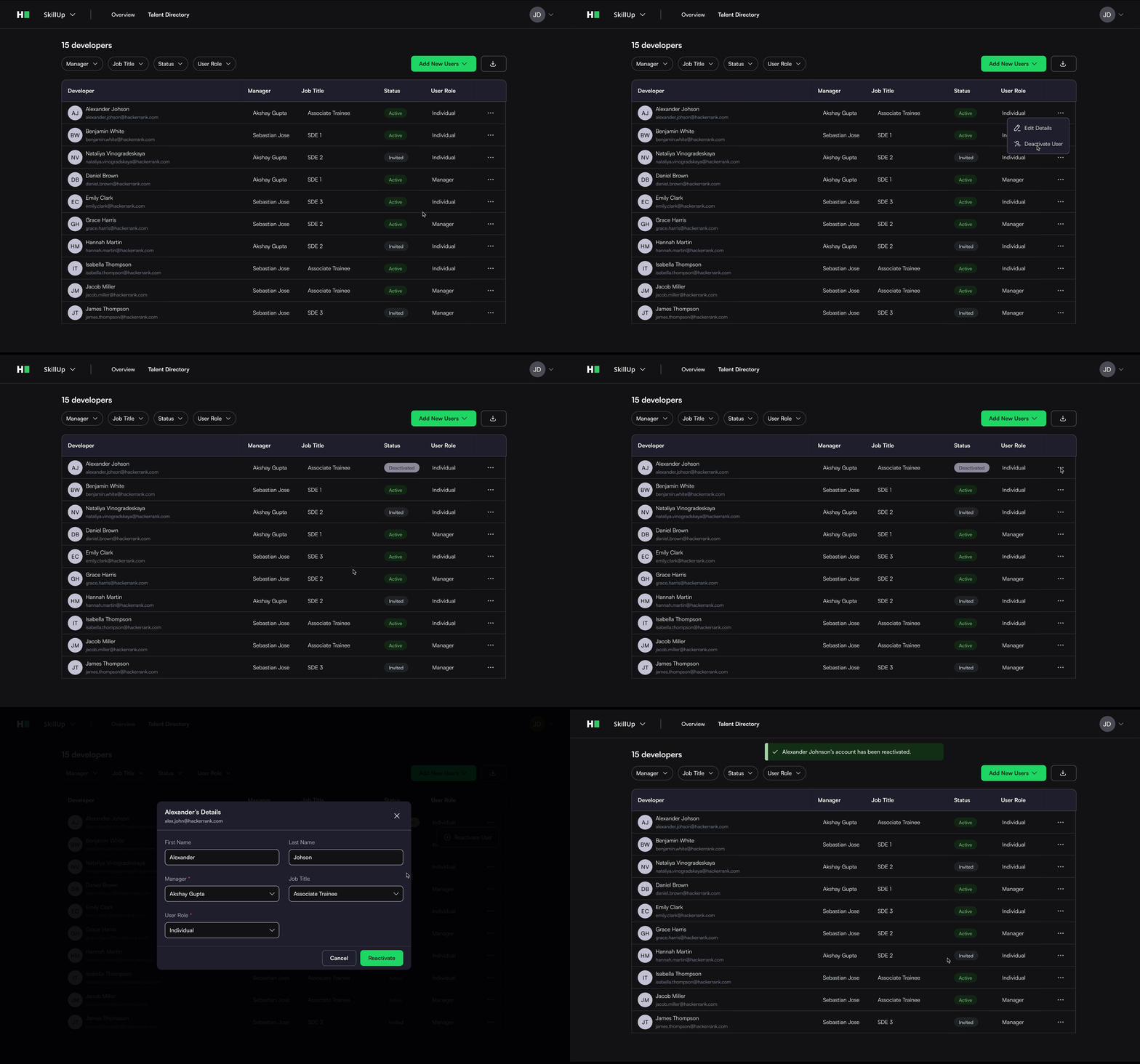
Enhanced Administrative Controls
Admins now have new options to deactivate users, providing greater control over account management and ensuring teams stay current and secure.
For more information, see Deactivating a user, Reactivating a user.
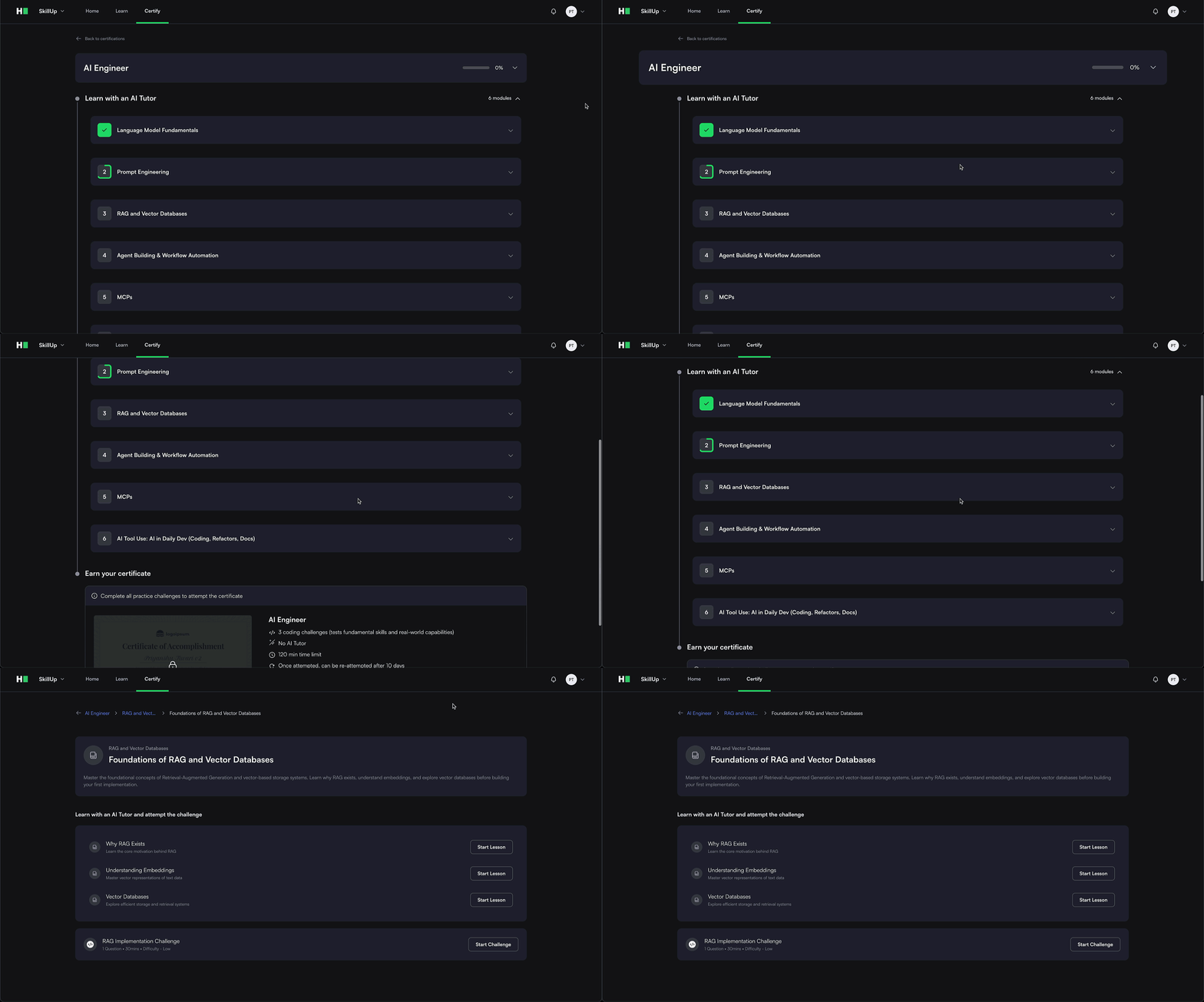
AI Engineer Certification
The AI Engineer Certification is a guided pathway with lessons and challenges designed to help you build expertise in creating AI-powered applications and showcase your skills as a next-generation developer. The first three modules (LLM Fundamentals, Prompt Engineering, RAG & Vector Databases) will be shipping in the October release, with the rest to come in November.
Developer Community
Improvements to Mock Interview Experience
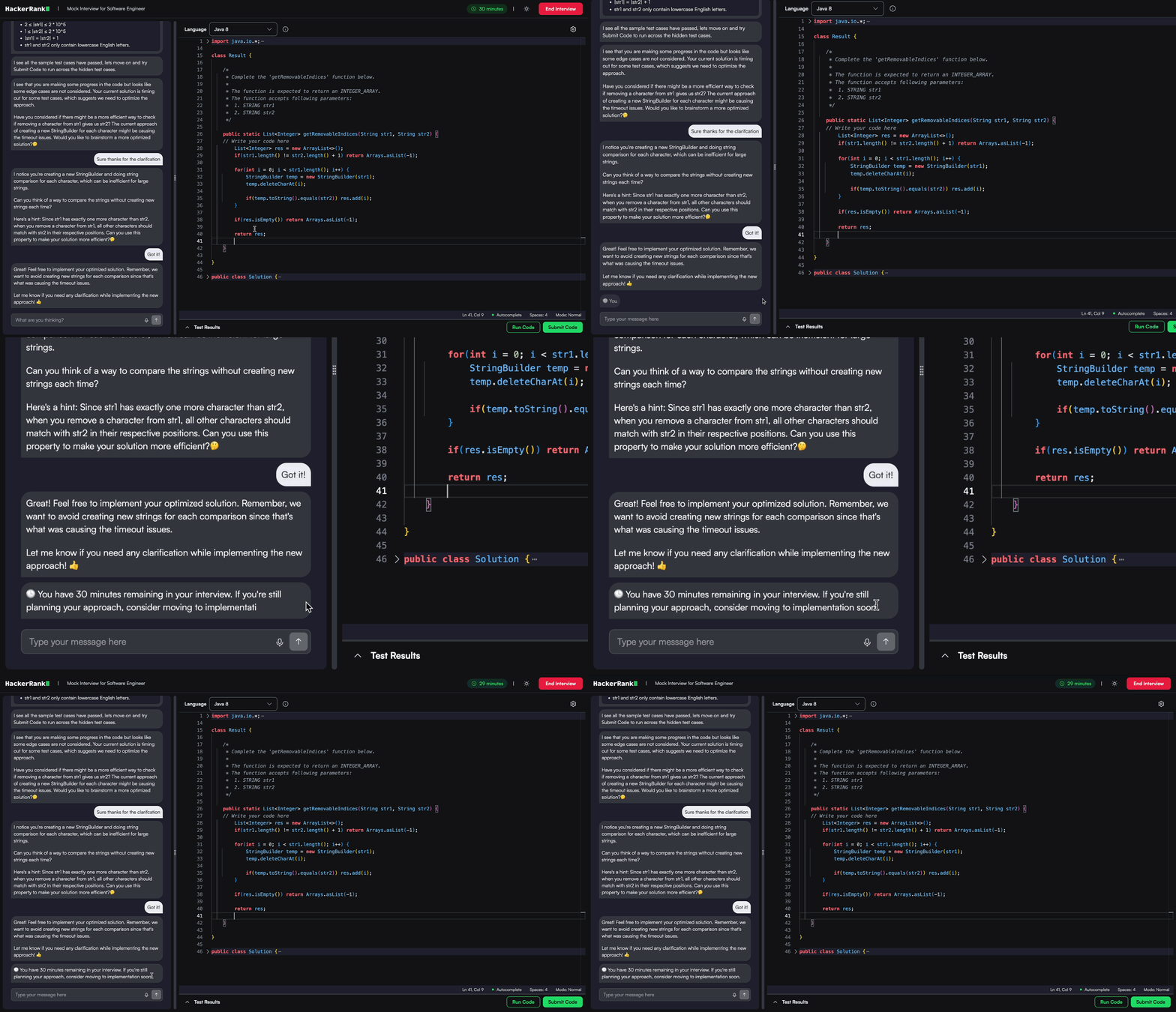
Mock Interviews are now smarter, smoother, and more content-rich, making practice feel closer to the real thing.
Real-time alerts: Stay focused with real-time nudges and a more realistic interview bot. Keep practicing, even after your interview ends.
Guided growth paths: Get clear next steps with actionable feedback after every session. Track your improvement by reviewing past interviews.
Platform improvements: Enjoy smoother sessions with automatic compatibility checks and faster, more reliable feedback.
Fresh content: Try new questions in coding, system design, React, and Node.js, along with a modern coding editor and a cleaner, more intuitive interface for easier practice.
Software Engineer Prep Kit
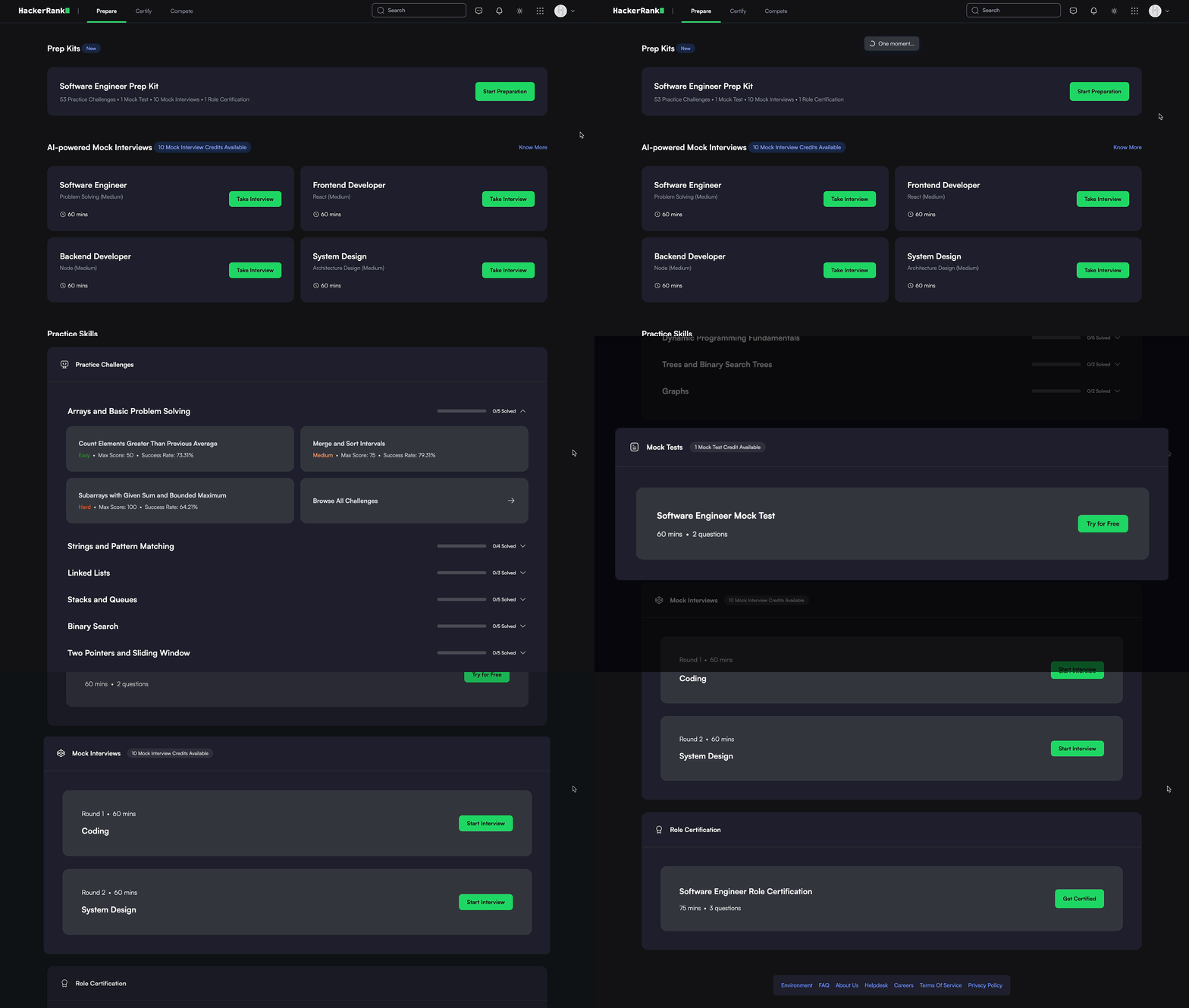
The Software Engineer Prep Kit helps you get interview-ready with curated challenges, realistic practice, and role-specific certification.
Practice Challenges: Build your skills with curated, role-specific problems spanning arrays, strings, graphs, dynamic programming, and more, designed to reflect real interview scenarios across roles. Get step-by-step support from the built-in AI Tutor as you practice solving real-world coding challenges.
Mock Test: Simulate actual hiring assessments with timed, auto-graded tests. Track your performance with personalized reports after every attempt.
Mock Interview: Experience realistic, AI-powered interviews that challenge your thinking with follow-up questions and detailed feedback, just like a real interviewer would.
Role Certification: Validate your skills with a final assessment tailored to your target role. Earn a verifiable certificate that you can easily share with recruiters and on LinkedIn.
For more information, see Introduction to Prep Kits.
Subscription Plan for Software Engineer Prep Kits
You can choose between monthly billing or save more with a quarterly subscription, offering flexibility to upgrade as your needs evolve. Check this page for more details
Basic : Begin your journey with 1 AI Mock Interview, 1 Mock Test with a detailed report, and AI Tutor Bot assistance on 2 challenges.
Plus Plan : Strengthen your skills with 3 AI Mock Interviews and 2 detailed Mock Tests each month. Enjoy unlimited access to the AI Tutor Bot and priority support whenever you need assistance.
Infinity Plan: Unlock full access to our complete AI Mock Interview and Mock Test libraries, with unlimited AI Tutor Bot access and priority support.
For more information, see HackerRank Subscription Plans, Upgrade Subscription Plan, Downgrade Subscription Plan, Cancel Subscription Plan.
The AI Add-On package includes advanced features that help you assess next-gen skills and maintain test integrity in an AI-native world. It’s built to solve emerging challenges with the right level of depth and control. To enable them, contact your account manager or email support@hackerrank.com.
Thank you for supporting our mission to change the world to value skills over pedigree!